
AIB2251 - Toilet PHILIPS - Free user manual and instructions
Find the device manual for free AIB2251 PHILIPS in PDF.


| Product Type | Electronic Bidet Seat |
| Brand | Philips |
| Model | AIB2251 |
| Power Supply | 220-240V, 50/60Hz |
| Rated Power | 1200W |
| Water Pressure Range | 0.07-0.75 MPa |
| Water Temperature | Adjustable (ambient to 37°C) |
| Seat Temperature | Adjustable (ambient to 40°C) |
| Weight | Approx. 5.5 kg |
| Dimensions (W x D x H) | 500 x 400 x 150 mm |
| Material | PP plastic, ceramic seat |
| Functions | Rear wash, front wash, oscillating wash, warm air drying, seat heating, deodorization |
| Safety Features | Overheat protection, anti-scald, leakage protection |
| Remote Control | Wireless, battery operated |
| Installation Type | Wall-mounted or direct toilet replacement |
| Cleaning Instructions | Use soft damp cloth; no abrasive cleaners |
| Filter | Built-in water filter |
| Noise Level | < 40 dB |
| Warranty | 1 year |
Frequently Asked Questions - AIB2251 PHILIPS
User questions about AIB2251 PHILIPS
0 question about this device. Answer the ones you know or ask your own.
Ask a new question about this device
Download the instructions for your Toilet in PDF format for free! Find your manual AIB2251 - PHILIPS and take your electronic device back in hand. On this page are published all the documents necessary for the use of your device. AIB2251 by PHILIPS.
USER MANUAL AIB2251 PHILIPS
natural_image
White Philips satellite dish with a small circular device attached (no visible text or symbols on the dish itself)说明书
目录
用户必读 01
安全注意事项 02
安装前准备事项 05
装箱清单 06
安装步骤 07
主要技术规格 09
侧面按键概述 10
遥控器面板概述 10
使用方法 …… 11
维护保养 13
长时间不使用处理 15
故障诊断 16
环保清单 18
保修卡 19
natural_image
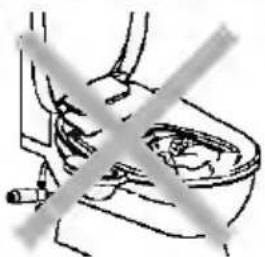
Simple line drawing of a toilet with a crossed-out shower symbol (no text or labels)请勿将手或其他物品插入喷嘴附近。
※ 否则可能导致手指受伤,或引发故障。
natural_image
Simple line drawing of a toilet with a crossed-out arrow indicating no text or symbols
请勿背靠在便盖上。
natural_image
Simple line drawing of a person sitting in a chair with a cross mark on the seat (no text or symbols)
natural_image
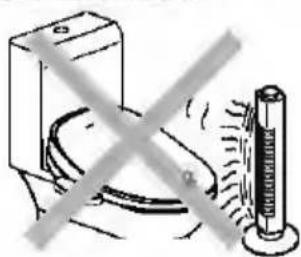
Crossed black-and-white illustration of a helmet and seat (no text or symbols)请不要将取暖器或暖炉等靠近电子坐便器。
※ 否则可能会发生变色或故障。
natural_image
Illustration of a hand holding a syringe with a crossed-out line indicating resistance or prohibition (no text or symbols present)natural_image
Line drawing of a toilet with a wall-mounted power outlet and a small phone attached (no text or symbols)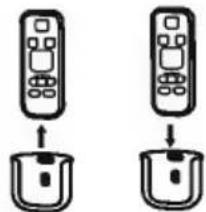
natural_image
Two identical remote control icons with arrows pointing to their bases, no text or symbols present.natural_image
Simple line drawing of a container with internal components and two screws (no text or symbols)D
安装步骤
试运行
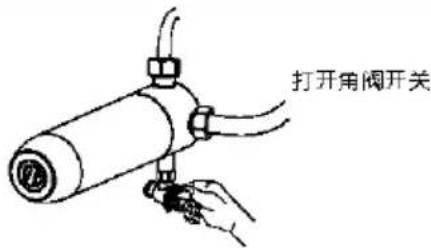
6 连接水源
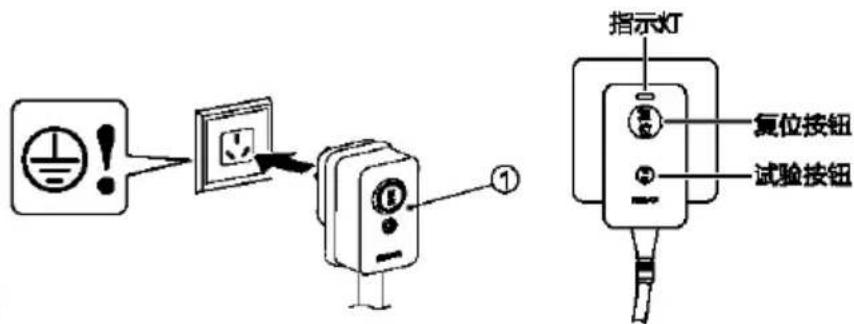
7 连接电源
natural_image
Line drawing of a toilet with seatbelt and control panel, accompanied by a remote control icon (no text or symbols)遥控器配对
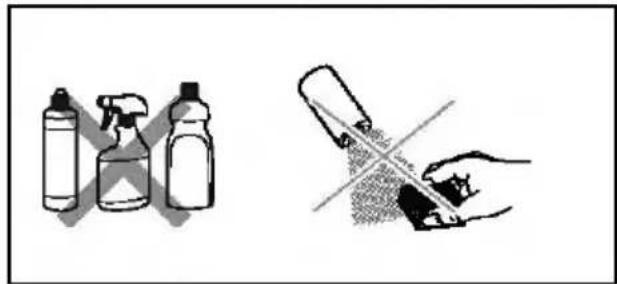
2.清洁电子盖
用软布加清水擦拭(要拧干) 注意事项:
natural_image
Line drawing of a toilet with a shower inside, connected to an electrical outlet (no text or symbols)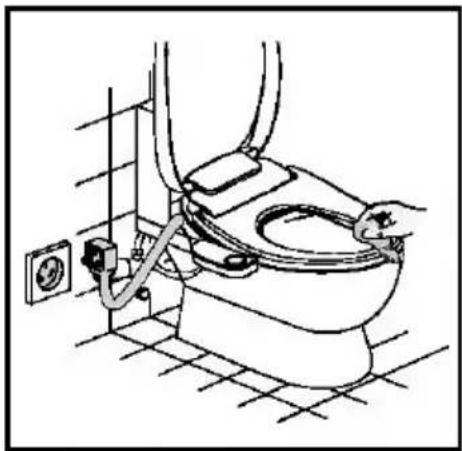
natural_image
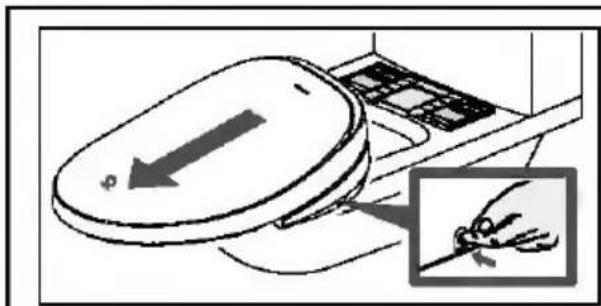
Line drawing of a toilet with attached tubing and power outlet (no text or symbols)3.拆下电子盖
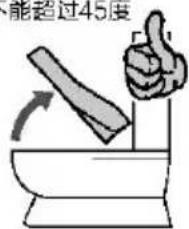
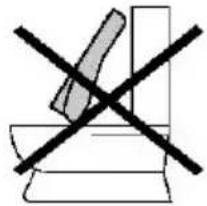
不能超过45度
natural_image
Simple line drawing of a crossed-out electrical circuit symbol (no text or labels)- 清洁电子盖和陶瓷
natural_image
Line drawing of a toilet with a hand holding a rose above it (no text or symbols)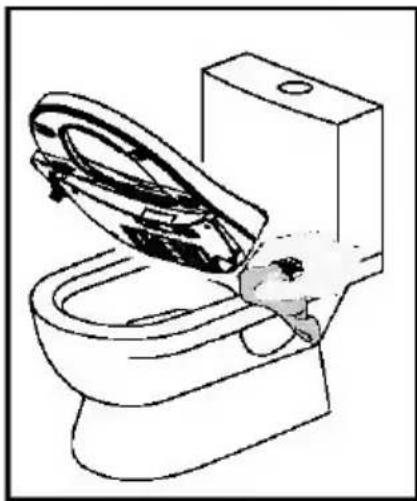
natural_image
Line drawing of a toilet with a hand inserting a socket into the sink (no text or symbols)3. 手动排水
All rights reserved.
The Philips trademark and the Philips Shield Emblem are registered trademarks of Koninklijke Philips N.V. used under license. This product has been manufactured by and is sold under the responsibility of Guangdong AquaShield Health Technology Company Limited and Guangdong AquaShield Health Technology Company Limited is the warrantor in relation to this product.