
NA-V11FG2 - Washing machine PANASONIC - Free user manual and instructions
Find the device manual for free NA-V11FG2 PANASONIC in PDF.


| Product Type | Washing machine (household use) |
| Model | NA-V11FG2 |
| Dimensions (W x D x H) | 596 x 600 x 845 mm |
| Weight | 73 kg |
| Rated Voltage | 220 - 240 V |
| Rated Frequency | 50 Hz |
| Maximum Power Input | 1740 - 2000 W |
| Maximum Spin Speed | 1400 rpm |
| Maximum Dry Cloth Capacity (Wash) | 11.0 kg |
| Water Pressure | 0.01 - 1 MPa |
| Programs | Normal, Daily Wash, Synthetic, Delicates, Bedding, Cotton, Tub Clean, Active Speed 38, Rapid 15, Soak, Allergy, Mud, Oily Sauce, Collar & Sleeve |
| Wash Temperature Options | Cold, 30°C, 40°C, 60°C (select programs) |
| Spin Speed Options | 500, 700, 1200, 1400 rpm (select programs); Drain only |
| Key Functions | ECONAVI, Auto Tub Care, Blue Ag+ (silver ion), Easy Iron, Rinse+, Timer (up to 24h), Child Lock, Auto Restart |
| Detergent Types | Low foam powder or liquid detergent; fabric softener max 150 ml |
| Water Supply Hose | 1 supplied, with elbow |
| Accessories Included | Elbow (1), Cover caps (4), Bottom cover with screw, Water supply hose |
| Drain Hose Height | 0 - 100 cm (max) |
| Safety Features | Child lock, door lock during operation, auto power off, overheat protection |
| Maintenance | Drain filter cleaning, water supply filter cleaning, Tub Clean program, door seal and detergent drawer cleaning |
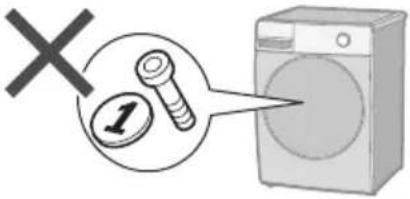
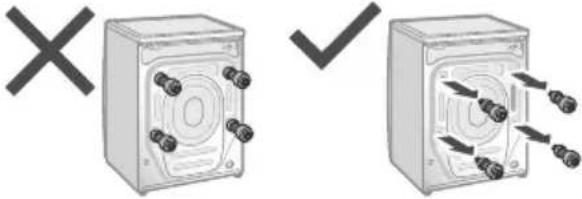
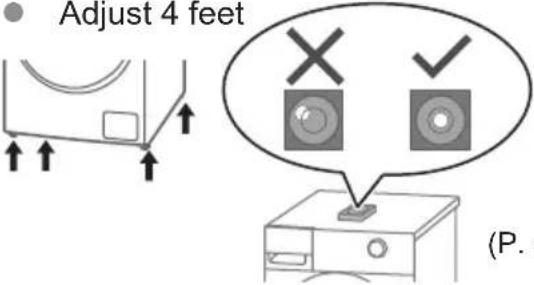
| Installation Requirements | Remove anchor bolts before use; level appliance; ensure minimum clearances (30 mm sides, 20 mm rear, 640 mm front) |
Frequently Asked Questions - NA-V11FG2 PANASONIC
User questions about NA-V11FG2 PANASONIC
0 question about this device. Answer the ones you know or ask your own.
Ask a new question about this device
Download the instructions for your Washing machine in PDF format for free! Find your manual NA-V11FG2 - PANASONIC and take your electronic device back in hand. On this page are published all the documents necessary for the use of your device. NA-V11FG2 by PANASONIC.
USER MANUAL NA-V11FG2 PANASONIC
Operating & Installation Instructions
Washing Machine (Household Use)
Model No.
NA-V11FX2 NA-V10FX2 NA-V90FX2 NA-V11FG2 NA-V10FG2

natural_image
Illustration of a front-loading washing machine with a mesh spherical vent and control panel (no text or symbols)EN
Contents
| Safety Precautions | 2 | |
| Checking Your Washing Machine | 6 | |
| Before Washing | 7 | |
| Control Panel | 8 | |
| Detergent | 10 | |
| Washing | 12 | |
| Program List | 14 | |
| Details of Programs | 16 | |
| Washing Tips | 18 | |
| Changing Program Settings | 20 | |
| Changing Appliance Settings | 26 | |
| Maintenance | 27 | |
| Troubleshooting | 31 | |
| Error Display | 37 | |
| Installation | Choosing the Right Location | 38 |
| Moving and Installing | 39 | |
| Connecting the Hoses | 41 | |
| Test Run | 43 | |
| Specifications | 44 | |
Thank you for purchasing this product.
- Read these instructions carefully for optimum performance and safety before use.
- Keep this manual for future reference.

Safety Precautions

WARNING
May cause serious injury or death
Children must not use it alone.

natural_image
Illustration of a person opening a washing machine with a large circular component nearby (no text or symbols)- This appliance is not intended for use by persons (including children) with reduced physical, sensory or mental capabilities, or lack of experience and knowledge, unless they have been given supervision or instruction concerning use of the appliance by a person responsible for their safety.
● Children should be supervised to ensure that they do not play with the appliance.
Setting the Child Lock. (P. 26)

flowchart
graph LR
    A["On"] --> B["Switch with On/Control Button"]
    B --> C["Hand with Display Panel"]
    C --> D["5 sec. Hold"]
    D --> E["Lock System"]
    E --> F["Monitor icon"]
    F --> G["Reset icon"]
    G --> H["Reset icon"]
    H --> I["Monitor icon"]
    I --> J["Lock System"]
May cause fire or electric shock
Do not touch it with wet hands.

natural_image
Illustration of a hand holding a water droplet with a 'X' symbol above, no text or symbols presentDo not hold or pull on the cord.

Do not use.

Fully insert it.

natural_image
Two identical diagrams showing a hand holding a plug, with X and V marks above (no text or symbols)Do not use.

- If the power cord is damaged, it must be replaced by the manufacturer, its service agent or similarly qualified persons in order to avoid a hazard.
In case of failure or damaged power cord, stop use and ask the electrical technician.

Securely insert the ground prong. Ask the electrical technician for a new socket.

flowchart
graph LR
    A["Speaker Input"] --> B["Device Interaction"]
    B --> C["Output Display"]
    style A fill:#f9f,stroke:#333
    style B fill:#ccf,stroke:#333
    style C fill:#cfc,stroke:#333
Use a socket appropriate for this appliance.
e.g.)

- The plug shape, socket shape and rating requirement vary with the region.
Accumulated dust may cause fire.

Wipe the power plug periodically.

natural_image
Illustration of two hands performing a medical procedure with sparkles (no text or symbols)Keep away from flammable materials.

May cause failure
Do not disassemble, repair or modify it by yourself.

natural_image
Illustration of a washing machine with a person emitting waste from a pipe (no text or symbols)Safety Precautions (continued)

CAUTION
May cause injury
Be careful not to get your fingers caught.

natural_image
Illustration of a hand pressing down on a washing machine with a warning symbol (no text or symbols present)Do not climb on the appliance.

natural_image
Illustration of a washing machine with legs and feet on top, marked with an 'X' symbol (no text or labels present)Do not touch when it is hot.

May cause water leakage
Turn off the water faucet. Use new hose-sets.

natural_image
Illustration showing a washing machine, shower, and faucet with decorative sparkles (no text or symbols)
natural_image
Simple line drawing of a cord with sparkles around it (no text or symbols)- New hose-sets supplied with the appliance are to be used and old hose-sets should not be reused.
■ For maximum mass of dry cloth and pressure of tap water, see P. 44.
May cause failure
Keep away from heat and direct sunlight.

natural_image
Illustration of a washing machine emitting light rays toward a sun, with a 'X' symbol in the background (no text or symbols on the main image)Do not obstruct.

- Do not obstruct the openings of the bottom face with carpet, etc.
Remove anchor bolts before operation.

natural_image
Two identical diagrams showing a device with multiple connectors and a switch, marked with X and ✓ symbols (no text or labels present)Do not use hot water.

For machine-washable items only.

- This appliance is intended to be used in household.
This appliance is not intended to be used in applications such as:
- staff kitchen areas in shops, offices and other working environments;
- farm houses;
- by clients in hotels, motels and other residential type environments;
- bed and breakfast type environments;
- areas for communal use in blocks of flats or in launderettes.
Do not wash excessively oily clothes.

Checking Your Washing Machine
Part names
Detergent drawer (P. 10)

Accessories
□ Elbow (1) (P. 42)

□ Cover caps (4) (P. 40)

□ Water supply hose (1) (P. 41, 42)

natural_image
Illustration of a coiled tube with two connectors (no text or symbols)☐ Bottom cover (1) /Screw (1) (P. 39)

natural_image
Illustration of a solar panel with grid lines and a screw (no text or symbols)Before Washing
Preparing laundry
Before put clothes in drum
- Remove foreign objects.

- Use laundry nets for delicates and small items.

Pre-laundry check

natural_image
Illustration of a jacket being folded, showing front and back views (no text or symbols)


Paper diapers
- Observe care labels.

- Wash separately.

- Pretreat for heavily stains.

natural_image
Illustration showing a hand applying adhesive to a patterned fabric and a close-up of hands holding a circular object (no text or symbols)NOTE
- “Mud / Oily Sauce / Collar & Sleeve” programs (P. 15) are recommended for removing stains.
Control Panel
Images in these instructions are of the NA-V11FX2, unless otherwise indicated.

■ NA-V11FG2/NA-V10FG2

Control buttons

Touch operation
Operation buttons are capacitive (Except for ☐)
- If water, detergent or softener gets on, turn off and wipe off with a towel etc. immediately. (Cause of malfunction)


NOTE
- Turn off → back on


- No operation → auto power off


Auto Power off
In case of a power failure
When the power recovers, operation resumes from where it stopped. (Auto Restart)
Detergent
Detergent
Use a low foam detergent.
- To prevent powder detergent from remaining in the detergent drawer:

Wet Dry

natural_image
Illustration showing a bag pouring granular material into a container, and a hand holding a container with a whisk, both without any text or symbols.Lumps Powder
- Follow the instructions on each package.

Detergent
Powder detergent Liquid detergent

natural_image
Illustration of a bag with granular powder and a brush applying powder (no text or symbols)Bleach


Fabric softener

natural_image
Line drawing of a hand using a tool to remove or remove a tray (no text or symbols)


Separated or solidified softeners


natural_image
Illustration of a washing machine with a circular inset highlighting the front door (no text or symbols)NOTE

natural_image
Illustration of a washing machine with a checkmark and speech bubble (no text or symbols)


Fabric softener

Max. 150 ml


Washing
Basic Method

NOTE
■ Do not let laundry get caught in the door.

natural_image
Simple line drawing of a washing machine with a magnifying glass and a cross symbol (no text or labels)■ Do not overfill the drum with laundry.

natural_image
Illustration of a washing machine with a door open and a close-up of clothes inside, no text or symbols present.■ To open the door during operation
(You can add clothes when 📄it.)

flowchart
graph LR
    A["Pause"] --> B["Max. 1 min."]
    B --> C["Click"]
    C --> D["(To restart)"]
    D --> E["Start"]
NOTE
- Door does not open (P. 32)

1

flowchart
graph LR
    A["Water Tap"] --> B["Washing Machine"]
    B --> C["Printer Disposal"]
    C --> D["Printer Disposal"]
2

3

Select a program.
(P. 14)
■ Changing the settings.
4

Measures the amount of laundry

Except programs that do not weigh (P. 14)

Displays the time required (recalculated)


Settings

Temp (P. 20)

Spin (P.21)

Mode (P.21)

Timer (P.22)

Rinse+ (P. 23)

Easy Iron (P. 23)

Blue Ag+

Auto Tub Care (P. 24)

5

natural_image
Illustration of a washing machine with a door open, transforming into a shirt and a garment (no text or symbols)Program List
| Program Description | Max load (kg) | Total time | |||
| V11FX2/V11FG2 | V10FX2/V10FG2 | V90FX2 | |||
| Normal | Everyday clothes  | 11.0 10.0 9.0 2:30 | |||
| Daily Wash | Everyday clothes (Quicker than “Normal” program)  | 11.0 10.0 9.0 1:30 | |||
 Synthetic Synthetic | Chemical fibres  | 5.0 1:05 | |||
 Delicates Delicates | Washing gently  | 2.0 0:50 | |||
 Bedding Bedding | Large items  | 3.0 1:30 | |||
| [B28T] Cotton | Gentle wash with extra time  | 11.0 10.0 9.0 3:00 | |||
 Tub Clean Tub Clean | Cleaning the drum.  | None 3:45 | |||
- Total time is approximate (When the standard water supply rate is 15 L / min). For each program's default water temperature.
- Programs that the load is not weighed after pressing "Start/Pause": Synthetic, Deliates, Bedding, Rapid 15
| Program Description | Max load (kg) | Total time | |||
| V11FX2/V11FG2 | V10FX2/V10FG2 | V90FX2 | |||
| Active Speed 38 | Small loads  | 5.0 0:38 | |||
| Rapid 15 | Small loads of lightly soiled  | 2.0 0:15 | |||
| Soak | Heavily-soiled clothes  | 5.0 2:00 | |||
| Allergy | For ticks and pollen  | 11.0 10.0 9.0 3:15 | |||
| Mud |  | 11.0 10.0 9.0 3:20 | |||
| Oily Sauce |  | 11.0 10.0 9.0 3:00 | |||
| Collar & Sleeve |  | 11.0 10.0 9.0 3:10 | |||
Details of Programs
| Settings Program | Auto setting | |||
| Temp (°C) | Spin (r/min) | |||
 | Normal | 40 1200 | ||
 | Daily Wash | 40 1200 | ||
 | Synthetic | 30 700 | ||
 | Delicates | 30 500 | ||
 | Bedding | Cold 700 | ||
 | Cotton | 60 1400 | ||
 | Tub Clean | 40 1200 | ||
 | Active Speed 38 | 40 1200 | ||
 | Rapid 15 | Cold | 1200 | |
 | Soak | 40 1200 | ||
 | Allergy | 90 1200 | ||
 | Mud | 40 1200 | ||
| [KXXG] | Oily Sauce | 40 1200 | ||
 | Collar & Sleeve | 40 1200 | ||
NOTE
- For normally soiled laundry at the rated capacity, we recommend using the "Cotton, 60 °C, 1400 r/min" which is tested in accordance with IEC 60456 for the energy and water efficiency aspects.
- Actual water temperature may differ from the declared cycle temperature.
- The test results depend on water pressure, water hardness, water inlet temperature, room temperature, type and amount of load, degree of soiling, utilized detergent, fluctuations in the main electricity supply and chosen additional options.
| functions | |||||||
| e Timer Rinse+ | Easy Iron | Blue Ag+ | Auto Tub Care | ||||
| Cold, 30, 40, 60 | 500, 700, 1200, 1400 | √ | √ | √ | √ | √ | |
| Cold, 30, 40, 60 | 500, 700, 1200, 1400 | √ | √ | √ | √ | √ | |
| Cold, 30, 40 | 500, 700, 1200 | √ | √ | √ | √ | √ | |
| Cold, 30, 40 | 500 | √ | - | √ | - | √ | - |
| Cold, 30 | 500, 700 | √ | √ | √ | √ | - | |
| Cold, 30, 40, 60 | 500, 700, 1200, 1400 | √ | √ | √ | √ | √ | |
| 40 | 1200 | - | - | - | -- | - | |
| Cold, 30, 40 | 500, 700, 1200, 1400 | √ | √ | - | √ | √ | √ |
| Cold | 500, 700, 1200 | - | √ | - | -- | - | |
| Cold, 30, 40 | 500, 700, 1200, 1400 | √ | √ | √ | √ | √ | |
| 60, 90 | 500, 700, 1200 | - | √ | √ | √ | - | √ |
| 40 | 500, 700, 1200, 1400 | √ | √ | √ | √ | √ | |
| 40 | 500, 700, 1200, 1400 | √ | √ | √ | √ | √ | |
| 40 | 500, 700, 1200, 1400 | √ | √ | √ | √ | √ | |
Blue Ag+:
V11FX2 / V10FX2 / V90FX2
Washing Tips
ECONAVI
- “Normal” program only

3 sensors
Weight Temperature Material


Time savingWater saving
Delicates
■ When washing
- To rinse fully, use the "Rinse+" function. (P. 23)
NOTE


■ After operation ends
Take out immediately

■ Lamp indications

Detecting

ECONAVI enabled

ECONAVI disabled
Bedding
■ Washable items
- 30 (Wash) - Handwash - 100 % cotton or 100 % synthetic

■ Putting blankets into the drum

flowchart
graph TD
    A["Step 1: Rear down on door panel"] --> B["Step 2: Wrap back on bag"]
    B --> C["Step 3: Pull down on bag"]
    C --> D["Step 4: Wrap down on bag with spring"]
■ Not washable items


Changing Program Settings
■ Preparing
- Sort the laundry and put it into the drum. (P. 7)
- Add the detergent. (P. 10)
1

2

(P. 14)
3
Change the program's settings.

● Available options and setting ranges are different depending on the program. (P. 16)
- An alarm sounds if you select an option that is unavailable.
4

!c Temp
Change the washing temperature.

natural_image
Two thermometer illustrations with gradient shading, no text or symbols presentLow High
Setting guide

3

(P. 17)
r/min Spin
Change the spin speed.

natural_image
Two washing machines with opposing circular arrows indicating bidirectional or bidirectional interaction (no text or symbols)Low High
Setting guide
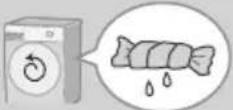 Low Low | 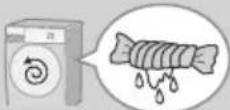 High High |
● To reduce wrinkling | ● To dry more thoroughly |
3 r/min (P. 17)
■ To change the setting while washing


Mode
Select a combination of wash, rinse and spin.
(e.g.)

flowchart
graph LR
    A[" "] --> B[" "] --> C[" "]
Wash SpinRinse
3
| *1 | Wash |
| *2 | Rinse |
| *2 | Spin |
| Wash and rinse | |
| Wash and spin | |
| *2 | Rinse and spin |
*1 Water is drained after wash process.
*2 Drains first if there is water in the drum.
Changing Program Settings (continued)
■ Preparing
- Sort the laundry and put it into the drum. (P. 7)
- Add the detergent. (P. 10)
1

2

(P. 14)
3
Change the program's settings.

● Available options and setting ranges are different depending on the program. (P. 16)
- An alarm sounds if you select an option that is unavailable.
4

Timer
Set how many hours later to finish operation. (Up to 24 hours)

3

Press or hold

(e.g.)
■ To check a preset time

■ To cancel settings

(All settings are cancelled)
NOTE

All indications
turn off except

Not available: P. 17

Rinse+
Add an extra rinse.

flowchart
graph LR
    A["Wash"] --> B["Water Bowl"]
    B --> C["Box with + symbol"]
    C --> D["Swiss"]
    style C fill:#f9f,stroke:#333

Easy Iron
Gentle spindry (at 700 r/min or less) makes ironing easier.

3

Goes out (Off)

Lights (On)
3

Goes out (Off)

Lights (On)
■ To change the setting while washing

1

2

3

NOTE

* WASH programs: Up to 30 min.
(To take out the laundry during operation)

Changing Program Settings (continued)
■ Preparing
- Sort the laundry and put it into the drum. (P. 7)
- Add the detergent. (P. 10)
1

2

(P. 14)
3
Change the program's settings.

● Available options and setting ranges are different depending on the program. (P. 16)
- An alarm sounds if you select an option that is unavailable.
4


Auto Tub Care
Add tub cleaning process.

natural_image
Line drawing of a washing machine with a circular button and decorative ring (no text or symbols)3
V90FX2V11FX2 V10FX2

Hold 5 sec.
V11FG2 V10FG2


NOTE
• The setting is memorized.
Ag+ Blue Ag+
V90FX2V11FX2 V10FX2
Bacteria elimination function (Max. 3 kg).

flowchart
graph LR
    A["Water"] --> B["Water"]
    B --> C["Add to Ag+"]
    C --> D["Add to Ag+"]
    D --> E["Product"]
    style A fill:#f9f,stroke:#333
    style B fill:#ccf,stroke:#333
    style C fill:#cfc,stroke:#333
    style D fill:#fcc,stroke:#333
    style E fill:#ffc,stroke:#333
3


■ Service life for Ag+ case
- “Blue Ag+” works for about 300 to 350 times (for about 7 years if used once a week).
- Replace the case when the contents are decreased.

- Replace
→ (P. 29)

Wash without "Ag+"

NOTE
- Do not use the water for other purposes.

- The kind of clothes, detergent, softener, and water hardness may affect the result.
- Stop use if itchy, etc.


Changing Appliance Settings
Setting the Child Lock


■ To cancel:
Same procedure ♪ x4

Goes out (Off)
Cancelling the buzzer


■ To reset:
Same procedure ♪x4
Maintenance
Water supply filter
If water does not flow smoothly

natural_image
Diagram of a computer tower with an inset close-up showing a cable inserted into the base (no text or symbols present)1

6

2

7

natural_image
Illustration of a hand holding a small cylindrical object with a textured surface, possibly a tool or component (no text or symbols present)3

8

natural_image
Diagram showing a coiled pipe with mesh insulation and a separate circular component, no text or symbols present4

9

5

Maintenance (continued)

Appliance

natural_image
Illustration of a washing machine with a hand cleaning it, surrounded by sparkles (no text or symbols)Door seal For heavy soil

natural_image
Illustration of a hand placing a paper into a circular container with arrows indicating rotation (no text or symbols)
NOTE

- Do not use gritty cleaners or thinners, or products containing alcohol or paraffin oil.
Detergent drawer


natural_image
Mechanical assembly diagram showing a component being inserted into a housing (no text or symbols present)
natural_image
Illustration of a kitchen sink with water spray and plastic components (no text or symbols)

natural_image
Diagram showing a device being inserted into a container with an arrow indicating direction (no text or symbols)If the contents are decreased
■ Change Ag+ case
V90FX2V11FX2 V10FX2
1

natural_image
Technical line drawing of a mechanical component with an inset magnified view showing internal structure (no text or symbols)2

NOTE
• You cannot open Ag+ case.
Drum
Once a month or if flashes
1

2
Whitening bleach (chlorine bleach)

3

4

5


NOTE
- If the "Tub Clean" program is not run, the indicator goes off when other program is run 3 times.
Maintenance (continued)
Drain filter
Be sure to drain water in the drum before this procedure.

CAUTION

Hot water
(possibly scalding water)
1

2

natural_image
Diagram of a mechanical device with a handle and internal components, no visible text or symbols3

4

5

natural_image
Line drawing of a kitchen sink with a mounted appliance and a curved pipe, no text or symbols present6

7

8
Replace
1

natural_image
Hand placing a circular component into a device with a handle (no visible text or symbols)3

2 Until it is in place

4

Troubleshooting
| Symptoms Points to be checked | ||
| Main unit | Touch the buttons | Possible causeDuring an operationKK5YTryChild Lock (P. 26) |
| No operation | CheckPower cutTimer  TryClose the door.Turn on.Unplug and insert again. TryClose the door.Turn on.Unplug and insert again.  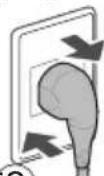 (30 sec.)Press "Start".Turn the breaker on. (30 sec.)Press "Start".Turn the breaker on.  | |
| Odour of rubber | Possible cause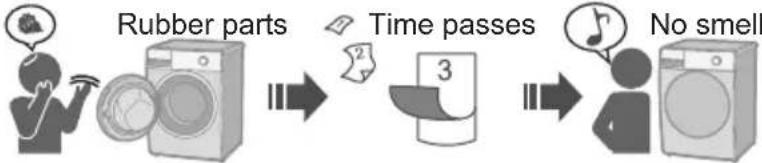 TryTub Clean (P. 29) TryTub Clean (P. 29) | |
Troubleshooting (continued)

| Symptoms Points to be checked | ||
| Wash | During a wash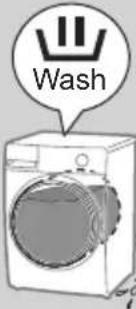 Water drainage Water drainage | Possible causeExcess foam Foam detection function 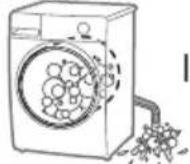 [XZTA]Foam Auto drainage [XZTA]Foam Auto drainage |
| Rinse/Spin | During the spin process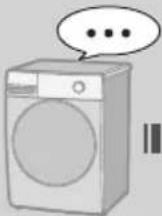 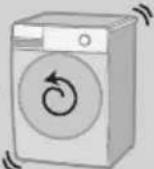 Stop Rotates several times Stop Rotates several times | Possible causeUnevennessEvenness  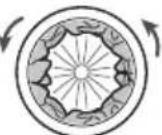 Auto correct Stop Auto correctTryToo light Add 1 or 2 Auto correct Stop Auto correctTryToo light Add 1 or 2  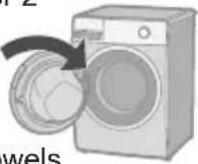 Bath towards Bath towards |
After washing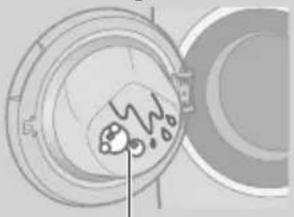 Foam or water Foam or water | Try  | |
Spin changes to rinse   RinseSpin RinseSpin | Possible causeIf clothes are uneven, this appliances automatica corrects unevenness using the rinse process. | |
Troubleshooting (continued)
| Symptoms Points to be checked | ||
| Detergent and foam | After washing | □ Check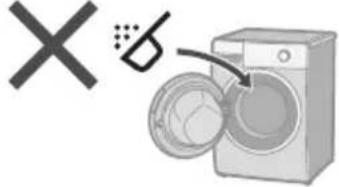  (P.1) (P.1) |
 | □ Possible causeThe amount of foam varies.Temperature Water level Water softness(TTZH)   | |
Not enough | □ CheckPowder detergent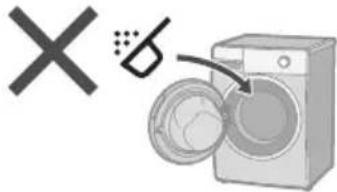  Too little detergent Low foam detergent Heavily soiled Load too large Too little detergent Low foam detergent Heavily soiled Load too large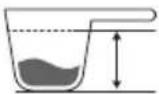 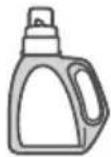 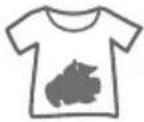  | |
Too much | □ CheckToo much detergent(T4DC) | |
| Laundry | If the laundry yellowsYellow | □ Try |
| Time | During a washDisplayed timeChanges | □ Possible cause● Remaining time is corrected during operation.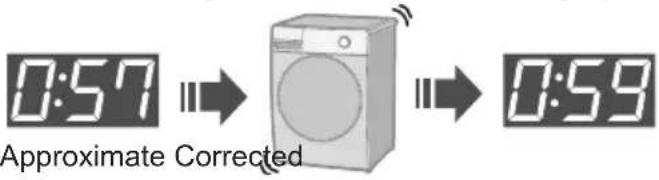 ● If the settings changed● If clothes are uneven ● If the settings changed● If clothes are uneven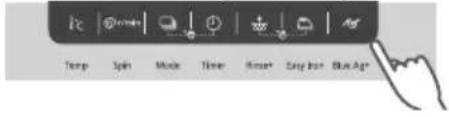 → The remaining time may increase. → The remaining time may increase. |
| Noise | During water drainage | □ Possible cause● This is normal.The drain pump is working. |
Sound of fan rotating | □ Possible cause● This is normal.The fan cools electric parts. | |
Troubleshooting (continued)
| Symptoms Points to be checked | ||
| Noise | Unusual noise (or vibration) | □ Check
● Metal items
 ● Anchor bolts (P. 40)
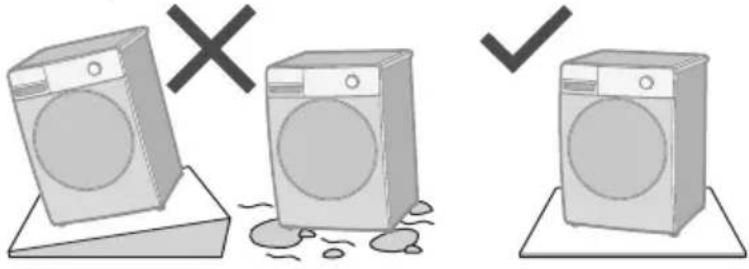
 ● Slope or an unstable surface
 40) 40) |
| Others | Power cut Breaker
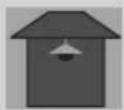 Off Off  | □ Check
● When the power recovers, operation resumes from where it stopped.
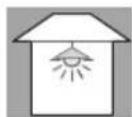 On On 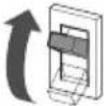  |
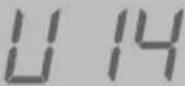
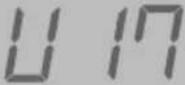
Error Display
| Error Display Points to be checked | ||||
| Unable to drain | 1 Check  | 2  | 3  | |
 |  |  |  | |
| .30) | ||||
| Door is open | 1  | 2  | ||
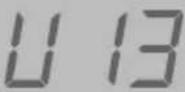 Unable to spin Unable to spin | 1 Check | 2  | 3  | |
 | Unstable or inclined Stable  | Too much Reduce  | Too little AddUneven Even  | |
 Unable to supply water Unable to supply water | 1 Check | 2  | 3  | |
Water outage  | Turned off  |  | Water supply P. 27)  | |
 Unable to spin Unable to spin |  |  | 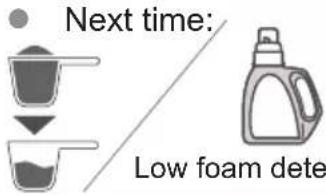 rgent rgent | |
 |   | |||
 | 1  | 2  | 3  | |
Choosing the Right Location

Make sure to ask a service person for installation.
■ Do not install the appliance by yourself.
■ Follow this installation method. If you do not, Panasonic will not be liable for any accidents or damages.
Appliance dimensions

■ Set-in installation

- Do not let the metallic portions of the appliance come into contact with metal sinks or other appliances.
Check the location.

natural_image
Illustration of a washing machine with raindrops and a 'X' symbol (no text or labels)
natural_image
Illustration of a washing machine and a bathtub with a crossed-out 'X' symbol (no text or labels)
natural_image
Illustration of three washing machines with a 'X' symbol above, no text or symbols present
Moving and Installing
Carrying the appliance
Do not do it alone.

Installation of bottom cover

natural_image
Illustration of a microwave oven with a cooling rack and an arrow indicating heat transfer (no text or symbols)
natural_image
Diagram showing a switch inserted into a device with a circular component, labeled with number 2 (no text or symbols on the diagram itself)Moving and Installing (continued)
Removing the anchor bolts
1


natural_image
Diagram showing a wrench tool interacting with a mechanical component, with no visible text or symbols.2

3

NOTE

■ Moving the appliance again

Levelling the appliance
1

2

3

4


Connecting the Hoses
Connect the hoses properly to prevent water leaks.
Maximum connection distances for hoses and the power cord
Right side connection

Left side connection
(cm)

Connecting the Hoses (continued)
Water supply hose
Drain hose
■ Connecting the water supply hose
■ Draining to a sink or wash basin

CAUTION
- Tighten the nut firmly.
- Do not twist, squash, modify or cut the hose.
1

2

3

natural_image
Diagram of a faucet with a valve and handle, showing airflow direction (no text or symbols)×

natural_image
Simple line drawing of a faucet with water splashing (no text or symbols)NOTICE

■ Draining to a stand pipe

■ Draining to a drain hole

natural_image
Illustration of a threaded rod inserted into a rectangular plate (no text or symbols)NOTE

Test Run


Checking after test run
| Problem Causes and Measures | ||
Water leaks | Connect the water supply hose properly | |
| Min. 10 mm3/4"12 | ||
 | Remove the anchor bolts (P. 40) | Install stably |
Error display | See P. 37. | |
Specifications
| V11FX2 V11FG2 V10FX2 V10FG2 V90FX2 | |||
| Rated voltage (V) 220 - 240 | |||
| Rated frequency (Hz) 50 | |||
| Maximum energy rated power input (W) | 1740 - 2000 | ||
| Maximum spin speed (r/min) 1400 | |||
| Product dimensions (W x D x H) (mm) | 596 × 600 × 845 | ||
| Product weight (kg) 73 | |||
| Maximum mass of dry cloth (Wash) (kg) | 11.0 10.0 9.0 | ||
| Pressure of tap water (MPa) 0.01 - 1 | |||
Panasonic®
Arahan Pengendalian &
Pemasangan
Mesin Basuh
(Penggunaan Rumah)
No. Model
NA-V11FX2 NA-V10FX2 NA-V90FX2
NA-V11FG2 NA-V10FG2

natural_image
Illustration of a front-loading washing machine with a mesh spherical vent and control panel (no text or symbols)MY
Kandungan
natural_image
Illustration of a person opening a washing machine with a large circular component nearby (no text or symbols)natural_image
Illustration of a hand holding a water droplet with a 'X' symbol above, indicating an environmental or safety hazard (no text or symbols on the diagram itself)Jangan pegang atau tarik kabel.

Jangan guna.

natural_image
Illustration of a hand inserting a plug into an electrical outlet with a black X symbol above (no text or labels)
natural_image
Simple line drawing of a plug inserted into a socket (no text or symbols)
flowchart
graph LR
    A["Power outlet"] --> B["Person wearing headset"]
    B --> C["House with wrench and plug icon"]
    C --> D["Power outlet with plug icon"]
natural_image
Illustration of hands performing a medical procedure with sparkles (no text or symbols)natural_image
Illustration of a washing machine with a person holding a tool near waste (no text or symbols)natural_image
Illustration of a hand pressing down on a washing machine with a warning symbol (no text or symbols present)natural_image
Illustration of a washing machine with legs and feet standing on top, marked with an 'X' symbol (no text or labels present)Jangan sentuh semasa ia panas.

natural_image
Illustration showing a washing machine with a T-shirt and a faucet, both without any text or symbols.
natural_image
Simple line drawing of a cord with sparkles around it (no text or symbols)natural_image
Illustration of a washing machine emitting light rays from a sun, with a 'X' symbol in the background (no text or symbols on the main image)Jangan halang.

natural_image
Two identical diagrams showing a device with connectors and directional arrows, no text or symbols present.Jangan gunakan air panas.

Memeriksa Mesin Basuh Anda
Nama alat
Laci detergen (Hlm. 10)

natural_image
Illustration of a coiled tube with two connectors (no text or symbols)natural_image
Illustration of a solar panel with grid lines and a screw, no text or symbols presentSebelum Mencuci
Menyediakan pakaian
natural_image
Illustration of a jacket being folded, showing front and back views (no text or symbols)
natural_image
Simple line drawing of a long-sleeve sweater with dashed vertical lines indicating measurement or pattern (no text or symbols)Berbalik


natural_image
Illustration of a white shirt with button details and a gray hoodie (no text or symbols)
natural_image
Illustration of a knitted sleeve with dashed stitching (no text or symbols)Pakaian mungkin menggosok


Lampin kertas
- Patuhi label penjagaan.

Cuci berasingan.

natural_image
Illustration showing two hand-drawn scenes: a hand applying paint to a fabric with a brush, and hands holding a bag of food (no text or symbols)NOTA

Auto Tub Care
(Penjagaan Tab Automatik) (Hlm. 24)
Butang Kawalan

Operasi sentuh
Basah Kering

natural_image
Illustration showing a bag pouring granular material into a container and a hand holding a small container (no text or symbols)Ketulan

Serbuk
Pelembut kain

natural_image
Line drawing of a hand using a tool to clean or prepare food inside a refrigerator (no text or symbols)
Air

Detergen
Detergen serbuk Detergen cecair

natural_image
Illustration of a bag with granular powder and a brush applying granular material (no text or symbols)Peluntur


natural_image
Illustration of a single washing machine with a circular dial and handle, shown without any text or symbols.NOTA

natural_image
Illustration of a washing machine with a checkmark and speech bubble (no text or symbols on the device itself)


Pelembut kain

Maks. 150 ml


Mencuci
Kaedah Asas

NOTA
■ Jangan biarkan pakaian tersangkut di pintu.

natural_image
Simple line drawing of a magnifying glass over a machine, with a 'X' symbol nearby (no text or symbols on the diagram itself)natural_image
Illustration of a washing machine with a lid open and a hand inside, showing a close-up of clothing (no text or symbols)■ Buka pintu semasa operasi

Spin
(Putar)
(Hlm. 21)

Mode
(Mod)
(Hlm. 21)

Timer
(Pemasa)
(Hlm. 22)

Rinse+
(Bilas+)
(Hlm. 23)

Easy Iron (Mudah
Seterika) (Hlm. 23)

Blue Ag+
V11FX2
V10FX2
V90FX2
(Hlm. 25)

Auto Tub
Care
(Penjagaan Tab
Automatik)
(Hlm. 24)
5

natural_image
Illustration of a washing machine transforming into a shirt with sparkles (no text or symbols)Senarai Program
| Program Huraian | Muatan maks (kg) | Masa keseluruhan | |||
| V11FX2/V11FG2 | V10FX2/V10FG1 | V90FX2 | |||
| Normal(Biasa) | Pakaian harian | 11.0 | 10.0 9.0 | 2:30 | |
| Daily Wash(Cucian Harian) | Pakaian harian (Lebih pantas daripada program “Normal (Biasa)”) | 11.0 | 10.0 9.0 | 1:30 | |
| Synthetic(Sintetik) | Serat kimia | 5.0 1:05 | |||
| Delicates(Mudah rosak) | Mencuci dengan | 2.0 0:50 | |||
| Bedding(Cadar) | Item besar | 3.0 1:30 | |||
| Cotton(Kapas) | Cucian lembut dengan masa tambahan | 11.0 | 10.0 9.0 | 3:00 | |
| Tub Clean(Cucian Tab) | Mencuci dram. | Tiada 3:45 | |||
Program "Normal (Biasa)" sahaja


flowchart
graph TD
    A["Berat"] --> B["3 sensor"]
    C["Suhu Bahan"] --> D["3 sensor"]
    E["Penjimatan air"] --> F["3 sensor"]
    G["Penjimatan masa"] --> H["3 sensor"]
    style A fill:#f9f,stroke:#333
    style C fill:#f9f,stroke:#333
    style E fill:#ccf,stroke:#333
    style G fill:#ccf,stroke:#333
Delicates (Mudah rosak)

flowchart
graph TD
    A["Step 1: Screen pressing down"] --> B["Step 2: Staging down the door panel"]
    B --> C["Step 3: Spring-loaded wash with spring-loaded cover"]
    C --> D["Step 4: Spring-loaded wash with spring-loaded cover"]

Mengubah Tetapan Proses
■ Menyediakan
flowchart
graph LR
    A[" "] --> B[" "] --> C[" "] --> D[" "]
3
Mengurangkan kedutan dan kekusutan
* Program CUCIAN: Sehingga 30 min.
natural_image
Line drawing of a washing machine with a circular component inside (no text or symbols)3
V90FX2V11FX2 V10FX2

natural_image
Illustration of two hands holding a card with icons, no text or symbols presentTekan 5 saat.
V11FG2 V10FG2


Padam (Tutup)
Lampu (Buka)
NOTA
- Tetapan diingati.
Ag+ Blue Ag+
V90FX2V11FX2 V10FX2
Fungsi membunuh bakteria (Maks. 3 kg).

flowchart
graph LR
    A["Cuci Bilas"] --> B["Evolution"]
    B --> C["Ekstra Putar"]
    C --> D["Output"]
3


Mengubah Tetapan Mesin


■ Untuk batalkan:
Prosedur yang sama


Padam (Tutup)
Membatakan pembaz


natural_image
Diagram of a computer tower with an inset close-up showing a cable inserted into the base panel (no text or symbols present)1

6

2

7

natural_image
Illustration of a hand holding a circular object with a mesh pattern, possibly a tool or device (no text or symbols present)3

8

natural_image
Diagram of a pipe fitting with a mesh component, showing internal structure and outlet (no text or symbols)4

9

5

natural_image
Illustration of a hand cleaning a washing machine with a cloth, surrounded by sparkles (no text or symbols)natural_image
Hand placing a cloth into a circular container with arrows indicating rotation (no text or symbols)natural_image
Illustration of a person washing a washing machine with a hose, no text or symbols presentnatural_image
Diagram of a mechanical assembly with two components, one showing a curved arrow and the other a flat outline (no text or symbols)
natural_image
Illustration of a car interior with components and a faucet, no text or symbols present

natural_image
Diagram showing a device being inserted into a container with a lightning bolt (no text or symbols)Jika kandungan berkurangan
■ Tukar bekas Ag+
V90FX2V11FX2 V10FX2
1

natural_image
Technical line drawing of a mechanical component with an inset showing a close-up view of a gear-like structure (no text or symbols present)2

natural_image
Diagram of a mechanical device with a handle and lever mechanism (no text or symbols)3

4

5

natural_image
Line drawing of a kitchen sink with a plate and utensil, no text or symbols present6

7

8
Tukar
1

natural_image
Illustration of a hand inserting a circular component into a wall-mounted device (no text or symbols visible)3

natural_image
Illustration of a hand washing a washing machine with a question mark indicating a question (no text or symbols present)natural_image
Illustration of a washing machine with a padlock symbol on its side (no text or symbols present)Pintu dikunci
Buka pintu semasa
operasi (Hlm. 12)
□ Periksa
Suhu

Paras air

□ Cuba
natural_image
Illustration of a washing machine with raindrops and a 'X' symbol (no text or labels)
natural_image
Illustration of a washing machine and bathtub with a crossed-out 'X' symbol (no text or labels)
natural_image
Illustration of three washing machines with a 'X' symbol above, no text or symbols present
Pemasangan penutup bawah

natural_image
Illustration of a kitchen appliance with a grater and a tray, no text or symbols present
natural_image
Close-up of a kitchen appliance with a tool inserted, showing a hook and screwdriver (no text or symbols visible)natural_image
Diagram showing a wrench turning a mechanical component with an adjustable handle (no text or symbols present)2

3

NOTA

Meratakan mesin
1

Timbang air (tidak dibekalkan)
2

3


4

NOTA

natural_image
Two diagrams showing a bolt and nut assembly with cross marks, no text or symbols presentMenyambung Hos
3

Hos saliran
natural_image
Illustration of a threaded rod inserted into a rectangular sheet (no text or symbols)NOTA

Memandu Uji


- Operating & Installation Instructions
- NA-V11FX2 NA-V10FX2 NA-V90FX2 NA-V11FG2 NA-V10FG2
- EN
- Safety Precautions
- WARNING
- May cause serious injury or death
- Children must not use it alone.
- Setting the Child Lock. (P. 26)
- May cause fire or electric shock
- Do not touch it with wet hands.
- Do not hold or pull on the cord.
- Do not use.
- Fully insert it.
- May cause failure
- Safety Precautions (continued)
- CAUTION
- May cause injury
- May cause water leakage
- Checking Your Washing Machine
- Part names
- Accessories
- Before Washing
- Preparing laundry
- Before put clothes in drum
- Pre-laundry check
- NOTE
- Control Panel
- Touch operation
- Detergent
- Fabric softener
- Washing
- Program List
- Details of Programs
- Washing Tips
- ECONAVI
- Delicates
- Bedding
- ■ Washable items
- ■ Putting blankets into the drum
- ■ Not washable items
- Changing Program Settings
- ■ Preparing
- !c Temp
- r/min Spin
- r/min (P. 17)
- Mode
- 3
- Changing Program Settings (continued)
- Timer
- Rinse+
- Easy Iron
- Auto Tub Care
- Ag+ Blue Ag+
- ■ Service life for Ag+ case
- Changing Appliance Settings
- Setting the Child Lock
- ■ To cancel:
- Cancelling the buzzer
- ■ To reset:
- Maintenance
- Water supply filter
- Maintenance (continued)
- If the contents are decreased
- ■ Change Ag+ case
- Drum
- Once a month or if flashes
- Drain filter
- Troubleshooting
- Troubleshooting (continued)
- Error Display
- Choosing the Right Location
- Make sure to ask a service person for installation.
- Moving and Installing
- Carrying the appliance
- Installation of bottom cover
- Moving and Installing (continued)
- Removing the anchor bolts
- Levelling the appliance
- Connecting the Hoses
- Maximum connection distances for hoses and the power cord
- Connecting the Hoses (continued)
- Water supply hose
- Drain hose
- Test Run
- Checking after test run
- Specifications
- Panasonic®
- Arahan Pengendalian &
- Pemasangan
- NA-V11FX2 NA-V10FX2 NA-V90FX2
- NA-V11FG2 NA-V10FG2
- MY
- Memeriksa Mesin Basuh Anda
- Nama alat
- Sebelum Mencuci
- Menyediakan pakaian
- NOTA
- Operasi sentuh
- Mencuci
- Senarai Program
- Delicates (Mudah rosak)
- Mengubah Tetapan Proses
- ■ Menyediakan
- Mengubah Tetapan Mesin
- Jika kandungan berkurangan
- ■ Tukar bekas Ag+
- Pemasangan penutup bawah
- Meratakan mesin
- Menyambung Hos
- Hos saliran
- Memandu Uji
Brand : PANASONIC
Model : NA-V11FG2
Category : Washing machine