ERS-8U - Audio accessory Auray - Free user manual and instructions
Find the device manual for free ERS-8U Auray in PDF.


| Product Type | Steel Equipment Rack |
| Brand | Auray |
| Model | ERS-8U |
| Rack Spaces | 8U |
| Dimensions (H x W x D) | 20.5 x 19.7 x 18.1 in (52 x 50 x 46 cm) |
| Weight | 30.2 lb (13.7 kg) |
| Maximum Weight Capacity | 440 lb (199.6 kg) |
| Construction Material | Steel |
| Wheel Diameter | 3 in (7.6 cm) |
| Castors | Yes, 3-inch casters for mobility |
| Ventilation | Vented side panels for airflow |
| Color | Black |
| Mounting Screw Types | 10-32 (5 mm) and 12-24 (6 mm) screws |
| Included Accessories | Screws, washers, screwdriver |
| Assembly Required | Yes |
| Warranty | 3-Year Limited Warranty |
| Certifications | Not specified |
| Country of Origin | Not specified |
Frequently Asked Questions - ERS-8U Auray
User questions about ERS-8U Auray
0 question about this device. Answer the ones you know or ask your own.
Ask a new question about this device
Download the instructions for your Audio accessory in PDF format for free! Find your manual ERS-8U - Auray and take your electronic device back in hand. On this page are published all the documents necessary for the use of your device. ERS-8U by Auray.
USER MANUAL ERS-8U Auray
Steel Equipment Rack
Owner's Manual
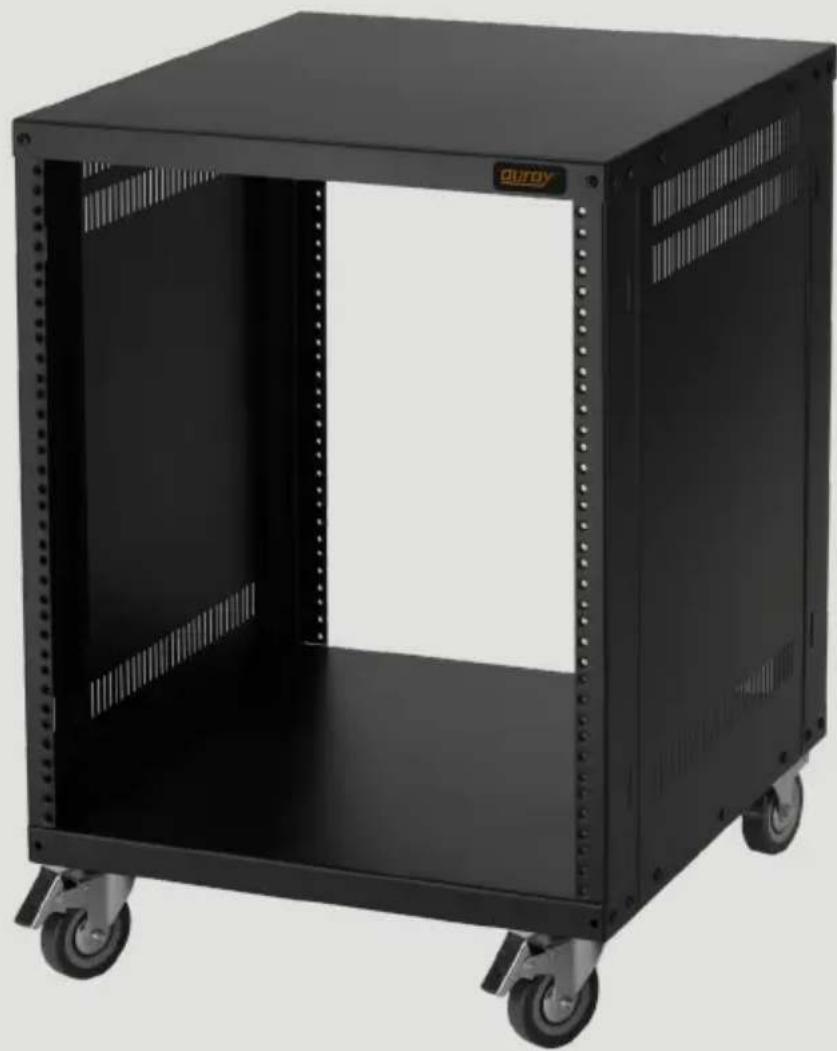
natural_image
Black industrial rack unit with wheels and ventilation slots, no visible text or symbolsThank you for choosing Auray.
Auray's equipment racks come in 8-space, 12-space, 16-space, and 22-space configurations. Vented side panels promote airflow throughout the rack. Each model has a maximum weight capacity of 440 lb. They are supported by three-inch casters for easy movement and access to the back of your gear.
Precautions
- Please read and follow these instructions, and keep this manual in a safe place.
- Keep this product away from children.
- To avoid damage to this product, be careful not to overtighten or improperly thread any of the threaded fittings.
- Do not exceed the maximum load capacity.
- All images are for illustrative purposes only.
Specifications
Max weight capacity: 440 lb. (199.6 kg)
$$ \begin{array}{l} \text {Dimensions: 8U: 20.5" \times 19.7" \times 18.1"(52\times50\times46cm)} \ \text {12U: 27.6" \times 19.7" \times 18.1"(70\times50\times46cm)} \ \text {16U: 34.4" \times 19.7" \times 18.1"(87.5\times50\times46cm)} \ \text {22U: 44.9" \times 19.7" \times 18.1"(114\times50\times46cm)} \end{array} $$
$$ \begin{array}{l l} \text {Weight:} & 8 \mathrm{U}: 3 0. 2 \mathrm{lb}. (1 3. 7 \mathrm{kg}) \ & 1 2 \mathrm{U}: 3 4. 4 \mathrm{lb}. (1 5. 6 \mathrm{kg}) \ & 1 6 \mathrm{U}: 3 8. 4 \mathrm{lb}. (1 7. 4 \mathrm{kg}) \ & 2 2 \mathrm{U}: 4 4. 7 5 \mathrm{lb}. (2 0. 3 \mathrm{kg}) \end{array} $$
Wheel diameter: 3" (7.6 cm)
Construction: Steel
Overview
Top plate 1
Side plate (×2) 2
Corner column (×4) 3
10-32 (5 mm) screws and washers, preinstalled 4
10-32 (5 mm) screws and washers 5
12-24 (6 mm) screws and washers 6
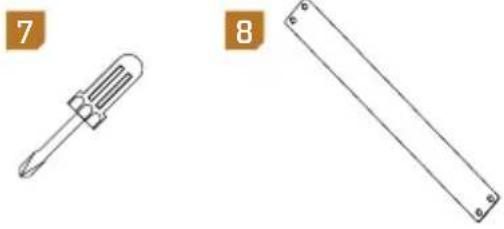
Screwdriver 7
Back plate 8
Bottom plate and casters 9
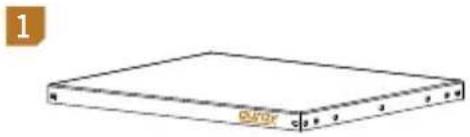
natural_image
Simple line drawing of a rectangular electronic device with no text or symbols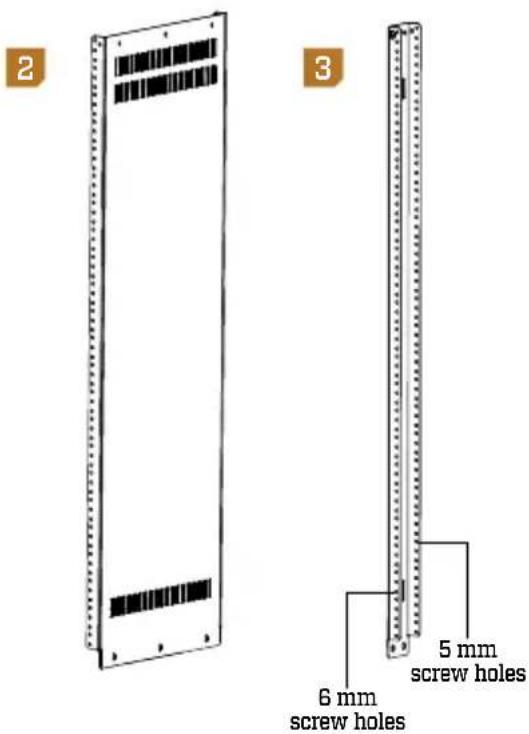
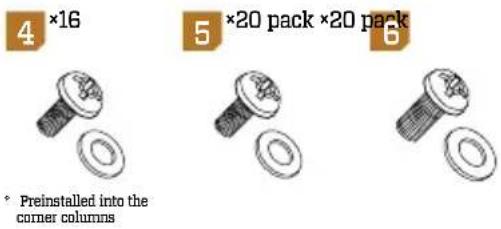
natural_image
Two technical diagrams showing a screwdriver and a rectangular tool, both without any text or symbols.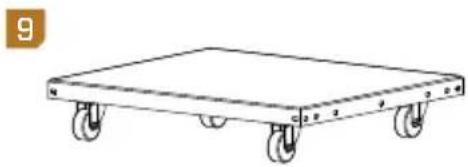
natural_image
Line drawing of a four-wheeled cart with wheels, no text or symbols presentAssembling the Rack
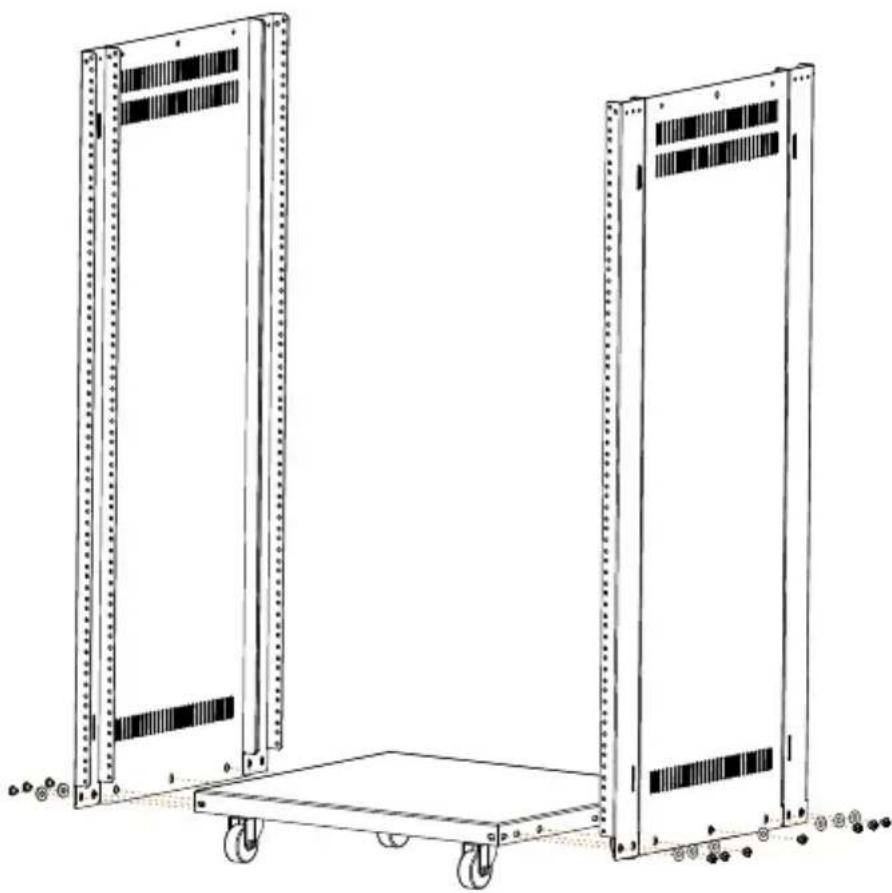
- Use the 10-32 screws and washers to attach the corner columns and side plates to the bottom plate.
natural_image
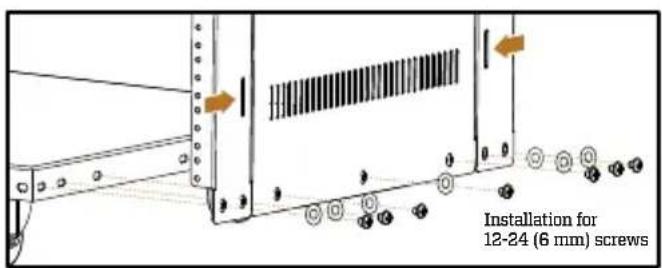
Line drawing of two server rack units with wheels and status indicators, no text or symbols presentImportant! Make sure both corner column vents are facing outward or inward, depending on your rack equipment.
If your rack equipment uses 10-32 screws, face the corner column vent away from the side plate. Use this configuration for audio rack equipment.
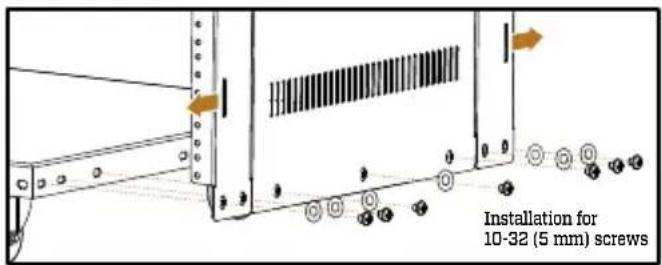
If your rack equipment uses 12-24 screws, face the corner column vent toward the side plate. Use this configuration for server racks and other computer equipment.
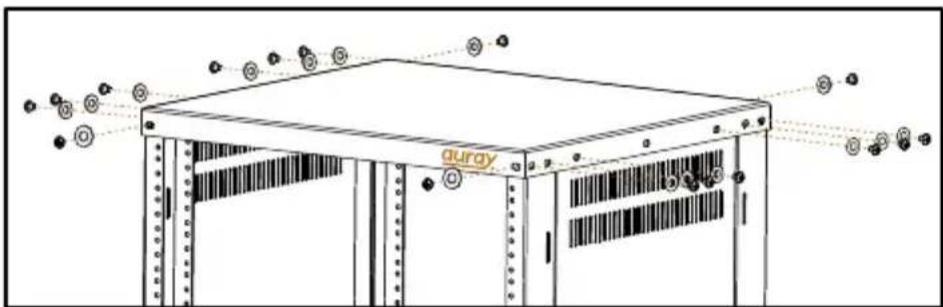
- Remove the four screws and washers from the top of each corner column, and use them to attach the top plate.
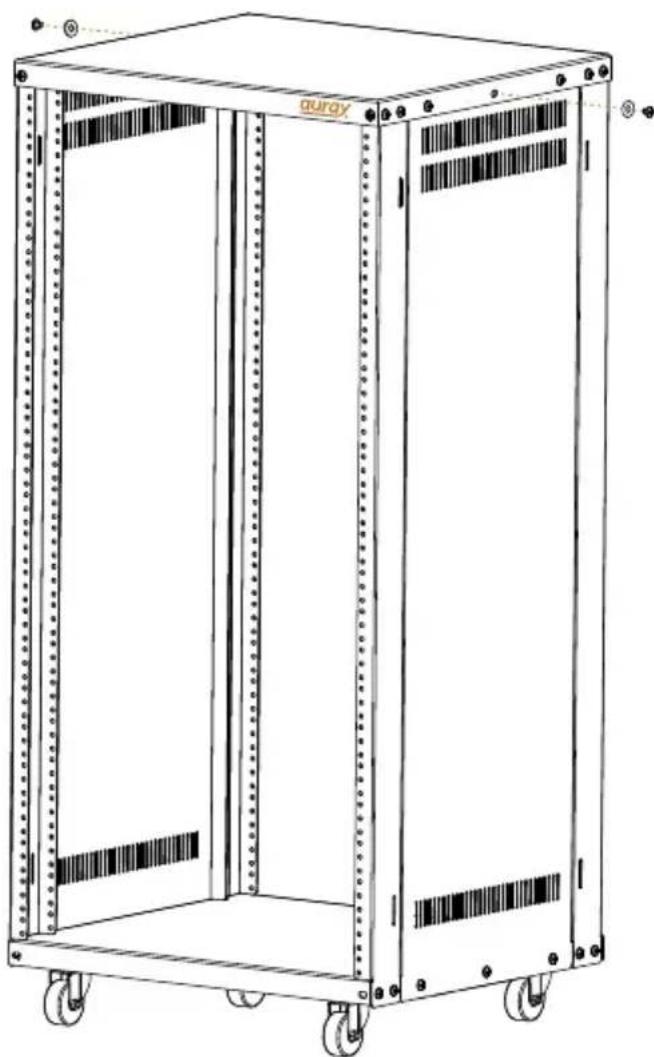
Use 10-32 screws and washers to fill in the remaining two screw holes in the top plate.
natural_image
Line drawing of a dual-tiered server rack unit with wheels and vertical bars (no text or symbols)Assembling the Rack (continued)
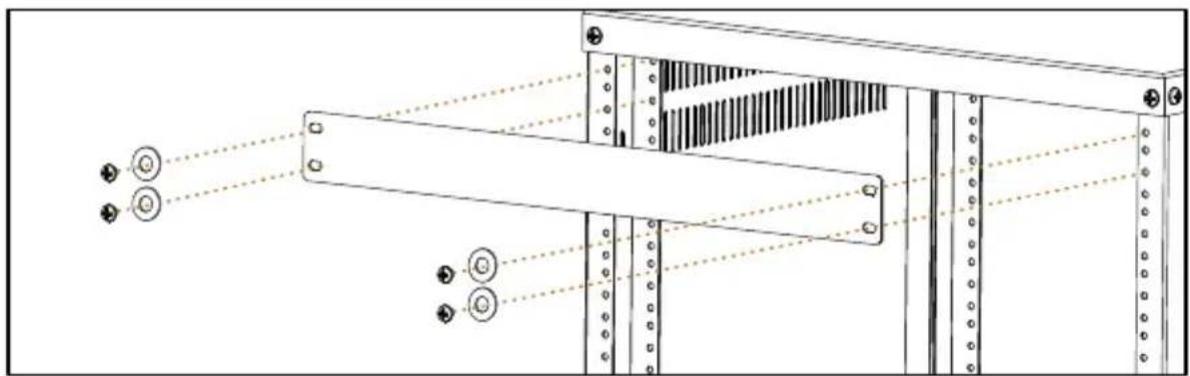
- Use 12-24 or 10-32 screws and washers to attach the back plate.
natural_image
Technical diagram of a server rack with connectors and drive bays (no text or labels)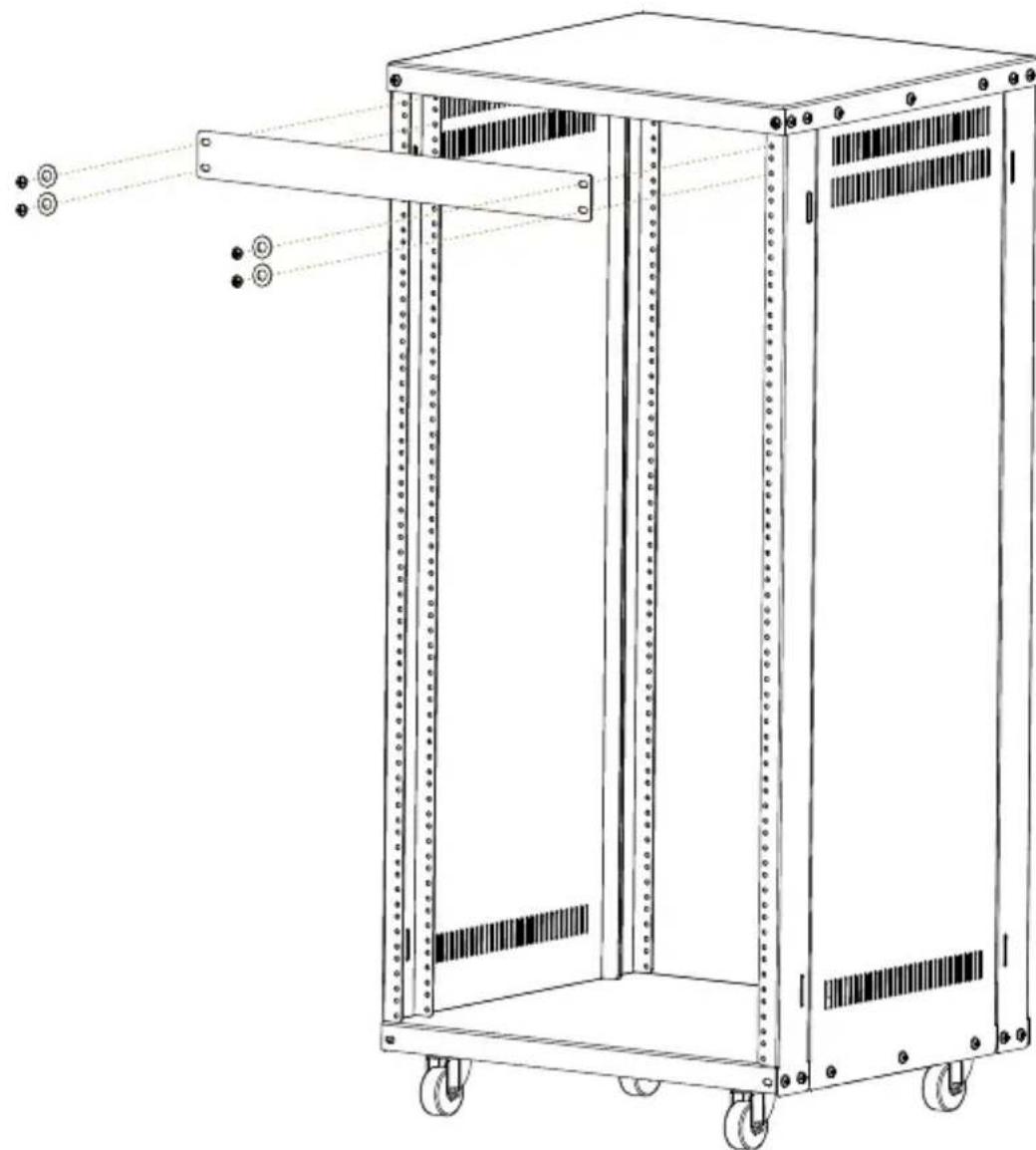
natural_image
Technical line drawing of a multi-tiered server rack with mounting holes and a central panel (no text or symbols)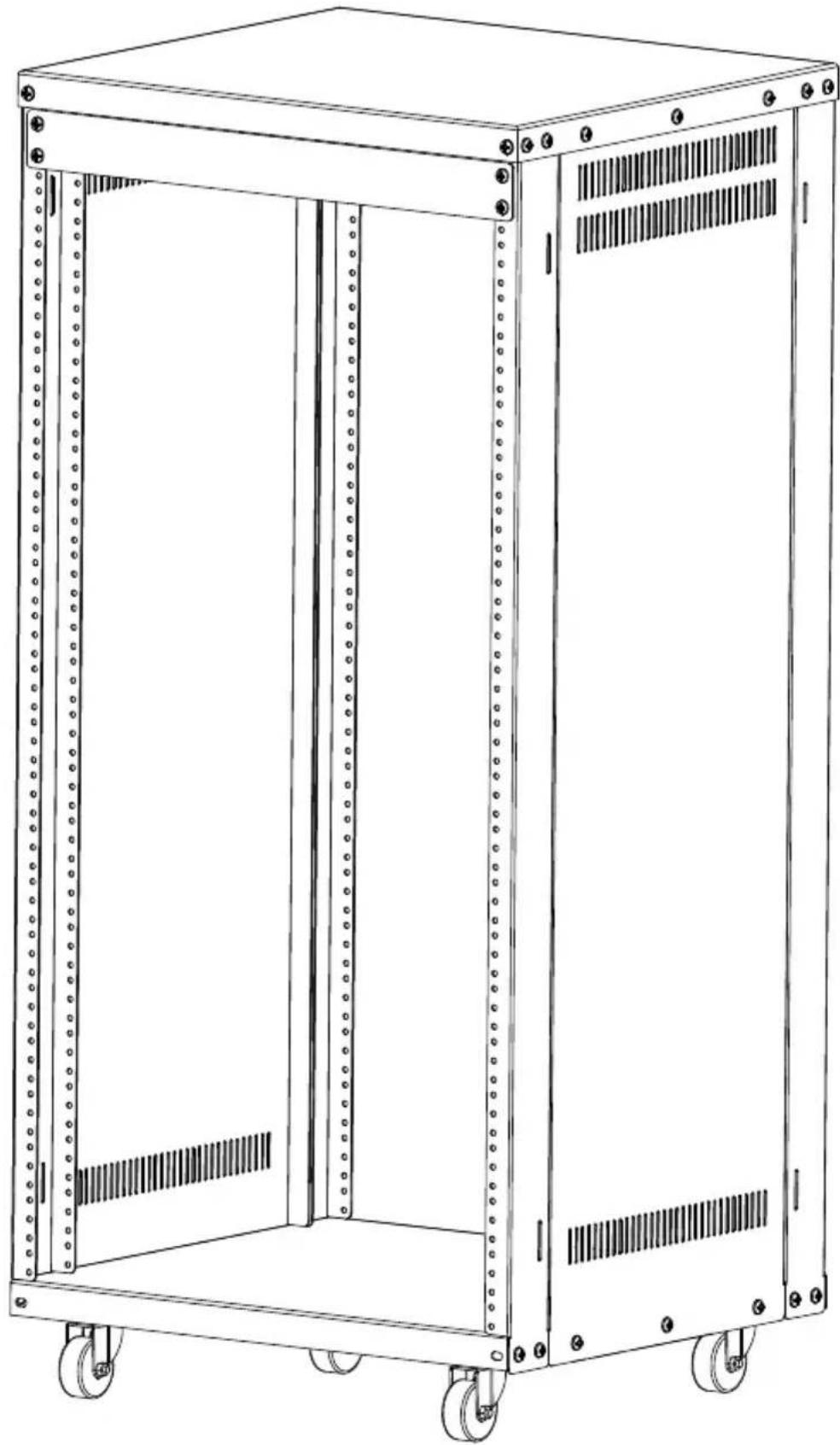
natural_image
Line drawing of a multi-tiered industrial storage unit with wheels and ventilation slots (no text or symbols)Three-Year Limited Warranty
This AURAY product is warranted to the original purchaser to be free from defects in materials and workmanship under normal consumer use for a period of three (3) years from the original purchase date or thirty (30) days after replacement, whichever occurs later. The warranty provider's responsibility with respect to this limited warranty shall be limited solely to repair or replacement, at the provider's discretion, of any product that fails during normal use of this product in its intended manner and in its intended environment. Inoperability of the product or part(s) shall be determined by the warranty provider. If the product has been discontinued, the warranty provider reserves the right to replace it with a model of equivalent quality and function.
This warranty does not cover damage or defect caused by misuse, neglect, accident, alteration, abuse, improper installation or maintenance. EXCEPT AS PROVIDED HEREIN, THE WARRANTY PROVIDER MAKES NEITHER ANY EXPRESS WARRANTIES NOR ANY IMPLIED WARRANTIES, INCLUDING BUT NOT LIMITED TO ANY IMPLIED WARRANTY OF MERCHANTABILITY OR FITNESS FOR A PARTICULAR PURPOSE. This warranty provides you with specific legal rights, and you may also have additional rights that vary from state to state.
To obtain warranty coverage, contact the Auray Customer Service Department to obtain a return merchandise authorization (“RMA”) number, and return the defective product to Auray along with the RMA number and proof of purchase. Shipment of the defective product is at the purchaser’s own risk and expense.
For more information or to arrange service, visit www.aurayaudio.com or call Customer Service at 212-594-2353.
Product warranty provided by the Gradus Group. www.gradusgroup.com

AURAY®
A Gradus Group Brand
Brand : Auray
Model : ERS-8U
Category : Audio accessory