
PLDED3257A - Television Proscan - Free user manual and instructions
Find the device manual for free PLDED3257A Proscan in PDF.


| Product Type | 32-inch LED TV |
| Model | PLDED3257A |
| Brand | Proscan |
| Screen Size (Diagonal) | 32 inches |
| Resolution | 1366 x 768 |
| Aspect Ratio | 16:9 |
| Power Consumption | 75W |
| Input Voltage | AC 100-240V ~ 50/60Hz |
| Audio Output Power | 2 x 8W (THD ≤ 7%) |
| TV System | ATSC Digital, NTSC Analog |
| Video Signal System | NTSC |
| Receiving Channels | Cable: 1-135, Air: 2-69 |
| HDMI Inputs | 2 |
| Component Input (YPbPr) | 1 |
| Composite Video Input | 1 |
| VGA Input | 1 |
| Audio Inputs | 2 (shared with AV and YPbPr) |
| Headphone Output | 1 |
| Coaxial Output | 1 |
| USB Input | 1 |
| Wall Mount Pattern | 200mm x 100mm (M4 screws, max 10mm length) |
| Tilt Angle Limit | 15 degrees |
| Remote Control | Full-function infrared remote included |
| Standby Power LED | Blue (power on), Red (standby) |
| Picture Modes | Vivid, Standard, Sports, Movie, Custom |
| Sound Modes | Standard, Music, Movie, Sports, Personal |
| Color Temperature Modes | Normal, Warm, Cool |
| Parental Control | V-Chip (US and Canada ratings), password protected |
| Default Password | 6666 |
Frequently Asked Questions - PLDED3257A Proscan
User questions about PLDED3257A Proscan
0 question about this device. Answer the ones you know or ask your own.
Ask a new question about this device
Download the instructions for your Television in PDF format for free! Find your manual PLDED3257A - Proscan and take your electronic device back in hand. On this page are published all the documents necessary for the use of your device. PLDED3257A by Proscan.
USER MANUAL PLDED3257A Proscan
OPERATING INSTRUCTIONS
PROSCAN
32" LED TV
PLDED3257A
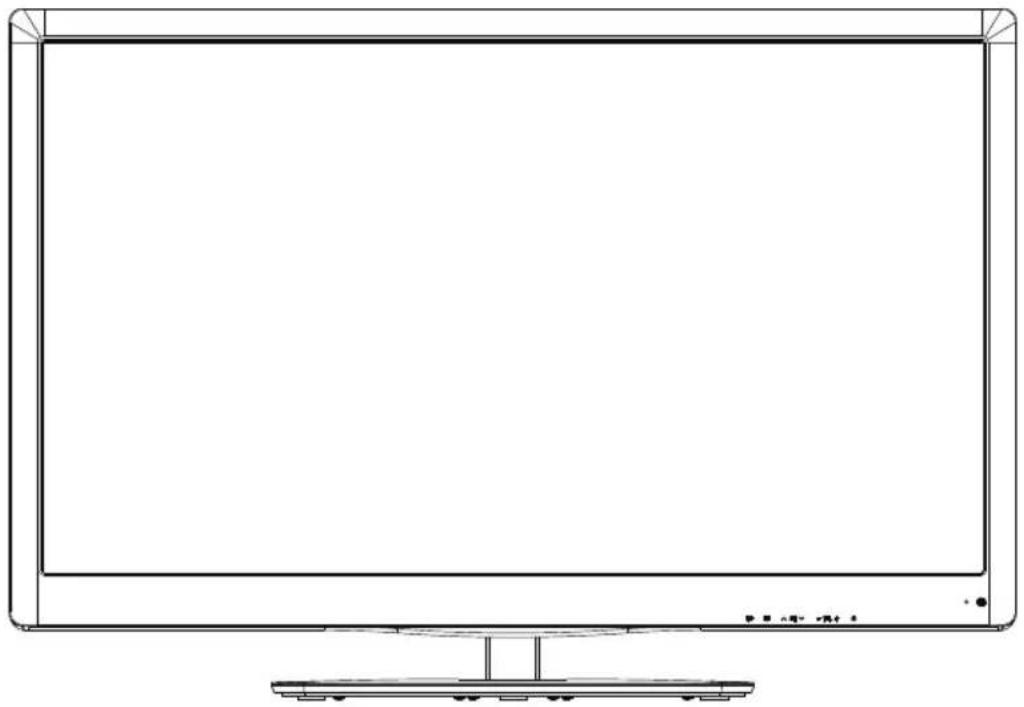
natural_image
Line drawing of a flat-screen monitor with a stand at the bottom (no text or symbols)Contents
Safety and warnings....2-3
Introduction......4
Stand installation guide.... 5
Wall Mount 6
Installation.... 7-10
Remote Control....11
Operation.... 12-14
Trouble Shooting....15
IMPORTANT SAFETY INSTRUCTION
1) Read these instructions.
2) Keep these instructions.
3) Heed all warnings.
4) Follow all instructions.
5) Do not use this Television near water.
6) Clean only with dry cloth.
7) Do not block any ventilation openings, install in accordance with the instructions.
8) Do not install near any heat sources such as radiations, heat registers, stoves, or other Television (including amplifiers) that produce heat.
9) Do not defeat the safety purpose of the polarized plug. If the provided plug does not fit into your outlet, consult an electrician for replacement of the obsolete outlet.
10) Protected the power cord from being walked on or pinched particularly at plugs, convenience receptacles, and the point where they exit from the Television.
11) Only use attachments/accessories specified by the manufacturer.
12) Unplug this Television during lighting storms or when unused for long periods of time.
13) Refer all servicing to qualified service personnel. Servicing is required when the Television has been damaged in any way, such as; power-supply cord or plug is damaged, liquid has been spilled or objects have fallen into the Television, the Television has been exposed to rain or moisture, does not operate normally, or has been dropped.
14) Mains plug is used as the disconnect device, the disconnect device shall remain readily operable.
15) The ventilation should not be impeded by covering the ventilation openings with items, such as newspapers, table-cloth, curtains, etc.
16) No naked flame sources, such as lighted candles, should be placed on the Television.
17) Attention should be drawn to the environmental aspects of battery disposal.
18) The use of Television in moderate climate.
19) The Television shall not be exposed to dripping or splashing and that no objects filled with liquids, such as vases, shall be placed on the Television.


CAUTION
TO REDUCE THE RISK OF ELECTRIC SHOCK, DO NOT REMOVE COVER (OR BACK). NO USER SERVICEABLE PARTS INSIDE. REFER SERVICING TO QUALIFIED SERVICE PERSONNEL.
The symbol indicates that dangerous voltages constituting a risk of electric shock are present within this unit.
The symbol indicates that there are important operating and maintenance instructions in the literaturaccompanying this unit.
WARNING:
To reduce the risk of fire or electric shock, do not expose this Television to rain or moisture.
WARNING:
The batteries shall not be exposed to excessive heat such as sunshine, fire or the like.
WARNING:
The excessive sound pressure from earphones and headphones can cause hearing loss.

This symbol indicates that this product incorporates double insulation between hazardous mains voltage and user accessible parts. When servicing use only identical replacement parts.
This marking indicates that this product should not be disposed with other household wastes throughout the EU. To prevent possible harm to the environment or human health from uncontrolled waste disposal, recycle it responsibly to promote the sustainable reuse of material resources. To return your used device, please use the return and collection systems or contact the retailer where the product was purchased. They can take this product for environmental safe recycling.
natural_image
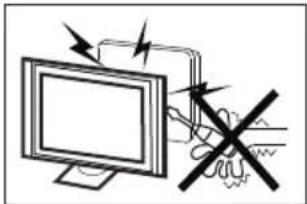
Illustration of a computer monitor with arrows indicating motion and a hand holding a device (no text or symbols present)High voltages are used in the operation of this television receiver. Do not other cabinet.
Refer servicing to qualified service personnel.
natural_image
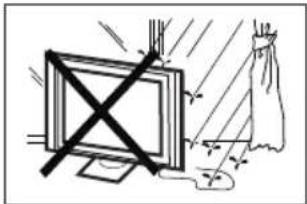
Illustration of a monitor with a cross symbol crossed out, next to a curtain and light (no text or symbols)To prevent fire or electrical shock hazard, do not expose the television receiver to rain or moisture.
natural_image
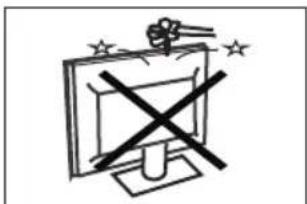
Simple line drawing of a computer monitor with a crossed-out X symbol and stars above (no text or labels)Do not drop or push objects into the television cabinet slots or openings. Never spill any kind of liquid on the television receiver.
natural_image
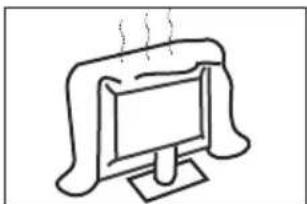
Simple line drawing of a computer monitor with a roof, emitting steam (no text or symbols)Do not block the ventilation holes on the back cover of the TV Adequate ventilation is essential to prevent failure of electrical components.
natural_image
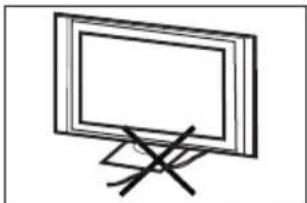
Simple line drawing of a flat-screen monitor with a stand (no text or symbols)Do not trap the power supply cord under the television receiver s .' stand
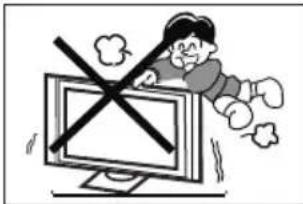
Never stand on, lean on, or suddenly push the television or its stand. You should pay special attention to children. Serious injury may result if it falls.
natural_image
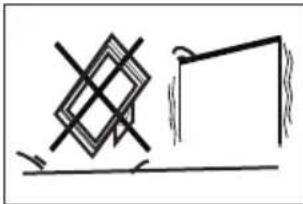
Simple line drawing of a geometric shape with crosshairs and a rectangular frame, no text or symbols present.Do not place your television on an unstable cart, stand, shelf or table. Serious injury to an individual and/or damage to the television may result if it falls.
natural_image
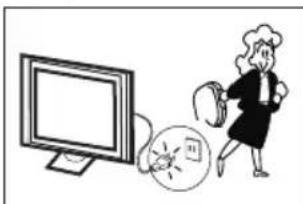
Illustration of a person running away from a computer screen with a broken phone icon nearby (no text or symbols)When the television receiver is not used for an extended period of time, it is advisable to disconnect the AC power cord from the AC outlet.
natural_image
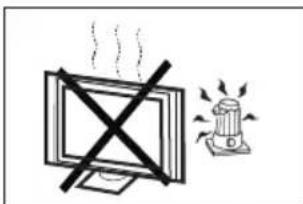
Simple line drawing of a monitor with a cross mark and a warning light (no text or symbols)Avoid exposing the television receiver to direct sunlight and other sources of heat. Do not stand the television receiver directly on other products which give off heat, e.g. video cassette players and audio amplifiers. Do not place naked flame sources, such as lighted candles on the television, or near
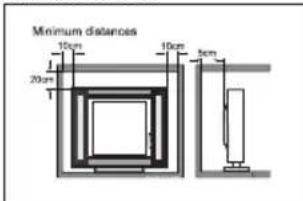
If the television is to be built into a compartment or similar enclosure, the minimum distances must be maintained. Heat build-up can reduce the life of your television, and can also be dangerous.
Main features
■ Integrated ATSC TV tuner for HDTV broadcast reception
■ High brightness provides a vivid and brilliant picture
■ High dynamic contrast ratio for deeper blacks and brighter whites
■ Wide Screen aspect ratio (16:9) for a complete home theater experience
■ HDMI input for true digital connection
■ VGA port for connection to PC
■ Integrated Built-in stereo speaker system
■ Full-function remote control
Accessories
Infrared Remote Control.... 1
User's Manual 1
Battery(AAA).... 2
Main parameter
| Viewing Picture Size (diagonal) | 32 inches |
| Resolution: | 1366x768 |
| Power consumption: | 75W |
| Audio Output Power (THD ≤ 7%): | 2x8W |
| Input Power Voltage: | AC 100-240V 50/60Hz |
| Aspect Ratio: | 16:9 |
| TV System: | ATSC Digital system and NTSC Analog system |
| Video Signal System: | NTSC |
| Receiving Channel: | Cable :1-135/ Air: 2-69 (ATV&DTV) |
| High-Definition Multimedia Interface (HDMI) Input | x 2 |
| YCb(Pb)Cr(Pr) Input | x 1 |
| Composite Video Input | x 1 |
| Analog RGB (VGA) Input | x 1 |
| Audio Input | x 2 |
| Headphone Output | x 1 |
| Coaxial Output | x 1 |
| USB Input | x 1 |
| Horizontal definition (TV line) | Composite Video Input >=350Video Input >=400YCb(Pb)Cr(Pr) >=400 |
Base Stand Assembly Instructions
- Place the TV with the display side down on a flat surface. Use a cloth to protect the display. Position the base stand onto the bottom of the neck of the stand.
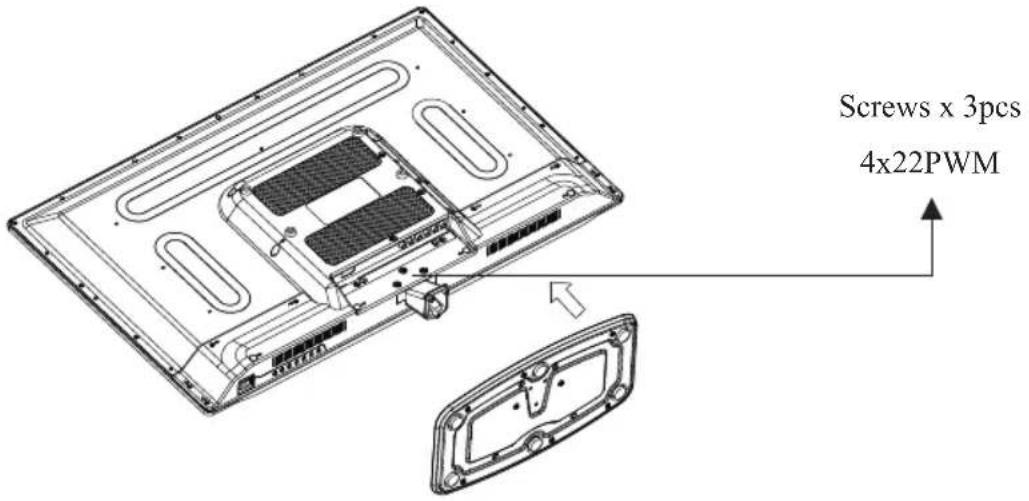
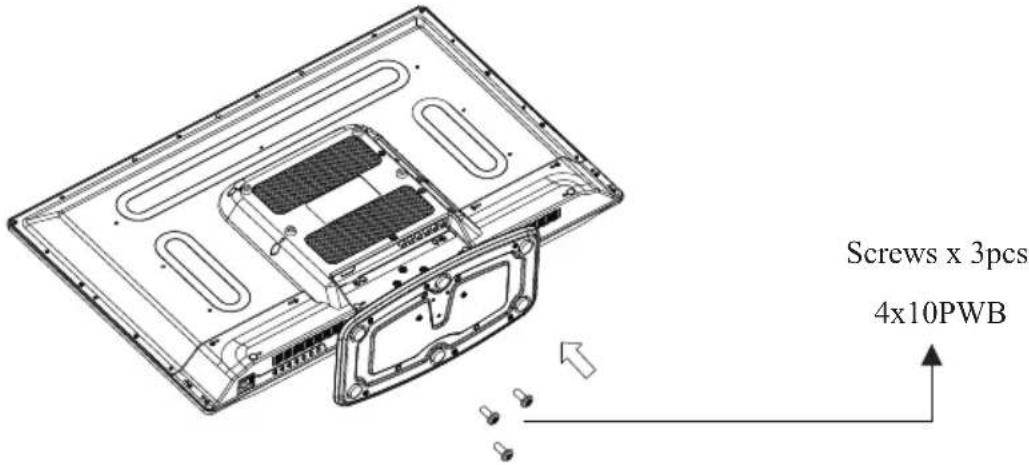
- Attach the base stand to the neck of the stand by firmly tightening the supplied screws.
Instruction for Wall Mount
A wall mount kit (purchased separately) would allow you to mount your PROSCAN TV on the wall. For detailed information on installing the wall mount, refer to the instructions provided by the wall mount manufacturer. It is strongly recommended to contact a technician for professional assistance for wall mount installation.
Dimensions for Mounting Hole Pattern
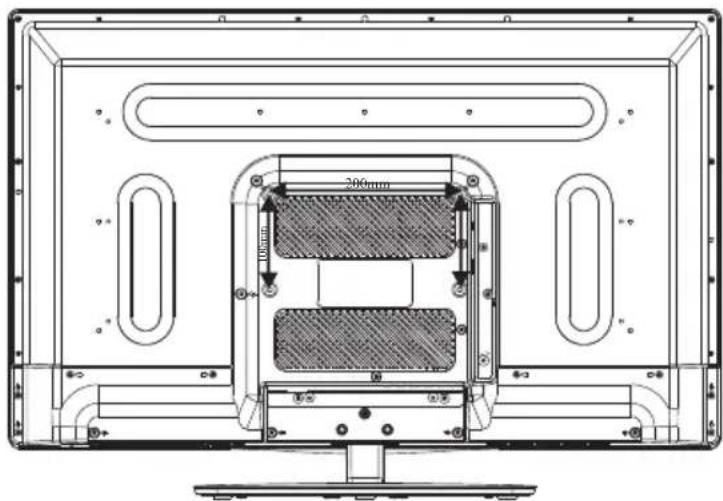
- This PROSCAN TV is compatible with a 200mm x 100mm mounting hole pattern.
- 4 pcs of type M4 screws are required for installing the wall mount bracket to your PROSCAN TV. Do not use screws that are longer than 10 mm. Screws that are too long may cause damage to the inside of the TV set.
- Do not fasten the screws too tight for this may damage the TV or cause the TV to fall, resulting in personal injury. PROSCAN is not liable for these kinds of incidents.
- Do not mount your PROSCAN TV at more than a 15 degree tilt.
- Always use two people to mount the TV to a wall.
- Do not install your Wall Mount Kit while your TV is turned on. It may result in personal injury due to electric shock.
Front panel
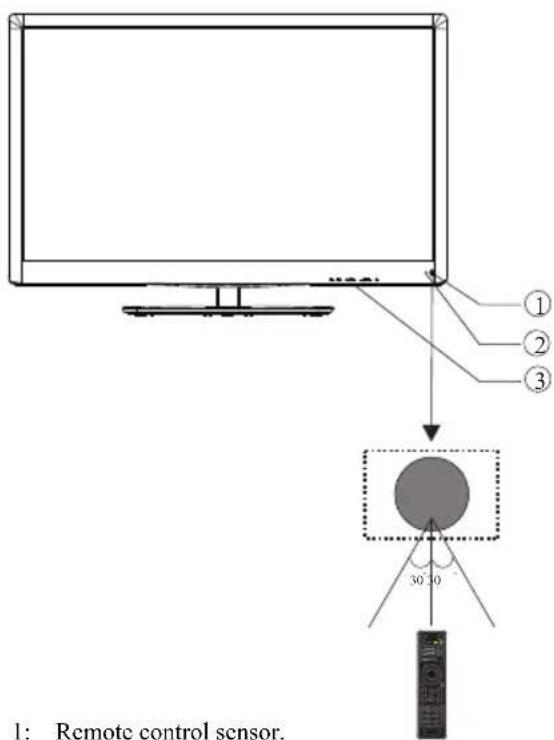
1: Remote control sensor.
2: Indicator LED: BLUE
POWER ON.
RED
STANDBY.
3: Panel keys
Panel keys
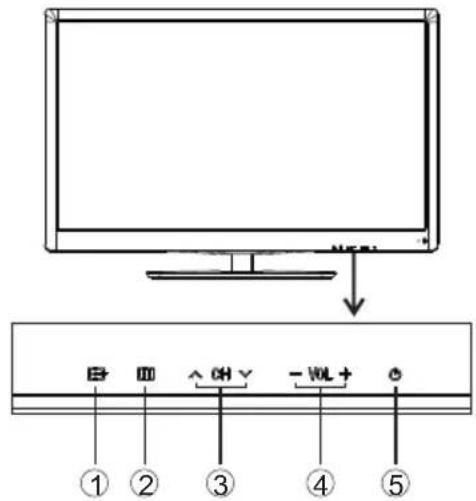
- SOURCE: Display the input source menu.
- MENU: Display main MENU.
- CH+/CH-: In TV mode, press "CH+" or "CH-" to change the channel up and down. In MENU mode, press "CH+" or "CH-" to select items in standby mode, press "CH+" or "CH-" to turn on the TV.
- VOL+/VOL-: Adjust sound level. In MENU mode, press "VOL+" or "VOL-" to adjust the item that you selected.
- STANDBY: Press this button to turn the unit ON from STANDBY mode. Press it again to turn the set back to STANDBY.
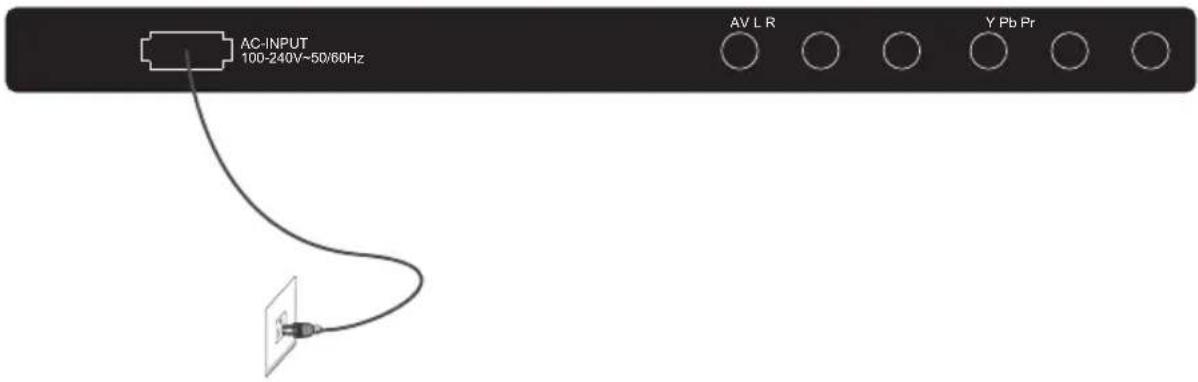
REAR Connections

AC-INPUT
100-240V\~50/60Hz


All the terminals are (from left to right):
POWER SOCKET, AV, AUDIO INPUT, YPbPr (COMPONENT) INPUT
Note: AV and YPbPr share the same audio input.
SIDE Connections


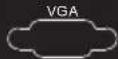
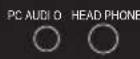


All the terminals are (from left to right):
HDMI1, HDMI2, USB, VGA, PC AUDIO, HEADPHONE, COAXIAL, RF.
Note: When HDMI has an input signal coming from a DVI source then the audio input signal must be connected to the PC audio input.
ANTENNA
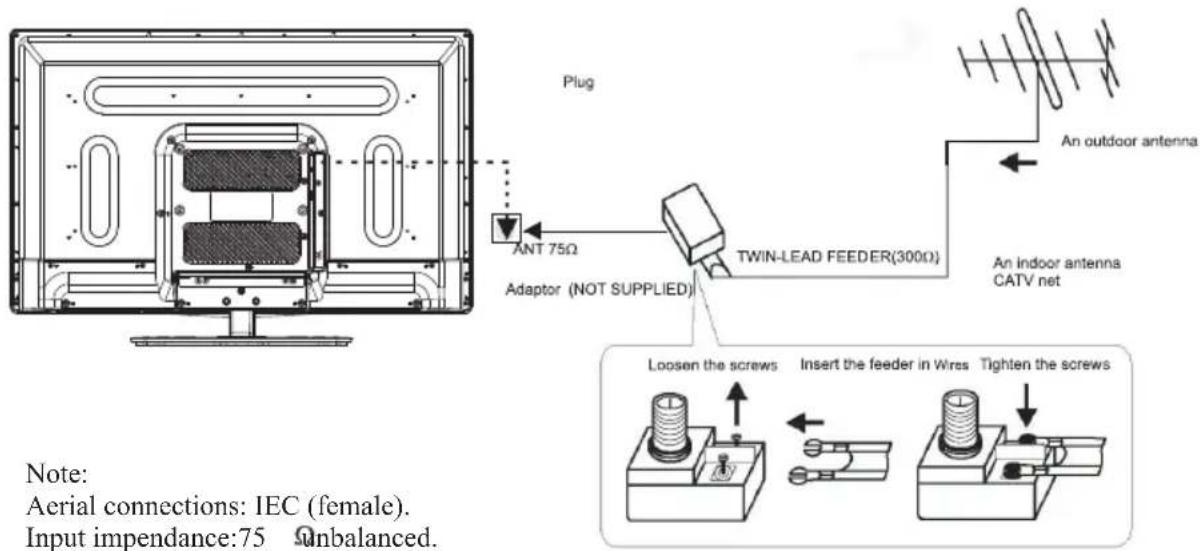
Note:
Aerial connections: IEC (female).
Input impendance:75 Unbalanced.
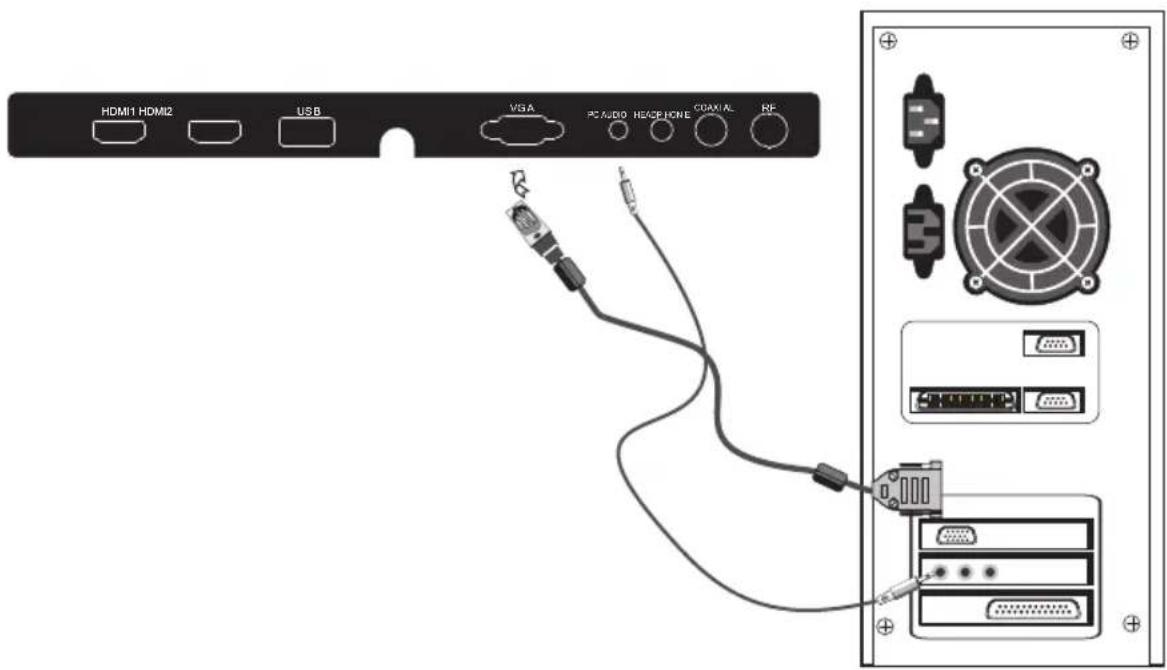
PC
STEPS:
It is recommended that the TV and computer are off before making any of the connections.
- Connect the VGA and audio cable.
- Connect the power cord.
3.Power on the TV, switch to PC mode.
4.Power on the PC.
-8-
PC
PRESET MODE
| RESOLUTION | V.Freq.(Hz) H.Freq.(KHz) | ||
| 1 | 720*400 | 70 | 31.47 |
| 2 | 640*480 | 60 | 31.47 |
| 3 | 640*480 | 75 | 37.50 |
| 4 | 800*600 | 60 | 37.88 |
| 5 | 800*600 | 75 | 46.88 |
| 6 | 1024*768 | 60 | 48.36 |
| 7 | 1024*768 | 70 | 56.48 |
| 8 | 1024*768 | 75 | 60.02 |
| 9 | 1280*1024 | 60 | 63.98 |
| 10 | 1280*1024 | 75 | 80.00 |
AV EQUIPMENT
You can use the input terminals on the TV set as follows.
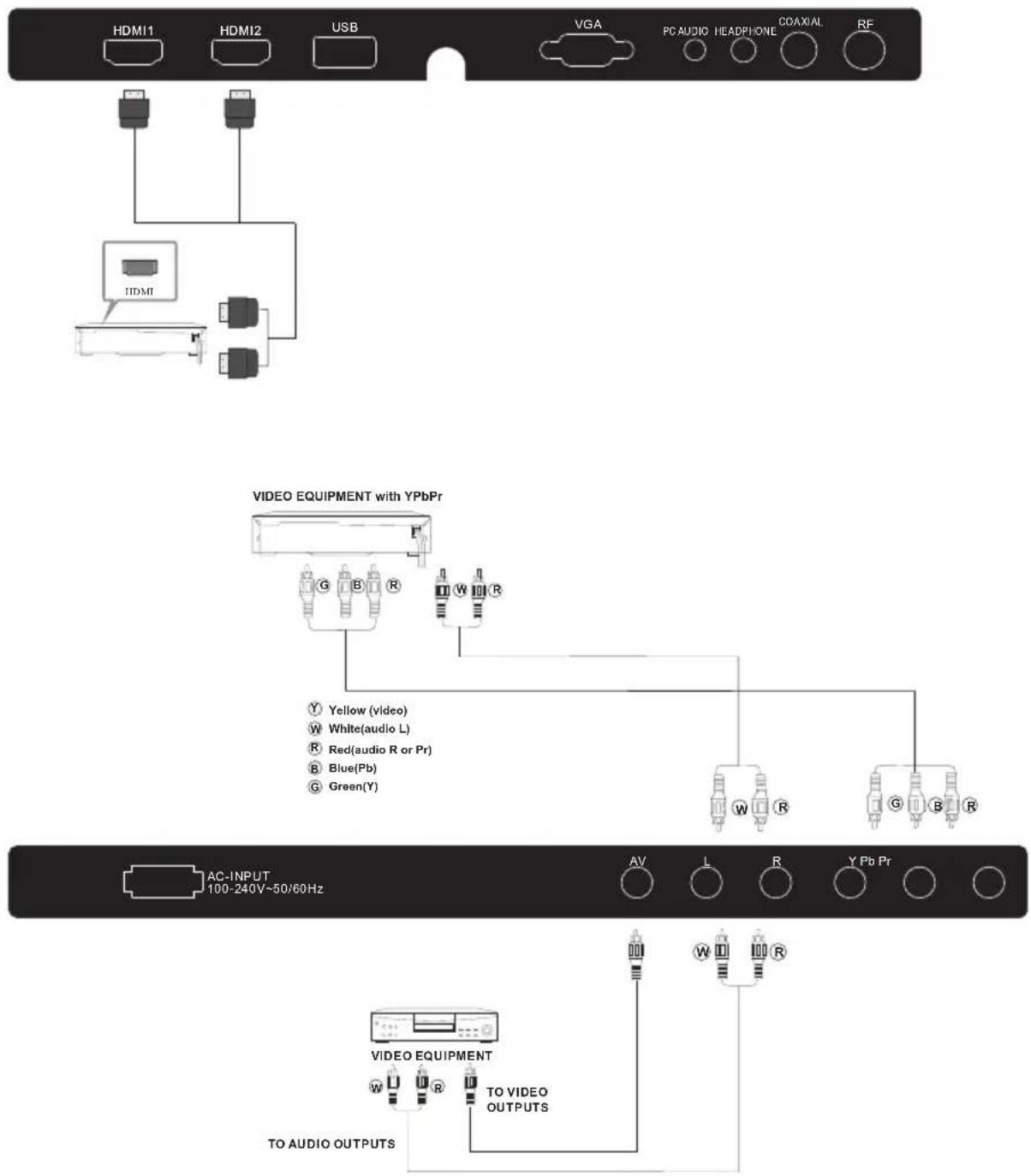
The television's inputs can be connected to the following types of equipment: VCR, DVD player, camcorder, video game or stereo system, etc.....
YPbPr can support these video formats:480i,576i,480p,576p,720p,1080i.
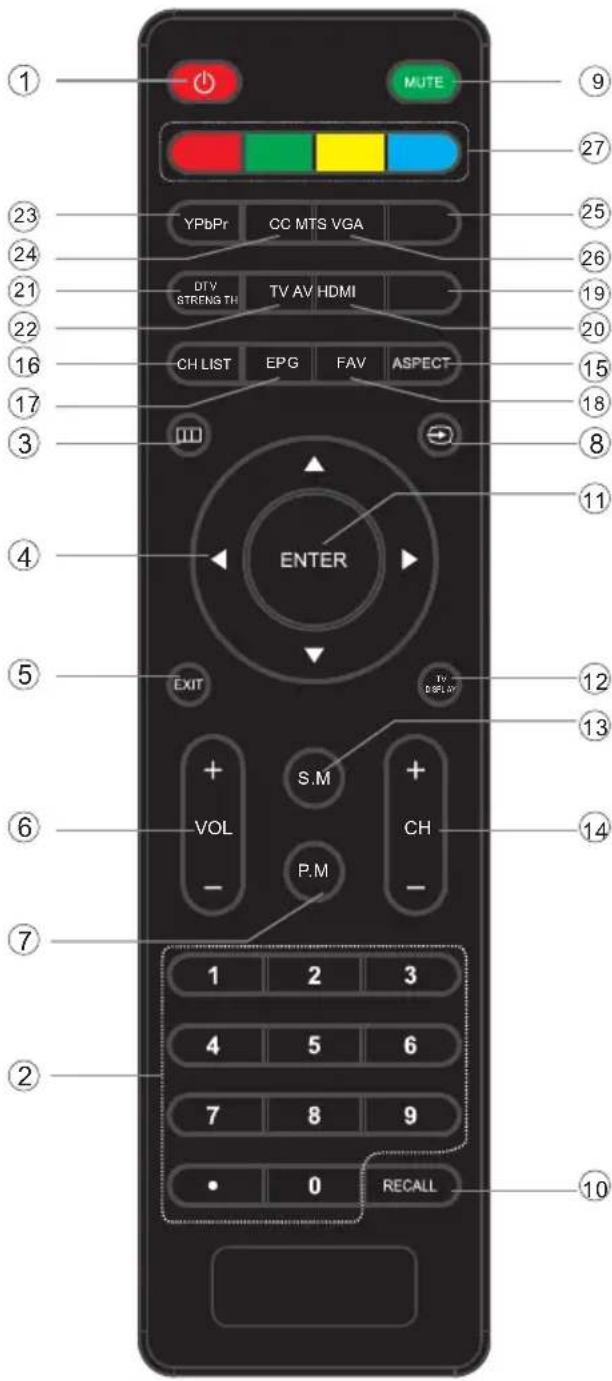
1: POWER
Press to turn the TV on or to turn off (standby).
2: NUMBER KEY
Press to input the channel number.
3: ☐☐☐
Press to display the on-screen menu.
4: CURSOR
Use the up, down, left, and right keys to move within the menu.
5: EXIT
Press to exit the on-screen menu.
6: VOL+/- Press to adjust the sound level.
7: P.M
Press repeatedly to select a picture mode: Vivid, Standard, Sports, Movie, or Custom.
8: Press to display and select the available video sources.
9: MUTE
Press to disable or enable the sound.
10: RECALL
Press to change to the previously viewed channel.
11: ENTER
Press to confirm the selection.
12: TV DISPLAY
Press to display/hide the program information.
13: S.M
Press repeatedly to switch audio modes: Standard, News, Music, Theater, Sports or Custom.
14: CH+/CH-
Press to change the channel.
15: ASPECT
Press to change the picture aspect ratio: Normal, Wide, Zoom, Cinema.
16: CH LIST
Press to display the channel list.
17: EPG
Press to display the channel guide.
18: FAV
Press to access the favorite channels list.
19: HDMI
Press to directly switch to HDMI mode.
20: AV
Press to directly switch to AV mode.
21: DTV STRENGTH
Press to display the digital TV signal strength.
22: TV
Press to directly switch to TV mode.
23: YPbPr
Press to directly switch to Component (YPbPr) mode.
24: CC
Press to enable/disable the closed captions.
25: VGA
Press to directly switch to VGA (PC input) mode.
26: MTS
Press to change the audio language, if available.
27: COLOR KEYS
Reserved keys
1. PICTURE MENU
In this menu, you can adjust the picture effect here, such as contrast, brightness, etc.
Press ▼▲to select, press OK to adjust.
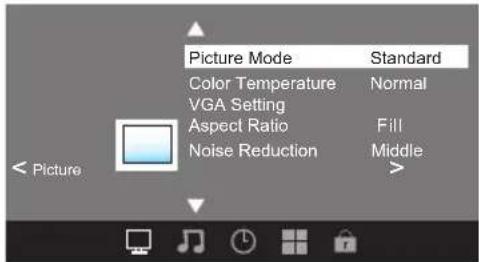
Note:
1). If you want to adjust contrast, brightness, color, and sharpness, the picture mode must return to personal status.
2).Tint is avaliable in NTSC system only.
3). There are three color temperature modes can be selected: Normal, Warm and Cool.
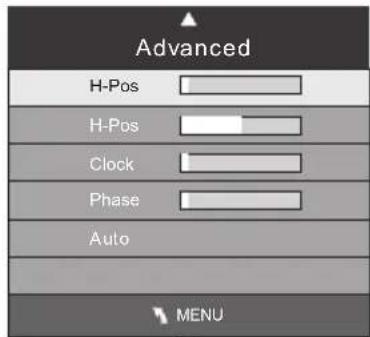
1.1 Advanced
When PC Mode is available.
Press OK button to select PC advanced setting
1). H-Pos: Adjust the horizontal position of the screen.
2). V-Pos: Adjust the vertical position of the screen.
3).Clock: Fine tune the screen width.
4). Phase: Fine tune the phase of the screen. Usually don't adjust this item.
5). Auto: Auto adjust to fit the screen.
2. AUDIO menu
In this menu, you can ajust the sound effect here.
Press ▼▲to select, press OK to adjust.
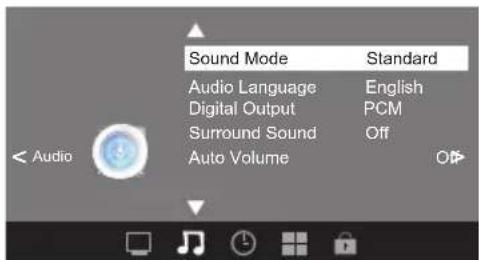
Note:
1). There are five Sound Modes can be selected: Standard, Music, Movie, Sports and Personal
2).Audio language is available in ATSC/TV
Programming only.
3). Auto volume is available only when the input signal volume is too large or there is distortion.
3. TIMER MENU
In this menu, you can adjust the sleep timer, time zone, etc. Press ▼▲ to select, press OK to adjust.
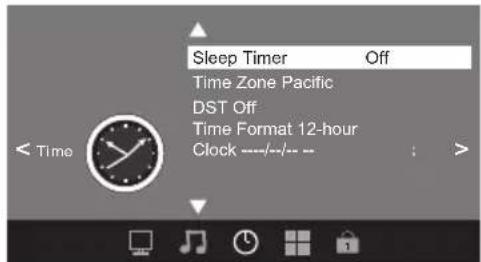
Note:
1). Time zone, DST and the clock are available in ATSC programming only, and the Clock can't be adjust.
4. OPTION menu
In this menu, you can ajust the Menu language, Close Caption, Restore Default etc.
Press ▼▲ to select, press OK to adjust.
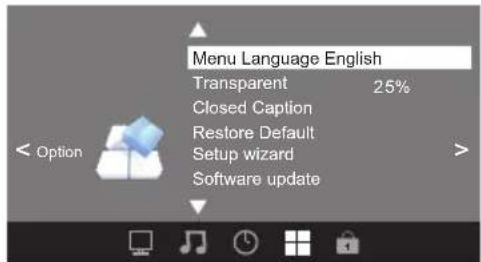
4.1 Closed Caption
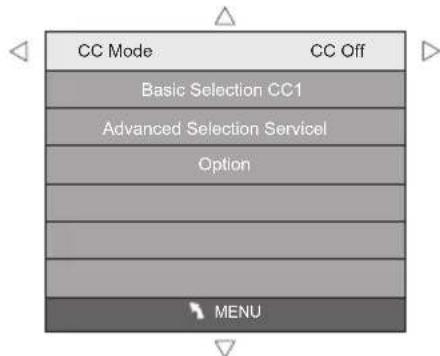
1). CC Mode: Switching close caption mode.
2). Advanced selection: only ATSC program is available.
3).Option: Used to edit CC font.
Note:
1).Restore Default: Restore Default will clear all the programs and reset all the settings to default value.
5. LOCK MENU
In this menu, you can change the password and adjust the vchip setting.
Enter the password, it will go into the lock menu. Factory default password is 6666.
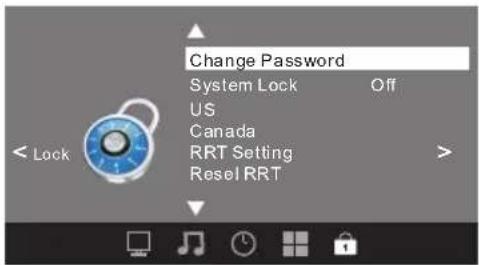
5.1 Change Password
1). Old password: Input the old password.
2). New password: Input the new password.
3). Confirm password: Input the new password again.
5.2 System Lock
When the System Lock switch is ON, the below options listed below can be adjusted.
5.3 US
Press OK button the screen will display as follow.
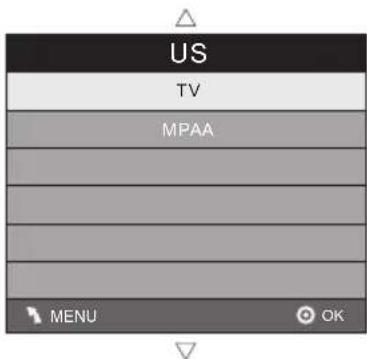
1).TV: Press OK button, the screen will display as follows:
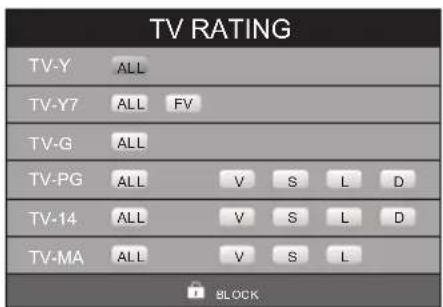
| Rating Content | Content | |||||
| FV(Fantasy violcncc) | V(Violence) | S(Sexual situation) | L(Adult language) | D(Sexually suggestive dialog) | ||
| Suggested age | TV-Y (All children) | |||||
| TV-Y7(Direct to order children) | X | |||||
| TV-G(General audicnce) | ||||||
| TV-PG(Parental Guidance suggested) | X | X | X | X | ||
| TV-14(Parents strongly cautioned) | X | X | X | X | ||
| TV-MA(Mamre audience only) | X | X | X | |||
And use the ENTER key to switch lock/ unlock Parental Control feature.
2). MPAA: Switching the movie-rating control level; N/A, G, PG, PG-13, R, NC-17, X.
| Rating | Description | |
| Age | G | General audiences, All Ages admitted |
| PG | Parental Guidance suggested. Some material may not be Suitable for children. | |
| PG-13 | Parents strongly cautioned. Some material . may be Inappropriate for children under 13. | |
| R | Restrict. Under 17 requires accompanying parent or adult guardian(age varies in some jurisdictions) | |
| NC-17 | No one 17 and under admitted. | |
| X | X is an order rating that is unified with NC-17 but may be encoded in the data of order movies. | |
5.4 Canada
Press OK button, the screen will be displayed as follow:
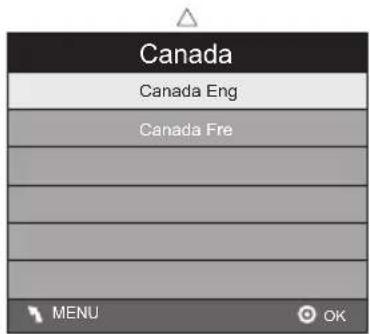
1): Canada English: Switching the English rating control level: EXEMPT, C, C8+, G, PG, 14+, 18+.
| Rating | Description | |
| Age | L | Exempt: Includes news, sports, documents and other information programming: talk shows, music videos, and variety programming. |
| C | Children: Intended for younger children under the age of 8 years. Pays careful attention to themes that could threaten their sense of security and well-being. | |
| CS+ | Children over 8 years old: Contains no portrayal of violence as the preferred, acceptable, or only way to resolve conflict; nor encourage children to imitate dangerous acts which they may see on the screen . | |
| G | General: Considered acceptable for all age groups, Appropriate viewing for the entire family, contains very little violence, physical, verbal or emotional. | |
| PG | Parental Guidance: Intended for a general audience, but may not be suitable for younger children (under the age of 8) because it could contain controversial themes or issues. | |
| 14+ | Over 14 Years: Could contain themes where violence is one of the dominant elements of the storyline But it must be integral to the development of plot or character. Language usage could be profane and nudity , present within the context of themc. | |
| 18+ | Adults: Intended for viewers 18 years and older and might contain depictions of violence, which while related to the development of plot, character or themes, are intended for adult viewing. Could contain graphic language and portrayals of secretary and nudity. | |
2). Canada French: Switching the French-rating control level: E, G, 8ANS+, 13 ANS+, 16ANS+, 18ANS+.
| Rating | Description | |
| Age | E | Exempt programming |
| G | General :All ages and children, contains minimal direct violence,but may be integrated into the plot in a humorous or unrealisticmanner . | |
| 8ans- | General but inadvisable for young children :May be viewed by awide public audicnce, but could contain scenes disturbing tochildren under 8 who cannot distinguish between imaginary andrcal situations. Recommended for viewing with paren. | |
| 13ans+ | Over 13 years: Could contain scenes of frequent violent scenesand in tense violence. | |
| 16ans+ | Over 16 years: Could contain frequent violent scenes and violence. | |
| 18ans+ | Over 18 years: Only for adult viewing. Could contain frequentviolent scenes and extreme violence. | |
5.5 RRT setting
in ATSC digital TV mode, it can be adjusted
5.6 Reset RRT:
Press OK button, the screen will be displayed as follow:
6. Channel MENU
In this menu, you can adjust digital and analog TV Channels.
Press ▼▲to select, press OK to adjust.
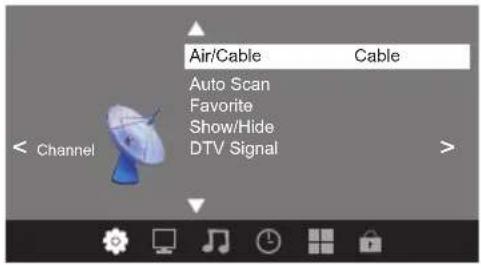
6.1 Air/Cable:
Select Air TV signal and cable TV signal.
6.2 Auto Scan:
If it's the first time you use the TV, you should scan all the TV channels first,
Press OK button to confirm, you will see the menu
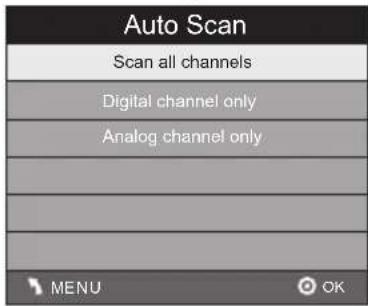
Press OK button to select a scan type, you will see the message below which indicates auto search is in process.
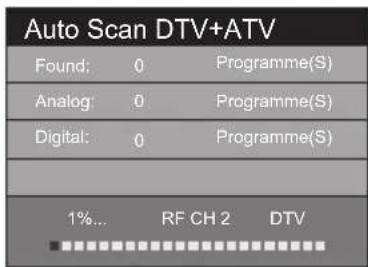
6.3 Favorite:
Press OK button to choose/delete the favorite channel.
6.4 Show/Hide
Press OK button to display or hide current channel.
6.5 DTV signal
Display DTV strength signal. It can't be selected and adjusted.
| Trouble phenomenon Symptom | Inspection Check | ||
| Picture Audio | |||
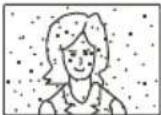 | Snow Noise | 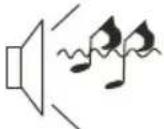 | antenna position, direction or connection |
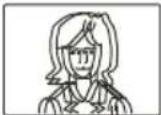 | Ghost |  Normal audio Normal audio | antenna position, direction or connection |
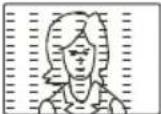 | Interference |  Noise Noise | electronic equipment, car/ motorcycle, fluorescent light |
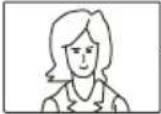 | Normal Picture | 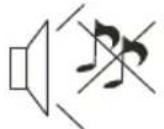 Mute Mute | Volume (check if mute is activated or if the audio system connections are not correct) |
 | No picture Mute | 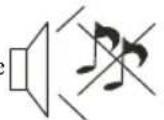 | Power cord is not inserted Power switch is not opened Contrast and brightness/volume setup Press standby key on the remote control for inspecting |
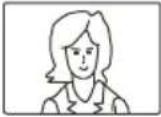 | No color Normal |  ontrol ontrol | |
 | Picture breaking up |  Normal audio or weak Normal audio or weak | Retune channel |
 | No color | 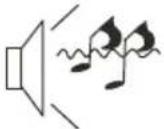 Noise Noise | TVsystem |
The LCD TV panel is built with very high precision technology giving you fine picture details in vibrant color. Occasionally, a few non-active pixels may appear on the screen as a fixed point of red, green, blue, black or white. Please note this does not affect the performance of the product.
- OPERATING INSTRUCTIONS
- PROSCAN
- 32" LED TV
- PLDED3257A
- Contents
- IMPORTANT SAFETY INSTRUCTION
- CAUTION
- WARNING:
- Main features
- Accessories
- Base Stand Assembly Instructions
- Instruction for Wall Mount
- Front panel
- Panel keys
- REAR Connections
- SIDE Connections
- ANTENNA
- PC
- STEPS:
- AV EQUIPMENT
- PICTURE MENU
- Note:
- Advanced
- AUDIO menu
- TIMER MENU
- OPTION menu
- Closed Caption
- LOCK MENU
- Change Password
- System Lock
- US
- Canada
- RRT setting
- Reset RRT:
- Channel MENU
- Air/Cable:
- Auto Scan:
- Favorite:
- Show/Hide
- DTV signal
Brand : Proscan
Model : PLDED3257A
Category : Television