
22MB35PY-I - Screen LG - Free user manual and instructions
Find the device manual for free 22MB35PY-I LG in PDF.
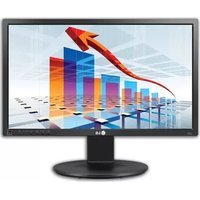


| Product Type | LCD LED Screen |
| Brand | LG |
| Model | 22MB35PY-I |
| Screen Size | 21.5 inches (54.6 cm) |
| Native Resolution | 1920 x 1080 pixels (Full HD) |
| Panel Technology | IPS |
| Brightness | 250 cd/m² |
| Contrast Ratio | 1000:1 |
| Response Time | 5 ms |
| Viewing Angles (Horizontal/Vertical) | 178° / 178° |
| Input Connectors | VGA, DVI-D |
| Power Supply | External power adapter (100-240 V) |
| Power Consumption (Typical) | 25 W |
| Weight (with Stand) | 3.7 kg |
| Dimensions (with Stand, W x H x D) | 50.8 x 39.6 x 21.0 cm |
| VESA Wall Mount Compatible | Yes, 100 x 100 mm |
| Special Features | Flicker Safe, Reader Mode, Super Resolution |
| Maintenance and Cleaning | Clean with a soft, dry cloth; avoid chemical products |
| Security | Kensington lock slot |
| Repairability | Spare parts available through LG customer service |
Frequently Asked Questions - 22MB35PY-I LG
User questions about 22MB35PY-I LG
0 question about this device. Answer the ones you know or ask your own.
Ask a new question about this device
Download the instructions for your Screen in PDF format for free! Find your manual 22MB35PY-I - LG and take your electronic device back in hand. On this page are published all the documents necessary for the use of your device. 22MB35PY-I by LG.
USER MANUAL 22MB35PY-I LG
IMPORTANT PRECAUTIONS
Please read these safety precautions carefully before using the product.

WARNING
Failure to follow those warnings may result in death, serious injury or damage to the product or other property.
Precautions to the AC Adapter and Electrical Power

WARNING
- If water or any foreign substance goes inside the product (TV, monitor, power cord, or AC adapter), disconnect the power cord immediately and contact the service center.
» Otherwise, this may cause a fire or electric shock due to damage to the product.
- Do not touch the power plug or AC adapter with wet hands. If the pins of the plug are wet or dusty, wipe and dry them before use.
» Otherwise, this may cause a fire or electric shock.
- Make sure to completely insert the power cord into the AC adapter.
» If loosely connected, the poor connection may cause a fire or electric shock.
- Be sure to use power cords and AC adapters provided or approved by LG Electronics, Inc.
» The use of non-approved products may cause a fire or electric shock.
- When unplugging the power cord, always pull it by the plug. Do not bend the power cord with excessive force.
» The power line can be damaged, which may cause electric shock or fire.
- Be careful not to step on or place heavy objects (electronic appliances, clothing, etc.) on the power cord or AC adapter. Be careful not to damage the power cord or AC adapter with sharp objects.
» Damaged power cords may cause a fire or electric shock.
- Never disassemble, repair, or modify the power cord or AC adapter.
» This may cause a fire or electric shock.
- Use only the power cord supplied with the unit or another manufacturer's authorized cord.
» Failure to do so may result in fire, electrical shock, or damage to the product.
- Use only a properly grounded plug and receptacle.
» If you do not, you may be electrocuted or injured. Or the product might be damaged.
- Do not use a damaged or loose plug.
» This may cause electrical shock or fire.
- Operate the display only from a power source (i.e., voltage) indicated in the product specification.
» Otherwise, the product can be damaged, fire can occur, or you may be electrocuted. If you are not sure what type of power supply you have, consult a certified electrician.
- In the presence of thunder and lightning, never touch the power cord and signal cable because it can be very dangerous.
» It can cause electric shock.
- Do not connect several extension cords, electrical appliances or electrical heaters to a single outlet. Use a power bar with a grounding terminal designed for exclusive use with the computer.
» A fire can break out due to overheating.
- Do not touch the power plug with wet hands. Additionally, if the cord pin is wet or covered with dust, dry the power plug completely or wipe dust off before plugging in the cord.
» You may be electrocuted due to excess moisture.
- If you don't intend to use the product for a long time, unplug the power cable from the product.
» Covering dust can cause a fire, or insulation deterioration can cause electric leakage, electric shock or fire.
- Insert the power plug firm so it cannot come loose.
» A loose connection can cause fire.
- Do not insert metal or other conductive materials into the product openings. Additionally, do not touch the power cable right after plugging into the wall input terminal. » You may be electrocuted.
- The AC Plug is the disconnecting device. It should be easily accessible in case of emergency.
- Please make sure the device is installed near the wall outlet to which it is connected and that the outlet is easily accessible.
- Be sure to keep the outlet, AC adapter, and pins of the power plug clean from dust and etc. » This may cause a fire.
- Do not unplug the power cord while the product is in use. » Electrical shock can damage the product.
- As long as this unit is connected to the AC wall outlet, it is not disconnected from the AC power source even if the unit is turned off.
Precautions in installing the Product

WARNING
- Keep away from heat sources like heaters or open flames.
» Electrical shock, fire, malfunction or deformation may occur.
- Keep the packing anti-moisture material or vinyl packing out of the reach of children.
» Anti-moisture material is harmful if swallowed. If swallowed by mistake, force the patient to vomit and visit the nearest hospital. Additionally, vinyl packing can cause suffocation. Keep it out of the reach of children.
- Do not put heavy objects on the product or sit upon it.
» If the product collapses or is dropped, you may be injured. Children must pay particular attention.
- Do not leave the power or signal cable where someone can trip over it.
» The passerby can falter, which can cause electrical shock, fire, product breakdown or injury.
• Install the product in a neat and dry place. Do not use near water.
» Dust or moisture can cause electrical shock, fire or product damage.
- Do not add accessories that have not been designed for this display.
- If you smell smoke or other odors or hear a strange sound from the product, unplug the power cord and contact LG Customer Service.
» If you continue to use without taking proper measures, electrical shock or fire can occur.
- If you dropped the product or the case is broken, turn off the product and unplug the power cord.
If you continue to use without taking proper measures, electrical shock or fire can occur. Contact LG Customer Service.
Do not drop an object on or apply impact to the product. Do not throw any toys or objects at the product.
It can cause injury to humans, problems to the product and damage the display.
Keep out of reach of children and do not place toys near the product.
Make sure the product ventilation hole is not blocked. Install the product more than 10cm from the wall.
If you install the product too close to the wall, it may be deformed or fire can break out due to internal heat build-up.
Do not cover the product with cloth or other material (eg. plastic) while plugged in.
The product can be deformed or fire can break out due to internal overheating.
Place the product on a flat and stable surface that is large enough to support the product.
If the product is dropped, you may be injured or the product may be broken.
Install the product where no Electromagnetic Interference occurs.
Keep the product away from direct sunlight.
The product can be damaged.
Do not place the product on the floor.
Small Children and others may trip over it.
- Do not install this product on a wall if it could be exposed to oil or oil mist.
» This may damage the product and cause it to fall.
- For displays with glossy bezels the user should consider the placement of the display as the bezel may cause disturbing reflections from surrounding light and bright surfaces.
Precautions in Moving the Product

WARNING
• Make sure to turn off the product.
» You may be electrocuted or the product can be damaged.
- Make sure to remove all cables before moving the product.
» You may be electrocuted or the product can be damaged.
- When lifting or moving the product, do not hold it upside down while holding only the stand.
» This may cause the product to fall resulting in damage or injury.
- Do not shock the product when moving it.
» You may be electrocuted or the product can be damaged.
- Make sure the panel faces forward and hold it with both hands to move.
» If you drop the product, the damaged product can cause electric shock or fire.
- Do not place the product face down.
This may damage the TFT-LCD screen.
Precautions in Using/Cleaning the Product

WARNING
- Do not attempt to disassemble, repair or modify the product yourself.
Fire or electric shock can occur.
Contact LG Customer Service for repair.
- When cleaning the product, unplug the power cord and scrub gently with a soft cloth to prevent scratching. Do not clean with a wet cloth or spray water or other liquids directly onto the product. An electric shock may occur. (Do not use chemicals such as benzene, paint thinners or alcohol)
- Keep the product away from water.
Fire or electric shock accident can occur.
- Avoid high temperatures and humidity.
- Do not put or store flammable substances near the product.
There is a danger of explosion or fire.
- Keep the product clean at all times.
Take a comfortable and natural position when working with the product.
• Take a regular break when working with the product for a long time.
- Do not press on the panel with a hand or sharp object such as nail, pencil or pen, or make a scratch on it.
- Keep proper distance from the product and rest from time-to-time.
» Your vision may be impaired if you look at the product too closely or for too long.
- Set the appropriate resolution by referring to the User's Guide.
- Keep small accessories out of the reach of children.
- Displaying a still image for long time on the monitor may leave persistent image or stain on the monitor screen. To avoid this problem, use a screen saver and power off when this product is not used. Persistent image or stain caused by long time usage are not covered by the warranty on this product.
- Do not use products using high voltage around the Monitor. (ex. Electrical Swatter)
» Monitor may have malfunction as its electrical shock.
- Spray water onto a soft cloth 2 to 4 times, and use it to clean the front frame; wipe in one direction only. Too much moisture may cause staining.
![graph LR A["WATER"] --> B["Reinjection"] B --> C["Computer with Filter"] C --> D["Gasifier"] D --> E["Chemicals"] E --> F["Output"]](/content/2026/05/950507/images/2ece0ba3cb27503b59e313a75ba4f2fe91eb7aa01a48285fa86d7203e0ce6dcb.jpg)
On Disposal (Only, Hg lamp used LCD Monitor)
- The fluorescent lamp used in this product contains a small amount of mercury.
- Do not dispose of this product with general household waste.
- Disposal of this product must be carried out in accordance to the regulations of your local authority.
IMPORTANT PRECAUTIONS
DDC is a communication channel over which the monitor automatically informs the host system (PC) about its capabilities.
DDC protocol
① DDC1/DDC2B: A uni-directional communication channel. ② DDC 2AB/DDC2B+/DDC2Bi: A bi-directional communication channel.
Note
- PC must support DDC functions to do this.
E-DDC (Enhanced DDC)
A protocol based on I²C and used on a bi-directional data channel between the display and host. This protocol accesses devices at I²C address of A0/A1 as well as the address 60. The 60 address is used as a segment register to allow larger amounts of data to be retrieved than is possible using DDC2B protocols. The protocol is compatible with DDC2B protocols.
DDC (Display Data Channel)
② DDC 2AB/DDC2B+/DDC2Bi
② DDC 2AB/DDC2B+/DDC2Bi
② DDC 2AB/DDC2B+/DDC2Bi
② DDC 2AB/DDC2B+/DDC2Bi
② DDC 2AB/DDC2B+/DDC2Bi
Bi-directional communication channel.
② DDC 2AB/DDC2B+/DDC2Bi
Bidirectional communication channel.
Note
This program is designed to have computer equipment manufacturers build circuitry into their products to reduce power consumption when it is not in operation.
When this monitor is used with a PC on which a screen blanking software complying with the VESA Display Power Management Signalling (DPMS) Protocol is installed, it can conserve significant energy by reducing power consumption when it is not in operation.
There are 2 signal lines, 3 modes of operation.
: On Mode, Sleep Mode, Off Mode.
| Mode Definition | |
| On mode | The normal operation.When the monitor is on mode, being connected to a power source, it displays an image. |
| Sleep Mode | The reduced power state returns to on mode when the user moves the mouse or presses a key on the keyboard. |
| Off Mode | The lowest power consumption state returns to on mode when the user pushes a power switch. |
Note
- The energy saving Design monitors only work while connected to the computers that have energy saving features.
Unplug the monitor from the wall outlet and refer servicing to qualified service personnel when :
- The power cord or plug is damaged or frayed. • Liquid has been spilled into the monitor.
- The monitor has been exposed to rain or water.
- The monitor does not operate normally following the operating instructions. Adjust only those controls that are covered in the operating instructions. An improper adjustment of other controls may result in damage and often requires extensive work by a qualified technician to restore the monitor to normal operation.
- The monitor has been dropped or the cabinet has been damaged.
- The monitor exhibits a distinct change in performance.
- Snapping or popping from the monitor is continuous or frequent while the monitor is operating. It is normal for some monitors to make occasional sounds when being turned on or off, or when changing video modes.
Do not attempt to service the monitor yourself, as opening or removing covers may expose you to dangerous voltage or other hazards. Refer all servicing to qualified service personnel.
GERMAN
Maintenance
Please read this manual carefully before operating your set and retain it for future reference.
FCC COMPLIANCE STATEMENT
This equipment has been tested and found to comply within the limits of a Class B digital device pursuant to Part 15 of the FCC Rules. These limits are designed to provide reasonable protection against harmful interference in a residential installation.
This equipment generates, uses, and can radiate radio frequency energy and if not installed and used in accordance with the instructions, may cause harmful interference to radio communications. However, there is no guarantee that interference will not occur in a particular installation.
If this equipment does cause harmful interference to radio or television reception (which can be determined by turning the equipment on and off), the user is encouraged to try to correct the interference by using one or more of the following measures:
• Reorient or relocate the receiving antenna. - Increase the separation between the equipment and the receiver. - Connect the equipment into an outlet on a circuit different from that to which the receiver is connected. - Consult the dealer or an experienced radio/TV technician for help.
Caution: Any changes or modifications in construction of this device that are not expressly approved by the party responsible for compliance could void the user's authority to operate the equipment.
INFORMATION FOR ENVIRONMENTAL PRESERVATION
English
Information for Environmental Preservation
LGE announced the 'LG Declaration for a Cleaner Environment' in 1994, and this ideal has served as a guiding managerial principle ever since. The Declaration is a foundation that has allowed us to undertake environmentally friendly activities in careful consideration of economic, environmental, and social aspects.
We promote activities for environmental preservation, and we specifically develop our products to embrace the concept of being environmentally friendly.
We minimize the hazardous materials contained in our products. For example, there is no cadmium to be found in our product.
Information for recycling
This product may contain parts which could be hazardous to the environment. It is important that this product be recycled after use.
LGE handles all waste product through an environmentally acceptable recycling method. There are several take-back and recycling systems currently in operation worldwide. Many parts will be reused and recycled, while harmful substances and heavy metals are treated by an environmentally friendly method. If you want to find out more information about our recycling program, please contact your local LG vendor or a corporate representative of LG.
We set our vision and policies on a cleaner world by selecting the issue of the global environment as a task for corporate improvement. Please visit our website for more
information about our 'green' policies. http://www.lg.com/global/sustainability/environment/take-back-recycling.jsp
http://www.lg.com/global/sustainability/environment/take-back-recycling.jsp
Portuguese
http://www.lg.com/global/sustainability/environment/take-back-recycling.jsp
Dutch
http://www.lg.com/global/sustainability/environment/take-back-recycling.jsp
Russian
http://www.lg.com/global/sustainability/environment/take-back-recycling.jsp
Korean
Environmental Conservation Information
http://www.lg.com/global/sustainability/environment/take-back-recycling.jsp
VCCI (for Japan)
NOM MARK (Mexico only)

UKRAINE only

001
Ukraine Restriction of Hazardous Substances
The equipment complies with requirements of the Technical Regulation, in terms of restrictions for the use of certain dangerous substances in electrical and electronic equipment.
EPEAT

EPEAT registered where applicable/supported. EPEAT registration varies by country - see www.epeat.net for registration status by country.
GREEN MARK (for Japan)

http://www.lg.com/jp/eco/j-moss
CU CONFORMITY NOTICE
(EURASIAN CUSTOMS UNION ONLY)
EAC
PACKING INFORMATION
(CUSTOMS UNION)
RUSSIAN

ENGLISH
Disposal of your old appliance
1. This crossed-out wheeled bin symbol indicates that waste electrical and electronic products (WEEE) should be disposed of separately from the municipal waste stream.
2. Old electrical products can contain hazardous substances so correct disposal of your old appliance will help prevent potential negative consequences for the environment and human health. Your old appliance may contain reusable parts that could be used to repair other products, and other valuable materials that can be recycled to conserve limited resources.
You can take your appliance either to the shop where you purchased the product, or contact your local government waste office for details of your nearest authorised WEEE collection point. For the most up to date information for your country please see www.lg.com/global/recycling
Disposal of your appliance
The symbol indicating separate collection for electrical and electronic equipment consists of the crossed-out wheeled bin.
Jordan only
WEEE
Disposal of your old appliance (as per e-waste Rules)

- When this crossed out wheeled bin symbol is depicted on the product and its operator's manual, it means the product is covered by the e-waste Management and Handling Rules, 2011 and are meant to be recycled, dismantled, refurbished or disposed off.
- Do's:
a. The product is required to be handed over only to the authorized recycler for disposal. b. Keep the product in isolated area, after it becomes non-functional/unrepairable so as to prevent its accidental breakage.
Don't :
a. The product should not be opened by the user himself/herself, but only by authorized service personnel. b. The product is not meant for re-sale to any unauthorized agencies/scrap dealer/kabariwalah. c. The product is not meant for mixing into household waste stream. d. Do not keep any replaced spare part(s) from the product in exposed area.
- Any disposal through unauthorized agencies/person will attract action under Environment (Protection) Act 1986.
- This product is complied with the requirement of Hazardous Substances as specified under Rule 13 (1) & (2) of the E-Waste (Management & Handling) Rules, 2011.
- To locate a nearest collection centre or call for pick-up (limited area only) for disposal of this appliance, please contact Toll Free No. 1800-315-9999 / 1800-180-9999 for details. All collection centre and pick up facilities are done by third parties with LG Electronics India Pvt. Ltd. Merely as a facilitator.
For more detailed information, please visit: http://www.lge.com/in.
Environmental Information
Hereby, LG Electronics European Shared Service Center B.V., declares that this product is compliant with the essential requirements. The complete Declaration of Conformity may be requested through the following postal address:
LG Electronics European Shared Service Center B.V., Krijgsman 1, 1186 DM Amstelveen, The Netherlands
or can be requested at our dedicated DoC website: http://www.lg.com/global/support/cedoc/cedoc#
GERMAN
FCC Compliance Statement
This equipment has been tested and found to comply with the limits for a Class B digital device, pursuant to Part 15 of the FCC Rules. These limits are designed to provide reasonable protection against harmful interference in a residential installation. This equipment generates, uses, and can radiate radio frequency energy and, if not installed and used in accordance with the instructions, may cause harmful interference to radio communications. However, there is no guarantee that interference will not occur in a particular installation. If this equipment does cause harmful interference to radio or television reception, which can be determined by turning the equipment off and on, the user is encouraged to try to correct the interference by one or more of the following measures:
- Reorient or relocate the receiving antenna.
- Increase the separation between the equipment and the receiver.
- Connect the equipment to an outlet on a circuit different from that to which the receiver is connected.
- Consult the dealer or an experienced radio/TV technician for help.
This device complies with part 15 of the FCC Rules. Operation is subject to the following two conditions:
(1) this device may not cause harmful interference and (2) this device must accept any interference received, including interference that may cause undesired operation of the device. Any changes or modifications in construction of this device which are not expressly approved by the party responsible for compliance could void the user's authority to operate the equipment.
FCC Radio Frequency Interference
Requirements (for UNII devices)
High power radars are allocated as primary users of the 5.25 to 5.35 GHz and 5.65 to 5.85 GHz bands.
These radar stations can cause interference with and/or damage this device. This device cannot be co-located with any other transmitter.
FCC RF Radiation Exposure Statement
[For having wireless function (WLAN, Bluetooth,...)] This equipment complies with FCC radiation exposure limits set forth for an uncontrolled environment. This transmitter must not be colocated or operating in conjunction with any other antenna or transmitter. This equipment should be installed and operated with minimum distance 20 cm (7.8 inches) between the antenna and your body. Users must follow the specific operating instructions for satisfying RF exposure compliance.
Responsible Party:
LG Electronics USA, Inc. 1000 Sylvan Avenue Englewood Cliffs, NJ 07632
TEL.: +1-800-243-0000
For CANADA (Pour le Canada)
Industry Canada Statement
[For having wireless function (WLAN, Bluetooth,...)] This device complies with Industry Canada's applicable licence-exempt RSSs. Operation is subject to the following two conditions:
1 This device may not cause interference; and 2 This device must accept any interference, including interference that may cause undesired operation of the device.
IC Radiation Exposure Statement
[For having wireless function (WLAN, Bluetooth,...)]
This equipment complies with IC radiation exposure limits set forth for an uncontrolled environment. This equipment should be installed and operated with minimum distance 20 cm (7.8 inches) between the antenna & your body.
NOTE: THE MANUFACTURER IS NOT RESPONSIBLE FOR ANY RADIO OR TV INTERFERENCE CAUSED BY UNAUTHORIZED MODIFICATIONS TO THIS EQUIPMENT. SUCH MODIFICATIONS COULD VOID THE USER'S AUTHORITY TO OPERATE THE EQUIPMENT.
Australia
RF Radiation Exposure Statement
This equipment should be installed and operated with minimum distance 20 cm between the radiator and your body
Japan

VCCI (for Japan)
CU Conformity Notice
(Eurasian Customs Union only)
![[EA]](/content/2026/05/950507/images/651668275cdd5f5c877c6f50b0a4050cc591c17be5c8f3e5f0365f4ae491558a.jpg)
DECLARATION OF CONFORMITY
CE
English
[For Equipment Under Radio Equipment Directive] Hereby, LG Electronics declares that the radio equipment type Monitor is in compliance with Directive 2014/53/EU. The full text of the EU declaration of conformity is available at the following internet address:
http://www.lg.com/global/support/cedoc/cedoc#
LG Electronics European Shared Service Center B.V. Krijgsman 1 1186 DM Amstelveen The Netherlands
The use of the 5150 – 5350 MHz band is restricted to indoor use only. (For Wi-Fi/Bluetooth built-in model or Wi-Fi built-in model)
Deutsch
LG Electronics European Shared Service Center B.V.
Krijgsman 1
1186 DM Amstelveen
The Netherlands
LG Electronics European Shared Service Center B.V.
Krijgsman 1
1186 DM Amstelveen
The Netherlands
LG Electronics European Shared Service Center B.V.
Krijgsman 1
1186 DM Amstelveen
The Netherlands
LG Electronics European Shared Service Center B.V.
Krijgsman 1
1186 DM Amstelveen
The Netherlands
LG Electronics European Shared Service Center B.V.
Krijgsman 1
1186 DM Amstelveen
The Netherlands
LG Electronics European Shared Service Center B.V.
Krijgsman 1
1186 DM Amstelveen
The Netherlands
LG Electronics European Shared Service Center B.V.
Krijgsman 1
1186 DM Amstelveen
The Netherlands
LG Electronics European Shared Service Center B.V.
Krijgsman 1
1186 DM Amstelveen
The Netherlands
LG Electronics European Shared Service Center B.V.
Krijgsman 1
1186 DM Amstelveen
The Netherlands
- IMPORTANT PRECAUTIONS
- WARNING
- PRECAUTIONS TO THE AC ADAPTER AND ELECTRICAL POWER
- PRECAUTIONS IN INSTALLING THE PRODUCT
- PRECAUTIONS IN MOVING THE PRODUCT
- PRECAUTIONS IN USING/CLEANING THE PRODUCT
- ON DISPOSAL (ONLY, HG LAMP USED LCD MONITOR)
- DDC PROTOCOL
- NOTE
- E-DDC (ENHANCED DDC)
- DDC (DISPLAY DATA CHANNEL)
- GERMAN
- MAINTENANCE
- FCC COMPLIANCE STATEMENT
- INFORMATION FOR ENVIRONMENTAL PRESERVATION
- ENGLISH
- INFORMATION FOR RECYCLING
- PORTUGUESE
- DUTCH
- RUSSIAN
- KOREAN
- ENVIRONMENTAL CONSERVATION INFORMATION
- VCCI (FOR JAPAN)
- NOM MARK (MEXICO ONLY)
- UKRAINE ONLY
- UKRAINE RESTRICTION OF HAZARDOUS SUBSTANCES
- EPEAT
- GREEN MARK (FOR JAPAN)
- CU CONFORMITY NOTICE
- PACKING INFORMATION
- DISPOSAL OF YOUR OLD APPLIANCE
- DISPOSAL OF YOUR APPLIANCE
- DON'T
- ENVIRONMENTAL INFORMATION
- FCC RADIO FREQUENCY INTERFERENCE
- REQUIREMENTS (FOR UNII DEVICES)
- FCC RF RADIATION EXPOSURE STATEMENT
- RESPONSIBLE PARTY
- FOR CANADA (POUR LE CANADA)
- INDUSTRY CANADA STATEMENT
- IC RADIATION EXPOSURE STATEMENT
- AUSTRALIA
- RF RADIATION EXPOSURE STATEMENT
- JAPAN
- (EURASIAN CUSTOMS UNION ONLY)
- DECLARATION OF CONFORMITY
- CE
- DEUTSCH
Brand : LG
Model : 22MB35PY-I
Category : Screen