
G-Type - Keyboard Brydge - Free user manual and instructions
Find the device manual for free G-Type Brydge in PDF.


| Product Type | Keyboard for Google Pixel Slate |
| Brand | Brydge |
| Model | G-Type |
| Compatibility | Google Pixel Slate |
| Connection | Bluetooth |
| Power Source | Rechargeable battery via USB-C |
| Charging Port | USB-C |
| Battery Life | Up to 3 months typical usage |
| Sleep Mode | After 15 minutes of non-use or when closed like a laptop |
| Dimensions (Approx.) | 10.2 x 6.8 x 0.8 in (259 x 173 x 20 mm) |
| Weight (Approx.) | 1.3 lb (590 g) |
| Material | Aluminum alloy |
| Key Features | Integrated hinges, automatic sleep/wake, backlit keys (if applicable) |
| Pairing Method | Press and hold Bluetooth key for 3 seconds |
| Power Indicator | Green (on), Red (off/charging), Blue (pairing) |
| Cleaning Instructions | Wipe with a soft, dry cloth; avoid liquids |
| Safety Warnings | Avoid exposure to water, extreme temperatures, and impact |
| Spare Parts / Repairability | Not user-serviceable; contact Brydge support |
| Warranty | Contact Brydge for warranty information |
Frequently Asked Questions - G-Type Brydge
User questions about G-Type Brydge
0 question about this device. Answer the ones you know or ask your own.
Ask a new question about this device
Download the instructions for your Keyboard in PDF format for free! Find your manual G-Type - Brydge and take your electronic device back in hand. On this page are published all the documents necessary for the use of your device. G-Type by Brydge.
USER MANUAL G-Type Brydge
G-TYPE™
for Google Pixel Slate
B R Y D G E
1 INSERT/REMOVE
natural_image
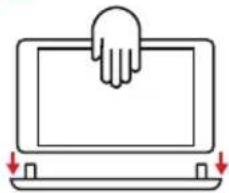
Simple line drawing of a hand pressing down on a laptop screen with two downward arrows indicating motion (no text or symbols)Place your Brydge on a flat surface, rotate the hinges upright to 90° and insert your Pixel Slate into the hinges.
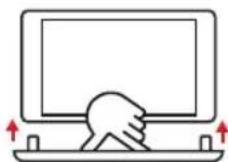
To remove, hold your Pixel Slate and pull straight up, with one hand firmly holding your Brydge against a hard surface.
2 POWER


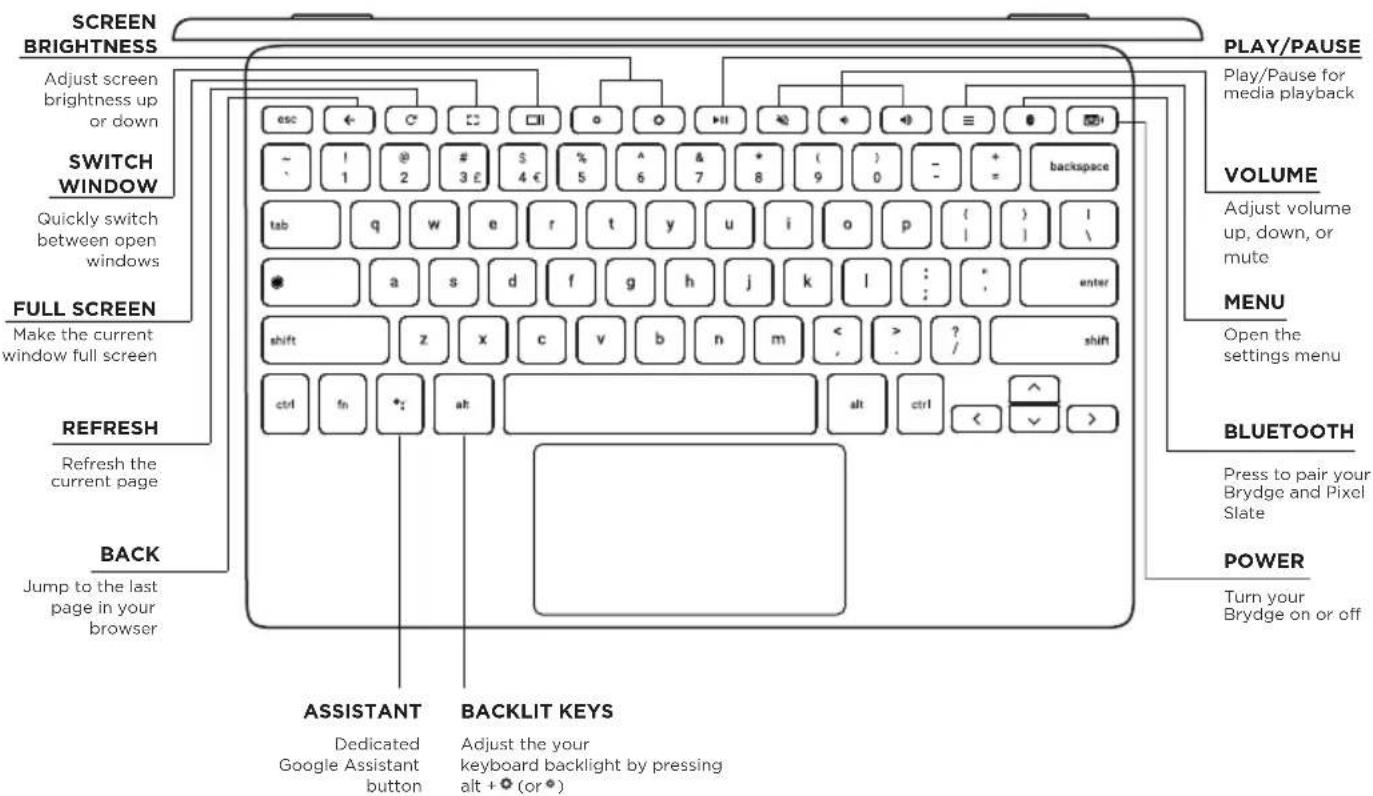
To manually power ON, press and hold the power key (the light will blink green to indicate the keyboard is on).
To manually power OFF, press and hold the power key for 3 seconds (the light will blink red to indicate the keyboard is off).
NOTE: To conserve battery, your Brydge will enter sleep mode after 15 minutes of non-use. Your Brydge will also enter sleep mode when both devices are closed like a laptop. Press any key to turn back on.
3 PAIR

Once the keyboard is on, press and hold the Bluetooth™ key for 3 seconds. The power key will flash blue indicating your Brydge is ready to pair.
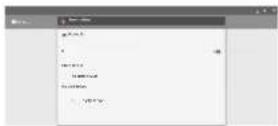
On your Pixel Slate, under the Bluetooth settings select Brydge G-Type. The power key will stop blinking blue when the pairing is complete.
4 CHARGE
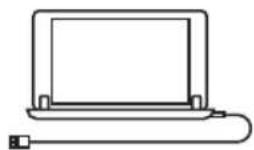
To charge your Brydge insert the supplied USB-C cable into the charging port on your Brydge. The battery is charging when the light on the power key is red; the light will turn off when the battery is fully charged.
Have a question? Contact Brydge directly at support@brydge.com
Find more information at www.brydge.com


Brand : Brydge
Model : G-Type
Category : Keyboard