
Bardu 5700 - Air conditioner WILFA - Free user manual and instructions
Find the device manual for free Bardu 5700 WILFA in PDF.


Pick your language and provide your email: we'll send you a specifically translated version.
| Product Type | Portable Air Conditioner with Heat Pump |
| Brand | Wilfa |
| Model | Bardu 5700 |
| Dimensions (H x W x D) | 70 cm x 45 cm x 38 cm |
| Weight | 28 kg |
| Power Supply | 220-240V ~ 50Hz |
| Cooling Capacity | 12000 BTU/h (3.5 kW) |
| Heating Capacity | 10000 BTU/h (2.9 kW) |
| Refrigerant | R32 |
| Air Flow Rate | 400 m³/h |
| Noise Level | 52 dB(A) (max) |
| Modes | Cool, Heat, Fan, Dehumidify |
| Fan Speeds | 3 speeds (Low, Medium, High) |
| Timer | 24-hour on/off timer |
| Remote Control | Included |
| Display | LED with set temperature and mode indicators |
| Installation | Window kit included for exhaust hose |
| Drainage | Continuous drainage option (hose not included) |
| Filter | Washable mesh filter |
| Energy Efficiency Class | A+ (cooling) / A (heating) |
| Accessories Included | Remote control, window kit, exhaust hose, user manual |
| Safety Features | Overheat protection, auto restart, child lock |
Frequently Asked Questions - Bardu 5700 WILFA
How do I clean the filter on my Wilfa Bardu 5700?
Turn off and unplug the unit. Remove the front grille, take out the mesh filter, and wash it with warm water and mild detergent. Let it dry completely before reinstalling. Clean every 2 weeks for optimal performance.
What is the correct way to install the exhaust hose?
Extend the hose fully without kinks. Attach one end to the back of the unit and the other to the window kit. Ensure the window is sealed so no hot air leaks back into the room.
Why is my Bardu 5700 not cooling properly?
Check if the filter is dirty, the exhaust hose is blocked or kinked, or the set temperature is too high. Also ensure the room size does not exceed the unit's capacity (approx. 30 m²). Clean filter and reposition hose if needed.
Can I use the Bardu 5700 in heating mode during winter?
Yes, the Bardu 5700 has a heat pump function. It can provide heat even at low outdoor temperatures, but efficiency decreases below 5°C. Use it as supplemental heating in moderate winters.
How do I drain the water from the unit?
In cooling mode, water may accumulate. When the internal tank is full, the unit will beep and stop. Remove the drain plug at the back to empty water. For continuous drainage, attach a hose (not included) to the drain outlet.
What does the error code E1 mean?
E1 indicates a sensor failure. Turn off the unit, wait 10 minutes, and restart. If the error persists, contact Wilfa customer service for repair or replacement.
Does the Bardu 5700 come with a remote control?
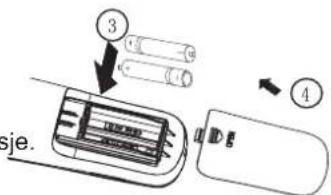
Yes, a remote control is included. It allows you to adjust temperature, mode, fan speed, and timer from a distance. Ensure batteries are inserted correctly.
What is the noise level of the Bardu 5700?
The noise level is approximately 52 dB(A) at maximum speed, which is similar to a normal conversation. Lower fan speeds produce less noise, suitable for sleeping.
Can I use an extension cord with the Bardu 5700?
It is not recommended. Use a dedicated wall outlet rated for the unit's power (220-240V, 10A). Extension cords may cause voltage drop or overheating, posing a fire risk.
How do I set the timer on the Bardu 5700?
Press the Timer button on the remote or control panel. Use +/- buttons to set the desired hours (1-24). The unit will turn on or off after the set time. Confirm by pressing Timer again.
User questions about Bardu 5700 WILFA
0 question about this device. Answer the ones you know or ask your own.
Ask a new question about this device
No questions yet. Be the first to ask one.
Download the instructions for your Air conditioner in PDF format for free! Find your manual Bardu 5700 - WILFA and take your electronic device back in hand. On this page are published all the documents necessary for the use of your device. Bardu 5700 by WILFA.
USER MANUAL Bardu 5700 WILFA
natural_image
Front view of a white air conditioner unit with a green indicator light on the side panel (no text or symbols visible)Bardu 5700
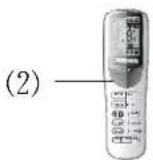
☀️: Heat- Oppvarming
(1): Power-Av/På
88: Set temp.- Temp. valg
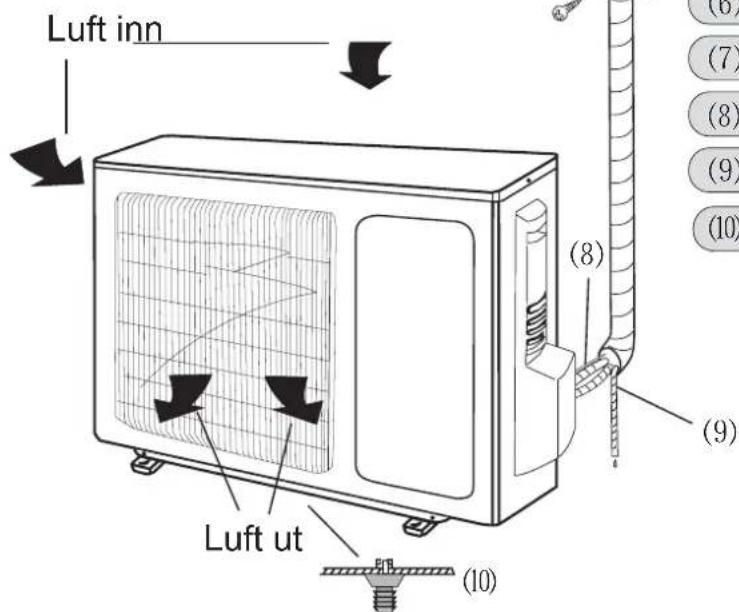
Uteenhet
natural_image
Illustration of two hands holding a woven fabric with scissors, no text or symbols presentnatural_image
Diagram of a car air conditioner unit with hand placement and arrows indicating airflow direction (no text or symbols)
Table of contents
Click a title to access it
Manual assistant
Powered by Anthropic
Waiting for your message
Product information
Brand : WILFA
Model : Bardu 5700
Category : Air conditioner