
PHCT85 - Cables for Computers and Peripherals Pyle - Free user manual and instructions
Find the device manual for free PHCT85 Pyle in PDF.


User questions about PHCT85 Pyle
0 question about this device. Answer the ones you know or ask your own.
Ask a new question about this device
Download the instructions for your Cables for Computers and Peripherals in PDF format for free! Find your manual PHCT85 - Pyle and take your electronic device back in hand. On this page are published all the documents necessary for the use of your device. PHCT85 by Pyle.
USER MANUAL PHCT85 Pyle
3 Intended Use:
We do not permit using the device in other ways like described in chapter Description and Function. Use the product only in dry interior rooms. Not attending to these regulations and safety instructions might cause fatal accidents, injuries, and damages to
persons and property.
4 Scope of Delivery:
1 x HDMI™ line tester (main unit) 1 x HDMI™ line tester (sample unit)
1 x HDMI.... line tester (remote unit) 1 x Protection case
1 x User's manual
5 Replacing the Battery:
Inserting a Battery:
-
Open the battery case at the back of the device by sliding it on.
-
Connect a 9 V battery block to the internal battery clip and
place it into the case.
Batteries are not included.
- Close the battery case.
Replacing a Battery:
-
Open the battery case at the back of the device by 2. Disconnect the 0 V battery black and remove it
-
Disconnect the 5 V battery block and remove it.
- Insert a new battery and/or close the battery case.
.
6 Operating and Installing:
6.1 Testing installed cables
- Connect the first cable end to the remote unit, when you want
to test already installed cables
- Follow the instructions continuing to 6.2.2.
6.2 Testing bulk cables:
- Connect the first cable end to the main units REMOTE
connection, when you want to test bulk cables.
The order is unimportant at this.
- Connect the second cable end to the main units MAIN
connection.
- Switch on the HDMI™ line tester by using the ON/OFF switch.
The LEDs shine after each other = Function test of the
HDMI™ line tester. The Power LED shines Automatic test mode:
Automatic test mode: After the function test
After the function test the cable test starts automatically and all channel LEDs should shine permanently for around 5 seconds.
Channel: ELSO should online permanently for around 6 seconds. Testing result:
A short been
A short beep and one of the following signal LEDs shine on the main unit:
PASS: The cable is wired 1:1 and intact.
OPEN: The cable is not wired or has a defective contact
at the not shining channel LEDs
The cable is defective.
CROSS: The cable is wired cross-over or in a wrong way.
The cable is defective.
SHORT: The shining channels are short-circulted.
The cable is defective.
Manually testing:
Press the Test switch for a new testing procedure.
7 Maintenance, Care, Storage and Transport:
The device is maintenance-free.
• Always turn off the product and put it into the storage pouch,
considerably easier, describing possible faults in detail – only then you can be assured that faults, occurring only rarely, will be found and repaired with certainty!
• The manufacturer is not liable for damages to persons or
property caused by improper installation, operation or
maintenance, not described in this manual.
- Do not alter or modify the product or its accessories. Any use other than described in this year's manual is
- Any use other than described in this user's manual is not permitted and causes loss of warranty, loss of guarantee, and
permitted at non-liability
• We reserve our right for misprints and changes of the device,
packing, or user's manual.
11 Disposal Notes:

According to the European WEEE directive, electrical
and electronic equipment must not be disposed with
consumers waste. Its components must be recycled or
■ disposed apart from each other. Otherwise contam- tive and hazardous substances can pollute our environment
You as a consumer are committed by law to dispose electrical
and electronic devices to the producer, the dealer, or public
collecting points at the end of the devices lifetime for free.
Particulars are regulated in national right. The symbol on the product, in the year's removal, is at the packaging industry to
product, in the user's manual, or at the packaging alludes to these terms. With this kind of waste separation application and
these terms. With this kind of waste separation, application, and waste disposal of used devices you achieve an important share.
to environmental protection.


HDMI™ CABLE-TESTER
User s Manual
HDMI™ line tester

ATTENTION! Read the user's manual completely and
carefully. It is part of the product and includes important information for proper installation and use. Keep this
information for proper installation and use. Keep this useris manual for clarification and only page it on
user's manual for clarificatogether with the product.
Page:
| 1 | Safety Instructions | 1 |
| 2 | Description and Function | 2 |
| 3 | Intended Use | 3 |
| 4 | Scope of Delivery | 3 |
| 5 | Replacing the Battery | 3 |
| 6 | Operating and Installing | 4 |
| 7 | Maintenance, Care, Storage and Transport | 4 |
| 8 | Troubleshooting | 5 |
| 9 | Specifications | 5 |
| 10 | Warranty and Liability | 6 |
| 11 | Disposal Instructions | 7 |
| 12 | CE Declaration | 7 |
1 Safety Instructions:

ATTENTION! Only skilled electricians may assemble
and disassemble the housing of the product.

ATTENTION! Risk of short-circuit!
(No text)
Never bridge contacts!
Do not put things into ventilation slots or ports!
ATTENTION! Risk of injury by stumbling!
Attend to safe cable installation!

| LED | LED Name | HDMI Pin | Signal |
| 1 | TMDS Data2+ | ||
| 1 | Data RED | 2 | TMDS Data2 Shield |
| 3 | TMDS Data2- | ||
| 2 | 4 | TMDS Data1+ | |
| Data BLUE | 5 | TMDS Data1 Shield | |
| 6 | TMDS Data1- | ||
| 3 | 7 | TMDS Data0+ | |
| Data GREEN | 8 | TMDS Data Shield | |
| 9 | TMDS Data0- | ||
| 4 | 10 | TMDS Data Clock+ | |
| CLOCK | 11 | TMDS Data Clock S. | |
| 12 | TMDS Data Clock- | ||
| 5 | CEC | 13 | CEC |
| 14 | Reserved (N.C.) | ||
| 6 | SCL | 15 | SCL |
| 7 | SDA | 16 | SDA |
| 17 | DDC/CEC Ground | ||
| 8 | +5 Volts | 18 | +5 V DC |
| 9 | Hot Plug | 19 | Hot Plug Detect |
10 Warranty and Liability:
• The producer grants a 2 years warranty to a new device.
• As the manufacturer has no influence on installation,
warranty only applies to the product itself.
• If any fault or damage is detected on your device, please
contact your dealer and provide your sales slip or invoice as evidence of the purchase, if necessary. Your dealer will
evidence of the purchase, if necessary. Your dealer w repair the fault either on site, or send the device to the
Repair the unit either on site, or send the device to the manufacturer. You make the work of our technicians
when not in use!
Use a dry and soft cloth to clean your product. Be careful to
avoid scratches. Use a slightly moist cloth for heavy stains.
Look out for live cables! Do not use any cleaning supplies.
This can cause burns to the materials. Avoid liquid entry to the device.
Avoid places with high temperatures, humidity, or place
Avoid places with high temperatures, humidity, or place which can become wet, also during maintenance, care.
storage, and transport.
Keep the product away from children and store it at dry and
dust-proof places!
Keep the original packing for transport and to avoid damages.
8 Troubleshooting:
Problem
Device does not work.
Help
- Check if a 9 V battery block is
inside the battery case
• Make sure battery is full.
Consult your dealer.
other questions
9 Specifications:
Connections main unit 1 x HDMI A socket REMOTE
1 x HDMI A socket MAIN
Connections remote unit 1 x HDMI A socket
Weight of both units 107 g
Dimensions main unit 103.7 x 62.4 x 28.7 mm
Dimensions remote unit 100.4 x 30.4 x 24.9 mm
Operating voltage 9 V DC
Battery size 9 V block
Housing plastics
- Your product is not a toy and is not meant for children, because it contains small parts which can be swallowed and can injure when used inappropriately!
• Do not use any damaged products or parts. - Please remove or store the packing materials well, because children may cut themselves on them while playing. Further more, there is a risk of swallowing and inhalating of incidentals and insulating material.
- Avoid extreme influences, e.g. like
- Avoid extreme influences, e.g. like heat and coldness, humidity and direct sun insultaion, vibrations and mechanical pressure.
- Do not modify or change the product or its accessories! Also mind chapter "warranty and liability".
- Mind the specifications for transporting and use applicable methods, e.g. by using the original packing.
- If defects, mechanical damages, disturbances or other problems occur, which are not solvable with this manual, take the device out of work immediately and consult your dealer for questions, repairing or change like it is described in chapter "warranty and liability".
- A defective device may not be put into operation, but must be protected against further use. Repairing, such as assembling and disassembling the housing is only allowed to skilled professionals. By repairing it yourself you will loose all warranties and there is a risk of electric shock and short circuit.
2 Description and Function:
This product is a cable tester for already installed or bulk HDMI ^™ cables with 2 HDMI ^™ A plugs. It uses a 9 V battery block and comes with optical and acoustical signals.
1
6
2
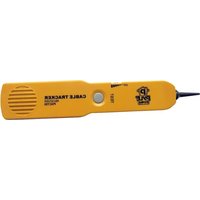
Brand : Pyle
Model : PHCT85
Category : Cables for Computers and Peripherals