
APBMC3-0325 - Power strip Bauhn - Free user manual and instructions
Find the device manual for free APBMC3-0325 Bauhn in PDF.


User questions about APBMC3-0325 Bauhn
0 question about this device. Answer the ones you know or ask your own.
Ask a new question about this device
Download the instructions for your Power strip in PDF format for free! Find your manual APBMC3-0325 - Bauhn and take your electronic device back in hand. On this page are published all the documents necessary for the use of your device. APBMC3-0325 by Bauhn.
USER MANUAL APBMC3-0325 Bauhn
1 Have you got everything?

Note: only one power board (white/black) is supplied.
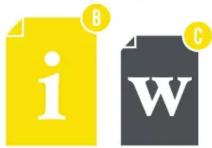
Unpack the box and make sure all of these items are there:
A. 6-Way Dual Row Protection Powerboard B. User Guide C. Warranty Certificate

Product Overview
2

1 Overload Circuit Breaker (Resettable)
Protects against current overload at 10 amp
2 Power On/Off Switch
Press to supply/cut off power to the outlets.
3 Surge Protected LED Indicator
When lit, the green light indicates that all connected devices are surge protected.
4 AC Sockets
All 6 sockets are the same protected sockets and can be used interchangeably.
5 USB-C and USB Charging Ports
For charging phones, tablets or other devices.
6 Hanging hole at both ends of the board.

Troubleshooting
No power output from one of the sockets
No power output from any of the sockets
No output from the USB ports
Power board is not turning on
- Try other sockets. If the other sockets have power output, it's probably the contact of one faulty socket that is loose or not connected; avoid using that socket.
- Check that the power switch is turned on (you can try to turn it on and off a few times to make sure it's switched on) and that the Active Power LED Indicator is lit green.
- Check the overload circuit breaker button to see whether it's tripping, push it down to reset the circuit breaker.
-
Make sure the input socket for the power board has power output.
-
Check that the USB cable is connected securely to the USB port and/or try a different USB port.
- The total output current for the USB ports are 4.5A. Remove devices using the other USB ports.
- Use another USB cable.
- Check that there is no visible damage to the plug or cord.
- Ensure that the devices connected do not exceed the total maximum load (2400W, 10A). If exceeded, unplug the devices and press the overload reset button.
Give us a call

What? You mean this User Guide didn't have ALL the answers? Speak to us!
We'd love to help you get up and running as quickly as possible.
Call our After Sales Support on 1300 002 534.
Operating hours: Monday-Friday, 8:30am-6pm; Saturday, 9am-6pm AEST
Input
Output
USB-C Output: DC 5V/3A Max
USB-A Output: DC 5V/2.4A Max
USB Output Total: DC 5V, 4.5A Max
Total Loading Max. 2400W
Surge Protection
175J
Maximum Energy
Power Cable 1.5m
Net Weight 521g
Dimensions (L x W x H) 291 x 105 x 30 mm
General Safety Warnings
This product complies with Australian Safety standard AS/NZS 3105, AS/NZS 3112 &
AS/NZS 61558.2.16 to ensure the safety of the product.

The RCM is a visible indication of a product's compliance with all applicable ACMA regulatory arrangements, including all technical and record-keeping requirements.
IMPORTANT
- Damage: If the power board or cord is damaged, contact the After Sales Support line for advice. Do not attempt to open the board or replace the cord. The cord must be replaced by appropriately qualified personnel.
- Repair: If the power board requires repair, contact the After Sales Support line; never disassemble or modify the power board or attempt to service it yourself.
- Run the power supply cord in such a way that there will be no risk of anyone pulling it inadvertently or tripping over it.
- If power supply cord is damaged, it must be replaced by an authorised

Brand : Bauhn
Model : APBMC3-0325
Category : Power strip