Laudberg XS1W - Loudspeaker Manta - Free user manual and instructions
Find the device manual for free Laudberg XS1W Manta in PDF.


User questions about Laudberg XS1W Manta
0 question about this device. Answer the ones you know or ask your own.
Ask a new question about this device
Download the instructions for your Loudspeaker in PDF format for free! Find your manual Laudberg XS1W - Manta and take your electronic device back in hand. On this page are published all the documents necessary for the use of your device. Laudberg XS1W by Manta.
USER MANUAL Laudberg XS1W Manta
LAUDBERG
XS1B / XS1W



Instrukcja obsługi
Zasilacz
Frequency response::45HZ-20KHZ
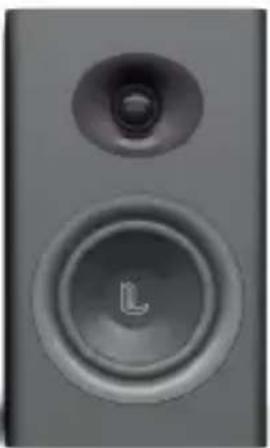
Bookshelf Speaker

Remote Control

User manual

Stereo RCA to 3.5 mm audio cable
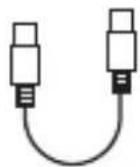
USB to USB audio cable

Digital Optical cable
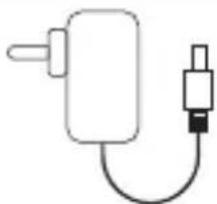
Power Adapter
LED Indicators and Button Introduction

Infrared receiver
LED Indicators
Active Speaker

Standby

Bluetooth

ARC
(HDMI ARC)

USB

RCA

Optical

Active Speaker
- Power switch and Input selection
- Previous track
- Next track
- Volume control and Sound effects
Press in to navigate between audio sources:
Music -> Dialogue -> Movie - Treble control
- Bass control
- HDMI ARC input port
- USB input port
- Optical input port
- SUB output port
- RCA input port
- Left speaker audio output
- Power port
- Left speaker audio in

Passive speaker
Know Your Remote
| ○ | E | |
| OPEN | OPEN | |
| VOL+ | ||
| HH | HH | |
| VOL- | ||
| ST | OPT | |
| MRO | ||
| RCA | USB | |
| Power button | Mute | ||
| Volume up | Volume down | ||
| Previous track | Next | ||
| Play pause | Optical mode | ||
| ARC mode | Bluetooth mode | ||
| USB* | RCA mode | ||
| Move mode | Music mode | ||
| Dialogue mode | |||
*USB mode - DAC connector
for communication with a computer
Connection Diagram
![graph TD TV["TV"] --> USB["USB"] USB --> WirelessDevice["Wireless device"] WirelessDevice --> ActiveSubwoofer["Active subwoofer"] ActiveSubwoofer --> PassiveSpeaker["Passive speaker"] PassiveSpeaker --> ActiveSpeaker["Active Speaker"] ActiveSpeaker --> USB USB --> Cable1["101"] Cable1 --> TV Cable1…](/content/2026/05/943642/images/878848562c6af14c7196eb660903d5691cf2fff174b2657be62afcd9999f7eab.jpg)
a Bluetooth
e RCA – RCA (not supplied)
b USB (supplied)
f Stereo RCA to 3.5mm audio cable (supplied)
c ARC (not supplied)
g RCA to RCA audio cable (supplied)
d Digital Optical cable (supplied)
Connecting with a TV
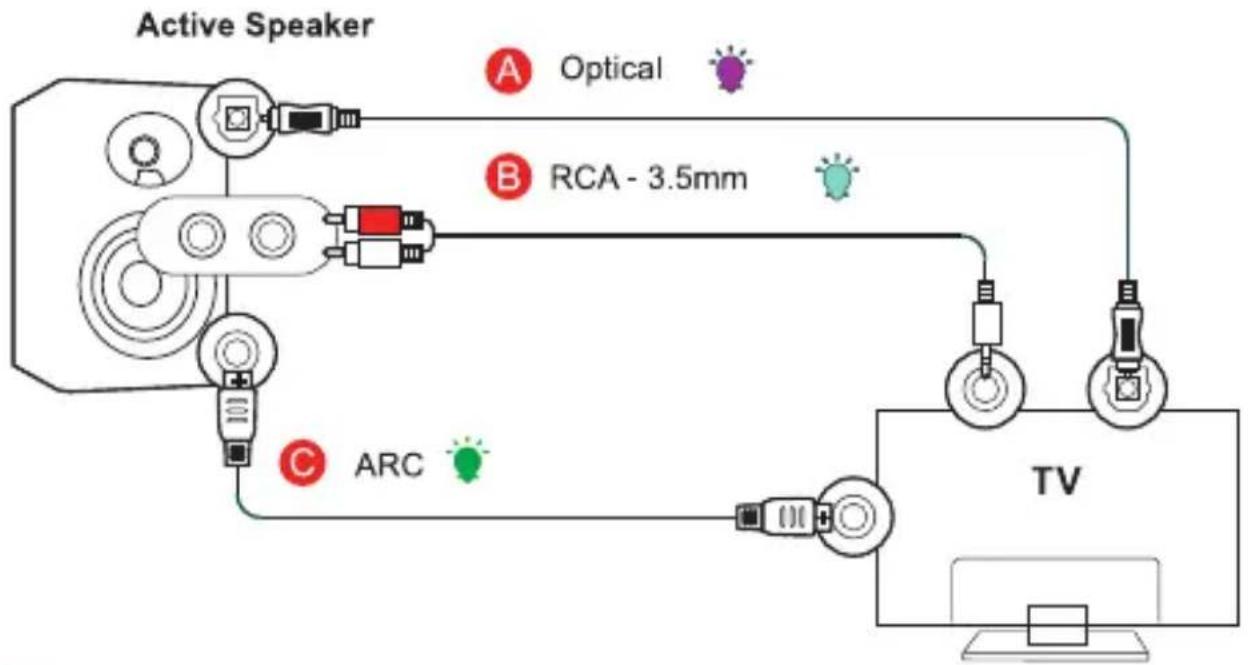
Method 1. Connecting using an Optical cable. Select Optical mode and set the TV's audio output to "PCM". (More information on PCM page)
Method 2. Connecting using a RCA to 3.5mm audio cable.
Select RCA mode and the TV's audio output to "PCM" (More information on PCM page)
Method 3. Connecting using an ARC cable. Select ARC mode and set the TV's audio output to "PCM". (More information on PCM page)
Setting "PCM" on your TV
When all cables are connected properly, and LED indicator lights properly, if there is no sound from tv or Soundbar, please setting your tv as below:
- Press "Menu" on the TV's remote control: Press the "Menu" button to access the TV's settings.
- Go to "Audio Settings": Use the arrow keys on the remote to scroll to "Audio Settings."
- Press "OK": Confirm the selection by pressing the "OK" button.
- Go to "Advanced Audio": If your TV has this option, select "Advanced Audio" and press "OK" again. If not, look for other audio-related settings.
- Select "Audio Output Mode": Scroll to "Audio Output Mode" or "Digital Audio Output Mode."
- Set to "PCM": Scroll until "PCM" is displayed as the current audio output.
- Save the settings: Press "OK" to save the settings.
Note: Each TV may have a slightly different menu layout and option names. If the above steps don't match your TV model, refer to the user manual provided by the manufacturer to set the audio output to PCM.
Connecting a Bluetooth Device
![graph LR A["Hand with BT"] --> B["or P/M Icon"] B --> C["Signal Transmission"] C --> D["Device with Smartphone"] D --> E["Audio System"] E --> F["Device with Tablet"] F --> G["Audio System"] G --> H["Playoff"]](/content/2026/05/943642/images/cf1d890154e6712bcb59656791015dc285fdcf8a0609c92d2d005fb4bbd6a8bc.jpg)
Bluetooth signal up to 30 feet
a. Press the "BT" button on the remote or press the "P/M" button on back panel of the active speaker, the LED indicator blinks blue.
b. Turn on Bluetooth on the Bluetooth device.
c. Select "XS1" and connect it. When your Bluetooth device is connected, the LED indicator blinks blue slowly.
Specifications
Power output: L/R: 40W + 40W Signal to noise ratio dB(A): L/R: ≥80dB (A) Input sensitivity: RCA: R/L: 650±50mV ARC: R/L: 500±50mFFS OPT: R/L: 500±50mFFS Bluetooth: R/L: 700±50mFFS Frequency response : 45HZ-20KHZ Bass unit: 4 cala/inch (116 mm) Tweeter unit: Φ13mm
Troubleshooting
No sound
- Check if the power indicator light is ON.
- Try to turn up the volume using either the master volume control or remote control.
- Ensure the audio cables are firmly connected and the input is set correctly on the speakers.
- Check if there is signal output from the audio source.
Cannot connect via Bluetooth
- take sure the speaker is switched to Bluetooth input, in other audio input mode Bluetooth can not be paired or connected. Disconnect from any Bluetooth device by press and hold the volume dial in Bluetooth mode, then try again.
- Effective Bluetooth transmission range is 10 meters, please make sure operation is within the range.
- Try another Bluetooth device for connection.
The Bookshelf Speaker does not turn on
- Check if mains power is connected. or if the wall outlet is switched on.

LAUDBERG
Manta S.A. hereby declares that the Laudberg XS1B and XS1W complies with the RED Directive 2014/53/EU and RoHS directive 2011/65/EU.
The full text of the declaration of conformity is available at www.laudberg.com
Operating frequency range: 2402MHz – 2480MHz Max output power: 3,35 dBm
INFOLINIA SERWISOWA
tel: +48 22 123 96 60
from Monday to Friday between 9:00-17:00

LAUDBERG
Brand : Manta
Model : Laudberg XS1W
Category : Loudspeaker