MM95 - Loudspeaker Manta - Free user manual and instructions
Find the device manual for free MM95 Manta in PDF.


Pick your language and provide your email: we'll send you a specifically translated version.
| Product Type | Portable Bluetooth Speaker |
| Model | MM95 |
| Brand | Manta |
| Dimensions (W x H x D) | 120 x 120 x 120 mm |
| Weight | 500 g |
| Power Supply | Built-in rechargeable battery (3.7V, 1200mAh) |
| Charging Time | 3 hours |
| Playback Time | 12 hours at 50% volume |
| Connectivity | Bluetooth 5.0, 3.5mm AUX input |
| Bluetooth Range | 10 meters |
| Speaker Type | Full-range driver |
| Output Power | 10W RMS |
| Frequency Response | 80 Hz - 20 kHz |
| Control Buttons | Power, Volume, Play/Pause, Pairing |
| Microphone | Yes, built-in for hands-free calls |
| Water Resistance | IPX5 (splash-proof) |
| Battery Indicator | LED indicator: blue (full), red (low) |
| Compatible Devices | Smartphones, tablets, laptops |
| What's in the Box | MM95 speaker, USB charging cable, AUX cable, manual |
| Cleaning Instructions | Wipe with a soft, dry cloth; avoid liquids |
Frequently Asked Questions - MM95 Manta
How do I turn on the Manta MM95 speaker?
Press and hold the Power button for 2 seconds until the LED indicator lights up.
How do I pair the speaker via Bluetooth?
Press the Pairing button or long-press the Play/Pause button to enter pairing mode. The LED will flash blue. On your device, select 'Manta MM95' from the Bluetooth list.
What is the battery life of the MM95?
The battery lasts up to 12 hours at 50% volume. Charging time is about 3 hours.
Can I use the speaker while charging?
Yes, the speaker can be used while plugged into a power source via the USB charging cable.
Is the Manta MM95 waterproof?
It has an IPX5 rating, meaning it is splash-proof but not fully waterproof. Avoid submerging it in water.
How do I answer a phone call with the speaker?
Press the Play/Pause button once to answer a call. Press again to hang up.
What should I do if the speaker won't connect to my device?
Ensure the speaker is in pairing mode (LED flashing). If issues persist, turn off Bluetooth on your device and turn it back on. You may also reset the speaker by turning it off and on again.
Can I connect the speaker to a non-Bluetooth device?
Yes, use the included 3.5mm AUX cable to connect to devices like computers or MP3 players.
How do I clean the speaker?
Wipe the exterior with a soft, dry cloth. Do not use water or cleaning agents as they may damage the speaker.
How can I get support or find the manual?
Visit notice-facile.com and search for Manta MM95 to download the manual or ask a question.
User questions about MM95 Manta
0 question about this device. Answer the ones you know or ask your own.
Ask a new question about this device
No questions yet. Be the first to ask one.
Download the instructions for your Loudspeaker in PDF format for free! Find your manual MM95 - Manta and take your electronic device back in hand. On this page are published all the documents necessary for the use of your device. MM95 by Manta.
USER MANUAL MM95 Manta
natural_image
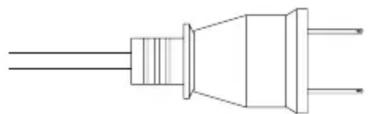
Pure electrical outlet diagram without any text, numbers, or symbolsAC POWER CABLE
Note:
For Europe: 230V/50Hz
For USA & Canada: 120V/60Hz
For Japan: 100V, 50/60Hz
For Australia: 240V/50Hz
- Plug in stereo Jack 3,5 mm to headphones slot or audio out slot of sound source. eq. PC sound card.
- Plug in power cord to AC slot. Remove the plug from slot when speakers are unused for long period of time.
HOW TO USE
- Press POWER button to power up the speakers. Power LED on.
- Power up sound source.
- Specify the volume with VOLUME control.
- Power off the speakers with POWER button.
Table of contents
Click a title to access it
Manual assistant
Powered by Anthropic
Waiting for your message
Product information
Brand : Manta
Model : MM95
Category : Loudspeaker