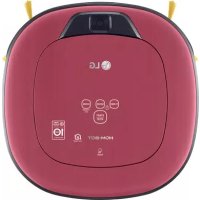
R5T-AUTO - Robot vacuum LG - Free user manual and instructions
Find the device manual for free R5T-AUTO LG in PDF.


Pick your language and provide your email: we'll send you a specifically translated version.
| Product Type | Robot Vacuum |
| Brand | LG |
| Model | R5T-AUTO |
| Dimensions (W x D x H) | 340 x 340 x 92 mm |
| Weight | 2.8 kg |
| Color | Black |
| Battery Type | Lithium-ion |
| Battery Capacity | 2600 mAh |
| Charging Time | Approx. 3 hours |
| Run Time | Up to 90 minutes (standard mode) |
| Suction Power | 6000 Pa |
| Dustbin Capacity | 0.6 L |
| Filtration System | HEPA washable filter |
| Smart Features | Wi-Fi, LG ThinQ app, voice control (Google Assistant, Alexa) |
| Navigation | LiDAR mapping, smart path planning |
| Sensors | 3D obstacle sensor, cliff sensors, bumper sensor |
| Noise Level | 55 dB (quiet mode) |
| Power Consumption | 50 W |
| Includes | Charging dock, power adapter, user manual, cleaning tool |
| Warranty | 1 year |
Frequently Asked Questions - R5T-AUTO LG
How do I connect my LG R5T-AUTO to Wi-Fi?
Ensure the robot is charged and the LG ThinQ app is installed. Press and hold the start/stop button for 3 seconds until the Wi-Fi indicator blinks. Follow the app instructions to complete the connection.
How can I schedule cleaning?
Use the LG ThinQ app to set a schedule. Select the desired days and time, and the robot will start cleaning automatically at the set times.
What should I do if the robot gets stuck?
Check for obstacles like cables or rugs. If stuck, turn off the robot, manually clear the area, and restart by pressing the start button.
How often should I clean the sensors?
Clean the cliff sensors and bumper sensor weekly with a soft dry cloth to ensure proper navigation and avoid false detections.
How do I replace the dustbin filter?
Open the dustbin cover, remove the old filter, and insert a new LG HEPA filter. The filter should be washed every 2 weeks and replaced every 3 months.
Why is the robot not charging?
Ensure the charging dock is plugged in and the robot's charging contacts are clean. If the issue persists, try resetting by pressing the reset button with a pin.
Can it vacuum thick carpets?
The R5T-AUTO can handle low to medium pile carpets. For high-pile rugs, it may require extra passes or increased suction power via the app.
How do I reset the robot to factory settings?
Press and hold the home and start buttons simultaneously for 10 seconds until a reset tone sounds. This clears all custom settings.
What is included in the box?
The package includes the robot vacuum, charging dock, power adapter, user manual, cleaning tool, and an extra filter.
How do I empty the dustbin?
Press the dustbin release button, lift out the dustbin, open the latch, and empty the contents. Clean the filter if necessary before reinserting.
User questions about R5T-AUTO LG
0 question about this device. Answer the ones you know or ask your own.
Ask a new question about this device
No questions yet. Be the first to ask one.
Download the instructions for your Robot vacuum in PDF format for free! Find your manual R5T-AUTO - LG and take your electronic device back in hand. On this page are published all the documents necessary for the use of your device. R5T-AUTO by LG.