
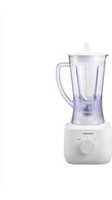
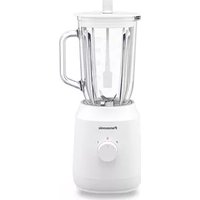
MX-MP5151 - Blender PANASONIC - Free user manual and instructions
Find the device manual for free MX-MP5151 PANASONIC in PDF.


| Product Type | Blender |
| Brand | Panasonic |
| Model | MX-MP5151 |
| Dimensions (approx.) | 20 x 20 x 40 cm |
| Weight (approx.) | 3 kg |
| Power Consumption | 800 W |
| Voltage | 220-240 V, 50/60 Hz |
| Jug Capacity | 1.5 L |
| Main Functions | Pulse, variable speed, ice crush, smoothie, soup |
| Blade Material | Stainless steel |
| Jug Material | BPA-free Tritan plastic |
| Safety Features | Safety lock lid, overload protection, non-slip base |
| Cleaning | Detachable jug, dishwasher safe parts |
| Spare Parts Available | Jug, lid, blade assembly, sealing ring |
| Cord Length | 1.2 m |
Frequently Asked Questions - MX-MP5151 PANASONIC
User questions about MX-MP5151 PANASONIC
0 question about this device. Answer the ones you know or ask your own.
Ask a new question about this device
Download the instructions for your Blender in PDF format for free! Find your manual MX-MP5151 - PANASONIC and take your electronic device back in hand. On this page are published all the documents necessary for the use of your device. MX-MP5151 by PANASONIC.
USER MANUAL MX-MP5151 PANASONIC
Operating Instructions
Operating Instructions
Operating Instructions
Blender (Household Use)
Blender (Household Use)
MX-MG5351

MX-MP5151
Thank you for purchasing this Panasonic product.
- Please read these instructions carefully to use the product correctly and safely.
- Before using this product please give your special attention to "Safety Precautions" and "Important Information" (P. EN2 -EN4).
- Please keep this Operating Instructions for future use.
- Panasonic will not accept any liability if the appliance is subject to improper use, failure to comply with these instructions.
Contents
Safety Precautions....EN2 Important Information......EN4 Parts Names and Instructions ....EN5 Overload and Overheating Protection ...... EN5 Before Use...... EN6 How to Use......EN6 Cleaning and Care......EN7 Troubleshooting......EN8 Specifications....EN8
Safety Precautions
Please make sure to follow these instructions.
To reduce the risk of personal injury, electric shock or fire, please observe the following:
■ The following signals indicate the degree of harm and damage when the product is misused.

WARNING: Indicates potential hazard that could result in serious injury or death.

CAUTION: Indicates potential hazard that could result in minor injury or property damage.
■ The symbols are classified and explained as follows.

This symbol indicates prohibition.

This symbol indicates requirement that must be followed.

WARNING
To avoid risk of electric shock, fire due to short circuit, smoke, scald or injury.

- Do not allow infants and children to play with packaging material. (It may cause suffocation.)
- Do not disassemble, repair or modify this appliance. → Contact Panasonic Service Centre for inspection or repair.
- Do not damage the power cord or power plug. Following actions are strictly prohibited: Modifying, touching on or placing near heating elements or hot surfaces, bending, twisting, pulling, hanging/pulling over sharp edges, putting heavy objects on top, bundling the power cord or carrying the appliance by the power cord.

WARNING

- Do not plug or unplug the power plug with wet hands.
- Do not use the appliance if the power cord or power plug is damaged or the power plug is loosely connected to the outlet.
→ If the power cord is damaged, it must be replaced by the manufacturer, its service centre or similarly qualified person in order to avoid a hazard.
→ Insert the power plug firmly.
- Do not immerse the motor housing, power cord or power plug in water, or splash it with water and/or any liquid.

- This appliance is not intended for use by persons (including children) with reduced physical, sensory or mental capabilities, or lack of experience and knowledge, unless they have been given supervision or instruction concerning use of the appliance by a person responsible for their safety.
Children should be supervised to ensure that they do not play with the appliance.
- Keep the appliance and its power cord out of reach of children. ● Dust off the power plug regularly.
→ Unplug the power plug, and wipe with a dry cloth.
- Discontinue using the appliance immediately and unplug in the unlikely event that this appliance stops working properly.
e.g. for abnormal occurrences or breaking down
- The power plug or the power cord become abnormally hot. • The appliance power fails.
- The motor housing is deformed, has visible damage or is abnormally hot. • There is crack on the blender jug or other parts. • There is an unpleasant smell. • There is abnormal turning noise while in use. • There is another abnormality or failure. → Contact Panasonic Service Centre for inspection or repair.
● Make sure the voltage indicated on the label of the appliance is the same as your local supply. Also avoid plugging other devices into the same outlet to prevent electric overheating. However, if you are connecting a number of power plugs, make sure the total wattage does not exceed the rated wattage of the outlet.
- Be careful if hot liquid is poured into the blender jug as it can be ejected out of the appliance due to a sudden steaming.

CAUTION
To avoid risk of electric leakage, electric shock, fire due to short circuit, scald, injury or property damage.

- Do not use the appliance on the following places.
- On uneven surfaces, on carpets or tablecloths etc.
- Place where it may be splashed with water or near a heat source.
- Near any open water such as bathtubs, sinks, or other containers.
- Near a wall or furniture. → Place the appliance on a firm, dry, clean flat worktop.
- Do not blend or place over 60 °C ingredients into blender jug or mill container.
- Do not open the lid and put your fingers or utensils such as spoon or fork into the blender jug while the appliance is operating.
Safety Precautions
Please make sure to follow these instructions.

CAUTION

- Do not stretch the gasket to avoid deforming.
- Do not replace any parts of the appliance with non-genuine spare parts.
- Do not carry the appliance by holding the power cord, blender jug or mill container.
- Do not insert any object in the gaps of the appliance.
- Do not blend more than the working capacity marked on the blender jug. For the mill container, do not place more than the maximum quantity. (P. EN8 "Specifications")
- Do not use prohibited ingredients as stated in this instructions. (P. EN6)
- Do not push the safety lock pin with any implement, such as thin stick etc. (P. EN5)

● Unplug the plug when the appliance is not in use. ● Make sure to hold the power plug when unplugging it. Never pull on the power cord. ● Beware not to trip over or get caught in the power cord while in use. - In order to avoid a hazard due to inadvertent resetting of the thermal cut-out, this appliance must not be supplied through an external switching device, such as a timer, or connected to a circuit that is regularly switched on and off by the utility. ● Care shall be taken when handling the sharp blades, emptying the blender jug, mill container and during cleaning. Do not clean the blender blade or mill blade by bare hand. ● Always disconnect the appliance from the supply if it is left unattended and before assembling, disassembling, moving or cleaning. - Switch off the appliance and disconnect from supply before changing attachments or approaching parts that move in use. - Ensure to operate and rest the appliance as stated on specification table. (P. EN8 "Specifications") - Ensure to clean the appliance especially surfaces in contact with food after use. (P. EN7 "Cleaning and Care") ● This product is intended for household use only.
Important Information
- Do not use the appliance outdoors.
- Do not use the appliance for commercial purpose.
- Do not place the mill container on any heat sources or in a microwave.
- Do not drop the appliance or attachments to avoid damaging it.
- Do not wrap the power cord around the motor housing.
- Make sure the parts or attachments are set firmly before use.
- Do not operate the appliance without ingredients.
- Be sure the blender gasket and mill gasket are attached properly to prevent leakage.
Parts Names and Instructions
Blender Wet & Dry Mill
The Safety Lock has been designed to prevent the appliance from switching on when the blender jug or mill container is not properly in place. Note: - Do not push the Safety Lock Pin or any Safety Levers with any instrument such as a stick. - Do not pour liquids or ingredients at the Safety Lock Pin and Control Panel area. - Keep the Safety Lock Pin and Safety Lever area clean to avoid foreign particles accumulating in the area.
Overload and Overheating Protection
In case of overload and overheating, the protection device is triggered to stop operation, and this is not abnormal. After rotation stops, follow the below steps:
- Do not use the appliance repeatedly without any countermeasure.
1. Press the "0" button, unplug the appliance. 2. Remove the attachment from the motor housing. Remove the excess ingredients and ensure that the amount used is as stated. (For the blender jug, you can also add liquid.)
- Ensure that the ingredients are cut into the stated sizes.
- Remove the prohibited ingredient if used.
3. Reset the attachment, then start again. (P. EN7)
If the appliance still does not operate after performing the above, overheating protection has been activated.
Press the "0" button, unplug and rest the appliance for about 15 minutes or more (until the motor housing returns to a normal temperature) to release overheating protection before using again.
(If the appliance still does not operate, contact Panasonic Service Centre for inspection or repair.)
Before Use
Clean all detachable parts before using the appliance for the first time or when you have not used it for a while, and then assemble them securely. (P. EN6 "How to Use" and P. EN7 "Cleaning and Care")
Blender
Handling Precautions
● Dice food first (1-2 cm), then blend with liquid. - Do not place ingredients with a maximum total volume exceeding 1.5 L in the blender jug. - Do not operate more than 3 minutes at one time, rest about 1 minute before use again. - When blending thick ingredients such as boiled beans or garlic, do not fill blender jug more than 1/3 full nor operate more than 2 minutes. - It is prohibited to place following kinds of ingredients in the blender jug: Meat, fish, hard ingredients (e.g. turmeric, dried soya beans, frozen ingredients, cassia cinnamon), very sticky ingredients (e.g. peanut butter), ingredients with low water content (e.g. mashed potatoes) or commercial ice cubes.
Wet & Dry Mill
- Do not place any ingredients/liquids more than 50 g / 0.2 L in the mill container.
- Do not operate more than 1 minute, rest about 2 minutes before use again.
- It is prohibited to place following kinds of ingredients in the Mill Container: Meat, fish, hard ingredients (e.g. turmeric, dried soya beans, frozen ingredients, cassia cinnamon), ingredients with high hard fibre, very sticky ingredients (e.g. peanut butter) or any ice cubes.
Guide of Menus and Functions
| Function | Menu Speed | Quantity | Operating Time (approx.) | Preparation Method | ||
| Blender | (Pudding) | 1 | 350 - 1 000 mL | Max 10 sec | Remove the floating bubbles if necessary. | |
| (Baby Food) | Porridge | 1 | 300 - 600 g | 30 - 60 sec | For porridge:Recommended ratio of rice: water is 1:10.For boiled spinach:- Recommended ratio of boiled spinach: water is 2:1.- Boil the spinach more than 5 minutes to soften it.For boiled carrot:Place the same amount of water as the ingredients and blend.For all menus:After blending the baby food, transfer it to another container and sterilise by heating. | |
| Boiled Spinach + water | 1 | 300 - 400 g | 60 - 120 sec | |||
| Boiled Carrot + water | 1 | 250 - 800 g | 30 - 90 sec | |||
| Blend until there (Ice Crush)(MX-MG5351 only) | P1 | Max 220 g(For a piece of ice cube size greater than 10 g and less than 20 g) | is no sound. - | - Only use 20 g ice cube or less which are made from a household refrigerator. Do not use commercial ice cubes.If the crushed ice stick to the wall of the blender jug. turn off the appliance and remove the blender lid. Insert the scraper to circulate. | ||
| Max 250 g(For a piece of ice cube size approx 8-10 g) | ||||||
| (Soup) | 2 | 250 - 1 000 mL | Max 2 min | - | ||
| (Juice/Smoothie) | 2 | 250 - 1 500 mL | Max 2 min | For Smoothie:Only use approximately 20 g ice cubes or less which are made from a household refrigerator. Do not use commercial ice cubes and ensure to add liquid or place ingredients with high water content. | ||
| (Cleaning) | P2 | 750 mL | 3 - 10 times(1 sec ON, 1 sec OFF) | Operate with water only. | ||
| Wet & Dry Mill | Coffee Beans | 2 - | Max 50 g | 15 - 30 sec | ||
| Pepper | 2 | Max 20 g | Max 60 sec | - | ||
| Dried Chilli | 2 | Max 20 g | Max 60 sec | Remove the seeds. | ||
| (Peanuts Crush) | P1 | Max 50 g | Max 20 times(1 sec ON, 1 sec OFF) | Remove peanut shell and skin. | ||
| Fresh Chilli | 2 - | 50 g + 20 mL of water | Max 60 sec | |||
| (Cleaning) | P2 | 100 mL | 3 - 10 times(1 sec ON, 1 sec OFF) | Operate with water only. | ||
- Abbreviation used in this instructions: sec = second(s); min = minute(s); approx=approximately.
How to Use
Blender
To disassemble Turn clockwise
To assemble Turn anticlockwise
Wet & Dry Mill
To disassemble To assemble Turn anticlockwise
Turn clockwise
Make sure the gasket is not damaged and placed properly before assembling.
EN6
1. Place the ingredients into the blender jug, and then close the lid.
- Pour liquid first, followed by soft ingredients and then others. (i) Liquid (ii) Soft ingredients (iii) Hard ingredients (iv) Ice cubes
2. Attach the blender jug to the motor housing.
① Align the △ on the motor housing with the ▽ on the blender jug base. ② Twist the blender jug clockwise until you hear a click sound. - The blender jug can only be attached by following the above steps.
3. Plug in. Hold the lid, and then turn on the appliance by pressing the required speed.
- If the appliance stops during operation. (P. EN8)


4. When blending is completed, switch off by pressing the "0" button. Unplug. Turn the blender jug anticlockwise to remove it, open the lid and take out the ingredients.

1. Turn the mill container upside down and place the ingredients in it. Twist the mill container base clockwise until you hear a click sound.
2. Attach the mill container to the motor housing.
① Align the △ on the motor housing with the ▽ on the mill container base. ② Twist the mill container clockwise until you hear a click sound. - The mill container can only be attached by following the above steps.

3. Plug in. Hold the mill container, and then turn on the appliance by pressing the required speed.
- If the appliance stops during operation. (P. EN8)

4 When grinding is completed, switch off by pressing the "0" button. Unplug.
Turn the mill container anticlockwise to remove it, open the mill container, and take out the ingredients.

How to use the scraper
- It can be inserted through the lid opening while blending without interfering with the blender blade.
- Slide the scraper through the lid opening and scrape to remove food sticking to blender jug sides. ● To avoid ingredients splattering, it is recommended to insert the scraper from the lid opening when using blender jug.
Scraper is useful when
● too little liquid makes ingredients hard to blend. (e.g. for dips, sauces, curry dishes)
- ingredients stick to the inner side of container. (e.g. crushed ice, garlic, chile pepper)

Cleaning and Care
- Unplug before cleaning
- Clean the parts thoroughly after every use. Keep all parts clean and dry always.
- Do not wash any part of the appliance in the dishwasher.
- Do not use benzine, thinner, bleach, alcohol, nylon face of sponge, metal brushes or polish powder etc.
- Some discoloration of the plastic parts may occur upon usage but it does not affect usage.
Blender Jug Prewash Storing
Add 500 mL clean water into the container, plug in and blend for about 1 minute.
- Assemble the blender jug base / mill container base with the blender jug / mill container.
- Dry the lid thoroughly, then keep it separately.


Wash the parts using a soft sponge soaked in diluted kitchen detergent (neutral). Rinse and dry thoroughly. (Brush is not provided.)
Remove the gaskets before washing.


Carefully clean blades with a brush under running water. (Brush is not provided.)

Wipe motor housing with a damp cloth.
Troubleshooting
Before calling for service, please check through this section.
Problem Cause
The appliance does not turn on.
Action
- The blender jug/mill container is not set properly. Make sure to align the marks on blender jug base/ mill container base and motor housing, then twist it firmly until you hear a "click" sound. (P. EN7) The blender jug base/mill container base is not assembled tightly. Assemble it tightly. (P. EN6) The protection device of overload or overheating is activated. Refer to "Overload and Overheating Protection" for inspection. (P. EN5) The power plug is disconnected. Insert the power plug into outlet firmly.
- The protection device of overload or overheating is activated. Refer to "Overload and Overheating Protection" for inspection. (P. EN5) The Rubber Feet and/or the work top are not clean. Wipe off any dirt or stains with a clean damp cloth. The Rubber Feet are only effective when placed on a clean, smooth and flat surface.
- Too much ingredients. → Reduce ingredient amount.
- The blender jug base / mill container base is not assembled tightly. → Assemble it tightly. (P. EN6)
- Some ingredients might be too difficult to process raw, e.g. pumpkin. → Precook might be necessary to soften the ingredients before processing, i.e. until a fork can easily pierce.
- Ingredient size is not according to the preparation method. → Prepare accordingly to the size stated.
- The blender jug base mill container base is not assembled tightly. → Assemble it tightly. (P. EN6)
- The blender gasketmill gasket is not attached or attached loosely. → Attach it properly.
- Foreign matters are stuck around blender gaskémill gasket. → Remove them. • The blender gasketmill gasket is damaged. → Contact Panasonic Service Centre to replace it. • The liquid amount is not enough. → Add more liquid.
- Too much ice cubes. (e.g. juice with a lot of ice) → ① Remove blender jug after rotation stops completely. ② Shake the blender jug gently.
Rotation stops abruptly.
There is abnormal noise or vibration increases.
The texture and consistency of the processed ingredients do not turn out well.
The ingredient is leaking.
The blade is idling.


Specifications
| Blender Wet & Dry Mill | ||
| Power supply | 220 - 240 V ~ 50 - 60 Hz | |
| Power consumption | MX-MG5351: 360 - 400 W / MX-MP5151: 370 - 430 W | |
| Rated time | Continuous operation (Repeat the cycle of 3 minute ON and then 1 minutes OFF) | Continuous operation (Repeat the cycle of 1 minute ON and then 2 minutes OFF) |
| Working capacity (approximately) | max 1.5 L | Dry : max 50 g /Wet: max 0.2 L |
| Dimensions (W x D x H)(approximately) | MX-MG5351 : 186 x 200 x 425 mmMX-MP5151 : 191 x 200 x 425 mm | 167 x 200 x 280 mm |
| Mass. (approximately) | MX-MG5351: 3.3 kgMX-MP5151: 2.1 kg | 2.0 kg |
EN8
How to use the scraper



- OPERATING INSTRUCTIONS
- CONTENTS
- SAFETY PRECAUTIONS
- WARNING
- CAUTION
- IMPORTANT INFORMATION
- PARTS NAMES AND INSTRUCTIONS
- OVERLOAD AND OVERHEATING PROTECTION
- BEFORE USE
- BLENDER
- HANDLING PRECAUTIONS
- WET & DRY MILL
- HOW TO USE
- HOW TO USE THE SCRAPER
- SCRAPER IS USEFUL WHEN
- CLEANING AND CARE
- BLENDER JUG PREWASH STORING
- TROUBLESHOOTING
- PROBLEM CAUSE
- ACTION
- SPECIFICATIONS
Brand : PANASONIC
Model : MX-MP5151
Category : Blender