
ST-43HT - Speaker Stand LG - Free user manual and instructions
Find the device manual for free ST-43HT LG in PDF.


| Type | Speaker Stand |
| Brand | LG |
| Model | ST-43HT |
| Height | 43 inches (1092 mm) |
| Base Dimensions | 14 x 12 inches (355 x 305 mm) |
| Top Plate Dimensions | 9 x 7 inches (229 x 178 mm) |
| Weight Capacity | 33 lbs (15 kg) |
| Net Weight | 12.5 lbs (5.7 kg) |
| Material | Steel with powder coating |
| Color | Black |
| Height Adjustable | No (fixed height) |
| Speaker Mounting | Top plate with screw holes (4x M6) |
| Speaker Screw Size | M6 x 30mm (included) |
| Cable Management | Internal cable routing through center column |
| Anti-Slip Base Pads | Yes (rubber pads included) |
| Assembly Required | Yes (tools included) |
| Included Tools | Allen wrench |
| Warranty | 1 year limited warranty |
| Maintenance | Wipe with dry cloth; avoid solvents |
| Package Contents | 2 stands, screws, rubber pads, allen wrench |
Frequently Asked Questions - ST-43HT LG
User questions about ST-43HT LG
0 question about this device. Answer the ones you know or ask your own.
Ask a new question about this device
Download the instructions for your Speaker Stand in PDF format for free! Find your manual ST-43HT - LG and take your electronic device back in hand. On this page are published all the documents necessary for the use of your device. ST-43HT by LG.
USER MANUAL ST-43HT LG
Please read this manual carefully before operating your set and retain it for future reference.
ST-43HT
* Image shown may differ from your product.
Safety instructions

This symbol is intended to alert the user to the presence of important operating and maintenance (servicing) instructions in the literature accompanying the appliance.
Please read these safety precautions carefully before using the product.

- When lifting or moving the product, at least two people are required due to the heavy weight of the product.
- The product may fall down, causing a malfunction or injury.
- Do not let children hang on or climb onto the product.
- The product may fall down, causing an injury or even death.
- Do not install the product in a place which is unstable or vibrating or a place where the product is not completely supported such as a shaky shelf or a tilted place.
- The product may fall down or overturn, causing an injury or malfunction.
• Put the product on a flat and firm floor.
- When moving or handling a product assembled with the Stand, be cautious about damaging the exterior of the product.
- When there is a stain or fingerprint left on the surface, wipe it off gently.
- When removing a stain, do not use excessive force. Wiping with excessive force may cause scratches or discolouration on the product.
Assembling and Preparing
Accessories
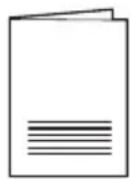
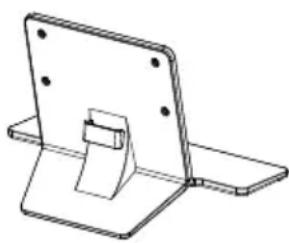
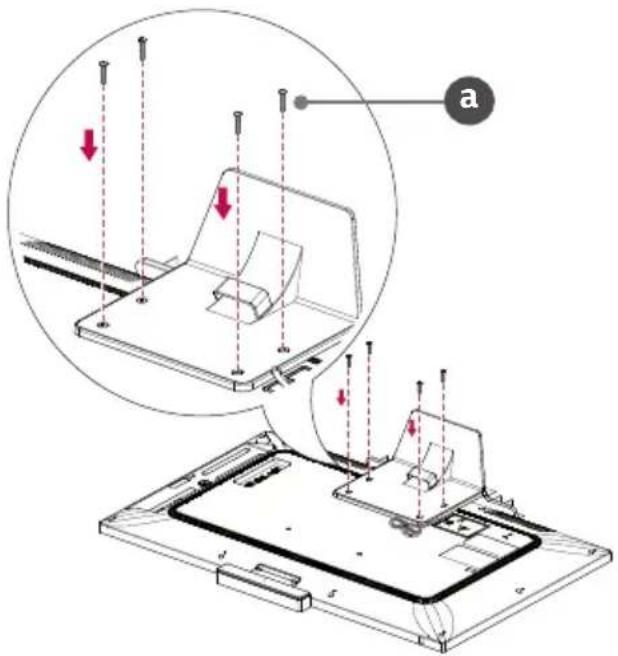
a x 4 (M6 x L28)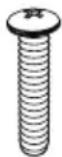
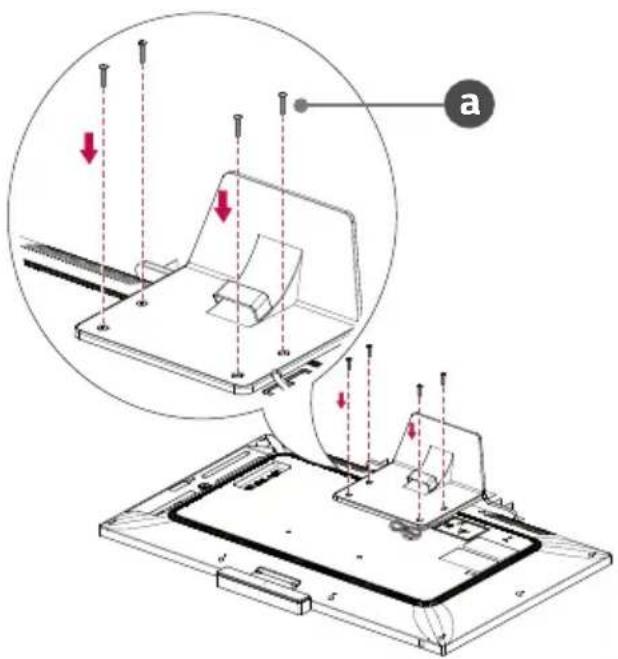
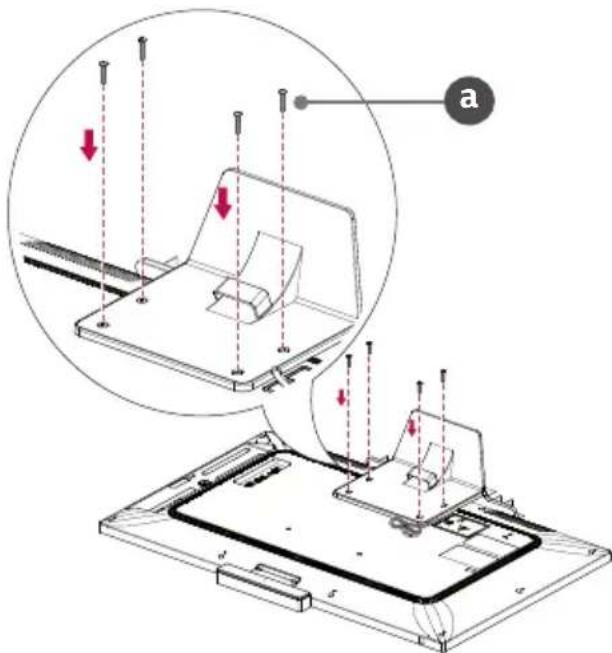
How to Assemble the Stand

- When assembling the stand, put the product on a table or a flat floor with its screen facing downward. Here, first put a soft and fluffy cloth on the place, and then put the product on top of it to prevent the screen from being damaged.
- When assembling the stand, check if the screws are completely fastened. (If they are not completely fastened, the product may lean forward after being installed.) Avoid fastening the screws with excessive force because otherwise the joint part of the screws may be worn out, and the screws might come off.
- When assembling the product, do not use foreign substances (oil, lubricant, etc.) on the screws.
- It may cause damage to the product.
- Before installing a wall mount support, disassemble the Stand by conducting the method to assemble the stand in a reverse order.
1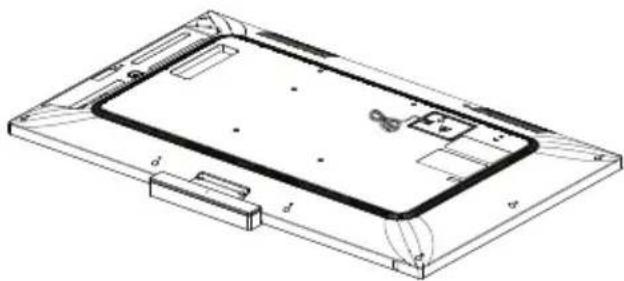
2
| x4 |
| M6 x L28 |
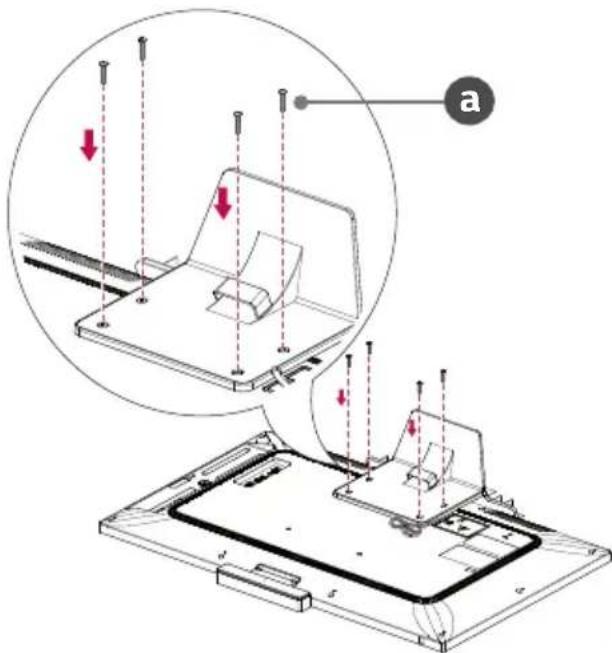
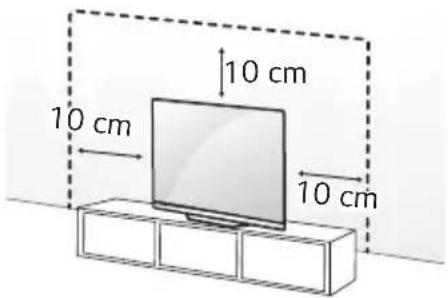
Mounting on a Table
1 Lift and tilt the monitor into its upright position on a table.
- Leave a 10 cm (minimum) space from the wall for proper ventilation.
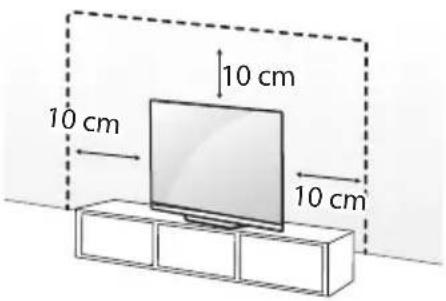
2 Connect the power cord to a wall outlet.

- Do not apply foreign substances (oils, lubricants, etc.) to the screw parts when assembling the product. (Doing so may damage the product.)
- If you install the monitor on a stand, you need to take actions to prevent the product from overturning. Otherwise, the product may fall over, which may cause injury.
- Do not use any unapproved items to ensure the safety and product life span.
- Any damage or injuries caused by using unapproved items are not covered by the warranty.
• Make sure that the screws are inserted correctly and fastened securely. (If they are not fastened securely enough, the monitor may tilt forward after being installed.) Do not use too much force and over tighten the screws; otherwise screw may be damaged and not tighten correctly.
- Only use the authorised stand and wall mounting bracket made specifically for LG products.
- Pursuant to Consumer Protection Law, LG Electronics will not be held responsible for any product malfunction, material damage or injury caused by using products not authorised by LG Electronics.
Securing the Monitor to a Wall
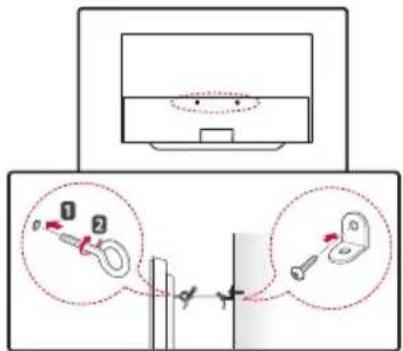
1 Insert and tighten the eye-bolts, or monitor brackets and bolts on the back of the monitor.
- If there are bolts inserted at the eye-bolts position, remove the bolts first.
2 Mount the wall brackets with the bolts to the wall. Match the location of the wall bracket and the eye-bolts on the rear of the monitor.
3 Connect the eye-bolts and wall brackets tightly with a sturdy rope. Make sure to keep the rope horizontal with the flat surface.
- Use a platform or cabinet that is strong and large enough to support the monitor securely.
- Brackets, bolts and ropes are not provided. You can obtain additional accessories from your local dealer.
Specifications
| ST-43HT | |
| Model 43HT3WJ | |
| Width x Depth x Height (mm) | 420 x 242.3 x 241.4 |
| Weight (kg) 2.7 | |

LG
Life's Good
The model and serial number of the product are located on the back and on one side of the product. Record them below in case you ever need service.
Model
Serial No.
User Manual (Cautions and Notes)
Stand
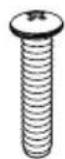
a x 4 (M6 x L28)
Assembly Method

Warning
2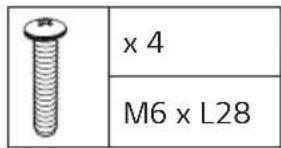
Installing on a Desk
Copyright © 2021 LG Electronics Inc. All Rights Reserved.
Owner's Manual
Base
DO BRASIL PORTUGUES
2
| x4 |
| M6 x L28 |
2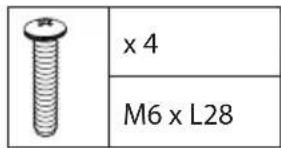
a x 4 (M6 x L28)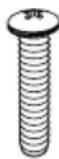
Installing the stand

2
| x4 |
| M6 x L28 |
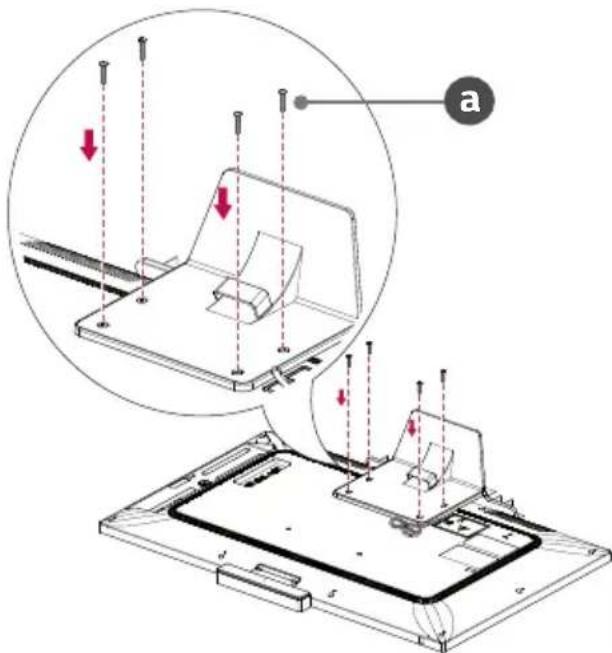
Table installation
Brand : LG
Model : ST-43HT
Category : Speaker Stand