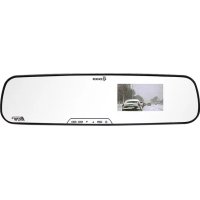
RC500S - Dash cam DOD - Free user manual and instructions
Find the device manual for free RC500S DOD in PDF.


Pick your language and provide your email: we'll send you a specifically translated version.
| Type de produit | Dash Cam |
| Dimensions (approx.) | 64 x 48 x 30 mm |
| Weight | 66 g |
| Power Source | 5V / 1A via cigarette lighter adapter |
| Recording Resolution | Full HD 1080p at 30 fps |
| Lens | 140° wide angle, F2.0 aperture |
| GPS | Built-in GPS for speed and location tracking |
| G-Sensor | 3-axis accelerometer for impact detection |
| Parking Mode | Motion detection and time-lapse recording |
| Loop Recording | Continuous overwriting with selectable clip length |
| Display | 2.7-inch LCD screen |
| Memory Card | MicroSD up to 128 GB (Class 10 or higher) |
| Battery | Built-in polymer battery, 180 mAh |
| Audio | Built-in microphone and speaker |
| Mount | Suction cup mount included |
| Maintenance | Clean lens with dry microfiber cloth |
| Safety Features | G-sensor, loop recording, parking mode, speed camera alerts |
| Spare Parts / Repairability | Replacement mounts, chargers, and USB cables available |
| Operating Temperature | -10°C to 60°C |
Frequently Asked Questions - RC500S DOD
How do I install the DOD RC500S dash cam?
Mount the device on your windshield using the suction cup. Route the power cable to the cigarette lighter. Insert a MicroSD card (Class 10, up to 128 GB) and ensure the camera is level.
Why is my dash cam not recording?
Check that the MicroSD card is inserted correctly and formatted (FAT32). Ensure loop recording is enabled. Also verify that the power cable is securely connected.
How do I use the GPS function?
The GPS is built-in. Ensure the camera has a clear view of the sky through the windshield. GPS data (speed, location) will be embedded in the video metadata and can be viewed in the GPS Player software.
What is the maximum memory card size supported?
The DOD RC500S supports MicroSD cards up to 128 GB. Use Class 10 or UHS-I for best performance.
How do I enable parking mode?
Parking mode can be enabled in the settings. The camera will switch to motion detection or time-lapse when the car is off. Requires a hardwire kit (sold separately) for continuous power.
How do I view recorded videos?
You can view videos directly on the camera's screen (2.7-inch LCD) or remove the MicroSD card and play on a computer using a card reader. Use the included GPS Player to view GPS data.
What should I do if the camera freezes?
Press and hold the reset button (small pinhole on the side) with a paperclip for 10 seconds. If that fails, reformat the MicroSD card or try a different card.
How do I clean the lens?
Use a soft, dry microfiber cloth to gently wipe the lens. Avoid using liquids or abrasive materials that could scratch the lens.
Does the RC500S come with a warranty?
Yes, DOD offers a 1-year limited warranty against manufacturing defects. Keep your purchase receipt for warranty claims.
Can I use the dash cam while driving at night?
Yes, the RC500S has WDR (Wide Dynamic Range) technology for improved night vision. Ensure the windshield is clean for best results.
User questions about RC500S DOD
0 question about this device. Answer the ones you know or ask your own.
Ask a new question about this device
No questions yet. Be the first to ask one.
Download the instructions for your Dash cam in PDF format for free! Find your manual RC500S - DOD and take your electronic device back in hand. On this page are published all the documents necessary for the use of your device. RC500S by DOD.