
MicroTouch CT150 - Monitor 3M - Free user manual and instructions
Find the device manual for free MicroTouch CT150 3M in PDF.


| Product Type | Touch Monitor |
| Brand | 3M |
| Model | MicroTouch CT150 |
| Display Size | 15 inches (approximate) |
| Touch Technology | MicroTouch ClearTek II capacitive |
| Resolution | 1024 x 768 (typical) |
| Aspect Ratio | 4:3 |
| Video Input | VGA (D-SUB) |
| Touch Interface | USB |
| Power Input | 110/220V AC (auto-switching) or 12V DC |
| Bezel Options | Slimline (standard), Contour Flanged (optional), Industrial Flanged (optional) |
| Mounting | Standard steel brackets, VESA 75mm compatible, arm mount option |
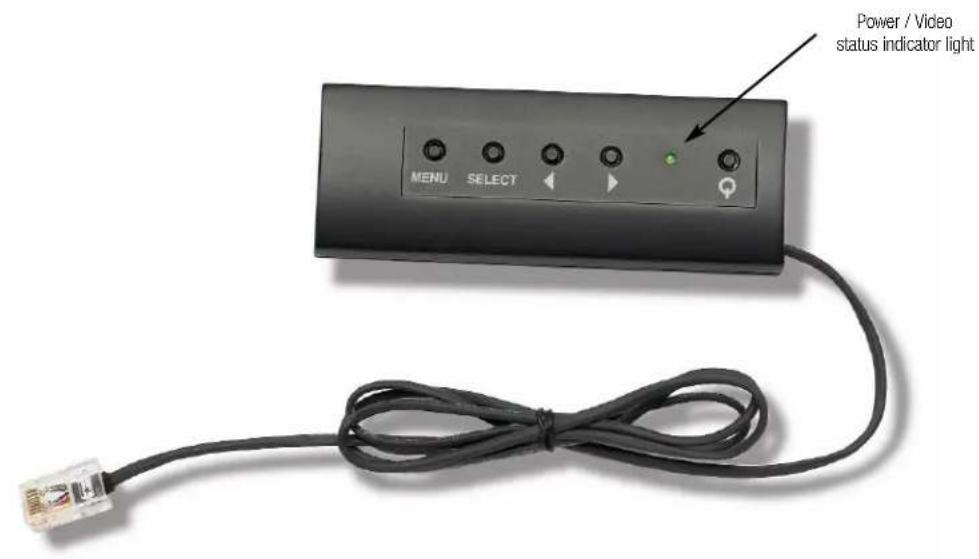
| OSD Controls | Flush button (MENU/SELECT), optional remote OSD control (Part 30114) |
| Touch Controller | MicroTouch EX II |
| Weight (approximate) | 7 lbs (3.2 kg) |
| Dimensions (approximate) | 13.5 x 10.5 x 1.5 inches (343 x 267 x 38 mm) |
| Spare Parts | Bezels (Part 29369, 29368), VESA bracket (Part 30113), Remote OSD (Part 30114) |
| Care & Cleaning | Clean with soft lint-free cloth, avoid abrasive cleaners |
| Certifications | CE, FCC (typical) |
| Operating Temperature | 0 to 50°C (32 to 122°F) |
Frequently Asked Questions - MicroTouch CT150 3M
User questions about MicroTouch CT150 3M
0 question about this device. Answer the ones you know or ask your own.
Ask a new question about this device
Download the instructions for your Monitor in PDF format for free! Find your manual MicroTouch CT150 - 3M and take your electronic device back in hand. On this page are published all the documents necessary for the use of your device. MicroTouch CT150 by 3M.
USER MANUAL MicroTouch CT150 3M
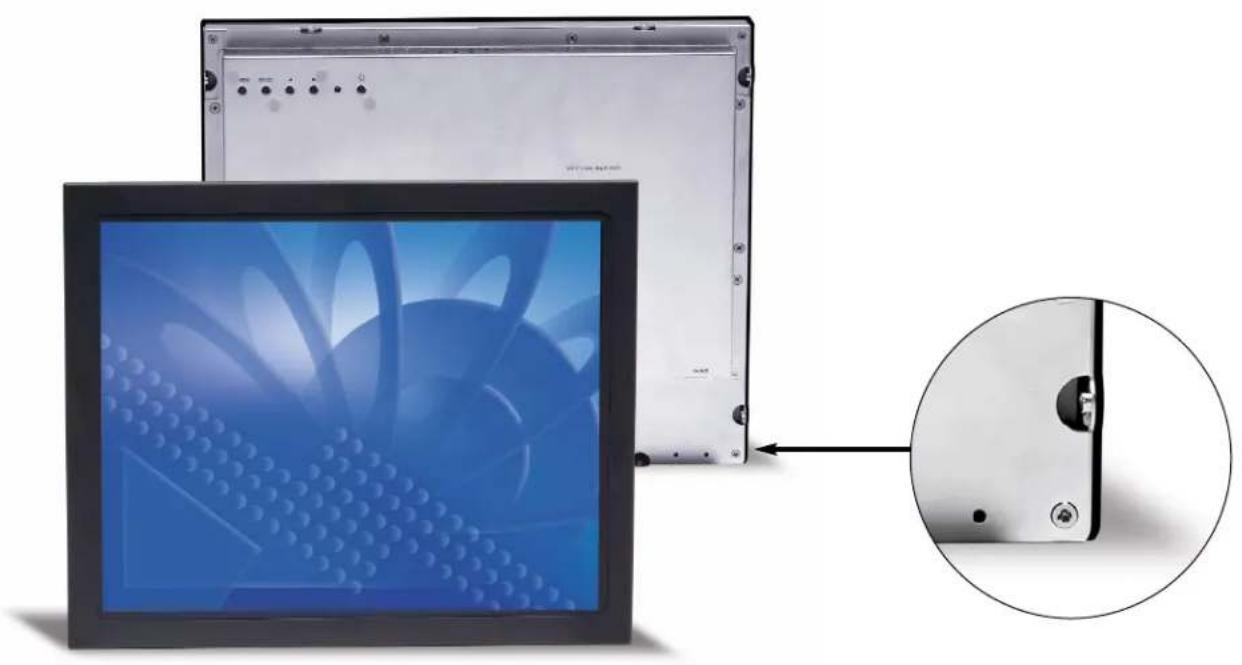
MicroTouch® CT150 Touch Monitor – Bezel Options
natural_image
Computer monitor with a fan blade and close-up view of its side panel (no text or symbols visible)CT150 Touch Monitor with Slimline Bezel (standard)
Standard product includes bezel shown. Bezel is flush to edges of display. Reinforced bosses on monitor case for bracket mounting. Ideal for rear mount applications.
natural_image
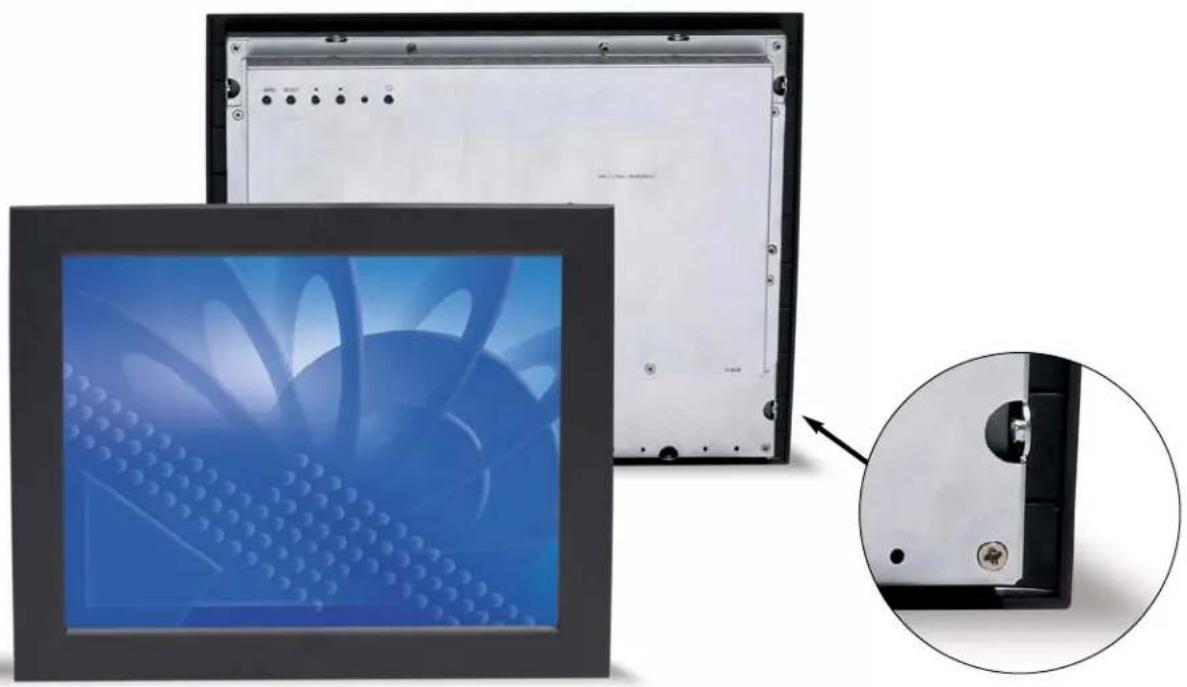
Exterior view of a flat-screen computer monitor with a blue fan pattern on the screen, shown in an inset close-up (no text or symbols visible)CT150 Touch Monitor with Contour Flanged Bezel (optional)
This bezel is contoured on the front to resemble a desktop monitor bezel. Designed for front mount or "drop-in" applications. Bezel only, monitor sold separately. (Part number: 29369)
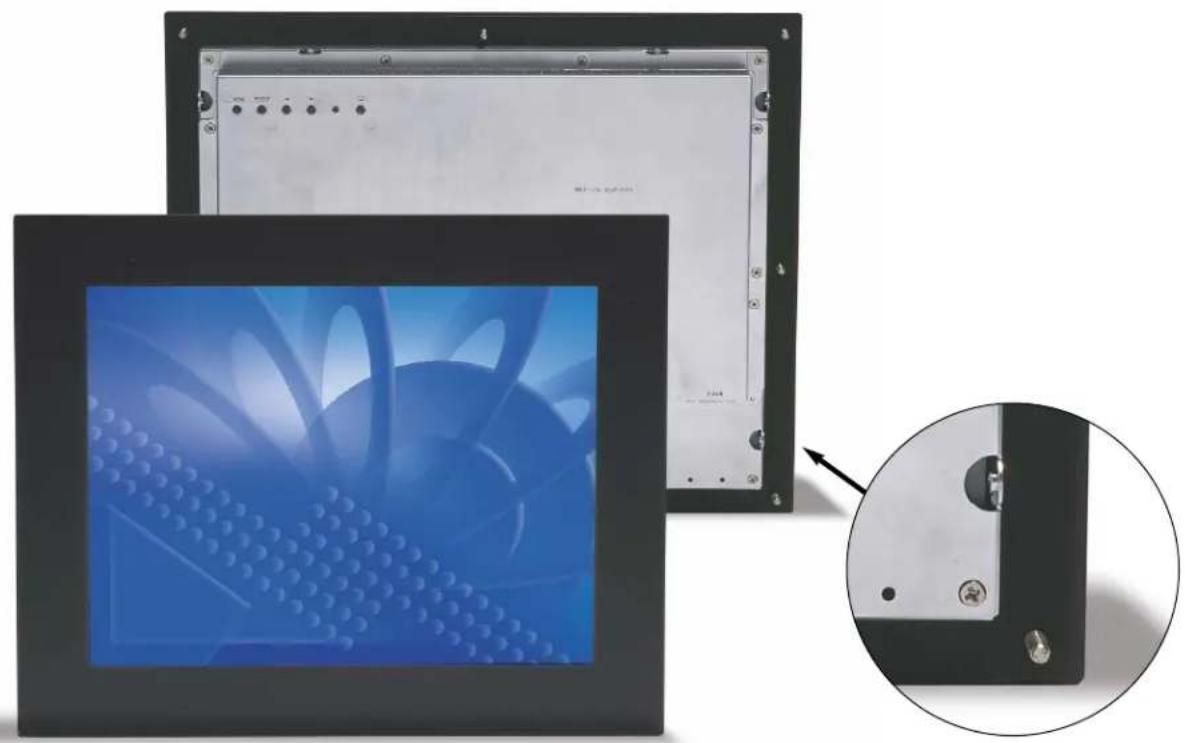
MicroTouch™ CT150 Touch Monitor – Bezel Options
natural_image
Exterior view of a dual-panel electronic device with a blue fan display and a close-up inset showing a small component (no text or symbols visible)CT150 Touch Monitor with Industrial Flanged Bezel (optional)
Rugged, gasketed bezel with wide flange and multiple attachment points to both the display and the enclosure. Bezel only, monitor sold separately. (Part number: 29368)
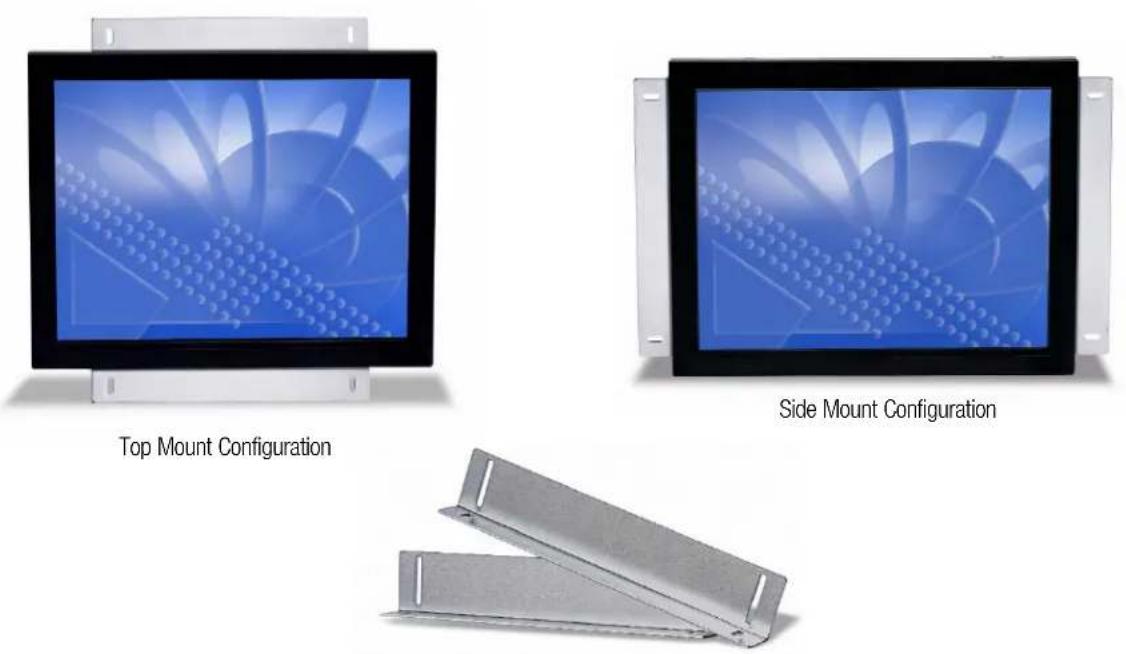
Standard Steel Mounting Brackets
(standard with CT150 Touch Monitor)
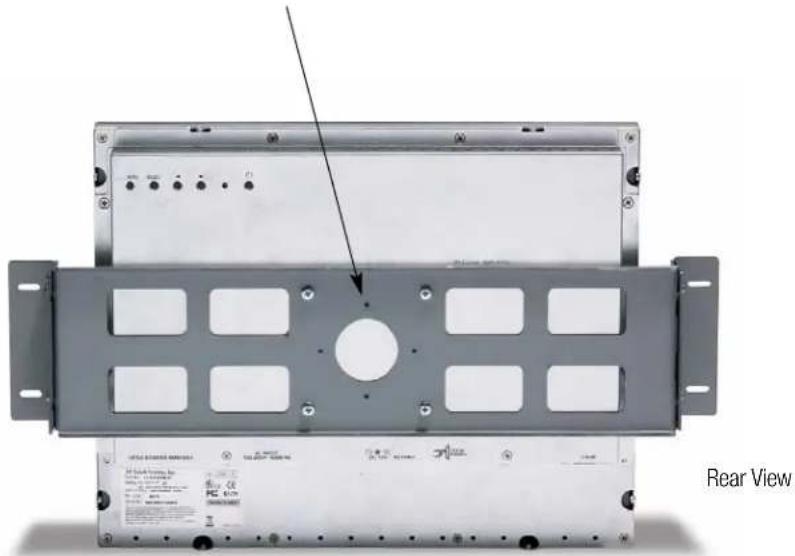
MicroTouch® CT150 Touch Monitor Mounting Bracket
Heavy-duty VESA Mounting Bracket
(Part number: 30113, shown below with CT150 and Contour Flanged bezel)
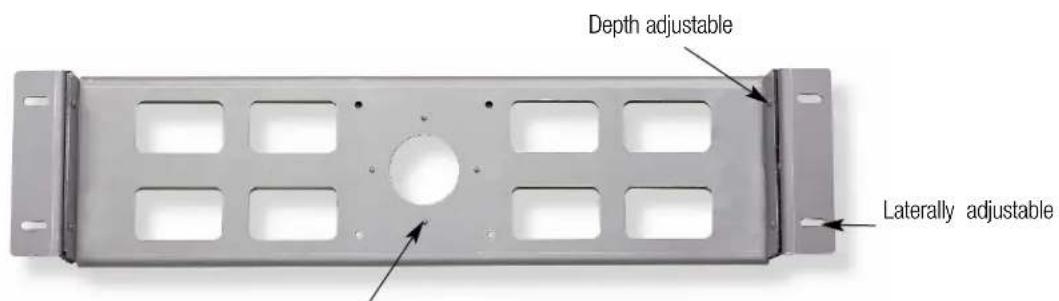
Four bracket alignment pins engage corresponding indents in monitor case to ensure proper installation.
natural_image
Exterior view of a server rack unit with mounting holes and front panel (no visible text or symbols)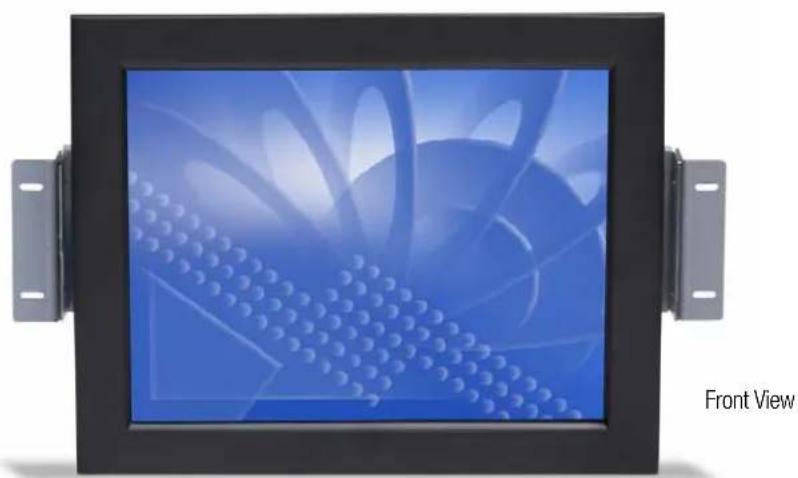
natural_image
Front view of a digital display panel with blue fan-like graphics and metallic brackets (no text or symbols on the device itself)MicroTouch® CT150 Touch Monitor Arm Mounting Option
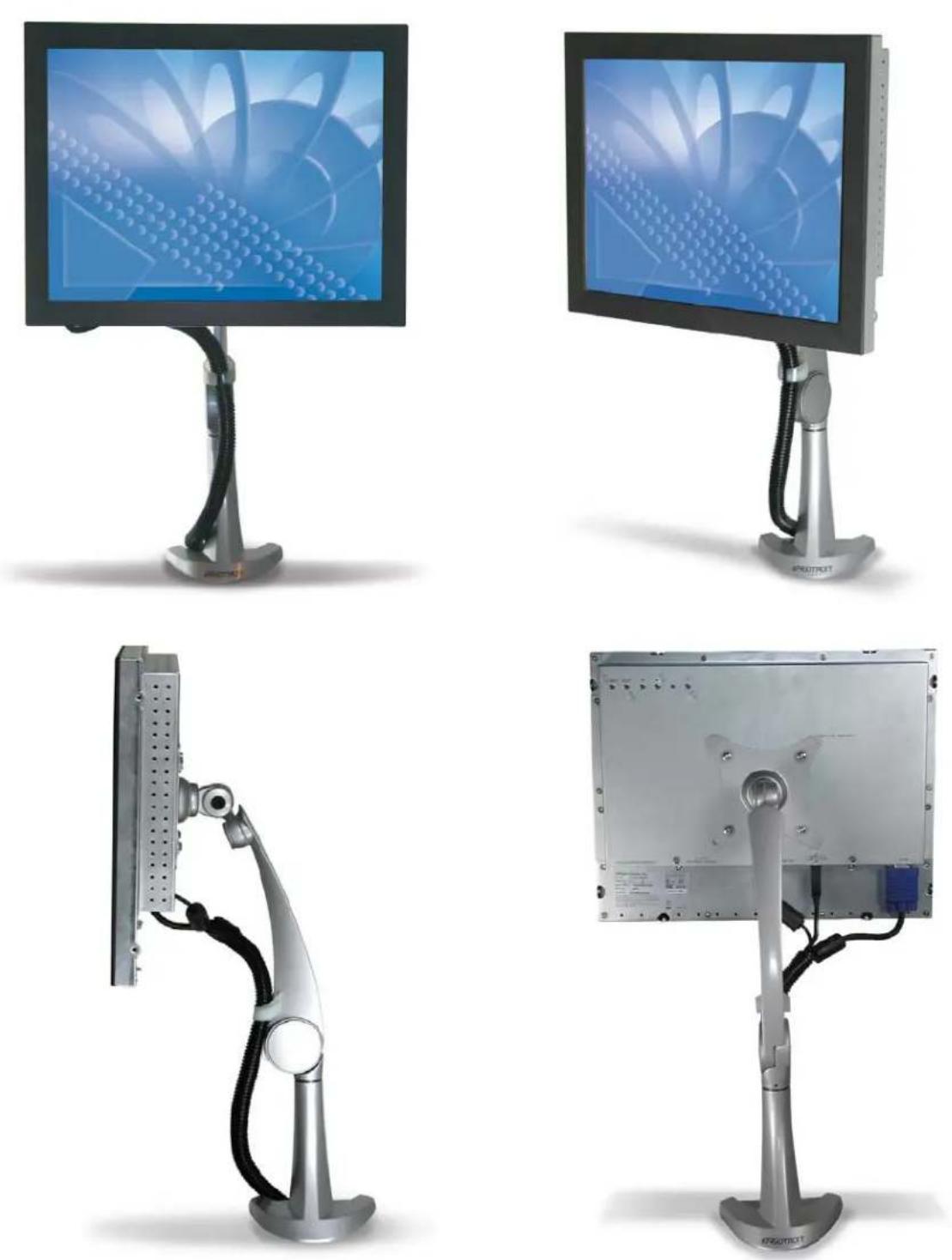
Arm Mounting Option
75mm VESA-compliant mounting pattern attaches to an array of ergonomic arms, mounts and
bases...an ideal configuration for any application where installation flexibility is required.
Mounting arm (courtesy of Ergotron) and cable management tubing shown here are not available from 3M.
MicroTouch™ CT150 Touch Monitor Mounting Options
Slimline Bezel Mounting Method
(with standard brackets)
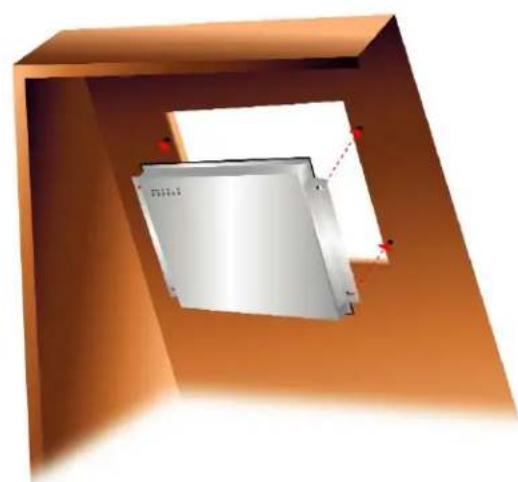
natural_image
3D rendering of a metallic rectangular device mounted inside an orange frame, with no visible text or symbols.Contour Flanged Bezel
Mounting Method
(with standard brackets)
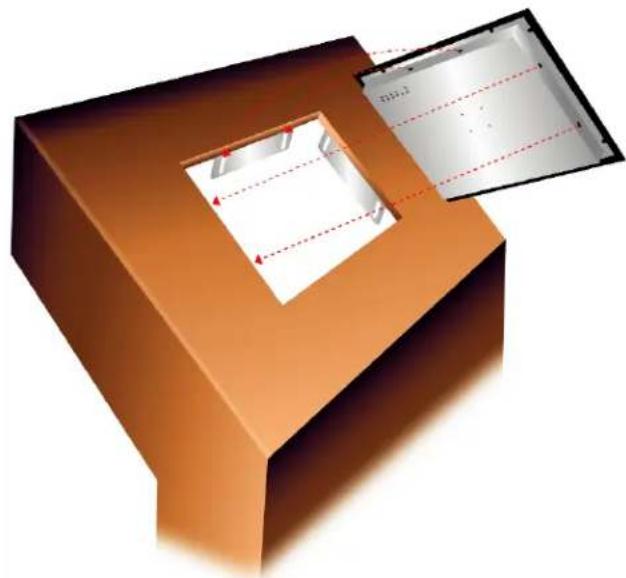
natural_image
3D diagram of a mechanical component with two rectangular chambers and red dashed alignment lines (no text or symbols)Contour Flanged Bezel Mounting Method
(with optional VESA-mounting bracket)
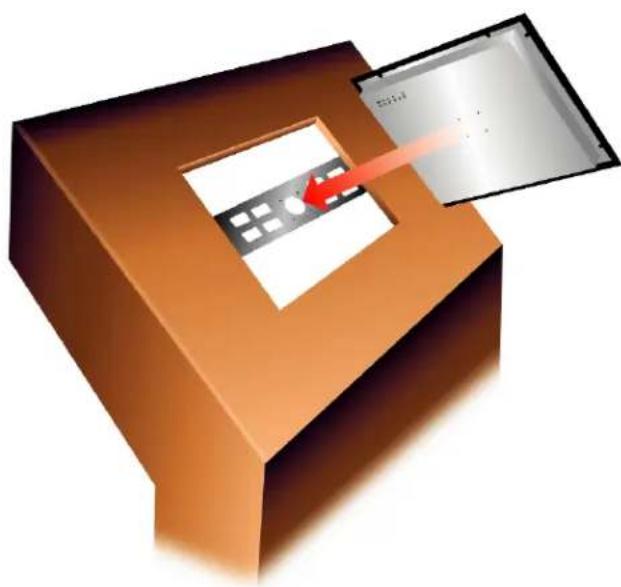
natural_image
3D illustration of a brown electronic device with a panel and a red arrow pointing to its screen (no text or symbols)Industrial Flanged Bezel Mounting Method
(no brackets required)
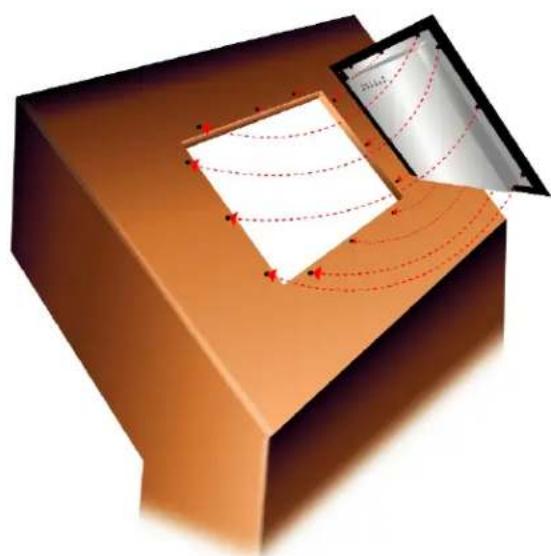
natural_image
3D diagram of a mechanical component with internal flow patterns and red dashed lines, no visible text or symbolsMicroTouch® CT150 Touch Monitor Connectors/Controls
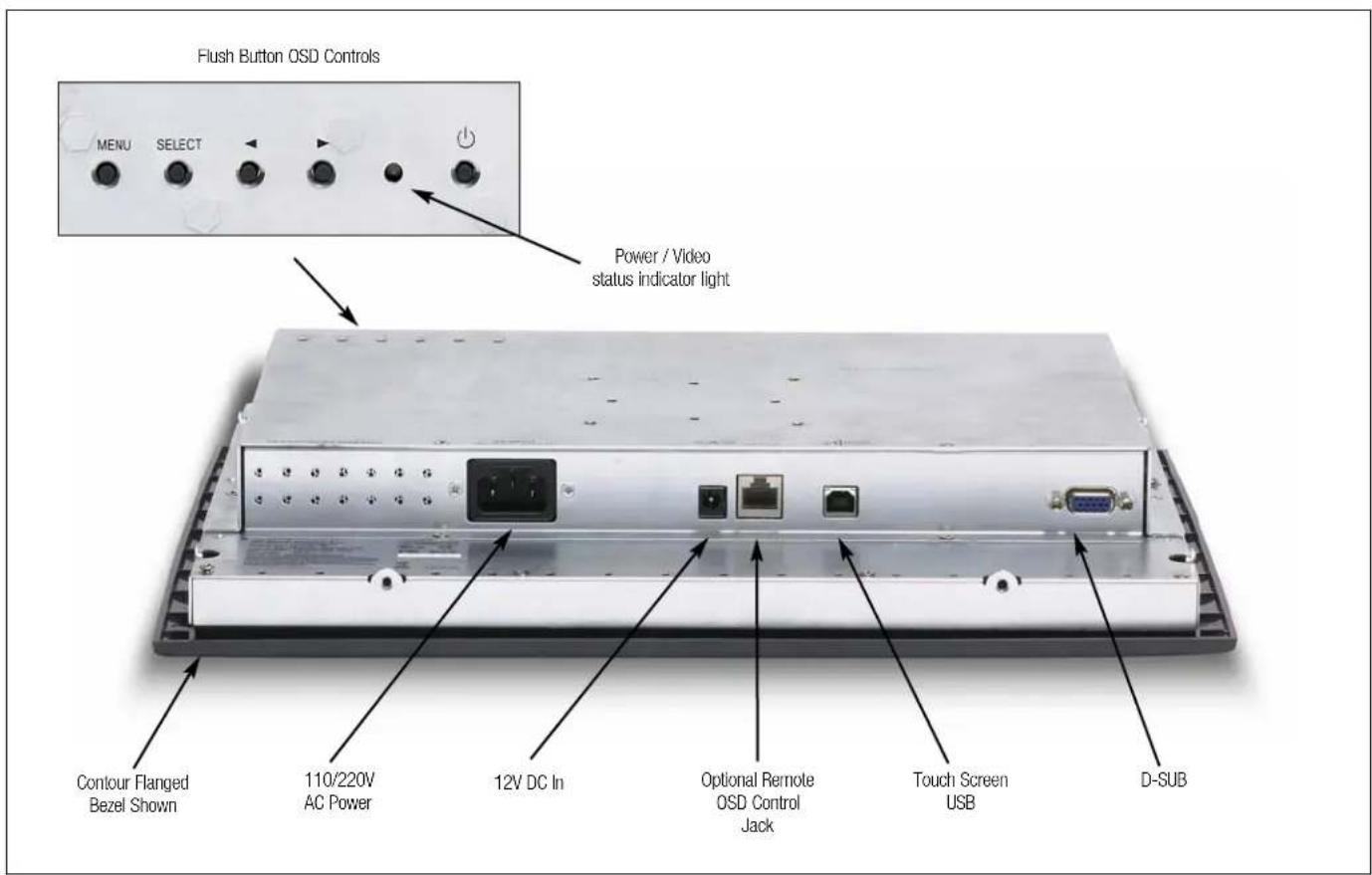
CT150 Touch Monitor Remote OSD Control
Simplifies video adjustment of installed monitors. (Part Number: 30114)
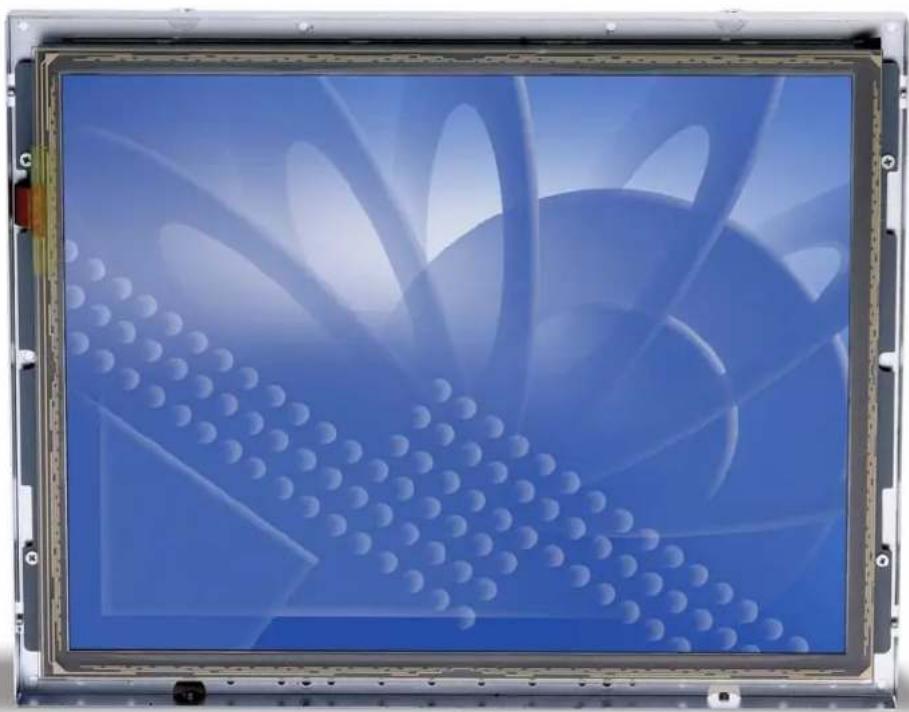
MicroTouch™ ClearTek™ II Capacitive Touch Screen Technology
natural_image
Close-up of a blue abstract digital display with white circular patterns and curved light beams (no text or symbols visible)MicroTouch™ClearTek™II Capacitive Touch Screen Technology (mounted to LCD display)
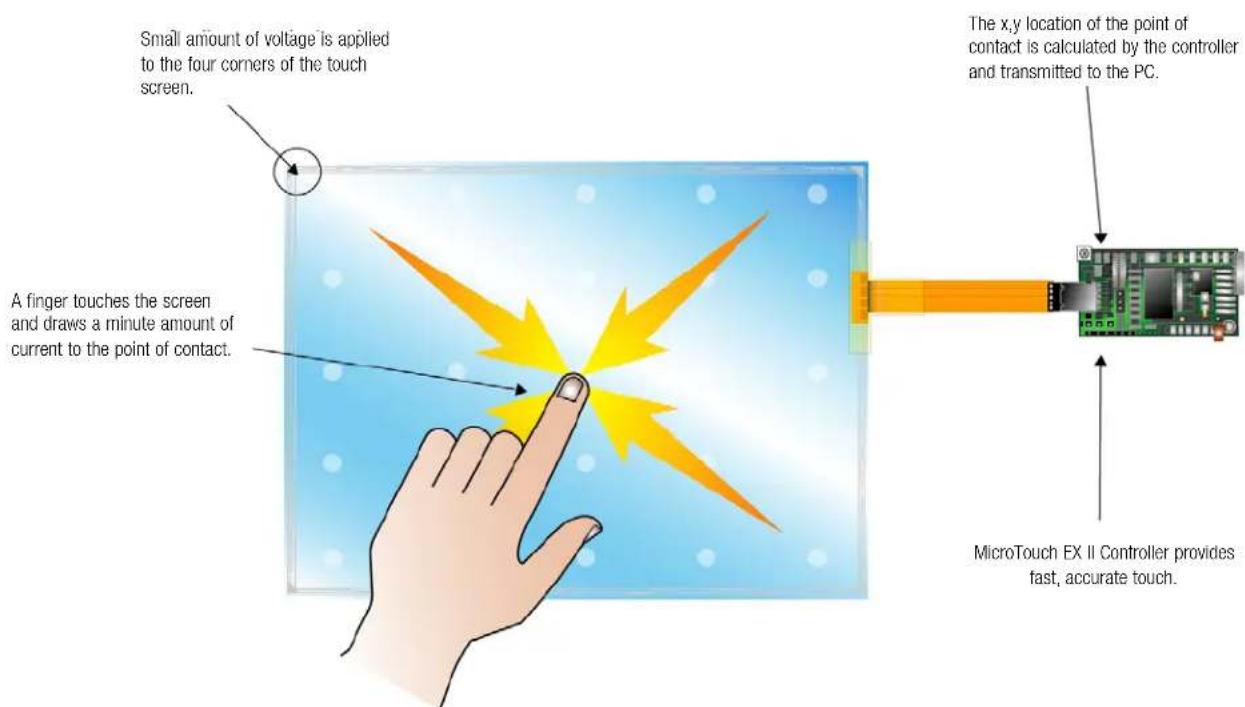
- MicroTouch® CT150 Touch Monitor – Bezel Options
- MicroTouch™ CT150 Touch Monitor – Bezel Options
- MicroTouch® CT150 Touch Monitor Mounting Bracket
- MicroTouch® CT150 Touch Monitor Arm Mounting Option
- Arm Mounting Option
- MicroTouch™ CT150 Touch Monitor Mounting Options
- MicroTouch™ ClearTek™ II Capacitive Touch Screen Technology
Brand : 3M
Model : MicroTouch CT150
Category : Monitor