Rocket 620 - Controller Highpoint - Free user manual and instructions
Find the device manual for free Rocket 620 Highpoint in PDF.


| Product Type | SATA Controller (6Gb/s) |
| Model | Rocket 620 |
| Interface | PCI-Express 2.0 x1 (compatible with PCIe 1.0) |
| Number of Ports | 2 independent SATA 6Gb/s ports (internal or external) |
| Data Transfer Rate | Up to 600 MB/s per port |
| Compliance | AHCI, Hot Plug |
| Supported Devices | SATA HDD, SSD, Optical Drives |
| Operating Systems | Windows XP/2003, Linux, Mac OS X 10.6 (Intel) |
| Power Source | Bus-powered via PCIe slot |
| Form Factor | Low-profile PCIe card |
| Kit Contents | Adapter, 2 SATA cables, Software CD, Quick Installation Guide |
| Certifications | FCC Part 15 Class B, CE |
| Special Features | AHCI, Hot Plug, Green power efficient |
| Device ID | 0x9123 |
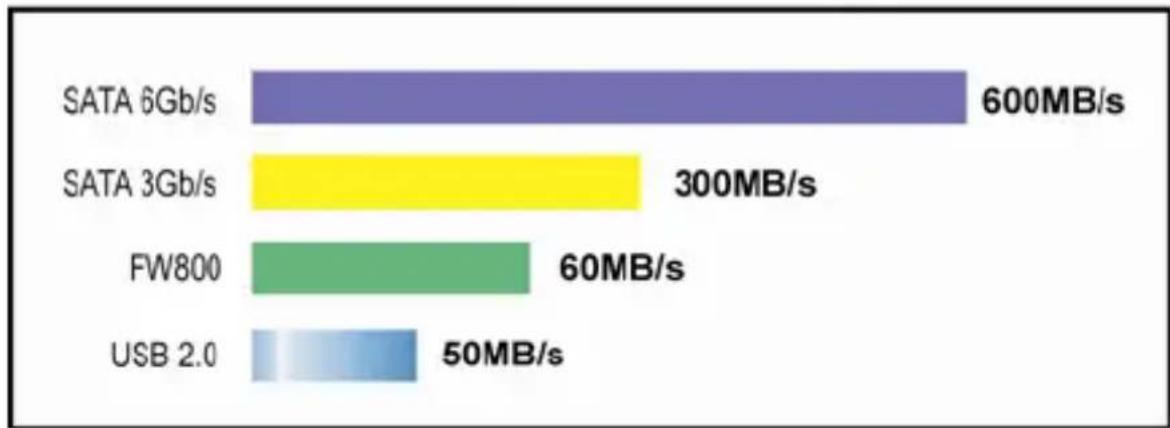
| Maximum External Interface Speed | SATA 6Gb/s: 600 MB/s; SATA 3Gb/s: 300 MB/s |
Frequently Asked Questions - Rocket 620 Highpoint
User questions about Rocket 620 Highpoint
0 question about this device. Answer the ones you know or ask your own.
Ask a new question about this device
Download the instructions for your Controller in PDF format for free! Find your manual Rocket 620 - Highpoint and take your electronic device back in hand. On this page are published all the documents necessary for the use of your device. Rocket 620 by Highpoint.
USER MANUAL Rocket 620 Highpoint
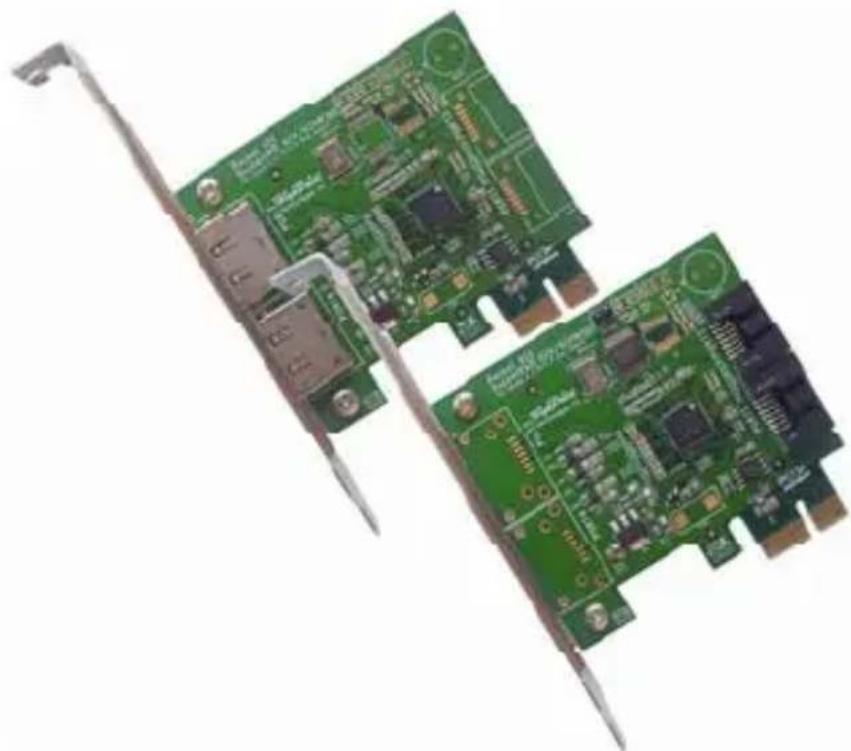
Rocket 600 Series 6Gb/s SATA Controllers
(Rocket 620 and Rocket 622)
natural_image
Close-up of two green PCI expansion card modules with visible circuitry and connectors (no text or symbols)Quick Installation Guide
Table of Contents
Part 1 HighPoint Cover Page......Page1
Part 2- Introductory page ......Page3
a. What is eSATA 3.0....Page3
b. Rocket600 Family Series......Page3
c. Rocket600 feature list...... Page3
d. Maximum External Interface Speed Page3
Part 2 Kit Contents and System Requirement......Page4
a. Kit Content...... Page4
b. System Requirement –
Macintosh - Intel based MacPro platform (10.6)
PC -AHCI compliant or Window XP, 2003 Platforms...... Page4
Part 3 Hardware Installation procedure...... Page4
Part 4 System Installation Procedure...... Page5
Part 5 Contact Information......Page7
Customer Support
Part 6 FCC Certification Information......Page8
FCC Certification results into this section
Part 2- Introductory page
What is eSATA 3.0?
eSATA stands for External Serial Advanced Technology Attachment. eSATA provides the fastest data transfer rates or up to 6Gb/s (600MB/s) for external devices.
Rocket600 SATA 6Gb/s Series
The Rocket 600 Series Host Adapters are the industry first PCI-Express 2.0 x1 host adapters that deliver 500MB/s throughput. The Rocket 600 series have 2 independent 6Gb/s connectors for internal or external connectivity. It is ideal for those who need fast, efficient and reliable storage for their PC or Mac system.
Rocket600 Feature List
• PCI-Express 2.0 x1 (Compatible with PCI-Express 1.0)
- 600MB/s per port
• Industry Standard AHCI Compliant
- Plug-n-Play Ready
- Out-of-the-Box Ready for Windows, Linux and Mac OSX (Check AHCI detail OS support list)
- Hot Plug
• Compatible with SATA HDD, Optical Drives, SSD, etc
• Power Efficient – Going Green Saves Green
Maximum Interface Speed
bar
| Memory Type | Speed (MB/s) | | :--- | :--- | | SATA 6Gb/s | 600 | | SATA 3Gb/s | 300 | | FW800 | 60 | | USB 2.0 | 50 |Part 2 Kit Contents and System Requirement
Kit Content
- Rocket 600 Series Host Adapters (Rocket 620 or Rocket 622)
• 2 SATA Cables for Rocket 620 - Software CD for (Windows 2000/XP/2003)
- Quick Installation Guide
System Requirement
• Macintosh – Intel based Mac Pro platform with Mac OS X (10.6)
• PC –AHCI compliant or Window XP, 2003 Platforms
Part 3 Hardware Installation Procedure
Note: Make sure the system is powered-off before installing the Rocket 600 Series Host Adapter.
Step 1 Open the system chassis and locate an unused PCI-Express 2.0 or 1.0 slot (x1, x4, x8 or x16) slot.
Step 2 Remove the PCI slot/bracket cover.
Step 3 Gently insert the Rocket 600 series host adapter into the PCI-Express slot, and secure the bracket to the system chassis.
Step 4 After installing the adapter, attach the devices to the host adapter using the required data cable.
Part 4 System Installation Procedure
Verifying Detection of Rocket 600 Series
Please follow below table to verify the detection of Rocket 600 Series controller.
| PC | After installing the Rocket 600 controller, PC System will pop up the Rocket 600's BIOS on starting: 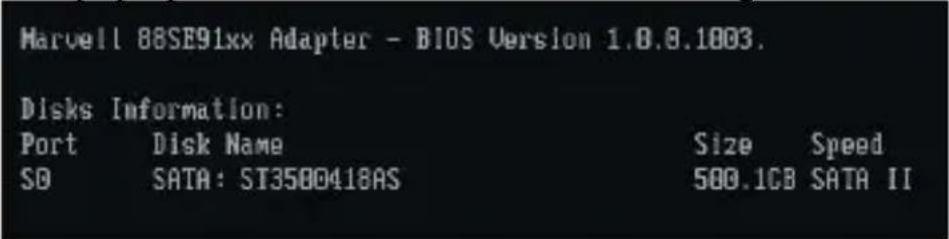 |
| Mac | Mac systems will automatically detect and install the driver for Rocket 600 Series controller.Rocket 600 Series controller's device ID: “0x9123”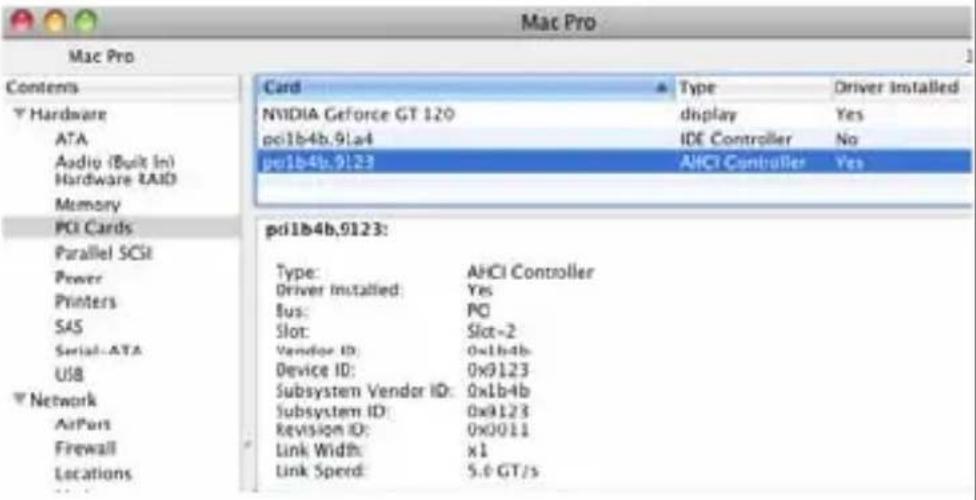 |
Window
Windows 2000/XP/2003
Installation of the Rocket 600 series for Windows 2000/XP/2003 requires a driver installation from the software CD.
System will pop up the new Hardware install Wizard after install the Rocket 600 Series controller, please follow this Wizard to install the driver:
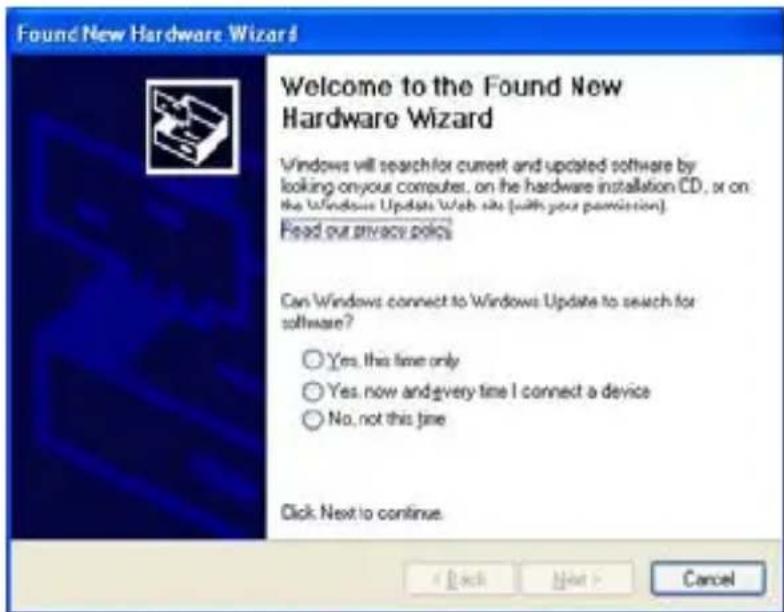
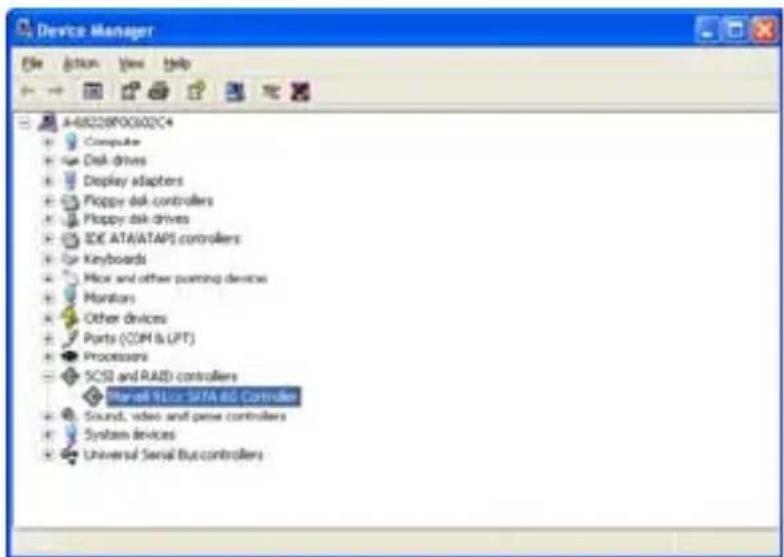
The driver of Rocket 600 series controller locates to:
Software CD:\Software Installation Package\Driver\Windows\
Part 5 Contact Information
Customer Support
If you encounter any problems while utilizing the RocketRAID600 Series Host Adapters, or have any questions contact our Customer Support Department.
Contact Information
E-mail address: support@highpoint-tech.com
Web: www.highpoint-tech.com/websupport/
Phone: 408-942-5800
9:00AM-5:00PM, Pacific Standard Time
Additional information about HighPoint products is available from our web sites:
http://www.highpoint-tech.com
http://www.hptmac.com
http://www.hptesata.com
Part 6 FCC Certification Information
FCC Part 15 Class B Radio Frequency Interference statement
This equipment has been tested and found to comply with the limits for a Class B digital device, pursuant to part 15 of the FCC Rules. These limits are designed to provide reasonable protection against harmful interference in a residential installation. This equipment generates, uses and can radiate radio frequency energy and, if not installed and used in accordance with the instructions, may cause harmful interference to radio communications. However, there is no guarantee that interference will not occur in a particular installation. If this equipment does cause harmful interference to radio or television reception, which can be determined by turning the equipment off and on, the user is encouraged to try to correct the interference by one or more of the following measures:
• Reorient or relocate the receiving antenna
- Increase the separation between the equipment and receiver
- Connect the equipment into an outlet on a circuit different from that to which the receiver is connected.
- Consult the dealer or an experienced radio/TV technician for help.
Modifications not expressly approved by the manufacturer could void the user's authority to operate the equipment under FCC rules.
This device complies with part 15 of the FCC Rules. Operation is subject to the following two conditions:
(1) this device may not cause harmful interference, and
(2) this device must accept any interference received, including interference that may cause undesired operation.
European Union Compliance Statement This Information Technologies Equipment has been tested and found to comply with the following European directives:
• European Standard EN55022 (1998) Class B
• European Standard EN55024 (1998)
- Rocket 600 Series 6Gb/s SATA Controllers
- Table of Contents
- Part 1 HighPoint Cover Page......Page1
- Part 2- Introductory page ......Page3
- Part 2 Kit Contents and System Requirement......Page4
- Part 3 Hardware Installation procedure...... Page4
- Part 4 System Installation Procedure...... Page5
- Part 5 Contact Information......Page7
- Part 6 FCC Certification Information......Page8
- Part 2- Introductory page
- What is eSATA 3.0?
- Rocket600 SATA 6Gb/s Series
- Rocket600 Feature List
- Part 2 Kit Contents and System Requirement
- Kit Content
- System Requirement
- Part 3 Hardware Installation Procedure
- Part 4 System Installation Procedure
- Verifying Detection of Rocket 600 Series
- Window
- Windows 2000/XP/2003
- The driver of Rocket 600 series controller locates to:
- Part 5 Contact Information
- Customer Support
- Part 6 FCC Certification Information
- FCC Part 15 Class B Radio Frequency Interference statement
Brand : Highpoint
Model : Rocket 620
Category : Controller