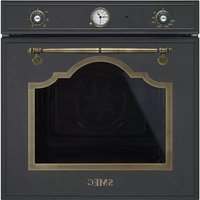


Why does the top heating element heat up even without a selected program on my SMEG SC106CT?
Response Notice-Facile
If the top heating element heats up while you have not activated any cooking program, this is not normal operation. Here’s how to check and correct the issue:
Immediate Check
- Ensure that the PT2 (function selector) is correctly set to the “0” symbol (full stop). This is the only position that should completely turn off the oven.
- Check that the PT1 (thermostat-timer) is not accidentally turned to a temperature setting.
Correct Shutdown
To completely turn off your SMEG SC106CT:
- Turn PT2 to the “0” symbol - this is the only stop position
- Wait a few minutes for the heating element to cool down
If the problem persists
If the top heating element continues to heat even with PT2 in the “0” position, this indicates an electrical fault (thermostat or control circuit) that requires repair. This type of uncontrolled heating poses a risk of overheating. Contact an authorized SMEG repair technician or a qualified appliance technician to diagnose and repair the unit.