
Indoor Security Cam 2K - Camera ROLLEI - Free user manual and instructions
Find the device manual for free Indoor Security Cam 2K ROLLEI in PDF.


| Product Type | Indoor Security Camera 2K |
| Brand | Rollei |
| Model | Indoor Security Cam 2K |
| Image Sensor | 3 MP 1/2.8" CMOS |
| Effective Pixels | 2304 x 1296p |
| Field of View | 110° diagonal |
| Pan / Tilt Range | Pan: 0° to 355°, Tilt: -30° to 77° |
| Night Vision Distance | Up to 10 m |
| Motion Detection Distance | Up to 10 m |
| Motion Detection Levels | 3 (High, Medium, Low) |
| Sound Detection Levels | 2 (High, Low) |
| Storage | microSD up to 64 GB (Class 10) or cloud storage |
| Video Compression | H.264 |
| Network | Wi-Fi 802.11 b/g/n/ac, 2.4 GHz & 5 GHz |
| Max Transmission Power | 19 dBm |
| Power Input (Camera) | 5.0 V === 1.0 A |
| Power Adapter Input | 100–240 V ~ 50/60 Hz, 0.25 A |
| Power Adapter Output | 5.0 V === 1.0 A, 5.0 W |
| Working Temperature | -20°C to 50°C |
| Dimensions | 11 x 6.3 x 5.9 cm |
| Weight | 161 g |
| Mounting | Standing or wall mount |
| Compatibility | Google Assistant, Amazon Alexa |
| App | Smart Life (iOS & Android) |
| Box Contents | Camera, power adapter, USB-C cable, wall mount, 3 screws, 3 dowels, user manual |
Frequently Asked Questions - Indoor Security Cam 2K ROLLEI
User questions about Indoor Security Cam 2K ROLLEI
0 question about this device. Answer the ones you know or ask your own.
Ask a new question about this device
Download the instructions for your Camera in PDF format for free! Find your manual Indoor Security Cam 2K - ROLLEI and take your electronic device back in hand. On this page are published all the documents necessary for the use of your device. Indoor Security Cam 2K by ROLLEI.
USER MANUAL Indoor Security Cam 2K ROLLEI
Indoor Security Cam 2K
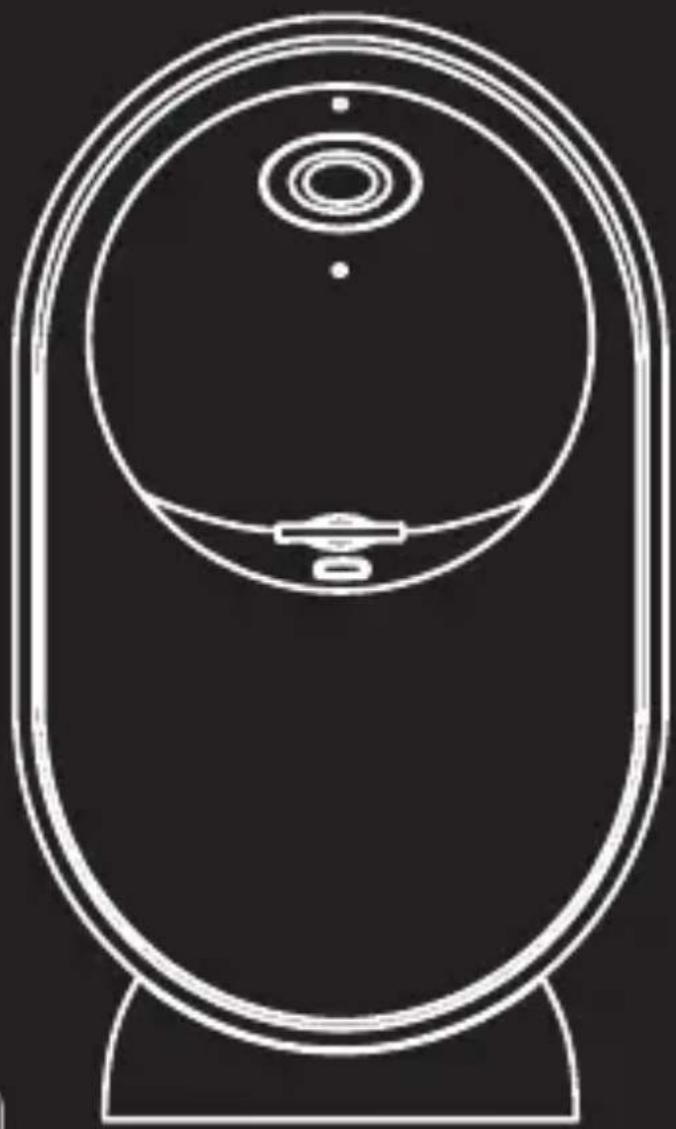

Erhältlich im
App Store
JETZT BEI
Google Play
Before the First Use. 26
Important Note! 26
Explanation of Symbols. 27
Safety Instructions 28
What's in the Box 30
Overview....30
Placing / Assembling the Camera ..... 31
Setting Up the Camera 32
Setting Up the App 33
Operation of the App 39
Technical Data. 41
Possible Infringements 43
Security 46
Disposal 47
Conformity 47


Übersicht

JETZT BEI
Google Play
Einrichtung der App
Smartphone-App starten
Before the First Use
Dear customer,
congratulations on your purchase of a high-quality Rollei product. You have chosen a modern security camera with good technical features and corresponding accessories, which is particularly easy to operate.
Please read the operating instructions and the safety instructions carefully before using the device for the first time. Keep the operating instructions together with the device for future use. If you pass on the device to a third party, this manual is part of the device and must be supplied with the device.
Important Note!
Note that security cameras have worldwide access via data connections (Internet, mobile data).
To protect your privacy and prevent unauthorized persons from accessing your security camera, it is essential to protect your account with an individual password during the initial setup.
Please keep this in mind when assigning passwords for the security camera (e.g. when creating user accounts).
For more information on creating a secure password, please refer to the German Federal Office for Information Security (BSI) at www.bsi-fuer-buerger.de.
Passwords should never be given to third parties!
Important Note!
Furthermore, we would like to point out that before passing on your security camera to a third party (e.g. by selling it), you must reset the security camera to its factory settings using the reset button (see the note in the manual). This is the only way to ensure that all your personal data has been irrevocably deleted. If you have any questions, please do not hesitate to contact our technical support.
Explanation of Symbols
The following symbols are used in this manual, on the Rollei Indoor Security Cam 2K, or on the packaging.
Products marked with this symbol comply with all relevant community regulations of the European Economic Area.

Products marked with this symbol are operated with direct current.
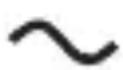
Products marked with this symbol are operated with alternating current.

Products with this symbol have additional or reinforced insulation and comply with protection class II.
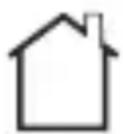
For indoor use only. Devices with this symbol may only be operated indoors (dry environment).
Safety Instructions
- Only connect the product if the mains voltage of the USB input or USB power supply matches the specifications on the type plate on the back of the product.
- Do not use the product if it is visibly damaged or if the cable is defective.
- Use only the cable supplied with the product.
- If the product or accessories are damaged, they must be replaced or repaired by the manufacturer, its customer service or a similarly qualified person in order to prevent hazards.
- Repairs may only be carried out by a specialist. Contact a specialist workshop for this purpose. Any liability and all warranty claims are excluded in the event of repairs by the user, improper connection or incorrect operation.
- Do not insert any objects into the product.
- Protect the product from moisture. Do not immerse it in water.
- The device must not be exposed to dripping or splashing water and no objects filled with liquids, e.g. vases, may be placed near the device.
- Never touch the device with wet hands.
- The device must not be operated with an external timer or separate remote control system.
- Never pull the power supply out of the socket by the cable, always grasp the power supply.
- Never use the cable as a carrying handle.
- Keep the device away from open flames and hot surfaces.
- Do not place any objects with open flames, e.g. candles, on the device.
Safety Instructions
- Do not use or store the device at high temperatures or in closed rooms with direct sunlight. The product should not be used at ambient temperatures more than 50 °C.
- Do not use the device near flammable gases or liquids, as this can lead to explosions.
- The device is not a toy. Keep the device, accessories and packaging materials away from children and animals to prevent accidents and suffocation.
- Provide adequate ventilation during operation. Never cover the device.
- If you sell the product to another person, also pass this user manual to that person.
- If the product is used in too cold or too hot ambient temperatures, the product switches off automatically.
- Have the product checked by an authorized service center if a problem occurs. You are not permitted to disassemble the product in case of malfunction. Otherwise, your guarantee will be void.
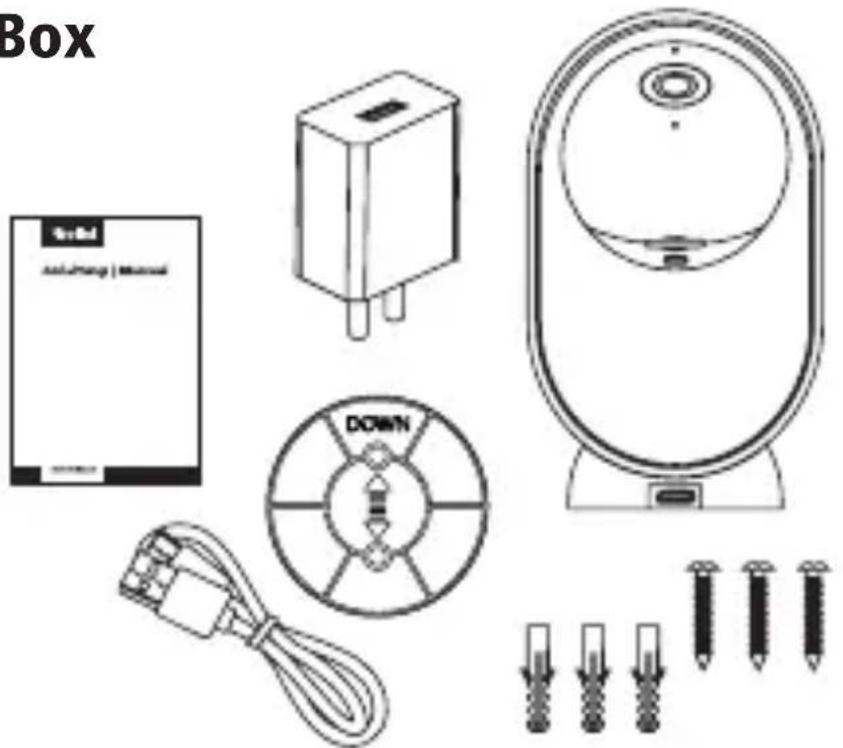
What's in the Box
- Security camera
- Power adapter
- USB-C cable
- Wall mount
- 3x screws
- 3x dowels
- User manual
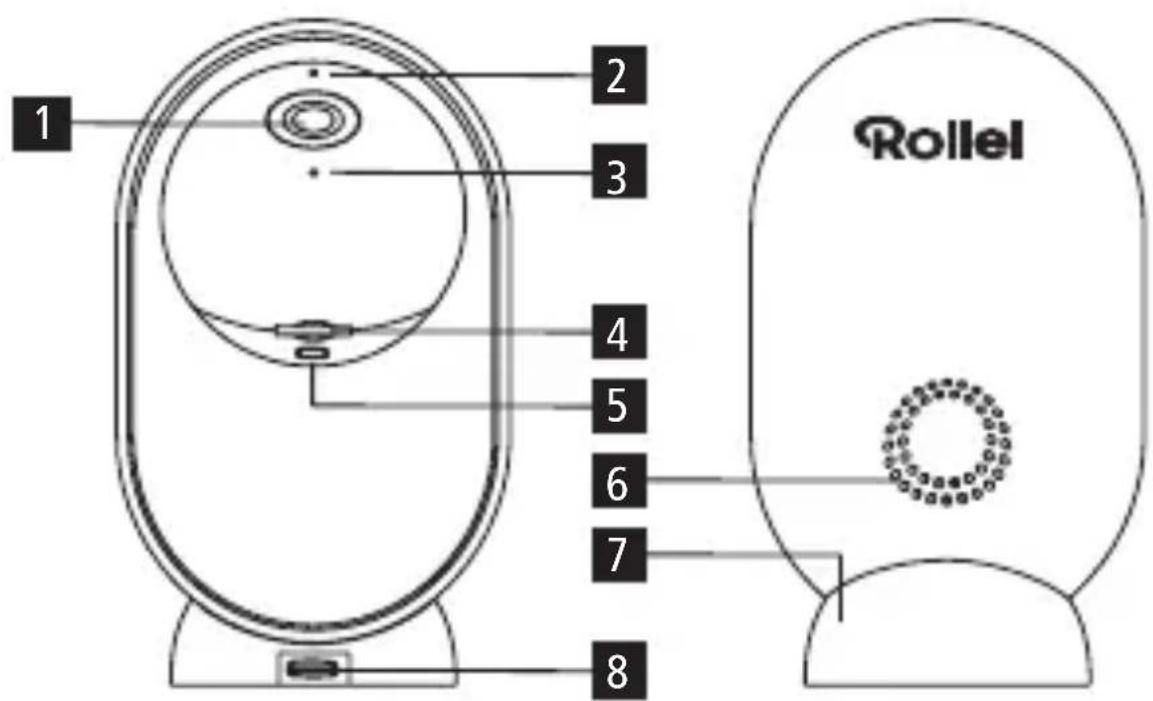
Overview
1 Lens
2 Microphone
3 Status LED
4 microSD memory card slot
5 Reset button
6 Speaker
7 Stand
7 USB-C connection
Placing / Assembling the Camera
- You can place your camera on a flat surface or mount it on the wall.
- Choose a place with a clear field of view and a good WiFi signal.
Note: The WiFi range can be impaired by walls or objects, or by interference from other WiFi networks. Select the location for the security camera that no sunlight falls on the lens.
Using the Wall Mount
- Fix the dowels in a suitable wall at a distance of approx. 3 - 5 meters from an expected movement.
- Fasten the wall mount with the screws in the dowels.
- Alternatively, you can use double-sided adhesive tape instead of the screws and dowels.
- Attach the camera to the wall mount according to the notches.

Placing / Assembling the Camera
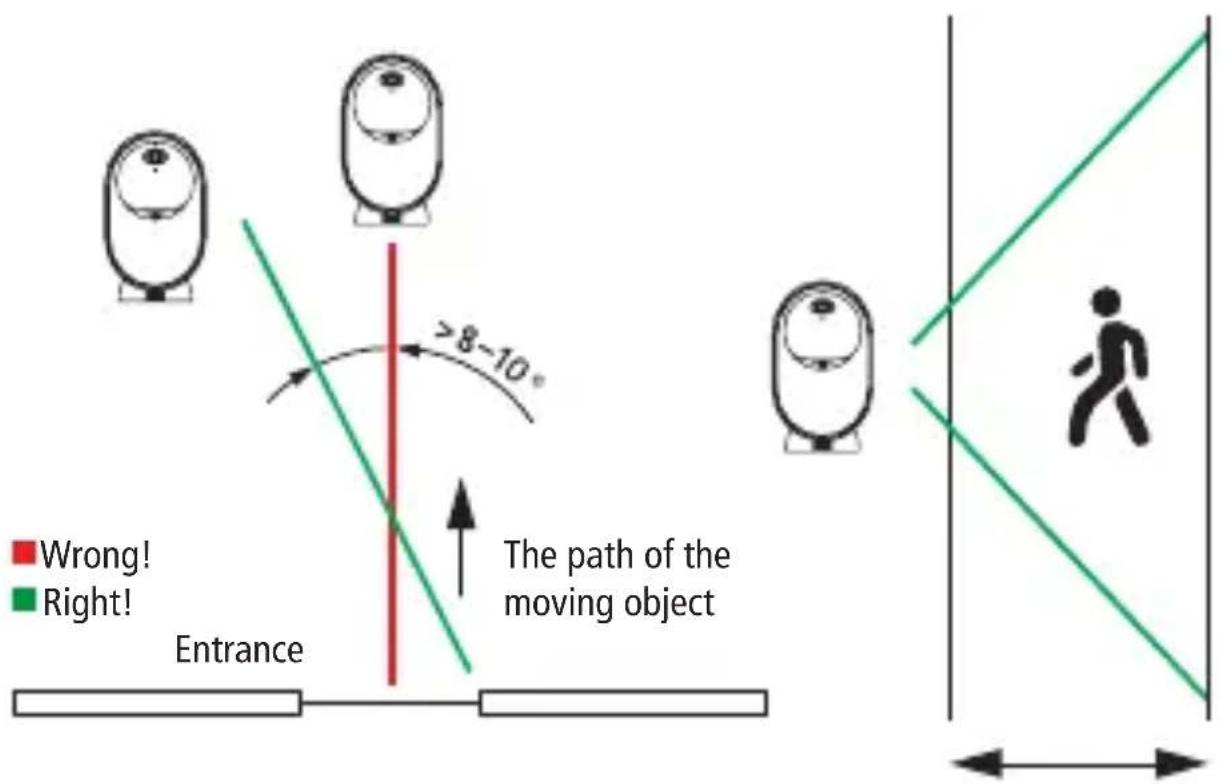
Coverage of the Monitoring Area
- The camera should not be aligned vertically with the moving object as it may not detect motion.
- It is recommended that the camera is oriented at an angle of more than 10 degrees in order to detect any movement.
Setting Up the Camera
- Insert a microSD memory card (optional / not included) into the microSD memory card slot.
- Connect the camera with the cable to the power adapter and this to a power source.
Setting Up the App
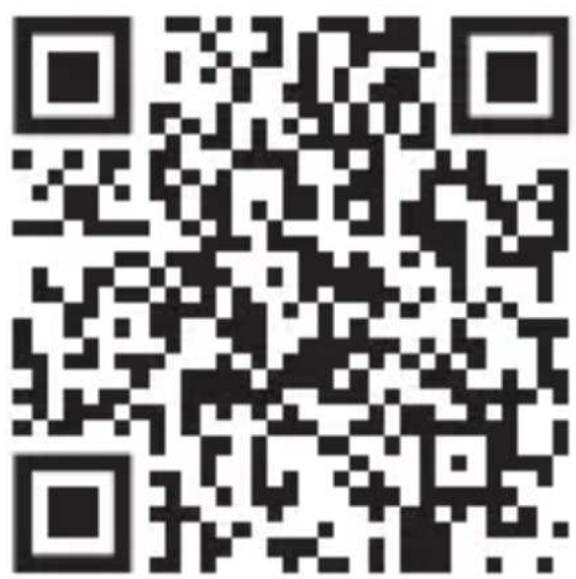
Download the free app "Smart Life" by scanning the QR code or search for „Smart Life" in the App Store or Google Play Store.


Download on the
App Store

GET IT ON
Google Play
Setting Up the App
Start the app on your phone and click the „Register“ button. Follow the on-screen instructions. Or login in with an existing "Smart Life" account.

Setting Up the App
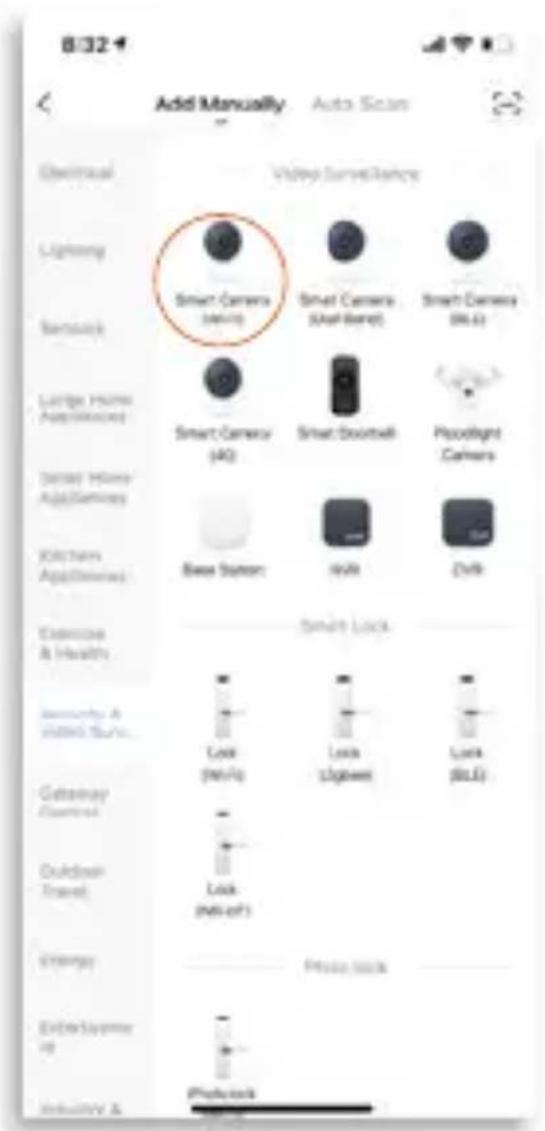
Click the "Add Device" button.
From the category "Camera & Lock", select the category "Smart Camera (Wi-Fi)".



Setting Up the App
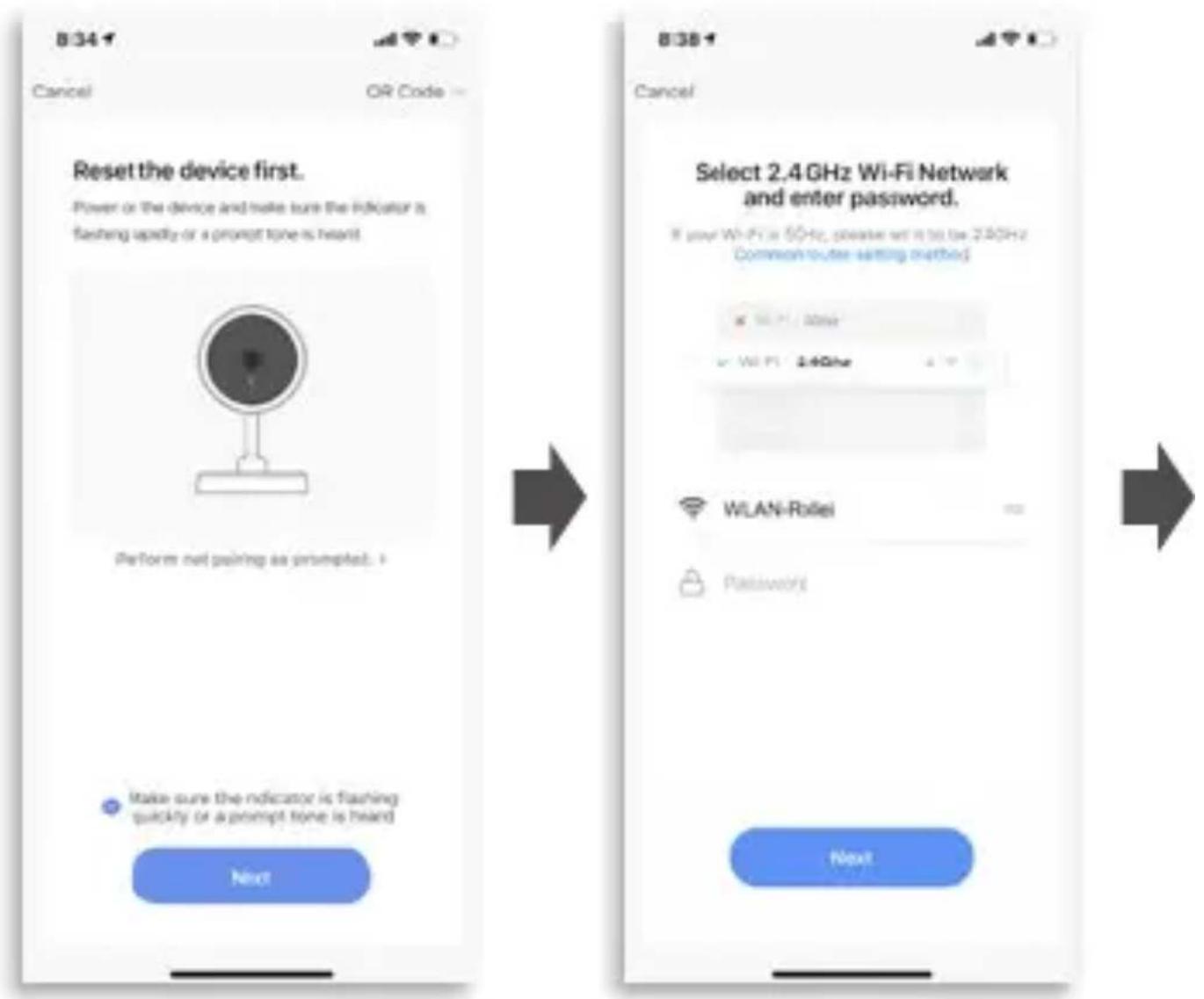
Follow the instructions in the app and reset the device first.
RESET: Long-press the reset button until a beep sounds from the camera speaker. .
Select your 2.4 GHz or 5 GHz WiFi network and enter your password.
Setting Up the App
Scan the QR code with the security camera. After the successful scan, you will hear a prompt. Then press the "I Heard a Prompt" button.
The device is added automatically.
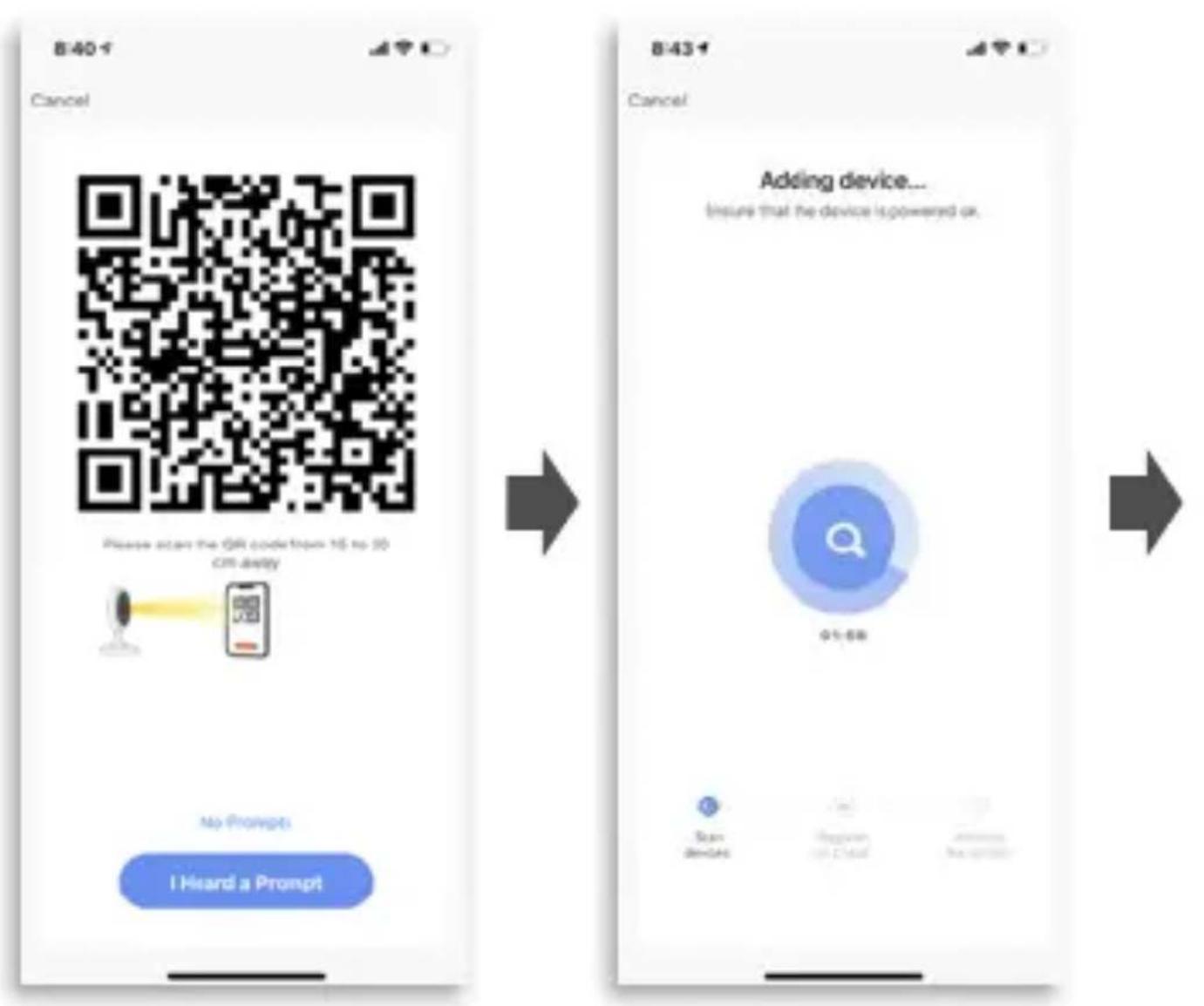
Setting Up the App
The device is added, you can now make the room settings.
Click on the "Rollei Indoor Security Cam 2K" button.

Operation of the App

The Main Menu
1 Sound playback
2 Resolution
(HD = High Definition)
(SD = Standard Definition)
3 Settings
4 Screen format / full screen
5 Photo recording
6 Intercom system
7 Video recording
8 Photo album
9 Playback (recordings saved in microSD memory card)
10 Lens alignment
Operation of the App
Settings
Here you can make additional settings – e.g., the setup of Amazon Alexa or motion detection.

| Image sensor 3 MP / 1/2,8" CMOS sensor | |
| Effective pixels 2304 x 1296p | |
| Field of view 110° diagonal | |
| Pan/tilt axis 0 – 355 ° / -30 – 77 ° | |
| Motion detection distance 10 m | |
| Motion detection levels 3 (high, medium, low) | |
| Sound detection levels 2 (high, low) | |
| Night vision distance 10 m | |
| Storage microSD cards with memory class 10 up to 64 GB | Cloud storage | |
| Video record Motion detection | manual recording via app | |
| Upgrade Via „Smart Life” app or firmware update via microSD memory card | |
| Compatibility Google Assistant, Amazon Alexa | |
| Microphone -32 dB | |
| Speaker 8Ω / 1.0 W | |
| Network 802.11 b/g/n/ac 2.4 GHz, 5 GHz | |
| Frequency range 2.412 – 2.472 GHz, 5.150 – 5.825 GHz | |
| Frequency band 2.4 GHz, 5 GHz | |
| Max. transmission power 19 dBm | |
| Video compression H.264 | |
| Power Indoor Security Cam 2K: Input 5.0 V — 1.0 A Power Adapter for Indoor Security Cam 2K: Input 100 – 240 V ~ 50 / 60 Hz / 0.25 A | Output 5.0 V — 1.0 A / 5.0 W |
Technical Data
Working temperature -20 – 50°C
Mounting Standing, hanging
Dimensions | Weight 11 x 6.3 x 5.9 cm | 161 g
Box content Security camera, power adapter,
USB-C cable, wall mount, 3x screws,
3x dowels, user manual
Technical data are subject to change without notice.
The presented contents and representations may differ from the real contents and representations in the app due to updates.
Possible Infringements
When using the security camera, you should be aware of the following:
Copyright
In principle, every person has the right to their own image. According to the Copyright law, images may only be published without the consent of the persons concerned if the persons appear merely as an accessory next to a landscape or other localities.
The answer to the question of whether a person is merely an accessory depends on the circumstances of the individual case.
For reasons of legal certainty, information should be provided via the security camera in all cases where recordings with identifiable personal references are possible (see also the section on "Duty to inform").
Protection of Privacy
The privacy of others must not be violated by the images shown.
Do not point your security camera into your garden or at the front door of your neighbor's house, even if these places are visible from your own home or from public places. This does not entitle you to publish these views.
Please note that before handing over the camera for repair or to a third party, use the camera's reset function to delete all personal data from the camera's memory.
Possible Infringements
Personal Identifiability
A person can be identified if it can be determined that a particular person was at a particular place at a particular time. Identification can also be made using a personal license plate, such as a vehicle license plate. It is absolutely necessary to avoid the possibility of identifying persons.
Security Cameras at the Workplace
Monitoring in the workplace is subject to particularly strict regulations in Germany. Employers should completely dispense with security cameras in the workplace as long as a possible violation of the law cannot be completely ruled out.
Security Cameras in Road Traffic
In the case of security cameras with a view of road traffic, it is recommended that the location of the security cameras and the image section is configured in such a way that the road users cannot be determined by the car number though the recordings. Vehicle markings can also lead to the identification of road users.
Possible Infringements
Duty to Inform
If personal identification of persons cannot be ruled out, a notice on the security camera must be placed in a clearly visible position at all access routes to the recording area. The passer-by must also be informed that by entering the recording area, he or she gives his or her consent to the recording of the images and that, if his or her consent is denied, he or she can avoid the recording by not entering the area. In this context, attention must be paid to the declaration of conformity – voluntary nature of the declaration. If the photo trap is located in a place that the person concerned must pass in order to reach his or her destination (e.g. entrance from a tourist attraction), no effective consent is given due to lack of voluntariness.
Security
Intended Use
The security camera is designed exclusively as a security camera. It is intended exclusively for private use and is not suitable for commercial use.
Only use the security camera only as described in this user manual. Any other use is considered improper and may result in property damage or data loss.
The manufacturer or dealer assumes no liability for damage caused by improper or incorrect use.
If you want to connect your camera to your router in a European country, after selecting your router, please set the region from North America (channel 1-11) to Europe (channel 1-13).
The minimum distance between the camera and the user is 25 cm for normal use.
WLAN is the abbreviation for „Wireless Local Area Network“. WLAN can be used when data transmission via cable would not be possible or only possible with great effort.

Dispose of the packaging according to its type.
Use the local possibilities for collecting paper, cardboard and other materials. (Applicable in the European Union and other European countries with systems for the separate collection of recyclable materials.)
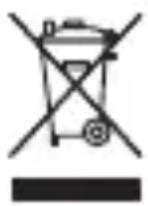
Devices marked with this symbol must not be disposed of with household waste! You are legally obliged to dispose of old devices separately from to dispose of household waste. Information on collection points that accept old appliances free of charge can be obtained from your local authority or town council.
Conformity
Rollei GmbH & Co. KG hereby declares that this radio system type "Rollei Indoor Security Cam 2K" is in conformity with Directive 2014/53/EU.
The full text of the EU Declaration of Conformity is available at the following Internet address: www.rollei.com/egk/indoorsecuritycam2K

- INDOOR SECURITY CAM 2K
- ÜBERSICHT
- EINRICHTUNG DER APP
- SMARTPHONE-APP STARTEN
- BEFORE THE FIRST USE
- IMPORTANT NOTE
- EXPLANATION OF SYMBOLS
- SAFETY INSTRUCTIONS
- WHAT'S IN THE BOX
- OVERVIEW
- PLACING / ASSEMBLING THE CAMERA
- USING THE WALL MOUNT
- COVERAGE OF THE MONITORING AREA
- SETTING UP THE CAMERA
- SETTING UP THE APP
- OPERATION OF THE APP
- THE MAIN MENU
- SETTINGS
- TECHNICAL DATA
- POSSIBLE INFRINGEMENTS
- COPYRIGHT
- PROTECTION OF PRIVACY
- PERSONAL IDENTIFIABILITY
- SECURITY CAMERAS AT THE WORKPLACE
- SECURITY CAMERAS IN ROAD TRAFFIC
- DUTY TO INFORM
- SECURITY
- INTENDED USE
- DISPOSE OF THE PACKAGING ACCORDING TO ITS TYPE
- CONFORMITY
Brand : ROLLEI
Model : Indoor Security Cam 2K
Category : Camera