MSR 300 - Uncategorized PCE Instruments - Free user manual and instructions
Find the device manual for free MSR 300 PCE Instruments in PDF.


| Product Type | Handheld Measuring Instrument |
| Model | MSR 300 |
| Brand | PCE Instruments |
| Dimensions | 180 x 80 x 40 mm |
| Weight | 350 g |
| Power Supply | Battery 9V or rechargeable Li-ion |
| Display | LCD with backlight |
| Measurement Ranges | Depends on parameter (e.g., 0-2000 units) |
| Accuracy | ±1% of reading |
| Operating Temperature | 0°C to 50°C |
| Storage Temperature | -10°C to 60°C |
| Main Functions | Measure, hold, max/min, data hold, auto power off |
| Accessories Included | Carrying case, probe, batteries, manual |
| Cleaning and Maintenance | Wipe with dry cloth; avoid solvents |
| Safety | CE marked; use within specified limits |
| Spare Parts and Repairability | Contact manufacturer for spare parts; not user-serviceable |
| Warranty | 2 years |
Frequently Asked Questions - MSR 300 PCE Instruments
User questions about MSR 300 PCE Instruments
0 question about this device. Answer the ones you know or ask your own.
Ask a new question about this device
Download the instructions for your Uncategorized in PDF format for free! Find your manual MSR 300 - PCE Instruments and take your electronic device back in hand. On this page are published all the documents necessary for the use of your device. MSR 300 by PCE Instruments.
USER MANUAL MSR 300 PCE Instruments
Southpoint Business Park
Ensign way
Hampshire / Southampton
United Kingdom, SO31 4RF
From outside UK: +44
Tel: (0) 2380 98703 0
Fax: (0) 2380 98703 9
info@industrial-needs.com
www.pce-instruments.com/english
www.pce-instruments.com
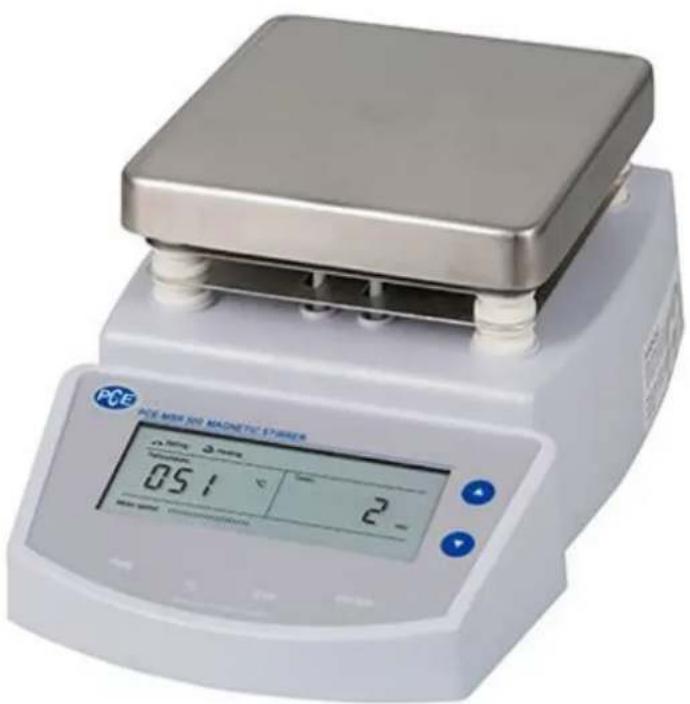
Manual Magnetic Stirrer PCE-MSR 300
natural_image
Digital laboratory balance scale with a square top and digital display showing temperature reading (no visible text or symbols on the device itself)Contents
1 Introduction....3
2 Safety notes....3
3 Specification....4
4 Unpacking....5
5 Stirring the liquids....5
6 Heating the liquids....6
7 Temperature Calibration....7
8 Troubleshooting....7
9 Contact....8
9.1 PCE Instruments UK 8
9.2 PCE Americas 8
1 Introduction
Thank you for purchasing a PCE-MSR 300 from PCE Instruments.
Magnetic PCE-MSR 300 has a large display and ability to set temperature, stirring speed and time. The adjusted data can be read directly on the display of the magnetic stirrer. The maximum stirring capacity in this magnetic stirrer is 2 liters. The heating plate of the magnetic PCE-MSR 300 can be heated to a temperature of 300 °C. The temperature sensor located in the delivery of the liquid determines the temperature of the preset temperature and is monitored by the magnetic stirrer. With the simple geometry of the magnetic stir bar, the magnetic PCE-MSR 300 also considerably facilitates purification and cleansing. To get the small magnets out of the containers, one uses a long, plastic coated magnetic rod.
2 Safety notes
Please read this manual carefully and completely before you use the device for the first time. The device may only be used by qualified personnel and repaired by PCE Instruments personnel. There is no warranty of damages or injuries caused by non-observance of the manual.
- Caution: The heating panel reaches temperatures up to 300 °C
- The device may only be used in approved temperature range
- The opening of the case should only be done by qualified personnel of the PCE Instruments.
- The instrument should never be placed with the user interface (e.g. keyboard side on a table)
- You should not make technical changes on the device
- The appliance should only be cleaned with a damp cloth / use only pH-neutral cleaner
This user's handbook is published from PCE Instruments without any guarantee.
We expressly point to our general guarantee terms, they can be found in our general terms of business.
If you have any questions please contact PCE Instruments.
3 Specification
| Maximum Stirring Volume | 2 litre (H2O) |
| Stirring Speed | 0 ... 1250rpm |
| Temperature Range | Room Temperature to 300 °C |
| Timer Range | 0 ... 999 minutes |
| Top Plate Size | 135(L)× 135(W)mm |
| Power Requirements | AC 220V/50Hz |
| Dimensions | 230(L)× 180(W)× 120(H)mm |
| Weight | 2.2kg |
4 Unpacking
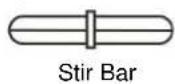
The following list describes the standard accessories of stirrer. After the unpacking, please check all accessories are complete. If any are damaged or missing, please contact nearest distributor.

natural_image
Illustration of a handheld probe with a coiled cable and terminal connector (no text or symbols)Temperature Probe (Only for MS300 and 400 magnetic stirrer)
5 Stirring the liquids
- Before plugging the plug into the power outlet, ensure that local mains power voltage matches the stirrer requirements.
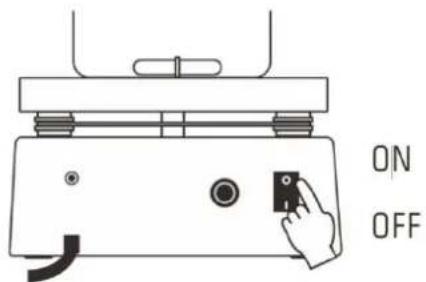
- Place the stir bar into the container, press the power switch to ON position, the display will light up.
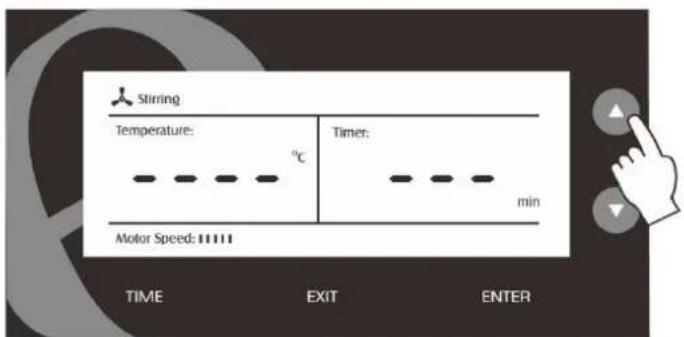
- Press ▲ or ▼ key to set the desired stirring speed, the speed bar on screen will show current run status.
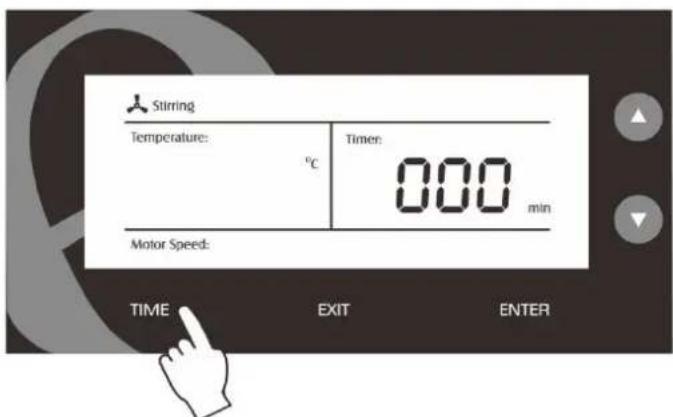
If the stirrer does not working, please move the container slightly, ensure that stir bar is in container's center.
6 Heating the liquids
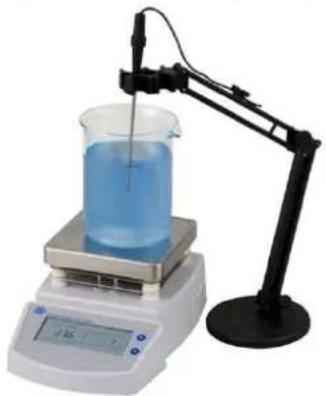
- Insert the connector of temperature probe into the corresponding connector socket on the rear panel.
natural_image
Laboratory filtration setup with beaker, digital scale, and stand (no visible text or labels)-
Place the temperature probe into the liquid, the display shows temperature value.
-
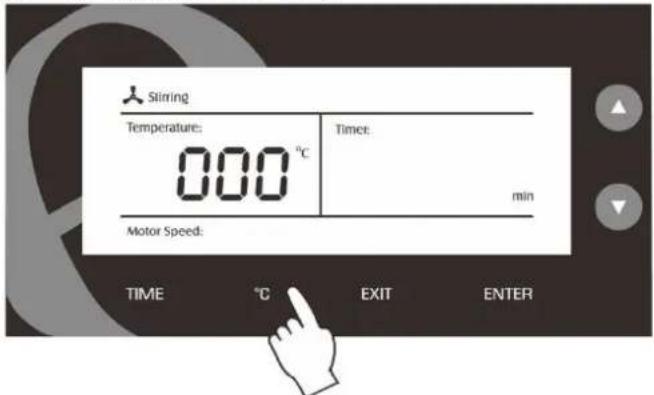
Press ^ C key to enter the temperature setting mode.
-
Press ▲ or ▼ key to set the target temperature.
-
Press ENTER key to confirm, the stirrer is now begin heating.
NOTE:
- Please ensure that temperature probe is connected to socket, the hotplate will not heat if the probe is not attached.
- While heating a liquid the temperature probe must be immersed, otherwise the hotplate will heat continuously and will go into a fault condition.
During the heating mode, the "Heating" indicator will successively show as follows:
Heating
Heating
Heating
- When the liquid reached the setting temperature, the "heating" indicator will flashing continuously.
Heating
EXIT THE HEATING MODE:
- Press EXIT key in the heating mode, the stirrer will stop heating immediately.
7 Temperature Calibration
During the heating, if the temperature reading displayed differs from that of an accurate thermometer, please follow the steps below to calibrate the stirrer.
-
Switch off the stirrer.
-
Press and hold the ▲ and ▼ key for 3 seconds, then switch on the stirrer. The display will show current temperature value.
-
Press ▲ or ▼ key to set the temperature value, press ENTER key to confirm. Calibration is completed.
8 Troubleshooting
| Failure | Cause |
| Stir bar does not working | Check, if the screw under the top plate is lost.Container is not in the centre of top plate. |
| Can not heating | The temperature probe is not connected to stirrer.Heater has damaged. |
9 Contact
If you have any questions about our range of products or measuring instruments please contact PCE Instruments.
9.1 PCE Instruments UK
By post:
PCE Instruments UK Ltd.
Units 12/13 Southpoint Business Park
Ensign Way, Southampton
Hampshire
United Kingdom, SO31 4RF
By phone:
02380 987 035
9.2 PCE Americas
By post:
PCE Americas Inc.
711 Commerce Way
Suite 8
Jupiter
33458 FL
USA
By phone:
561 320 9162
Brand : PCE Instruments
Model : MSR 300
Category : Uncategorized