
CF2 - Air conditioner COWON - Free user manual and instructions
Find the device manual for free CF2 COWON in PDF.


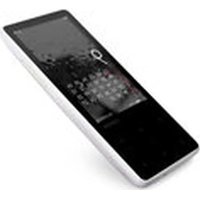
| Brand | Cowon |
| Model | CF2 |
| Product Type | Portable Media Player |
| Dimensions (approx.) | 4.2 x 2.4 x 0.5 inches (107 x 62 x 12 mm) |
| Weight | 105 g (3.7 oz) |
| Display | 2.4-inch TFT color LCD, 240x320 pixels |
| Storage Capacity | 8 GB internal flash memory |
| Expandable Storage | microSD card slot (up to 32 GB) |
| Battery Type | Rechargeable Lithium-Ion, 600 mAh |
| Battery Life (playback) | Up to 30 hours (MP3, display off) |
| Charging | USB 2.0 via standard micro-USB port |
| Supported Audio Formats | MP3, WMA, FLAC, AAC, OGG, WAV |
| Supported Video Formats | AVI, MPEG-4, WMV (conversion required) |
| Supported Image Formats | JPEG, BMP, PNG |
| FM Radio | FM tuner with presets and recording |
| Voice Recording | Built-in microphone, WAV format |
| Output Jack | 3.5 mm stereo headphone |
| USB Connection | USB 2.0 for file transfer and charging |
| Navigation | Intuitive menu with playlists, folders, and search |
| Language Support | Multiple languages including English, Chinese, Korean |
| Cleaning | Wipe with a soft dry cloth; avoid liquids |
| Safety | Keep away from moisture; use only specified charger |
| Spare Parts | Battery and screen available from authorized service |
| Repairability | Limited user service; consult professional for repairs |
Frequently Asked Questions - CF2 COWON
User questions about CF2 COWON
0 question about this device. Answer the ones you know or ask your own.
Ask a new question about this device
Download the instructions for your Air conditioner in PDF format for free! Find your manual CF2 - COWON and take your electronic device back in hand. On this page are published all the documents necessary for the use of your device. CF2 by COWON.
USER MANUAL CF2 COWON
+ Before you start \_ Charging
CF2 Charging

natural_image
Diagram of two earbuds with curved arrows indicating rotation or movement (no text or symbols)* Charging : The white LED Indicator on your earphones turns on
* Charging Complete : The white LED Indicator on your earphones turns off
Charge the Charging Cradle

natural_image
Simple line drawing of a device with a connector (no text or symbols)Charging Status : Charging cradle LED Indicator blink blue
0%\~25% = 1time
25%\~50%=2times
50%\~75% = 3times
75%\~100%=4times
Fully Charged = Stays solid
+ Using the Product \_ Power On / Off
Auto

flowchart
graph TD
    A["Out : Power On"] --> B["In : Power Off"]
    B --> A
Manual

Power On / Off : 4 Sec Press
+ Using the Product \_ Pairing & connection
Dual mode

Single mode

* Use one of the following methods to switch from Single Mode to Dual Mode.
- Press the multifunction button on the earphone that is not connected and wait briefly to switch to Dual Mode.
- Turn off both units, then turn them on again(power cycling). Connect the units in Dual Mode.
* Keep the product and a mobile phone within 1 meter when pairing.
* If passkey input is required, enter a password or a PIN No. '0000'.
* When the CF2 is off, press and hold the multifunction button for 6 seconds to enter pairing mode.
* When powered on, the earphones will automatically connect to the most recently connected devices.
After the initial pairing, the CF2 and your smartphone will connect automatically when the CF2 is on and Bluetooth is enabled on your phone.
Dual mode : The CF2's left and right earphones can be used together in stereo.
-
When both earphones are removed at the same time from the charging cradle, they will automatically turn on, connect to each other, and enter pairing mode following an audible beep.
-
Turn on Bluetooth on your smartphone or Bluetooth-capable device, and select 'CF2 Bluetooth' from the list of detected devices to pair and connect automatically.
* To use Dual Mode, both the left and right earphones must be turned on.
Single mode : The CF2's left and right earphones can be used individually in mono.
- Pair the CF2 in Dual Mode as previously shown. (Main left earphone paired)
- Turn off both the left and right earphones alerady connected in Dual Mode, and press and hold the button on the right earphone for 6 seconds to enter pairing mode for only the right earphone. Pair the detected right earphone to your smartphone.
- You can now turn on and use only the deseird unit.
* By using the CF2 in Single Mode, you can alternate between charging the left and right earphones for extended use. (Audio books, Podcasts, etc.)
* Since Single Mode uses only one earphone, you can stay aware of environmental sounds and use the device more safely when walking or bicycling.
* In Single Mode, both the left and right earphones will be detected as 'CF2 Bluetooth'. You can easily change their names to differentiate between each unit. (Android Smartphone)
+ Using the Product \_Listening to Music · Calling

natural_image
Icon showing a hand cursor clicking a circular diagram with a pointer (no text or symbols)Listening to Music Calling
| Play·Pause | [VHAK] |
| Next Track | [SYTA] |
| Previous Track | [DC07] |
| Answering a callEnding a call | [77WS] |
| Rejecting a call |  |
* When using Dual Mode, sound will only be output to the left earphone during calls.
* In Single Mode, each earphone will output sound with both microphones enabled for use.
* Press and hold the multifunction button for 1 second to launch the voice recognition feature of your smartphone or tablet,
(Android OS: Google Now / iOS:Siri / Window OS: Cortana - Except during calls)
DIGITAL PRIDE.
©WON
Brand : COWON
Model : CF2
Category : Air conditioner