
MC-RTS2055-E3A - Cooker MIDEA - Free user manual and instructions
Find the device manual for free MC-RTS2055-E3A MIDEA in PDF.


| Product Type | Induction Cooker |
| Brand | Midea |
| Model | MC-RTS2055-E3A |
| Dimensions (W x D x H) | 360 x 290 x 45 mm |
| Weight | 2.65 kg |
| Rated Power | 2000 W |
| Voltage / Frequency | 220-240 V ~ 50/60 Hz |
| Control Type | Touch controls with slider |
| Cooking Modes | Boil, Fry, Deep Fry, Simmer, Keep Warm, Boost |
| Timer | 1 to 180 minutes |
| Child Lock | Yes |
| Pause Function | Yes |
| Auto Shut-off | Yes (no pot detection, timer end, overheat) |
| Ceramic Plate | Yes |
| Compatible Cookware | Magnetic bottom, flat, diameter 14.5-20 cm |
| Cooling System | Air vent and fan |
| Safety Features | Overheat protection, pot detection, child lock, auto shut-off |
| Cleaning | Wipe with soft cloth, mild detergent for oil spots |
| Power Cord Length | Approx. 1.2 m (estimated) |
| Usage | Indoor household use only |
Frequently Asked Questions - MC-RTS2055-E3A MIDEA
User questions about MC-RTS2055-E3A MIDEA
0 question about this device. Answer the ones you know or ask your own.
Ask a new question about this device
Download the instructions for your Cooker in PDF format for free! Find your manual MC-RTS2055-E3A - MIDEA and take your electronic device back in hand. On this page are published all the documents necessary for the use of your device. MC-RTS2055-E3A by MIDEA.
USER MANUAL MC-RTS2055-E3A MIDEA
Induction Cooker User's Manual
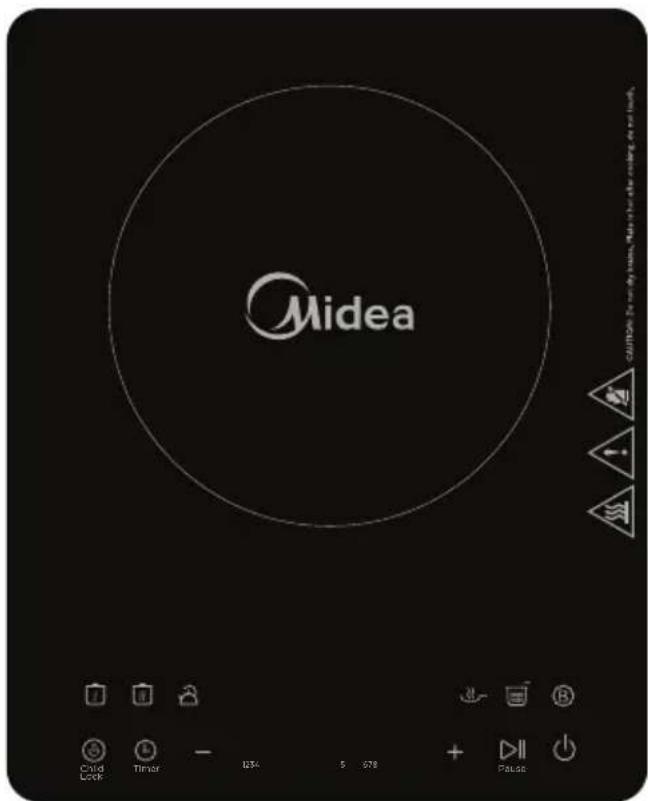
Model: MC-RTS2055-E3A
Thank you for purchasing this Midea induction cooker. Please thoroughly read through this instruction manual before use and store it carefully for future use.
The pictures are only for reference, please keep the real product as a standard.
I.SAFETY INSTRUCTIONS
For safety reasons and to avoid damage to the appliance or injuries to people, please abide by all the safety instructions below.
Ignoring safety warnings may result in injuries.
This appliance does not take into consideration the following situations:
--- use by children or disabled people without supervision;
— children treating it as a toy.
Symbols:
! MandatoryForbidden
AttentionWarn
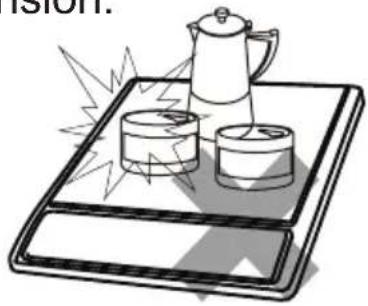
Never heat foods in sealed containers, such as compressed products, cans, orcoffee pots, to avoid explosion caused by heat expansion.
natural_image
Illustration of a coffee tray with two cups and a kettle, emitting steam or heat (no text or symbols)Do not directly rinse this induction cooker under water. Do not spill water or soup into the internal parts of the induction cooker.

natural_image
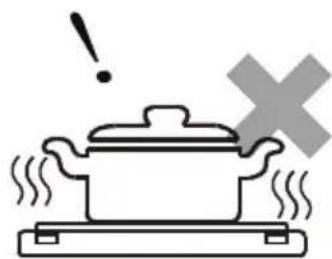
Illustration of a hand holding a faucet above a sad, distressed tablet device with a cross symbol in the background (no text or symbols present)To avoid affecting product performance and to prevent injury, do not heat empty pots. When in use, do not leave the appliance without supervision for a long time. When leaving the appliance without supervision, make sure there is enough water in the pot.
natural_image
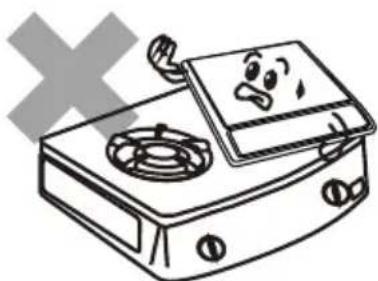
Simple line drawing of a cooking pot with steam rising, accompanied by a warning symbol (no text or labels)To avoid accidents, do not place the induction cooker, when in use, on a gas stove(the magnetic lines can heat the metal parts of the gas stove).
natural_image
Cartoon illustration of a portable stove with a sad face on top and a 'X' symbol below (no text or symbols on the stove itself)I.SAFETY INSTRUCTIONS
Do not heat iron items on the induction cooker heating plate to avoid danger caused by high temperatures.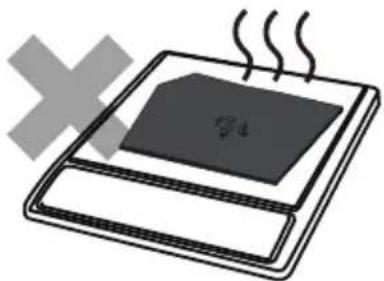 | The utensils provided for the induction cooker can only be used for cooking with it. These cooking utensils cannot be used on both induction cooker and gas stove.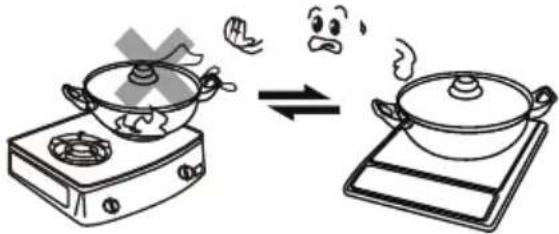 |
To avoid injuries such as scalding, do not let children operate the appliance alone.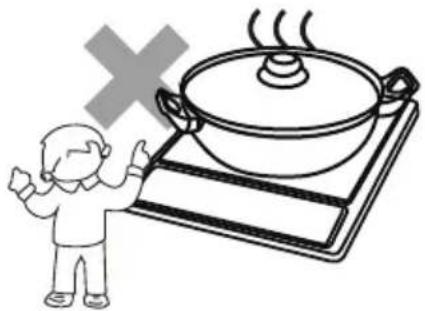 | Unplug the power cord from the outlet after use to avoid fire and/or damaging the electronic components, caused by prolonged electrical connection.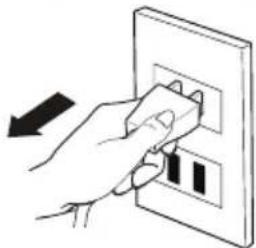 |
To avoid danger, do not insert any foreign object, such as iron wire, nor block the air ventilation opening or air entry port.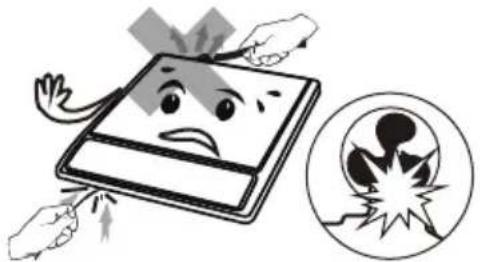 | People with heart pacemakers should consult a doctor. Only use the appliance after confirming that it does not affect the pacemaker. |
I.SAFETY INSTRUCTIONS
To avoid damage, avoid causing impacts on the heating plate. WARNING: If the surface is cracked, switch off the appliance to avoid the possibility of electric shock. | To avoid danger, do not place paper, aluminium foil, cloth or other unsuitable articles onto the induction cooker heating plate for indirect heating.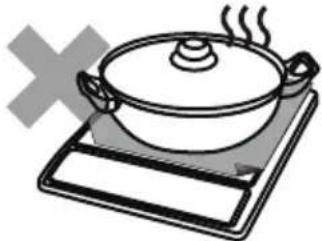 |
When using the induction cooker, do not put it on any metal platform (such as iron, stainless steel, aluminium), or place a non- metal pad less than 10cm thick on the heating plate. | When using the induction cooker, place it horizontally and allow at least 10cm of free space between the sides and back of the induction cooker and the wall. Do not use the induction cooker in narrow spaces. To avoid hindering release of heat, do not cover the ventilation opening 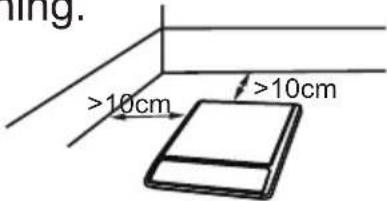 |
Please use a dedicated and high quality power outlet, with high power rating, equal to or above 10A. Do not use poor quality outlets. Do not share the power outlet with electrical appliances with high power ratings, such as air conditioners,electrical stoves etc to avoid fires caused by overburdening the outlet.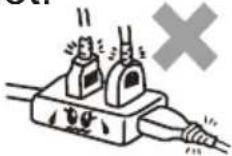  | If the supply cord is damaged, it must be replaced by the manufacture r, its service agentor similarly qualified persons in order to avoid a hazard.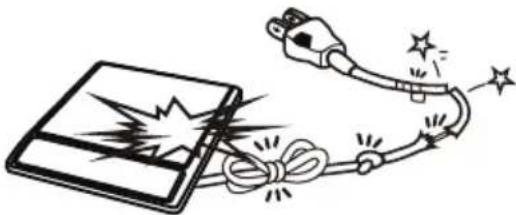 |
I.SAFETY INSTRUCTIONS
⚠ Do not touch the cooker plate with sharp tools to avoid cracking or damaging the plate. If cracking is found on the cooker plate, turn off the appliance to avoid any electrical shock that might occur. | ⚠ When using the induction cooker or after use, please keep it clean. Protect the induction cooker from bugs, dust and humidity. Avoid letting cockroaches etc fall into the internal parts of induction cooker and causing a short circuit of the electrical board. When not in use for a long period, please clean it and put it into a plastic bag to store it. |
⚠ The cooker cannot be overloaded. Overloading the plate may damage the plastic cover and cooker plate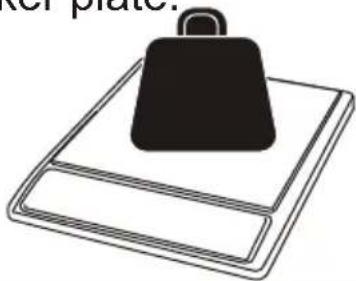 | ⚠ Metallic objects such as knives, forks, spoons and lids should not be placed on the hotplate sin ce they can get hot.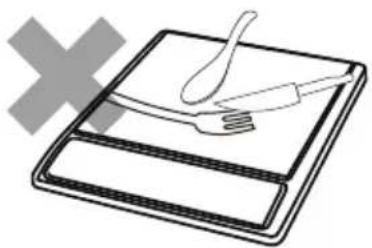 |
⚠ Do not use the induction cooker near a gas stove, kerosene stove, gas cooker or in any space with an open fire or an environment with high temperature. | ⚠ Do not use the induction cooker by putting it onto a carpet, tablecloth or thin paper to avoid blocking the air inlet opening or air outlet opening, which results in influencing heat emission.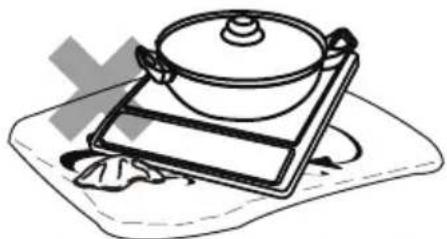 |
I.SAFETY INSTRUCTIONS
Always clean the induction cooker to prevent mess from getting into the fan, which could influence the normal operation of the appliance.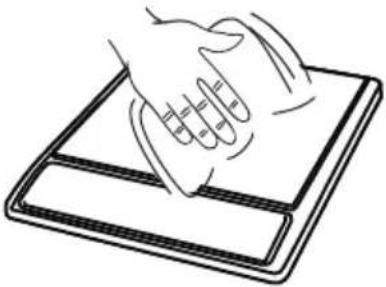 | When operating the appliance or after moving the pot, the cooking area will remain hot for a period of time. Do not touch it, be careful of scalding caused by the high temperature. |
| This appliance is intended to be used in household and similar applications such as:- staff kitchen areas in shops, offices and other working environments; -farm houses;-by clients in hotels, motels and other residential type environments ; -bed and breakfast type environments.Indoor use only. mandatory | This appliance can be used by children aged from 8 years and above and persons with reduced physical, sensory or mental capabilities or lack of experience and knowledge if they have been given supervision or instruction concerning use of the appliance in a safe way and understand the hazards involved. Children shall not play with the appliance.Cleaning and user maintenance shall not be made by children without supervision. mandatory |
| We suggest that you should periodically check that there are no object (glass, paper, etc) that could obstruct the inlet under your induction cooker. Warning | Never have the induction cooker to work without food inside, otherwise its operational performance may be affected and danger may happen. Mandatory |
| Children should be supervised to ensure that they do not play with the appliance. Warning | Never have the induction cooker to work without food inside, otherwise its operational performance may be affected and danger may happen. Mandatory |
I.SAFETY INSTRUCTIONS
| Keep electrical appliance out of reach from children or inform person. Do not let them use the appliances without supervision.⚠ Warning | The instructions shall state that appliances are not intended to be operated by means of an external timer or separate remote-control system.⚠ Warning |
| Keep the appliance and its cord out of reach of children less than 8 years.⚠ Mandatory Mandatory | Please turn off and unplug the appliance before cleaning, maintenance or relocation and whenever it is not in use.⚠ |
| This appliance is not intended for use by persons (including children) with reduced physical,sensory or mental capabilities, or lack of experience and knowledge, unless they have been given supervision or instruction concerning use of the appliance by a person responsible for their safety.⚠ Mandatory | |
II.PRODUCT INTRODUCTION
The induction cooker is able to meet various kinds of cooking demands by electromagnetic heating, high thermal efficiency, is safe and reliable, easy to clean.
Performance Parameters
| Model | Applied voltage/frequency | Rated power | Dimension (mm) | Weight (kg) |
| A325024SVTR 50/60Hz | 2000W 3 | 60x290x45 | 2.65 |
II.PRODUCT INTRODUCTION
Product Sketch Map
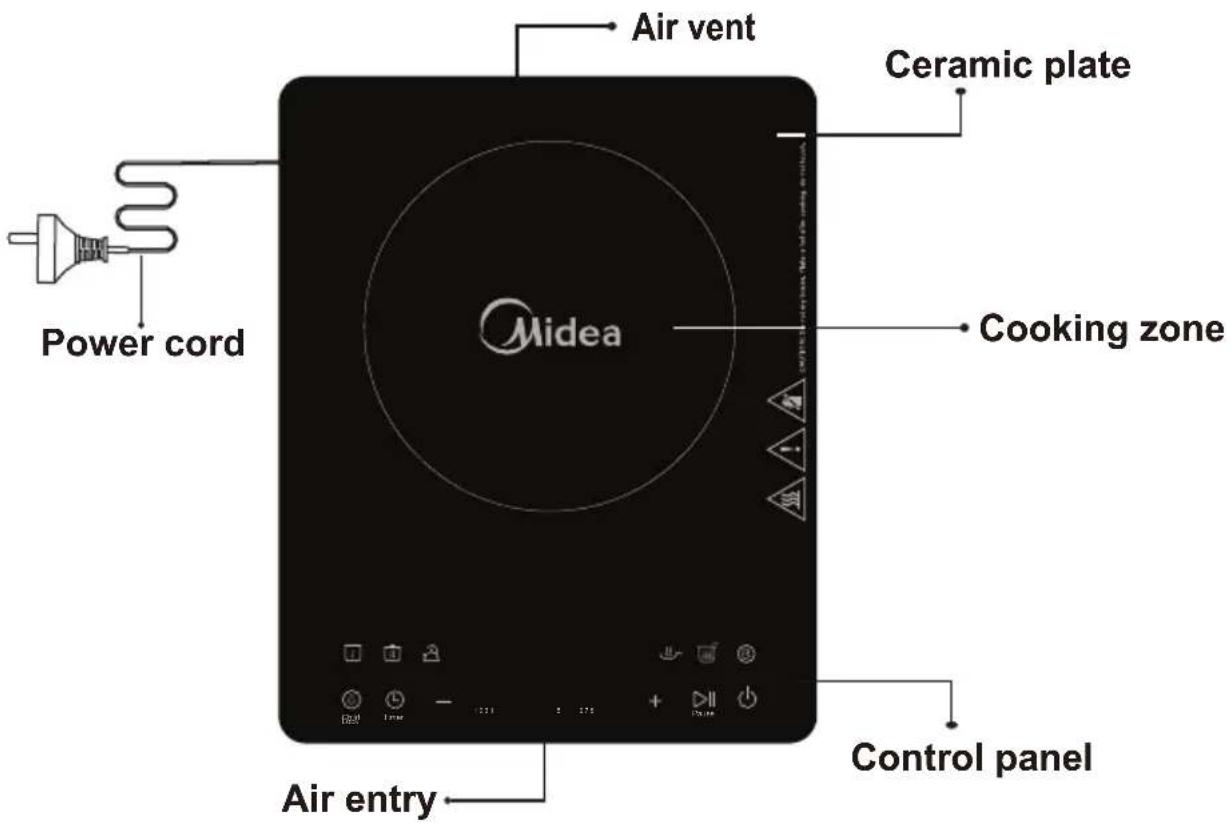
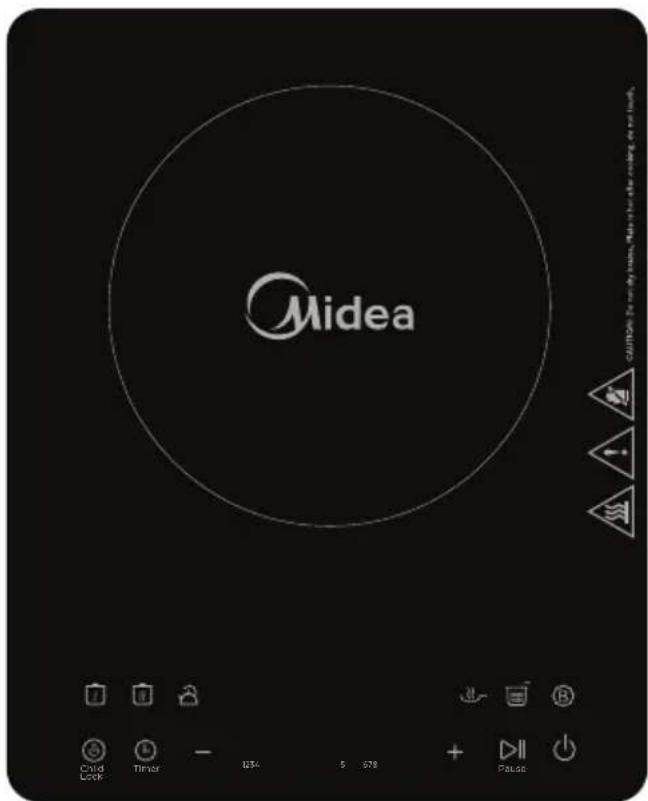
Control Panel
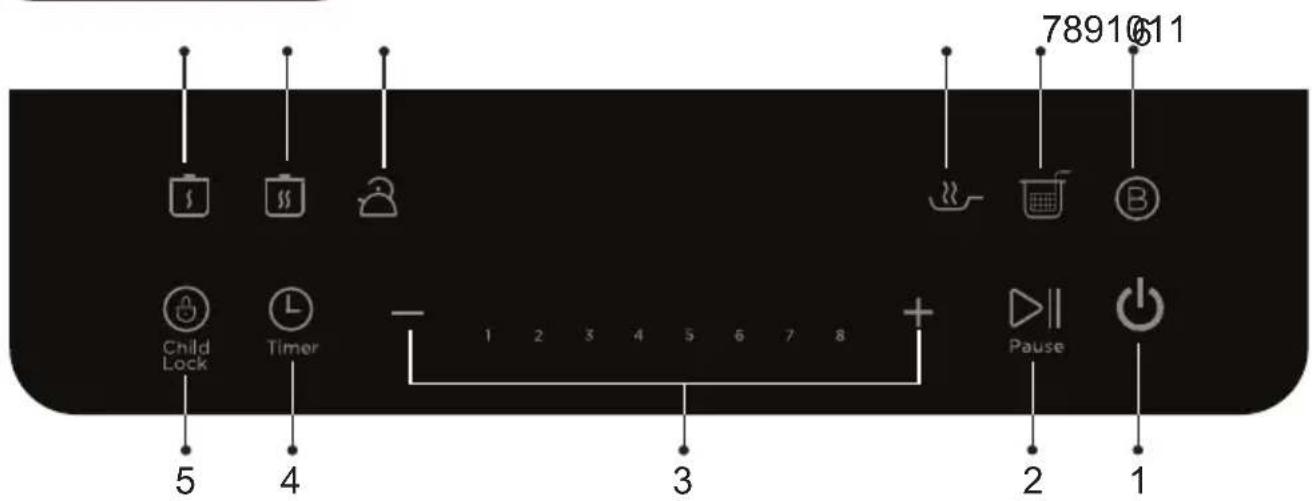
- ON/ STANDBY control
- Pause select
- Power regulating controls
-
Timer select
-
Child lock select
- Boost select
- Deep fry control
-
Fry control
-
Boil control
- Simmer control
- Keep warm control
II.PRODUCT INTRODUCTION
Before using New Induction cooker
- Read this guide, taking special note of the “Safety Warnings” section.
- Remove any protective film that may still be on your ceramic plate.
Using the Touch Controls
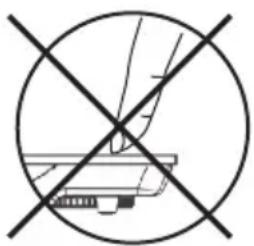
- The controls respond to touch, so you don't need to apply any pressure.
- Use the ball of your finger, not its tip.
- You will hear a beep each time a touch is registered.
- Make sure the controls are always clean, dry, and that there is no object (e.g. a utensil or a cloth) covering them. Even a thin film of water may make the controls difficult to operate.
natural_image
Crosshair symbol of a computer monitor with no text or labels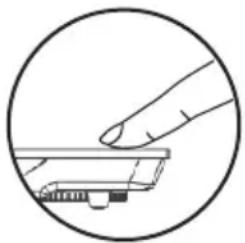
natural_image
Line drawing of a hand pressing a small object on a surface, enclosed in a circle (no text or symbols)III. OPERATION INSTRUCTIONS
Put the pot on the ceramic plate
- Make sure the air vents are not blocked and keep utensils away from the immediate surrounds of the ceramic plate.
• Make sure the cookware which has food or liquid is placed in the center of ceramic plate.
Plug in
- After the power supply is connected, the buzzer sounds. The display shows “L”, indicating that the induction cooker is in standby mode.
III. OPERATION INSTRUCTIONS
Turn on
- After pressing the “ON/STANDBY” button, the induction cooker is ready for heating. Press the function button to start heating.
- After pressing the “ON/STANDBY” button, if no function button is pressed for one minute, the induction cooker will switch off automatically.
- Under the working mode, if there is no proper pot on the ceramic plate, the induction cooker will not heat up and the alarm will sound to indicate that a pot is required. One minute later, it will switch off automatically.
Function
Power function
In order to select the power intensity you can:
- Either press the “+/-” buttons.
- Or select to the slider, by swiping your finger from left to right on the button.
To guide you, lights appear above each temperature level.
Keep warm mode
When the appliance is in operation, press the “Keep warm” button if you want to keep warm your preparation. The appliance will set automatically on the lowest power and will stop after 120 minutes. To set again the power, Press directly on the “+/-” button.
Simme r mode
To use this mode, press on the “Simmer” button. A lamp lights up. The induction cooker entering the simmer state, the default power level shall be level 2. Under this mode, the power cannot be adjusted. When press “+/-” button or slider again, the induction cooker entering the power mode.
III. OPERATION INSTRUCTIONS
Function
Boil mode
Boil mode is for boiling water. To use this mode, press on the "Boil" button. A lamp lights up. The default power level shall be level 10. After several minutes, it will turn to 8 level power. In this mode, the default working time is 15 minutes.
Note: It is recommended to put water that occupies 30%-80% of the pot capacity when boiling water.
Fry mode
To use this mode, press on the "Fry" button. A lamp lights up. The default power level shall be level 5. After several minutes, it will turn to 3 level power. When press "+/-" buttons or slider again, the induction cooker entering the power state.
Deep fry mode
To use this mode, press on the "Deep fry" button. A lamp lights up. The default power level shall be level 8. After several minutes, it will turn to 7 level power. When press "+/-" buttons or slider again, the induction cooker entering the power state.
Boost mode
The boost button allows obtaining directly the highest power level. By pressing again the boost button the appliance will go back to the power o origin.
How To Lock
Press the “Lock” button to start lock function. The “Lock” indicator lights up. Now only the “ON/STANDBY” button can be used to switch off the appliance, all the other operations are forbidden.
Press the “Lock” button for several seconds to quit the lock function. The “lock” indicator turns off.
III. OPERATION INSTRUCTIONS
Timer
- To use the timer, press the “Timer” button. The digital screen will indicate “0:00”. During the several seconds, press the “+/-” buttons to adjust the cooking time. Each pressure increase or decrease the time of 1 minute. If you maintain the button longer, the time will increase or decrease by increments of 10 minutes. The timer can be set from 1 minute to 180 minutes. Once the time is set, the digital screen will flicker during several seconds before heating. To cancel the timer function, press again on the timer button.
Pause
- Press the “Pause” button to stop heating. When the induction cooker is in pause, press the “Pause” button again or select a cooking mode to quit the pause status and return to the normal heating process. After setting Pause, the induction cooker stops heating. After reaching the default pause time, if the pause state is not cancelled, the induction cooker may alarm and automatically switch off.
Switch Off
- When the operating time is over, the induction cooker switches off automatically.
- Press the “ON/STANDBY” button to turn off the appliance. Note: Do not touch the surface of the ceramic while “H” is displayed, it means the temperature high. While “L” is displayed, it means the temperature low.
IV. COMPATIBLE COOKWARE
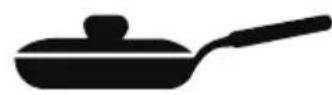
Iron oil frying pan

Stainless steel pot Iron pan Iron kettle



Enamel stainless steel kettle

natural_image
Silhouette of a cooking pot with a lid and handle (no text or symbols)Enamel cooking utensil

Iron plate
- Requirement for por materials: containing magnetic inducting materials.
- Shape requirement: plat bottom, with the diameter more than 14.5 cm and less than 20 cm.
- After the first use, some white spots would appear at the bottom of the pot. This is normal.
- Please pour some vinegar into the pot, heat it at about 60-80°C then wipe the spots away with brush.
- Incompatible pots material: glass, ceramic, aluminium,copper and other non magnetic material.
- If the pot removed, the induction cooker will stop heating immediately. After the buzzer sounds for 10 seconds, it will go into standby mode automatically.
V. CLEANING AND MAINTENANCE
- Before cleaning, please switch off the appliance first and then disconnect the power plug from the power outlet.
Wait till the cooker plate of the induction cooker is not hot and start cleaning.
- After using the induction cooker for a long time, the opening of air inlet/air outlet will pile up with dust or other dirt, please wipe it with a soft dry cloth. Dust in the air inlet and outlet can be cleaned by using a soft brush or a mini vacuum cleaner.
Note: Please do not rinse it with water.
V. CLEANING AND MAINTENANCE
For oil spots on the cooker plate, wipe the cooker plate by using a soft moist cloth with a little tooth paste or mild
detergent. And then use a soft moist cloth to wipe it until no stain remains.
When not using it for a long time, please disconnect the power plug from the power outlet and protect the induction cooker from any dust or bugs.
VI. TROUBLESHOOTING
| Abnormalities | Key checking points and trouble shooting | |
| After plugging in the power cord and pressing the “ON/STANDBY” key, the indicator and display do not light up. | Is the power plug properly connected?Is the switch, power outlet, fuse or power cord damaged? | |
| The “ON/STANDBY” indicator lights up and the display works normally, but heating does not start. | Is the pot material proper?Is the appliance in a “Preset” working status?For other causes, please take the appliance to a repairing and maintenance site to be fixed. | |
| Heating suddenly stops during the process. | Is the temperature of the oil too high when frying dishes?Is the temperature of the surroundings very high?Is the air inlet or air outlet of the induction cooker blocked?Is the default heating time of the induction cooker over?The self-safety protection of the induction cooker starts, wait for several minutes and connect power to use it. | |
| Code of failure | E3 E6 | Wait a moment and press the “ON/STANDBY” button when the temperature of the hotplate becomes normal, the induction hotplate will operate as usual. |
| E7 E8 | Turn off the hotplate, when the voltage becomes normal, and then turn on the hotplate, it will operate as usual. | |
| E1 E2 E4 E5 Eb EA | Please contact the special maintenance department. | |
Emergency
During using, if there are some abnormal cases, please unplug immediately and disconnect power.
For any failure of the product, please contact the special maintenance department or the customer service center.

电磁炉
使用说明书
型号: M - RTS2055-E3A
natural_image
Illustration of a coffee tray with two cups and a kettle, no text or symbols presentnatural_image
Illustration of a hand pressing down on a tablet with a sad face, next to a cross symbol (no text or labels)natural_image
Simple line drawing of a cooking pot with steam rising, accompanied by an exclamation mark and a cross symbol (no text or labels)natural_image
Illustration of a portable stove with a sad face and a cross symbol (no text or symbols present)1. 安全指南
natural_image
Crosshair symbol with diagonal line crossing over a mechanical component (no text or labels)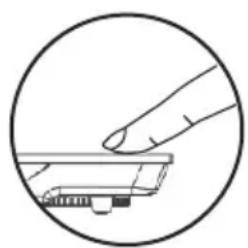
natural_image
Simple line drawing of a hand pressing a small electronic component (no text or symbols)III. 使用说明
将锅放在陶瓷板上
natural_image
Silhouette of a cooking pot with a lid and handle (no text or symbols)搪瓷炊具

铁板
- Induction Cooker User's Manual
- I.SAFETY INSTRUCTIONS
- II.PRODUCT INTRODUCTION
- Product Sketch Map
- Before using New Induction cooker
- Using the Touch Controls
- OPERATION INSTRUCTIONS
- Put the pot on the ceramic plate
- Plug in
- Turn on
- Function
- Power function
- Keep warm mode
- Simme r mode
- Boil mode
- Fry mode
- Deep fry mode
- Boost mode
- How To Lock
- Timer
- Pause
- Switch Off
- COMPATIBLE COOKWARE
- CLEANING AND MAINTENANCE
- TROUBLESHOOTING
- Emergency
- 电磁炉
- 使用说明书
- 安全指南
- 使用说明
- 将锅放在陶瓷板上
Brand : MIDEA
Model : MC-RTS2055-E3A
Category : Cooker