
FV-EV1 - Dash cam COBRA - Free user manual and instructions
Find the device manual for free FV-EV1 COBRA in PDF.


| Product Type | Dashboard Camera (Dash Cam) |
| Brand | Cobra |
| Model | FV-EV1 |
| Dimensions | Approximately 2.5 x 1.5 x 1.2 inches (6.4 x 3.8 x 3.0 cm) |
| Weight | Approximately 55 grams (1.9 oz) |
| Power Supply | 12V DC via vehicle cigarette lighter adapter; built-in battery (typical 200-300 mAh) |
| Video Resolution | Full HD 1080p (1920x1080) at 30fps |
| Lens Angle | 170-degree wide angle |
| Display | 2.0-inch TFT LCD screen |
| Storage | MicroSD card slot (supports up to 32GB, Class 10) |
| Loop Recording | Yes, with automatic overwrite |
| G-Sensor | Built-in, automatically locks recordings upon impact |
| GPS | Built-in GPS receiver for location and speed tracking |
| Night Vision | Yes, with infrared or low-light sensitivity |
| Parking Mode | Supported (requires hardwire kit) |
| Maintenance | Clean lens with dry cloth; format MicroSD card regularly |
| Safety Certifications | CE, FCC |
| Spare Parts and Repair | Contact Cobra customer support; spare parts available for purchase |
| General Information | User manual available in PDF; warranty period typically 1-2 years |
Frequently Asked Questions - FV-EV1 COBRA
User questions about FV-EV1 COBRA
0 question about this device. Answer the ones you know or ask your own.
Ask a new question about this device
Download the instructions for your Dash cam in PDF format for free! Find your manual FV-EV1 - COBRA and take your electronic device back in hand. On this page are published all the documents necessary for the use of your device. FV-EV1 by COBRA.
USER MANUAL FV-EV1 COBRA
natural_image
Technical line drawing of a circular mechanical component with mounting brackets (no text or symbols)QUICK START GUIDE
Thank you for purchasing the new COBRA® FV-EV1 External-View Camera
Compatible with Cobra SC 200, SC 200D, SC 400, and SC 400D Dash Cams
THIS DEVICE COMPLIES WITH PART 15 OF THE FCC RULES. OPERATION IS SUBJECT TO THE FOLLOWING TWO CONDITIONS: (1) THIS DEVICE MAY NOT CAUSE HARMFUL INTERFERENCE, AND (2) THIS DEVICE MUST ACCEPT ANY INTERFERENCE RECEIVED INCLUDING INTERFERENCE THAT MAY CAUSE UNDESIRED OPERATION.
FCC NOTE: Modifications not expressly approved by the manufacturer could void the user's FCC granted authority to operate the equipment.
Cobra® and the snake design are registered trademarks of Cobra Electronics Corporation, USA. Cobra Electronics Corporation™ is a trademark of Cobra Electronics Corporation, USA. Other trademarks and trade names are those of their respective owners.
Installation Guide
1 Connect Extension Cable to the Video Input Port on the Dash Cam.
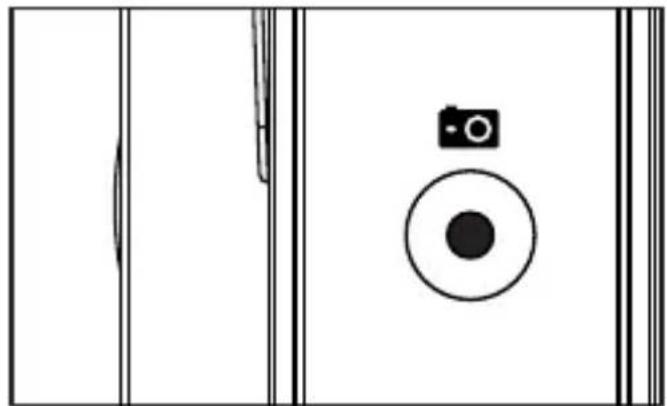
natural_image
Simple line drawing of a door with a camera and circular button (no text or symbols)② Use the included cable routing clips to route the extension cable to the desired mounting location.
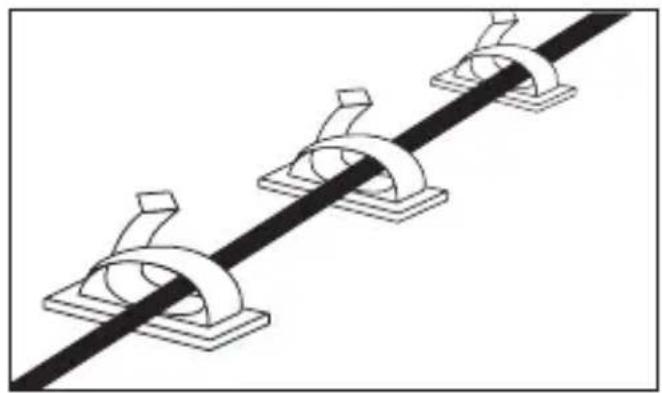
natural_image
Pure mechanical assembly diagram showing three curved components mounted on a straight line (no text or symbols)3 Mount the camera using the mounting screws or adhesive pad as needed. Screw mounting is recommended for the most secure hold.
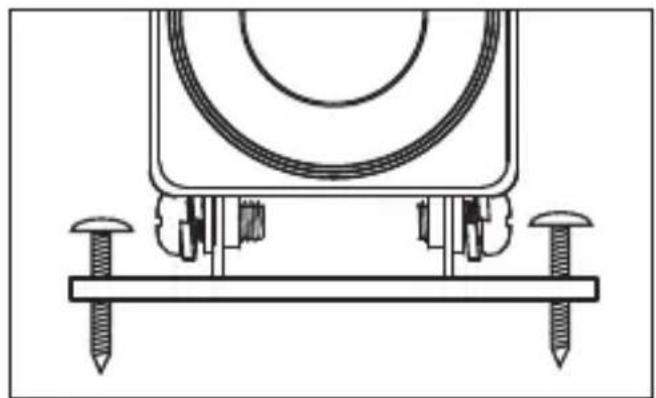
natural_image
Technical line drawing of a mechanical assembly with screws and a curved component (no text or symbols)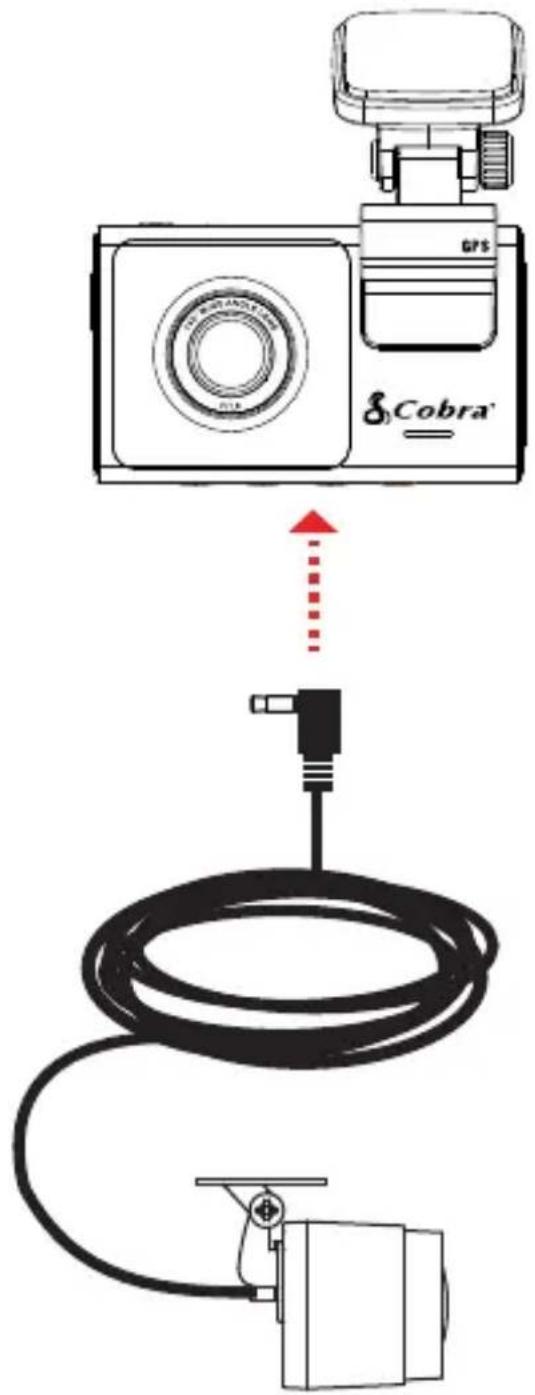
SC SERIES Dash Cameras
Important Product Information
Important Safety Information
Safe Driving
Motorists, as well as operators of emergency or service vehicles, are expected to exercise all due caution while using this product, and to obey all applicable traffic laws.
Security of Your Vehicle
Before leaving your vehicle, always remember to conceal this device in order to reduce the possibility of break-in and theft.
Privacy
This device may not be used to violate the privacy rights of others. In no way will Cobra Electronics or its subsidiaries be responsible for inappropriate use of this product. It is the sole responsibility of the buyer to consult legal counsel for the interpretation of any laws applicable to the area of intended use of this product.
Forward Collision Warning System
Warning! The forward collision warning system (FCWS) feature, when turned on, is for informational purposes only. The FCWS does NOT replace a driver's responsibility to use safe driving judgment, comply with all traffic regulations and observe all road and driving conditions at all times. The FCWS uses the camera to provide a warning of upcoming vehicles [and large objects] and, as a result, may have limited functionality in low visibility or certain weather conditions.
Lane Departure Warning System
Warning! The Lane Departure Warning System (LDWS) feature, when turned on, is for informational purposes only. The LDWS does NOT replace a driver's responsibility to use safe driving judgment, comply with all traffic regulations and observe all road and driving conditions at all times. The LDWS uses the camera to provide a determine if the vehicle is drifting toward or departing from designated lane markings and, as a result, may have limited functionality in low visibility or certain weather conditions or when driving on unmarked or poorly marked roads.
Regulatory Information
NOTE: This device complies with part 15 of FCC rules: Operation is subject to the following two conditions: (1) This device may not cause harmful interference, and (2) This device must accept any interference received including interference that may cause undesired operation.
This equipment has been tested and found to comply with the limits for a Class B digital device, pursuant to Part 15 of the FCC Rules. These limits are designed to provide reasonable protection against harmful interference in a residential installation. This equipment generates, uses and can radiate radio frequency energy and, if not installed and used in accordance with the instructions, may cause harmful interference to radio communications. However, there is no guarantee that interference will not occur in a particular installation.
If this equipment does cause harmful interference to radio or television reception, which can be determined by turning the equipment off and on, the user is encouraged to try to correct the interference by one or more of the following measures:
Reorient or relocate the receiving antenna.
Increase the separation between the equipment and receiver.
Connect the equipment into an outlet on a circuit different from that to which the receiver is connected.
Consult the dealer or an experienced radio/TV technician for help.
CAUTION: Modifications or parts not approved by Cobra Electronics Corporation may violate FCC Rules and void authority to operate the equipment. This device complies with RSS-247 of Industry Canada
RF Exposure
FCC RF Radiation Exposure Statement:
- This Transmitter must not be co-located or operating in conjunction with any other antenna or transmitter.
- This equipment complies with RF radiation exposure limits set forth for an uncontrolled environment.
- This equipment should be installed and operated with minimum distance 20cm between the device & your body.
The device has been tested and compliance with SAR limits, users can obtain Canadian information on RF exposure and compliance.
The 12V adapter (CA-CLAMICRO-01) shall be installed near the camera and be easily accessible. The adapter output is 5V DC / 2.5A
This device is operated the frequency bands(s) and the maximum output power (E.I.R.P):
| WiFi: | SC100 | SC200 | SC201 |
| 2402MHz – 2480MHz: | 7.03dBm | 3.78dBm | 9.73dBm |
| 2412MHz – 2472MHz: | 18.09dBm | 17.60dBm | 17.83dBm |
| 5470MHz – 5725MHz: | 9.43dBm | 5.68dBm | 19.38dBm |
| 5725MHz – 5875MHz: | 4.67dBm | 0.86dBm | 13.46dBm |
| GPS:1559-1610MHz |
Product Service and Support
For any questions about operating or installing this new Cobra product, PLEASE CONTACT COBRA FIRST...do not return this product to the retail store. The contact information for Cobra will vary depending on the country in which you purchased and utilize the product. For the latest contact information, please go to www.cobra.com/support
Should there be any problems with this product or further information needed on its features please visit www.cobra.com for support, frequently asked questions, Declarations of Conformity, and the full product manual.
The operating temperature range is -10C to 60C
The product label is located on the unit.
For Products Containing Internal Batteries
An attempt to open the device and remove/replace the battery could result in damage to the device or battery and result in a voided warranty. Batteries should not be exposed to excessive heat such as sunshine, fire or the like.
Limited Warranty
This Cobra product is warranted against all defects in materials and workmanship for a period of one (1) year from the date of original purchase, when purchased from an authorized Cobra dealer.
The conditions of this Limited Warranty and the extent of responsibility of Cobra Electronics Europe Ltd (CEEL) under this Limited Warranty are as follows.
- This Limited Warranty will become void if service is performed by anyone other than an approved Cobra Warranty Service Centre that results in damage to the product.
- This Limited Warranty does not apply to any product which has been subject to misuse, neglect or accident, or which has had the serial number altered, defaced or removed, or which has been connected, installed, adjusted or repaired, other than in accordance with the instructions provided by Cobra Electronics.
-
Should you have any difficulties with the performance of this product during the warranty period, please call Cobra Electronics Europe Ltd, or visit our web site www.cobra.com/support. You may also contact Cobra Electronics Customer Services at the address listed for any service help you may need with Cobra products.
-
Proof of purchase from an authorized Cobra Electronics dealer will be required for any warranty service of this product.
- Cobra Electronics products purchased from a source other than an authorized Cobra Electronics dealer, including any and all purchases via the internet from a non internet authorized Cobra Electronics dealer, shall not be covered by any Cobra Electronics limited warranty to the extent allowed by applicable law.
- This limited warranty gives you specific legal rights, and you may also have other rights which vary from EU country to EU country.
- All implied warranties, except to the extent prohibited by applicable law, shall have no greater duration than the warranty period set forth above. Under no circumstances shall Cobra Electronics be liable for any loss or damage, direct or consequential, arising out of the use or inability to use the product. Because some EU countries do not allow limitations on how long an implied warranty lasts or exclusions or limitations of incidental or consequential damages, the above limitations or exclusions may not apply to you.
- Product must be shipped in its original carton or equivalent carton, fully insured, with shipping charges prepaid. Cobra Electronics will not assume any responsibility for any loss or damage incurred in shipping.
- The sole responsibility of Cobra Electronics under this Limited Warranty shall be limited to the repair of the product or the replacement of the product only (whichever is deemed appropriate and at the sole discretion of Cobra Electronics Europe Ltd).
- This Limited Warranty does not cover car static or other electrical interferences, labour costs or any other associated or incidental costs incurred for the removal or reinstallation of the unit for repair.
Cobra Electronics Europe Ltd
5101 Deansgrange Business Park
Deansgrange
County Dublin
Ireland
A94 A4A6
Disposal of Old Electrical or Electronic Equipment
This product may contain hazardous substances that could impact health and the environment if not disposed of properly.
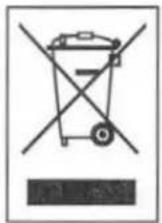
The crossed out wheeled bin symbol indicates that the product should not be disposed of along with household waste. It should be handed over to an applicable collection point for the recycling of electrical equipment. By ensuring that this product is disposed of correctly you will help/prevent potential negative impact on the environment.
If you need more information on the collection, reuse and recycling systems, please contact your local civic office or the shop where it was originally purchased.
Trademarks
©2020 Cobra Electronics Corporation, 6500 West Cortland Street, Chicago, Illinois 60707 U.S.A.
Cobra and the snake design are proprietary trademarks of Cobra Electronics Corporation, USA.
The Bluetooth® word mark is a registered trademark owned by Bluetooth SIG, Inc. and any use of such marks by Cobra Electronics Corporation is under license. Other trademarks and trade names are those of their respective owners.

Dash Cam Declaration of Conformity
EN (English)
Hereby, Cobra Electronics Europe, Ltd. declares that the radio equipment type Car Dash Camera is in compliance with Directive 2014/53/EU. The full text of the EU declaration of conformity is available at the following internet address: http://www.snooperneo.co.uk/DeviceDocs.cfm
ES (Spanish)
We trust you will enjoy your Cobra product. If you have questions about your product or its many features, our Customer Care Experts are here to assist you.
NEED HELP? WAIT!

natural_image
Simple red line drawing of a human hand (no text or symbols)PLEASE DO NOT RETURN THIS PRODUCT TO THE STORE!
Please contact Cobra directly for service and support.
By Email: info@cobra.com
By phone: 800-964-3138
Online: www.cobra.com
S Cobra®
Register your new Cobra product
www.cobra.com/register
Register your product today to get:
natural_image
Circular icon with a black arrow and segmented lines, resembling a refresh or progress symbol (no text or numbers)Helpful Product Tips

Exclusive Offers

natural_image
Icon of a person wearing a headset inside a circle (no text or symbols)Expert Advice
S Cobra®
- QUICK START GUIDE
- Thank you for purchasing the new COBRA® FV-EV1 External-View Camera
- Installation Guide
- SC SERIES Dash Cameras
- Important Safety Information
- Safe Driving
- Security of Your Vehicle
- Privacy
- Forward Collision Warning System
- Lane Departure Warning System
- Regulatory Information
- RF Exposure
- Product Service and Support
- The operating temperature range is -10C to 60C
- For Products Containing Internal Batteries
- Limited Warranty
- Disposal of Old Electrical or Electronic Equipment
- Trademarks
- Dash Cam Declaration of Conformity
- EN (English)
- ES (Spanish)
- PLEASE DO NOT RETURN THIS PRODUCT TO THE STORE!
- Register your new Cobra product
Brand : COBRA
Model : FV-EV1
Category : Dash cam