
680050 - Hot plate CaterChef - Free user manual and instructions
Find the device manual for free 680050 CaterChef in PDF.


| Product Type | Heated Display Case (Warmhoudvitrine) |
| Brand | CaterChef |
| Model | 680050 |
| Dimensions (W x D x H) | 36 x 64 x 53 cm |
| Voltage | 230V |
| Frequency | 50Hz |
| Power Consumption | 1000W |
| Temperature Range | +30°C to +85°C |
| Control Type | Thermostat dial with indicator light |
| Temperature Display | Digital display showing actual temperature |
| Safety Features | Automatic shut-off when temperature reached; requires grounded socket; keep 10cm clearance on sides, 20cm at back |
| Material | Stainless steel with glass display |
| Drip Tray | Yes, for collecting waste and moisture |
| Intended Use | Keeping prepared food warm for display |
| Cleaning | Warm water and mild detergent; do not immerse in water |
| Maintenance | Unplug before cleaning; professional servicing required for repairs |
| Spare Parts | Available from CaterChef; use only genuine parts |
| Warranty | Invalid if instructions not followed; refer to type plate for details |
Frequently Asked Questions - 680050 CaterChef
User questions about 680050 CaterChef
0 question about this device. Answer the ones you know or ask your own.
Ask a new question about this device
Download the instructions for your Hot plate in PDF format for free! Find your manual 680050 - CaterChef and take your electronic device back in hand. On this page are published all the documents necessary for the use of your device. 680050 by CaterChef.
USER MANUAL 680050 CaterChef
WARMHOUDVITRINE HEATED DISPLAY CASE
Modelnr.: *680.050
natural_image
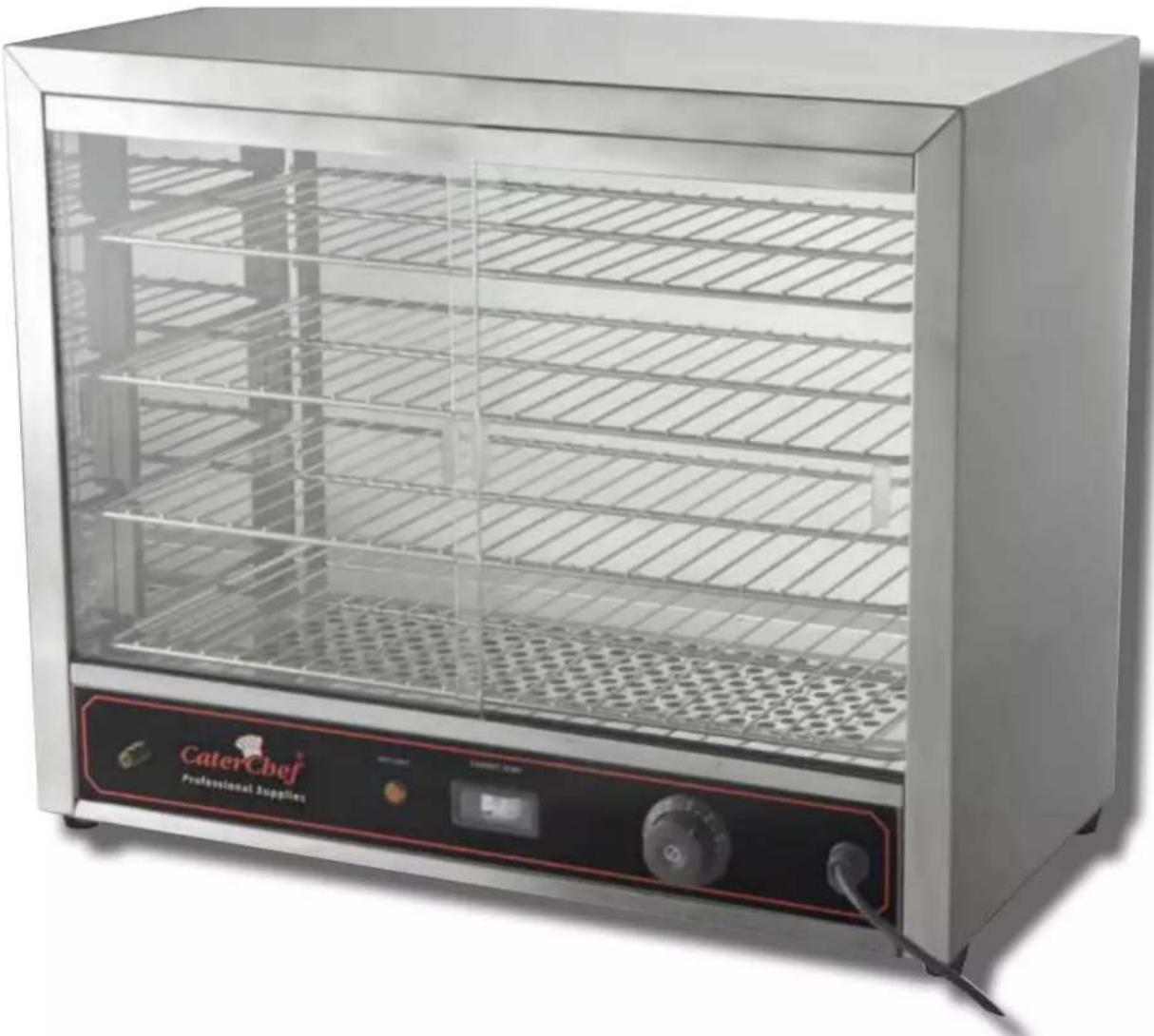
Exterior view of a CaterChef professional supply unit with glass display and control panel (no visible text or symbols on the device itself)Before starting up, please read this manual carefully in order to ensure the correct and safe installation and usage. Damage caused by not following the instructions of this manual will always invalidates the warranty.
CaterChef would like to emphasize that this instruction manual needs to be readed carefully before usage and should be stored for later use.
TECNICAL SPECIFICATIONS:
| MODEL | DIMENSIONS (CM) | VOLTAGE (V) | HZ | POWER (W) |
| *680.050 | 36 x 64 x 53 (H) | 230V | 50Hz | 1000 |
For more information we would like to ask you to go to our website www.emga.com.
You could for example search on item nr. and go to downloads.
Here, you will be able to find more information like the exploded views, the spare part lists and CE-certificates.
TYPE PLATE
| MODEL: 688018 | POWER: 3500W 15A,IPX4 |
| DATE: 2019.04 | HERTZ: 50Hz |
| VOLTS: 220-240V~ | PHASE: 1PH |
| SN: C451904062 | PO: KA19085-01(#413962) |
supply which determines the ability to connect the device safe.
The type plate (the picture is an example) is located on the back of the device. You are requested not to remove it.
The type plate can for example be used to determine, when the item was purchased (view PO) and from which production line (view SN) it originates. This information may be essential with regard to warranty. It also contains important information such as the voltage and power
TRANSPORT AND STORAGE:
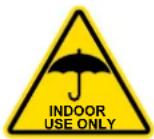
As long as the products are packed, please make sure you never place them upside down. This could damage the appliance. During transport, the product should be placed carefully. Make sure you prevent any drastic vibration during transport. You should never place or store this product outside or in open air for a longer period of time than a few hours (not even packed). It should be stored in a well-ventilated warehouse without corrosive
gasses. When, in case of an emergency, you need to store them temporarily outside, you should take measures to protect them from rain or moisture.
SAFETY PRECAUTIONS AND USAGE ENVIRONMENT:
- Remove all packaging material and any protective film from the device.
- This product should be placed in a balanced and well ventilated spot and its left and right sides should be free from obstacles for more than 10cm. It's back-side should be free from the obstacles (like a wall etc.) for more than 20cm.
- During operation, do not place any stuff in front of the appliance to make sure it could be operated at any time needed.
- Do not place the appliance on a carpet, a tea towel, tablecloth (vinyl) or another surface that cannot withstand high temperatures. This could cause fire hazard.
-
Do never cover the appliance with foil; this could cause overheating and therefore danger.
-
Never plug the power cord into an extension cord or wall outlet to which multiple devices are connected.
-
Never put the plug in the socket with wet hands.
-
When disconnecting the device from the power, never pull from the cord, only the plug.
-
The power pressure of this equipment should conform to the supply voltage of this product.
- The user should install the suitable power switch, fuse and leakage-protector near to the equipment.
- Before usage, this equipment must be connected (safe) to a grounded socket.
-
Before starting up, you should check whether the socket you want to use is grounded.
-
Ensure whether all the connections of all the electric elements of the product are firm or not, and whether the safety grounding is reliable or not.
- When you change the power cable, you should select the same model cable and: it is only allowed to let a professional electrician do this.
- Never use other parts than the ones which are from CaterChef. CaterChef is not taking any responsibility for damage caused by the use of other (non-related) parts.
- If you need to (re)connect, repair or maintain the appliance, do not do this by yourself. This is forbidden. This must always be done by a professional electrician.
- If there are any abnormal phenomenons during usage, you must stop the appliance directly. After checking you can continue to use it as long as it is safe. Do not repair the appliance by yourself. This should always been done by a technical professional.
- During operation or cooling down: always keep the appliance out of reach of children. This, mainly to prevent burning injuries.
DEGREASE:
Before operating for the first time, clean the device with warm water, a wet cloth and a small amount of detergent. Do not rinse the appliance under the tap, this could cause serious damage to the appliance. In addition, make sure that you have dried it properly before you start operating the device.
SAFETY INSTRUCTIONS:
- Never leave the area around the appliance during use. (Use also includes the cooling down period).
- Never move the appliance during use.
- The device should only be used for its intended purpose.
- Cooling down: After usage (and after turning thermostat back to 0 and turning the switch OFF), the appliance needs to cool down for a minimum time of 30 minutes. To prevent any burning injuries or other danger, do not touch, move or use the appliance during this period of time.
- After usage, turn off the switch.
- After usage the electricity needs to be cut from the socket to prevent fire hazard. This to prevent short circuit or danger.
- When you move the product from its place, always pick it up from the lower side of the appliance. Never pick it up from the upper side (baking tray) to prevent any damage to the appliance.
USER INSTRUCTIONS
- The thermostat is placed in front of the product (control panel) and it's used to turn the display case ON and OFF and to set the display case to the desired temperature.
- Turn the power ON by turning the thermostat in between +30 and +85°C. Rotate the thermostat clockwise, and set the desired cooking temperature. In this exact moment, the indicator light will go ON. Which means that the machine is powered and the heating tubes start to work. When the temperature reached the required temperature, the thermostat will stop heating automatically. At the same time, the indicator light will turn OFF.
- The display shows the actual temperature.
- If the temperature of the cabinet falls down slightly, the heating elements will be powered ON automatically and the indicator light will light again. The temperature of the cabinet will rise again to ensure the desired temperature (within a certain range), constantly.
Pay extra attention:
- Always turn the thermostat back to 0 after use. Do not forget to remove the plug from the socket.
- Under the display case there is a tray designed to collect waste and moisture.
- When placing the food in the display case and removing it from the display case, carefully move the windows to the side. This is to prevent damage to glass in particular.
CLEANING AND MAINTENANCE:
Step 1: After usage, the device must first be switched OFF, after which you must remove the plug from the socket. Always do this in the order described to prevent short circuit or other possible dangers.
Step 2: Clean the parts and the device with warm water, a wet cloth and a small amount of cleaning-detergent and then dry it thoroughly. Do not use benzine, thinner, scouring brush or polishing powder to clean the device.
- Pay attention! Do not rinse the device with water (don't wash it by using the tap).
This could cause damage to the device and could therefore lead to dangerous situations;
- Never clean the device with a stainless steel brush. This causes scratches and damages to the device;
• Always store the appliance inside and keep it dry; - Before maintaining the appliance, always make sure you have removed the plug from the socket.
If the appliance does not work or is damaged, check the following:
- Whether the plug is in the socket;
- Whether the plug and / or the cord is damaged.
If it is nr. 2 or if another problem occurs, contact your local dealer or authorized service technician.
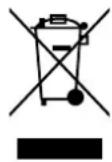
According to Waste of Electrical and Electronic Equipment (WEEE) directive, WEEE should be separately collected and treated. If at any time in future you need to dispose of this product please do NOT dispose of this product with household waste. Please send this product to WEEE collecting points where available.
Brand : CaterChef
Model : 680050
Category : Hot plate