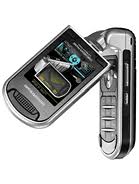
INNO P10 - Mobile Phone INNOSTREAM - Free user manual and instructions
Find the device manual for free INNO P10 INNOSTREAM in PDF.


Pick your language and provide your email: we'll send you a specifically translated version.
| Product Type | Mobile Phone |
| Brand | Innostream |
| Model | INNO P10 |
| Dimensions (H x W x D) | 105 x 46 x 18 mm |
| Weight | 85 g |
| Battery Type | Li-Ion 1000 mAh |
| Standby Time | Up to 200 hours |
| Talk Time | Up to 4 hours |
| Display | 1.8 inch TFT, 128x160 pixels, 65K colors |
| Network | GSM 900/1800/1900 |
| Camera | VGA (640x480) |
| Connectivity | Bluetooth 1.2, USB 1.1 |
| Memory | 64 MB internal, microSD slot |
| Main Functions | Calls, SMS, MMS, FM Radio, MP3 Player, Camera, Organizer |
| Cleaning | Wipe with dry soft cloth; avoid liquids |
| Safety | Use only approved chargers; keep away from water |
| Spare Parts & Repairability | Battery and charger available; repair by authorized service |
| General Information | Released in 2006; user manual available in PDF |
Frequently Asked Questions - INNO P10 INNOSTREAM
How do I insert the SIM card and battery?
Remove the back cover by sliding it down. Insert the SIM card with gold contacts facing down into the slot. Then insert the battery aligning the contacts, and replace the back cover.
How can I charge the phone?
Connect the charger to the phone's charging port and plug into a wall outlet. The battery icon will indicate charging. A full charge takes about 2-3 hours.
How do I make a call?
Enter the phone number using the keypad and press the green call button. To end the call, press the red button.
How can I store contacts?
Go to Contacts > Add New. Enter name and number, then save. You can store up to 500 contacts in the phone memory.
How do I send a text message?
From the main menu, select Messages > Write Message. Type your text using the keypad (multi-tap), enter recipient number, and send.
What should I do if the phone freezes?
Remove the battery cover, take out the battery for 10 seconds, reinsert it, and turn on the phone. This performs a soft reset.
How do I take a photo?
Select Camera from the menu. Frame the subject and press the OK button to capture. Photos are saved in the Gallery.
Can I listen to music?
Yes, the phone has an MP3 player. Transfer music via USB or Bluetooth, then select Music Player from the menu. Use headphones for better sound.
How do I set an alarm?
Go to Organizer > Alarm. Set the time, choose repeat (once, daily, etc.), and save. The alarm will ring even when the phone is off.
Why is the battery draining quickly?
Check if Bluetooth or backlight is on too long. Reduce screen brightness and close unused apps. If issue persists, the battery may need replacement.
User questions about INNO P10 INNOSTREAM
0 question about this device. Answer the ones you know or ask your own.
Ask a new question about this device
No questions yet. Be the first to ask one.
Download the instructions for your Mobile Phone in PDF format for free! Find your manual INNO P10 - INNOSTREAM and take your electronic device back in hand. On this page are published all the documents necessary for the use of your device. INNO P10 by INNOSTREAM.