
Google Wifi - Router NEST - Free user manual and instructions
Find the device manual for free Google Wifi NEST in PDF.


| Product Type | Mesh Wi-Fi Router |
| Brand | Nest (Google) |
| Model | Google Wifi |
| Power Adapter Input | 14V DC, 1.1A (included) |
| Operating Temperature | 32°F to 95°F (0°C to 35°C) |
| Storage Temperature | -4°F to 113°F (-20°C to 45°C) |
| RF Exposure Distance | At least 20 cm (8 inches) |
| Strangulation Hazard | Keep cords >3 ft (1 m) from children |
| Included Accessories | Google Wifi point, power adapter, Ethernet cable |
| Setup Requirement | Google Home app (iOS/Android) |
| Warranty (New) | 1 year from date of purchase |
| Warranty (Refurbished) | 90 days from date of purchase |
| Compliance | FCC Part 15, ISED, EMC |
| 5 GHz Indoor Use (Canada) | Indoor use only to reduce interference |
| Cleaning Instructions | Wipe with a dry cloth; do not use liquids |
| Service & Support | Visit g.co/nest/help or g.co/nest/contact |
| Manufacturer | Google LLC, Mountain View, CA, USA |
Frequently Asked Questions - Google Wifi NEST
User questions about Google Wifi NEST
0 question about this device. Answer the ones you know or ask your own.
Ask a new question about this device
Download the instructions for your Router in PDF format for free! Find your manual Google Wifi - NEST and take your electronic device back in hand. On this page are published all the documents necessary for the use of your device. Google Wifi by NEST.
USER MANUAL Google Wifi NEST
Setting up your Google Wifi point

Plug in your Google Wifi point
Plug the power adapter into the point and a wall outlet. Then connect the point to your modem* with the Ethernet cable.

Get the Google Home app

Set up your device
Tap + in the app to add your point. Follow on-screen steps to finish setup.
Point setup

What's included

Google Wifi point
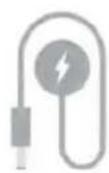
Power adapter

Ethernet cable
Learn more
For tips on where to place your points, visit g.co/googlewifi/placement
We're here to help
For online help, visit g.co/nest/help
To reach an expert, visit g.co/nest/contact
For help with accessibility, visit g.co/disabilitysupport
Safety, Warranty & Regulatory Guide for Google Wifi point
This booklet provides important safety, regulatory, and warranty information that you should read before using your Google Wifi point. You can find an online version of this document at g.co/googlewifi/safety
Basic safety

WARNING: HEALTH AND SAFETY INFORMATION
To avoid damaging your device, accessories, or any connected devices and to reduce the risk of personal injury, discomfort, property damage or other potential hazards, follow the precautions below and those found in the Google Wifi Safety Information at g.co/googlewifi/safety:
- Handle your Google Wifi point with care. You may damage the device if you disassemble, drop, bend, burn, crush or puncture your device. Do not use a Google Wifi point with a damaged enclosure. Make sure the power adapter is plugged into a socket near your Google Wifi point and is easily accessible. Be sure the power adapter and device are well ventilated when in use or charging. Using a damaged device, damaged cables, or damaged power adapter or charging when moisture or debris is present may cause overheating, fire, electric shock, injury, or damage to your device or other property. Do not expose your Google Wifi point or power adapter to liquids, which can cause a short circuit and overheating. If your Google Wifi point gets wet, do not attempt to dry it using an external heat source. Do not charge the device when wet or in direct sunlight. Your Google Wifi point is designed to work best in ambient temperatures between 32° and 95° F (0° and 35° C) and should be stored between ambient temperatures of -4° and 113° F (-20° and 45° C). Do not expose the device to temperatures above 113° F (45° C) as this may damage the device, or pose a risk of fire.
- This Google Wifi point must be used with a certified AC adapter with Limited Power Sources (LPS) output per IEC 60950-1 and/or PS2 classified output per IEC 62368-1, rated: 14 volts DC, maximum 1.1 Amp. Only power the Google Wifi point with the included power adapter. Failure to use the included adapter can cause fire, electric shock, injury, or damage to the device and the accessories.
- Maintain a distance of 20 cm (8 inches) between your body and the device to comply with Radiofrequency (RF) exposure requirements.
- Strangulation hazard. This device is not a toy. Children have strangled on cords. Keep cords out of the reach of children (more than 3 feet / 1 meter away).
Medical Device Interference
Your device uses radios and other components that emit electromagnetic fields, and contains magnets. These electromagnetic fields and magnets may interfere with pacemakers and other implanted medical devices. Always keep the device and its power adapter at a safe distance away from the pacemaker or other implanted medical device. If you have questions about using your Google device with or near your pacemaker or other implanted medical device, consult your healthcare provider before using your device. If you suspect your product is interfering with your pacemaker or other implanted medical devices, turn off your Google device and consult your physician for information specific to your medical device.
Service & support
For online help and support, visit g.co/nest/help. To reach an expert, visit g.co/nest/contact. If you send your Google Wifi point for service, you might receive a replacement device in place of your original device.
Regulatory information
Regulatory information, certification, and compliance marks specific to your Google Wifi point can be found on the bottom of your device. Additional regulatory and environmental information can be found at g.co/googlewifi/legal
Manufacturer address: Google LLC, 1600 Amphitheatre Parkway, Mountain View, CA 94043, United States.
EMC Compliance
Important: This device, power adapter, and accessories have demonstrated Electromagnetic Compatibility (EMC) compliance under conditions that included the use of compliant peripheral devices and shielded cables between system components. It is important that you use compliant peripheral devices and shielded cables between system components to reduce the possibility of causing interference to radios, televisions, and other electronic devices.
FCC & ISED regulatory compliance
This device complies with Part 15 of the FCC Rules and Innovation, Science and Economic Development Canada (ISED) license-exempt RSS standards. Operation is subject to the following 2 conditions:
- This device may not cause harmful interference.
- This device must accept any interference received, including interference that may cause undesired operation.
The Innovation, Science and Economic Development Canada and Federal Communications Commission regulations provide that changes or modifications not expressly approved by Google LLC could void your authority to operate this equipment.
The device for operation in the band 5150-5250 MHz in Canada is only for indoor use to reduce the potential for harmful interference to co-channel mobile satellite systems.
Google Consumer Hardware Limited Warranty — USA/Canada
This Limited Warranty applies only if you are a consumer and purchased your Google product ("Google Product") in the United States or Canada.
What does this warranty cover and how long does it last? Google warrants that a new Google Product (including any ancillary parts that may be packaged with it) will be free from defects in materials and workmanship
under normal use in accordance with Google's published user documentation for one year from the date of original retail purchase in its original packaging by you. If a Google Product has been refurbished, Google warrants that the Google Product (including any ancillary parts that may be packaged with it) will be free from defects in materials and workmanship under normal use in accordance with Google's published user documentation for ninety days from the original date of retail purchase by you (these warranties are collectively referred to as our "Limited Warranty").
What will Google do? (THIS IS YOUR EXCLUSIVE REMEDY) If a defect covered by this Limited Warranty arises and you return your Google Product during the Limited Warranty period (which is one year for new Google Products and ninety days for refurbished Google products), Google will in its sole discretion and to the extent permitted by law repair your Google Product using new or refurbished parts, replace your Google Product with a new or refurbished Google Product functionally at least equivalent to yours, or accept the return of your Google Product in exchange for a refund of the purchase price you paid for your Google Product. If Google repairs or replaces your Google Product, the repaired or replaced Google Product will continue to be warranted for the remaining time of the original warranty period. All returned parts for which you have received a replacement will become the property of Google. Repair or replacement may result in loss of data. Nothing in this Limited Warranty will reduce or otherwise affect your statutory rights in relation to your Google Product.
THE LIMITED WARRANTY WRITTEN ABOVE IS THE ONLY EXPRESS WARRANTY GOOGLE PROVIDES FOR YOUR GOOGLE PRODUCT, AND THE ABOVE REMEDY IS YOUR SOLE REMEDY. TO THE MAXIMUM EXTENT PERMITTED BY APPLICABLE LAW, GOOGLE EXPRESSLY DISCLAIMS ALL OTHER WARRANTIES AND CONDITIONS OF ANY KIND, WHETHER STATUTORY OR IMPLIED, ARISING FROM COURSE OF CONDUCT OR OTHERWISE, REGARDING YOUR GOOGLE PRODUCT, EXCEPT THAT ANY IMPLIED WARRANTIES OF MERCHANTABILITY, FITNESS FOR A PARTICULAR PURPOSE, AND NON-INFRINGEMENT ARE LIMITED IN DURATION TO THE PERIOD OF THE EXPRESS WARRANTY ABOVE (EITHER ONE YEAR OR NINETY DAYS, DEPENDING ON WHETHER YOUR GOOGLE PRODUCT IS NEW OR REFURBISHED).
Some states, provinces or territories do not allow limitations on how long an implied warranty lasts, so the above limitation may not apply to you.
What does this warranty not cover? This Limited Warranty is only valid and enforceable in locations where the Google Product is sold and will apply only if you purchased your Google Product from Google or its authorized resellers. This Limited Warranty only applies to hardware components (and not any software elements) of Google Product, and this Limited Warranty does not apply to damage caused by: (1) normal wear and tear; (2) accidents; (3) misuse (including failure to follow product documentation); (4) neglect; (5) disassembly; (6) alterations; (7) servicing other than by Google-authorized technicians; and (8) external causes such as, but not limited to: water damage, exposure to sharp objects, exposure to excessive force, anomalies in the electrical current supplied to the Google product, and extreme thermal or environmental conditions. This Limited Warranty does not guarantee that use of the Google Product will be uninterrupted or error-free.
YOU EXPRESSLY UNDERSTAND AND AGREE THAT, TO THE MAXIMUM EXTENT PERMITTED BY APPLICABLE LAW, GOOGLE AND ITS SUBSIDIARIES AND AFFILIATES (COLLECTIVELY, "GOOGLE PARTIES") SHALL NOT BE LIABLE TO YOU UNDER ANY THEORY OF LIABILITY (WHETHER CONTRACT, TORT (INCLUDING NEGLIGENCE), BREACH OR FAILURE OF ANY WARRANTY OR OTHERWISE) FOR ANY INDIRECT, INCIDENTAL, SPECIAL, CONSEQUENTIAL OR EXEMPLARY DAMAGES THAT MAY BE INCURRED BY YOU IN CONNECTION WITH YOUR GOOGLE PRODUCT OR THESE TERMS, INCLUDING ANY LOSS OF DATA, WHETHER OR NOT A GOOGLE PARTY OR ITS REPRESENTATIVES HAVE BEEN ADVISED OF OR SHOULD HAVE BEEN AWARE OF THE POSSIBILITY OF ANY SUCH LOSSES ARISING. YOU EXPRESSLY UNDERSTAND AND AGREE THAT, TO THE MAXIMUM EXTENT PERMITTED BY APPLICABLE LAW, THE GOOGLE PARTIES' TOTAL LIABILITY IN CONNECTION WITH YOUR GOOGLE PRODUCT OR THIS LIMITED WARRANTY WILL NOT EXCEED THE AMOUNT YOU ACTUALLY PAID GOOGLE FOR YOUR GOOGLE PRODUCT.
Some states, provinces or territories do not allow the exclusion or limitation of incidental or consequential damages, so the above limitation or exclusion may not apply to you.
How do you make a claim? To make a claim under the Limited Warranty, please contact Google Product Support at g.co/nest/contact. You must provide your name, contact information, and the serial number of your Google Product to receive support. You may also be required to provide a purchase receipt.
Other limitations: No vendor, seller, authorized reseller, employee, or representative of Google or its affiliates or any third party is authorized to make any modification, extension, or addition to this Limited Warranty. If any term of this Limited Warranty is held to be illegal or unenforceable, the remaining terms of this Limited Warranty will remain in full force and effect.
How state, province, territory, and other laws apply to you: This warranty gives you specific legal rights, and you may also have other rights that vary from jurisdiction to jurisdiction.
This Limited Warranty is given by Google LLC, organized in the state of Delaware, whose principal place of business is at 1600 Amphitheatre Parkway, Mountain View, CA, 94043, United States.
G953-00932-01 REV C



- SETTING UP YOUR GOOGLE WIFI POINT
- LEARN MORE
- WE'RE HERE TO HELP
- SAFETY, WARRANTY & REGULATORY GUIDE FOR GOOGLE WIFI POINT
- BASIC SAFETY
- WARNING: HEALTH AND SAFETY INFORMATION
- MEDICAL DEVICE INTERFERENCE
- SERVICE & SUPPORT
- REGULATORY INFORMATION
- EMC COMPLIANCE
- FCC & ISED REGULATORY COMPLIANCE
- GOOGLE CONSUMER HARDWARE LIMITED WARRANTY — USA/CANADA
Brand : NEST
Model : Google Wifi
Category : Router