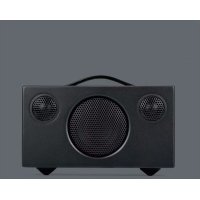
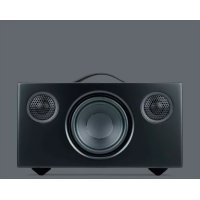
DVD ONE - DVD player AUDIO PRO - Free user manual and instructions
Find the device manual for free DVD ONE AUDIO PRO in PDF.


Pick your language and provide your email: we'll send you a specifically translated version.
| Product Type | DVD Player |
| Brand | Audio Pro |
| Model | DVD ONE |
| Dimensions (W x H x D) | 430 x 40 x 260 mm |
| Weight | 2.5 kg |
| Power Supply | AC 100-240V, 50/60Hz |
| Power Consumption | 15 W (standby < 1 W) |
| Disc Playback | DVD, DVD±R/RW, CD, CD±R/RW, MP3, JPEG |
| Video Output | Composite, Component, S-Video |
| Audio Output | Stereo RCA, Digital Coaxial, Optical |
| Region Code | 2 (Europe) - may be changed |
| Remote Control | Included |
| Maintenance | Clean with a soft, dry cloth. Do not use solvents. |
| Safety | Keep away from moisture and heat sources. Do not open casing. |
| Spare Parts | Remote control, power cord (available separately) |
| Repairability | Professional repair only. No user-serviceable parts. |
| General Information | Audio Pro DVD ONE is a standard DVD player with multiple playback formats and connectivity options. |
Frequently Asked Questions - DVD ONE AUDIO PRO
What disc formats does the Audio Pro DVD ONE support?
The Audio Pro DVD ONE supports DVD, DVD±R/RW, CD, CD±R/RW, MP3, and JPEG discs.
How do I connect the DVD player to my TV?
Use a composite (yellow RCA), component (Y/Pb/Pr), or S-Video cable. For audio, use the stereo RCA or digital outputs.
Why is my DVD player not reading discs?
Ensure the disc is clean and inserted correctly. Try a different disc format. If the problem persists, the laser lens may need cleaning.
Can I change the region code?
Region code changes are possible but limited to a few times. Refer to the manual or contact support. Typically, the factory region is 2 (Europe).
The remote control is not working. What should I do?
Check the batteries and point the remote directly at the sensor. Remove any obstructions. If still not working, replace the batteries or contact support.
Does the DVD player support progressive scan?
Yes, it supports progressive scan video output for a clearer picture on compatible TVs.
How do I clean the DVD player?
Unplug the device and wipe the exterior with a soft, dry cloth. Do not use any liquid or chemical cleaners.
What is the power consumption of the DVD ONE?
The power consumption is approximately 15 W during play and less than 1 W in standby mode.
Can I play CDs with MP3 files?
Yes, the DVD player can play MP3 files burned on CD-R/RW discs. Ensure the files are in MP3 format.
Where can I find a replacement remote?
Replacement remotes can be purchased from Audio Pro dealers or online retailers. Use the official part number.
User questions about DVD ONE AUDIO PRO
0 question about this device. Answer the ones you know or ask your own.
Ask a new question about this device
No questions yet. Be the first to ask one.
Download the instructions for your DVD player in PDF format for free! Find your manual DVD ONE - AUDIO PRO and take your electronic device back in hand. On this page are published all the documents necessary for the use of your device. DVD ONE by AUDIO PRO.