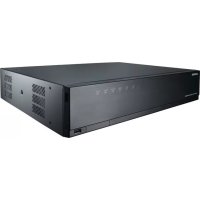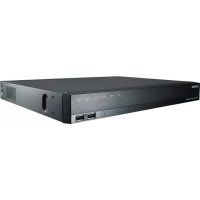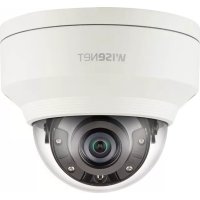
QND-8010R - Surveillance Camera Wisenet - Free user manual and instructions
Find the device manual for free QND-8010R Wisenet in PDF.


Pick your language and provide your email: we'll send you a specifically translated version.
| Product Type | Surveillance Camera |
| Brand | Wisenet |
| Model | QND-8010R |
| Category | Network Bullet Camera |
| Resolution | Up to 4K (3840 x 2160) |
| Frame Rate | 30 fps at 4K |
| Lens | 4.0 – 9.0 mm motorized varifocal |
| Field of View | Horizontal: 109° – 40° |
| Night Vision | IR LEDs up to 40 m |
| Day/Night Function | ICR (Infrared Cut-filter Removal) |
| Compression | H.265, H.264, MJPEG |
| Network Interface | RJ-45 10/100 Base-T |
| Power Supply | PoE (802.3af) or DC 12V |
| Power Consumption | Max 12.95W (PoE Class 0) |
| Dimensions (W x H x D) | Approx. 80 x 240 x 80 mm |
| Weight | Approx. 1.1 kg |
| Ingress Protection | IP66 (weatherproof) |
| Operating Temperature | -40°C to +55°C |
| Storage Temperature | -40°C to +70°C |
| Maintenance | Clean lens with soft cloth; avoid solvents |
| Safety | CE, FCC, UL listed |
| Spare Parts | Mounting bracket, screws, waterproof caps |
Frequently Asked Questions - QND-8010R Wisenet
How do I reset the QND-8010R to factory defaults?
Press and hold the reset button (located near the network port) for 10 seconds while the camera is powered on.
What is the maximum resolution of the QND-8010R?
The camera supports up to 4K resolution (3840x2160) at 30 fps.
Is the QND-8010R suitable for outdoor use?
Yes, it has an IP66 rating, making it weatherproof and suitable for outdoor installation.
What power options are available?
It supports Power over Ethernet (PoE 802.3af) or DC 12V input.
How far can the IR LEDs see at night?
The built-in IR LEDs provide night vision up to 40 meters (131 feet).
Can I adjust the lens remotely?
Yes, the lens is motorized varifocal (4.0–9.0 mm) and can be controlled via software for zoom and focus.
What video compression formats are supported?
The camera supports H.265, H.264, and MJPEG compression.
How do I connect the camera to my network?
Connect an Ethernet cable from the camera to a PoE switch or injector. Use the Wisenet IP installer or web browser to configure IP settings.
What is the operating temperature range?
The camera operates from -40°C to +55°C (-40°F to 131°F).
Where can I find the user manual?
The user manual is available as a free PDF download on notice-facile.com. Search for 'Wisenet QND-8010R'.
User questions about QND-8010R Wisenet
0 question about this device. Answer the ones you know or ask your own.
Ask a new question about this device
No questions yet. Be the first to ask one.
Download the instructions for your Surveillance Camera in PDF format for free! Find your manual QND-8010R - Wisenet and take your electronic device back in hand. On this page are published all the documents necessary for the use of your device. QND-8010R by Wisenet.