
Disney Pixar Toy Story Star Command Spaceship - Toy Fisher Price - Free user manual and instructions
Find the device manual for free Disney Pixar Toy Story Star Command Spaceship Fisher Price in PDF.


| Type | Toy Spaceship Playset |
| Brand | Fisher Price |
| Model | Disney Pixar Toy Story Star Command Spaceship |
| Batteries | 3 AA (LR6) alkaline (not included) |
| Features | Lights and sounds, detachable rocket pod, mission base, space exploring rover, glow-in-the-dark Buzz Lightyear chest plate |
| Included Items | Buzz Lightyear figure, wings, boosters, accessories (labels, projectiles) |
| Assembly | Adult assembly required |
| Safety Warnings | Do not aim projectiles at eyes or face; only use supplied projectiles; not at point blank range |
| Automatic Shut-off | Yes, to preserve battery life |
| Recommended Age | 3 years and up |
| Material | Plastic, electronic components |
| Glow-in-the-Dark | Place Buzz Lightyear figure 1 ft (30 cm) from light source for 60 seconds |
Frequently Asked Questions - Disney Pixar Toy Story Star Command Spaceship Fisher Price
User questions about Disney Pixar Toy Story Star Command Spaceship Fisher Price
0 question about this device. Answer the ones you know or ask your own.
Ask a new question about this device
Download the instructions for your Toy in PDF format for free! Find your manual Disney Pixar Toy Story Star Command Spaceship - Fisher Price and take your electronic device back in hand. On this page are published all the documents necessary for the use of your device. Disney Pixar Toy Story Star Command Spaceship by Fisher Price.
USER MANUAL Disney Pixar Toy Story Star Command Spaceship Fisher Price
STAR COMMAND SPACESHIP
INSTRUCTIONS
Adult assembly required.
Requires 3 AA (LR6) alkaline batteries (not included).
Dispose of batteries safely.

©2019 Mattel.® and ™ designate U.S. trademarks of Mattel, except as noted. Mattel, Inc., 636 Girard Avenue, East Aurora, NY 14052, U.S.A. Consumer Services 1-800-524-8697 or 1-877-219-8335 (for products that can be controlled by smart devices). Mattel U.K. Ltd., Vanwall Business Park, Maidenhead SL6 4UB. Helpline 01628 500303. Mattel Australia Pty., Ltd., Richmond, Victoria. 3121. Consumer Advisory Service - 1300 135 312. Mattel South Africa (PTY) LTD, Office 102 I3, 30 Melrose Boulevard, Johannesburg 2196. Mattel East Asia Ltd., Room 503-09, North Tower, World Finance Centre, Harbour City, Tsimshatsui, HK, China. Tel.: (852) 3185-6500. Diimport & Diedarkan Oleh: Mattel Southeast Asia Pte. Ltd., No 19-1, Tower 3 Avenue 7, Bangsar South City, No 8, Jalan Kerinchi, 59200 Kuala Lumpur, Malaysia. Tel: 03-33419052.
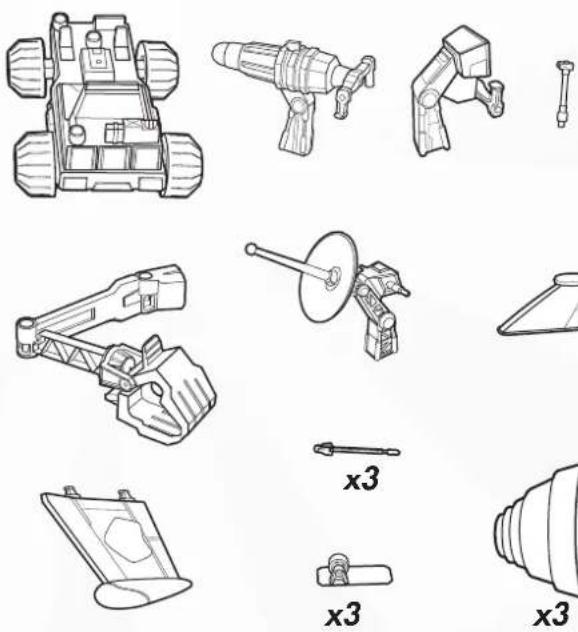
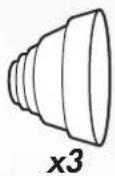
1 CONTENTS
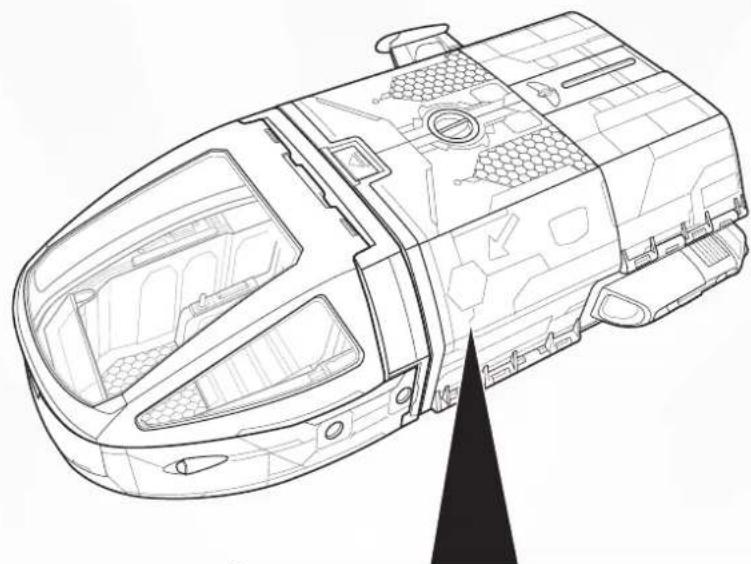
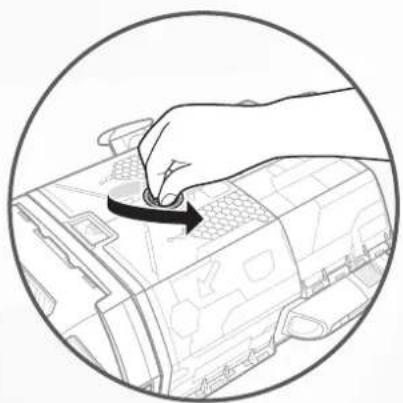
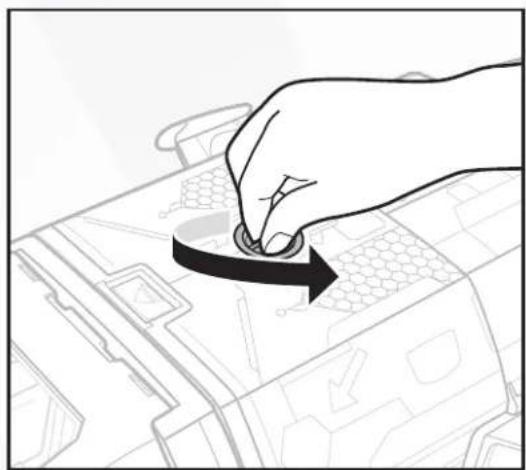
TIP: Turn dial to unlock the spaceship. Open the spaceship walls to access the unassembled parts before play.

2 BATTERY INSTALLATION
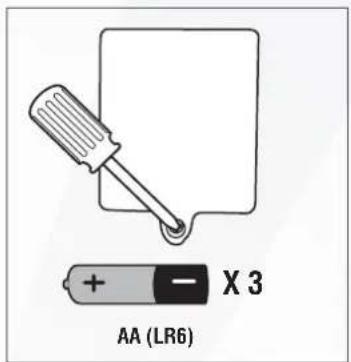
- Requires 3 AA (LR6) alkaline batteries (not included).
- Unscrew the battery cover with a Phillips head screwdriver (not included).
• Install 3 new AA (LR6) alkaline batteries in the battery box. - Replace battery cover and tighten screw.
- Replace the batteries if sounds distort or lights dim.
- For best performance, use only alkaline batteries.
- When exposed to an electrostatic source, the product may malfunction. To resume normal operation, remove and reinstall the batteries.
NOTE: This product is equipped with an automatic shut-off feature that helps preserve battery life.
3 GLOW-IN-THE-DARK
Buzz Lightyear's chest plate can glow in the dark! Place the Buzz Lightyear figure approximately 1 feet (30 cm) away from a light source for 60 seconds.

- Placing the Buzz Lightyear figure closer will not intensify the glow-in-the-dark feature.
- Glow-in-the-dark feature will last longer if you do not expose this product to intense heat, or direct sunlight for prolonged periods of time.
4 ONE-TIME ASSEMBLY

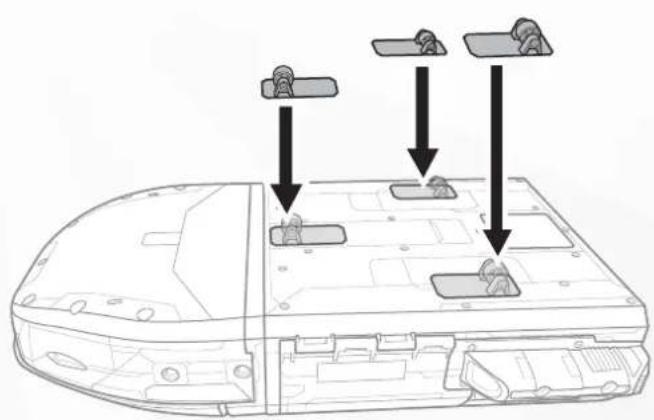
BOTTOM VIEW
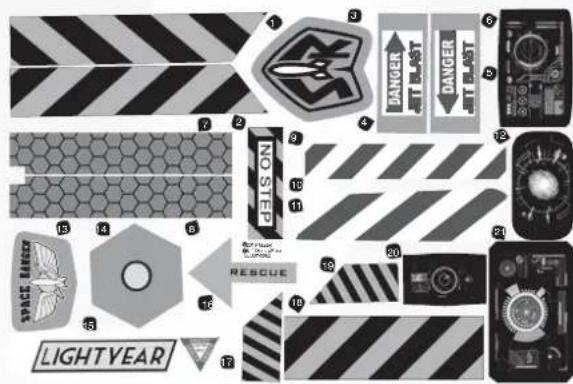
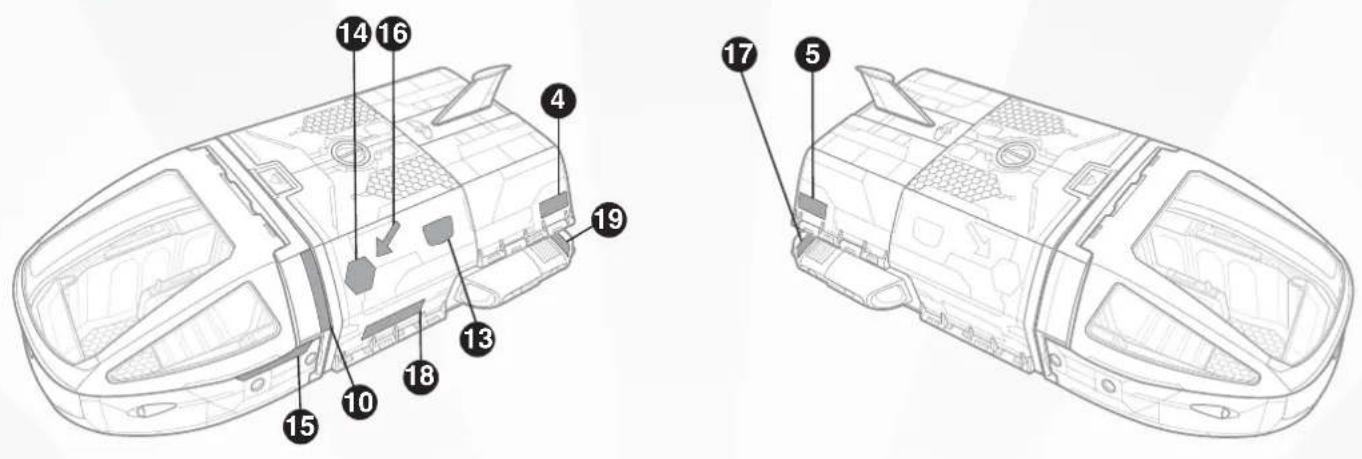
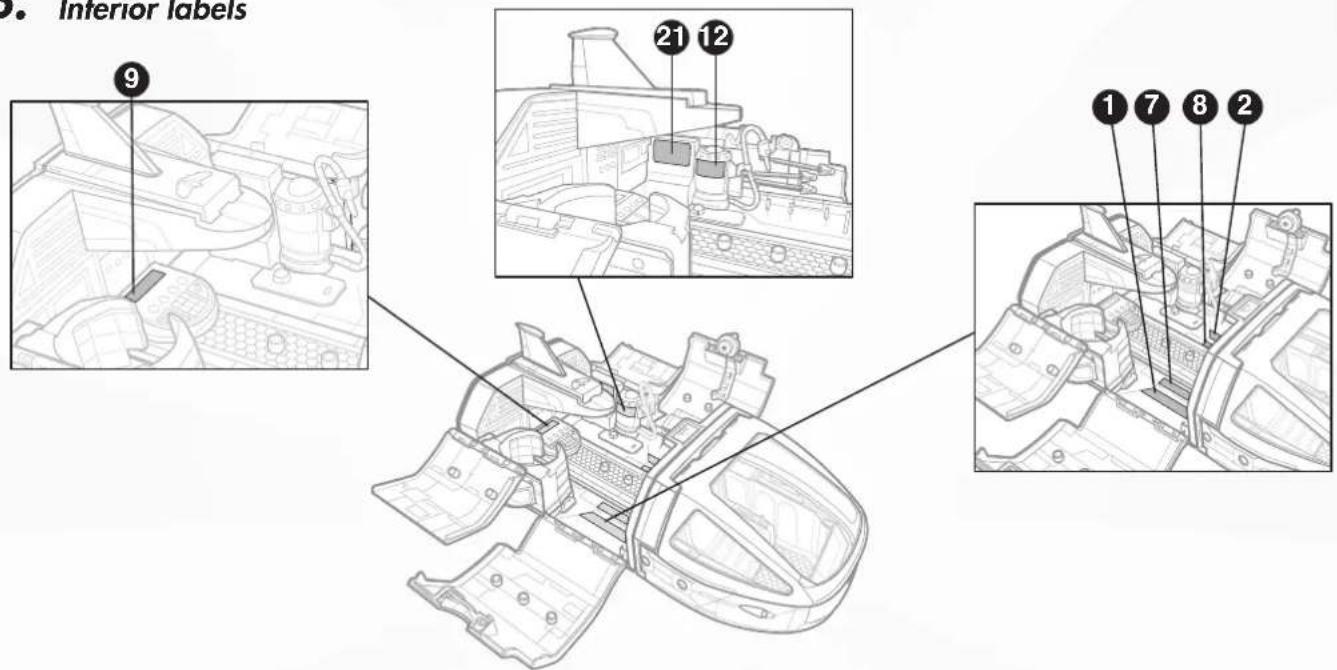
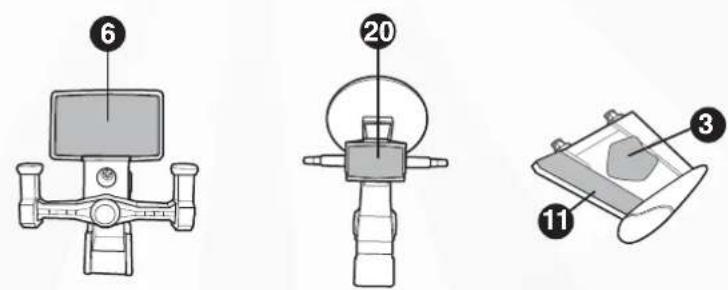
5 APPLY LABELS
A. Exterior labels
B. Interior labels
C. Accessory labels
6 TO PLAY: CHOOSE YOUR OWN ADVENTURE!
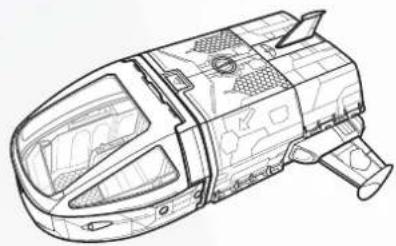
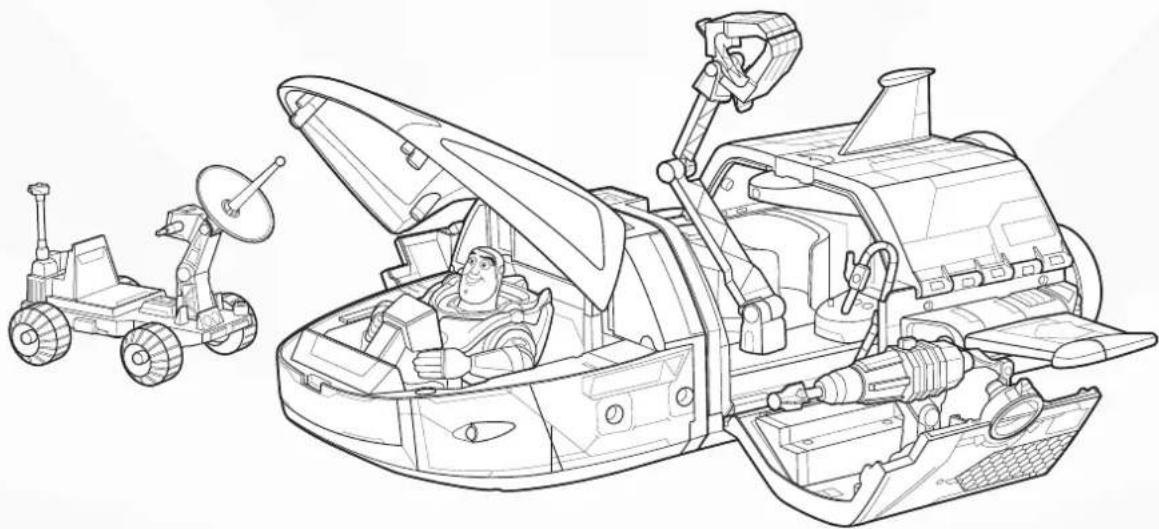
STAR COMMAND SPACESHIP MISSION BASE
ROCKET POD SPACE EXPLORING ROVER
7 STAR COMMAND SPACESHIP
A. Attach wing to the spaceship.
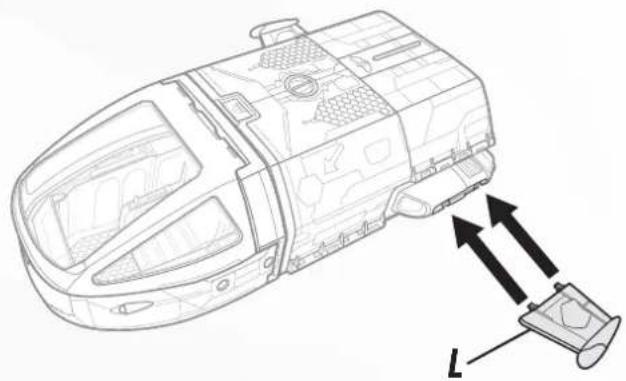
C. Attach flight control panel and place Buzz Lightyear inside the cockpit.
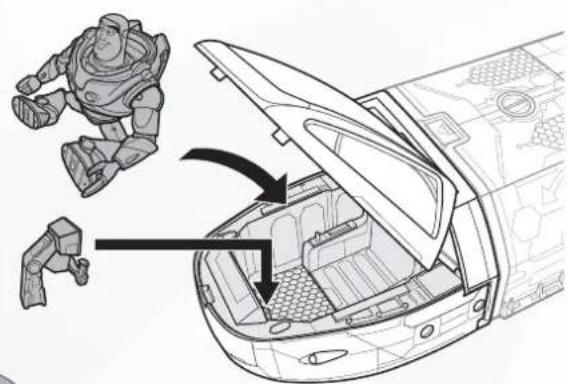
B. Attach boosters.
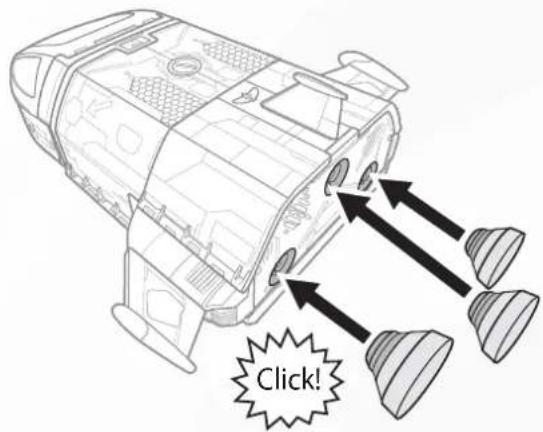
D. Press button for lights and sounds!
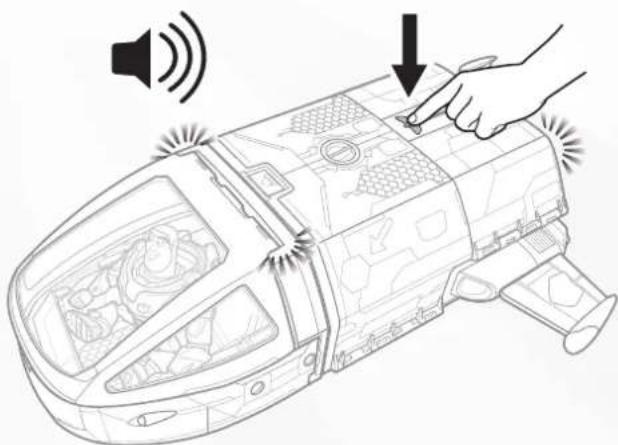
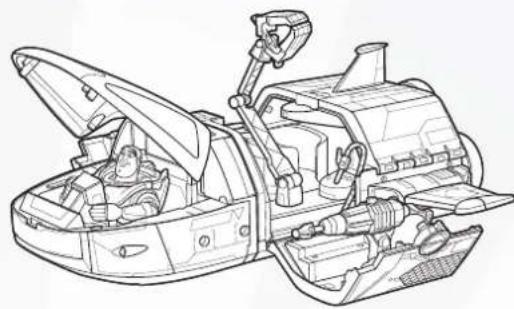
8 MISSION BASE
A. Turn dial to unlock spaceship.
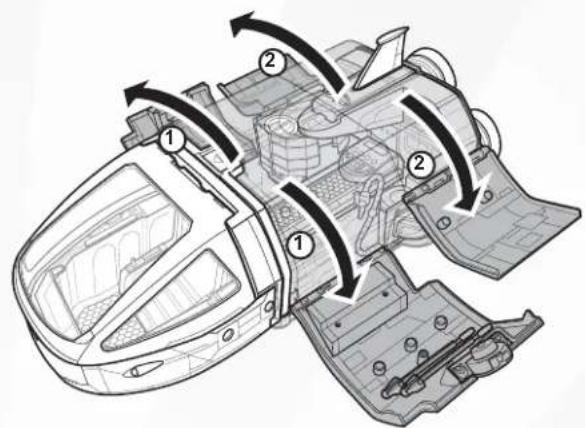
B. Open the walls to reveal the mission base.
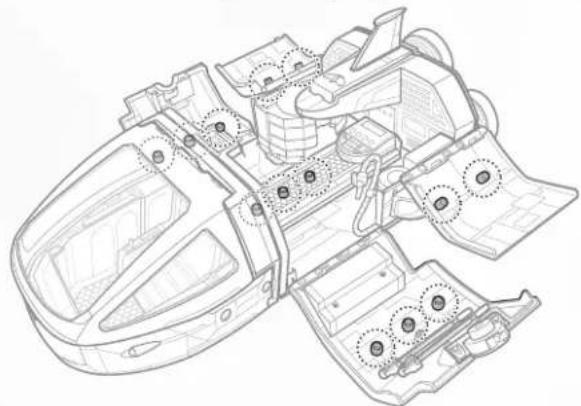
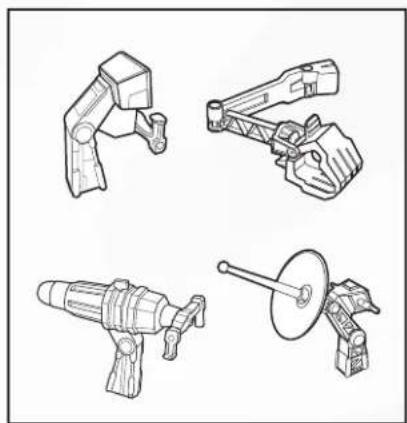
C. Attach accessories to any of the pegs on the mission base.
D. Adventures inside the spaceship!
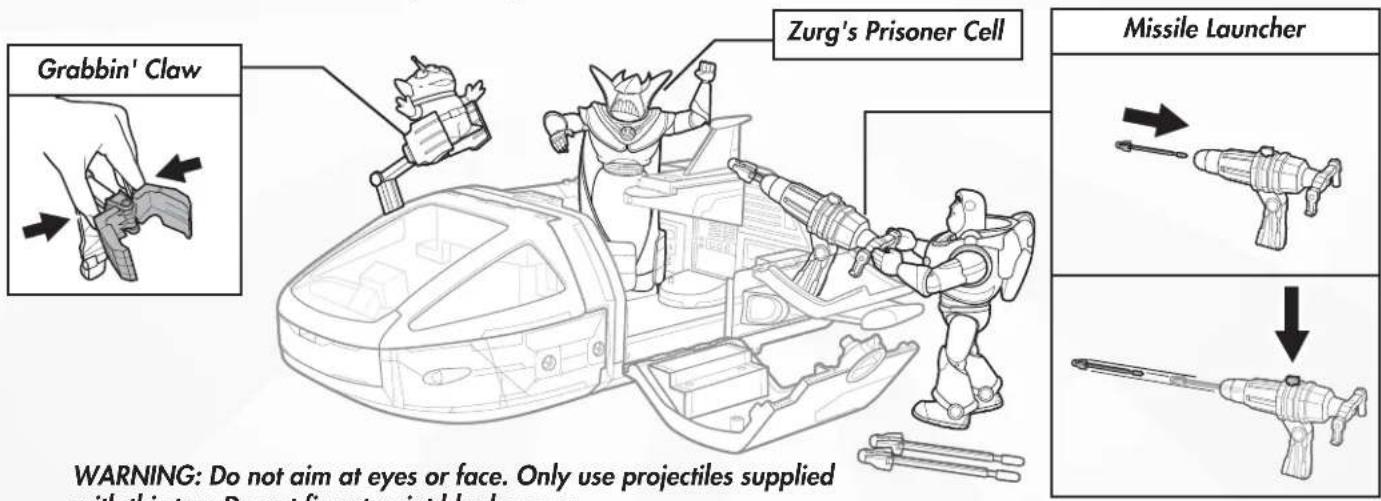
WARNING: Do not aim at eyes or face. Only use projectiles supplied with this toy. Do not fire at point blank range.
Buzz Lightyear figure included. Other figures sold separately, subject to availability.
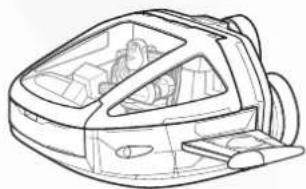
9 DETACHABLE ROCKET POD
A. Press front button to detach the rocket pod!
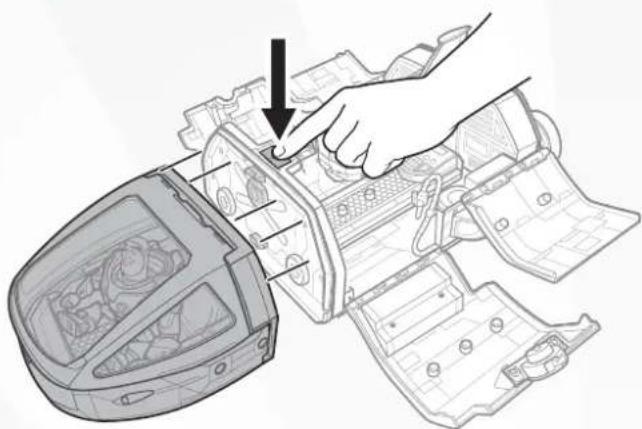
To reattach the rocket pod, insert the spaceship's bottom connector to the pod.
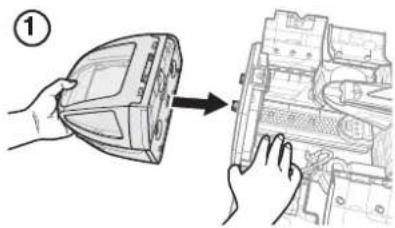
Push pod upward to lock it to the spaceship.
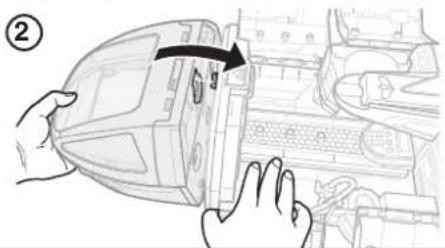
B. Detach the wings from the spaceship and attach them to the rocket pod.
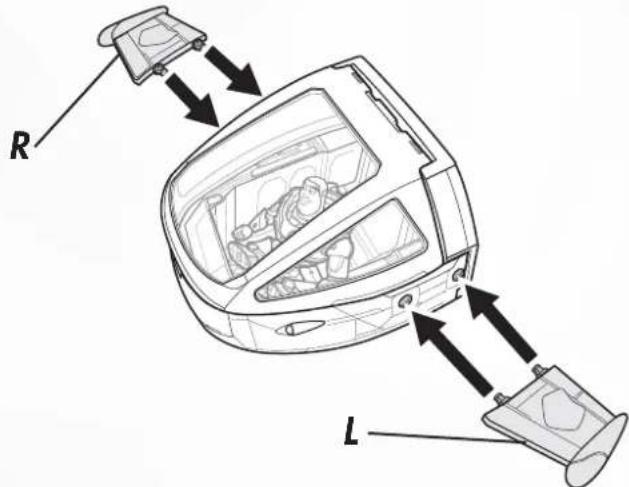
C. Remove boosters from the spaceship and attach them to the rocket pod for a new mission!
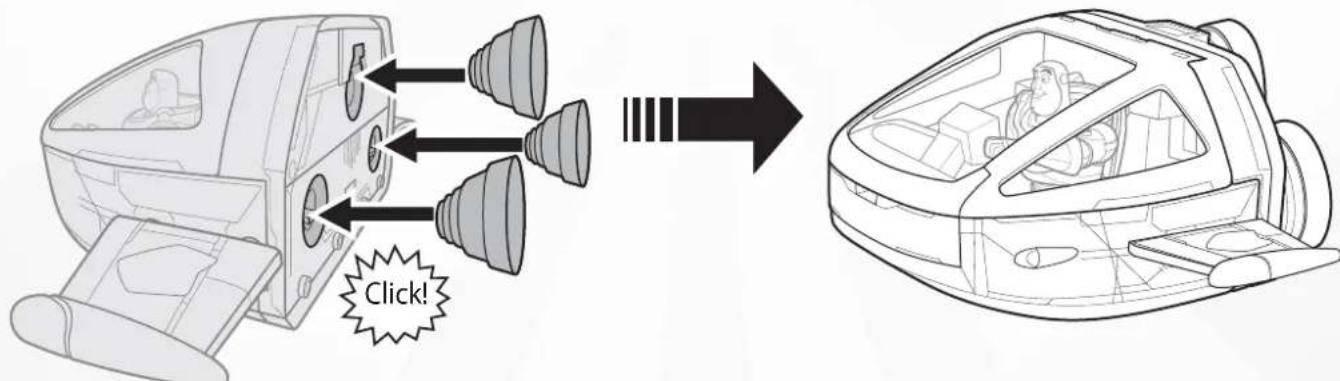
To transform back into spaceship, reverse steps in sections 8 and 9.
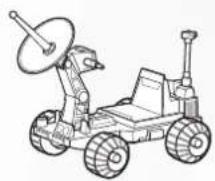
10 SPACE EXPLORING ROVER
A. Attach different accessories on each peg.
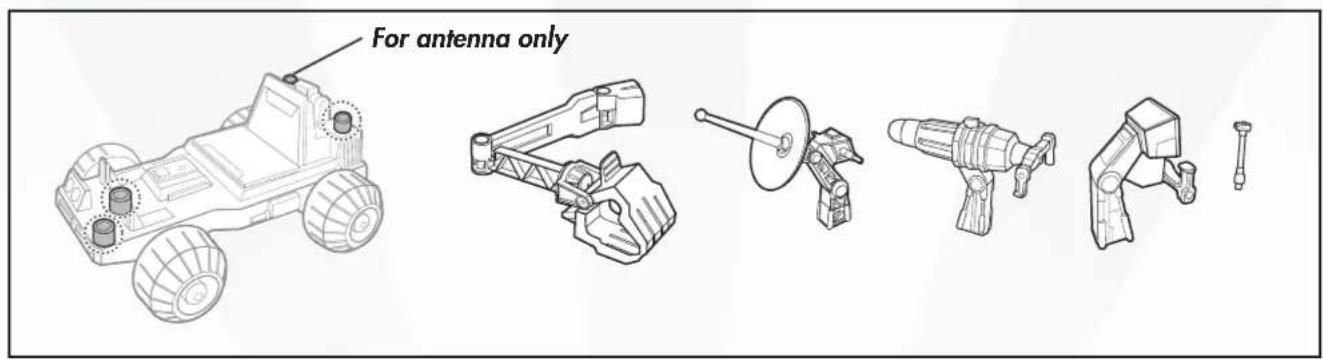
B. Customize the rover.
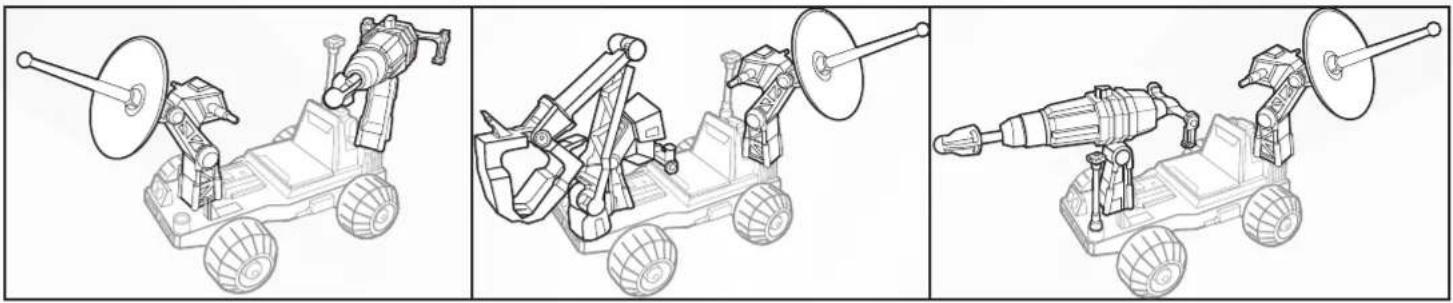
C. Place figure on the rover to explore new alien lands!



Brand : Fisher Price
Model : Disney Pixar Toy Story Star Command Spaceship
Category : Toy