
HAP-Z1ES - Hi-Fi System SONY - Free user manual and instructions
Find the device manual for free HAP-Z1ES SONY in PDF.


| Product Type | HDD Audio Player (Hi-Fi System) |
| Brand | Sony |
| Model | HAP-Z1ES |
| Dimensions (W x H x D) | 430 mm x 130 mm x 390 mm (including projecting parts) |
| Weight | 14.5 kg |
| Power Requirements | AC 230 V, 50/60 Hz |
| Power Consumption (On) | 35 W |
| Power Consumption (Standby, Network Off) | 0.3 W |
| Hard Disk Drive Capacity | 1 TB |
| Supported Audio Formats | DSD (DSF, DSDIFF), LPCM (WAV, AIFF), FLAC, ALAC, ATRAC Advanced Lossless, ATRAC, MP3, AAC, WMA (2 channels) |
| Frequency Response | 2 Hz - 80 kHz (-3 dB) |
| Dynamic Range | 105 dB or higher |
| Total Harmonic Distortion (THD) | 0.0015% or less |
| Wired LAN | 1000BASE-T / 100BASE-TX / 10BASE-T |
| Wireless LAN | IEEE 802.11 b/g/n, 2.4 GHz band (channels 1-13) |
| Line Output (Unbalanced) | 2.0 Vrms (50 kΩ load) |
| Line Output (Balanced) | 2.0 Vrms (600 Ω load or higher) |
| EXT Port | USB Type A (Hi-Speed USB) for external HDD |
| Supplied Accessories | AC power cord, remote control (RM-ANU183), batteries (2x R03), LAN cable, audio cord, monaural mini-plug cable, IR blaster, Quick Start Guide, Reference Guide |
| Cleaning Instructions | Use a soft cloth slightly moistened with mild detergent; avoid abrasive pads, scouring powder, alcohol, or benzine |
| Safety Precautions | Do not install in confined space; avoid heat sources, direct sunlight, dust, and mechanical shock; unplug during storms or if unused for long periods |
| Spare Parts and Repairability | Contact nearest Sony dealer or qualified service center for repairs; do not replace internal hard drive yourself |
Frequently Asked Questions - HAP-Z1ES SONY
User questions about HAP-Z1ES SONY
0 question about this device. Answer the ones you know or ask your own.
Ask a new question about this device
Download the instructions for your Hi-Fi System in PDF format for free! Find your manual HAP-Z1ES - SONY and take your electronic device back in hand. On this page are published all the documents necessary for the use of your device. HAP-Z1ES by SONY.
USER MANUAL HAP-Z1ES SONY
Do not install the appliance in a confined space, such as a bookcase or built-in cabinet.
To reduce the risk of fire, do not cover the top board of the appliance with newspapers, tablecloths, curtains, etc. Do not expose the appliance to naked flame sources (for example, lighted candles).
To reduce the risk of fire or electric shock, do not expose this appliance to dripping or splashing, and do not place objects filled with liquids, such as vases, on the appliance.
The unit is not disconnected from the mains as long as it is connected to the AC outlet, even if the unit itself has been turned off.
As the main plug is used to disconnect the unit from the mains, connect the unit to an easily accessible AC outlet. Should you notice an abnormality in the unit, disconnect the main plug from the AC outlet immediately.
Do not expose batteries or appliances with battery-installed to excessive heat, such as sunshine and fire.
Excessive sound pressure from earphones and headphones can cause hearing loss.
Indoor use only.
This equipment has been tested and found to comply with the limits set out in the EMC Directive using a connection cable shorter than 3 meters.
Recommended cables
Properly shielded and grounded cables and connectors must be used for connection to host computers and/or peripherals.
Notice for customers: the following information is only applicable to equipment sold in countries applying EU directives.
This product has been manufactured by or on behalf of Sony Corporation, 1-7-1 Konan Mlnato-ku Tokyo, 108-0075 Japan. Inquiries related to product compliance based on European Union legislation shall be addressed to the authorized representative, Sony Deutschland GmbH, Hedelfinger Strasse 61, 70327 Stuttgart, Germany. For any service or guarantee matters, please refer to the addresses provided in the separate service or guarantee documents.
Hereby, Sony Corp., declares that this equipment is in compliance with the essential requirements and other relevant provisions of Directive 1999/5/EC.
For details, please access the following URL: http://www.compliance.sony.de/
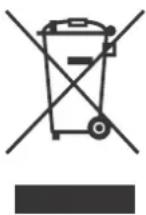
Disposal of Old Electrical & Electronic Equipment (Applicable in the European Union and other European countries with separate collection systems)
This symbol on the product or on its packaging indicates that this product shall not be treated as household waste. Instead it shall be handed over to the applicable collection point for the recycling of electrical and electronic equipment. By ensuring this product is disposed of correctly, you will help prevent potential
negative consequences for the environment and human health, which could otherwise be caused by inappropriate waste handling of this product. The recycling of materials will help to conserve natural resources. For more detailed information about recycling of this product, please contact your local Civic Office, your household waste disposal service or the shop where you purchased the product.
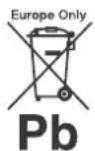
Disposal of waste batteries (applicable in the European Union and other European countries with separate collection systems)
This symbol on the battery or on the packaging indicates that the battery provided with this product shall not be treated as household waste.
On certain batteries this symbol might be used in with a chemical symbol. The chemical symbols for mercury Pb) are added if the battery contains more than 0.0005% .004% lead.
By ensuring these batteries are disposed of correctly, you will help prevent potentially negative consequences for the environment and human health which could otherwise be caused by inappropriate waste handling of the battery. The recycling of the materials will help to conserve natural resources.
In case of products that for safety, performance or data integrity reasons require a permanent connection with an incorporated battery, this battery should be replaced by qualified service staff only.
To ensure that the battery will be treated properly, hand over the product at end-of-life to the applicable collection point for the recycling of electrical and electronic equipment.
For all other batteries, please view the section on how to remove the battery from the product safely. Hand the battery over to the applicable collection point for the recycling of waste batteries.
For more detailed information about recycling of this product or battery, please contact your local Civic Office, your household waste disposal service or the shop where you purchased the product.
Copyrights

gracenote.
Gracenote ^® , Gracenote logo and logotype, and the "Powered by Gracenote" logo are either a registered trademark or a trademark of Gracenote, Inc. in the United States and/or other countries.
Wi-Fi ^® , Wi-Fi Protected Access ^® and Wi-Fi Alliance ^® are registered marks of the Wi-Fi Alliance. Wi-Fi CERTIFIED ^™ , WPA ^™ , WPA2 ^™ and Wi-Fi Protected Setup ^™ are marks of the Wi-Fi Alliance.
"ATRAC" and ATRAC Advanced Lossless are trademarks of Sony Corporation.
MPEG Layer 3 audio coding technology and patents licensed from Fraunhofer IIS and Thomson.
Windows Media is either a registered trademark or trademark of Microsoft Corporation in the United States and/or other countries.
This product is protected by certain intellectual property rights of Microsoft Corporation. Use or distribution of such technology outside of this product is prohibited without a license from Microsoft or an authorized Microsoft subsidiary.
Other trademarks and trade names are those of their respective owners.
Gracenote® End User License Agreement
This application or device contains software from Gracenote, Inc. of Emeryville, California ("Gracenote"). The software from Gracenote (the "Gracenote Software") enables this application to perform disc and/or file identification and obtain music-related information, including name, artist,
track, and title information ("Gracenote Data") from online servers or embedded databases (collectively, "Gracenote Servers") and to perform other functions. You may use Gracenote Data only by means of the intended End-User functions of this application or device.
You agree that you will use Gracenote Data, the Gracenote Software, and Gracenote Servers for your own personal non-commercial use only. You agree not to assign, copy, transfer or transmit the Gracenote Software or any Gracenote Data to any third party. YOU AGREE NOT TO USE OR EXPLOIT GRACENOTE DATA, THE GRACENOTE SOFTWARE, OR GRACENOTE SERVERS, EXCEPT AS EXPRESSLY PERMITTED HEREIN.
You agree that your non-exclusive license to use the Gracenote Data, the Gracenote Software, and Gracenote Servers will terminate if you violate these restrictions. If your license terminates, you agree to cease any and all use of the Gracenote Data, the Gracenote Software, and Gracenote Servers. Gracenote reserves all rights in Gracenote Data, the Gracenote Software, and the Gracenote Servers, including all ownership rights. Under no circumstances will Gracenote become liable for any payment to you for any information that you provide. You agree that Gracenote, Inc. may enforce its rights under this Agreement against you directly in its own name.
The Gracenote service uses a unique identifier to track queries for statistical purposes. The purpose of a randomly assigned numeric identifier is to allow the Gracenote service to count queries without knowing anything about who you are. For more information, see the web page for the Gracenote Privacy Policy for the Gracenote service.
The Gracenote Software and each item of Gracenote Data are licensed to you "AS IS." Gracenote makes no representations or warranties, express or implied, regarding the accuracy of any Gracenote Data from in the Gracenote Servers. Gracenote reserves the right to delete data from the Gracenote Servers or to change data categories for any cause that Gracenote deems sufficient. No warranty is made that the Gracenote Software or Gracenote Servers are error-free or that functioning of Gracenote Software or Gracenote Servers will be uninterrupted. Gracenote is not obligated to provide you with new enhanced or additional data types or categories that Gracenote may provide in the future and is free to discontinue its services at any time.
GRACENOTE DISCLAIMS ALL WARRANTIES EXPRESS OR IMPLIED, INCLUDING, BUT NOT LIMITED TO, IMPLIED WARRANTIES OF MERCHANTABILITY, FITNESS FOR A PARTICULAR PURPOSE, TITLE, AND NON-INFRINGEMENT. GRACENOTE DOES NOT WARRANT THE RESULTS THAT WILL BE OBTAINED BY YOUR USE OF THE GRACENOTE SOFTWARE OR ANY GRACENOTE SERVER. IN NO CASE WILL GRACENOTE BE LIABLE FOR ANY CONSEQUENTIAL OR INCIDENTAL DAMAGES OR FOR ANY LOST PROFITS OR LOST REVENUES.
© Gracenote, Inc. 2009
Precautions
On safety
Should any solid object or liquid fall into the cabinet, unplug the unit and have it checked by qualified personnel before operating it any further.
On power sources
- Before operating the unit, check that the operating voltage is identical with your local power supply.
The operating voltage is indicated on the nameplate on the back of the unit. - The unit is not disconnected from the AC power source (mains) as long as it is connected to the wall outlet, even if the unit itself has been turned off.
- If you are not going to use the unit for a long time, be sure to disconnect the unit from the wall outlet. To disconnect the AC power cord (mains lead), grasp the plug itself; never pull the cord.
- The AC power cord (mains lead) must be changed only at a qualified service shop.
On placement
- Place the unit in a location with adequate ventilation to prevent heat buildup and prolong the life of the unit.
- Do not place the unit near heat sources, or in a place subject to direct sunlight, excessive dust, or mechanical shock.
- Do not place anything on top of the cabinet that might cause malfunctions.
- Use caution when placing the unit on surfaces that have been specially treated (with wax, oil, polish, etc.) as staining or discoloration of the surface may result.
- Do not place the unit on a device that may emit heat, such as an amplifier.
On operation
Before connecting other equipment, be sure to turn off and unplug the unit.
On cleaning
Clean the cabinet, panel, and controls with a soft cloth slightly moistened with a mild detergent solution. Do not use any type of abrasive pad, scouring powder, or solvent, such as alcohol or benzine.
If you have any questions or problems concerning your unit, please consult your nearest Sony dealer.
The HDD AUDIO PLAYER has a built-in antenna for wireless LAN. Make sure to set up the HDD AUDIO PLAYER far from speakers or other devices, so that the built-in antenna is not affected by those devices.
Notes on the internal hard disk drive
The hard disk drive allows you to store large volumes of data or data with long recording times and play back data from your desired part with ease. Keep in mind the following cautions.
- Do not apply physical shock or vibration to the unit. Do not place the unit in an unstable place.
- Do not impose a sudden temperature change (10 °C or more /hour) to the unit. Doing so may cause moisture condensation.
- Disconnect the AC power plug from the wall outlet (wall socket) before moving the unit.
- Make sure of the following before unplugging the AC power plug.
- 1 minute has passed since you turned off the unit.
- The LCD screen is turned off.
- Do not replace or add hard disk drives on the unit. Doing so may cause a malfunction.
- Your data cannot be restored if the hard disk drive is broken from any cause.
- Due to the nature of the hard disk drive, we do not recommend you store data on the hard disk drive for a long period.
About repairing the internal hard disk drive
- When conducting repairs or diagnostic checks, it may be necessary to access data stored on the hard disk drive for repair and testing purposes to verify how a problem occurred and to determine possible remedies. However, titles of files or any other information will not be duplicated or saved by Sony.
- If replacement or initialization is required, the hard disk drive will be formatted at our discretion. Be aware that all of the existing data on the hard disk drive will be erased (data covered by copyright laws).
- In regards to storage and disposal of the replaced hard disk drive, Sony will employ strict controls within reasonable limits, and assume full responsibility to ensure that third parties, including business partners to whom the storage and disposal work is delegated, do not mishandle the data on the hard disk drive.
Disclaimer on compensation for lost recordings
Sony is not liable and will not compensate for any lost recordings or related losses, including when recordings are not made on the unit or external media/recording device due to reasons including unit failure, or when the data of a recording is lost or damaged as a result of the unit or external media/recording device failure or repair undertaken to the unit. Sony will not restore, recover, or replicate the data under any circumstances. We recommend you appropriately back up data stored on the hard disk drive of the unit, using your computer. If you do not have the original data on your computer anymore, we recommend you copy the data on the hard disk drive of the unit to your computer and back that up. Make sure you back up your data as stated above before sending the unit for repair. For details on how to copy data on the hard disk drive of the unit to your computer, refer to the Help Guide.
Specifications
Playback Specifications
Frequency response 2 Hz - 80 kHz (-3 dB)
Dynamic range 105 dB or higher
THD 0.0015% or less
Network section
Wired LAN 1000BASE-T/100BASE-TX/10BASE-T
Wireless LAN Compatible standards IEEE 802.11 b/g/n Frequency band/channel 2.4 GHz band: channels 1-13
HDD section
Capacity 1 TB*
* Some portions of the capacity are used for data management. Therefore, the capacity a user can use is less than 1 TB.
Supported playback format DSD (DSF, DSDIFF), LPCM (WAV, AIFF), FLAC, ALAC, ATRAC Advanced Lossless, ATRAC, MP3, AAC, WMA (2 channels)
Jack section
Output jacks LINE OUT UNBALANCED Output level: 2.0 Vrms (50 kilohms), Impedance: 10 kilohms or higher LINE OUT BALANCED Output level: 2.0 Vrms (50 kilohms), Impedance: 600 ohms or higher
EXT port Type A USB, Hi-Speed USB, for connecting an external hard disk drive
continued
IR REMOTE OUT jack
For connecting the monaural mini-plug cable (supplied) or IR blaster
(supplied)
General and others
Power requirements
AC 230 V 50/60 Hz
Power consumption
On: 35 W
During standby mode (when [Network Standby] is set to [Off]): 0.3 W
During standby mode (when [Network Standby] is set to [On] and a
wired LAN is used): 2.6 W
During standby mode (when [Network Standby] is set to [On] and a
wireless LAN is used): 2.8 W
Dimensions (approx.) (w/h/d)
430 mm × 130 mm × 390 mm
including projecting parts and controls
Mass (approx.)
14.5 kg
Supplied accessories
AC power cord (1)
Remote control (RM-ANU183) (1)
R03 (size-AAA) batteries (2)
LAN cable (1)
Monaural mini-plug cable (1)
Audio cord (1)
IR blaster (1)
Quick Start Guide (1)
Reference Guide (this manual) (1)
Design and specifications are subject to change without notice.
ADVARSEL
© Gracenote, Inc. 2009
Forholdsregler
Om sikkerhed
© Gracenote, Inc. 2009
Varotoimet
Turvallisuus
© Gracenote, Inc. 2009
© Gracenote, Inc. 2009
Precauções
Segurança
© Gracenote, Inc. 2009
Προφυλάξεις
Ασφάλεια
- Recommended cables
- Notice for customers: the following information is only applicable to equipment sold in countries applying EU directives.
- Disposal of Old Electrical & Electronic Equipment (Applicable in the European Union and other European countries with separate collection systems)
- Disposal of waste batteries (applicable in the European Union and other European countries with separate collection systems)
- Copyrights
- gracenote.
- Gracenote® End User License Agreement
- Precautions
- On safety
- On power sources
- On placement
- On operation
- On cleaning
- Notes on the internal hard disk drive
- About repairing the internal hard disk drive
- Disclaimer on compensation for lost recordings
- Specifications
- Playback Specifications
- Network section
- HDD section
- Jack section
- General and others
- ADVARSEL
- Forholdsregler
- Om sikkerhed
- Varotoimet
- Turvallisuus
- Precauções
- Segurança
- Προφυλάξεις
- Ασφάλεια
Brand : SONY
Model : HAP-Z1ES
Category : Hi-Fi System