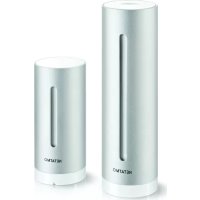
Smart Video Doorbell - Doorbell NETATMO - Free user manual and instructions
Find the device manual for free Smart Video Doorbell NETATMO in PDF.


Pick your language and provide your email: we'll send you a specifically translated version.
| Product Type | Smart Video Doorbell |
| Brand | Netatmo |
| Model | Smart Video Doorbell |
| Dimensions (H x W x D) | 9.4 x 4.2 x 4.2 cm |
| Weight | 110 g |
| Power Supply | 8-24 V AC, 10 VA transformer required |
| Video Resolution | Full HD 1920 x 1080 pixels |
| Field of View | 160° diagonal |
| Night Vision | Infrared LEDs, up to 5 meters |
| Audio | Two-way audio with noise cancellation |
| Connectivity | Wi-Fi 802.11 b/g/n (2.4 GHz) |
| Smart Home Integration | Apple HomeKit, Amazon Alexa, Google Assistant |
| Motion Detection | PIR sensor with adjustable sensitivity |
| Weather Resistance | IP54 rated (dust and water resistant) |
| Operating Temperature | -20°C to 50°C |
| Memory | Free cloud storage for 7 days (no subscription required) |
| Installation | Wired to existing doorbell wiring or new transformer |
| Maintenance | Clean lens with a soft, dry cloth |
| Safety | Encrypted video and audio; GDPR compliant |
| Spare Parts & Repairability | Not user-serviceable; contact Netatmo support |
Frequently Asked Questions - Smart Video Doorbell NETATMO
How do I install the Netatmo Smart Video Doorbell?
Installation requires wiring to an 8-24 V AC transformer. Follow the step-by-step instructions in the manual. Ensure power is off before connecting wires. Use the included wedge or corner bracket for optimal angle.
How do I connect the doorbell to Wi-Fi?
Download the Netatmo Security app, create an account, and scan the QR code on the doorbell. Follow the in-app instructions to connect to your 2.4 GHz Wi-Fi network.
What should I do if the doorbell does not ring?
Check the power supply voltage (8-24 V AC) and ensure the transformer is adequate. If using an existing chime, verify compatibility. Reset the doorbell by holding the setup button for 10 seconds.
Can I use the Netatmo doorbell with my existing mechanical chime?
Yes, if your chime is compatible. The doorbell includes a chime adapter. Refer to the manual for compatibility list and wiring diagram. If not compatible, you can use the Netatmo Indoor Siren.
How do I view the live video feed?
Open the Netatmo Security app and tap on the doorbell. Live video appears instantly. You can also use Apple HomeKit, Alexa, or Google Assistant to view on smart displays.
How do I adjust motion detection sensitivity?
In the app, go to the doorbell settings and select 'Motion Detection'. Adjust the slider from Low to High. You can also define zones to ignore specific areas.
Is the doorbell weatherproof?
Yes, it has an IP54 rating, meaning it is protected against dust and splashing water. It can operate in temperatures from -20°C to 50°C.
Does the doorbell require a subscription?
No, basic features including 7 days of free cloud storage for events are included. Optional subscription plans offer extended storage and advanced features.
How do I reset the doorbell to factory settings?
Press and hold the setup button on the back for 10 seconds until the LED flashes orange. Release and wait for the doorbell to reset. You can then set it up again.
How do I update the firmware?
Firmware updates are automatic when the doorbell is connected to Wi-Fi. Ensure the app is up-to-date to receive the latest features and security patches.
User questions about Smart Video Doorbell NETATMO
0 question about this device. Answer the ones you know or ask your own.
Ask a new question about this device
No questions yet. Be the first to ask one.
Download the instructions for your Doorbell in PDF format for free! Find your manual Smart Video Doorbell - NETATMO and take your electronic device back in hand. On this page are published all the documents necessary for the use of your device. Smart Video Doorbell by NETATMO.