
BFG-550 - Sports Watch DENVER - Free user manual and instructions
Find the device manual for free BFG-550 DENVER in PDF.


| Product Type | Sports Watch |
| Brand | Denver |
| Model | BFG-550 |
| Dimensions (approx.) | 45 x 45 x 12 mm |
| Weight (approx.) | 60 g |
| Power Source | CR2032 Button Cell Battery |
| Display Type | Digital LCD |
| Main Functions | Stopwatch, pedometer, alarm, date and time |
| Water Resistance | Splash resistant (not submersible) |
| Case Material | Plastic |
| Band Material | Silicone |
| Band Length | Approximately 24 cm |
| Care and Cleaning | Clean with a soft, dry cloth. Avoid contact with aggressive liquids. |
| Safety | Do not expose to extreme temperatures. Keep out of reach of children. |
| Spare Parts and Repairability | User-replaceable battery. Other parts not available separately. |
| General Information | User manual available for download. Denver customer service. |
Frequently Asked Questions - BFG-550 DENVER
User questions about BFG-550 DENVER
0 question about this device. Answer the ones you know or ask your own.
Ask a new question about this device
Download the instructions for your Sports Watch in PDF format for free! Find your manual BFG-550 - DENVER and take your electronic device back in hand. On this page are published all the documents necessary for the use of your device. BFG-550 by DENVER.
USER MANUAL BFG-550 DENVER
natural_image
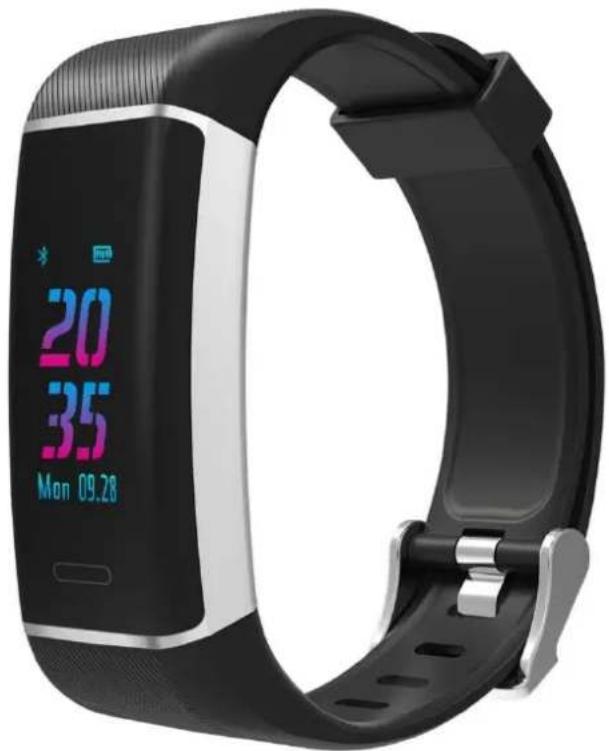
Black and white smartwatch with digital display showing time 20:35 on Monday 09:28 (no text or symbols on device body)www.denver-electronics.com
1. Quick start guide
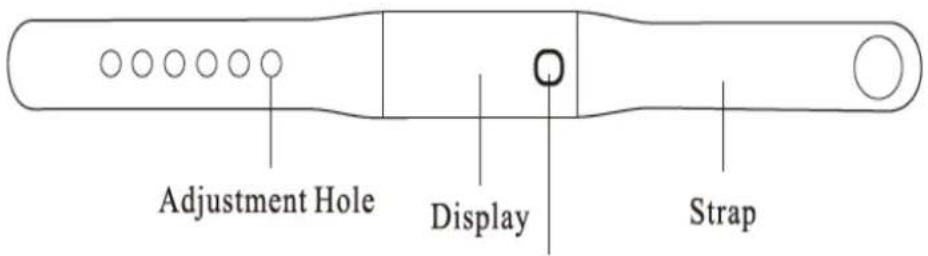
Overview
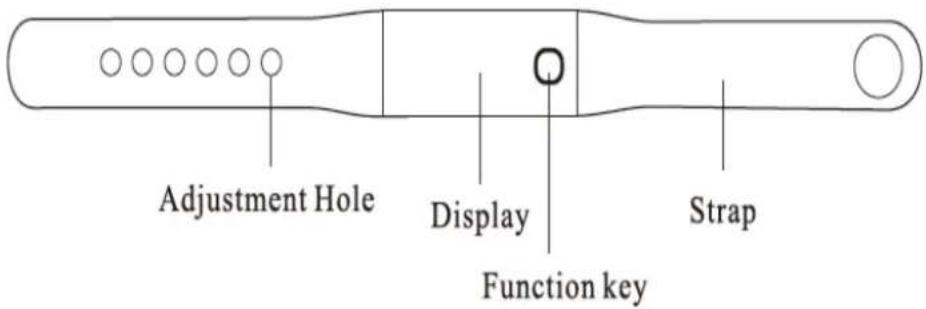
Charging
Take out the watch bracelet which contains the USB charging plug, and then charge the watch using a suitable charger. When charging, the watch turns on automatically.

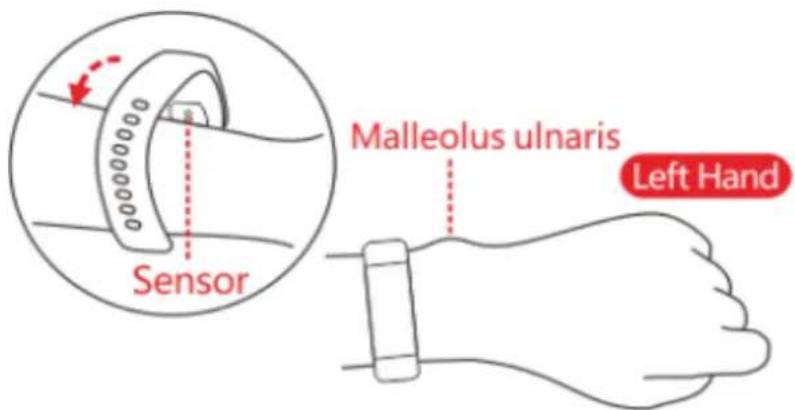
Wearing method
-
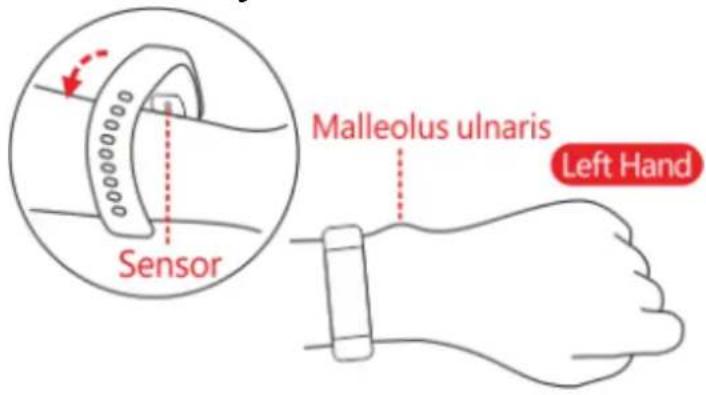
It is recommended to wear the watch behind the malleolus ulnaris of your wrist.
-
Keep the sensor of the watch close to your skin.
Power on/off
-
In standby, long press the function key for over 3 seconds. The watch vibrates and turns on.
-
To turn off the watch, go to "More" menu to access the power off option.
Basic operation
- Press repeatedly the function key to toggle through the main menu pages.
- Long press the function key to confirm selection, or to enter sub-options pages.
- The screen automatically turns off after some seconds of inactivity. You may set auto off time for the screen via the App.
- Switch to the heart rate interface to automatically measure your heart rate. To stop measuring your heart rate, just exit the heart rate interface.
Install the App
-
To synchronize data between the watch and your smart phone, install “Denver Smart Life” app to connect the watch to your smart phone.
-
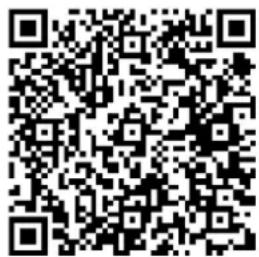
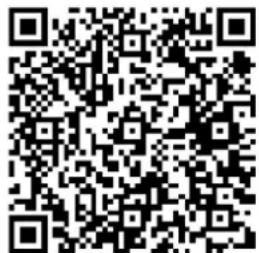
Scan the following QR codes to install “Denver Smart Life” app. You can also search and download “Denver Smart Life” app from App store or Google Play Store on your smart phone.
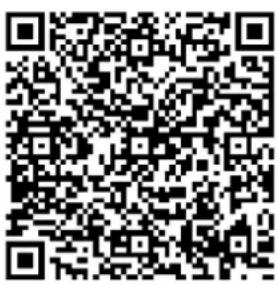
For Android
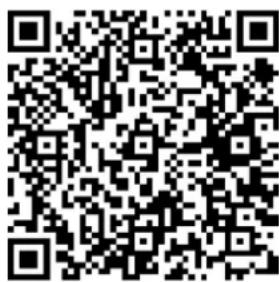
For iOS
Connect the watch with your smart phone
- Enable Bluetooth on your smart phone.
- Launch “Denver Smart Life” on your smart phone, set your profile in the Settings option.
- Tap "Connect device" in the Settings option.
- Select the name of this watch to connect.
- Follow on-screen instructions to complete connection of the watch.
Disconnect the watch from your smart phone
- Launch "Denver Smart Life" on your smart phone.
- Tap "Disconnect device" in the Settings option.
- Un-pair the watch through the Bluetooth settings of your smart phone.
Operational introduction
- You can raise hand or press the function key to turn on the screen.
- Press repeatedly the function key to switch main menu pages.
● Long press the function key to confirm selection.
2. Functions
Watch face
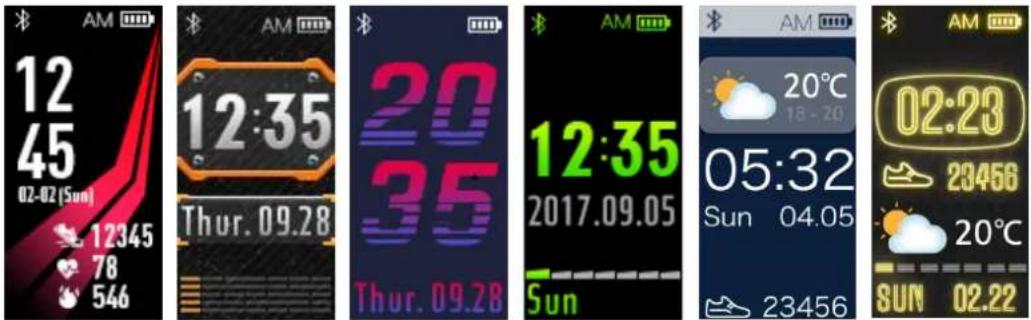
Go to the “More” menu, then access the “Dial” page to select your favorite watch face.
Pedometer
other
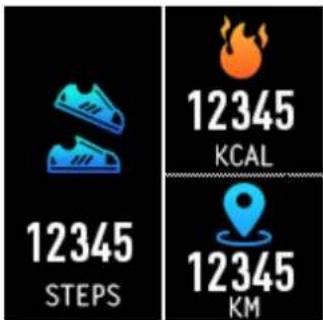
| Metric | Value | | :--- | :--- | | Steps | 12345 | | KCAL | 12345 | | KM | 12345 |The watch can record your daily activity automatically.
Press the function key to switch between steps, calories and distance pages.
The data measured can be synchronized to the App.
Heart rate
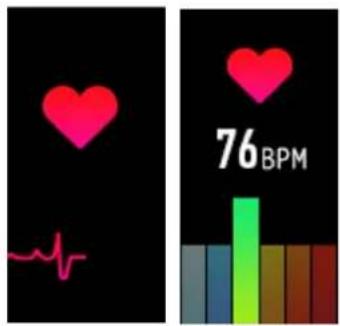
Press the function key to switch to the heart rate page, and it starts measuring your heart rate. The date measured can be synchronized to the App.
Message
natural_image
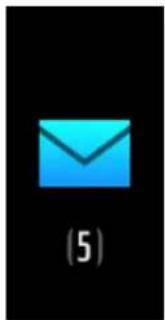
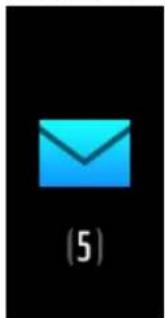
Blue envelope icon on black background, labeled (5) at bottom (no text or symbols on the icon itself)Press the function key to switch to the message page.
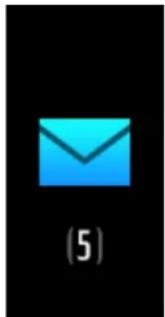
The notification includes incoming calls, and new messages from SMS, QQ, Wechat and Whatsapp.
Multi-Sport
natural_image
Simple icon of a running person in yellow-orange motion against black background (no text or symbols)
natural_image
Yellow walking figure icon on black background (no text or symbols)
natural_image
Simple icon of a walking person in orange gradient on black background (no text or symbols)
natural_image
Yellow silhouette of a person riding a bicycle on black background (no text or symbols)
natural_image
Hiker icon with backpack and walking stick on black background (no text or symbols)
natural_image
Yellow stick figure playing soccer on black background (no text or symbols)
natural_image
Yellow stick figure holding a basketball on black background (no text or symbols)ENG-5
On the Sports page, long press the function key to enter a particular sport mode.
The watch has six multi-sports: walking, running, cycling, hiking, basketball, and football.
To exit a sport mode, long press the function key and the data is recorded.
Note: If the sport time is less than 1mins, the data will not be recorded.
More features
natural_image
Four blue squares arranged in a 2x2 grid on black background (no text or symbols)Long press the function key to enter sub-options of the "More" page.
The options include the following features/interfaces: camera, dial, GPS switch, reset watch, power off, and exit interface.
About
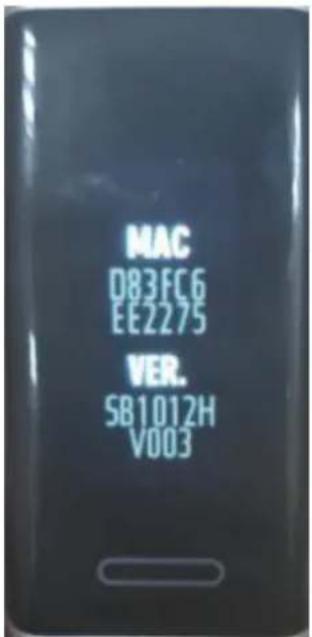
Long press the function key to show the BT Mac address, device name and firmware version of the watch.
Power Off
Long press the function key to power off the watch.
natural_image
Blue power button icon on black background (no text or symbols)Find Phone
If the watch is connected to the App, the “Find Phone” page has more options. Long press the function key, then your Android phone rings. If you use an iPhone, you must display your “Denver Smart Life” app on the screen of iPhone.
natural_image
Blue magnifying glass icon on black background, no text or symbols presentSedentary Reminder
Set detailed requirements on the App for sedentary reminder, such as start/end time, interval and repeat setting. When the sedentary time arrives, the watch will vibrate to remind you.
natural_image
Silhouette of a person sitting at a desk with a computer (no text or symbols visible)Water warning
Set detailed requirements on the App for water drinking reminder, such as start/end time, interval and repeat setting. When water drinking time arrives, the watch will vibrate.
natural_image
Simple illustration of a glass filled with blue liquid, no text or symbols presentAlarm
You can set five alarms on the App. When alarm time arrives, the wristband vibrates and the alarm icon on the watch screen is
ENG-8
animated.
Toggle GPS
Long press the function key, you can turn on or off the watch GPS.
Reset
Long press the function key, you can reset your watch.
natural_image
Blue circular icon with a white arrow and horizontal line, on black background (no text or symbols)Gesture control
You can set the gesture control style on the App to turn on the watch screen.
● Raising hand: while raising your hand, the screen is turned on.
● Turning wrist: while turning your wrist toward you, the screen is turned on.
DENVER®
denver-electronics.com
Electric and electronic equipment and included batteries contains materials, components and substances that can be hazardous to your health and the environment, if the waste material (discarded electric and electronic equipment and batteries) is not handled correctly.
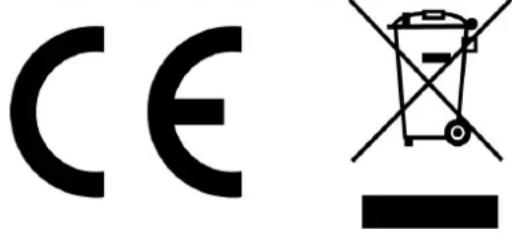
Electric and electronic equipment and batteries is marked with the crossed out trash can symbol, seen below. This symbol signifies that electric and electronic equipment and batteries should not be disposed of with other household waste, but should be disposed of separately.
As the end user it is important that you submit your used batteries to the appropriate and designated facility. In this manner you make sure that the batteries are recycled in accordance with legislature and will not harm the environment.
All cities have established collection points, where electric and electronic equipment and batteries can either be submitted free
of charge at recycling stations and other collection sites, or be collected from the households. Additional information is available at the technical department of your city.
Hereby, Inter Sales A/S declares that the radio equipment type BFG-550 is in compliance with Directive 2014/53/EU. The full text of the EU declaration of conformity is available at the following internet address:
http://www.denver-electronics.com/denver-bfg-550/
Operating Frequency Range: 2.402 GHz-2.480 GHz
Max Output Power: 4.0dBm
Warning Lithium battery inside
DENVER ELECTRONICS A/S
Omega 5A, Soeften
DK-8382 Hinnerup
Denmark
www.facebook.com/denverelectronics
DENVER®
BFG-550 FITNESSBAND
Bedienungsanleitung
natural_image
Black and white smartwatch with digital display showing time, battery, and status bar (no readable text or symbols beyond clock and date)www.denver-electronics.com
Für Android
Für iOS
natural_image
Blue envelope icon on black background, labeled (5) below (no text or symbols on the icon itself)natural_image
Simple icon of a running human figure in yellow-orange against black background (no text or symbols)
natural_image
Yellow walking figure icon on black background (no text or symbols)
natural_image
Simple orange walking figure icon on black background (no text or symbols)
natural_image
Yellow silhouette of a person riding a bicycle on black background (no text or symbols)
natural_image
Hiker icon with backpack and walking stick on black background (no text or symbols)
natural_image
Yellow stick figure in motion on black background, no text or symbols present
natural_image
Simple icon of a person holding a basketball on black background (no text or symbols)natural_image
Abstract geometric composition with four squares and one circle on black background (no text or symbols)natural_image
Icon of a smartphone with a magnifying glass, no text or symbols presentnatural_image
Silhouette of a person sitting at a desk with a computer (no text or symbols visible)Wassertrinkalarm
natural_image
Simple illustration of a glass filled with blue liquid, no text or symbols presentWecker
natural_image
Blue circular icon with a curved arrow inside, set against a black background (no text or symbols)Gestensteuerung
denver-electronics.com
natural_image
Black and white smartwatch with digital display showing time, battery, and date (no text or symbols on the device itself)www.denver-electronics.com
Function key
Para Android
Para los
natural_image
Blue envelope icon on black background, labeled (5) at bottom (no text or symbols on the icon itself)natural_image
Simple orange stick figure running on black background (no text or symbols)
natural_image
Yellow walking figure icon on black background (no text or symbols)
natural_image
Simple icon of a walking person in yellow and orange on black background (no text or symbols)
natural_image
Yellow silhouette of a person riding a bicycle on black background (no text or symbols)
natural_image
Hiker icon with backpack and walking stick on black background (no text or symbols)
natural_image
Yellow stick figure playing soccer on black background (no text or symbols)
natural_image
Yellow stick figure holding a basketball on black background (no text or symbols)natural_image
Four blue squares arranged in a 2x2 grid on black background (no text or symbols)natural_image
Blue magnifying glass icon on black background, no text or symbols presentnatural_image
Silhouette of a person sitting at a desk with a computer (no text or symbols visible)Advertencia de agua
natural_image
Simple illustration of a glass with blue liquid, no text or symbols presentAlarma
natural_image
Blue circular icon with a curved arrow inside, set against a black background (no text or symbols)Control de gestos
denver-electronics.com
natural_image
Black and white smartwatch with digital display showing time 20:35 on Monday 09:28 (no text or symbols on device body)www.denver-electronics.com
1. Snelstartgids
Overzicht
Function key
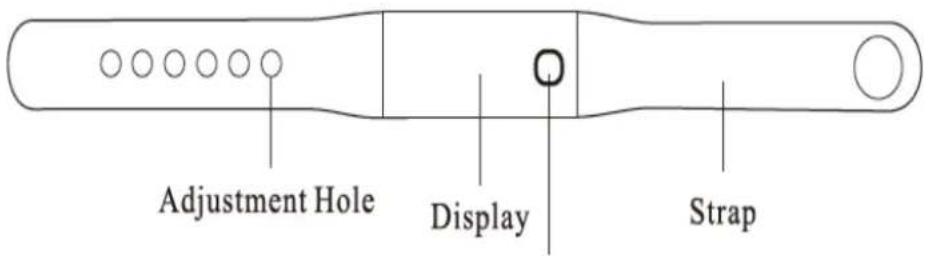
| EN | NL |
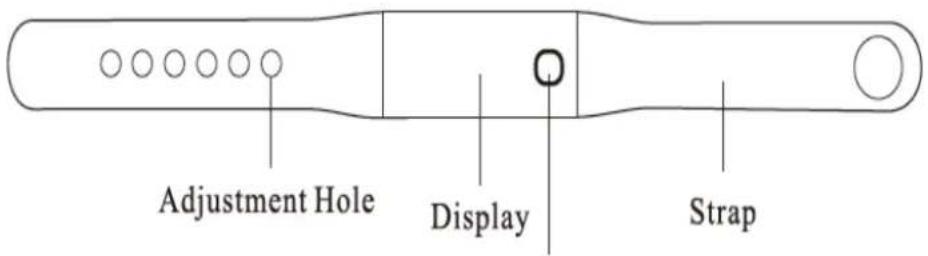
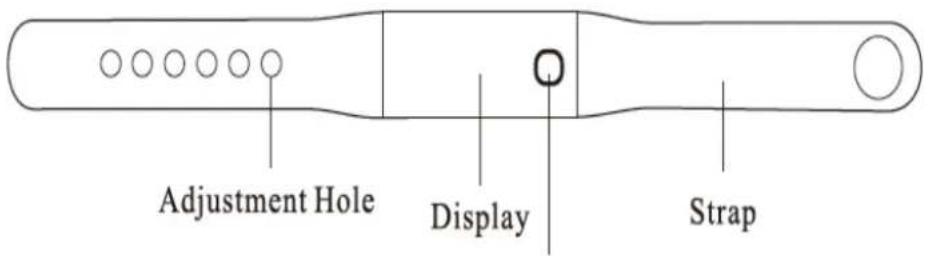
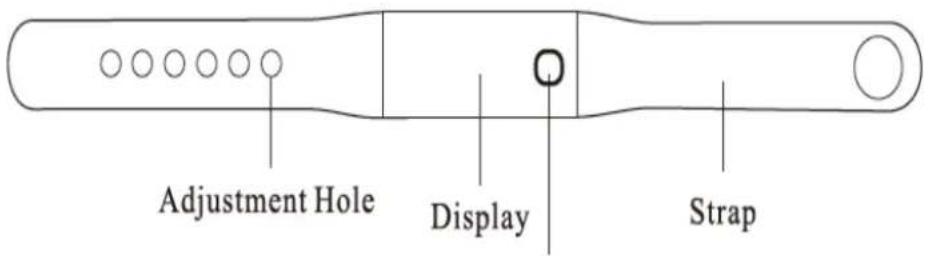
| Adjustment Hole | Afstelgaatje |
| Display | Display |
| Function key | Functietoetsen |
| Strap | Riem |
Opladen
Voor Android
Voor IOS
natural_image
Simple graphic with a pink heart above a red heartbeat line on black background (no text or symbols)
Bericht
natural_image
Blue envelope icon on black background, labeled (5) at bottom (no text or symbols on the icon itself)natural_image
Simple icon of a running human figure in yellow-orange against black background (no text or symbols)
natural_image
Yellow walking figure icon on black background (no text or symbols)
natural_image
Simple orange walking figure on black background (no text or symbols)
natural_image
Silhouette of a person riding a bicycle on black background (no text or symbols)
natural_image
Hiker icon walking with backpack on black background (no text or symbols)
natural_image
Yellow stick figure playing soccer on black background (no text or symbols)
natural_image
Simple icon of a person holding a basketball on black background (no text or symbols)natural_image
Abstract geometric composition with four squares and one circle on black background (no text or symbols)natural_image
Icon of a smartphone with a magnifying glass, no text or symbols presentnatural_image
Silhouette of a person sitting at a desk with a computer (no text or symbols visible)Waterwaarschuwing
natural_image
Simple icon of a glass filled with blue liquid, no text or symbols presentAlarm
natural_image
Simple icon of a blue circular button with an arrow symbol, no text or labels present.Gebaarbesturing
denver-electronics.com
natural_image
Black and white smartwatch with digital display showing time 20:35 on March 09, 28 (no text or symbols on device body)www.denver-electronics.com
1. Snabbstartsguide
Ö versikt
Function key
| EN | SE |
| Adjustment Hole | Justeringshål |
| Display | Skärm |
| Function key | Funktionsknapp |
| Strap | Rem |
Laddning
För Android
För iOS
Anslut klockan till din smarta telefon
natural_image
Simple graphic with a pink heart above a red heartbeat line on black background (no text or symbols)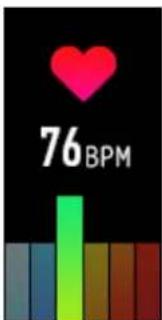
Meddelande
natural_image
Blue envelope icon on black background, labeled (5) at bottom (no text or symbols on the icon itself)natural_image
Simple icon of a running person in yellow-orange on black background (no text or symbols)
natural_image
Yellow walking figure icon on black background (no text or symbols)
natural_image
Simple orange walking figure on black background (no text or symbols)
natural_image
Silhouette of a person riding a bicycle on black background (no text or symbols)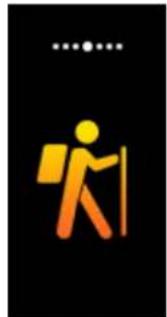
natural_image
Hiker icon walking with backpack on black background (no text or symbols)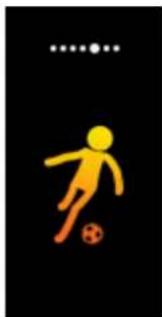
natural_image
Yellow stick figure playing soccer on black background (no text or symbols)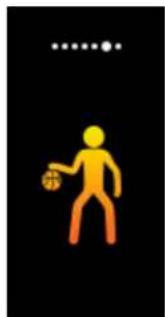
natural_image
Simple icon of a person holding a basketball on black background (no text or symbols)natural_image
Simple geometric composition of four squares and one circle on black background (no text or symbols)natural_image
Icon of a smartphone with a magnifying glass, no text or symbols presentnatural_image
Silhouette of a person sitting at a desk with a computer (no text or symbols visible)Vattenvarning
natural_image
Simple illustration of a glass filled with blue liquid, no text or symbols presentAlarm
natural_image
Blue circular icon with a curved arrow inside, set against a black background (no text or symbols)Kontroll av gest
denver-electronics.com
natural_image
Black and white smartwatch with digital display showing time 20:35 on Monday 09:28 (no text or symbols on device body)www.denver-electronics.com
Function key
| EN | FR |
| Adjustment Hole | Trous d’ajustement |
| Display | Affichage |
| Function key | Touche de fonction |
| Strap | Bracelet |
Charge
Pour Android
Pour iOS
natural_image
Simple graphic with a pink heart and a red heartbeat line on black background (no text or symbols)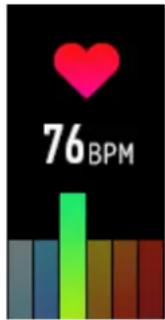
Message
natural_image
Blue envelope icon on black background, labeled (5) at bottom (no text or symbols on the icon itself)natural_image
Simple icon of a running human figure in yellow-orange on black background (no text or symbols)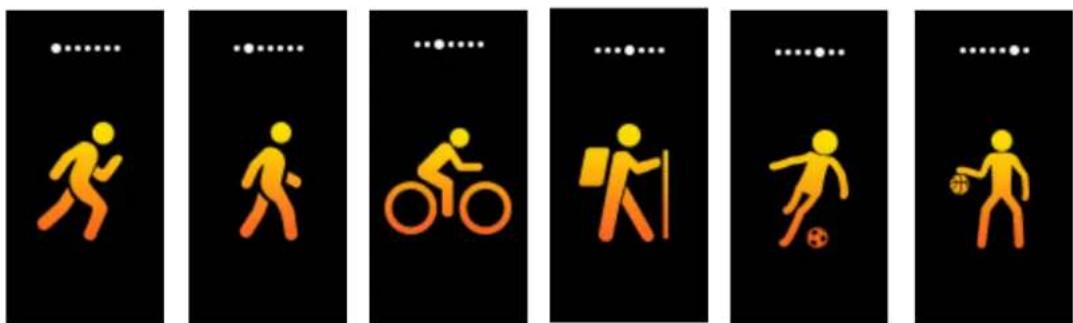
natural_image
Abstract geometric composition with four squares and one circle on black background (no text or symbols)natural_image
Icon of a smartphone with a magnifying glass, no text or symbols presentRappel sédentaire
natural_image
Silhouette of a person sitting at a desk with a computer (no text or symbols visible)natural_image
Simple illustration of a glass filled with blue liquid, no text or symbols presentAlarme
natural_image
Yellow alarm clock icon on black background (no text or symbols)Activer/désactiver GPS
natural_image
Blue circular icon with a curved arrow inside, on black background (no text or symbols)Contrôle de geste
denver-electronics.com
natural_image
Black and white smartwatch with digital display showing 20:35, date 09.28 (no text or symbols on device body)www.denver-electronics.com
1. Pikaopas
Yleiskatsaus
Function key
natural_image
Blue envelope icon on black background, labeled (5) at bottom (no text or symbols on the icon itself)natural_image
Simple icon of a running person in yellow-orange motion against black background (no text or symbols)
natural_image
Yellow walking figure icon on black background (no text or symbols)
natural_image
Simple icon of a walking human figure in yellow and orange against black background (no text or symbols)
natural_image
Silhouette of a person riding a bicycle on black background (no text or symbols)
natural_image
Hiker icon with backpack and walking stick on black background (no text or symbols)
natural_image
Yellow silhouette of a soccer player kicking a ball on black background (no text or symbols)
natural_image
Yellow stick figure holding a basketball on black background (no text or symbols)natural_image
Four blue squares arranged in a 2x2 grid on black background (no text or symbols)natural_image
Icon of a smartphone with a magnifying glass, no text or symbols presentLiikkumismuistutus
natural_image
Silhouette of a person sitting at a desk with a computer (no text or symbols visible)Vesimuistutus
natural_image
Simple illustration of a glass filled with blue liquid, no text or symbols presentHälytys
natural_image
Blue circular icon with a curved arrow inside, set against a black background (no text or symbols)Liikeohjaus
denver-electronics.com
natural_image
Black and white fitness tracker with digital display showing time, battery, and date (no text or symbols on the device itself)www.denver-electronics.com
Function key
System Android
System los
natural_image
Simple graphic with a pink heart above a red heartbeat line on black background (no text or symbols)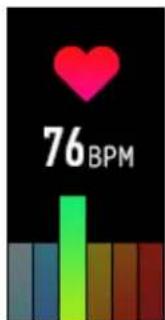
Wiadomość
natural_image
Blue envelope icon on black background, labeled (5) at bottom (no text or symbols on the icon itself)natural_image
Simple icon of a running human figure in yellow-orange against black background (no text or symbols)
natural_image
Yellow walking figure icon on black background (no text or symbols)
natural_image
Simple orange walking figure on black background (no text or symbols)
natural_image
Silhouette of a person riding a bicycle on black background (no text or symbols)
natural_image
Hiker icon walking with backpack on black background (no text or symbols)
natural_image
Yellow stick figure playing soccer on black background (no text or symbols)
natural_image
Simple icon of a person holding a basketball on black background (no text or symbols)natural_image
Simple geometric composition of four squares and one circle on black background (no text or symbols)natural_image
Icon of a smartphone with a magnifying glass, no text or symbols presentnatural_image
Silhouette of a person sitting at a desk with a computer (no text or symbols visible)natural_image
Simple illustration of a glass filled with blue liquid, no text or symbols presentBudzik
natural_image
Simple icon of a blue circular button with an arrow symbol, on black background (no text or numbers)Sterowanie gestami
denver-electronics.com
natural_image
Black and white smartwatch with digital display showing time, battery, and date (no text or symbols on the device itself)www.denver-electronics.com
1. Kvikstartguide
Oversigt
Function key
| EN | DA |
| Adjustment Hole | Remhul til justering |
| Display | Display |
| Function key | Funktionsknap |
| Strap | Urrem |
Opladning
Installation of appen
Til Android
Til iOS
natural_image
Simple graphic with a pink heart above a red heartbeat line on black background (no text or symbols)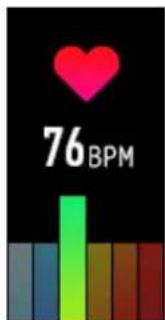
Besked
natural_image
Blue envelope icon on black background, labeled (5) at bottom (no text or symbols on the icon itself)natural_image
Simple icon of a running person in yellow-orange on black background (no text or symbols)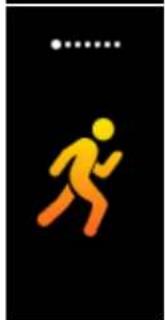
natural_image
Yellow walking figure icon on black background (no text or symbols)
natural_image
Yellow walking figure icon on black background (no text or symbols)
natural_image
Yellow silhouette of a person riding a bicycle on black background (no text or symbols)
natural_image
Hiker icon walking with backpack on black background (no text or symbols)
natural_image
Yellow stick figure playing soccer on black background (no text or symbols)
natural_image
Yellow stick figure holding a basketball on black background (no text or symbols)natural_image
Simple geometric composition of four squares and one circle on black background (no text or symbols)natural_image
Blue icon of a smartphone with a magnifying glass, on black background (no text or symbols)Påmindelse om stillesidning
natural_image
Silhouette of a person sitting at a desk with a computer (no text or symbols visible)Drikkepåmindelse
natural_image
Simple icon of a glass filled with blue liquid, no text or symbols presentAlarm
Du kan angive fem alarmer i appen. Når et alarmtidspunkt nås, vibrerer armbåndet, og alarmikonet på urskiven animeres.
natural_image
Blue circular icon with a curved arrow inside, on black background (no text or symbols)Gestikstyring
denver-electronics.com
natural_image
Black fitness tracker with digital display showing time 20:35 on Monday 09.28 (no text or symbols on the device itself)www.denver-electronics.com
1. Guida rapida
Panoramica
Function key
Per Android
Per iOS
natural_image
Simple graphic with a pink heart above a red heartbeat line on black background (no text or symbols)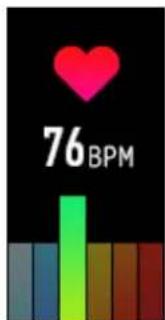
Messaggio
natural_image
Blue envelope icon on black background, labeled (5) at bottom (no text or symbols on the icon itself)natural_image
Simple icon of a running person in yellow-orange on black background (no text or symbols)
natural_image
Yellow walking figure icon on black background (no text or symbols)
natural_image
Simple orange walking figure on black background (no text or symbols)
natural_image
Silhouette of a person riding a bicycle on black background (no text or symbols)
natural_image
Hiker icon walking with backpack on black background (no text or symbols)
natural_image
Yellow silhouette of a soccer player kicking a ball on black background (no text or symbols)
natural_image
Simple icon of a person holding a basketball on black background (no text or symbols)natural_image
Simple geometric composition of four squares and one circle on black background (no text or symbols)natural_image
Blue icon of a smartphone with a magnifying glass, on black background (no text or symbols)natural_image
Silhouette of a person sitting at a desk with a computer (no text or symbols visible)natural_image
Simple icon of a glass filled with blue liquid, no text or symbols presentSveglia
natural_image
Blue circular icon with a stylized '2' and horizontal line, on black background (no text or symbols)Controllo gestuale
denver-electronics.com
natural_image
Black and white fitness tracker with digital display showing time 20:35 on Monday 09.28 (no text or symbols beyond clock and date)www.denver-electronics.com
Function key
| EN | NO |
| Adjustment Hole | Klokkereimshull |
| Display | Skjerm |
| Function key | Funksjonsknapp |
| Strap | Reim |
Lading
For Android
For los
Koble klokken opp mot smarttelefonen din
natural_image
Simple graphic with a pink heart above a red heartbeat line on black background (no text or symbols)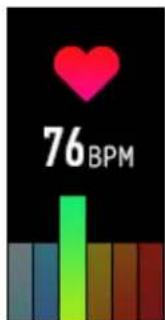
Melding
natural_image
Blue envelope icon on black background, labeled (5) at bottom (no text or symbols on the icon itself)natural_image
Simple icon of a running person in yellow-orange on black background (no text or symbols)
natural_image
Yellow walking figure icon on black background (no text or symbols)
natural_image
Simple orange walking figure on black background (no text or symbols)
natural_image
Silhouette of a person riding a bicycle on black background (no text or symbols)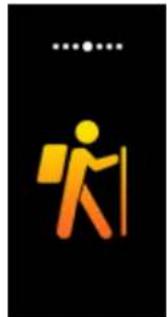
natural_image
Hiker icon walking with backpack on black background (no text or symbols)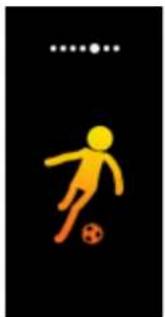
natural_image
Yellow silhouette of a soccer player kicking a ball on black background (no text or symbols)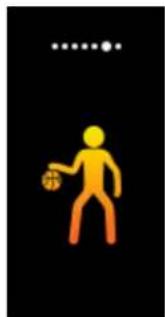
natural_image
Simple icon of a person holding a basketball on black background (no text or symbols)natural_image
Simple geometric composition of four squares and one circle on black background (no text or symbols)natural_image
Blue icon of a smartphone with a magnifying glass, on black background (no text or symbols)natural_image
Silhouette of a person sitting at a desk with a computer (no text or symbols visible)Væ skeinntak
natural_image
Simple illustration of a glass filled with blue liquid, no text or symbols presentAlarm
natural_image
Blue circular icon with a curved arrow inside, on black background (no text or symbols)Bevegelseskontroll
denver-electronics.com
natural_image
Black and white smartwatch with digital display showing 20:35 on Monday 09.28 (no text or symbols beyond clock and date)www.denver-electronics.com
Function key
Para Android
Para iOS
natural_image
Simple graphic with a pink heart above a red heartbeat line on black background (no text or symbols)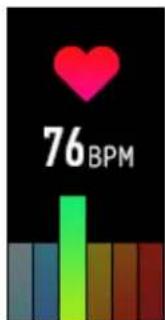
Mensagem
natural_image
Blue envelope icon on black background, labeled (5) at bottom (no text or symbols on the icon itself)natural_image
Simple icon of a running person in yellow-orange on black background (no text or symbols)
natural_image
Yellow walking figure icon on black background (no text or symbols)
natural_image
Simple orange walking figure on black background (no text or symbols)
natural_image
Silhouette of a person riding a bicycle on black background (no text or symbols)
natural_image
Hiker icon walking with backpack on black background (no text or symbols)
natural_image
Yellow silhouette of a soccer player kicking a ball on black background (no text or symbols)
natural_image
Simple icon of a person holding a basketball on black background (no text or symbols)natural_image
Simple geometric composition of four squares and one circle on black background (no text or symbols)natural_image
Blue magnifying glass icon on black background, no text or symbols presentLembrete Sedentário
natural_image
Silhouette of a person sitting at a desk with a computer (no text or symbols visible)Aviso de água
natural_image
Simple illustration of a glass filled with blue liquid, no text or symbols presentAlarme
natural_image
Blue circular icon with a stylized 'S' and arrow, set against a black background (no text or symbols)Controlo de Gestos
denver-electronics.com
natural_image
Black and white smartwatch with digital display showing time, battery, and date (no text or symbols on the device itself)www.denver-electronics.com
Function key
| EN | HR |
| Adjustment Hole | Rupa za podešavanje |
| Display | Zaslon |
| Function key | Funkcijska tipka |
| Strap | Remen |
Punjenje
Uklonite remen sata koji sadrži utor za USB punjač, zatim napunite sat prikladnim punjačem. Prilikom punjenja, sat se automatski uključuje.

Način nošenja
CRO-1
| EN | HR |
| Sensor | Senzor |
| Malleolus ulnaris | Malleolus ulnaris |
| Left Hand | Lijeva ruka |
Za Android
Za los
Povežite sat s vašim pametnim telefonom
- Omogućite Bluetooth na vašem pametnom telefonu.
- Pokrenite „Denver Smart Life“ na pametnom telefonu, postavite svoj profil u opciji Postavke.
- Dodirnite „Connect device“ u opcijama Postavki.
- Odaberite naziv sata kako biste ga povezali.
- Pratite upute na zaslonu kako biste dovršili povezivanje sata.
Prekinite vezu sata s pametnim telefonom
- Pokrenite „Denver Smart Life“ na vašem pametnom telefonu
- Dodirnite „Disconnect device“ u opcijama Postavki.
- Otkažite uprarivanje sata u Bluetooth postavkama vašeg pametnog telefona.
Uvod u uporabu
natural_image
Simple graphic with a pink heart above a red heartbeat line on black background (no text or symbols)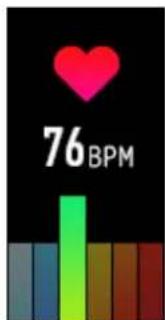
Poruka
natural_image
Blue envelope icon on black background, labeled (5) at bottom (no text or symbols on the icon itself)natural_image
Simple icon of a running person in yellow-orange on black background (no text or symbols)
natural_image
Yellow walking figure icon on black background (no text or symbols)
natural_image
Simple orange walking figure on black background (no text or symbols)
natural_image
Silhouette of a person riding a bicycle on black background (no text or symbols)
natural_image
Hiker icon walking with backpack on black background (no text or symbols)
natural_image
Yellow silhouette of a soccer player kicking a ball on black background (no text or symbols)
natural_image
Simple icon of a person holding a basketball on black background (no text or symbols)natural_image
Simple geometric composition of four squares and one circle on black background (no text or symbols)Dugim pritiskom na funkcijsku tipku otvorite pod-opcije stranice „More“.
natural_image
Icon of a smartphone with a magnifying glass, no text or symbols presentPodsjetnik neaktivnosti
natural_image
Silhouette of a person sitting at a desk with a computer (no text or symbols visible)Upozorenje za vodu
natural_image
Simple illustration of a glass filled with blue liquid, no text or symbols presentAlarm
U aplikaciji možete postaviti pet alarma. Kada dođe vrijeme alarma, narukvica će vibrirati a ikona alarma na zaslonu sata će biti animirana.
Prebacivanje GPS-a
natural_image
Blue circular icon with a curved arrow inside, set against a black background (no text or symbols)Upravljanje pokretima
denver-electronics.com
Električna i elektronička oprema i priložene baterije sadrže materijale, komponente i tvari koji mogu biti opasni za vaše zdravlje i okoliš ako se otpadni materijal (odbačena električna i elektronička oprema i baterije) ne odlože na propisani način.
Električna i elektronička oprema i baterije su označene simbolom prekrižene kante za smeće. Ovaj simbol označava da se električka i elektronička oprema i baterije ne smiju odlagati zajedno s ostalim kućnim otpadom, već se moraju odlagati zasebno.
Važno je da kao krajnji korisnik, vaše iskorištene baterije odnesete u predviđeno i označeno postrojenje. Na taj način osigurat ćete recikliranje baterija u sukladnosti sa zakonom i nećete nanijeti štetu okolišu.
- Quick start guide
- Overview
- Charging
- Wearing method
- Power on/off
- Basic operation
- Install the App
- Connect the watch with your smart phone
- Disconnect the watch from your smart phone
- Operational introduction
- Functions
- Heart rate
- More features
- About
- Power Off
- Find Phone
- Sedentary Reminder
- Water warning
- Alarm
- Toggle GPS
- Reset
- Gesture control
- DENVER®
- Bedienungsanleitung
- Wassertrinkalarm
- Wecker
- Gestensteuerung
- Advertencia de agua
- Alarma
- Control de gestos
- Snelstartgids
- Overzicht
- Opladen
- Waterwaarschuwing
- Gebaarbesturing
- Snabbstartsguide
- Ö versikt
- Laddning
- Anslut klockan till din smarta telefon
- Vattenvarning
- Kontroll av gest
- Charge
- Rappel sédentaire
- Alarme
- Activer/désactiver GPS
- Pikaopas
- Yleiskatsaus
- Liikkumismuistutus
- Vesimuistutus
- Hälytys
- Liikeohjaus
- Budzik
- Sterowanie gestami
- Kvikstartguide
- Oversigt
- Opladning
- Installation of appen
- Påmindelse om stillesidning
- Drikkepåmindelse
- Gestikstyring
- Guida rapida
- Panoramica
- Sveglia
- Controllo gestuale
- Lading
- Koble klokken opp mot smarttelefonen din
- Væ skeinntak
- Bevegelseskontroll
- Lembrete Sedentário
- Aviso de água
- Controlo de Gestos
- Punjenje
- Način nošenja
- Povežite sat s vašim pametnim telefonom
- Prekinite vezu sata s pametnim telefonom
- Uvod u uporabu
- Podsjetnik neaktivnosti
- Upozorenje za vodu
- Prebacivanje GPS-a
- Upravljanje pokretima
Brand : DENVER
Model : BFG-550
Category : Sports Watch