
SX-KC611 - Keyboard PANASONIC - Free user manual and instructions
Find the device manual for free SX-KC611 PANASONIC in PDF.


| Product Type | 61-Key Keyboard with Initial Touch |
| Dimensions (W x H x D) | 96.0 cm x 14.6 cm x 37.8 cm (37-25/32" x 5-3/4" x 14-7/8") |
| Net Weight | 5.9 kg (13.0 lbs) |
| Power Supply | DC IN 12 V with exclusive AC adaptor (included) |
| Power Consumption | 6.6 W (2 W when power is off by the PLAY button) |
| Sound Generator | PCM |
| Maximum Polyphony | 32 notes |
| Number of Sounds | 250 sounds |
| Effects | Touch, Sustain, Reverb, Chorus |
| Rhythms | 100 rhythms with variation |
| Auto Accompaniment Modes | One Finger, Fingered, Pianist |
| Song Recorder | 4 tracks (Right 1, Right 2, Left, Chord), approx. 4500 notes |
| Disk Drive | 3.5 inch floppy disk drive (2HD 1.44MB / 2DD 720KB) |
| Connections | MIDI In/Out, Foot Switch, Phones/Line Out, Aux In |
| Speakers | 12 cm x 2 |
| Output Power | 10 W (5 W x 2) |
| Display | Custom LCD with backlight |
| Included Accessories | AC adaptor, music stand, song book, song disk |
| Maintenance | Clean with a damp cloth; use soft dry cloth for polishing; avoid thinners or petro-chemical-based polishes |
| Safety Precautions | Use only included AC adaptor; avoid water and moisture; do not open the unit; disconnect power if abnormal |
Frequently Asked Questions - SX-KC611 PANASONIC
User questions about SX-KC611 PANASONIC
0 question about this device. Answer the ones you know or ask your own.
Ask a new question about this device
Download the instructions for your Keyboard in PDF format for free! Find your manual SX-KC611 - PANASONIC and take your electronic device back in hand. On this page are published all the documents necessary for the use of your device. SX-KC611 by PANASONIC.
USER MANUAL SX-KC611 PANASONIC
natural_image
Black treble clef symbol on lined paper (no text or symbols present)Caution for AC Mains Lead
(For the types as shown in figures A and B)
For your safety, please read the following text carefully.
This appliance is supplied with a moulded three pin mains plug for your safety and convenience. A 5-ampere fuse is fitted in this plug. Should the fuse need to be replaced please ensure that the replacement fuse has a rating of 5-ampere and that it is approved by ASTA or BSI to BS1362. Check for the ASTA mark 📄 or the BSI mark 🌐 on the body of the fuse.
If the plug contains a removable fuse cover you must ensure that it is refitted when the fuse is replaced. If you lose the fuse cover the plug must not be used until a replacement cover is obtained.
A replacement fuse cover can be purchased from your local dealer.
CAUTION!
IF THE FITTED MOULDED PLUG IS UNSUITABLE FOR THE SOCKET OUTLET IN YOUR HOME THEN THE FUSE SHOULD BE RE-MOVED AND THE PLUG CUT OFF AND DIS-POSED OF SAFELY. THERE IS A DANGER OF SEVERE ELECTRICAL SHOCK IF THE CUT OFF PLUG IS INSERTED INTO ANY 13-AMPERE SOCKET.
If a new plug is to be fitted please observe the wiring code as stated below. If in any doubt please consult a qualified electrician.
IMPORTANT
The wires in this mains lead are coloured in accordance with the following code:
Blue: Neutral, Brown: Live.
As these colours may not correspond with the coloured markings identifying the terminals in your plug, proceed as follows:
The wire which is coloured Blue must be connected to the terminal which is marked with the letter N or coloured Black or Blue.
The wire which is coloured Brown must be connected to the terminal which is marked with the letter L or coloured Brown or Red.
WARNING: DO NOT CONNECT EITHER WIRE TO THE EARTH TERMINAL WHICH IS MARKED WITH THE LETTER E, BY THE EARTH SYMBOL 12 OR COLOURED GREEN OR GREEN/YELLOW.
THIS PLUG IS NOT WATERPROOF — KEEP DRY.
Before use
Remove the connector cover.
How to replace the fuse
The location of the fuse differ according to the type of AC mains plug (figures A and B). Confirm the AC mains plug fitted and follow the instructions below. Illustrations may differ from actual AC mains plug.
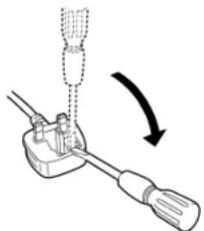
- Open the fuse cover with a screwdriver.
Figure A
natural_image
Diagram of a screwdriver tool interacting with a cable, showing a curved arrow indicating rotation (no text or symbols present)Figure B
Fuse cover
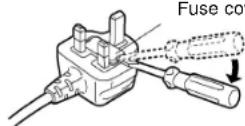
- Replace the fuse and close or attach the fuse cover.
Figure A
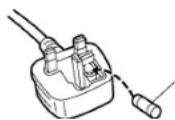
Fuse
(5 ampere)
Figure B
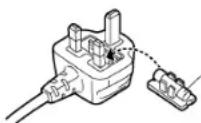
Fuse
(5 ampere)
Panasonic
OWNER'S MANUAL
Caution
Voltage (except North America, Mexico, Europe, Australia, New Zealand, China and Russia)
Be sure the voltage adjuster located on the AC adaptor is in accordance with local voltage in your area before using this unit. Use a screwdriver to set the voltage adjuster to the local voltage.
(for Canada)
CAUTION:
TO PREVENT ELECTRIC SHOCK MATCH WIDE BLADE OF PLUG TO WIDE SLOT, FULLY INSERT.
WARNING: TO REDUCE THE RISK OF FIRE OR ELECTRIC SHOCK, DO NOT EXPOSE THIS PRODUCT TO RAIN OR MOISTURE.
BEFORE YOU PLAY, PLEASE READ THE CAUTIONARY COPY APPEARING ON PAGE 4.
Before you play
For long and pleasurable use of this instrument, and to gain a thorough understanding of your KC611 Keyboard, it is strongly recommended that you read through this Owner's Manual once.
The Owner's Manual is comprised of the following parts.
BASIC FUNCTIONS
This part includes an explanation of basic procedures and points you should be aware of for proper operation of your instrument.
PRACTICAL APPLICATIONS
This part comprises a detailed explanation of sound, effect, rhythm, Recording, Disk Drive and Setting functions.
REFERENCE GUIDE (separate booklet)
Reference guide for the contents of the Sound List, Drum Kits, MIDI Implementation Chart.
Cautions for safest use of this unit
Installation location
- A well-ventilated place.
Take care not to use this unit in a place where it will not receive sufficient ventilation, and not to permit the ventilation holes to be covered by curtains, or any similar materials. - Place away from direct sunlight and excessive heat from heating equipment.
- A place where humidity, vibration and dust are minimized.
Power source
- For the power source, use ONLY the included AC adaptor. Use of a different AC adaptor may result in malfunction or even damage to the equipment.
- If the unit is not to be used for some time, remove the AC adaptor from the wall socket.
Handling the power cord
- Never touch the power cord, or its plug, with wet hands.
- Don't pull the power cord.
Metal items inside the unit may result in electric shock or damage.
Do not permit metal articles to get inside the unit.
Be especially careful with regard to this point if children are near this unit. They should be warned never to try to put anything inside.
If, nevertheless, some such article does get inside, disconnect the power cord plug from the electrical outlet, and contact the store where the unit was purchased.
If water gets into the unit
Disconnect the power cord plug from the electrical outlet, and contact the store where it was purchased.
As a precaution, it is suggested that flower vases and other containers which hold liquids not be placed on the top of this unit.
If operation seems abnormal
Immediately turn off the power, disconnect the power cord plug from the electrical outlet, and contact the store where it was purchased.
Discontinue using the unit at once. Failure to do so may result in additional damage or some other unexpected damage or accident.
- Because the power source is located inside the unit, it is normal for the cabinet to become warm.
A word about the power cord
If the power cord is scarred, is partially cut or broken, or has a bad contact, it may cause a fire or serious electrical shock if used. NEVER use a damaged power cord for any appliance. Moreover, the power cord should never be forcibly bent.
Don't touch the inside parts of this unit.
Some places inside this unit have high voltage potential. Never try to remove the top or back panels of this unit, or to touch inside parts by hand or with tools.
Contact someone who is qualified in order to inspect the inside, or to replace a fuse, if such becomes necessary. Never attempt to do these things yourself.
Maintenance
The following suggestions will assist you in keeping the unit in top condition.
- Be sure to switch the instrument off after use, and do not switch the unit on and off in quick succession, as this places an undue load on the electronic components.
•To keep the luster of the surface and buttons, simply use a clean, damp cloth; polish with a soft, dry cloth. Polish may be used but do not use thinners or petro-chemical-based polishes. - A wax-based polish may be used on the cabinet, although you will find that rubbing with a soft cloth will suffice.
Marking sign is located on bottom of the unit.
SERVICE MUST BE CARRIED OUT BY DEALER OR OTHER QUALIFIED PERSON
Contents
Cautions for safest use of this unit 4
Controls and functions 6
BASIC FUNCTIONS
Getting started 8
Playing 9
Listen to the demonstration 11
Add an automatic accompaniment 12
Play back the included Song Disk 14
Record your performance 15
Beat Master 16
PRACTICAL APPLICATIONS
About the display 19
Part I Sounds and effects
Sound 20
Conductor 21
Solo Piano 22
Effects 22
Transpose 23
Harmony 24
Part II Playing the rhythm
Rhythm 25
Synchro Start....26
Tempo 26
Rhythm performance .....27
Auto Play Chord 28
One Touch Play ....30
Panel Memory 31
Party Pads 32
Part III Recording
Record your performance 33
Playing back your recorded song .34
Store a chord progression ....34
Part IV Disk Drive
Parts of the floppy disk drive ....36
Playing the included Song Disk 36
Playback of commercial disks (Direct Play) ....37
Save your recorded song 38
Part V Menu
Outline of the procedure ....41
Setting menus 42
Symptoms which appear to be signs of trouble 45
Connections 46
Separately sold option 46
Index 47
Specifications 48
Demo Performance List 49
■ Supplied accessories
Please check the supplied accessories.
□ Music stand
□ AC adaptor
□ SONG BOOK
□ SONG DISK
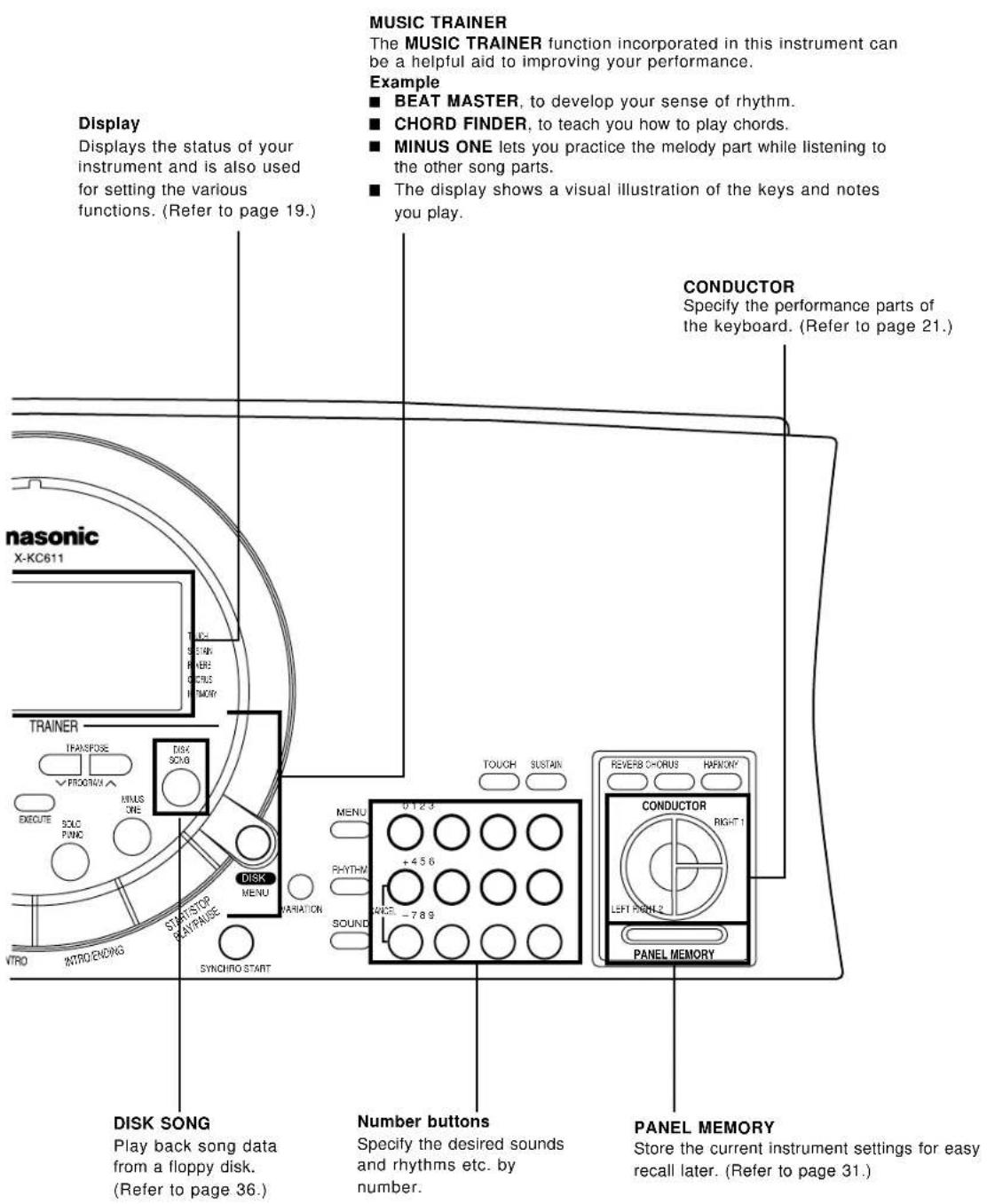
Controls and functions
SONG
Record and play back your performance. (Refer to page 33.)
AUTO PLAY CHORD
An automatically accompaniment is added to your playing merely by specifying a chord. (Refer to page 28.)
BEAT MASTER
A fun way to develop your sense of rhythm. (Refer to page 16.)
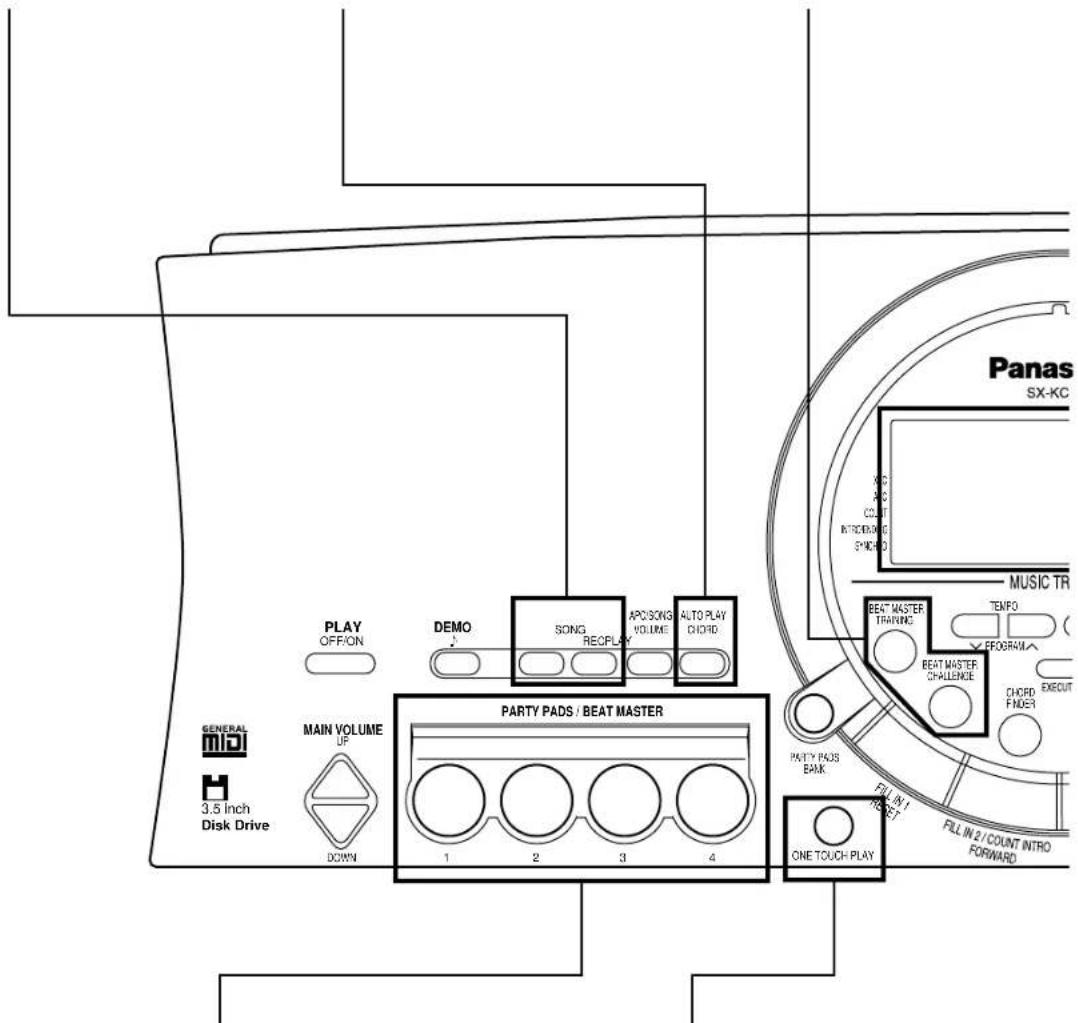
PARTY PADS/BEAT MASTER
Just press a pad button to add a fun sound effect to your playing. You can also tap the pad buttons in time with the beat. (Refer to pages 16, 32.)
ONE TOUCH PLAY
An appropriate combination of sounds, etc. for your selected rhythm are automatically set up for the automatic accompaniment. (Refer to page 30.)
Getting started
11 Connect the AC adaptor (included).
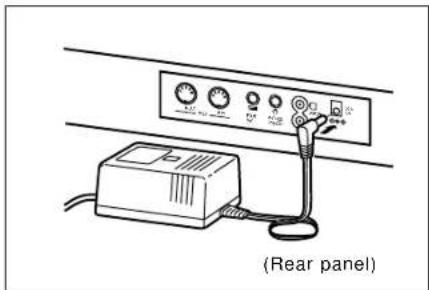
- Do not disconnect and connect the AC adaptor when the PLAY button is on, as doing so may cause the the programmed settings and recorded contents to be deleted.
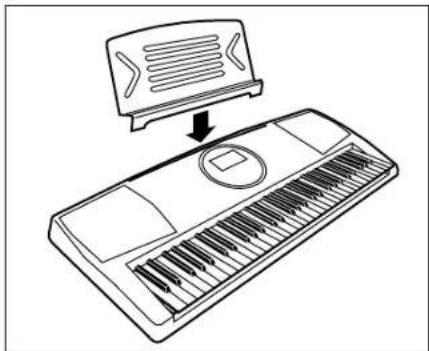
Affix the music stand as shown.
natural_image
Line drawing of a keyboard with an open top showing a music device (no text or symbols)Playing
natural_image
Line drawing of a piano keyboard with control panel and buttons (no text or symbols)15432
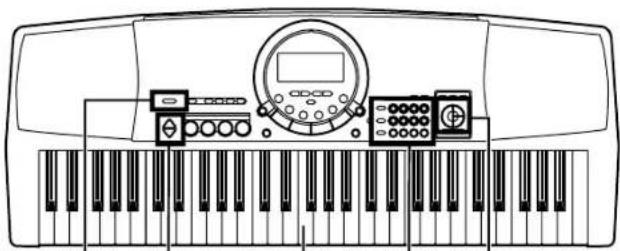
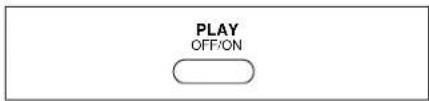
1 Press the PLAY button to turn it on.
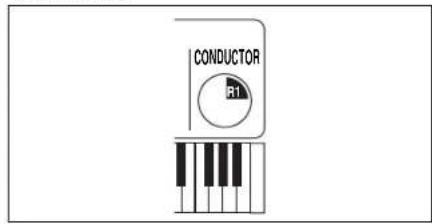
Press the RIGHT 1 button in the CONDUCTOR.
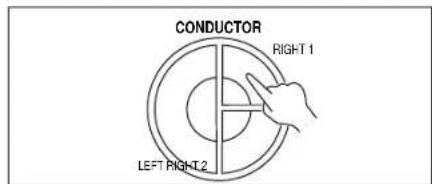
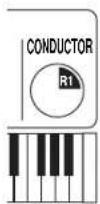
- The CONDUCTOR status is shown on the display like this:
31 Press the SOUND button, and use the number buttons to select a sound number (three digits).
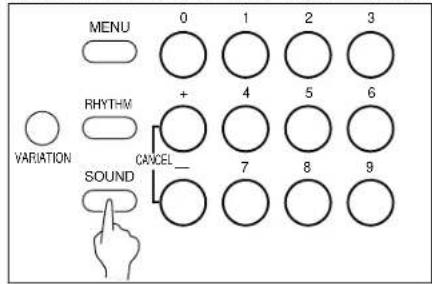
- The list of SOUNDS is found near the right side of the panel.
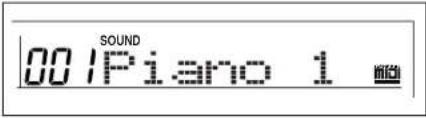
- The name and number of the selected sound are shown on the display.
4| Play the keyboard.
Set the MAIN VOLUME to an appropriate level.
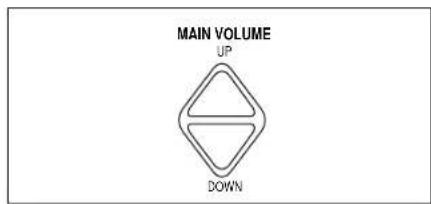
• The volume setting is shown on the display.
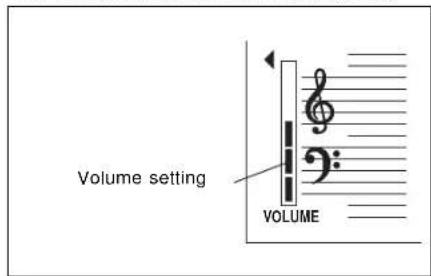
• Each graduation represents two degrees of volume change.
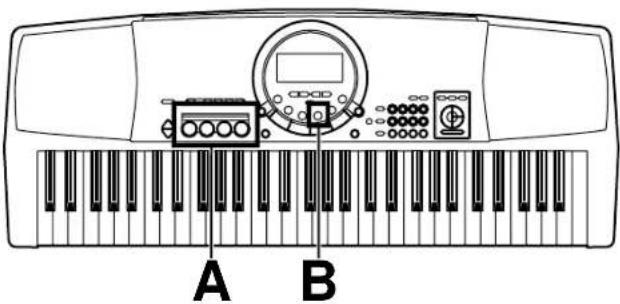
PARTY PADS
A
Press one of the PARTY PAD buttons while you play.
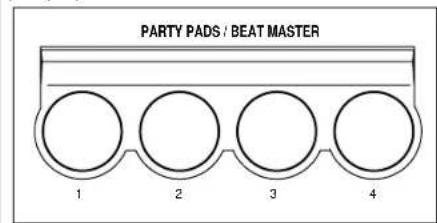
• Each of the buttons plays a fun sound effect.
SOLO PIANO
B
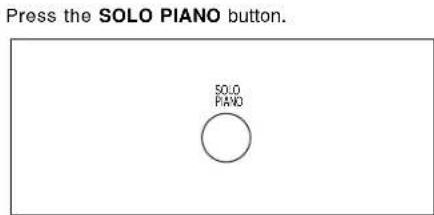
- The instrument settings automatically change to those appropriate for performing with piano sounds.
- Have fun with more sound effects by selecting another PARTY PAD bank. (Refer to page 32.)
- The pitch of this instrument can be adjusted, for example, when playing with other instruments. (Refer to page 44.)
- For detailed information about selecting sounds, refer to page 20.
Listen to the demonstration
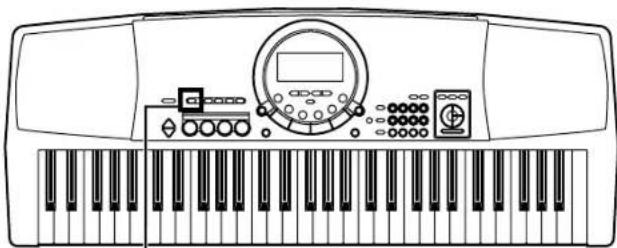
natural_image
Line drawing of a piano keyboard with control panel and keypad (no text or symbols)1·2
1
Press the DEMO button.
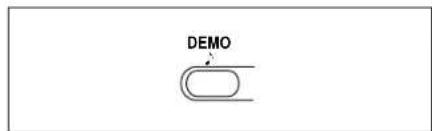
• The demonstration performance begins.
• The two demo tunes are playing continuously.
2
When you are finished listening to the demonstration performances, press the DEMO button again.
Add an automatic accompaniment
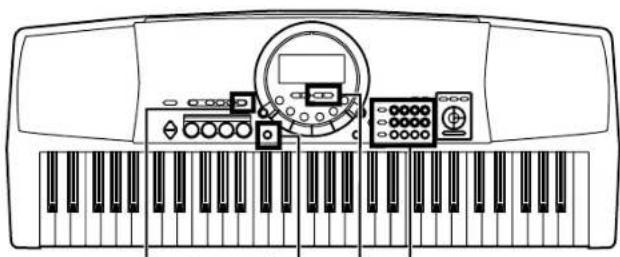
natural_image
Line drawing of a piano keyboard with control panel and keypad (no text or symbols)2 14 3


1
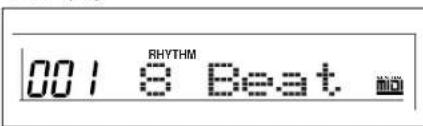
Press the RHYTHM button, and use the number buttons to select a rhythm number (three digits).
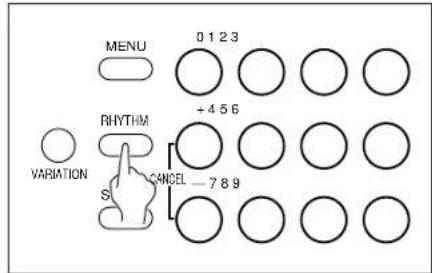
- The list of RHYTHMS is shown near the left end of the panel.
- The rhythm number and name are shown on the display.
2
Press the AUTO PLAY CHORD button.
3
Use the TRANSPOSE/PROGRAM buttons to show "1 Finger" on the display.
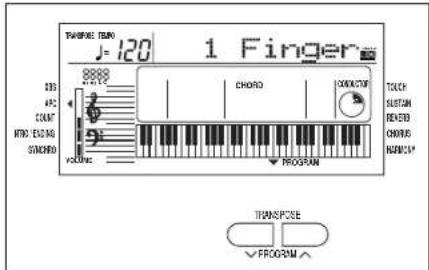
- Perform this operation while the PROGRAM indication is flashing on the display.
4
Press the ONE TOUCH PLAY button.
• The sounds, etc. appropriate for the selected rhythm are automatically set up.
5
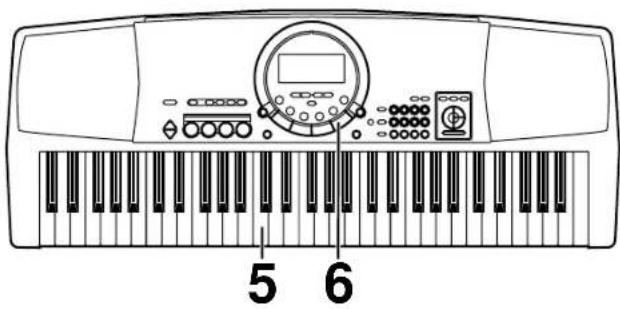
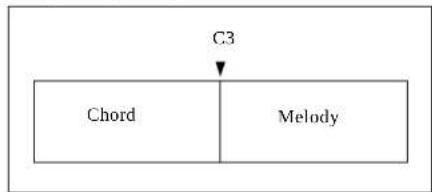
Play the chord with your left hand, and the melody with your right hand.
flowchart
graph TD
    A["Chord"] --> B["Melody"]
    C["C3"] --> B
- When you play the keyboard with your left hand, the automatic accompaniment starts (SYNCHRO START).
- For example, when you press a C key, an automatic accompaniment in the C major chord begins to play.
6
When you are finished playing the song, press the START/STOP button.
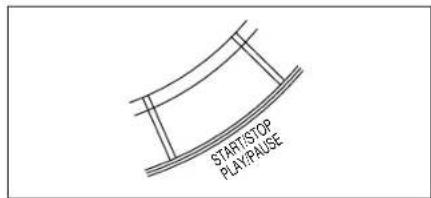
• The automatic accompaniment stops.
• To end your performance with the automatic accompaniment, press the AUTO PLAY CHORD button again.
C chord
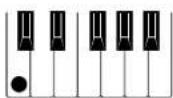
G7 chord
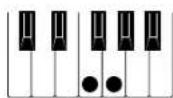
F chord
- For information about selecting rhythms, refer to page 25.
- For information about the automatic accompaniment, refer to page 28.
Play back the included Song Disk
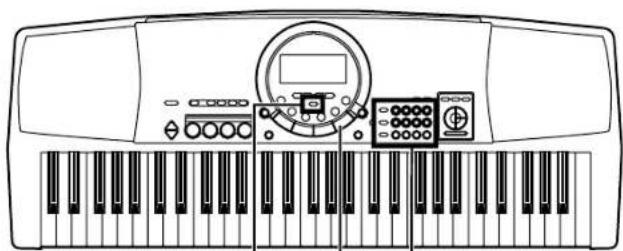
natural_image
Line drawing of a piano keyboard with control panel and keypad (no text or symbols)342
1
Insert the included SONG DISK into the Disk Drive slot.
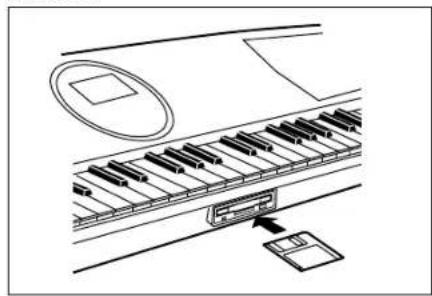
natural_image
Line drawing of a piano keyboard with an open key inserted, showing no text or symbols- Insert the floppy disk correctly oriented with the label side up. Push it all the way in until it clicks into place.
2
Use the number buttons to select a song number (3 digits).
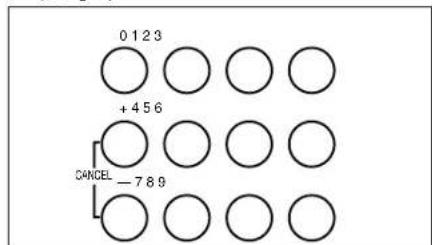
- The song numbers can be found on the separate music score provided.
- The selected song number and abbreviated song name are shown on the display.
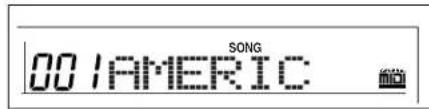
3
Press the EXECUTE button.

- When the data has been loaded to this instrument, "COMPLETE" appears on the display.
4
Press the PLAY/PAUSE (START/ STOP) button.
• The selected song is played back.
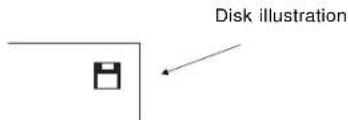
An illustration of a floppy disk appears on the display when data is being loaded from or saved to a disk. To prevent data loss, do not remove the disk from the Disk Drive or turn off the power while this illustration is shown.
- For playing back commercial song disks, refer to page 37.
- For detailed information about playing back the SONG DISK, refer to page 36.
Record your performance
natural_image
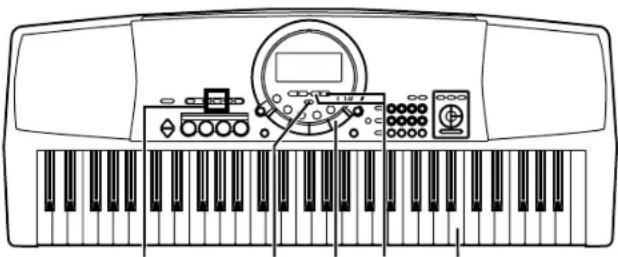
Line drawing of a piano keyboard with control panel and keyboard (no text or symbols)2·6 34 7 5
11 Select the desired sounds and rhythm.
- You can also record a performance that has an automatic accompaniment.
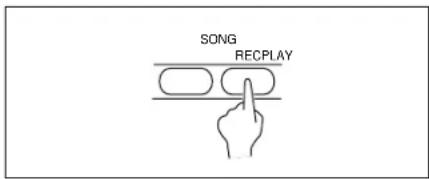
In the SONG section, press the REC button.
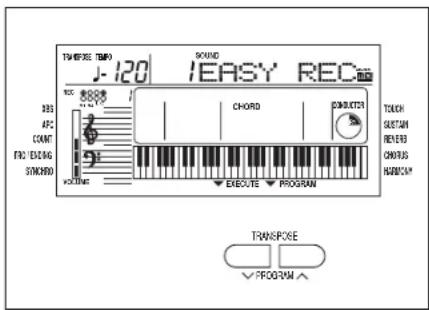
3 Use the TRANSPOSE/PROGRAM buttons to select EASY REC.
41 Press the EXECUTE button.
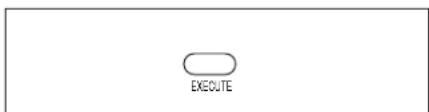
- All the previously recorded contents are erased.
- For more information about SONG, refer to page 33.
5| Play the song on the keyboard.
6 When your performance is finished, press the REC button, in the SONG section, again. • The recording can also be ended by pressing the START/STOP button.
7 Press the PLAY/PAUSE (START/ STOP) button. START/STOP PLAY/PAUSE • Your recorded performance is played back.
- To play a normal rhythm performance after playing back your recorded performance, press the PLAY button in the SONG section to turn it off.
Beat Master
BEAT MASTER is a fun feature that helps you develop your sense of rhythm while you enjoy playing, just like competing with a friend in a game.
Think of yourself as the student, and the instrument your teacher. First, the teacher "claps" out the rhythm, and then you try to mimic it.
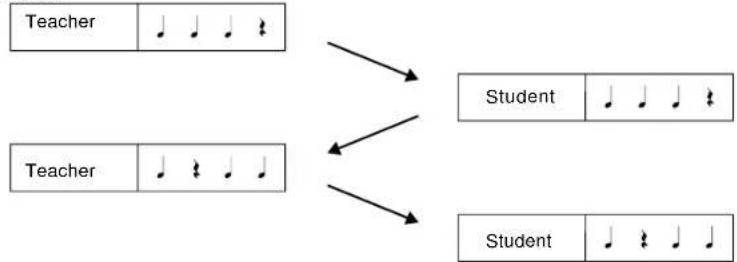
flowchart
graph TD
    A["Teacher"] --> B["Student"]
    C["Teacher"] --> D["Student"]
    style A fill:#f9f,stroke:#333
    style C fill:#f9f,stroke:#333
    style B fill:#ccf,stroke:#333
    style D fill:#ccf,stroke:#333
Your rhythm lesson uses the four pad buttons. As the instrument models the rhythm, the corresponding pad indicators light. Then you try to tap the same pad buttons, with your fingers, using the same timing.
But it's more than just a rhythm lesson—as you tap the pad buttons, a melody is played in time with your rhythm! With BEAT MASTER you play a game of musical Questions & Answers with the instrument.
LISTEN PLAY

flowchart
graph LR
    A["Musical notation: 1/2"] --> B["Melodic sequence: 1/2 is a melodic"]
    B --> C["..."]
The BEAT MASTER has two levels to choose from: TRAINING (beginner) and CHALLENGE (advanced). To learn how to use the BEAT MASTER, begin with the TRAINING song "1:Warm Up". The structure of this song is shown below, so take a minute to look it over before starting the lesson (following).
Number: Pad number Note: Beat timing


flowchart
graph LR
    A["PHRASE 3"] --> B["LISTEN LISTEN"]
    C["PHRASE 4"] --> D["PLAY PLAY"]
    E[" "] --> F["Ending"]
    style A fill:#f9f,stroke:#333
    style C fill:#f9f,stroke:#333
    style E fill:#f9f,stroke:#333
    style F fill:#f9f,stroke:#333
    subgraph Evaluation of your performance
        G["1"] --> H["2"] --> I["3"] --> J["4"] --> K["5"] --> L["6"] --> M["7"] --> N["8"] --> O["9"] --> P["10"] --> Q["Ending"]
    end
natural_image
Line drawing of a piano keyboard with instrument and control panel (no text or symbols)21 34 5
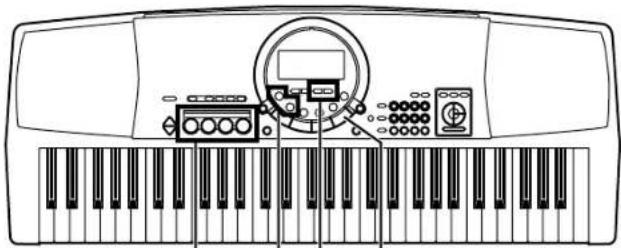
1
Press the BEAT MASTER TRAINING or CHALLENGE button.
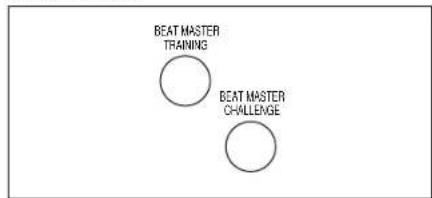
- Select TRAINING if you are a beginner, or CHALLENGE to improve your skill.
- A BGM is heard and the pad indicators light up.
2
Use the TRANSPOSE/PROGRAM buttons to select a song number.
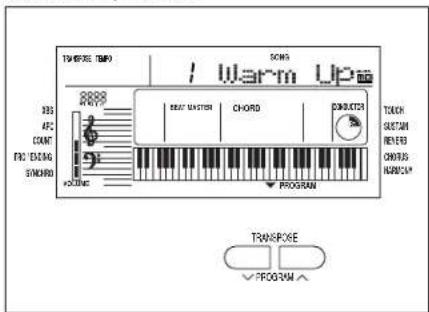
- Select a number from 1 to 4 (TRAINING)/C1 to C7 (CHALLENGE). The higher the number, the more difficult the tune.
- Use the CHALLENGE button to select number C8 to play back a song loaded from the disk. If data has not been loaded from a disk, "EMPTY" is shown on the display.
3
Press the START/STOP button.
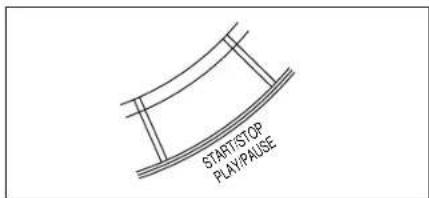
• The tune begins to play.
- Listen to the intro.
4
The Question phrase is played. Watch the timing of the pad indicators and try to remember it.
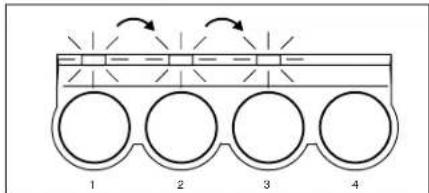
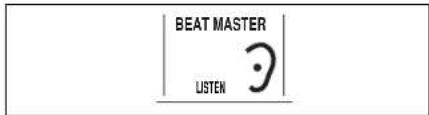
- During this time, the display looks like this:
5
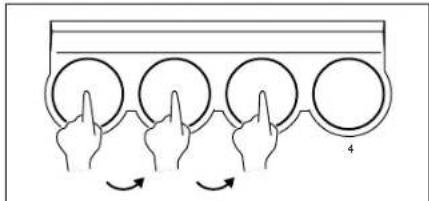
Mimic the Question phrase by tapping the same pad buttons in the same order and timing.
natural_image
Diagram showing four hands pointing at circular objects on a rectangular surface, with curved arrows indicating rotation or movement (no text or symbols)- An evaluation of each phrase you reproduce is shown as "Bravo!", "Good", "Poor."
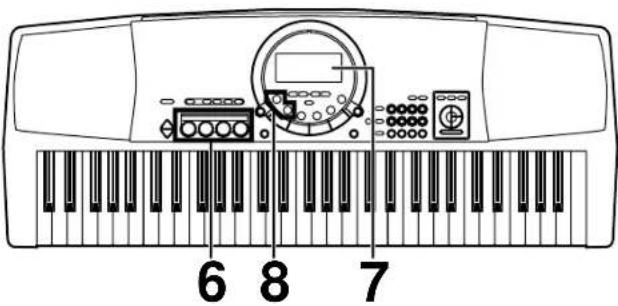
- During this time, the display looks like this:
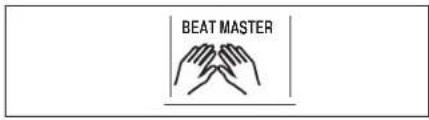
61 The next Question phrase is then played. Continue in the same manner.
7 After the ending plays, you will see an evaluation of your performance on the display.
- Your total performance is assessed as "Master!", "Good", "Fair" or "Practice."
- To try the same lesson again, press the START/STOP button. Or you can try an another song.
8 To turn off the BEAT MASTER, press the same BEAT MASTER button that you selected in step 1.
Playback of BEAT MASTER songs on the disk
- BEAT MASTER songs are recorded on the included disk.
(1) Insert the disk with the BEAT MASTER song data into the Disk Drive.
(2) Press either BEAT MASTER button.
(3) Press the DISK SONG button.
(4) Use the TRANSPOSE/PROGRAM button to specify the file number to load from the disk. - Note that the current SONG data is deleted when the BEAT MASTER data has been loaded.
(5) Press the EXECUTE button. - When the data has been loaded to this instrument, "COMPLETE" appears on the display.
(6) Press the START/STOP button.
About the display
The display shows the status of this instrument, the played keys, etc., and is also used for setting the various functions.
Normal display
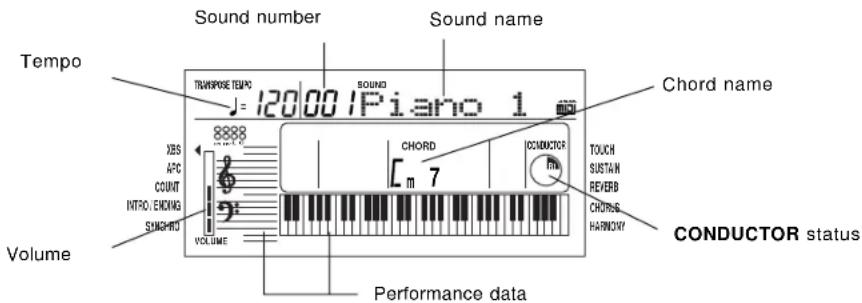
• A of mark next to the function name to the left or right of the display indicates that the corresponding button is ON. (In the example above, the XBS function is On.)
•The readability (LCD CONTRAST) of the display can be adjusted. (Refer to pages 41 and 44.)
Setting display example
Example: PART VOLUME
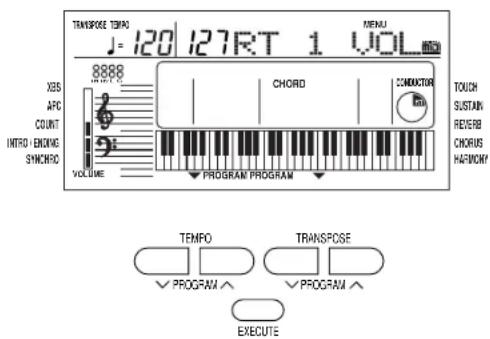
The TRANSPOSE/PROGRAM buttons and TEMPO/PROGRAM buttons below the display, as well as the number buttons and + and - buttons, are used to select the various functions and specify values, etc.
- When the TRANSPOSE/PROGRAM buttons or TEMPO/PROGRAM buttons are used to set a function, the corresponding PROGRAM indication flashes.
- The number buttons are convenient for entering numbers directly, and the TRANSPOSE/PROGRAM buttons or the + and - number buttons are convenient for selecting the modes, etc. while viewing the display.
EXECUTE
When it is necessary to confirm that you wish to execute a function, press the EXECUTE button.
- If necessary, the EXECUTE indication on the display will flash.
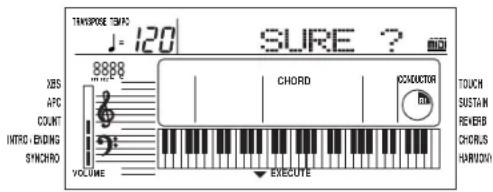
- At this time if you wish to cancel the procedure instead of executing it, press the button that you to select the function (MENU button or DISK MENU button, etc.).
•The display illustrations used throughout this manual are for purposes of explanation and may differ from the actual display you see when you are using your instrument.
Part I Sounds and effects
There are 250 different sounds permanently stored in this instrument to enhance your playing enjoyment.
Sound
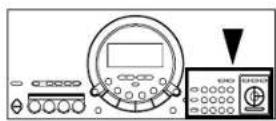
Select the sounds for the three parts you can play on the keyboard.
- In the CONDUCTOR, select a part (RIGHT 1, RIGHT 2 or LEFT).
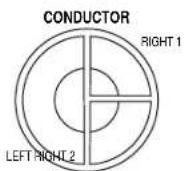
- The CONDUCTOR indication on the display shows the selected part(s).
- Press the SOUND button. Use the number buttons to select a sound number (three digits).
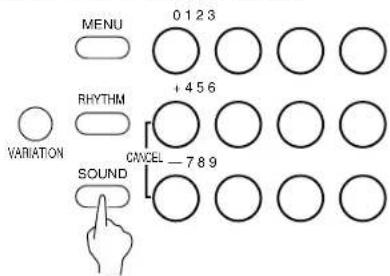
- The list of SOUNDS is printed on the upper right portion of the panel.
• The selected sound number and sound name are shown on the display.

- Enter three digits to specify the sound. For example, for sound number 003, press 0, 0, 3. For sound number 030, press 0, 3, 0.
3.Play the keyboard.
• Non-pitched (percussion) sounds are also available.
- For DRUM KITS sounds, percussion instrument sounds corresponding to the illustration are played with the keyboard keys.
- You can use the CONDUCTOR to assign different parts to the keyboard.
■ About the number buttons
The number buttons are convenient for selecting functions with assigned numbers, such as sounds and rhythms, MENU functions, disk songs, etc.
- The + and - buttons can be used to increase or decrease the number. When a button is pressed and held, the numbers change quickly.
- If you wish to cancel the number you are in the midst of entering, press the + and - buttons at the same time. If you pause in the midst of entering a number, the entry may automatically be canceled after a few seconds.
Conductor
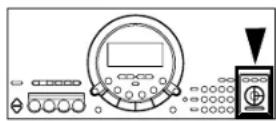
The CONDUCTOR buttons are used to assign sounds to the keyboard in many different ways. For example, you can assign two sounds to the entire keyboard so that playing one key will produce two sounds. You can even split the keyboard into right and left sections (SPLIT), and assign a different sound to each section.
| CONDUCTOR settings How sounds are assigned to the keyboard | |
 | All keys produce theRIGHT 1sound.RIGHT 1 |
 | All keys produce theRIGHT 2sound.RIGHT 2 |
 | All keys produce both theRIGHT 1sound and theRIGHT 2sound.RIGHT 1 + RIGHT 2 |
 | The left keys produce theLEFTsound and the right keys produce theRIGHT 1sound and theRIGHT 2sound. |
| LEFTRIGHT 1 + RIGHT 2 | |
 | The left keys produce theLEFTsound and the right keys produce theRIGHT 1sound. |
 | The left keys produce theLEFTsound and the right keys produce theRIGHT 2sound. |
- The volume of each part can be adjusted independently. (Refer to page 42.)
- When the keyboard is divided into left and right parts, the initialized split point is at C3 (the third C from the bottom, or left end of the keyboard), but you can change the location of the split point. (Refer to page 44.)
- The following conditions are in effect when the AUTO PLAY CHORD is used.
1 Finger mode: The LEFT part does not sound.
— 1 Finger, Fingered mode: You cannot assign the RIGHT part sound to the whole keyboard.
— Pianist mode: The keyboard cannot be split.
Part I Sound and effects
Solo Piano
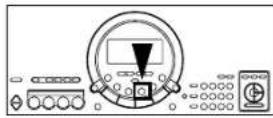
Press the SOLO PIANO button for a solo piano performance without having to make complicated settings.
⇒Press the SOLO PIANO button.

- The appropriate settings for a piano performance is automatically set.
- Note that the settings that were in effect immediately before this button is pressed will be lost.
Effects
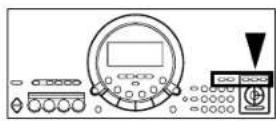
Add various effects to give expression to the sounds.
CHORUS
This effect gives the sound richness and breadth.
- Use the CONDUCTOR buttons to select the part to which this effect will be applied.
- Press the CHORUS button to turn it on.

- The mark next to the CHORUS indication on the right side of the display indicates that this effect is on.
• The display looks similar to the following.
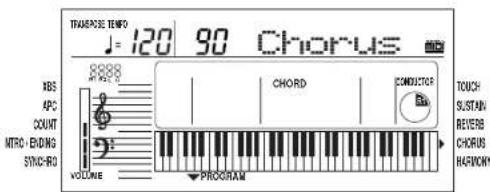
- If necessary, use the TEMPO/PROGRAM buttons to adjust the depth of the effect (0–99).
- Perform this operation while the PROGRAM indication is flashing on the display. After a few seconds, the display returns to the previous display.
• This effect can be set to on or off for each part.
SUSTAIN
SUSTAIN is the gradual fading out of musical tones after the key is released.
- Use the CONDUCTOR buttons to select the part to which this effect will be applied.
- Press the SUSTAIN button to turn it on.

• The mark next to the SUSTAIN indication on the right side of the display indicates that this effect is on.
- This effect can be set to on or off for each part.
Part I Sound and effects
REVERB
REVERB applies a reverberation effect to the sound.
⇒Press the REVERB button to turn it on.

- The mark next to the REVERB indication on the right side of the display indicates that this effect is on.
• The display looks similar to the following.
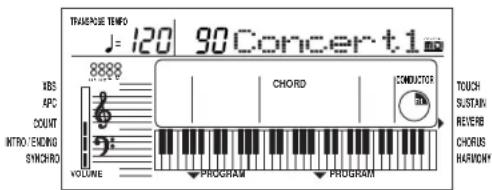
- If necessary, use the TEMPO/PROGRAM buttons to adjust the depth of the effect (0–99), and the TRANSPOSE/PROGRAM buttons to select the type of reverb (Room1, 2, Plate 1, 2, Concert 1, 2).
- Perform this operation while the PROGRAM indication is flashing on the display. The display returns to the previous display a few seconds after you have changed the setting.
TOUCH
You can add dynamics to the sound by varying the keyboard touch.
• The initialized setting is ON.
⇒Press the TOUCH button to turn it on.

- The mark next to the TOUCH indication on the right side of the display indicates that this effect is on.
• The display looks similar to the following.
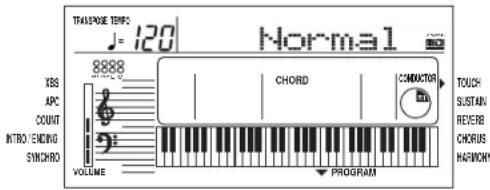
- If necessary, the TRANSPOSE/PROGRAM buttons can be used to select the mode (Heavy, Normal, Light).
- Perform this operation while the PROGRAM indication is flashing on the display. After a few seconds, the display returns to the previous display.
Transpose
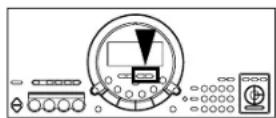
The TRANSPOSE buttons are used to change the key of the entire instrument in semitone steps across an entire octave.
Suppose you learn to play a song—in the key of C, for example—and decide you want to sing it, only to find that it's either too high or too low for your voice. Your choice is to either learn the song all over again in a different key, or to use the TRANSPOSE feature.
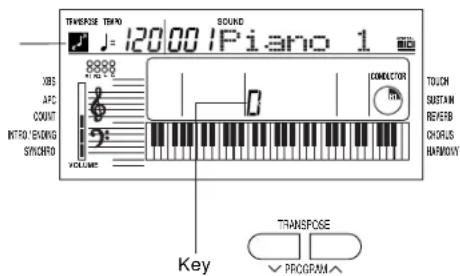
⇒Adjust the key with the TRANSPOSE Λ and V buttons.
Transpose illustration
Part I
Sound and effects
- Each press of the button raises the key in semitone steps, and each press of the V button lowers the key in semitone steps (G - C - F #).
- If the two buttons are pressed at the same time, the key returns to C.
- When the TRANSPOSE function is active, the transpose illustration is shown on the display.
- When PROGRAM is shown on the display above the buttons, these buttons are used for various settings and cannot be used for TRANSPOSE. To access the TRANSPOSE function in this case, first exit the setting mode.
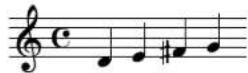
Played keys: C major
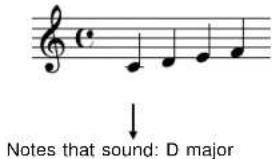
Notes that sound: D major
Harmony
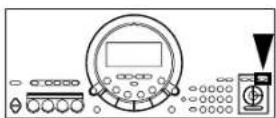
This function automatically adds harmony to the single-note melody you play in the right part, based on the chord you specify in the left part.
- Split the keyboard into right and left sections. (Refer to page 21.)
- Press the HARMONY button to turn it on.

- The mark next to the HARMONY indication on the right side of the display indicates that this effect is on.
• The display looks similar to the following.
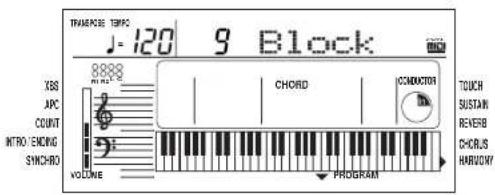
- If necessary, the TRANSPOSE/PROGRAM buttons can be used to select the type of harmony.
- If the "Octave", "Hard Rock" or "Fanfare" type is selected, HARMONY is added even when you do not specify the chords.
- Perform this operation while the PROGRAM indication is flashing on the display. After a few seconds, the display returns to the previous display.
Part II Playing the rhythm
There are 100 rhythms stored in the memory of this instrument. An additional VARIATION patterns for each rhythm is available.
Rhythm
- Press the RHYTHM button. Use the number buttons to select a rhythm number (three digits).
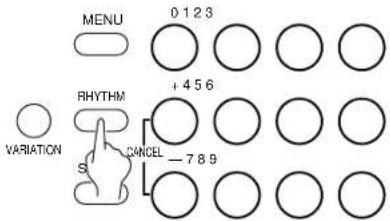
- The list of RHYTHMS is shown near the left end of the panel.
• The rhythm number and name are shown on the display.

- Enter three digits to specify the rhythm. For example, for rhythm number 003, press 0, 0, 3. For rhythm number 030, press 0, 3, 0.
- The + and - buttons can be used to increase or decrease the number. When a button is pressed and held, the numbers change quickly.
-
To cancel a number you are entering, press the + and - buttons at the same time (CANCEL).
-
Press the START/STOP button.
• The selected rhythm pattern begins to play.
- You can stop the rhythm by pressing the START/STOP button again to turn it off.
- Since there is no DRUM part for the 091 CLASSIC BALLAD rhythm, the pattern does not sound unless the AUTO PLAY CHORD is used.
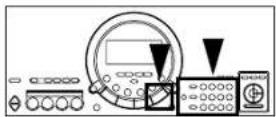
VARIATION
When you press the VARIATION button, the rhythm changes to the variation pattern for the selected rhythm.
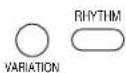
- "VARI" is shown on the display when the variation pattern is selected.

- During a rhythm performance, you can switch between the normal pattern and the variation pattern by pressing the VARIATION button. - There is no VARIATION pattern for the METRONOME rhythm.
Synchro Start
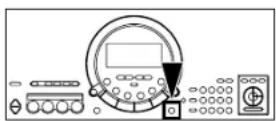
With the synchronized start feature, the rhythm pattern begins to play when you press a key on the keyboard.
- Select a rhythm.
- Press the SYNCHRO START button to turn it on.

- The mark next to the SYNCHRO indication on the left side of the display indicates that this function is on.
- Play a key to the left of the keyboard split point.
• The rhythm pattern begins to play. - You can use the synchronized start feature even when the keyboard is not divided into left and right sections. To start the rhythm, press a key to the left of the specified split point (C3 in the initialized state).
Tempo
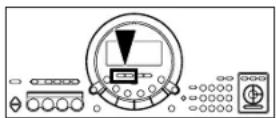
The tempo of the rhythm pattern is adjusted with the TEMPO buttons.
⇒Press the right button for a faster tempo, and the left button for a slower tempo ( ≤ 40 - 300 ).
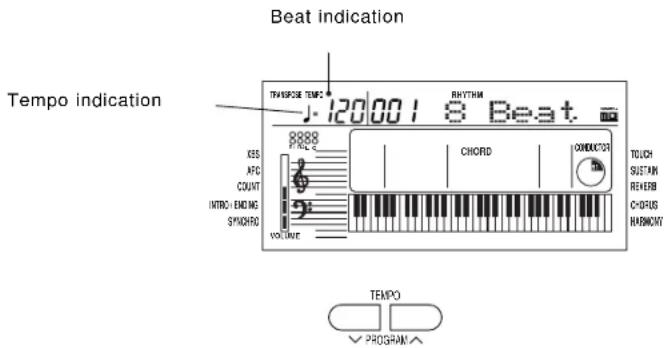
- Press both buttons at the same time to reset the tempo to the standard ♪ = 120 .
• The tempo is shown on the display.
• The beat is indicated above the displayed tempo. - When "PROGRAM" appears on the display above the buttons, these buttons are used for various settings and cannot be used to adjust the TEMPO. To adjust the TEMPO in this case, you must first exit the setting mode.
Rhythm performance
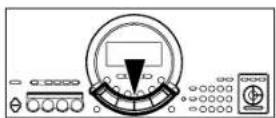
Intro, fill-in and ending patterns are available for each rhythm.
INTRO
Begin the rhythm performance with an intro pattern.
- Press the INTRO/ENDING button to turn it on.
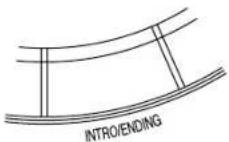
- The mark next to the INTRO/ENDING indication on the left side of the display indicates that this function is on.
- Press the START/STOP button to start the rhythm.
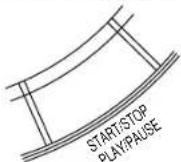
- An intro pattern is played, after which the normal rhythm pattern begins.
COUNT INTRO
You can begin the rhythm performance with a one-measure count.
- Press the FILL IN 2/COUNT INTRO button to turn it on.
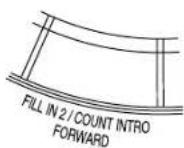
- The mark next to the COUNT indication on the left side of the display indicates that this function is on.
- Press the START/STOP button to start the rhythm. • A one-measure count is played, after which the normal rhythm pattern begins.
FILL IN
You can insert a fill-in pattern any time during the rhythm performance. Choose from two different fill-in patterns.
-
Select a rhythm and press the START/STOP button.
-
Press the FILL IN 1 or 2 button.
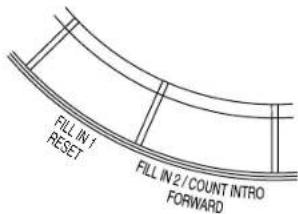
- A fill-in pattern is heard immediately for the remainder of the measure. - When a FILL IN button is pressed on the last beat of the measure, the fill-in pattern continues to the end of the following measure.
ENDING
Finish the rhythm performance with an ending pattern.
-
Select a rhythm and press the START/STOP button.
-
Press the INTRO/ENDING button to turn it on.
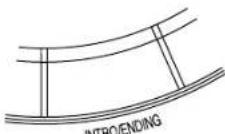
- An ending pattern is produced, and then the rhythm performance stops. - If you accidentally press an INTRO/ENDING button in the middle of the tune, you can press the FILL IN 1 or 2 button. The ending pattern stops, and a fill-in pattern is produced, after which the normal rhythm performance continues.
Auto Play Chord
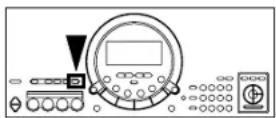
Simply by playing a chord on the keyboard, the AUTO PLAY CHORD function automatically plays an accompaniment pattern which matches perfectly the selected rhythm. With a real accompaniment as a background, you can concentrate on playing the melody.
⇒Choose from three ways of playing chords.
■ One Finger (1 Finger) mode
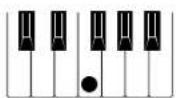
In the One Finger mode, a major chord can be played just by pressing the key for its root note.
Example: C chord
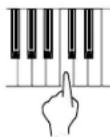
Minor, seventh and minor seventh chords are also easily produced.
| minor chord seventh chord | minor seventh chord | |
| Play the root note plus a black key to the left of it. | Play the root note plus a white key to the left of it. | Play the root note plus a black key and a white key to the left of it. |
Example: Cm Example: C7 Example: 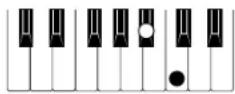 | 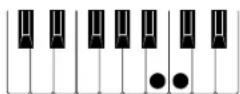 | 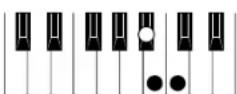 |
■ Fingered mode
In the Fingered mode, you specify the chord by playing all the notes in the chord.
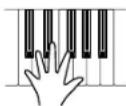
- Play at least three notes to specify the chord.
- If the CHORD FINDER procedure is used, you can see the types of chords that can be specified and the keys you press to play them. (Refer to page 30.)
■ Pianist mode
In the Pianist mode, the entire keyboard can be used to specify chords (Fingered mode) for the automatic accompaniment; a RIGHT part is assigned to all the keys, and the keyboard does not split.
- If the CHORD FINDER procedure is used, you can see the types of chords that can be specified and the keys you press to play them. (Refer to page 30.)
- When specifying chords, if you press a key a perfect 5th or more below the lowest note of the chord, the BASS part becomes a pattern based on that note.
How to use the AUTO PLAY CHORD
- Select the desired rhythm and sound(s), and set the tempo.
- Press the AUTO PLAY CHORD button to turn it on.
AUTO PLAY CHORD

- The mark next to the APC indication on the left side of the display indicates that this function is on.
• The display looks similar to the following.

- Use the TRANSPOSE/PROGRAM buttons to select the chord mode (1 Finger, Fingered, Pianist).
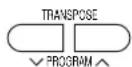
- Perform this operation while the PROGRAM indication is flashing on the display. After a few seconds, the display returns to the previous display.
-
Start the rhythm.
-
Specify a chord.
-
If the 1 Finger or Fingered mode was selected, specify the chord on the keyboard section to the left of the split point (C3).
- The split point can be changed. (Refer to pages 41 and 44.)
- An accompaniment pattern in the specified chord is automatically played.
- The specified chord is shown in the CHORD section on the display.
- When you use the fill-in, intro and ending patterns, the automatic accompaniment is also used in these patterns.
- Once a chord is specified, it continues to play even when the keys are released, until you specify another chord.
-
To stop the automatic accompaniment, press the START/STOP button.
-
The AUTO PLAY CHORD is comprised of five parts (ACCOMP [ACP] 1, 2 and 3, BASS and DRUMS), the volume balance for each of which can be adjusted with the PART VOLUME function. (Refer to pages 41 and 42.)
- In the 1 Finger or Fingered mode, if you specify a chord without starting the rhythm, the root bass note (R.BS) and the chord notes (CHRD) will sound. The volumes of these parts can be adjusted with the PART VOLUME function. (Refer to pages 41 and 42.)
- There is no automatic accompaniment pattern for the METRONOME rhythm.
APC/SONG VOLUME
You can lower the volume of the automatic accompaniment to balance it with the volume of the sounds you play.
- This setting also functions for the song playback volume.
- Press the APC/SONG VOLUME button to turn it on.
APCISONG VOLUME

• The display looks similar to the following.

- Use the TEMPO/PROGRAM buttons to adjust the volume (0 to 10).
• A setting of 10 is the normal volume.
- Perform this operation while the PROGRAM indication is flashing on the display. After a few seconds, the display returns to the previous display.
• After the volume setting is changed, the volumes of all the parts other than the one you are playing (for example, BEAT MASTER, etc.) are also changed.
Part II Playing the rhythm
CHORD FINDER
This feature shows you the keys to press for a specific chord. You may find this convenient when you don't know how to play certain chords indicated in the sheet music.
- Select the chord mode. (Refer to page 29.)
- Select Fingered or Pianist.
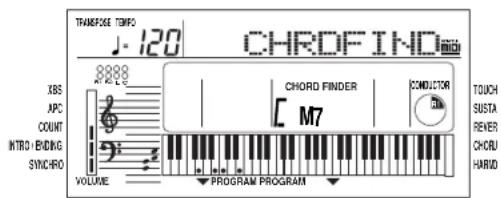
- Press the CHORD FINDER button to turn it on.

- Use the TEMPO/PROGRAM buttons to specify the chord's root note, and the TRANSPOSE/PROGRAM buttons to specify the chord type.
- On the display, the keys you press to play the specified chord are indicated on the keyboard illustration.
- If you press the EXECUTE button, the selected chord will sound.
- Press the CHORD FINDER button again to turn this function off.
• The display looks similar to the following.
One Touch Play
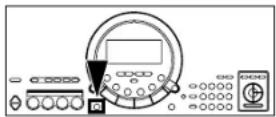
ONE TOUCH PLAY automatically sets the sounds, etc. that match your chosen rhythm. Just by pressing a button you can immediately perform using the automatic accompaniment.
- Note that when the automatic settings are executed, the previous settings are canceled.
- With the rhythm stopped, select a rhythm pattern.
- Press the ONE TOUCH PLAY button.

- Sounds and effects, tempo, etc. that match your selected rhythm are automatically set, and the AUTO PLAY CHORD and SYNCHRO START are turned on.
- Play the keyboard.
- When you specify a chord, the automatic rhythm begins to play immediately.
Panel Memory
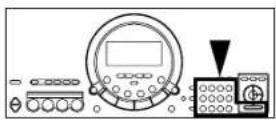
This function lets you store up to ten combinations of panel settings for easy recall at any time.
How to store the panel settings
The settings are stored in buttons 0 to 9.
- Set up the desired panel settings (sounds, rhythms, etc.).
- While pressing the PANEL MEMORY button, press one of the number buttons (0 to 9).
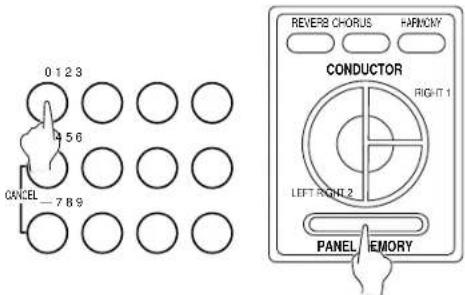
- "COMPLETE" appears on the display, and the current panel settings will be stored in the selected number.
Recall the panel setup
- Press the PANEL MEMORY button.
- Press the desired number button.
- The panel setup changes to the one stored in the specified memory.
- When you press the PANEL MEMORY button, the P. MEMORY indication appears in the upper part of the display for a few seconds. Press the desired number button while this indication is shown.
- You can then change the sound settings, etc.; however, the memory itself remains unchanged until you store it again.
Party Pads
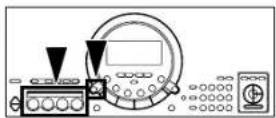
You can insert fun sound-effects just by pressing the pad buttons.
Pad performance
You can use the four pad buttons to produce four different sound effects.
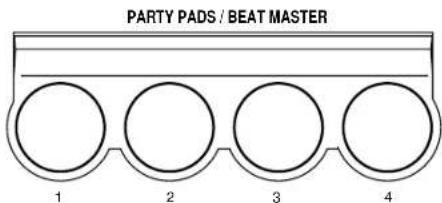
- Playback will stop if you press the same pad button again.
Select a bank
Four banks have been prepared so that you can play sound effects that match the selected theme.
⇒Press the PARTY PADS BANK button to select the desired bank on the display.
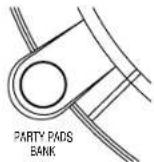
• The display looks similar to the following.

• Each time the button is pressed, the bank number changes in order from 1 to 4.
- The list of PARTY PADS BANKS is found on the panel above the pad buttons.
• After a few seconds, the display returns to the previous display.
• Each pad produces a phrase that matches the selected bank.
Part III Recording
Use the SONG function to record your performance.
Record your performance
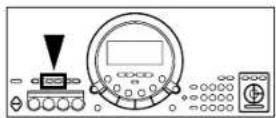
Record your performance just as you played it on the keyboard.
- Set the sounds, effects, rhythms, etc. for the parts you are going to record.
-
In the CONDUCTOR, turn on the parts that you want to record.
-
In the SONG section, press the REC button.
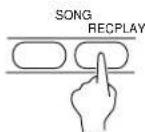
• The display looks similar to the following.

- Use the TRANSPOSE/PROGRAM buttons to select the recording mode.
1 EASY REC: Your performance, including the automatic accompaniment, is recorded.
- All the previously recorded contents are erased.
2 MELODY: Your performance of those parts selected in the CONDUCTOR is recorded.
3 APC REAL: The automatic accompaniment (specified chords) only is recorded.
- Be sure to turn on the AUTO PLAY CHORD button before beginning recording. Also note that recording in this mode should be completed before starting to record in the MELODY mode.
4 APC STEP: The chord progression is recorded one chord at a time. (Refer to page 34.)
- Press the EXECUTE button.
- On the display, a flashing • mark in the REC line indicates the part that you selected to record.
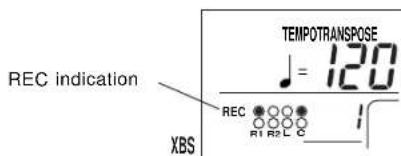
- A flashing - mark in both the REC line and the PLAY line means that you have selected a part that has already been recorded. If you record this part again, the previous contents will be overwritten (deleted).
- Press the START/STOP button.
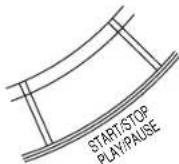
• The recording begins. Play the keyboard to record your performance.
- If you record a performance without the rhythm, begin your performance without pressing the START/STOP button. Recording begins immediately when you play the keyboard.
• The measure number is shown on the display.
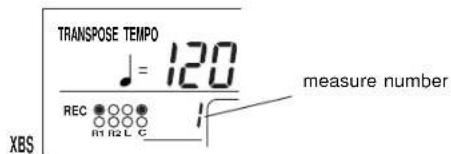
- When you have finished recording, press the START/STOP button.
- On the display, a • mark in the PLAY line indicates the part that you recorded.
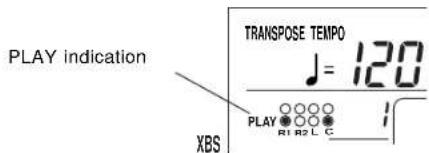
- If you press the START/STOP button at this time, your recorded performance will be played back.
You can record your performance using four tracks—RIGHT 1 (R1), RIGHT 2 (R2), LEFT (L) and CHORD (C).
Multiplex recording
Multiplex recording of the MELODY mode and APC REAL mode is possible by repeating steps 1 to 6.
- In multiplex recording, recording cannot be started by playing the keyboard. You must press the START/STOP button to begin recording.
Playing back your recorded song
- In the SONG section, press the PLAY button.
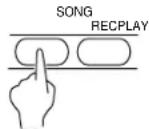
- This step is not necessary if the PLAY indication already appears on the display.
-
Press the PLAY/PAUSE (START/STOP) button.
-
Your recorded performance is played back.
- For information about the function of each button during playback, refer to page 37.
- If you wish to play back the rhythm, turn the PLAY button off.
Store a chord progression
Store the chord progression for the AUTO PLAY CHORD in the track for the CHORD part. Then, when the AUTO PLAY CHORD is used during playback, even if you do not specify the chords with your left hand, the chords change automatically.
- The chord length is specified with the CHORD STEP RECORD keys on the keyboard.
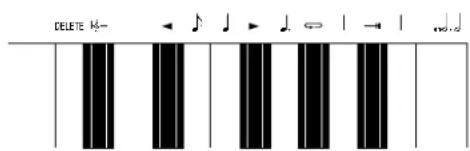
Note value keys
Whole note
. Dotted half-note
Half-note
. Dotted quarter-note
Quarter-note
Eighth-note
Reset key
Press to begin storing from the beginning.
Correction keys

Move back one step.

Move forward one step.
Repeat key

Press to end the chord-storing procedure and to specify automatic repeat playback of the stored progression.
End key

Press after the whole chord progression has been stored.
DELETE key
DELETE Press to erase data.
- To erase all the data from the current track, while pressing the DELETE key, press the End key ( —H ).
- Note that executing this procedure will delete the recorded APC REAL data.
Part III Recording
- In the SONG section, press the REC button.
- Use the TRANSPOSE/PROGRAM buttons to select 4: APC STEP.

-
Press the EXECUTE button.
-
While playing a chord with your left hand, press the desired note value key with your right hand to specify the chord length. Repeat this step to store all the chords.
- When a note value key is pressed, a "beep" tone indicates that the chord has been stored.
- Store a rest by pressing a note value key without specifying a chord.
• The display during chord recording:
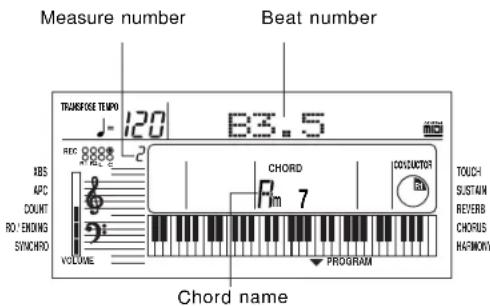
- The beat number is indicated in increments of ♩. For example, "B3.5" indicates 3-1/2 beats.
- You can press the INTRO [INTR], FILL IN [FIL 1/2] or ENDING [ENDG] button to store the corresponding pattern. (An INTRO or COUNT INTRO can be stored only at the beginning.) When storing a pattern or searching for a pattern, the abbreviated name is shown within square brackets [ ].
Note
- When the recording procedure is performed, the previously recorded contents and song data loaded from a song disk as well as BEAT MASTER data are erased.
- You cannot record more than 999 measures.
- The total recording capacity of all tracks combined is approximately 4500 notes
- When "MEM FULL" appears on the display, no more data can be stored and recording ends automatically.
- You cannot begin recording from the middle of a song.
- The playback volume can be adjusted. (Refer to page 29.)
- Specific tracks can be muted so they are not played back. (Refer to pages 41 and 43.)
- If you wish to keep your recorded performance, save it to a floppy disk. (Refer to page 38.)
- If you record in the MELODY mode on top of the chord track (C) in which the ending pattern is stored, recording will automatically end at that point.
• To make corrections to the recorded chord progression, use the and keys or TRANSPOSE/PROGRAM button to display the chord you wish to modify. Next, press the DELETE key to erase the stored chord and then store a new chord. When you use the DELETE key to erase a chord, the recorded contents that follow are shifted forward by the note value of the deleted chord.
- To go to the end of the chord progression, while pressing the Reset key ( H_6 — ), press the key.
-
The CHORD FINDER feature, which shows you how to finger a specified chord, is available. (Refer to page 30.)
-
At the end of the chord progression, press the End key ( ).—H
• The instrument exits the recording mode.
- If you wish automatic repeat playback of the chord progression, press the Repeat key ( ) instead of the End key ( ).—H
- To store chords using the 1 Finger mode, select this mode before beginning the recording procedure. (Refer to page 29.)
Part IV Disk Drive
A 3.5 inch disk drive is built into this instrument, so you can play back the included disk and commercially sold song disks, as well as store your recorded performances on floppy disks and play them back.
Parts of the floppy disk drive
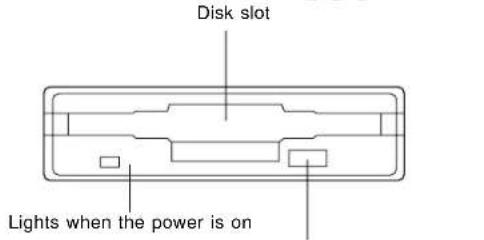
Eject button
Press to remove the disk from the Disk Drive.
- An illustration of a floppy disk appears on the display when data is being loaded from or saved to a disk. To prevent data loss, do not remove the disk from the Disk Drive or turn off the power while this illustration is shown.

Playing the included Song Disk
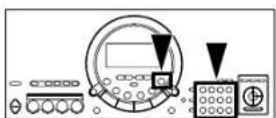
Data for 100 songs is stored on the included SONG DISK for you to enjoy. These songs correspond to the separate music score provided.
• Note that recorded song data in the instrument memory will be deleted when a song on the disk is played back.
- Insert the SONG DISK into the Disk Drive.
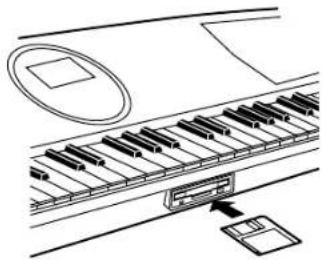
natural_image
Diagram of a piano keyboard with an open key inserted, showing no text or symbols- Insert the floppy disk correctly oriented with the label side up. Push it all the way in until it clicks into place.
- The display changes to show the song name. If it does not change, press the DISK SONG button.

- Use the number buttons to select a song number (3 digits).
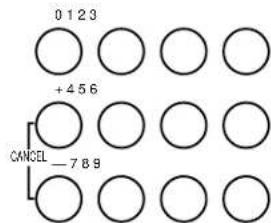
• The song numbers can be found on the separate music score provided.
- The selected song number and abbreviated song name are shown on the display.

- The TRANSPOSE/PROGRAM buttons and the + and - buttons can also be used to select the song.
-
If 000 MEDLEY is selected, the entire contents of the disk are played back repeatedly.
-
Press the EXECUTE button.

- The selected song data is loaded into this instrument's memory. "COMPLETE" appears on the display.
-
This step is not necessary if MEDLEY was selected.
-
Press the PLAY/PAUSE (START/STOP) button.
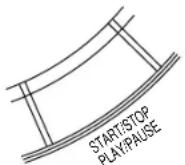
- Playback begins.
- Playback ends at the end of the song. Use the same procedure to play other songs.
- If the APC/SONG VOLUME button is pressed, the playback volume can be adjusted. This is useful when playing the keyboard along with a song on the disk. (Refer to page 29.)
Function of each button during playback
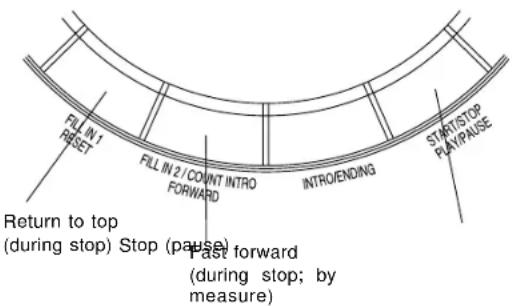
- If the PLAY/PAUSE button is pressed during MEDLEY playback, the MEDLEY is canceled.
- If the SONG TRACK MUTE function is used, playback of a desired track is muted, allowing you to perform that part on the keyboard. (Refer to pages 41 and 43.)
- When the MINUS ONE button is pressed, the melody (RIGHT 1) part is muted so that you can try playing it yourself. Press the MINUS ONE button again to cancel the mute.
Playback of commercial disks
(Direct Play)
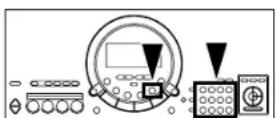
You can enjoy immediate playback of disks with the GM (General MIDI) mark as well as SMF (Standard MIDI File; FORMAT 0/1) song disks.
• Note that recorded song data in the instrument memory will be deleted when a song on the disk is played back.
- During the direct play, MIDI does not function.
- Insert the song data disk into the Disk Drive.
-
The display changes to show the song name. If it does not change, press the DISK SONG button.
-
Use the TRANSPOSE/PROGRAM buttons or the number buttons to select a song.
- The song number and song name (file name) are shown on the display.
- When using the number buttons, be sure enter 3 digits for the song number.
- If 000 MEDLEY is selected, the entire contents of the disk are played back repeatedly.
- If both SONG data and SMF (Standard MIDI File) data are stored on the same disk, following the TYPE indication, the display changes to the select display. In this case, use the TRANSPOSE/PROGRAM buttons to select 02 SMF. Press the EXECUTE button.
- Press the PLAY/PAUSE (START/STOP) button.
- Playback begins.
- The RESET/FORWARD button can also be used during playback.
- The APC/SONG VOLUME button can also be used. (Refer to page 29.)
Part IV Disk Drive
MINUS ONE
You can mute a specified part of the song data. When you wish to play the keyboard in time with the song, you can mute one part, and the other parts become your background when the song data is played back.
- Press the MINUS ONE button.

• The display looks similar to the following.
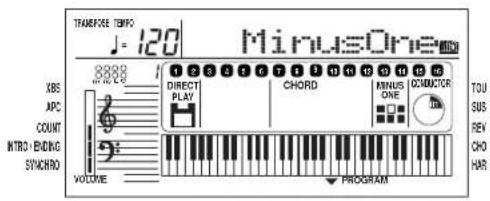
- Use the TRANSPOSE/PROGRAM buttons to specify the part number (it flashes) of the part you wish to mute.
• After a few seconds, the display returns to the previous display.
• To cancel the mute function, press the MINUS ONE button again.
Save your recorded song
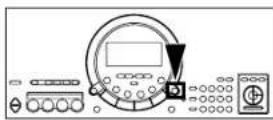
The recorded contents of this instrument's SONG memory can be stored on a floppy disk. Only one song can be recorded in this instrument's memory, but several songs can be saved in one floppy disk.
SONG SAVE
The SONG recorded contents, PANEL MEMORY stored settings, and the current panel settings, etc. are all stored when you save a song to a disk.
- If you attempt to save a song to an unformatted disk, "UNFORMAT" is shown on the display. Follow the DISK FORMAT procedure to format the disk. (Refer to page 40.)
- Record your performance with the SONG function.
- Press the DISK MENU button.
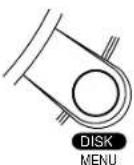
- Use the TRANSPOSE/PROGRAM buttons to select 1: SONG SAVE.

- Press the EXECUTE button.

• The display looks similar to the following.

-
If necessary, assign a song name (up to 6 characters).
-
Use the TEMPO/PROGRAM buttons to specify the character position, and the TRANSPOSE/PROGRAM buttons to select the alphanumeric character. Repeat these steps to enter the whole name.
-
If you wish to erase all the characters, press both TRANSPOSE/PROGRAM buttons at the same time.
-
Press the EXECUTE button.
-
Use the TRANSPOSE/PROGRAM buttons to specify the song (file) number to save to (001 to 100).
Part IV Disk Drive
-
Press the EXECUTE button.
-
The SAVE operation begins. "COMPLETE" appears on the display.
- If you attempt to save song data to a song number in which data is already stored, "SURE?" appears on the display. Press the EXECUTE button to overwrite the existing song data, or press the DISK MENU button if you wish to cancel the procedure.
- The number of songs that can be saved to one floppy disk is limited.
■ About playback
The method to play back a song you saved is the same as that to play back a song on the included disk. (Refer to page 37.)
- If both SONG data and SMF (Standard MIDI File) data are stored on the same disk, following the TYPE indication, the display changes to the select display. In this case, use the TRANSPOSE/PROGRAM buttons to select 01 SONG. Press the EXECUTE button.
- During MEDLEY playback, playback will stops at a file that has no song data.
SONG DELETE
You can delete songs that you no longer want to keep from the disk.
- Press the DISK MENU button.
- Use the TRANSPOSE/PROGRAM buttons to select 2: SONG DEL.

- Press the EXECUTE button.
• The display looks similar to the following.

- Use the TRANSPOSE/PROGRAM buttons select the song number you wish to delete.
-
Press the EXECUTE button.
-
"SURE?" appears on the display.
- Press the EXECUTE button again.
- "COMPLETE" appears on the display, and the selected song is deleted.
Part IV Disk Drive
DISK FORMAT
It may be necessary to format a floppy disk for saving songs when you first use it. Also, this is a convenient way to erase all the data stored on a disk.
• This procedure clears the entire contents of the disk.
- Reformat a disk if it cannot be saved to or loaded from properly because of exposure to a magnetic field.
- You can use 3.5 inch 2DD (720KB) or 2HD (1.44MB) floppy disks.
- Be sure to specify the type of format which is suitable for the disk.
• How to distinguish the two disk types:
2HD2DD
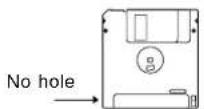
Hole
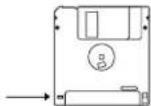
- Although 2HD floppy disks can hold more data and are convenient for quick loading and saving, some models may be able to read only 2DD disks. Therefore, you may not be able to use your 2HD disk data with other musical instrument models.
- To format the floppy disk, the write-protect window must be closed, as illustrated.
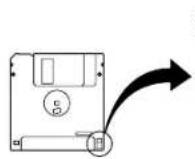
Storage is not possible
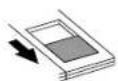
Open
Storage is possible
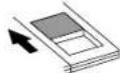
Closed
- Insert the floppy disk to be formatted into the Disk Drive.
- Press the DISK MENU button.
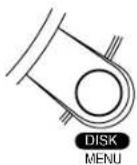
- Use the TRANSPOSE/PROGRAM buttons to select 3: FORMAT.
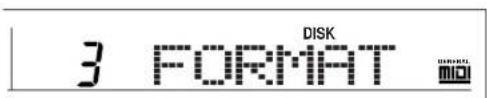
- Press the EXECUTE button.
• The display returns to the previous display.

-
Use the TRANSPOSE/PROGRAM buttons to select a disk type (2DD or 2HD).
-
Be sure to select the type which is the same as your disk type.
- Press the EXECUTE button.
- "SURE?" appears on the display.
- Press the EXECUTE button again.
- Disk format begins. After a few minutes, "COMPLETE" appears on the display and formatting is completed.
- No sound is generated even if you play the keyboard during formatting. If the keyboard is played during formatting, sound may be produced when formatting is completed.
Part V Menu
Various settings that enhance the functions of this instrument are accessed through the MENU function.
Outline of the procedure
- Press the MENU button.
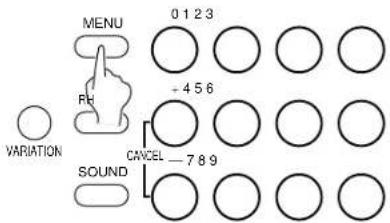
- Use the number buttons to enter the menu number of the setting you wish to display (two digits).
- The + and - buttons and the TRANSPOSE/PROGRAM buttons can also be used to select the menu number.
■ MENU list:
[ ] indicates the name shown on the display.
01: XBS [XBS]
ON/OFF setting for the EXTRA BASS SYSTEM (emphasizes low-range sound).
02: PART VOLUME [PT VOL]
Volume settings for each part.
03: PART SOUND [PT SOUND]
Sound settings for each part.
04: PART PANPOT [PT PAN]
Stereo setting for each part.
05: PART REVERB SEND [PT REV]
Depth settings for the REVERB for each part.
06: PART CHORUS SEND [PT CHORS]
Depth settings for the CHORUS of each part.
07: PART MIDI CHANNEL [PT MIDI]
MIDI channel settings for each part
Mute setting for each track of a SONG.
10: SONG ALL CLEAR [SONG CLR]
Clear all SONG tracks.
11: SONG TRACK CLEAR [TR CLEAR]
Clear specified SONG tracks.
12: MIDI CLOCK [MIDI CLK]
MIDI CLOCK mode settings.
13: MIDI REALTIME COMMAND [MIDI RTC]
Setting to enable or disable the transmission/re-
ception of MIDI REALTIME COMMAND data.
14: SPLIT POINT [SPLIT]
Change the split point on the keyboard.
15: MASTER TUNING [TUNING]
Fine adjustment of the tuning for the whole in-
strument.
16: FOOT SWITCH ASSIGN [FOOT SW]
Assign a function to the Foot Switch (sold separately).
17: LCD CONTRAST [CONTRAST]
Adjust the readability of the display.
18: DEMO LED [DEMO LED]
ON/OFF settings for the LED lighting of the pad buttons during a DEMO performance.
19: ALL INITIAL [ALL INIT]
Reset this instrument to the original settings.
- Press the EXECUTE button.
• The display changes to the setting display for the selected MENU.
- Use the TEMPO/PROGRAM buttons, the TRANSPOSE/PROGRAM buttons, or the EXECUTE button to adjust the settings in the selected menu.
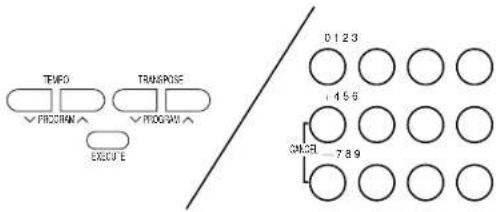
- When you have finished making the settings, press the MENU button again.
- If you execute a setting, there is also a menu to exit the setting mode.
Setting menus
XBS

Use the TRANSPOSE/PROGRAM buttons to set the XBS to ON or OFF.
ON: Low-range sound is emphasized.
OFF: Low-range sound is not emphasized
- When XBS is on, a mark on the display appears next to the XBS indication.
PART VOLUME

- Use the TRANSPOSE/PROGRAM buttons to select the part you wish to set.
- RT is the abbreviation for RIGHT, PT for part and ACP for ACCOMP.
- For an explanation of CHRD and R.BS, refer to page 28.
- Use the TEMPO/PROGRAM buttons to adjust the volume (0 to 127).
- Repeat these steps for each part as necessary.
PART SOUND

- Use the TRANSPOSE/PROGRAM buttons to select the part you wish to set.
- Use the TEMPO/PROGRAM buttons or the number buttons to select a sound for the part.
PART PANPOT

- Use the TRANSPOSE/PROGRAM buttons to select the part you wish to set.
- Use the TEMPO/PROGRAM buttons to adjust the stereo midpoint (0 to 127).
- At 0 the center is all the way to the left, at 64 the center is midway between right and left, and at 127 the center is all the way to the right.
PART REVERB SEND

- Use the TRANSPOSE/PROGRAM buttons to select the part you wish to set.
- Use the TEMPO/PROGRAM buttons to adjust the depth of the REVERB (0 to 127).
PART CHORUS SEND

- Use the TRANSPOSE/PROGRAM buttons to select the part you wish to set.
- Use the TEMPO/PROGRAM buttons to adjust the depth of the CHORUS (0 to 127).
PART MIDI CHANNEL

- Use the TRANSPOSE/PROGRAM buttons to select the part you wish to set.
- Use the TEMPO/PROGRAM buttons to set the channel (OFF, 01 to 16).
PART LOCAL SETTING

- Use the TEMPO/PROGRAM buttons to select the part you wish to set.
- Use the TRANSPOSE/PROGRAM buttons to set the LOCAL CONTROL setting (ON or OFF).
- When set to OFF, the performance for the part is transmitted as MIDI data but does not sound from this instrument.
SONG TRACK MUTE

- Use the TEMPO/PROGRAM buttons to select the track you wish to mute.
- R is the abbreviation for RIGHT and L for LEFT. C indicates the CHORD part.
- Use the TRANSPOSE/PROGRAM buttons to display the MUTE indication.
- “--” indicates that the MUTE function is turned off for the track.
SONG CLEAR

Press the EXECUTE button.
- "COMPLETE" appears on the display, and all the tracks of the SONG are cleared.
TRACK CLEAR

- Use the TRANSPOSE/PROGRAM buttons to select the track you wish to clear.
- R is the abbreviation for RIGHT and L for LEFT. C indicates the CHORD part.
- Press the EXECUTE button.
- "CLEAR?" appears on the display.
- Press the EXECUTE button again.
- "COMPLETE" appears on the display, and the specified track is cleared.
MIDI CLOCK

Use the TRANSPOSE/PROGRAM buttons to select the MIDI CLOCK mode.
INT: This instrument's internal clock is used to control the connected MIDI equipment.
EXT: The clock of the connected MIDI equipment is used to control this instrument. (The tempo is displayed as “ ♣ = - - - .)
- For information about MIDI connections, refer to page 46.
- The setting is always set to INT when the power to this instrument is turned on.
MIDI REALTIME COMMAND

Use the TRANSPOSE/PROGRAM buttons to enable or disable the transmission/reception of MIDI REALTIME COMMAND data.
ON: REALTIME COMMAND (START/STOP, CONTINUE) data are transmitted/received.
OFF: REALTIME COMMAND data are not transmitted/received.
SPLIT POINT

Press the keyboard key to specify the desired split position.
• The name of the specified note is shown on the display.
• The initialized setting is at C3.
- The key at the split point is the lowest note of the right keyboard section.
MASTER TUNING

Use the TRANSPOSE/PROGRAM buttons to adjust the tuning value (-38 - Center - +39).
FOOT SWITCH ASSIGN

Use the TRANSPOSE/PROGRAM buttons to select a function to assign to the Foot Switch (separately sold option).
- Select from SUSTAIN, START/STOP [ST/STOP] and GLIDE.
- In cases where the switch polarity is reversed, select a function name that is preceded by a “-” indication.
- Pressing the Foot Switch will turn the assigned function on.
- GLIDE "bends" the pitch down by about one semitone.
- For information about connecting a Foot Switch, refer to page 46.
LCD CONTRAST

Use the TRANSPOSE/PROGRAM buttons to adjust the readability of the display (1 to 10).
DEMO LED

Use the TRANSPOSE/PROGRAM buttons to specify whether or not the pad button LEDs light during a DEMO performance.
ON: The pad button LEDs light also during a DEMO performance.
OFF: The pad button LEDs do not light during the DEMO performance.
ALL INITIAL

Press the EXECUTE button.
- "COMPLETE" appears on the display, and all the settings of the instrument (except for MAIN VOLUME) are reset to the factory-preset status. Note that the SONG and PANEL MEMORY contents are cleared with this procedure.
- You can also reset the instrument with the following procedure: While pressing the TEMPO and V at the same time, turn on the power to the instrument. With this method, the MAIN VOLUME setting is also initialized.
■ Memory function
The various settings and memory contents of this instrument are maintained as long as the AC adaptor is connected to this instrument and plugged into an outlet. In addition, the settings are preserved for about one week after the AC adaptor is unplugged.
• The memory function does not function until the power has been on for about 10 minutes.
- It is recommended that you save your SONG performances on floppy disks. (Refer to page 38.)
Symptoms which appear to be signs of trouble
The following changes in performance may occur in the Keyboard but do not indicate trouble.
| Phenomenon Remedy | ||
| Sounds and effects | The buttons, keys, etc. malfunction. | Turn off thePLAYbutton once, then turn it on again.If this procedure is not successful, turn off thePLAYbutton once. Then, while pressing theTEMPO andVbuttons at the same time, turn thePLAYbutton onagain. (Note that, in this case, all programmablesettings, functions and memories return to their factory-preset status.) |
| No sound is produced when the keys are pressed. | TheMAIN VOLUMEis at the minimum setting. Adjustthe volume with theMAIN VOLUMEcontrol.The volumes for the selected parts are set to theminimum levels. Set the volumes of the relevant partsto appropriate levels. (Refer to pages 41 and 42.)The LOCAL CONTROL for a part performed on thekeyboard is set to OFF. Set the LOCAL CONTROL toON. (Refer to pages 41 and 43.) | |
| Only percussive instrument sounds are producedwhen the keyboard is played. | ADRUM KITSsound is selected. | |
| The sound you hear is different from the sound youselected. | This sometimes occurs when you play backSONGdata which was created on a different model, or whenMIDI data is received from a connected instrument.Select the desired sounds again. | |
| Rhythm | The rhythm does not start. | ThePLAYbutton in theSONGsection is on. Whenyou are not playing back theSONGperformance, turnoff thePLAYbutton.TheDRUMSvolume is set to the minimum level. Usethe balance buttons to set theDRUMSvolume to anappropriate level. (Refer to the page 42.)The 091 CLASSIC BALLAD rhythm is selected. Thisrhythm does not sound unless theAUTO PLAYCHORDis used.MIDI CLOCK is set to EXT. Set CLOCK to INT. (Referto pages 41 and 43.) |
| AUTO PLAYCHORD | No sound is produced for the automatic accom-paniment. | TheAPC/SONG VOLUMEis set to the minimumsetting. Set it to a suitable level. (Refer to page 29.) |
| SONG | Storage is not possible. | The remaining memory capacity of theSONGis 0.Follow the SONG CLEAR or TRACK CLEAR procedureto erase the memory. (Refer to pages 41 and 43) |
| Disk Drive | The Disk Drive produces a noise during recordingor playback. | This occurs when the Disk Drive is reading a disk. Itdoes not indicate a problem. |
| When the procedure to listen to a song on the diskis performed, the contents of the keyboard memoryare erased.Noise from a radio or TV can be heard. | When performing the procedure to listen to a song onthe disk, the keyboard memory changes to that of thedata loaded from the disk. If you wish to preserve asong which is stored in the keyboard memory, save iton a disk before performing the load procedure. (Referto page 38.)This sometimes occurs when electrical equipment such as a radio or TV is used near the instrument. Try moving such electrical equipment further away from the instrument.The sound may be coming from a nearby broadcast station or amateur radio station. If the sound is bothersome, consult your dealer or service center. | |
| theo | ||
| The cabinet becomes warm during use. | This instrument has a power source that heats the cabinet to some degree. This is not an indication of trouble. | |
Connections
(Rear panel)

▲ OUT
[EMPTY]

MIDI

FOOT
SW

PHONES'
LINE OUT


AUX IN
R


DC IN 12V
12.
MIDI OUT
Used for transmitting MIDI data. Connect the other end of the MIDI cable to the MIDI IN terminal of another instrument. This terminal is used, for example, to generate sound from a connected instrument by playing this instrument.
MIDI IN
Used for receiving MIDI data. Connect the other end of the MIDI cable to the MIDI OUT terminal of another instrument. This terminal is used, for example, to generate sound from this instrument by playing a connected instrument.
AUX IN (stereo pin cord)
Connect to the LINE OUT terminal of another instrument to this terminal. The sound from a connected CD player, for example, can be output from this instrument's speakers.
FOOT SW
An optional SZ-P1 Foot Switch (sold separately) can be connected to this terminal to control various functions. (Refer to pages 41 and 44.)
PHONES/LINE OUT (output level 1.5 Vrms, 16 Ω)
Headphones, a keyboard amplifier, or stereo equipment can be connected to this terminal. When another apparatus is connected to this terminal, the speaker system is automatically switched off, and sound is heard only through the connected device.
Separately sold option
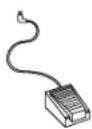
SZ-P1 Foot Switch
Index
A
ALL INITIAL 44
APC/SOUND VOLUME 29
AUTO PLAY CHORD 28
AUX IN 46
B
BEAT MASTER 16
C
CANCEL 20
CHORD FINDER 30
CHORD STEP RECORD 34
CHORUS 22
CLOCK (MIDI) 43
CONDUCTOR 21
Connections 46
COUNT INTRO 27
D
DEMO 11
DIRECT PLAY 37
Disk Drive 36
DISK FORMAT 40
DISK SONG 36
DISK MENU 39
Display 19
E
EASY REC 15,33
ENDING 27
EXECUTE....19
F
FILL IN 27
FINGERED 28
FOOT SW 44,46
Foot Switch 46
FORWARD 37
G
GLIDE 44
H
HARMONY 24
Headphones 46
|
INTRO/ENDING 27
L
LCD CONTRAST 44
LINE OUT 46
LOCAL (MIDI) 43
M
MAIN VOLUME 9
MASTER TUNING 44
MENU 41
MIDI 46
MIDI CLOCK 43
MIDI REALTIME COMMAND 43
MINUS ONE 38
Music stand 8
MUTE 43
O
ONE FINGER 28
ONE TOUCH PLAY 30
Options 46
P
PAN 42
PANEL MEMORY 31
PART SETTING 42
PARTY PADS 32
PIANIST 28
PLAY 34
PLAY OFF/ON 9
R
REC 33
RESET 37
REVERB 23
RHYTHM 25
S
SAVE 38
SMF 37
SOLO PIANO 22
SONG 33
SONG CLEAR 43
SONG SAVE 38
SOUND 20
Specifications 48
SPLIT POINT 44
Standard MIDI File 37
START/STOP 25
SUSTAIN 22
SYNCHRO START 26
T
TEMPO 26
TEMPO/PROGRAM 19,26
TOUCH 23
TRACK CLEAR 43
TRANSPOSE 23
TRANSPOSE/PROGRAM 19
Troubleshooting 45
V
VARIATION 25
X
XBS 42
Specifications
| SX-KC611 | |
| KEYBOARD 61 KEYS (WITH INITIAL TOUCH) | |
| SOUND GENERATOR PCM | |
| MAX. POLYPHONY 32 NOTES | |
| SOUNDS 250 SOUNDS | |
| EFFECT TOUCH, SUSTAIN, REVERB, CHORUS | |
| HARMONY 14 TYPES | |
| TRANSPOSE G - C - F# | |
| RHYTHMS 100 RHYTHMS WITH VARIATION | |
| RHYTHM CONTROLS SYNCHRO START, START/STOP, INTRO/ENDING, COUNT INTRO,FILL IN1, FILL IN 2, TEMPO | |
| XBS ○ | |
| PARTY PADS 4 PADS, 4 BANKS | |
| PANEL MEMORY 10 MEMORIES | |
| AUTO PLAY CHORD MODE: ONE FINGER, FINGERED, PIANIST | |
| MUSIC TRAINER | BEAT MASTER (TRAINING/CHALLENGE), CHORD FINDER, PIANOSTYLIST, SOLO PIANO,MINUS ONE, DISK SONG |
| SONG | PLAY, REC4 TRACKS: RIGHT1, RIGHT 2, LEFT, CHORDSTORAGE CAPACITY: APPROX. 4500 NOTES4 MODES: EASY REC, MELODY, APC REAL, APC STEP |
| DISK DRIVE | 3.5 inch FLOPPY DISK DRIVE for 2HD (1.44MB), 2DD (720KB)DIRECT PLAY (GM/SMF), SONG LOAD/SAVE, DELETE, FORMAT |
| CONTROLS MAIN VOLUME, APC/SONG VOLUME, ONE TOUCH PLAY, EXECUTE,MENU, CONDUCTOR | |
| DISPLAY | CUSTOM LCD (WITH BACKLIGHT) |
| DEMO | ○ |
| TERMINALS | MIDI IN, MIDI OUT, FOOT SW, PHONES/LINE OUT, AUX IN |
| OUTPUT | 10 W (5W · 2) |
| SPEAKERS | 12 cm · 2 |
| POWER REQUIREMENT | DC IN 12 V (WITH EXCLUSIVE AC ADAPTOR) |
| POWER CONSUMPTION | 6.6 W (WHEN POWER IS OFF BY THE PLAY BUTTON: 2 W) |
| DIMENSIONS (W · H · D) | 96.0 cm · 14.6 cm · 37.8 cm (37-25/32" · 5-3/4" · 14-7/8") |
| NET WEIGHT | 5.9 kg (13.0 lbs) |
| ACCESSORIES | AC ADAPTOR, MUSIC STAND, SONG BOOK, SONG DISK |
- Design and specifications are subject to change without notice.
EXCLUSIVE AC ADAPTOR
| PART NO. | REGION | VOLTAGE |
| QFAG028A | NORTH AMERICA, MEXICO | 120 V |
| QFAG029A | UNITED KINGDOM | 230 – 240 V |
| QFAG030A | EUROPE, SOUTH AFRICA | 230 V |
| QFAG031A | AUSTRALIA, NEW ZEALAND | 230 – 240 V |
| QFAG032A | TAIWAN, MALAYSIA, SINGAPORE, ETC. | 120/220/230/240 V |
| QFAG038B | SAUDI ARABIA, KUWAIT, HONG KONG | 120/220/230/240 V |
| QFAG039B | ARGENTINA | 120/220/230/240 V |
Demo Performance List
| Axel F | Theme from the paramount Motion Picture BEVERLY HILLS COP by Harold FaltermeyerCopyright© 1984, 1985 by Famous Music Corporation International Copyright SecuredAll Rights Reserved |
| Cool Gig | Technics Original |
Matsushita Electric Industrial Co., Ltd.
Central P.O. Box 288, Osaka 530-91, Japan
ENGLISH
QQTG0588A
Se0101S0
- Caution for AC Mains Lead
- (For the types as shown in figures A and B)
- CAUTION!
- IMPORTANT
- THIS PLUG IS NOT WATERPROOF — KEEP DRY.
- Before use
- How to replace the fuse
- Panasonic
- OWNER'S MANUAL
- Caution
- Before you play
- Cautions for safest use of this unit
- Installation location
- Power source
- Handling the power cord
- Metal items inside the unit may result in electric shock or damage.
- If water gets into the unit
- If operation seems abnormal
- A word about the power cord
- Don't touch the inside parts of this unit.
- Maintenance
- SERVICE MUST BE CARRIED OUT BY DEALER OR OTHER QUALIFIED PERSON
- Contents
- BASIC FUNCTIONS
- PRACTICAL APPLICATIONS
- Part I Sounds and effects
- Part II Playing the rhythm
- Part III Recording
- Part IV Disk Drive
- Part V Menu
- ■ Supplied accessories
- Controls and functions
- SONG
- AUTO PLAY CHORD
- BEAT MASTER
- PARTY PADS/BEAT MASTER
- ONE TOUCH PLAY
- Getting started
- Playing
- PARTY PADS
- SOLO PIANO
- Listen to the demonstration
- 1
- 2
- Add an automatic accompaniment
- 5
- 6
- Play back the included Song Disk
- 3
- 4
- Record your performance
- Playback of BEAT MASTER songs on the disk
- About the display
- Normal display
- Setting display example
- EXECUTE
- Sound
- ■ About the number buttons
- Conductor
- Part I Sound and effects
- Effects
- CHORUS
- SUSTAIN
- REVERB
- TOUCH
- Transpose
- Part I
- Sound and effects
- Harmony
- Rhythm
- VARIATION
- Synchro Start
- Tempo
- Rhythm performance
- INTRO
- COUNT INTRO
- FILL IN
- ENDING
- ■ One Finger (1 Finger) mode
- ■ Fingered mode
- ■ Pianist mode
- How to use the AUTO PLAY CHORD
- APC/SONG VOLUME
- CHORD FINDER
- Panel Memory
- How to store the panel settings
- Recall the panel setup
- Pad performance
- Select a bank
- Multiplex recording
- Playing back your recorded song
- Store a chord progression
- Note value keys
- Reset key
- Correction keys
- Repeat key
- End key
- DELETE key
- Note
- Parts of the floppy disk drive
- Playing the included Song Disk
- Function of each button during playback
- Playback of commercial disks
- (Direct Play)
- MINUS ONE
- Save your recorded song
- SONG SAVE
- ■ About playback
- SONG DELETE
- DISK FORMAT
- Outline of the procedure
- Setting menus
- XBS
- PART VOLUME
- PART SOUND
- PART PANPOT
- PART REVERB SEND
- PART CHORUS SEND
- PART MIDI CHANNEL
- PART LOCAL SETTING
- SONG TRACK MUTE
- SONG CLEAR
- TRACK CLEAR
- MIDI CLOCK
- MIDI REALTIME COMMAND
- SPLIT POINT
- MASTER TUNING
- FOOT SWITCH ASSIGN
- LCD CONTRAST
- DEMO LED
- ALL INITIAL
- ■ Memory function
- Symptoms which appear to be signs of trouble
- Connections
- MIDI OUT
- MIDI IN
- FOOT SW
- Separately sold option
- Index
- A
- B
- C
- D
- E
- F
- G
- H
- |
- L
- M
- O
- P
- R
- S
- T
- V
- X
Brand : PANASONIC
Model : SX-KC611
Category : Keyboard