POBL90SS - Blender Point - Free user manual and instructions
Find the device manual for free POBL90SS Point in PDF.


| Product Type | Blender |
| Brand | Point |
| Model | POBL90SS |
| Rated Power | 1000 W |
| Rated Voltage | 220-240 V ~ 50/60 Hz |
| Capacity | 1.5 L |
| Dimensions (H x W x D) | 398 x 271 x 220 mm |
| Weight | 5 kg |
| Control Type | Rotary switch with buttons |
| Functions | Smoothie, Ice Crush, Pulse, ON/OFF |
| Safety Features | Auto shut-off after 3 minutes, overload protection, safety lock |
| Material | Stainless steel blades, plastic jar |
| Cleaning | Detachable jar and blade assembly; wash with warm soapy water; wipe motor base with damp cloth |
| Accessories Included | Measuring cup, lid, collar |
| Color | Silver/Black (typical) |
| Usage | Household only |
Frequently Asked Questions - POBL90SS Point
User questions about POBL90SS Point
0 question about this device. Answer the ones you know or ask your own.
Ask a new question about this device
Download the instructions for your Blender in PDF format for free! Find your manual POBL90SS - Point and take your electronic device back in hand. On this page are published all the documents necessary for the use of your device. POBL90SS by Point.
USER MANUAL POBL90SS Point
Thank you for purchasing your new POINT PRO SERIES BLENDER. These operating instructions will help you use it properly and safely. We recommend that you spend some time reading this instruction manual in order that you fully understand all the operational features it offers. Read all the safety instructions carefully before use and keep this instruction manual for future reference.
IMPORTANT SAFETY INSTRUCTIONS
- This appliance is intended for household use only.
- Read all instructions before use, and keep these instructions for further reference.
- Don't operate the appliance for more than 60 seconds at a time when blending heavy loads and let it cool down for 2 minutes in between bursts.
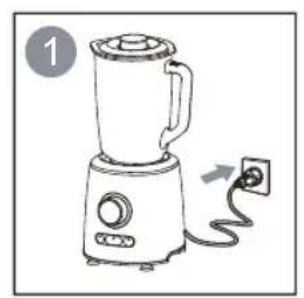
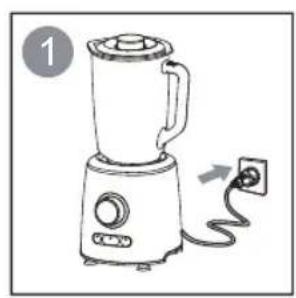
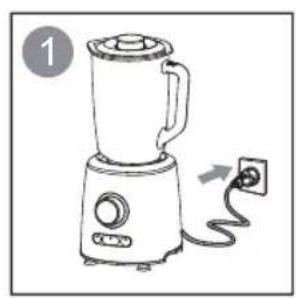
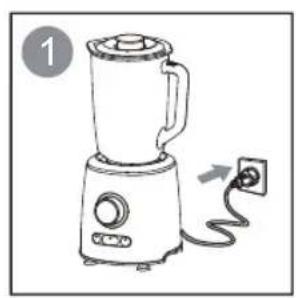
- Check that the voltage indicated on the base of the appliance corresponds to the local mains voltage before you connect the appliance.
- Don't let the power cable hang over the edge of a table or counter, and do not let the power cable contact hot surfaces, including the stove.
- Never use accessories or parts made by other manufacturers not recommended or sold; as this may cause a risk of injury to persons.
- Do not use the appliance if the power cable, plug, blade device or other part is damaged. In the event of any damage to the power cable or blade device of this product, it can only be replaced with a special one for use with this product.
- Do not place hands in the jar while the appliance is operating.
- Do not remove the jar or grinding cup from the base when the appliance is in operation.
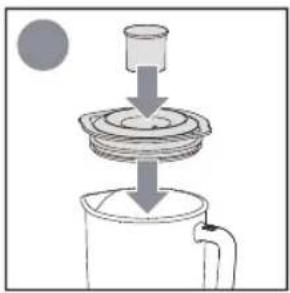
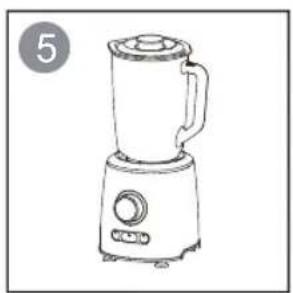
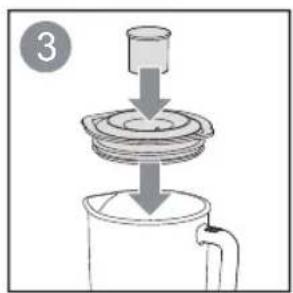
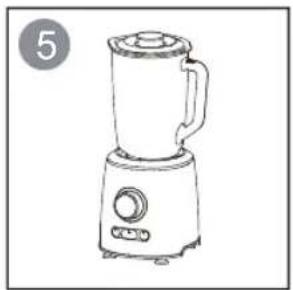
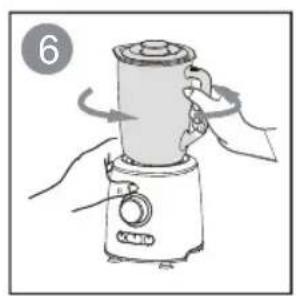
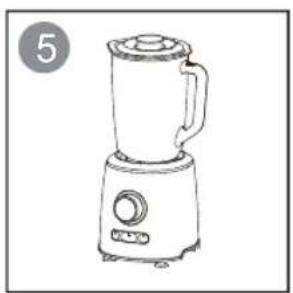
- Make sure all parts are correctly mounted before you switch on the appliance.
- This appliance shall not be used by children. Keep the appliance and its power cable out of the reach of children.
- Appliances can be used by persons with reduced physical, sensory or mental capabilities or lack of experience and
knowledge if they have been given supervision or instruction concerning use of the appliance in a safe way and if they understand the hazards involved.
- Children shall not play with the appliance.
- Make sure the motor and blade have completely stopped before disassembling and cleaning.
- Avoid touching the sharp blades, especially when the appliance is plugged in.
- Don't immerse the motor base, plug or power cable in water or any other liquid.
- If the power cable is damaged, it must be replaced by the manufacturer, its service agent or similarly qualified persons in order to avoid a hazard.
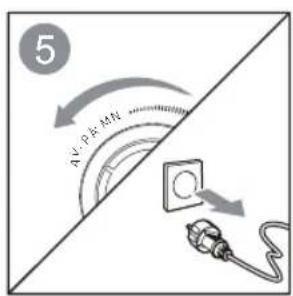
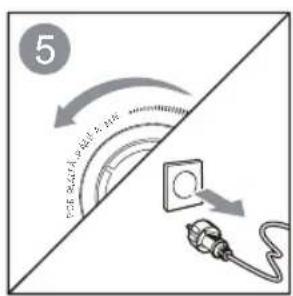
- Switch off the appliance and disconnect it from mains power supply before changing accessories or approaching parts that move in use.
- Care shall be taken when handling the sharp cutting blades, emptying the bowl and during cleaning.
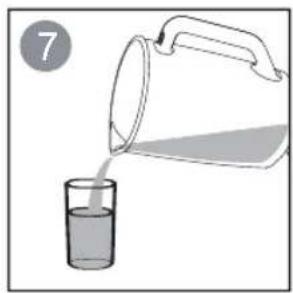
- Be careful if liquid is poured into the blender as it can be ejected out of the appliance due to a sudden steaming.
- This appliance is intended to be used in household and similar applications such as:
- staff kitchen areas in shops, offices and other working environments;
- farm houses;
- by clients in hotels, motels and other residential type environments;
- bed and breakfast type environments.
Product Overview
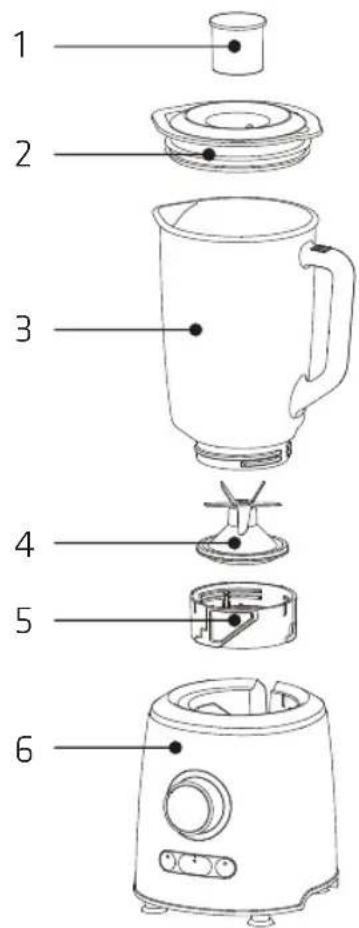
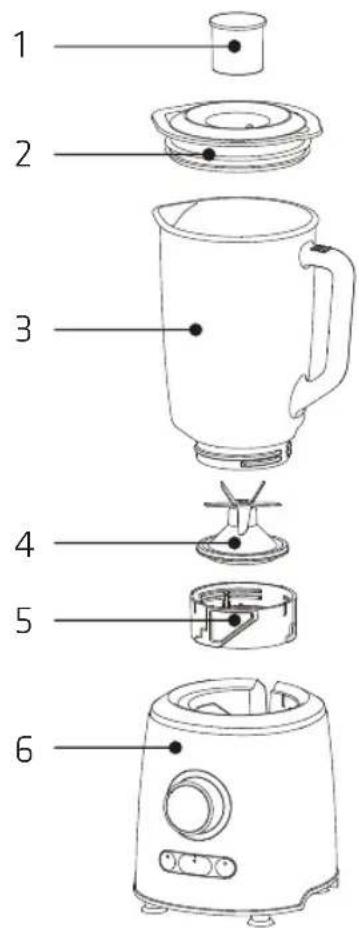
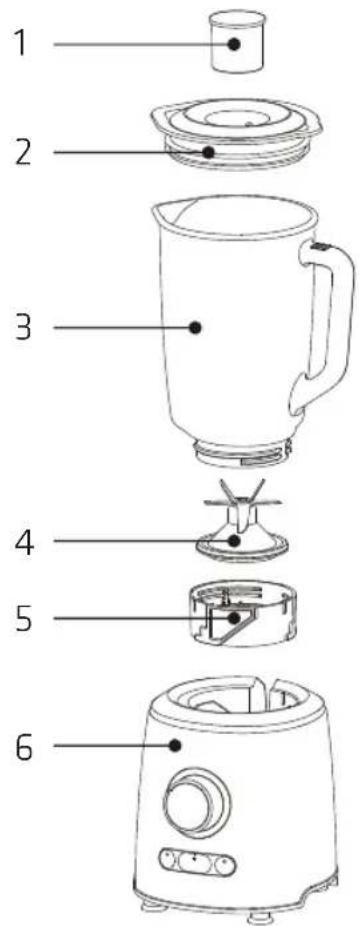
- Measuring cup
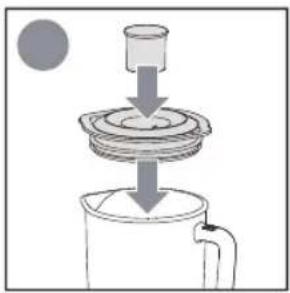
- Lid
- Blender jar
- Cutting blade assembly
- Collar
- Base
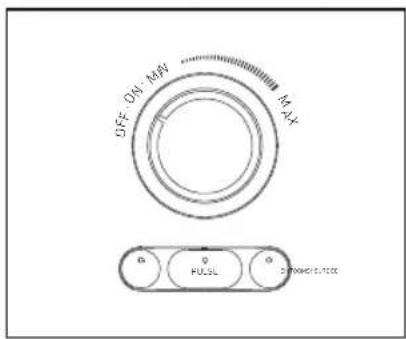
- SMOOTHIE: use to make a smoothie.
- ICE CRUSH: use to crush ice.
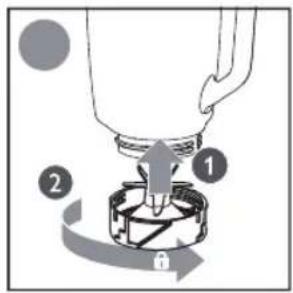
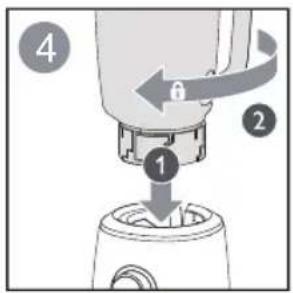
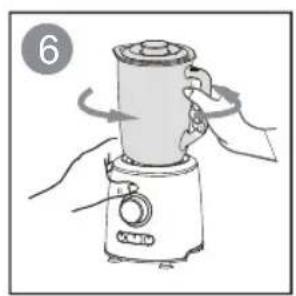
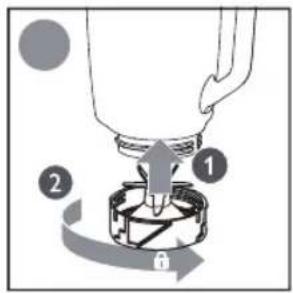
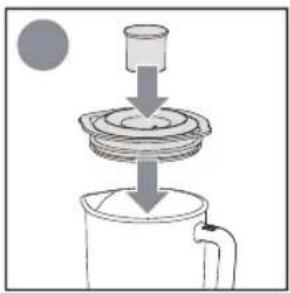
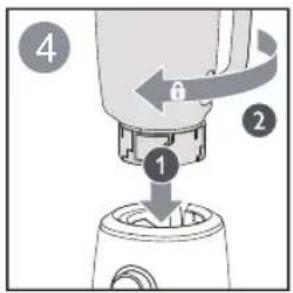
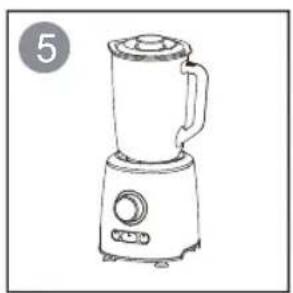
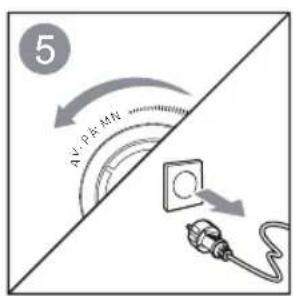
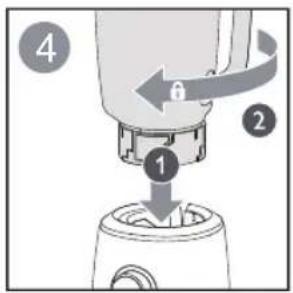
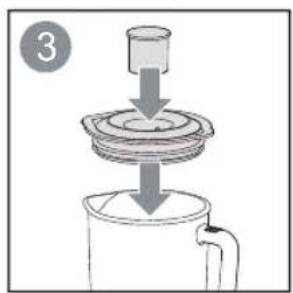
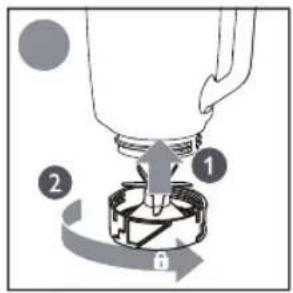
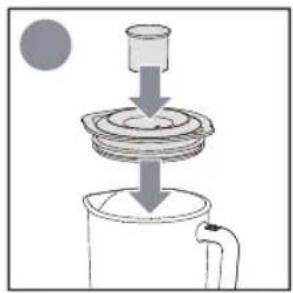
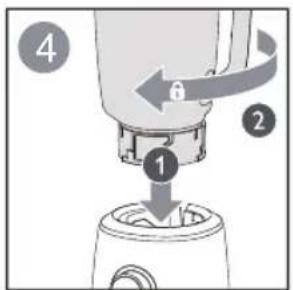
- PULSE: use to blend briefly and for easy cleaning. When assembling the blender jar, make sure that the rotary control is at the "OFF" position first.
Operation
- Before first use
Before you use the blender for the first time, thoroughly clean the parts that come into contact with food.
- During use
The blender has a safety protection system. When you switch on the blender with the rotary control, the blender will stop automatically after 3 minutes.
When the light on the blender is flashing, or the blender does not run, turn the rotary control to the "OFF" position to reset the blender. Switch on the blender to continue.
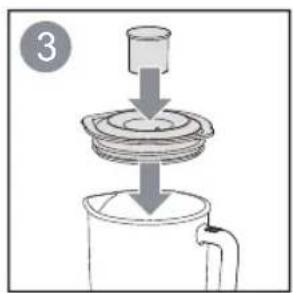
When assembling the blender jar, make sure that the rotary control is in the "OFF" position first.
| (MAX) | SMOOTHIE | 60 sec | ||
 | 1500 ml | |||
 | 1500 ml | MAX | 60 sec | |
 | 1500 ml | MAX | 35 - 45 sec | |
 | 750 ml | MAX | 35 - 45 sec | |
 | 1500 ml | MAX | 35 - 45 sec | |
 | 1500 ml | MAX | 35 - 45 sec | |
 | 1500 ml | MAX | 30 sec | |
 | 8 x | 15 pulses | ||
 | 100 - 200 g | 10 pulses | ||
| (MAX) | ||||
 |  | 300 g | MAX | 30 sec |
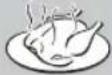 | 300 g | |||
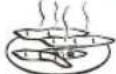 | 300 g | |||
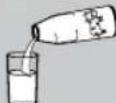 | 450 ml | |||
Tip
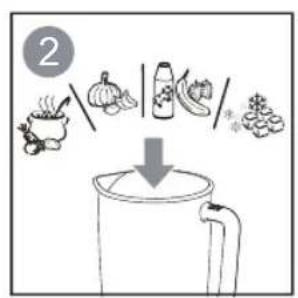
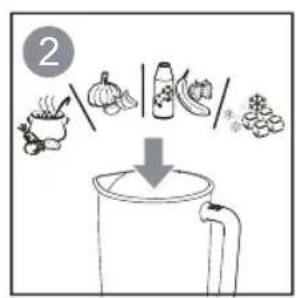
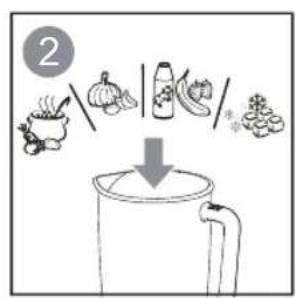
Precut food into pieces of approx. 2×2×2 cm in size.
The maximum quantity listed above is for reference only.
Note: If you want to prepare a larger quantity, let the appliance cool down to room temperature before you process the next batch of ingredients.
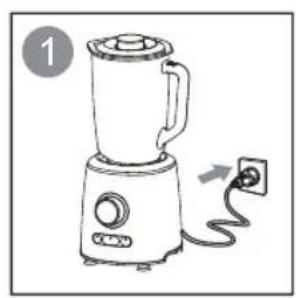
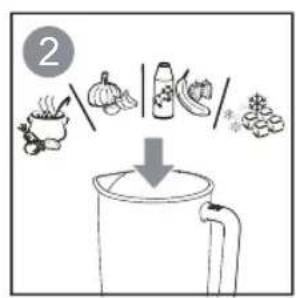
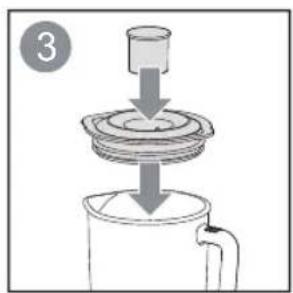
![graph LR A["Raw Food preparation"] --> B{Oat preparation} B --> C["Add ice on MFI"] C --> D["Add on ice"] D --> E["Add on ice"] E --> F["Add on ice"] F --> G["Add on ice"] G --> H["Add on ice"] H --> I["Add on ice"] I --> J["Add on ice"] J --> K["Add on ice"] K --> L["Add on ice"] L --> M["Add on ic…](/content/2026/05/872710/images/25849d6dc21094ddc3e41f4ce515f61347cb0d6fee3e5b989f6bb21faec1d0e9.jpg)
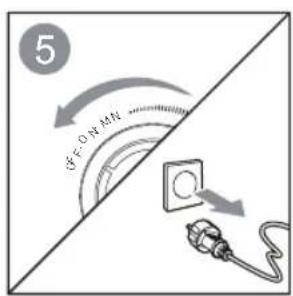
![graph LR A["Start: ON A:100g, Max:100g"] --> B["Step 1: Cooking with dipping sauce, serving food"] B --> C["Step 2: Cooking with dipping sauce, serving food"] C --> D["Step 3: Cooking with dipping sauce, serving food"] D --> E["Step 4: Cooking with dipping sauce, serving food"] E --> F["End: Cooking…](/content/2026/05/872710/images/4c430a93fa1a362f58fc8f824c82f650b7f6075f1f31830fe679058bdfad143e.jpg)

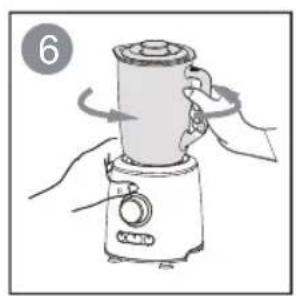
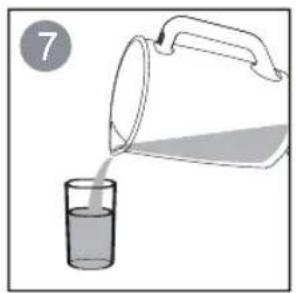
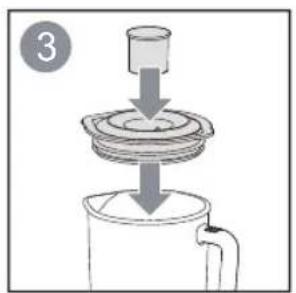
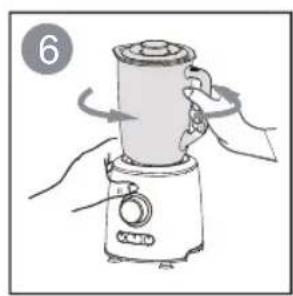
Turn the rotary control to the ON position. To stop, turn the rotary control to the OFF position.
To process ingredients briefly (such as garlic), press and hold the "PULSE" button. Release the button to stop.
To make a smoothie, press the "SMOOTHIE" button. To stop, press the button again.
Note: After 2 minutes, the blender will stop automatically.
To crush ice, press the "ICE CRUSH" button. To stop, press the "ICE CRUSH" button again.
Note: After 40 seconds, the blender will stop automatically.
Tip: Let the appliance complete five crushing cycles, and then switch off. To crush ice into snow, select the maximum speed or press and hold the "PULSE" button for a few seconds. If the result is still too coarse, press and hold the "PULSE" button again.
- Important notes
Stop and unplug the appliance if there is a pungent smell or smoke. Let it cool down for 15 minutes.
Do not add overweight ingredients, otherwise the ingredient mixture will become too thick or too heavy to process.
To avoid overloading the appliance, you can
- Add more liquid ingredient
- Process in several small batches
- Use a higher speed setting
Cleaning and Caring
Cleaning
The appliance is easier to clean if you do so immediately after use.
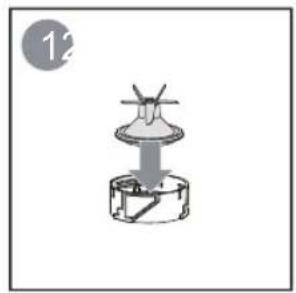
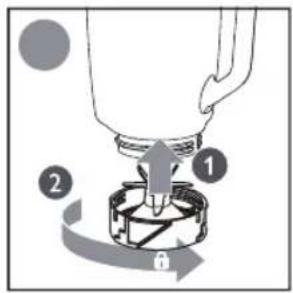
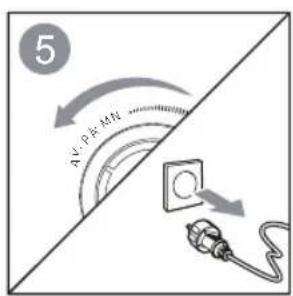
- Unplug the appliance, detach the blender jar, cutting blade assembly, and collar.
- Clean these parts in warm water with some washing-up liquid and rinse them under the tap.
- Clean the base with a damp cloth, never immerse the motor base in water nor rinse it under the tap.
- Avoid touching the sharp blades, especially when the appliance is plugged in.
- Don't immerse the motor unit in water or any other liquid.
- If parts are stained after blending carrots, it can be easier to remove the stain by adding a few drops of edible oil.
Caring
- Store the appliance in a dry environment.
- Never put the blender jar, or any other parts, in a microwave oven.
Specifications
| Model No. | Rated voltage | Rated power | Capacity | Dimensions Weight | |
| POBL90SS | 220-240V~50/60Hz | 1000W 1.5L | 271x220x398mm | 5 kg |
Recycling

ENVIRONMENTAL PROTECTION
This symbol on the product or in the instructions means that your electrical and electronic equipment should be disposed at the end of its life separately from your household waste. There are separate collection systems for recycling in the EU. For more information please contact the local authority or your retailer where you purchased the product.
Imported and Exclusively marketed by:
Power International AS,
PO Box 523, N-1471 Lørenskog, Norway
Power Norge:
https://www.power.no/kundeservice/T:21004000
Expert Danmark:
https://www.expert.dk/kundeservice/T:70 70 17 07
Power Danmark:
https://www.power.dk/kundeservice/T:70338080
Point 1 Denmark:
https://www.punkt1.dk/kundeservice/T:70 70 17 07
Expert Finland:
https://www.expert.fi/tuki/asiakaspalvelu/T:0207100670
Power Finland:
https://www.power.fi/tuki/asiakaspalvelu/T:0305 0305
Power Sweden:
https://www.power.se/kundservice/T:0851766000
IMPORTANT SAFETY INSTRUCTIONS
![graph LR A["Raw Material preparation"] --> B{Al PA MFI} B --> C["Add nutrient"] C --> D["Add nutrient"] D --> E["Add nutrient"] E --> F["Add nutrient"] F --> G["Add nutrient"] G --> H["Add nutrient"] H --> I["Add nutrient"] I --> J["Add nutrient"] J --> K["Add nutrient"] K --> L["Add nutrient"] L --…](/content/2026/05/872710/images/de5fe9ba9b56097b3a994851876d499a9bef940f08b6ab509f3f5d686afc75a6.jpg)
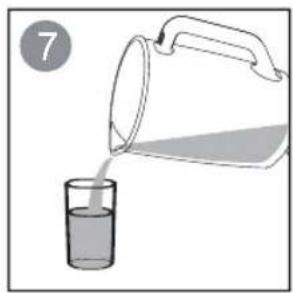
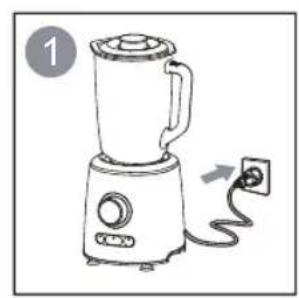
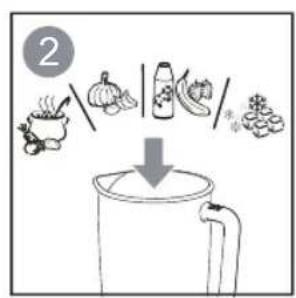
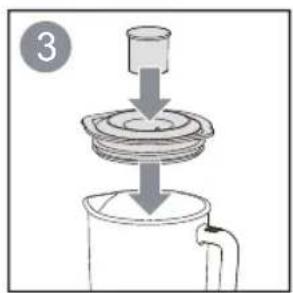
![graph LR A["Raw food preparation"] --> B{Raw ingredients:} B --> C["Add ingredients: food, vegetable, sauce, and ingredients"] C --> D["Processing step"] D --> E["Final processing: food, vegetable, sauce, and ingredients"] E --> F["Output: Processed ingredients"]](/content/2026/05/872710/images/c57043f08b52c111327f045ad26746e91d6d81a6592e63682e84a2ed07efbb85.jpg)
![graph LR A["Raw Material preparation"] --> B["Add feed into plate"] B --> C["Add granular content"] C --> D["Add processed food"] D --> E["Final packaging with JAAN MURSKAUS, PULSSI, and SMOOTHIE"]](/content/2026/05/872710/images/bf88979fa77e5624d0c3ab1d4ca947e9febc85f8bc1f8f4c38b26dfa3646241a.jpg)
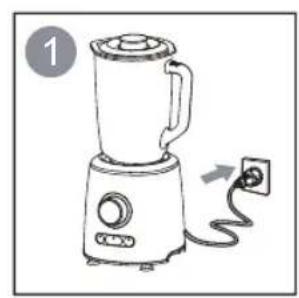
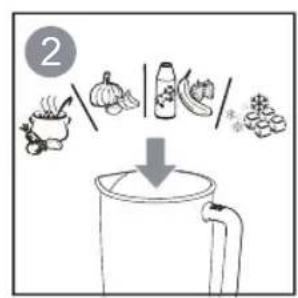
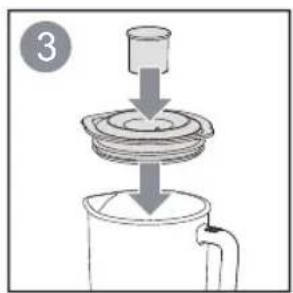
![graph LR A["4: MALT, 50% of ALLA, MIN"] --> B["Step 1: MALT preparation"] B --> C["Step 2: MALT preparation with sugar, soy sauce, and vegetables"] C --> D["Step 3: MALT preparation with sugar, soy sauce, and vegetables"] D --> E["Step 4: MALT preparation with sugar, soy sauce, and vegetables"] E --…](/content/2026/05/872710/images/53633fed29bc03e2af3180fea7c817b7171e44b99767d7690f39676902970104.jpg)
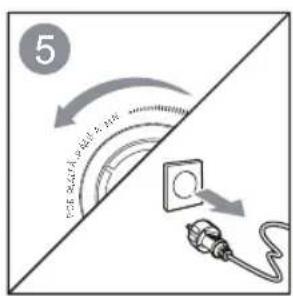
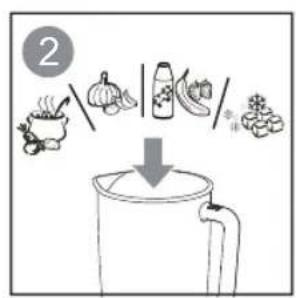
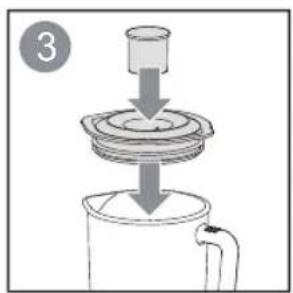
![graph LR A["Raw feed with formula FAX TL MR"] --> B["Magnified view of FRATIL MR"] B --> C["Recovery to FRATIL MR"] C --> D["Knusning AFIS"] D --> E["Impuls"] E --> F["Smoothie"]](/content/2026/05/872710/images/e260ddfec83650b2ce604cdedc957d53615f69c674fbeba58714599cfe1cc0bf.jpg)
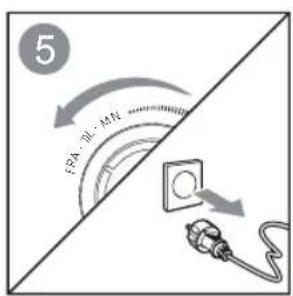
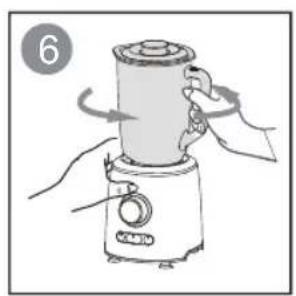
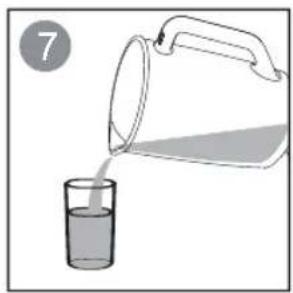
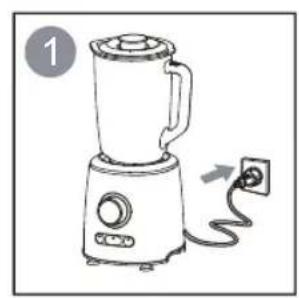
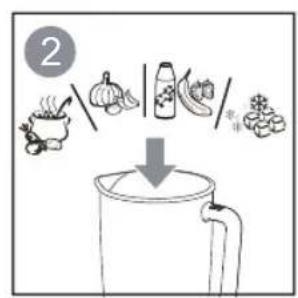
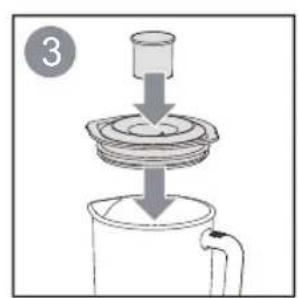
![graph LR A["Raw Materials: FRA TIL, MN, MEXO"] --> B["Add Food to Grilled Cereal"] B --> C["Add Grilled Cereal into Fruit (FRA TIL)"] C --> D["Add Fruit into Vegetable (FRA TIL)"] D --> E["Final Process: FRA TIL + Grilled Cereal → FRA TIL + Grilled Meat"] E --> F["Final Process: FRA TIL + Grilled Me…](/content/2026/05/872710/images/fd238ad19dab8889b4a74afa1418b91d79c0d627a1e54c0ba9abaf166c3436e1.jpg)
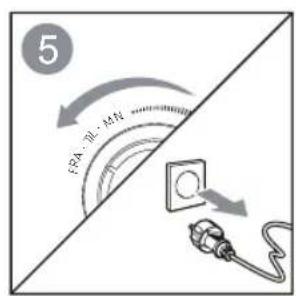
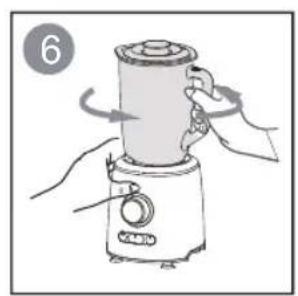
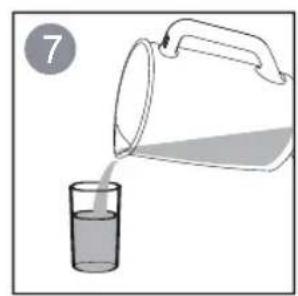
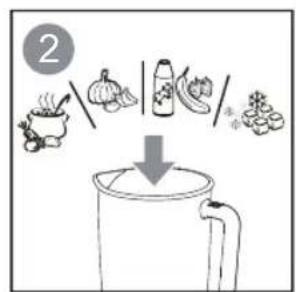
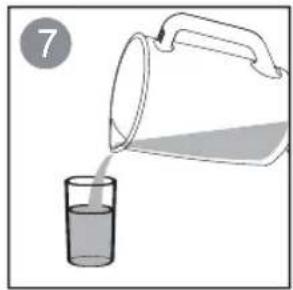
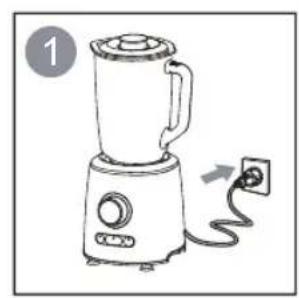
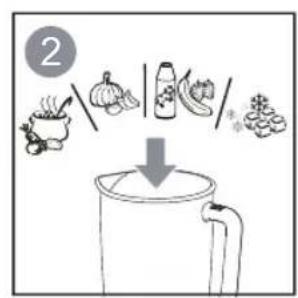
Turn the dial to the ON position. Turn the dial to the OFF position to stop the blender.
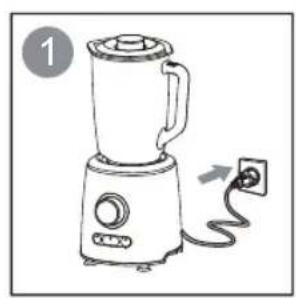
![graph LR A["Raw Materials: A = B + C"] B["Preparation: A = B + C"] --> C["Add Food to Cover"] C --> D["Packaging with Bag and Sauce"] D --> E["Product Packaging: Bag and Sauce"] E --> F["Final Product Packaging: Bag and Sauce"]](/content/2026/05/872710/images/df1ac6e775140b295daeec9f6ab91b2594850a4b8ee7aa6b4d1b1b40bb739d29.jpg)

Brand : Point
Model : POBL90SS
Category : Blender