S40DCF15E - Fan Sandstrøm - Free user manual and instructions
Find the device manual for free S40DCF15E Sandstrøm in PDF.


| Product Type | Pedestal Fan |
| Model | S40DCF15E |
| Blade Diameter | 40 cm |
| Rated Voltage | 220-240 V |
| Rated Frequency | 50 Hz |
| Input Power | 30 W |
| Maximum Fan Flow Rate | 90 m³/min |
| Service Value (SV) | 2.87 (m³/min)/W |
| Standby Power Consumption | 0.4 W |
| Seasonal Electricity Consumption | 11.2 kWh/a |
| Fan Sound Power Level | 61 dB(A) |
| Maximum Air Velocity | 3.2 m/s |
| Modes | Normal (1-26 levels), Natural, Sleep, Auto, Silent (1-9 levels) |
| Oscillation | Yes, with oscillation button on unit and remote |
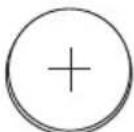
| Remote Control | Included, requires CR2032 battery |
| Timer | Yes, programmable power-on and power-off (1-26 hours via dial) |
| Height Adjustment | Yes, with locking screw |
| Tilt Adjustment | Manual up/down tilt |
| Safety Features | Tip-over switch? (Not explicitly stated, but safety warnings include unplugging if knocked over); child lock? Not mentioned; overheat protection? Not mentioned |
| Cleaning | Unplug, wipe with slightly damp cloth; no chemicals or water immersion |
| Battery Disposal | Dispose according to local regulations; do not dispose with household waste |
Frequently Asked Questions - S40DCF15E Sandstrøm
User questions about S40DCF15E Sandstrøm
0 question about this device. Answer the ones you know or ask your own.
Ask a new question about this device
Download the instructions for your Fan in PDF format for free! Find your manual S40DCF15E - Sandstrøm and take your electronic device back in hand. On this page are published all the documents necessary for the use of your device. S40DCF15E by Sandstrøm.
USER MANUAL S40DCF15E Sandstrøm
natural_image
White outdoor fan with digital display and control panel, no visible text or symbols on the fan or background.Instruction Manual
40cm DC Motor Pedestal Fan
Instruksjonsmanual
40cm DC Motor Gulvvifte
Instruktionsbok
Safety Warnings.... 3
Unpacking 9
Assembling Your Fan....10
Product Overview....11
Main Unit....11
Control Panel 12
Remote Control 12
Installing Batteries in the Remote Control 13
How to Use Your Fan....14
Cleaning 15
Hints and Tips....15
Specifications....15
Sisältö
FI
Turvavaroitukset 6
- Your fan should be used in such a way that it is protected from moisture, e.g. condensation, splashed water, etc. Do not place or store your fan where it can fall or be pulled into water or any other liquid.
- Stand the fan on a stable, level surface during use. Do not allow your fan to sit on top of the mains cable.
- Do not remove any fixed covers. Never use this appliance if it is not working properly, or if it has been dropped or damaged. Always contact a qualified technician to carry out repairs.
- If the fan is knocked over during use, turn off the unit and unplug it from the mains socket immediately.
- Do not operate your fan in the bathroom.
- Do not use hazardous chemicals to clean or come into contact with the fan. Never attempt to use the fan without the base parts assembled or in a horizontal position.
- This appliance can be used by children aged from 8 years and above and persons with reduced physical, sensory or mental capabilities or lack of experience and knowledge if they have been given supervision or instruction concerning use of the appliance in a safe way and understand the hazards involved. Children shall not play with the appliance. Cleaning and user maintenance shall not be made by children without supervision.
- Children should be supervised to ensure that they do not play with the appliance.
- Never allow children to point their fingers into any power sockets or moving parts.
- If the supply cord is damaged, it must be replaced by the manufacturer, its service agent or similarly qualified person in order to avoid a hazard.
- When the fan is assembled, the fan guard should not be taken off anymore.
- Do not operate this appliance with anything other than your hands. Do not use the appliance with wet hands.
- For fans that require assembling, to avoid personal injury, please ensure the product has been fully assembled according to the instructions within this manual.
- Batteries used in the remote control for this unit are easily swallowed by young children and this is dangerous.
- Keep loose batteries away from young children and make sure that the battery holder tray is secure in the remote control. Seek medical advice if you believe a cell has been swallowed.
- Please dispose of batteries correctly by following the guidance in this manual.
- Do not expose the battery to direct sunlight or sources of excessive heat.
Sikkerhetsadvarsler
NO
Thank you for purchasing your new Fan.
We recommend that you spend some time reading this instruction manual in order to fully understand all the operational features it offers.
Read all the safety instructions carefully before use and keep this instruction manual for future reference.
GB
Unpacking
Remove all items from the packaging. Retain the packaging. If you dispose of it please do so according to any local regulations.
The following items are included:

natural_image
Line drawing of a handheld industrial machine with lever and base (no text or symbols)Motor Unit with Stand

Base

Front Guard

Rear Guard

Blade


Screw for Fixing Guards Butterfly Screws x 3

SpinnerSecuring Nut


Remote Control Hook


Instruction ManualRemote Control
Assembling Your Fan

- Avoid using your fan in hazardous areas.
- Do not use your fan if it has not been fully assembled. Make sure that the screws that hold the base parts and the main unit together are tightened securely.
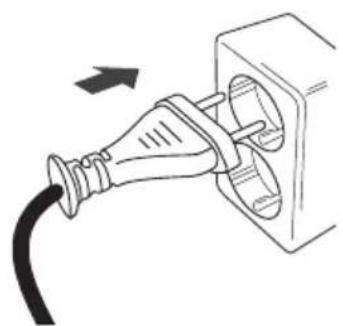
- Do not connect the unit to the mains until the assembly is finished.
1.

2.

flowchart
graph LR
    A["Front Guard"] --> B["Spinner"]
    B --> C["Blade"]
    C --> D["Securing Nut"]
    D --> E["Rear Guard"]
    E --> F["1"]
    style A fill:#f9f,stroke:#333
    style F fill:#ccf,stroke:#333
3.
natural_image
Diagram of a plug inserted into a socket, showing cable and outlet (no text or symbols)Product Overview
Main Unit

Control Panel
GB
Remote Control

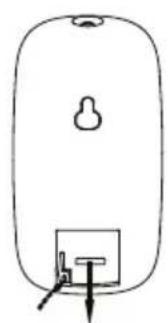
Installing Batteries in the Remote Control

natural_image
Simple line drawing of a rounded rectangular object with a small protrusion and a labeled arrow pointing to it (no text or symbols present)
natural_image
Simple line drawing of a rounded rectangular object with a small protrusion and a small rectangular base (no text or symbols)②


natural_image
Simple line drawing of a device with a handle and control panel, no text or symbols present
Handling the Batteries
- Improper or incorrect use of batteries may cause corrosion or battery leakage, which could cause fire, personal injury or damage to property.
• Only use the battery type indicated in this manual. - When the batteries are exhausted, the remote will not function.
- Do not dispose of used batteries as domestic waste. Dispose of them in accordance with local regulations.
Handling the Remote Control
- Do not drop or cause impact to the remote control.
• Do not spill water or any liquid on the remote control.
• Do not place the remote control on a wet object. - Do not place the remote control under direct sunlight or near sources of excessive heat.
- Remove the battery from the remote control when not in use for a long period of time, as it could cause corrosion or battery leakage and may result in physical injury and/or property damage including fire.
How to Use Your Fan
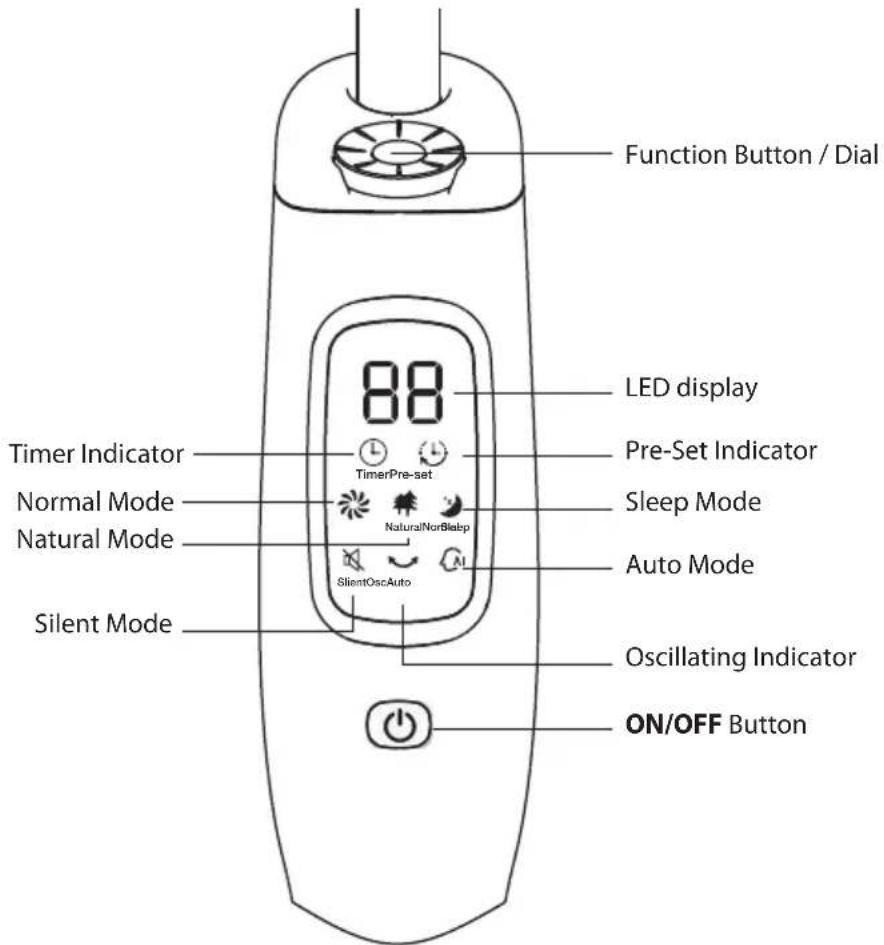
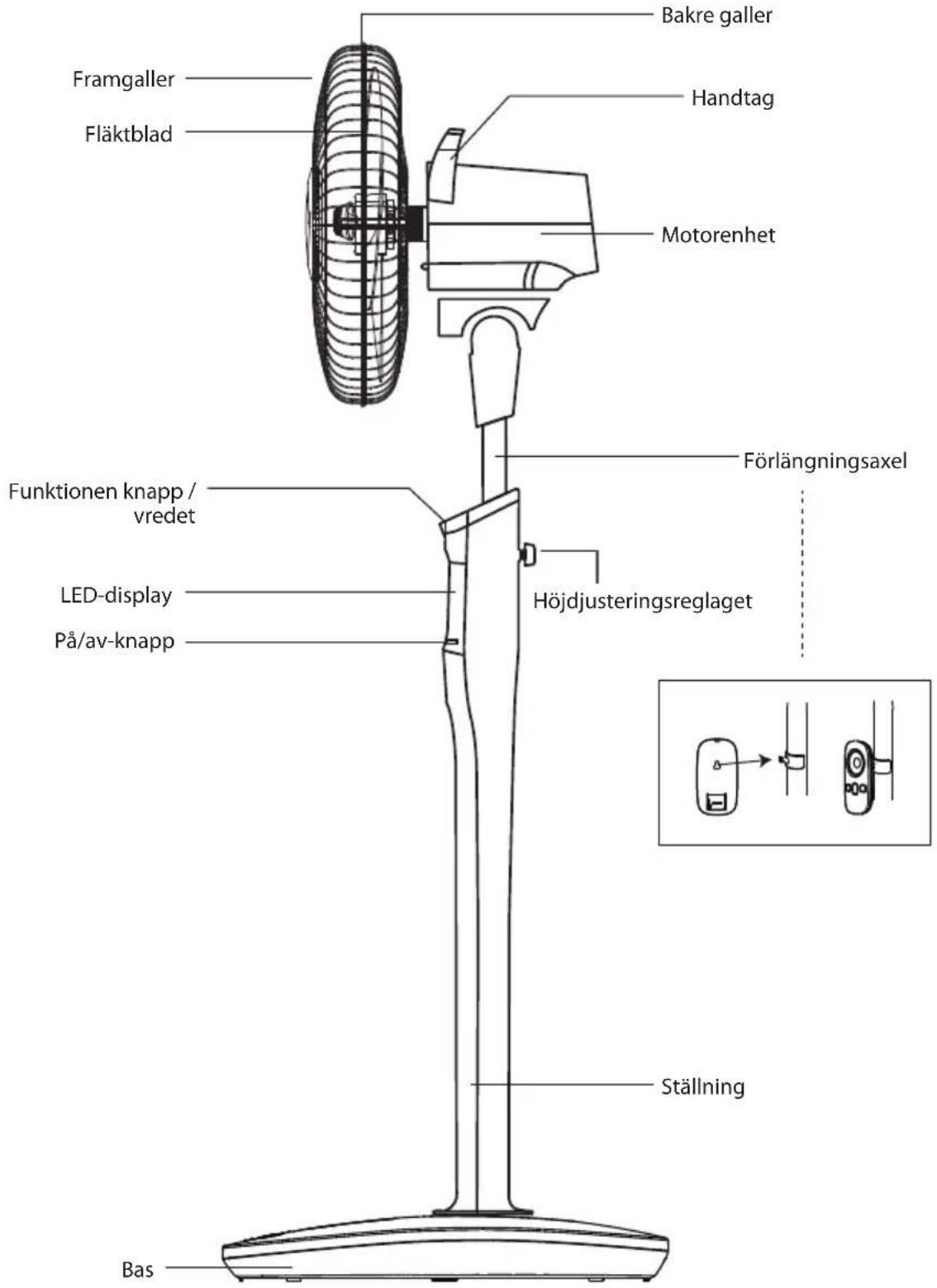
- Press ⏻ on the unit or the remote control to turn the fan on or off. Turn the Function Dial on the unit or the remote control to adjust the speed.
- Press 📋 on the remote control repeatedly to select different modes:
• Normal*: can set from 1 to 26 level
• Natural: simulate natural wind
• Sleep: steady and slow speed
- Auto: the speed changes according to the surrounding temperature; if the temperature is 20°C or below, the fan will automatically stop
- Silent: fan blows in silence, can set from 1 to 9 level
- Press ⏻ on the remote control to set power-on time (in off mode) and power-off time ⏻ (in operating mode). After pressing ⏻, turn the Function Dial to select the hours to power-on or power-off. To cancel power on time, press ⏻.
- To make the fan head oscillate, press the Oscillating Button on the unit or ∪ on the remote control. Press again to stop oscillation.
• The head of the fan can be tilted up or down manually. - The height of the fan can be adjusted up or down. To do this, loosen the Height Locking Screw, pull on the Extension Tube to the desired height, then tighten the Height Locking Screw.
Cleaning
Unplug the unit from the mains socket. Use a slightly damp cloth to wipe the outer body of the unit. Never completely cover the unit with water or use chemicals or detergents as they could damage the unit.
Hints and Tips
| Problem Solution | |
| The air flow coming from the unit is weak. | Select a higher fan speed. |
| The unit does not work. Check | that the mains plug is connected correctly and that the unit is turned on at the mains supply. |
Specifications
| Model S40DCF15E | |
| Rated Voltage 220 - 240 V | |
| Rated Frequency 50 Hz | |
| Input Power 30 W | |
| Maximum Fan Flow Rate (F) 90 m | ^3 /min |
| Fan Power Input (P) 30 W | |
| Service Value (SV) 2.87 (m) | ^3 /min)/W |
| Standby Power Consumption ( P_SB ) 0.4 W | |
| Off Mode Power Consumption ( P_OFF ) N/A | |
| Seasonal Electricity Consumption (Q) 11.2 | kWh/a |
| Fan Sound Power Level (LWA) 61 dB(A) | |
| Maximum Air Velocity (C) | 3.2 meters/sec |
| Measurement Standard for Service Value | IEC 60879:1986 (corr. 1992) |
Features and specifications are subject to change without prior notice.
Takk for at du kjøpte ny vifte.
natural_image
Line drawing of a mechanical device with lever and base (no text or symbols)natural_image
Diagram of an electric plug inserted into a socket, showing cable and outlet (no text or symbols)Produktoversikt
Hovedenhet

natural_image
Simple line drawing of a cylindrical device with a handle and internal components, labeled with number ① (no text or symbols on the diagram itself)

natural_image
Simple line drawing of a device with a handle and base, labeled with number ② (no text or symbols on the diagram itself)

natural_image
Simple line drawing of a device with a handle and base, no text or symbols present
natural_image
Line drawing of a mechanical device with a lever and handle (no text or symbols)natural_image
Diagram of a plug inserted into a socket, showing cable and outlet (no text or symbols)Produktöversikt
Huvudenhet
natural_image
Simple line drawing of a cylindrical container with a small inset showing a bulb and a label (①) pointing to the bottom section.

natural_image
Simple line drawing of a device with a handle and base, labeled with number ② (no text or symbols on the diagram itself)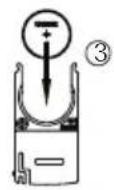

natural_image
Simple line drawing of a device with a handle and control panel, no text or symbols present
natural_image
Line drawing of a mechanical device with lever and base (no text or symbols)natural_image
Diagram of an electric plug inserted into a socket, showing cable and outlet (no text or symbols)natural_image
Simple line drawing of a rounded rectangular object with a small inset showing internal structure, labeled with number ① (no text or symbols on the object itself)

natural_image
Simple line drawing of a rounded rectangular device with a small circular component and a small rectangular base (no text or symbols)②


natural_image
Simple line drawing of a device with a handle and control panel, no text or symbols present
natural_image
Line drawing of a handheld electric shaver or power supply device (no text or symbols)natural_image
Line drawing of an electric plug inserted into a socket (no text or symbols)Produktoversigt
Hovedenhed

natural_image
Simple line drawing of a rounded rectangular object with a small protrusion and a labeled arrow pointing to it (no text or symbols present)

natural_image
Simple line drawing of a rounded rectangular object with a small protrusion and a small square base (no text or symbols)②


natural_image
Simple line drawing of a device with a handle and control panel, no text or symbols present
The symbol on the product or its packaging indicates that this product must not be disposed of with your other household waste. Instead, it is your responsibility to dispose of your waste equipment by handing it over to a designated collection point for the recycling of waste electrical and electronic equipment. The separate collection and recycling of your waste equipment at the time of disposal will help conserve natural resources and ensure that it is recycled in a manner that protects human health and the environment.
For more information about where you can drop off your waste for recycling, please contact your local authority, or where you purchased your product.
NO
Brand : Sandstrøm
Model : S40DCF15E
Category : Fan