
11411 - Food processor MAGIMIX - Free user manual and instructions
Find the device manual for free 11411 MAGIMIX in PDF.


| Product type | Automatic coffee machine with integrated grinder |
| Brand | MAGIMIX |
| Model | 11411 |
| Water tank capacity | 1.8 L |
| Coffee types | Bean or ground |
| Grind adjustment | Continuously adjustable fineness |
| Strength adjustment | 3 levels: light, normal, strong |
| Temperature adjustment | 3 levels: normal, high, maximum |
| Water quantity adjustment | From 30 ml to 240 ml per cup |
| Functions | Espresso, long coffee, steam, hot water, cappuccino |
| Water filter | Optional - filter cartridge |
| Programming | Programmable automatic on/off |
| Water hardness | Adjustable from 1 to 4 |
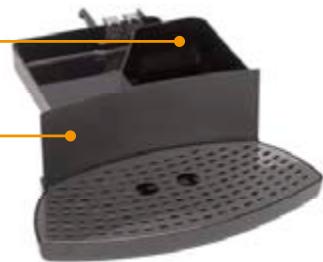
| Drip tray | With removable grid |
| Grounds container | With drawer |
| Steam nozzle | For hot water and steam |
| Cappuccino accessory | For frothing milk |
| Display | Screen with messages |
| Maintenance | Weekly cleaning, descaling, filter replacement |
| Safety instructions | Automatic shut-off, grounded outlet, do not use outdoors |
| Material | Plastic body, glass reservoir (not specified) |
| Color | Black (typical) |
Frequently Asked Questions - 11411 MAGIMIX
User questions about 11411 MAGIMIX
0 question about this device. Answer the ones you know or ask your own.
Ask a new question about this device
Download the instructions for your Food processor in PDF format for free! Find your manual 11411 - MAGIMIX and take your electronic device back in hand. On this page are published all the documents necessary for the use of your device. 11411 by MAGIMIX.
USER MANUAL 11411 MAGIMIX
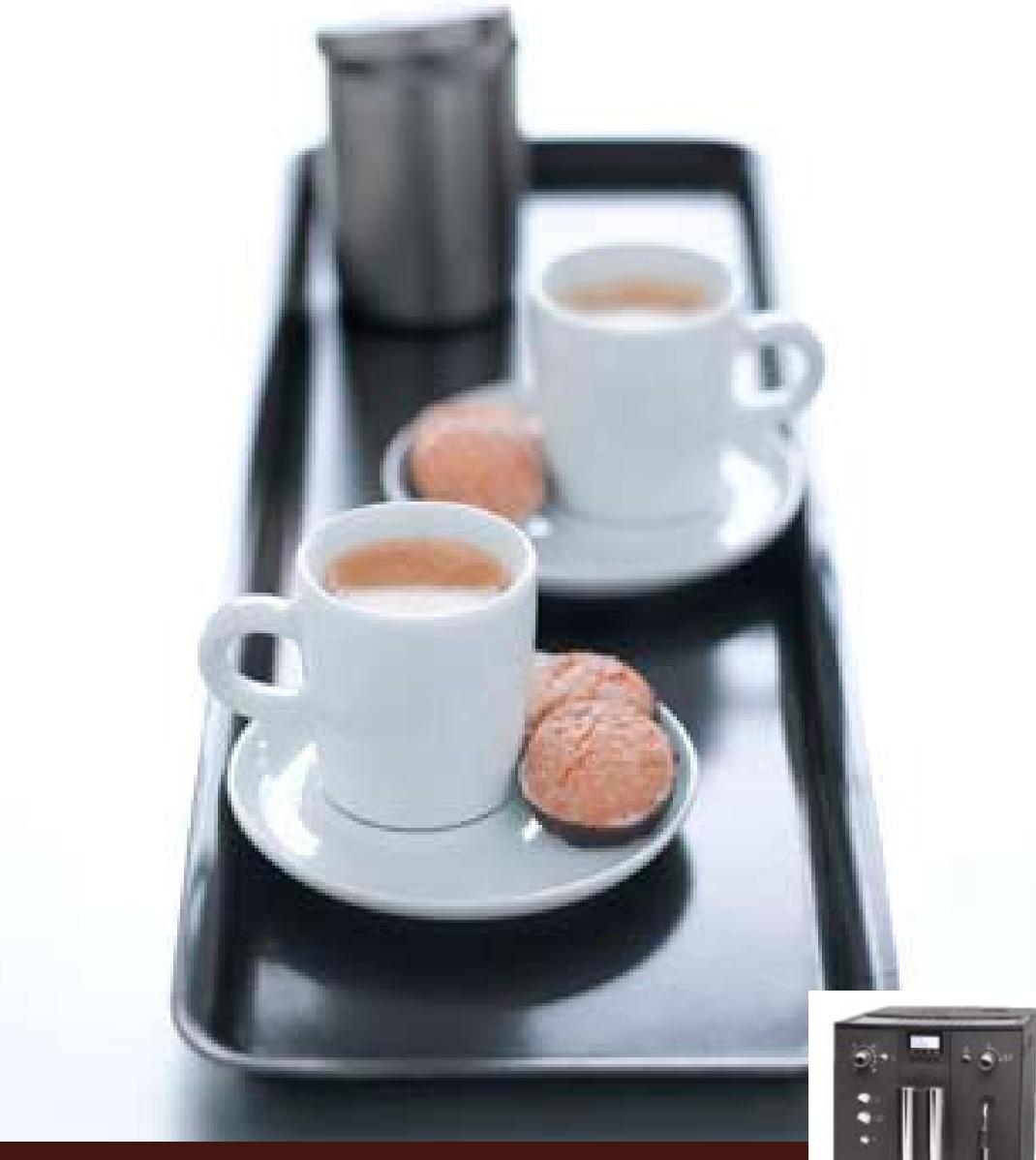
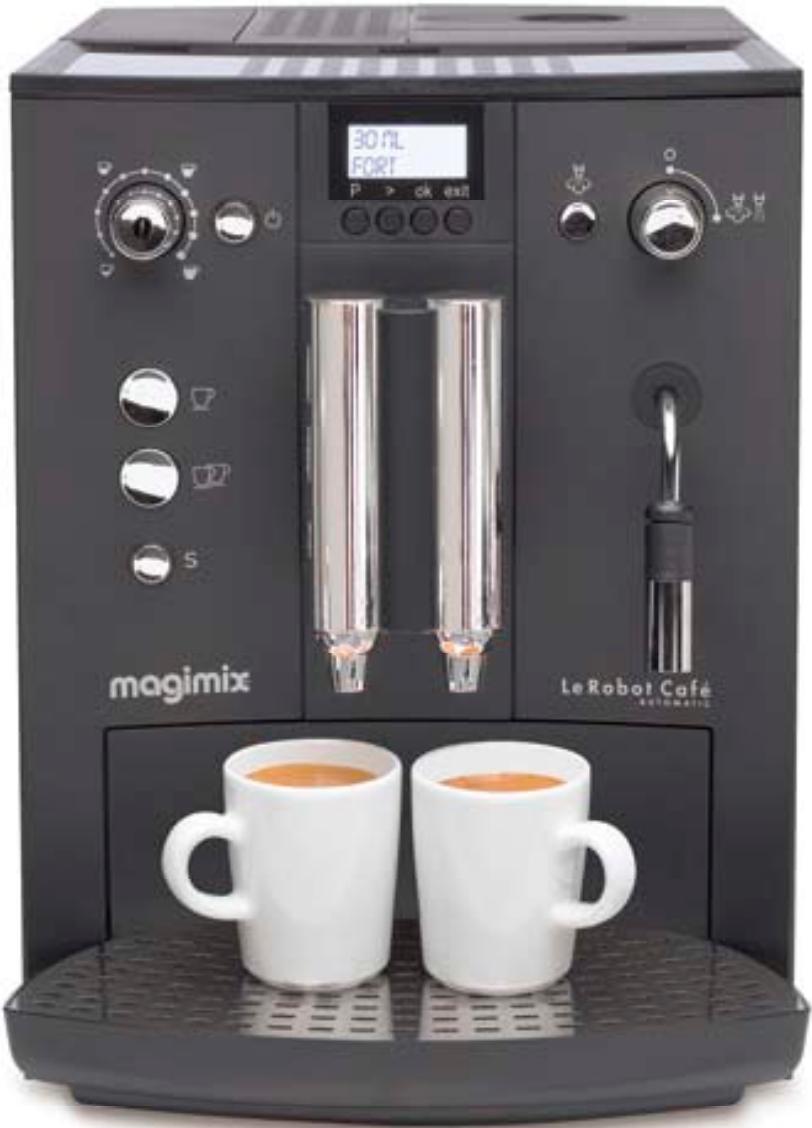
Le Robot Café Automatic
Fr Mode d'emploi
Uk Instructions for use
natural_image
Black tray with white ceramic cups, two round cookies, and a toaster set in the background (no text or symbols visible)magimix®
natural_image
Exterior view of a modern black industrial water filtration machine (no visible text or symbols)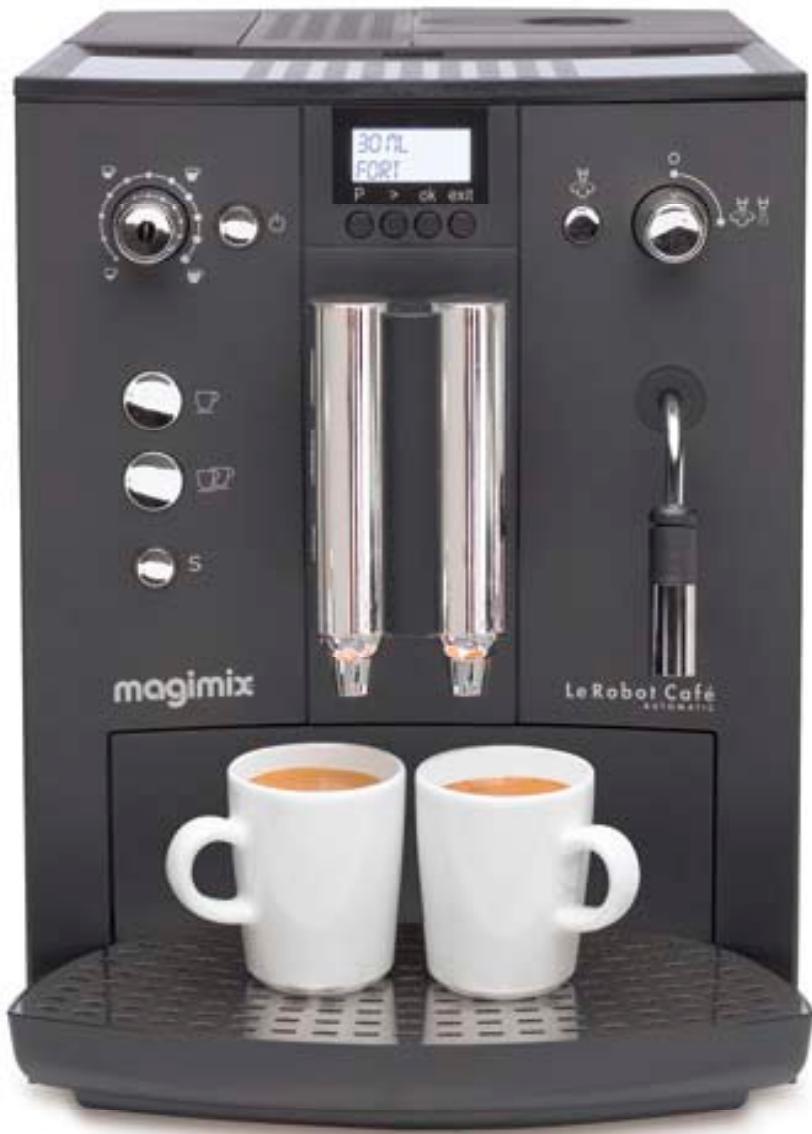
natural_image
Exterior view of a black Magimix coffee machine with two white mugs on the front (no visible text or symbols on main body)Descriptif 2
Fermez le robinet.
natural_image
White coffee cup on a black industrial machine (no visible text or symbols)

natural_image
Simple illustration of a sun with rays and the letter 'S' beside it (no text or symbols on the sun itself)





natural_image
White ceramic coffee cup on a machine with industrial equipment in the background (no visible text or symbols)
Appuyez sur exit.
natural_image
Close-up of a glass pouring liquid into a container with a stand (no visible text or symbols)Remplissez d'eau.
natural_image
Close-up of a hand pouring granular material into a device (no visible text or symbols)natural_image
Simple diagram showing a triangular shape with an orange triangle inside, connected to three small icons: a triangle, a shuttlecock, and a tripod (no text or symbols)Robinet fermé.
natural_image
Close-up of roasted coffee beans with a magnified inset showing grain shading (no text or symbols)natural_image
Circular diagram with a central pie chart and surrounding cups, no text or symbols presentnatural_image
Abstract diagram with a central teapot and surrounding cups, no text or symbols presentnatural_image
Two white ceramic mugs on shelves, one with handles, placed on a dark surface (no visible text or symbols)natural_image
Close-up of a dual-chamber electronic component with orange bidirectional arrow indicator (no readable text or symbols)Réglez la hauteur.


flowchart
graph LR
    A["Tea with coffee cup"] --> B["Beaker pouring coffee into boiler"]
    B --> C["Digital Display: 'POUDRE PRETE'"]
    C --> D["Control buttons: 'P > ok exit'"]
natural_image
Close-up of a black coffee machine with two tubes and a glass cup, next to a triangular play button (no visible text or symbols)Placez 1 tasse.
natural_image
Close-up of a black espresso machine with a glass mug and two tubes, next to a white triangular button (no visible text or symbols)Placez 1 tasse.
natural_image
Simple diagram showing a circular object with an orange triangle, connected by curved lines to three small icons (shuttle, shuttle, flag) — no text or symbols present.Robinet fermé
Appuyez

Affichage.
Système prêt.
natural_image
Simple line drawing of a shuttlecock with a triangular pointer and three shuttlebikes (no text or symbols)Ouvrez le robinet.
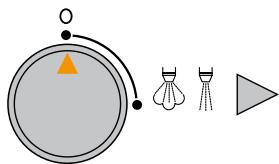
Fermez le robinet.
natural_image
Exterior view of a modern office building (no signage)natural_image
Hand placing a small object into a black industrial machine (no visible text or symbols)natural_image
Hand cleaning a kitchen appliance with a cloth on top (no visible text or symbols)natural_image
Hand placing a white object onto a black appliance with control knobs and a digital display (no visible text or symbols)natural_image
Close-up of a hand holding a tool interacting with a device panel (no visible text or symbols)natural_image
Close-up of a person's hand placing a black plastic component into a dark tray, with an orange arrow indicating the motion (no text or symbols visible)natural_image
Close-up of a mechanical device with no visible text or symbolsnatural_image
Two-panel image showing hands installing or adjusting a device into a black case (no visible text or symbols)natural_image
Close-up of a hand pressing down on a black electronic device casing with orange arrows indicating motion (no text or symbols visible)natural_image
Interior view of a computer case with a yellow arrow pointing to a component (no visible text or symbols)flowchart
graph LR
    A["Hand washing machine"] --> B["Water pouring into a bottle"]
    B --> C["30 mL NORMAL P > ok exit"]
    C --> D["RINCAGE MANUEL P > ok exit"]
    style A fill:#f9f,stroke:#333
    style D fill:#ccf,stroke:#333
natural_image
Close-up of a mechanical device with liquid pouring from a glass container (no visible text or symbols)Remplissez d'eau.
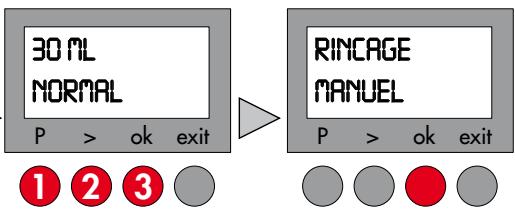
flowchart
graph LR
    A["30 ML NORMAL"] --> B["RINCAGE MANUEL"]
    A --> C["1 2 3"]
    A --> D["P > ok exit"]
    B --> E["P > ok exit"]
natural_image
White ceramic cup on a counter with industrial equipment in the background (no visible text or symbols)Appuyez.
natural_image
Two white ceramic cups filled with coffee and cookies on a tray, one with a spoon and the other with a spoon (no text or symbols visible)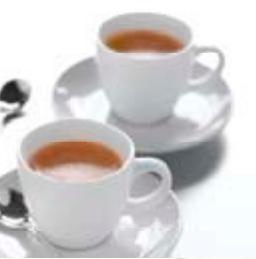
natural_image
Two white ceramic teacups on saucers, one filled with amber tea, with a spoon in the background (no text or symbols visible)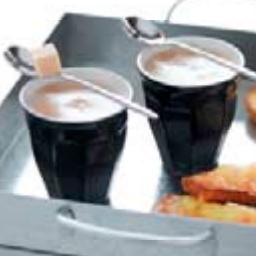
natural_image
Two black cups filled with creamy soup, one serving a spoon, with food items on a tray (no visible text or symbols)L'Expresso
Warm water 29
Stoom 29
Cappuccino 30
Onderhoud
natural_image
Interior view of a microwave oven with a glass lid and brown granular substance inside (no visible text or symbols)natural_image
Close-up of a hand inserting a black plastic container into a gray cylindrical device (no text or symbols visible)Uitneembaar waterreservoir (1,8 l.)
natural_image
Close-up of a glowing orange rectangular object inside a dark square frame (no text or symbols visible)AAN / UIT -schakelaar
natural_image
Close-up of a black plastic appliance with perforated base and internal compartments (no text or symbols visible)
Drukken.
natural_image
Simple diagram showing a play button, basketball shuttlecock, and flag (no text or symbols)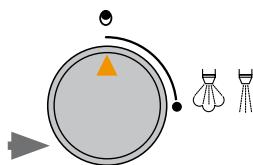
natural_image
Simple diagram showing a basketball court with a flag, shuttlecock, and shuttlecock (no text or symbols)natural_image
White coffee mug being processed with a black digital machine (no visible text or symbols)


natural_image
Simple illustration of a sun with rays and the letter 'S' beside it (no text or symbols on the sun itself)



flowchart
graph LR
    A["30 ML NORMAL<br>P > ok exit"] --> B["SPOELING HANDM<br>P > ok exit"]
    B --> C["FILTER VERVANGEN VENTIL DRARIEN<br>P > ok exit"]
    C --> D["Final processing unit"]
NORMAAL - HOOG - MAXIMAAL
flowchart
graph LR
    A["30 ML NORMAAL\nP > ok exit"] --> B["TEMP. HOOG\nP > ok exit"]
    B --> C["PROGRAM TEMP\nP > ok exit"]
    style A fill:#f9f,stroke:#333
    style B fill:#ccf,stroke:#333
    style C fill:#cfc,stroke:#333
natural_image
Close-up of a glass pouring liquid into a container (no visible text or symbols)Met water vullen.
natural_image
Close-up of a hand pouring dark granular material into a device casing (no visible text or symbols)natural_image
Simple diagram showing a play button, a triangular play button with an orange triangle, and two shuttlecock illustrations (no text or symbols)Kraantje gesloten.
natural_image
Close-up of roasted coffee beans with a magnified inset showing grain and caliper (no text or symbols)natural_image
Circular diagram with a central pie chart and surrounding cups, no text or symbols presentnatural_image
Two white mugs on a dark shelf, one with handles and another with handles, no visible text or symbols.natural_image
Close-up of a dual-chamber electronic component with orange double-headed arrows indicating vertical alignment (no text or symbols)Stel de hoogte in.


natural_image
Close-up of a black coffee maker with glass mug and metal handles (no visible text or symbols)flowchart
graph LR
    A["Circle with O at top"] --> B["Arrow to the right"]
    B --> C["Circle with O at bottom"]
    style A fill:#f9f,stroke:#333
    style C fill:#bbf,stroke:#333
natural_image
Close-up of a black espresso machine with a glass mug and two tubes, next to a white triangular button (no visible text or symbols)natural_image
Simple diagram showing a circular object with an orange triangle, connected by curved lines to three small icons (shield, tripod, triangle) — no text or symbols present.Kraantje gesloten
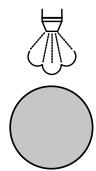
Druk

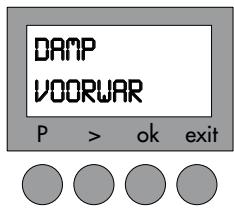
Weergave
Systeem gereed.
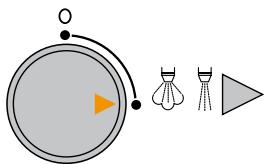
natural_image
Simple line drawing of a shuttlecock with a triangular pointer and three shuttlebikes (no text or symbols)Open het kraantje.
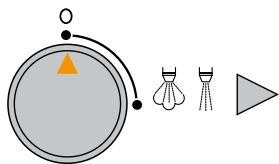
Sluit het kraantje.
natural_image
Three black mechanical or electrical components with no visible text or symbolsnatural_image
Close-up of a black cylindrical device with a flame-like top, mounted on a stand next to a white cable (no visible text or symbols)natural_image
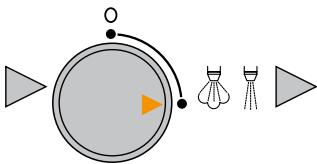
Product photo of a coffee machine setup with a white cup and a metallic mug, next to a gray arrow pointing right (no visible text or symbols)Wacht totdat VAPEUR PRETE verschijnt.
flowchart
graph LR
    A["Start"] --> B((Circle))
    B --> C["Arrow to O"]
    B --> D["Arrow to Orange Box"]
    B --> E["Arrow to Light Arrow"]
    B --> F["Arrow to Light Arrow"]
    B --> G["Arrow to Light Arrow"]
natural_image
Modern coffee machine setup with a white bowl and a metallic mug, next to a gray arrow pointing right (no text or symbols visible)natural_image
Simple diagram showing two gray circles and two matching teacups, no text or symbols present.natural_image
White ceramic cup filled with white creamy substance, placed on a saucer with a spoon (no text or symbols visible)natural_image
Laboratory setup with a glass beaker containing a test tube connected to a vertical tube, no visible text or symbolsnatural_image
Clear glass mug on a counter with a water drop pipe visible in the background (no text or symbols)natural_image
Simple circular diagram with a central orange arrow and two black dots, no text or symbols present.
Ventiel geopend.
natural_image
Exterior view of a gray portable kitchen sink with perforated base and side outlets (no text or symbols visible)natural_image
Hand placing a small object into a black electronic device with control knobs and a digital display (no visible text or symbols)natural_image
Hand cleaning a kitchen appliance with a cloth on top (no visible text or symbols)natural_image
Hand using a white plastic object to clean or store items on a black appliance (no visible text or symbols)natural_image
Close-up of a hand holding a small mechanical component, possibly a tool or device, with no visible text or symbols.natural_image
Close-up of a hand pressing down on a black plastic panel with an arrow indicating the motion (no text or symbols visible)natural_image
Close-up of a mechanical device with no visible text or symbolsnatural_image
Two-panel image showing hands installing or adjusting a device component, no visible text or symbolsnatural_image
Close-up of a hand pressing down on a computer case with two yellow arrows pointing to the next component (no text or symbols visible)natural_image
Interior view of a computer case with a yellow arrow pointing to a component (no visible text or symbols)flowchart
graph LR
    A["FILTER VERVANGEN<br>P > ok exit"] --> B["Processed container with hand holding part"]
    B --> C["S"]
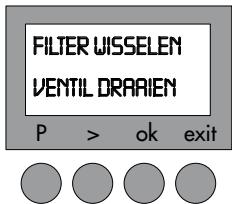
    C --> D["FILTER VERVANGEN<br>VENTIL DRAAIEN<br>P > ok exit"]
flowchart
graph LR
    A["Handheld device"] --> B["Receiving water from container"]
    B --> C["30 mL normal water container with P > ok exit"]
    C --> D["SPOELING HANDON display with P > ok exit"]
natural_image
Close-up of a mechanical device with a glass pouring liquid into a container (no visible text or symbols)Met water vullen.
flowchart
graph LR
    A["FILTER VERVANGEN VENTIL DRAAIEN"] --> B["P > ok exit"]
    B --> C["Image of coffee cup"]
    C --> D["Utstroming van water ~20 sec."]
    D --> E["Image of two circular gauges with orange tip at 20 sec"]
natural_image
White ceramic coffee cup on a stand next to a black industrial machine (no visible text or symbols)flowchart
graph LR
    A["Start"] --> B["Stage 1: Circle with O mark"]
    B --> C["Stage 2: Triangle marker on left circle"]
    C --> D["Stage 3: Circle with O mark"]
    D --> E["End"]
Open het kraantje.
Sluit het kraantje.
Reinigingsprogramma
Druk
flowchart
graph LR
    A["30 ML NORMAAL\nP > ok exit"] --> B["REINIGEN HANDON\nP > ok exit"]
    B --> C["SCHALEN LEGEN WATER VULLEN\nP > ok exit"]
natural_image
Two white ceramic cups filled with coffee and cookies on a tray, one with a spoon and the other with a spoon (no text or symbols visible)Espresso
natural_image
Two white ceramic teacups on saucers, one filled with amber tea, with a spoon in the background (no text or symbols visible)Cappuccino
natural_image
Two black glasses of coffee with spoons and a spoon, served on a tray with food items (no visible text or symbols)Ristretto
Rinsing 42
Language selection 42
Adjusting the clock 43
Installing the filter 44
Water hardness level 45
Selecting the temperature 45
Brewing espresso coffee
Preparing the machine 46
Adjusting the grind 46
Large or small espresso? 46
Light, strong or extra-strong espresso? 47
1 or 2 cups 47
Ground coffee 47
Using the nozzle
Hot water 48
Steam 48
Cappuccino 49
Aftercare
Weekly aftercare 50
Changing the filter 51
Cleaning programme 52
Descaling programme 53
Recipes 54
Screen messages 55
Troubleshooting 56
Safety instructions 57

Read these safety instructions carefully before using your machine.
natural_image
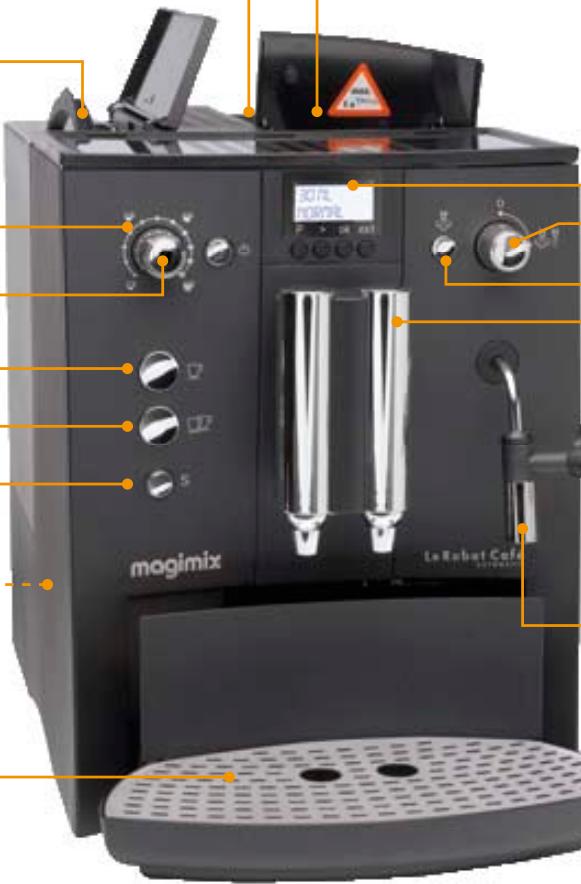
Interior view of a microwave oven with a tray holding dried food, no visible text or symbolsCoffee bean compartment with grind fineness setting
natural_image
Close-up of a hand inserting a black plastic container into a gray cylindrical device (no text or symbols visible)Removable water tank (1.8 litres)
Water volume
Coffee strength setting
1 cup
2 cups
Service/Rinsing
natural_image
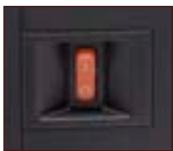
Close-up of a glowing orange rectangular object inside a dark square frame (no text or symbols visible)On/Off switch
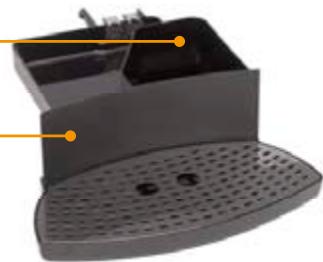
Drip tray with - removable grid
Grounds container
Grounds drawer
natural_image
Close-up of a black plastic appliance with perforated base and internal compartments (no text or symbols visible)
Ground coffee compartment

Max.: 1 level teaspoon
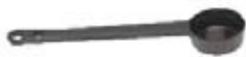
Measuring spoon: 1 level spoon = 1 cup (1 coffee)
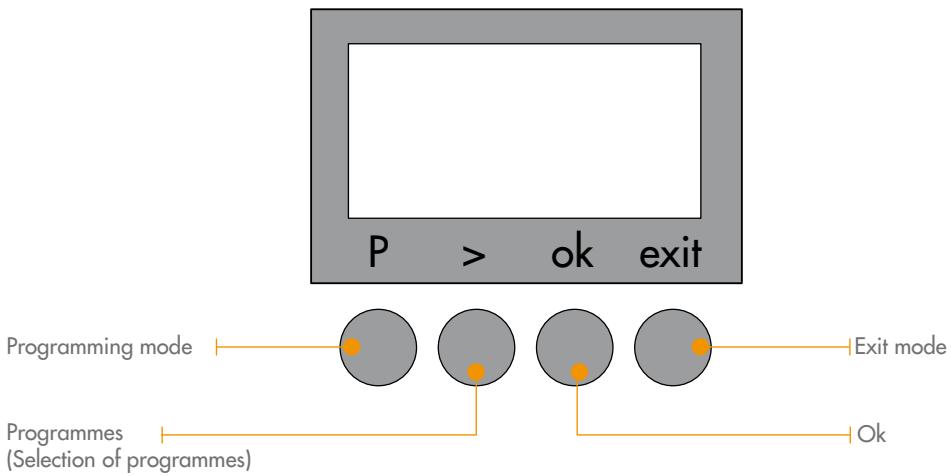
LIST OF PROGRAMMES
PROGRAM FILTER
Indicate whether or not you have chosen to install the water filter.
See "Installing the filter" chapter (p. 44).
PROGRAM U.HARD
Choose your water hardness setting between 1 and 4.
See "Water hardness level" chapter (p. 45).
PROGRAM TEMP
Choose between three temperature settings for your coffee:
Normal, High, Maximum. See "Selecting the temperature" chapter (p. 45).
PROGRAM LANGUAGE
Choose between 8 different languages.
See "Language selection" chapter (p. 42).
PROGRAM TIME
Setting the on/off time
See "Adjusting the clock" chapter (p. 43).
PROGRAM STATIST
You can find out how many times each function has been used.
PROGRAM CLEANING
Cleaning programmes.
See "Cleaning programme" chapter (p. 52).
PROGRAM DECALC
Descaling programmes.
See "Descaling programme" chapter (p. 53).
Rinsing
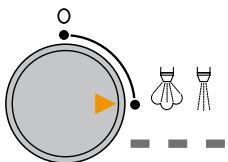
Before you use your machine for the first time, you must rinse the water circuit to eliminate any residual water in the system.
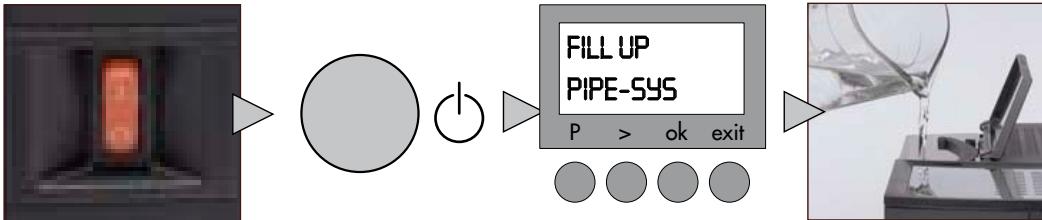
Plug into earthed socket.
Select.
Fill with fresh water
Switch the machine on.

natural_image
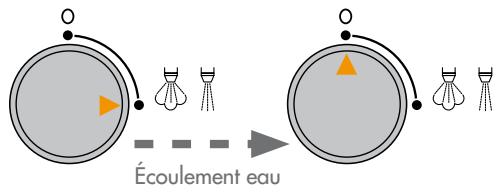
Diagram showing a circular object with an orange arrow and three stylized objects (bod, shuttle, stand) arranged below, no text or symbols present.Allow water to flow for

natural_image
Simple diagram showing a circular object with an arrow and triangle, connected to three small objects (shod, shuttle, and tripod) with no text or symbols.45 s
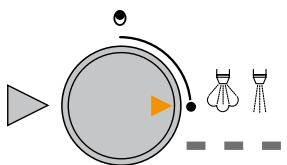
Turn the tap on.
Turn the tap off.
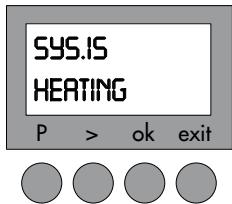
Wait for the machine to heat up.
natural_image
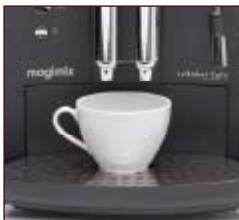
White coffee mug on a black counter with a black model airplane in the background (no visible text or symbols)Place a cup underneath the flow head



natural_image
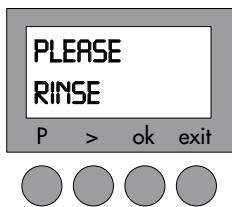
Simple illustration of a sun with rays and the letter 'S' beside it (no text or symbols on the sun itself)Press S as soon as the button starts flashing

You can rinse your machine at any time simply by pressing the S button.
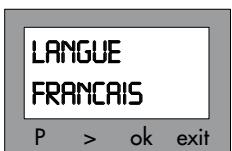
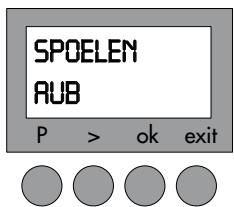
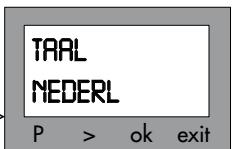
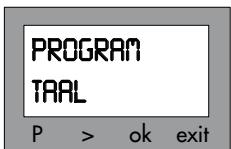
Language selection
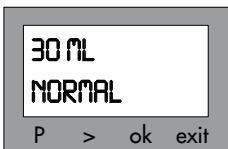


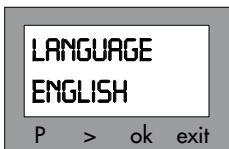

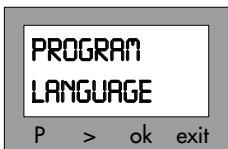


Press P then >.
Select PROGRAM
LANGUAGE.
Press ok.
Press >.
Select the language.
Press ok.
Exit.
Adjusting the clock
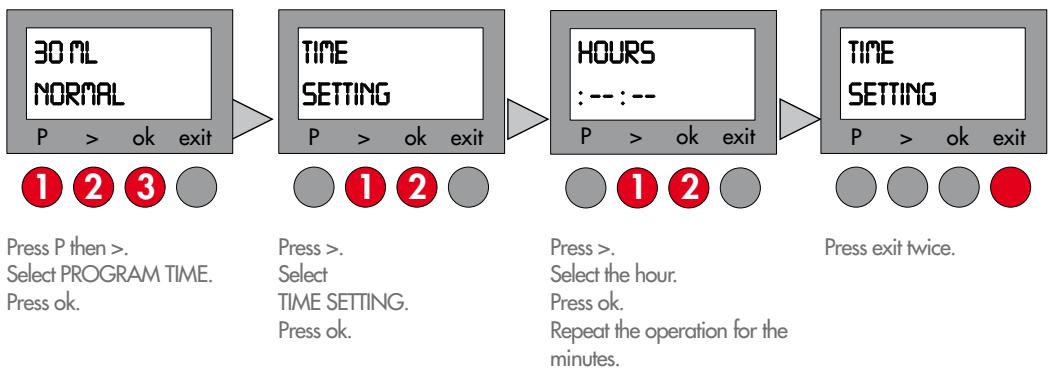
Setting the timer for the automatic switch-on
Pre-program your machine for automatic switch on.
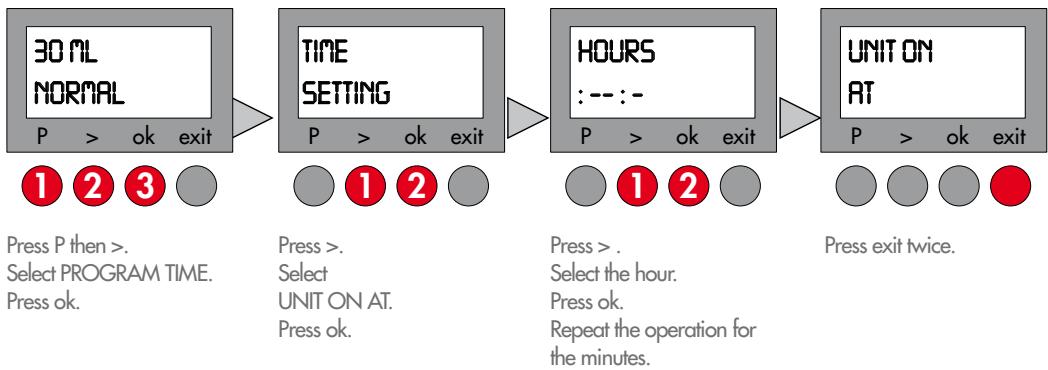
flowchart
graph LR
    A["30 ML NORMAL\nP > ok exit\n1 2 3"] --> B["TIME SETTING\nP > ok exit\n1 2"]
    B --> C["HOURS\n: -- : -\nP > ok exit\n1 2"]
    C --> D["UNIT ON AT\nP > ok exit\nPress exit twice."]
    style A fill:#f9f,stroke:#333
    style B fill:#f9f,stroke:#333
    style C fill:#f9f,stroke:#333
    style D fill:#f9f,stroke:#333
Setting the timer switch-off
Pre-program your machine for automatic switch off.
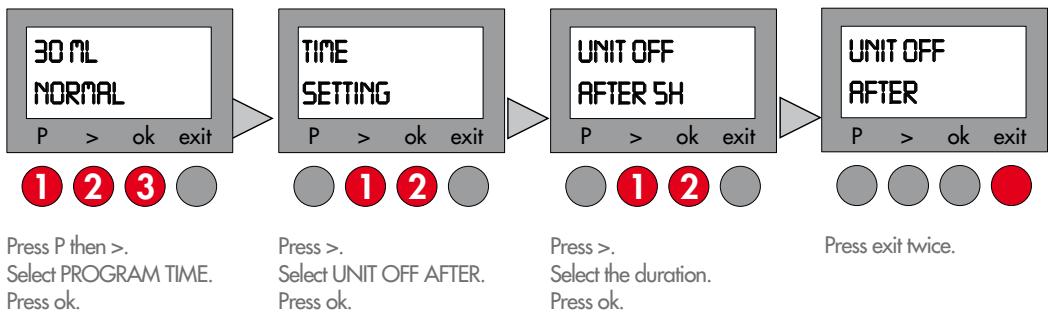
flowchart
graph LR
    A["30 ML NORMAL\nP > ok exit\n1 2 3"] --> B["TIME SETTING\nP > ok exit\n1 2"]
    B --> C["UNIT OFF AFTER SH\nP > ok exit\n1 2"]
    C --> D["UNIT OFF AFTER\nP > ok exit\nPress exit twice."]
    style A fill:#f9f,stroke:#333
    style B fill:#f9f,stroke:#333
    style C fill:#f9f,stroke:#333
    style D fill:#f9f,stroke:#333
Installing the water filter
Option 1
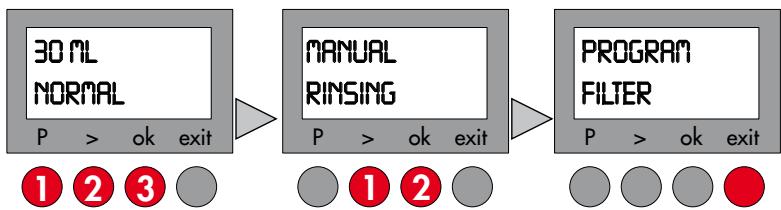
If you decide to use the filter option, the water hardness and manual descaling programmes will no longer be displayed.
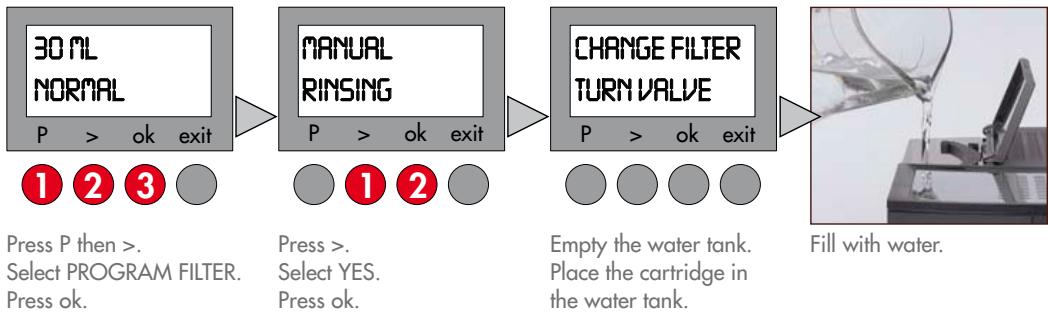
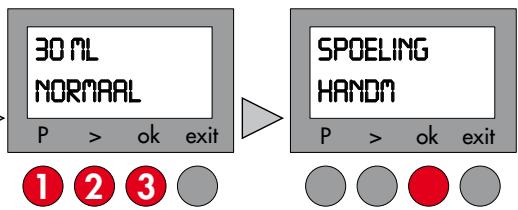
Press P then >. Select PROGRAM FILTER. Press ok.
Press >. Select YES. Press ok.
Empty the water tank. Place the cartridge in the water tank.
Fill with water.
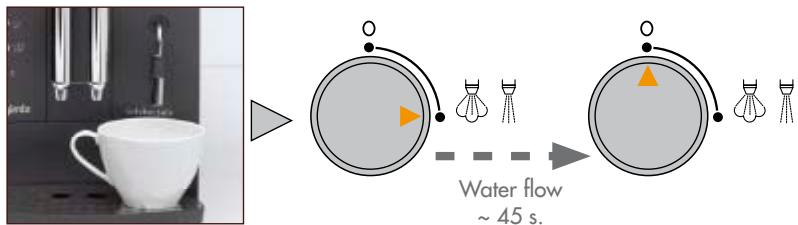
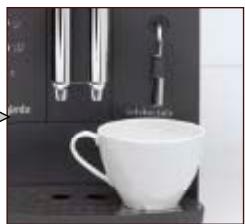
Place a cup underneath the flow head
Turn the tap on.
Turn the tap off.
Option 2
If you decide not to use the filter option, you will need to set the water hardness (see p. 45) and carry out manual descaling (see p. 54).
flowchart
graph LR
    A["30 ML NORMAL\nP > ok exit"] --> B["MANUAL RINSING\nP > ok exit"]
    B --> C["PROGRAM FILTER\nP > ok exit"]
    style A fill:#f9f,stroke:#333
    style B fill:#ccf,stroke:#333
    style C fill:#cfc,stroke:#333
Press P then >. Select PROGRAM FILTER. Press ok.
Press >. Select NO. Press ok.
Press exit
Setting Water hardness level
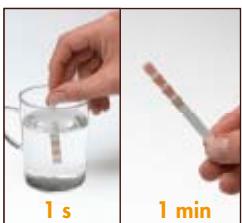
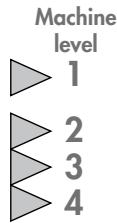
If, and only if, you have not installed your filter, you must select the water hardness setting so that the system is set up warn you when you need to descale your machine.
natural_image
Two-step illustration showing a hand holding a glass with liquid and a stick, labeled '1 s' and '1 min' (no text or symbols on the objects)Dip the test strip in cold water
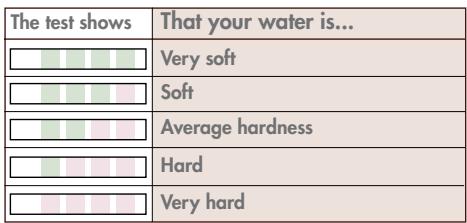
Compare.
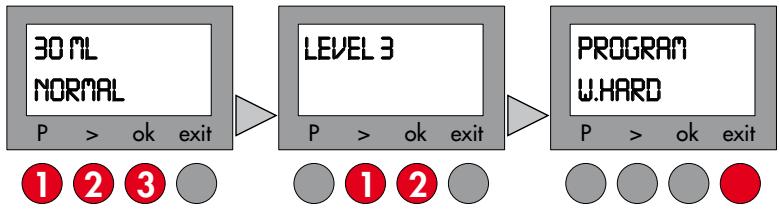
flowchart
graph LR
    A["30 ML NORMAL\nP > ok exit"] --> B["LEVEL 3\nP > ok exit"]
    B --> C["PROGRAM W.HARD\nP > ok exit"]
    style A fill:#f9f,stroke:#333
    style B fill:#ccf,stroke:#333
    style C fill:#cfc,stroke:#333
Press P then >.
Select PROGRAM
W.HARD.
Press ok.
Press >.
Select your level.
Press ok.
Press exit.
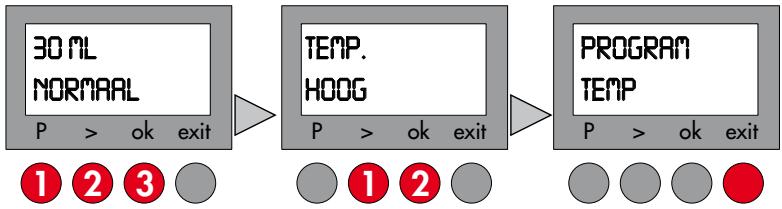
Temperature setting
You can choose between three temperature settings for your coffee.
NORMAL - HIGH - MAXIMUM
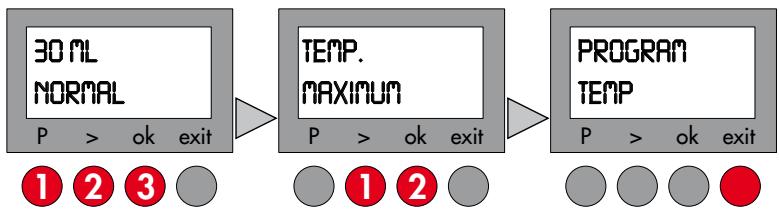
flowchart
graph LR
    A["30 ML NORMAL\nP > ok exit"] --> B["TEMP. MAXIMUM\nP > ok exit"]
    B --> C["PROGRAM TEMP\nP > ok exit"]
    style A fill:#f9f,stroke:#333
    style B fill:#ccf,stroke:#333
    style C fill:#cfc,stroke:#333
Press P then >.
Select
PROGRAM TEMP.
Press ok.
Press >.
Select the desired
temperature.
Press ok.
Press exit.
Preparing the machine
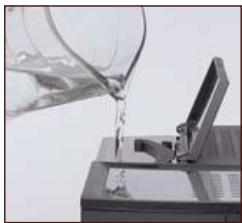
natural_image
Close-up of a glass pouring liquid into a container (no visible text or symbols)Fill the water tank.
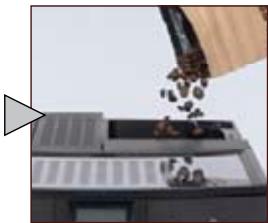
natural_image
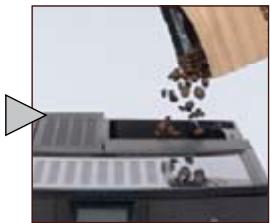
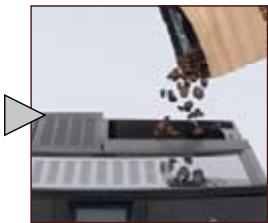
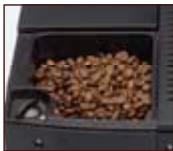
Close-up of a hand pouring dark granular material into a device casing (no visible text or symbols)Fill the coffee bean compartment.
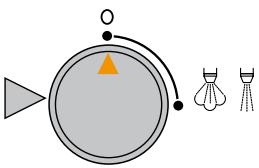
natural_image
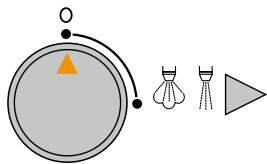
Simple diagram showing a triangular object with an orange triangle inside, connected to three small icons: a flag, a shuttlecock, and a tripod (no text or symbols)Ensure the tap is off
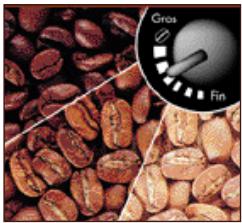
Setting the fineness of the grind
The paler the beans (lightly roasted) the finer they must be ground.

Only adjust the grind setting while the grinder is running.
natural_image
Close-up of dried coffee beans with a magnified inset showing grain and scale (no text or symbols)Clockwise: coarser grind.
Anti-clockwise: finer grind.
Large or small espresso?
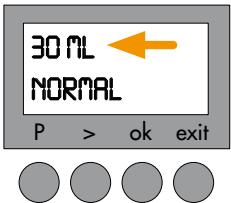
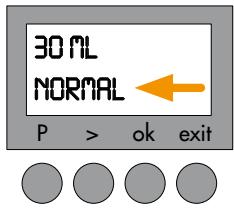
Water volume display.
natural_image
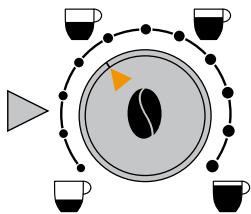
Circular diagram with a central pie chart and surrounding cups, no text or symbols presentTurn the dial to the desired level.
...adapt your water level to the type of coffee:
30 ml - 70 ml
Espresso
80ml-130ml
Espresso with milk / Cappuccino
140ml-240ml
White coffee
Light, strong or extra-strong espresso?
Choose between 3 levels of flavour intensity.
Coffee intensity display.
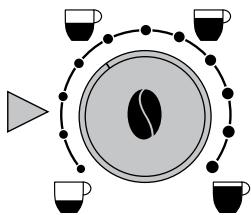
natural_image
Circular diagram with a coffee bean and four cups, no text or symbols presentPress centre of cup dial to obtain desired intensity of coffee.
Press the button:
natural_image
Two white ceramic mugs on a dark shelf, one with handles and the other with handles, displayed against a black background (no text or symbols visible)Place 1 or 2 cups under the flow heads
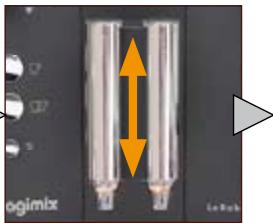
natural_image
Close-up of a dual-chamber electronic component with orange vertical arrows indicating direction (no text or symbols)Adjust the height.
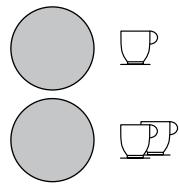
natural_image
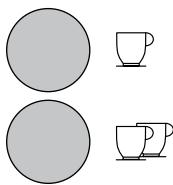
Simple diagram showing two gray circles and two matching mugs, no text or symbols presentPress the 1 or 2 cup button. The coffee will stop automatically.

The water quantity displayed represents the amount for each cup.
When you are brewing 2 cups, the flow will stop then resume, as the machine will carry out 2 grinding cycles.
The flow can be halted any time by pressing on the 1 or 2 cups selection button.
Ground coffee
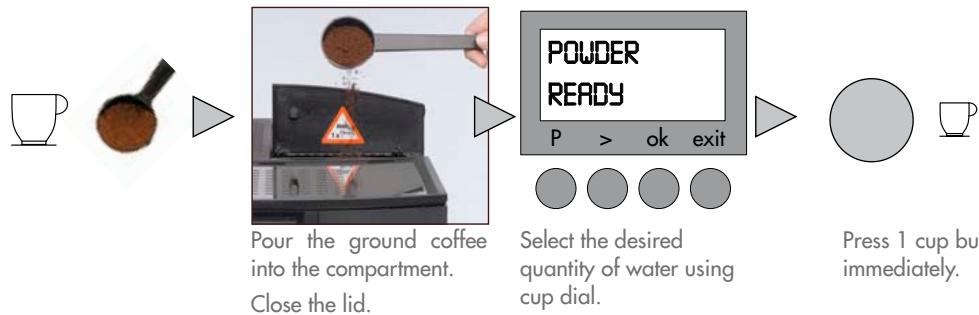
flowchart
graph LR
    A["Tea with coffee"] --> B["Pour the ground coffee into the compartment. Close the lid."]
    B --> C["Select the desired quantity of water using cup dial."]
    C --> D["Press 1 cup but immediately."]

Never use more than one measuring spoonful of ground coffee.
Never insert anything other than ground coffee or cleaning tablets into the ground coffee compartment. If the ground coffee compartment is opened by mistake or a button has not been pressed within a minute of putting the ground coffee in, the machine will automatically be rinsed through via the flow heads. Close the lid and wait 1 minute.
Hot water
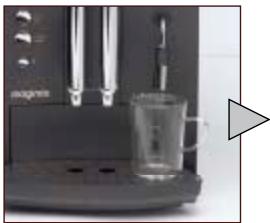
natural_image
Exterior view of a modern coffee machine with glass mug and side table (no visible text or symbols)Place the cup underneath the nozzle
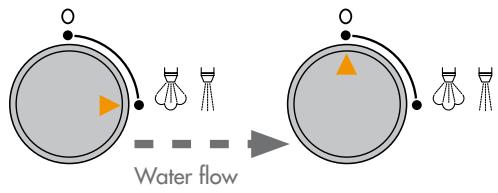
Turn the tap on.
Turn the tap off.
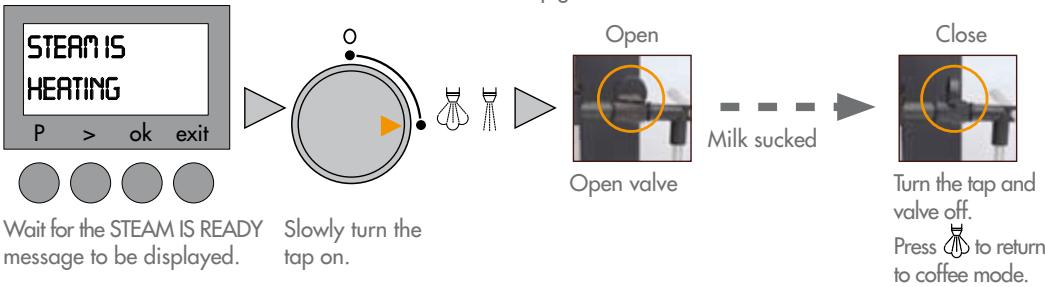
Steam
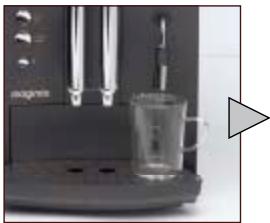
natural_image
Close-up of a black espresso machine with a glass mug and a triangular play button (no visible text or symbols)Place the cup underneath the nozzle
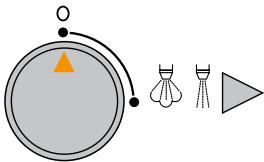
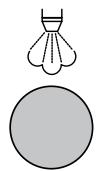
Ensure the tap is turned off
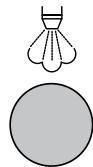
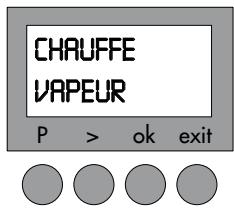
Press

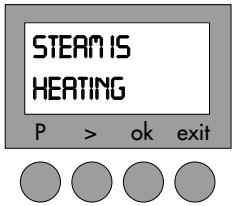
Display
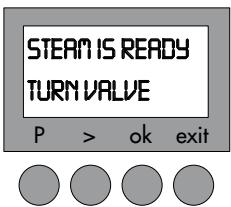
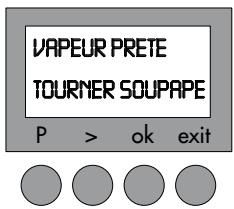
System ready.
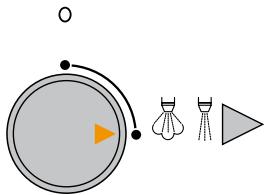
natural_image
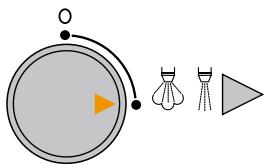
Simple diagram showing a circular object with an orange arrow, two shuttlecock icons, and a triangular shape (no text or symbols)Turn the tap on.
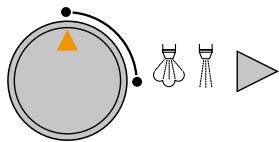
natural_image
Simple diagram showing a circular object with an orange triangle, connected by curved lines to three small icons (shield, tripod, play button) next to a gray triangle (no text or symbols)Turn the tap off.
Return to "coffee" mode.

You can draw steam for 2 minutes at a time. After that, the machine automatically interrupts the supply.
You can resume by turning the button again.
A small amount of water will flow from the nozzle before the steam arrives.
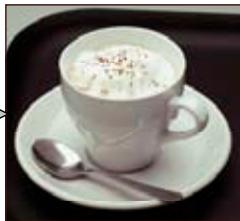
Cappuccino
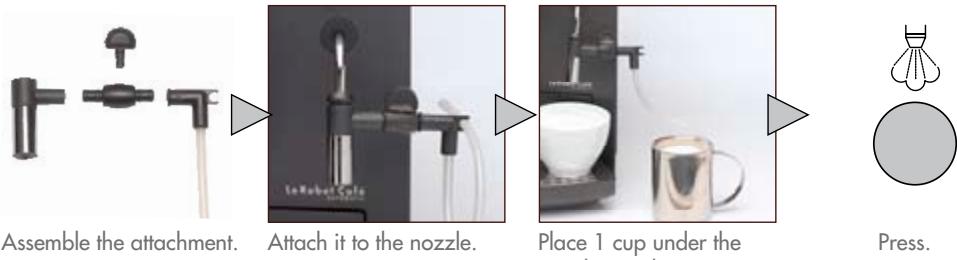
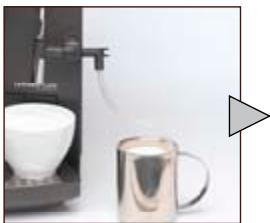
Place 1 cup under the nozzle. Put the pipe in a jug 1/3 full of milk.
Brewing a Cappuccino?
natural_image
Modern coffee machine setup with a white cup and a metallic mug, next to a gray triangular play button (no text or symbols visible)Prepare your frothy milk as described above.
Press to return to coffee mode.

natural_image
Simple diagram showing two gray circles and two matching teacups with outlines (no text or symbols)Prepare 1 or 2 cups of coffee.

natural_image
White ceramic cup of creamy beverage with a spoon on a saucer, placed on a dark surface (no text or symbols visible)Spoon the desired amount of froth on top of the coffee.
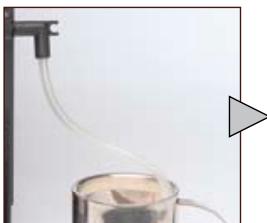
Cleaning the Cappuccino attachment
natural_image
Simple laboratory setup with a glass beaker and connected tubing, no visible text or symbolsFill the jug with water and place the Cappuccino pipe in the water.
natural_image
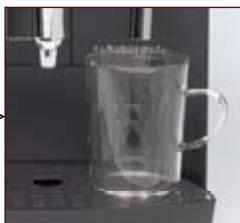
Close-up of a transparent glass mug with a handle, placed on a surface next to a vertical tube (no visible text or symbols)Place a cup under the nozzle.

Press.

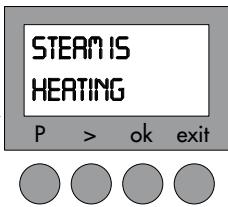
Wait until the STEAM READY message is displayed.
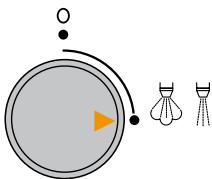
Slowly turn the tap on.
natural_image
Simple diagram showing a play button and two shuttlecock illustrations (no text or symbols)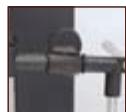
Open valve

Water will be drawn up into the pipe. Turn the steam dial when water runs clear and the pipe is clean.
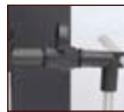
Turn the tap and valve off

Always unplug the machine and wait for it to cool down before cleaning. Do not put any of the parts in the dishwasher.
Do not use an abrasive sponge or aggressive detergent.
Weekly aftercare
Once a week or more if necessary.
natural_image
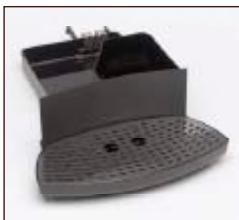
Exterior view of a modern office building (no signage)Empty the drip tray and the grinds container.
- Water tank
- Tray + grid
- Contacts
Clean and dry well using water + mild detergent.
natural_image
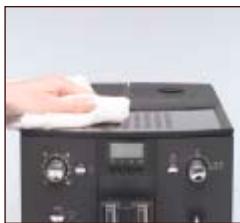
Hand cleaning a kitchen appliance with a cloth on top (no visible text or symbols)Wipe the the exterior of the machine housing with a damp cloth.
natural_image
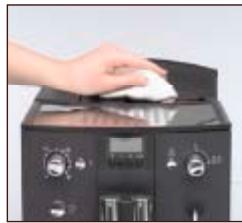
Hand using a white plastic tool on a black appliance with control knobs and a digital display (no visible text or symbols)Clean the compartment with a damp cloth and dry.
natural_image
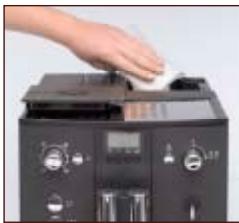
Hand placing a small object into a black electronic device with control knobs and a digital display (no visible text or symbols)Clean with a dry cloth.
natural_image
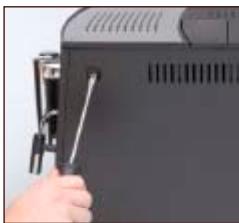
Close-up of a hand holding a small mechanical component, possibly a tool or device, with no visible text or symbols.Unscrew using a flat screwdriver or a coin.
natural_image
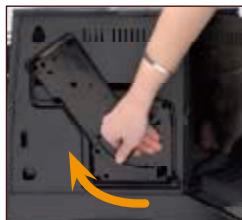
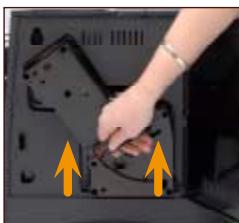
Close-up of a person's hand placing a black plastic component into a dark tray, with an orange arrow indicating the motion (no text or symbols visible)Raise the release handle, pressing the red button at the same time.
natural_image
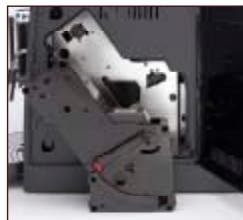
Close-up of a mechanical device with no visible text or symbolsRemove the machine's central unit.
natural_image
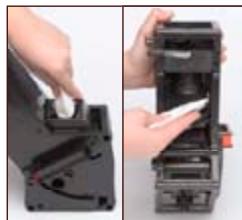
Two-panel photo showing hands installing or adjusting a device component, no visible text or symbolsClean the funnel + filter with a damp cloth.
natural_image
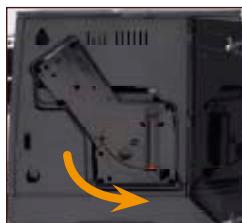
Close-up of a hand pressing down on a black plastic component with yellow arrows indicating direction (no text or symbols visible)Place the central unit back in the machine
natural_image
Interior view of a computer case with a yellow arrow pointing to a component (no visible text or symbols)Lock into place by pushing the Handle down, pressing the red button at the same time. Screw the door shut.

Closed.

Open.
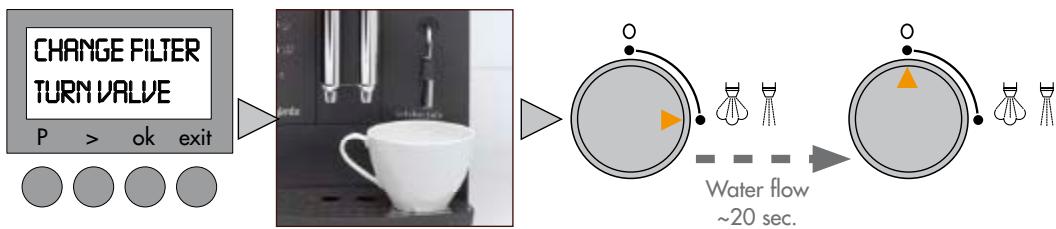
Changing the filter
Automatic rinsing.
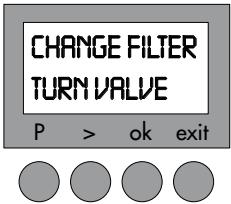
After filtering approximately 50 litres of water, the filter will need to be replaced.
The machine is set up to tell you when you need to change the filter.
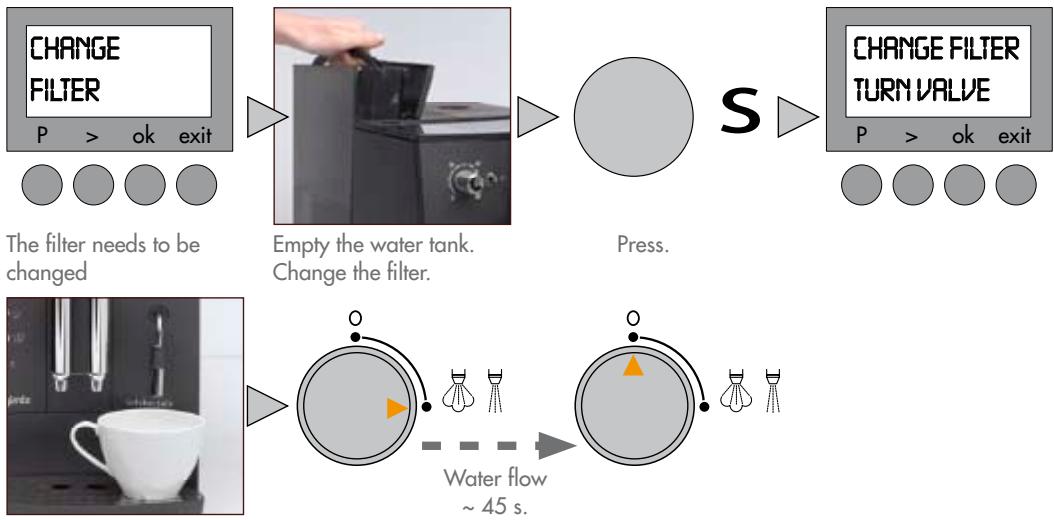
flowchart
graph LR
    A["CHANGE FILTER<br>P > ok exit"] --> B["The filter needs to be changed"]
    B --> C["Empty the water tank.<br>Change the filter."]
    C --> D["Press."]
    D --> E["S"]
    E --> F["CHANGE FILTER TURN VALVE<br>P > ok exit"]
    F --> G["Water flow ~ 45 s."]
Place a cup underneath the flowhead.
Turn the tap on.
Turn the tap off.
Manual rinsing
Even if you do not use your machine very often, the filter will still need changing approximately every 2 months or so.
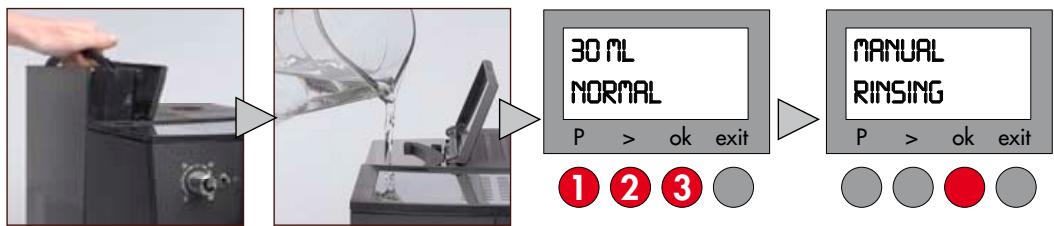
flowchart
graph LR
    A["Hand holding pump"] --> B["Image being poured into a container"]
    B --> C["30 mL NORMAL Volume: P > ok exit"]
    C --> D["MANUAL RINSING: P > ok exit"]
    style A fill:#f9f,stroke:#333
    style D fill:#bbf,stroke:#333
Empty the water tank.
Change the filter.
Fill with water.
Press P then >.
Select PROGRAM FILTER.
Press ok.
Press ok.
flowchart
graph LR
    A["CHANGE FILTER TURN VALVE"] --> B["P > ok exit"]
    B --> C["Water flow ~20 sec."]
    C --> D["Image of coffee cup"]
    D --> E["Water droplet with orange arrow"]
    E --> F["Water droplet with blue dots"]
    F --> G["Water droplet with yellow triangles"]
Place a cup underneath the flowhead.
Turn the tap on.
Turn the tap off.
Cleaning programme
Automatic
flowchart
graph LR
    A["PLEASE CLEAN\nP > ok exit"] --> B(( ))
    B --> C["S"]
    C --> D["EMPTY TRAYS\nFILL WATER\nP > ok exit"]
    D --> E["Image of water spraying machine"]
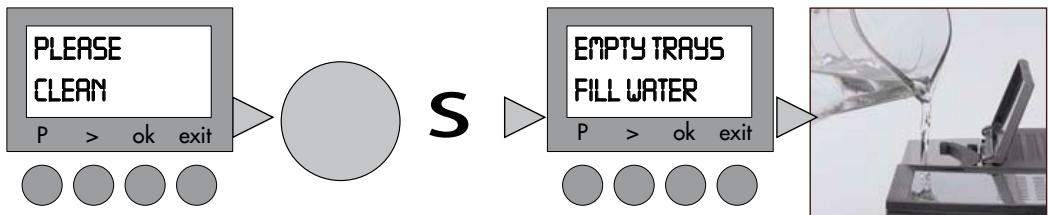
The machine needs to be cleaned.
Press.
The metal sensors at the back of the drip tray are very sensitive and need to be wiped clean thoroughly.
Fill the water tank. Put the tray back in position.
flowchart
graph LR
    A["CLEANING TABS INTO POWDER SHAFT"] --> B["MOZZLEK"]
    B --> C["PRESS S KEY"]
    C --> D["Circle"]
    style A fill:#f9f,stroke:#333
    style D fill:#ccc,stroke:#333
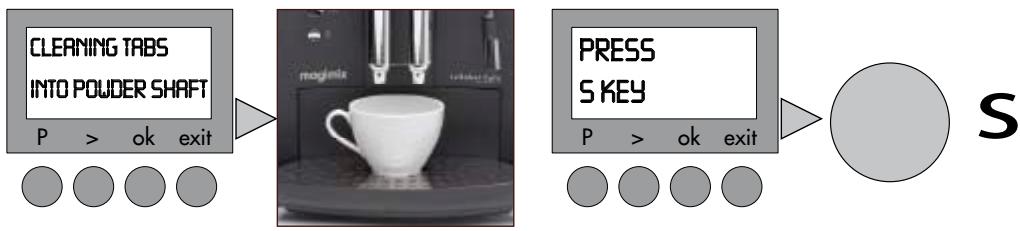
Put a cleaning tablet in the ground coffee compartment.
Close the lid.
Place a large cup under the flow head.
Press.

Cleaning underway
10 min.
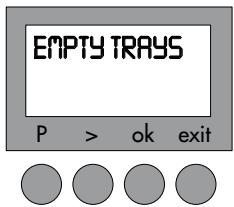
Empty the trays and put them back.

Never interrupt the cleaning programme once it has started.
Manual
You can launch a cleaning programme whenever necessary.
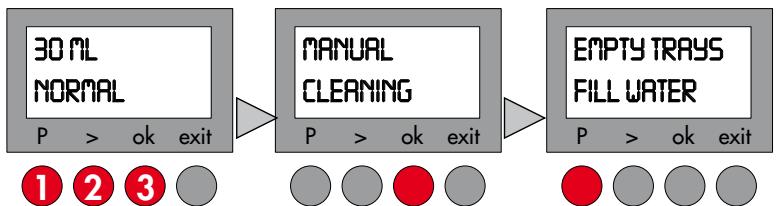
flowchart
graph LR
    A["30 ML NORMAL\nP > ok exit"] --> B["MANUAL CLEANING\nP > ok exit"]
    B --> C["EMPTY TRAYS\nFILL WATER\nP > ok exit"]
Press P then >.
Select PROGRAM
CLEANING.
Press ok.
Press ok.
Proceed according to the automatic mode.
Descaling programme
Automatic: filter option activated

Never interrupt the descaling programme once it has started. Never use vinegar or a vinegar-based product for descaling. Always remove the water tank filter before descaling.
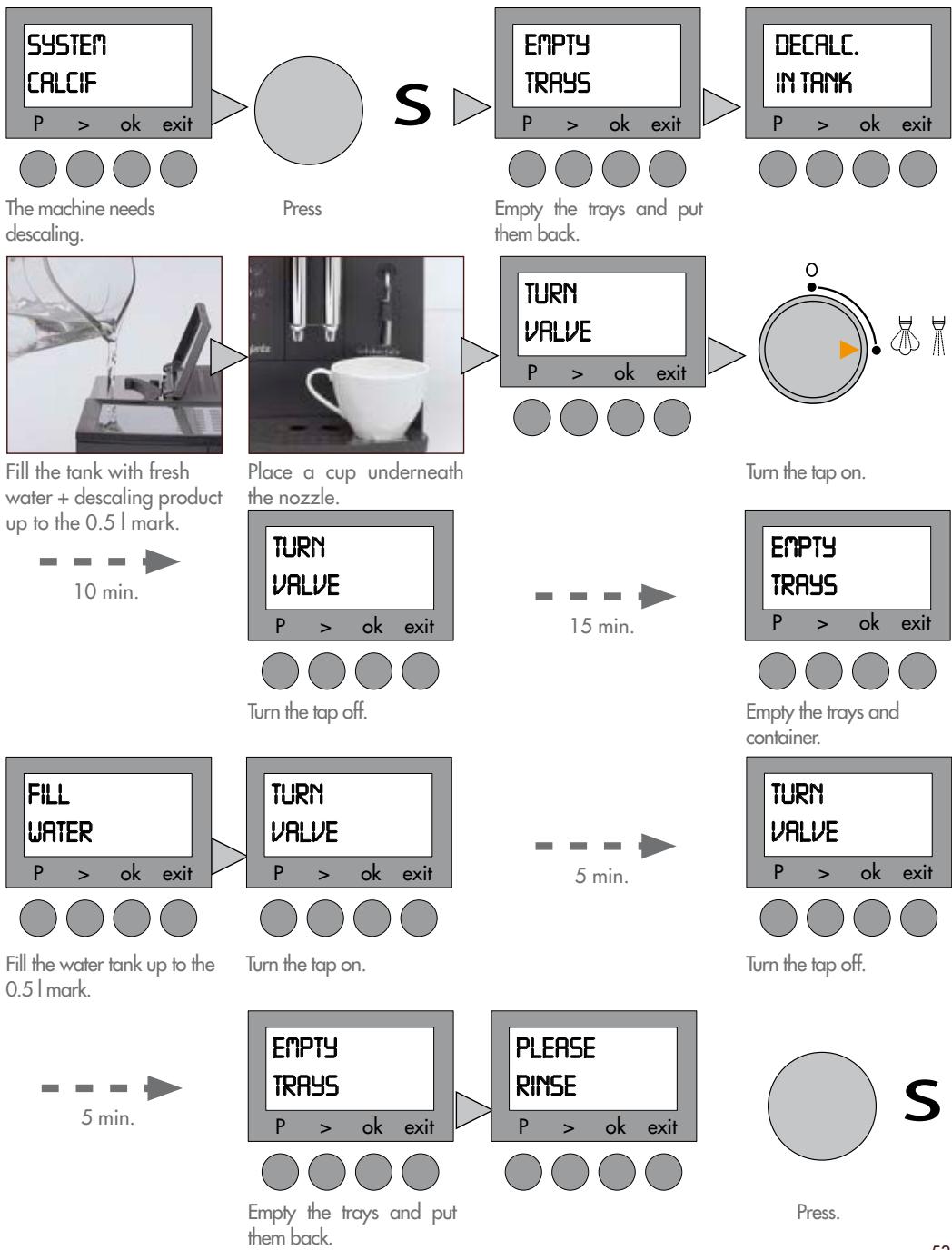
The machine needs descaling.
Empty the trays and put them back.
Fill the tank with fresh water + descaling product up to the 0.5 l mark.
Place a cup underneath the nozzle.
Turn the tap on.
10 min.
Turn the tap off.
15 min.
Empty the trays and container.
Fill the water tank up to the 0.5 l mark.
Turn the tap on.
5 min.
Turn the tap off.
5 min.
Empty the trays and put them back.
Press.
Manual: filter option deactivated
You can select the descaling programme whenever necessary.
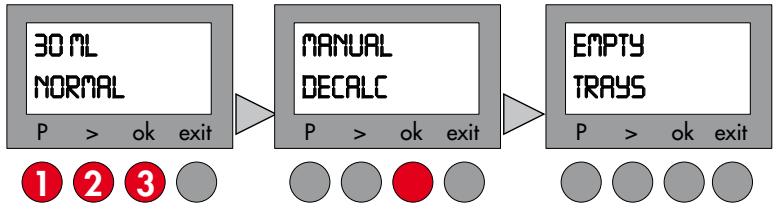
flowchart
graph LR
    A["30 ML NORMAL\nP > ok exit"] --> B["MANUAL DECALC\nP > ok exit"]
    B --> C["EMPTY TRAYS\nP > ok exit"]
    style A fill:#f9f,stroke:#333
    style B fill:#ccf,stroke:#333
    style C fill:#cfc,stroke:#333
Press P then >. Select PROGRAM DECALC. Press ok.
Press ok.
Proceed as for the automatic mode.
RECIPES
natural_image
Two white ceramic cups filled with coffee and cookies on a tray, one on a saucer, the other on a black tray (no text or symbols visible)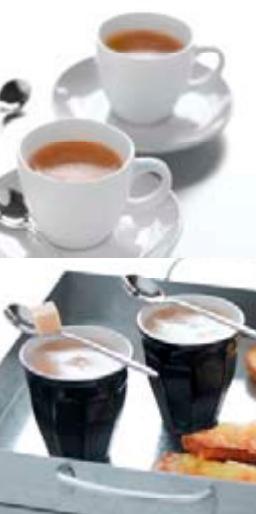
natural_image
Two white ceramic teacups on saucers and two black tea cups with spoons, accompanied by a tray of food items (no visible text or symbols)Espresso
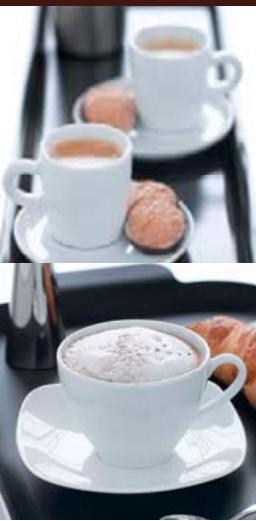
Espresso coffee is characterised by the colour of its creamy golden top, midway between russet and hazel, and by its extremely rich aroma...Espresso coffee represents roughly 40 or 50 ml of black coffee served in a 60 ml cup.
Cappuccino
Fill a large cup 1/3 full with frothed milk (see "Cappuccino" chapter, p. 49). Froth the milk using the cappuccino attachment. You can either spoon the froth onto your espresso coffee and sprinkle it with cocoa powder or pour the coffee on top of your frothed milk.
Ristretto
This is concentrated espresso coffee, made from the same quantity of ground coffee, but only half the water. It never exceeds 30 ml.
Macchiato
"Macchiato" means "spotted" in Italian. It closely resembles cappuccino coffee, but is stronger and has a more powerful aroma. Make a cup of espresso coffee and top it with a spoonful of milk froth.
| Screen messages | Actions |
| FILE UPPIPE-SYS | Turn the steam/hot water tap on.Press S. |
| FILL WATER | Fill with fresh water.Position the water tank correctly. |
| FILL BEANS | Pour coffee beans into the coffee bean compartment.This message will remain on the screen until you grind some more coffee. |
| EMPTY TRAYS | Empty the trays.Clean the contacts at the bottom of the drip tray and dry thoroughly. |
| TRAYS MISSING | Position the trays correctly.Clean the contacts at the bottom of the drip tray and dry thoroughly. |
| SYSTEM TOO HOT | Cool the system down by drawing hot water through the nozzle. |
| PLEASE CLEAN | Clean the machine (see p. 52). |
| SYSTEM CALCIF | Descale the machine (see p. 53). |
| FILTER CHANGE | Replace the filter (see p. 51). |
| CLOSE THE DOOR | Check that the central unit is properly positioned (see p. 50).Screw the door shut. |
| PLEASE RINSE | Place a cup under the flow heads.Press the S button. |
| Question | Answer |
| No coffee flow. | Check the positioning of the water tank.Fill the water tank.Check the positioning of the trays.Machine clogged with limescale ---> descale.Clean the central unit filter. |
| Coffee flow reduced to a dribble. | Coffee ground too finely ---> adjust the setting to a coarser grind. |
| Coffee too watery, not strong enough. | Refill the coffee bean compartment.Reduce the volume of coffee in ml.Select a stronger coffee by pressing  Reduce the fineness of the grind. Reduce the fineness of the grind. |
| Unpleasant taste. | Coffee: stale? acidic? ---> replace the coffee beans.Chlorinated water? ---> use the filter cartridge or bottled water (low mineral content).After descaling, fill the water tank and rinse the machine through, 1⁄2 via the nozzle, 1⁄2 via the flow heads. |
| Coffee not hot enough. | Preheat the cups using the hot water nozzle.Adjust the coffee temperature setting. |
| Insufficient coffee flow. | Refill the coffee bean compartment. |
| Grinder making unusual noise. | Refill the coffee bean compartment.Call Magimix Customer Care 01483 427411. |
| Milk not frothy enough. | Nozzle or pipe: blocked? clogged with limescale? ---> see "Aftercare" chapter.Use cold, full fat milk. |
| Cappuccino attachment not drawing up liquid. | Clean the tube (see p. 49 ).Check that the attachment components have been properly assembled.Check valve is open. |
| No steam or hot water supply. | Clean the nozzle (see p. 49). |
| Water around the base of the machine. | Empty the drip tray. |
| Machine not working at all. | Check all the connections.Close the ground coffee compartment and wait for one minute.Press S.Call Magimix Customer Care 01483 427411. |
| The descaling programme will not start. | Deactivate the filter option. (see p. 44) |
| Trouble with initial start up. | Ensure machine has been rinsed through following the instructions to allow you to change the language. |

This symbol means that this product must not be treated as household waste. It must be taken to a suitable collection point for the recycling of electrical or electronic equipment.
To find out where your nearest collection points are, contact your local council or the local waste reception centre.
- Check that the voltage of your power supply corresponds to that shown on the identification plate of your machine.
- Never leave children near the machine unattended. The machine has not been designed for use by children.
- This machine has not been designed for use by persons (including children) with physical, sensory or mental impairments or who are lacking in knowledge or experience, unless they have been the necessary initial supervision or have received instructions as to how use the machine by a person responsible for their safety.
- The machine must always be connected to an earthed socket.
- Never allow the power cord to dangle over the work surface.
- Never allow the machine or its power cord to come into contact with a hot or wet surface.
- Always unplug the machine after using it before you fill the water tank and move or clean the machine. Never tug on the power cord to unplug it.
- Never leave the machine and/or its power cord near heat.
- While operating the machine, avoid touching certain parts which can become extremely hot (flow heads, nozzle, etc.).
- Never heat flammable liquids with the steam.
• Always fill the tank with cold water and never add other types of liquid. - Malfunctions due to failure to descale the machine or the use of a descaling method other than that described in the Instructions for Use are not covered by the guarantee.
- Never use your machine after it has fallen or been dropped or if it is not working properly. If the power cord has been damaged, it must be replaced by the manufacturer, approved by Magimix. For further information please contact customer care on; 01483 427411, in order to avoid all possible danger.
- Never use your machine outside.
- This machine is intended solely for use in the home and has not been designed for professional/commercial use.
natural_image
Exterior view of a black Magimix coffee machine with two white mugs on the front (no visible text or symbols on main body)magimix®
www.magimix.com

- Le Robot Café Automatic
- Descriptif 2
- L'Expresso
- Onderhoud
- Reinigingsprogramma
- Espresso
- Cappuccino
- Ristretto
- Brewing espresso coffee
- Using the nozzle
- Aftercare
- Recipes 54
- Screen messages 55
- Troubleshooting 56
- Safety instructions 57
- Read these safety instructions carefully before using your machine.
- LIST OF PROGRAMMES
- Rinsing
- Language selection
- Setting the timer for the automatic switch-on
- Setting the timer switch-off
- Installing the water filter
- Option 1
- Option 2
- Setting Water hardness level
- Temperature setting
- Preparing the machine
- Setting the fineness of the grind
- Large or small espresso?
- Light, strong or extra-strong espresso?
- Press the button:
- Ground coffee
- Hot water
- Steam
- Brewing a Cappuccino?
- Cleaning the Cappuccino attachment
- Weekly aftercare
- Changing the filter
- Automatic rinsing.
- Manual rinsing
- Cleaning programme
- Manual
- Descaling programme
- Manual: filter option deactivated
- RECIPES
- Macchiato
- magimix®
Brand : MAGIMIX
Model : 11411
Category : Food processor