
Protect C.6000R BP - Inverter AEG - Free user manual and instructions
Find the device manual for free Protect C.6000R BP AEG in PDF.
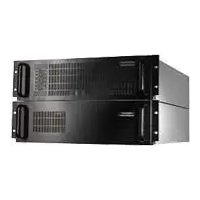


| Product Type | Uninterruptible Power Supply (UPS) / Inverter |
| Model | Protect C.6000R BP |
| Brand | AEG |
| Power Rating | 6000 VA / 5400 W |
| Input Voltage | 230 VAC ± 20% |
| Output Voltage | 230 VAC ± 2% (battery mode) |
| Frequency | 50/60 Hz (auto-sensing) |
| Waveform | Pure Sine Wave |
| Battery Type | Sealed Lead-Acid (VRLA), maintenance-free |
| Typical Backup Time | 10-15 minutes at full load; longer at partial load |
| Recharge Time | 4-6 hours to 90% capacity |
| Dimensions (HxWxD) | 88 x 438 x 580 mm (2U rackmount) |
| Weight | Approx. 28 kg (without batteries) |
| Operating Temperature | 0°C to 40°C |
| Humidity | 0-95% non-condensing |
| Noise Level | < 55 dB (at 1 meter) |
| Interface | RS-232, USB, SNMP slot (optional) |
| Protections | Overload, short circuit, overvoltage, undervoltage, overtemperature |
| Mounting | Rackmount (2U) or tower convertible |
| Maintenance | Battery replacement accessible from front |
| Safety Compliance | CE, IEC 62040, RoHS |
Frequently Asked Questions - Protect C.6000R BP AEG
User questions about Protect C.6000R BP AEG
0 question about this device. Answer the ones you know or ask your own.
Ask a new question about this device
Download the instructions for your Inverter in PDF format for free! Find your manual Protect C.6000R BP - AEG and take your electronic device back in hand. On this page are published all the documents necessary for the use of your device. Protect C.6000R BP by AEG.
USER MANUAL Protect C.6000R BP AEG
Thank you for purchasing the PROTECT C.R. from AEG Power Solutions.
Safety information and operating instructions are included in this manual. To ensure correct use of the UPS, please read this manual thoroughly before operating it. Save this manual properly.
1 Notes on these Operating Instructions
Duty to Provide Information
These operating instructions will help you to install and operate the Uninterruptible Power Supply (UPS) PROTECT C. 1000 R (S), PROTECT C. 2000 R (S), PROTECT C. 3000 R (S) or PROTECT C. 6000 R as well as the associated external battery units PROTECT C. 1000 R BP, PROTECT C. 2030 R BP or PROTECT C. 6000 R BP, – all referred to as PROTECT C.R in this document – safely and properly, and for its intended purpose. These operating instructions contain important information necessary to avoid dangers during operation.
Please read these instructions carefully prior to commissioning!
These operating instructions are a composite part of the PROTECT C.R.
The owner of this unit is obliged to communicate the full content of these operating instructions to all personnel transporting or starting the PROTECT C.R or performing maintenance or any other work on the unit.
Validity
These operating instructions comply with the current technical specifications of the PROTECT C.R at the time of delivery. The contents do not constitute a subject matter of the contract, but serve for information purposes only.
Warranty and Liability
We reserve the right to alter any specifications given in these operating instructions, especially with regard to technical data and operation, prior to start-up or as a result of service work.
Claims in connection with supplied goods must be submitted within one week of receipt, along with the packing slip. Subsequent claims cannot be considered.
The warranty does not apply to damage caused by non-compliance with these instructions (such damage also includes damaging the warranty seal). AEG will accept no liability for consequential damage. AEG reserves the right to rescind all obligations such as warranty agreements, service contracts, etc. entered into by AEG and its representatives without prior notification in the event of maintenance and repair work being carried out with anything other than original AEG spare parts or spare parts purchased by AEG.
Handling
PROTECT C.R is designed and constructed so that all necessary steps for start-up and operation can be performed without any internal manipulation of the unit. Maintenance and repair work may only be performed by trained and qualified personnel.
Illustrations are provided to clarify and facilitate certain steps. If danger to personnel and the unit cannot be ruled out in the case of certain work, it is highlighted accordingly by pictograms explained in chapter 3.
Hotline
If you still have questions after having read these operating instructions, please contact your dealer or our "Hotline":
No part of these operating instructions may be transmitted, reproduced and/or copied by any electronic or mechanical means without the express prior written permission of AEG.
© Copyright AEG 2009. All rights reserved.
Table of Contents
1 Notes on these Operating Instructions .... 3 2 General Information 7
2.1 Technology 7 2.2 System Description....8
3 Safety....9
3.1 General Safety Instructions 9 3.2 Safety Instructions for PROTECT C.R 9 3.3 CE-Certificate 13 3.4 Technical Data.... 15
4 Set-Up and Operation....22
4.1 Unpacking and Inspection 22 4.2 Point of Installation 23 4.3 Overview: Connections, Operating/Display Elements .. 24
4.3.1 Front view....24 4.3.2 Rear view....24 4.3.3 Display....26
5 Commissioning 27
5.1 Mechanical Set-Up 27 5.1.1 Set-Up in a 19" Rack....27 5.2 External Battery Expansions 28 5.2.1 Electrical Start-Up 29
5.3 Operating Statuses....32
5.3.1 Normal Operation 32 5.3.2 Battery Operation / Autonomy Operation ..... 33 5.3.3 Bypass Operation....34 5.3.4 Unit Overload....35
5.4 Interfaces and communication....36
5.4.1 Data line protection RJ11 and RJ45 (modem / telephone / fax / network) 36 5.4.2 Computer interfaces RS232 36 5.4.3 Communication Slot 36 5.4.4 Shutdown and UPS management software .... 37
6 Signalling and Error Correction 38
6.1 Signalling....38
6.2 Fault Diagnosis / Fault Rectification....40
6.2.1 Error Messages....40
7 Maintenance....42
7.1 Charging the Battery 42
7.2.3 Fan Checking....43
8 Storage, Dismantling and Disposal 44
8.1 Storage....44
8.2 Dismantling 44
8.3 Disposal 44
9 Glossary 45
9.1 Technical terms....45
2 General Information
2.1 Technology

PROTECT C.R is an Uninterruptible Power Supply (UPS) for essential loads such as PCs, workstations, servers, network components, telecommunication equipment and similar devices. It consists of:
◆ Mains filter with overvoltage protection (appliance protection/class D) and mains energy backfeed protection ◆ Rectifier section with PFC logic (power factor correction unit) - Separate battery charger with switch mode power supply technology ◆ Sealed, maintenance-free battery system (≥2kVA externally) as energy storage medium with DC/DC converter unit ◆ IGBT inverter for continuous supply of connected loads with sinusoidal AC voltage ◆ Automatic bypass as additional passive redundancy ◆ Microprocessor controlled control unit
![graph TD A["Mains"] --> B["Filter"] B --> C["Rectifier"] C --> D["Inverter"] D --> E["Automatic bypass"] E --> F["Mains filter"] F --> G["Load"] C --> H["DC/DC booster"] H --> I["Battery system"] I --> J["CPU control unit"] J --> K["RS232 SNMP"] L["PFC"] --> C M["Battery charger"] --> H N["Ground Sy…](/content/2026/05/859818/images/0ca03ee8929c81f610f648b4969849892289220c082633761b8e686716a6aaeb.jpg)
View of the PROTECT C.R components
2.2 System Description
The UPS is connected between the public utility's mains and the loads to be protected.
The power section of the rectifier converts the mains voltage to DC voltage for supplying the inverter. The circuit technology used (PFC) enables sinusoidal current consumption and therefore operation with little system disturbance. A separate, second rectifier (charging REC set up using switch mode power supply technology) is responsible for charging or trickle-charging the battery connected in the intermediate circuit. The configuration of this charging REC means the harmonic content of the charging current for the battery is almost zero, so the service life of the battery is increased even more. The inverter is responsible for converting the DC voltage into a sinusoidal output voltage. A microprocessor-controlled control system based on pulse-width modulation (PWM) in conjunction with an extremely quickly pulsating IGBT power semiconductors of the inverter guarantee that the voltage system on the protected busbar is of the highest quality and availability.
In the event of mains faults (e.g. current failures), the voltage continues to be supplied from the inverter to the load without any interruption. From this point onwards, the inverter draws its power from the battery instead of the rectifier. No switching operations are necessary; this means there is no interruption in the supply to the load.
For safety reasons (as required by German standards, VDE), the mains input in the unit will be disconnected by a two-pole switch in the event of a mains failure. Energy backfeed to the mains and voltage supply to the pins of the mains connector are thus reliably avoided.
The automatic bypass serves to increase the reliability of the supply further. It switches the public mains directly through to the load if there is an inverter malfunction. As a result, the automatic bypass represents an extra passive redundancy for the load.
3 Safety
3.1 General Safety Instructions
Read these operating instructions before starting up the PROTECT C.R UPS and its external battery modules (special accessories), and observe the safety instructions!
Only use the unit if it is in a technically perfect condition and always in accordance with its intended purpose, while being aware of safety and danger aspects, and in accordance with the operating instructions! Immediately eliminate any faults that could be detrimental to safety.
The following pictograms are used in these operating instructions to identify dangers and important information:

Danger!
Identifies risk of fatal injury to the operator.

Attention!
Identifies risk of injury and risk of damage to the unit and parts of the unit.

Information!
Useful and important hints for the operation of the UPS and its external battery modules (special accessories).
3.2 Safety Instructions for PROTECT C.R
This chapter contains important instructions for the PROTECT C.R UPS and its external battery modules (special accessories). These must be followed during assembly, operation and maintenance of the uninterruptible power supply and the battery systems (internal and, if appropriate, external as well).

The UPS carries high voltage. Danger! The unit may only be opened by trained and qualified personnel. Repairs may only be carried out by qualified customer service staff!

The output may be live, even if the UPS is not connected to the mains, since the UPS has its own internal power supply (battery)!

For health and safety reasons, the unit must be earthed correctly!
PROTECT C.R may only be operated with or connected to a 220 V / 230 V / 240 V mains with protective grounding using a CE marked mains connection cable with PE conductor (included in the delivery) that has been tested in accordance with national standards.
Danger! Risk of burning!

The battery has powerful short-circuit currents. Incorrect connection or isolation faults can lead to melting of the plug connections, sparking potential and severe burns!

The unit has a warning signal that sounds when the battery voltage of PROTECT C.R is exhausted or when the UPS is not working in its normal mode (see also chapter 6.1).

Observe the following safety instructions to ensure permanent operational safety of and safe work with the UPS and the battery modules (special accessories):
Do not dismantle the UPS! (The UPS does not contain any parts that require regular maintenance. Bear in mind that the warranty will be invalidated if the unit is opened!) - Do not install the unit in direct sunshine or in close proximity of heaters!
- The unit is designed to be installed inside in heated rooms. Never install the housing in the vicinity of water or in an excessively damp environment! ◆ Condensation may occur if the UPS is brought from a cold environment into the room where it is to be installed. The UPS must be absolutely dry prior to start-up. As a result, leave it to acclimatise for at least two hours.
- Never connect the mains input to the UPS output, and vice versa!
- Ensure that no fluids or foreign bodies can penetrate the housing! Do not block the air vents of the unit! Keep children away from the unit and ensure that objects are never inserted through the air vents! Do not connect household appliances such as hairdryers to the UPS! Also take care when working with motor loads. It is essential to avoid back-feeding the inverter, e.g. if the load is intermittently operated in regenerative mode.
- The mains connection should be near the unit and easily accessible to facilitate disconnecting the AC input or pulling out the plug! During operation, do not disconnect the mains connection cable from the UPS or from the socket outlet in the building (shockproof socket), otherwise the protective grounding of the UPS and all the loads connected to it will be cancelled.

Danger! Electric shocks!
Even after the mains voltage has been disconnected, the components within the UPS remain connected to the battery and can thus cause electric shocks. It is therefore imperative to disconnect the battery circuit before carrying out any maintenance or repair work!

If it is necessary to replace the battery or carry out maintenance work, this must be done by or under the supervision of a specialist familiar with batteries and the necessary safety precautions!
Only authorised persons are allowed in the vicinity of the batteries!
When replacing the batteries, the following must be observed: Only ever use identical maintenance-free sealed lead batteries with the same data as the original batteries.

Danger! Explosive!
Never throw batteries into open fire.
Never open or damage batteries. (Electrolyte may leak out and damage skin and eyes. It may be toxic!)

Batteries can cause electric shocks and high short-circuit currents.
Take the following safety precautions when working with the batteries:
◆ Take off watches, rings and other metallic objects! ◆ Always use tools with insulated handles!

Do not switch loads on and off using the UPS main switch. Do not use multiple outlet adapters with a central on/off switch, in order to avoid peak inrush currents.
Switch OFF the UPS using its main switch “OFF” if you do not intend to use it for some time. PROTECT C.R must be switched off every evening if the electricity supply in your company is switched off every night. Otherwise, the battery will be discharged (assumed power failure). Frequent and complete discharging of the battery leads to a shorter service life of the battery and should therefore be avoided!

For personal safety reasons, never switch on the main switch when the mains connector of PROTECT C.R is disconnected!
3.3 CE-Certificate
AEG
Power Solutions
Declaration of Conformity
Document - No. CE 0062
We
declare under our sole responsibility that the product
Uninterruptible Power Supply (UPS)
Protect C.1000(S) / C.2000(S) / C.3000(S)
Protect C.1000R(S) / C.2000R(S) / C.3000R(S)
to which this declaration relates is in conformity with the following standards or other normative documents
EN 50091-1-1:1996
EN 50091-2:1995
clause 2.4/2.5 class B
EN 61000-3-2:1995
EN 61000-3-3:1995
Following the provisions of directives
89 / 336 / EEC
EMC Directive
73/23/EEC
Low Voltage Directive
93/68/EEC
Marking Directive
Year of labelling the CE-Mark: 2005
Germany, 59581 Warstein, 03.12.2008
AEG Power Solutions GmbH Quality Management

AEG Power Solutions GmbH Product Management Compact UPS

AEG
Power Solutions
Declaration of Conformity
Document - No. CE 0063
We
declare under our sole responsibility that the product
Uninterruptible Power Supply (UPS)
Protect C.6000(S) / C.10000(S)
Protect C.6000R
to which this declaration relates is in conformity with the following standards or other normative documents
EN 50091-1-1:1996
EN 50091-2:1995 clause 2.4/2.5 restrictive sales
Following the provisions of directives
89/336/EEC EMC Directive
73/23/EEC Low Voltage Directive
93/68/EEC Marking Directive
Year of labelling the CE-Mark: 2005
Germany, 59581 Warstein, 03.12.2008
AEG Power Solutions GmbH Quality Management

AEG Power Solutions GmbH Product Management Compact UPS

3.4 Technical Data
Type power
| PROTECT C. 1000 R (S) | 1000 VA (cos φ = 0.7 lag.) |
| 700 W | |
| PROTECT C. 2000 R (S) | 2000 VA (cos φ = 0.7 lag.) |
| 1400 W | |
| PROTECT C. 3000 R (S) | 3000 VA (cos φ = 0.7 lag.) |
| 2100 W | |
| PROTECT C. 6000 R | 6000 VA (cos φ = 0.7 lag.) |
| 4200 W |
UPS Input
| Rated input voltage 220 / 230 / 240 Vac | |
| Voltage tolerance range | |
| C. 1000 R (S) – C. 3000 R (S) | 160 Vac – 300 Vac ± 5 Vac |
| Bypass 80 Vac – 264 Vac | |
| C. 6000 R 176 Vac – 276 Vac ± 3 % | Bypass 176 Vac – 261 % |
| Nominal frequency 50 Hz / 60 Hz(automatic detection) | |
| Frequency tolerance range ± 4 Hz | |
| Curr. consumption (full load) | |
| PROTECT C. 1000 R (S) 7 A | |
| PROTECT C. 2000 R 10 A | |
| PROTECT C. 2000 R S 12 A | |
| PROTECT C. 3000 R (S) 16 A | |
| PROTECT C. 6000 R 31 A | |
| Input power factor | |
| C. 1000 R (S) – C. 3000 R (S) | λ ≥ 0.96 |
| C. 6000 R | λ ≥ 0.98 |
| Connection | |
| C. 1000 R (S) – C. 3000 R (S) | non-heating appliance connector |
| C. 6000 R | Terminal block |
Overvoltage RJ11 (phone, fax, modem)
dataline protection RJ45 (Ethernet 10/100 MBit/s)
UPS Output
Rated output voltage
C. 1000 R (S) – C. 3000 R (S) 220 / 230 / 240 Vac ± 2 %
C. 6000 R 220 / 230 / 240 Vac ± 1 %
(configuration via software
"CompuWatch")
Nominal frequency
C. 1000 R (S) - C. 3000 R (S) 50 Hz / 60 Hz ± 0.2 %
C. 6000 R 50 Hz / 60 Hz ± 0.1 %
(depending on mains)
Voltage waveform Pure sine wave
Harmonic distortion:
≤ 4 % THD (linear load)
≤ 7 % THD (non-linear load)
Connection Non-heating appliance connectors
Current Crest Ratio 3:1
Overload behaviour in battery mode
C. 1000 R (S) – C. 3000 R (S) up to 105 % ± 5 % continuous;
105 % ± 5 % - < 150 % ± 5 %
for 25 s;
150 % ± 5 % for 200 ms
C. 6000 R up to 105% continuous;
105 % for 10 s
Overload behaviour with existing mains
C. 1000 R (S) – C. 3000 R (S) up to 105 % ± 5 % continuous;
105 % ± 5 % - < 150% ± 5 %
for 30 s;
150 % ± 5 % for 300 ms
Then automatic inverter to
Bypass in < 4 ms (switches
back when overload damps =
Load < 90 %))
C. 6000 R up to 105 % continuous;
105 % - < 130 % for 10 min;
130 % for 1 s
Then automatic inverter to
Bypass in 0 ms (switches
back when overload damps
= Load < 90 %)
Short circuit behavior 3 x l
N for 140 ms
Battery
Autonomy time (full load with internal battery)
PROTECT C. 1000 R 6 min.
PROTECT C. 2000 R,
C. 3000 R and C. 6000 R at least one battery module
required
Autonomy time with external optional battery expansions
(only for PROTECT C. – models):
Rated direct voltage (intermediate circuit)
PROTECT C. 1000 R (S) 36 V
PROTECT C. 2000 R (S) 96 V
PROTECT C. 3000 R (S) 96 V
PROTECT C. 6000 R 240 V
Battery charging current
PROTECT C. 1000 R 1 A
PROTECT C. 1000 R S 7 A
PROTECT C. 2000 R 1 A
PROTECT C. 2000 R S 9.6 A
PROTECT C. 3000 R 1 A
PROTECT C. 3000 R S 9.6 A
PROTECT C. 6000 R 2 A
Recharge time PROTECT C. – models (to 90% of rated capacity)
| Coupled battery modules | C. 1000 R C. | 2000 R C. 3000 | R C. 6000 R | |
| Integr. battery 5 h - - - | ||||
| 1 24 h 5 h 5 h | 5 h | |||
| 2 40 h 14 h 14 h | 14 h | |||
| 3 - 24 h 24 h 24 h | ||||
| 4 - 32 h 32 h 32 h | ||||
| 5 - 40 h 40 h 40 h |
Type
Sealed,
PROTECT C. 1000 R 12 V 7.2 Ah x 3
PROTECT C. 1000 R BP 12 V 7.2 Ah x 3 x 2
PROTECT C. 2030 R BP 12 V 7.2 Ah x 8
PROTECT C. 6000 R BP 12 V 7.2 Ah x 20
Comment for "S" versions
UPS with increased battery charger for charging external battery systems (no integrated battery)
Communication
Ports RS232 SUB-D (9-pin)
additional: communication slot for expansion (e.g., AS/400 / SNMP, ...)
Shutdown Software on CD "CompuWatch" for all popular operating systems like Windows, Linux, Mac, Unix, FreeBSD, Novell, Sun
maintenance
General Data
Classification VFI SS 211 to IEC 62040-3
Double conversion technology
Overall efficiency (full load)
PROTECT C. 1000 R (S) ≥ 85 %
PROTECT C. 2000 R (S) ≥ 85 %
PROTECT C. 3000 R (S) ≥ 88 %
PROTECT C. 6000 R > 88 %
Noise level (1m distance)
PROTECT C. 1000 R (S) < 45 dB (A)
PROTECT C. 2000 R (S) < 50 dB (A)
PROTECT C. 3000 R (S) < 50 dB (A)
PROTECT C. 6000 R < 55 dB (A)
Type of cooling Forced cooling
by variable speed fans
Operating temperature range 0°C to +40°C
Recommendation +15°C to
+25°C (due to battery
system)
Storage temperature range 0°C to +40°C
Relative humidity < 95%, non-condensing
Max. site altitude up to 1000 m at full load
If the UPS is installed or used
in a place where the altitude
is above than 1000m, the
output:
| Altitude (m) 1 | 000 150 | 00 2000 | 2500 | 3000 | |
| Derating Power | 100% | 95% | 90% | 85% | 80% |
Outlets
PROTECT C. 1000 R (S) 4 x IEC 320-10A
PROTECT C. 2000 R (S) 4 x IEC 320-10A
PROTECT C. 3000 R (S) 1 x IEC 320-10A
+ 1 x IEC 320-16A
PROTECT C. 6000 R 4 x IEC 320-10A
+ connection via terminal block
Equipment colour: Black line
Weights:
PROTECT C. 1000 R: 16.5 kg
PROTECT C. 1000 R S: 9.5 kg
PROTECT C. 1000 R BP: 19 kg
PROTECT C. 2000 R: 10 kg
PROTECT C. 2000 R S: 11 kg
PROTECT C. 3000 R: 11 kg
PROTECT C. 3000 R S: 12 kg
PROTECT C. 2030 R BP: 29 kg
PROTECT C. 6000 R 18 kg
PROTECT C. 6000 R BP 64 kg
Dimensions W x H x D:
PROTECT C. 1000 R (S) 482.6 mm x 88 mm x 450 mm
PROTECT C. 1000 R BP 482.6 mm x 88 mm x 450 mm
PROTECT C. 2000 R (S) 482.6 mm x 88 mm x 450 mm
PROTECT C. 3000 R (S) 482.6 mm x 88 mm x 450 mm
PROTECT C. 2030 R BP 482.6 mm x 88 mm x 450 mm
PROTECT C. 6000 R 482.6 mm x 132 mm x 600 mm
PROTECT C. 6000 R BP 482.6 mm x 132 mm x 600 mm
Guidelines
The PROTECT C.R complies with the product norm EN 50091. The CE symbol on the unit certifies the compliance to the EG guidelines for 73/23 EEC low voltage and for 89/336 EEC electromagnetic compatibility (EMC), when following the installation instructions in the manual.
For the 73/23 EEC low voltage guidelines Reference number EN 62040-1-1: 2003
For 89/336-EMC guidelines Reference number EN 50091-2: 1995
EN 61000-3-2: 1995
EN 61000-3-3: 1995
4 Set-Up and Operation
4.1 Unpacking and Inspection
The device has been fully tested and inspected. Although the device has been packed and shipped with the usual degree of care, damage during transport cannot be ruled out completely.

Claims for damage during transport must always be made with the transport company!
Check the shipping container for damage on arrival. If necessary, ask the transport company to check the goods and make a record of the damage in the presence of the member of staff from the transport company. Don't turn on the unit and register the damage with the AEG representative or dealer immediately.
Check the delivery is complete:
♦ PROTECT C.R (S) with 1000, 2000, 3000 or 6000 VA ◆ Communication cable ◆ CD with "CompuWatch" shutdown software ◆ Operating instructions
PROTECT C.R (S) with 1000, 2000 or 3000 VA include additionally:
◆ Mains connection cable with shockproof plug ◆ 3 load connection cables (10 A)
Delivery of external battery modules includes:
◆ External battery unit ◆ Special battery connection cable
Please contact our hotline (see page 4) in case of any discrepancy.
The original packaging provides effective protection against mechanical shocks and should be retained so the unit can be transported safely later on.

Please keep the plastic packaging bags away from babies and children in order to safeguard against suffocation accidents.

Handle the components with care. Please take into account the weight. It may be necessary to engage the help of a second person, particularly in the case of the 2 and 3 kVA models and if there are external battery units.
4.2 Point of Installation
PROTECT C.R is designed to be installed in a protected environment. When installing the unit, pay attention to such factors as sufficient ventilation and suitable ambient conditions.

PROTECT C.R is air-cooled. Do not obstruct the air vents!
The UPS and in particular its external battery modules should preferably be operated at room temperature (between 15°C and 25°C).
Install the units in a room that is dry, relatively dust-free and free of chemical vapours.
Make sure that no magnetic storage media are stored and/or operated close to PROTECT C.R

Check the nameplate to make sure the voltage and frequency data correspond to the values applicable to your loads.
4.3 Overview: Connections, Operating / Display Elements
4.3.1 Front view

PROTECT C.R (S) with 1000, 2000, 3000 VA

PROTECT C.R with 6000 VA
4.3.2 Rear view

PROTECT C. 1000 R (S)

PROTECT C. 2000 R (S)

PROTECT C. 3000 R (S)

PROTECT C. 6000 R
Comments
- Mains connection (UPS input) PROTECT C. 6000 R via terminal block (Pos. 11)
- Mains input circuit breaker
- Load connections (UPS outputs) PROTECT C. 3000 R (S) with additional load connection (IEC 320-16A – Pos.9). PROTECT C.6000R additionally via terminal block (Pos.11)
- Connection for external battery module
- Data interface for telephone, modem fax (RJ11) or 10/100 MBit/s network (RJ45)
- Vent (Attention: At least 10 cm of free area are required behind the vent for free ventilation!)
- Communication interface RS232 (SUB-D9)
- Communication slot for optional expansion cards: SNMP, AS/400
- Outlet 16A (only for PROTECT C. 3000 R (S))
- Circuit breaker for appliance connectors (PROTECT C. 3000 R (S) and PROTECT C. 6000 R)
- Connector via terminal block (only C. 6000 R)
4.3.3 Display
![graph TD A["1"] --> B["7"] B --> C["8"] C --> D["9"] D --> E["10"] E --> F["11"] F --> G["UPS ON"] G --> H["BATTERY"] H --> I["BYPASS"] I --> J["AC INPUT"] J --> K["ALARM"] K --> L["2"] L --> M["3"] M --> N["4"] N --> O["5"] O --> P["6"] P --> Q["12"]](/content/2026/05/859818/images/3875600e4fb10eeb2cc0dbe47d4ae92e293d8890f9c94986e4e95044863d4cfd.jpg)
Explanations
- ON-Pushbutton
- OFF-Pushbutton (Off) / Alarm off
- Green LED rectifier (UPS ON)
- Orange LED for battery mode (BATTERY)
- Orange LED bypass (BYPASS)
- Green LED for net state (AC INPUT)
- Bar graph LEDs (7-10 green, 11 orange) for UPS battery utilization respectively capacity (remaining autonomy time)
- LED load (0-35%) battery capacity (96-100%)
- LED load (36-55%) battery capacity (76-95%)
- LED load (56-75%) battery capacity (51-75%)
- LED load (76-95%) battery capacity (26-50%)
- LED load (96-105%) battery capacity (0-25%)
- Red fault LED (ALARM)
You will find detailed explanations of the displays on page 38.
5 Commissioning
5.1 Mechanical Set-Up
Note the following points when setting up the UPS system and its external battery units (special accessories):
Make sure the rack is able to support the weight. This is particularly important in conjunction with external battery units (special accessories). - Install the units so that adequate air circulation is assured. There must be at least 100 mm clearance at the back for ventilation purposes. Do not block the intake openings on the front and, if present, on the side of the unit. There must be a gap of at least 50 mm here. - Avoid extreme temperatures! We recommend an ambient temperature of 15 °C to 25 °C in order to maximise the service life of the batteries. Do not expose the units to direct sunlight or operate them close to other heat sources such as radiators. - Protect the units against external effects (in particular moisture and dust). In this regard, please also refer to the instructions in chapter 4.2, page 9 in these operating instructions.
If you transport the unit from a cold room into a warm one, or if the room temperature suddenly drops then condensation may form inside the unit. To avoid any damage due to condensation, leave the unit to acclimatise for 2 hours before you switch it on.
5.1.1 Set-Up in a 19 " Rack
PROTECT C. 1000 R (S), C. 2000 R (S), C. 3000 R (S) and C. 6000 R are to be installed in a 19"-Rack. Mount the units preferably in the lower third of your rack considering the centre of gravity of the rack and an adequate air circulation. You will receive adequate rack rails at your specialist dealer.
5.2 External Battery Expansions
PROTECT C. 2000 R, C. 3000 R and C. 6000 R require at least one external battery module for accurate operation. To achieve longer backup time, it is possible to connect multi-battery packs. Connect exclusively the following products together:
PROTECT C. 1000 R with PROTECT C. 1000 R BP
PROTECT C. 2000 R with PROTECT C. 2030 R BP
PROTECT C. 3000 R with PROTECT C. 2030 R BP
PROTECT C. 6000 R with PROTECT C. 6000 R BP
PROTECT C.R with 1 battery expansion
Fig.: PROTECT C. 2000 R and C. 2030 R BP
- Check the correct fit of the UPS and the battery unit (compare the stated DC voltage on the label of the UPS and the battery unit).

Never connect different battery voltage levels with each other!
- Now connect both battery connectors using the supplied battery connection cable. When connecting, make sure that you push the plug quickly and firmly in the battery connectors.
PROTECT C.R with 2 battery expansions
Fig.: PROTECT C. 2000 R and 2 units C. 2030 R BP
- Check the correct fit of the UPS and the battery unit (compare the stated DC voltage on the label of the UPS and the battery unit).

Never connect different battery voltage levels with each other!
- Now connect the corresponding battery connectors using the supplied battery connection cables as shown in the figure above. When connecting, make sure that you push the plug quickly and firmly into the battery connectors.
To connect additional battery modules, follow the procedure explained above.
5.2.1 Electrical Start-Up
- Verify that the UPS voltage of your country corresponds to your equipment voltage. The default setting is set to 230 V. Output voltage on the UPS system can be adjusted with the software "CompuWatch" in steps of 220, 230, and 240 Vac.
Turn on the PROTECT C.R to the mains.
To guarantee an accurate function of your UPS and all additional devices, the mains have to be provided with the corresponding protection. Connect the models PROTECT C. 1000 R (S), C. 2000 R (S), and C. 3000 R (S) with the
provided mains connection cable to a customary shockproof socket. Make sure that the dimension of the circuit breaker is sufficient. Especially the PROTECT C. 3000 R (S) needs a circuit breaker with 16A.
The PROTECT C. 6000 R is connected directly with the modules via the terminal block. The cable diameter of each conductor is 6 mm². The circuit breaker has to have the dimension of 32 A.
After connecting the unit to the mains, connect the outputs of your UPS to your loads. Use the load connection cables provided for this. Don't switch on the loads yet. Please contact your dealer if you require additional load connection cables.

If you are using a combined rack (circuit with mains and UPS power), mark each circuit with the corresponding supply (mains or UPS).
The output of PROTECT C. 6000 R should supply additional separated circuits. Make sure that circuit protection is set up selectively. The cables for the connection between PROTECT C. 6000 R and the sub distribution must have a diameter of 6 mm². Please note the following information in the sub distribution.
♦ Maximal allowed total load ♦ Maximal allowed load for each loads output
- Activate the mains input circuit breaker. If necessary, switch it to "ON".

Default setting for PROTECT C. 1000 R (S), C. 2000 R (S), and C. 3000 R (S): No automatic supply for load over integrated bypass after executing steps 1 and 2 (Modification of the configuration with the provided software "CompuWatch").

Default setting for C. 6000 R: Automatic supply for load over integrated bypass after executing step 1 and 2 (Modification of the configuration with the provided Software "CompuWatch").
- Now switch on the UPS. To do this, press and hold the UPS ON switch for about 2 seconds.
- When being powered on, the UPS will perform self-diagnosis, the Load/Battery level LEDs will be turned on and then off one after another in ascending order. After synchronising the inverter successfully the LED "UPS ON" will go on after some seconds, with the UPS in normal mode. If the power supply is in order (mains within the range) an additionally LED "AC INPUT" will go on. If this LED is flashing, the phase and neutral of the UPS are exchanged. In this case turn the mains connector 180° in the shockproof socket (C. 1000 R (S), C. 2000 R (S) and C. 3000 R (S)), respectively correct the wiring (C. 6000 R).

Please shut down the entire system if you cannot solve any problems which occur. Press the OFF button for about 2 seconds. Disconnect the UPS from the mains by pulling the mains connector. Please contact our hotline (s.p. 4).
- When all displays are lit as described, switch on your loads one after the other. Note the maximum permitted UPS load when doing this. Keep in mind that especially loads like laser printers and big CRTs have high power consumption and can cause an overload of the UPS quickly.

Behaviour when switching on / off:
The behaviour after switching on (ON-Pushbutton) or off (OFF-Pushbutton) the UPS can be defined with the Software "CompuWatch": Activation of the automatic bypass (factory-made presetting PROTECT C. 6000 R) or either deactivation (PROTECT C.1000R(S), C.2000R (S) and C. 3000 R (S)).
5.3 Operating Statuses
5.3.1 Normal Operation
![graph TD A["Main Supply"] --> B["Rec Battery Charger"] A --> C["INV Battery Charger"] B --> D["Battery"] C --> E["Autom. bypass"] D --> F["Diagram"] E --> F style A fill:#f9f,stroke:#333 style B fill:#ccf,stroke:#333 style C fill:#ccf,stroke:#333 style D fill:#dfd,stroke:#333 style E fill:#dfd,strok…](/content/2026/05/859818/images/f667692bb7a9c0e6bf71d1524d2ecd920fe179704ec5b2b75ea23a5d3612d4be.jpg)
Once you have connected the UPS to a suitable mains connection, you can start operation using the UPS main switch (see also "Electrical Start-Up" on page 29). Normally, the UPS operates continuously. The UPS now supplies the output with voltage, this being signalled by the symbols mains (LED AC INPUT) and rectifier (LED UPS ON) symbols which light up permanently.
This is often referred to as “online” mode. It offers the greatest protection, in particular when there are mains fluctuations and mains failures, because the loads are supplied continuously with voltage with no interruptions in this operating mode.
The LED bargraph (LED chain on the left hand side of the ON / OFF button) shows during operation the actual utilization of the UPS (see page 38).
5.3.2 Battery Operation / Autonomy Operation
![graph TD A["Mains"] --> B["REC"] A --> C["Battery charger"] B --> D["INV"] C --> D D --> E["Safe busbar: Load"] F["Autom. bypass"] --> B F --> D G["Battery"] --> C](/content/2026/05/859818/images/3d7e51c490fb22c20787ee5f71e91c31170080d00fdd658ff71a89d0237982f2.jpg)
Power circuit with faulty mains supply
The mains is not within the required tolerance range or has failed. In this case power is supplied to the inverter from the charged battery without interruption. The power supply to the loads is therefore also ensured in the event of a mains failure. This drains the capacity of the battery and it is discharged. This status is signalled by the battery symbol (LED BATTERY) lighting up, as well as an intermittent acoustic signal every 4 seconds and every second before switching off. This can be suppressed by pressing the “ALARM OFF” button. With decreasing battery capacity the alarm is activated automatically. Depending on the expansion level, age and condition of the battery and in particular on the load to be supplied, the standby time can vary from a few minutes to several hours.
The LED bargraph (LED chain on the left hand side of the ON / OFF button) shows during operation the actual utilization of the UPS (see page 38 ff).
The inverter is switched off if the battery voltage drops below a factory-set minimum voltage value.
Never store the unit in this condition! The discharged battery system should be recharged within a week at the latest.
When the voltage and frequency are within the tolerance range once more, the rectifier and the battery charger switch back on automatically. The rectifier then continues supplying the inverter and the battery charger takes over charging the battery.
5.3.3 Bypass Operation
If the inverter is overloaded or if overtemperature is detected, e.g. also if an inverter defect is detected, voltage is supplied to the load via the bypass that switches on automatically. This is signalled by the LED BYPASS symbol.
![graph TD A["Mains"] --> B["REC"] B --> C["AV"] C --> D["INV"] D --> E["SAF e Busbar: Load"] F["Battery charger"] --> B G["Battery"] --> D H["Autom. bypass"] --> C style A fill:#f9f,stroke:#333 style B fill:#ccf,stroke:#333 style C fill:#cfc,stroke:#333 style D fill:#fcc,stroke:#333 style E fill:#ffc…](/content/2026/05/859818/images/5b0bd88d2604dee948f6568ef2d171db4662672d37a0d2721478548407b6e176.jpg)
Power circuit with faulty INV
This function is also referred to as passive redundancy. It protects against total failure of the voltage supply on the protected busbar, however in the operating status that is now attained, mains faults would have a direct effect on the load.
As a result, the electronics continuously attempt to switch back to "online" / normal operating status (e.g. when the overload or overtemperature no longer applies).
The bypass is a link that switches extremely rapidly. It is located between the load and the mains. The associated synchronisation unit in the bypass ensures that the frequency and phase of the inverter voltage is synchronised with the mains.

The LED bar graph functions as a display for UPS utilization. The signal goes off during this operation status every 2 seconds.
5.3.4 Unit overload
The load on the UPS should never exceed the specified rated load of the unit. If a unit overload occurs nevertheless, the fault LED is turned on accompanied by a signal tone (twice per second). The connected loads continue to be supplied for a certain time depending on the level of the overload. However, the connected load must be reduced without delay.
Non-observance of the "Unit overload" condition may cause the total loss of all UPS functions!
Also avoid short-term unit overloads, which may, for example, occur when connecting a laser printer or laser fax machine. Do not connect any household appliances or machine tools to the UPS.

Never connect or switch on any additional loads to the UPS if there is a mains failure, i.e., if the UPS is working in emergency power operation!
As a rule, if there has never been an overload during normal operation, there will not be one during battery operation either.

The signalling of the red fault LED (ALARM) in combination with a continuous alarm points out a switching of fault. Follow the instructions in chapter 6.
5.4 Interfaces and communication
5.4.1 Data line protection RJ11 and RJ45
The incoming data lines are connected to the "IN" line at the rear of the UPS. The "OUT" line is connected via data line with your terminal.

The data line protection supports networks with transfer rates between 10 and 100 MBit/s.
5.4.2 Computer interfaces RS232
The UPS offers various interfaces to manage the system and to comfortably read out state information and important parameters. The communication protocol is optimized for operation with the shutdown and UPS management software "CompuWatch" from AEG. To connect the UPS to your computer, use the provided RS232 communication cable by attaching it to a free serial port of your PC.
RS232 interface: The interface is connected via a 9-pole Sub-D connector on the back of the unit (pos. 4 p. 23 / 24). PINs: 2 = TxD; 3 = RxD; 5 = GND.
5.4.3 Communication Slot
If the cover on the rear of the UPS is removed (pos. 8 p. 25), additional optionally available communication components can be installed there.
AS/400 board: Slot card with status messages, realised via potential-free relay contacts
SNMP board: Slot card for direct connection of the UPS to the Ethernet network with RJ 45 (TCP/IP)
Details can be found in the description enclosed with the particular optional component. Other boards are in preparation.

Using the communication slot deactivates the RS232 interface of chapter 5.4.2.
5.4.4 Shutdown and UPS management software
The "CompuWatch" software specially developed for these purposes by AEG continuously checks the mains supply and the UPS status.

In conjunction with the "intelligent" UPS, this ensures that the availability of IT components and data security is guaranteed.
The "CompuWatch" shutdown software supports different operating systems: Windows 98SE/ME, Windows NT/2000/XP, Linux, Novell Netware, IBM AIX, HP-UX, SUN Solaris, Mac OS, and others.
Refer to the manual on the CD for details about installing the software on the various operating systems.
Download of Updates: www.aegpartnernet.com >> PRODUCTS >> Software >> CompuWatch
6 Signalling and Error Correction
6.1 Signalling
![graph TD A["1"] --> B["7"] B --> C["8"] C --> D["9"] D --> E["10"] E --> F["11"] F --> G["UPS ON"] G --> H["3"] H --> I["4"] I --> J["5"] J --> K["6"] K --> L["12"] L --> M["ALARM"] M --> N["AC INPUT"] N --> O["BYPASS"] O --> P["BATTERY"] P --> Q["Control Panel"] style A fill:#f9f,stroke:#333 style…](/content/2026/05/859818/images/79db252201f01fef3d7ff331ff4af7c8f468e655493d7abd82042fd6c65d51aa.jpg)
- ON push button (ON): Press the ON switch for about 2 seconds to switch on the UPS.
UPS Test: To execute a UPS self-test, press this button for about 2 seconds in normal operation mode.
- OFF push button (OFF): Press the OFF switch for about 2 seconds to switch off the UPS. Deactivate acoustic alarm: By pressing this switch for about 2 seconds during an alarm, the acoustic alarm can be deactivated.
Acoustic alarm: By pressing this switch for about 2 seconds during an alarm, the acoustic alarm can be deactivated.
- LED UPS ON (inverter): The green LED lights up if the UPS system is supplying voltage provided by the mains power via the inverter.
- LED BATTERY (battery): The orange LED lights up when power is supplied by the batteries.
- LED BYPASS (bypass): The orange LED lights up when the UPS system is supplying voltage provided by the mains power via the bypass.
- LED AC INPUT (mains status): The green LED lights up if mains voltage is in a specified range of tolerance. The LED ON LINE flashes when the phase and neutral conductor have been reversed at the input of the UPS system. In this case, turn the mains connector 180° in the shockproof socket.
- 11. LED Bargraph for UPS battery utilization resp. capacity (remaining autonomy time)
These LEDs show the load of the UPS system if the mains power is available (normal operation):
- orange LED 96% – 105%
- green LED 76% - 95%
- green LED 56% - 75%
- green LED 36% - 55%
- green LED 0% - 35%
In battery operation, the LEDs indicate the battery capacity:
- orange LED 0% - 25%
- green LED 26% - 50%
- green LED 51% – 75%
- green LED 76% - 95%
- green LED 96% – 100%
- LED ALARM (fault): The red LED lights up and an acoustic warning signal is issued continuously when the UPS system is in a fault condition.
6.2 Fault Diagnosis / Fault Rectification
The PROTECT C.R generates detailed error messages. Support personnel can localize and interpret faults quickly and precisely.
6.2.1 Error Messages
| Problem | Cause | Solution |
| UPS does not start. No indication, no warning tone even though system is connected to mains power supply. | Mains and battery voltage not in the tolerance range, possible battery deep discharge. | Check building wiring socket outlet and input cable. |
| LED AC INPUT flashes and audible alarm sounding every 3 minutes. | Phase and neutral conductor at input of UPS system are reversed. | Rotate mains power socket by 180° or connect UPS system. |
| LED AC INPUT flashes and LED “Bat.” lights up. | Input power and/or frequency are out of tolerance. | Check input power source (Voltage, frequency) and inform house electrician if necessary. |
| LED AC INPUT and LED BYPASS light up even though the power supply is available. No supply of connected loads. | Inverter not switched on. | Press On-Switch “ON” for about 2 seconds. |
| LED UPS ON and LED BATTERY lights up, and audible alarm sounding every 4 seconds. | Mains power supply has failed. Automatic switch to battery mode. | Try to replace mains supply (possibly triggered fuse in sub distribution). When audible alarm sounding every second, battery is almost empty. At this point it is time to proceed with an system shutdown of all you IT equipment. |
| LED ALARM lights, warning tone once a second. | Overload of the UPS system. | Reduce utilizations of UPS by removing loads of UPS output. |
| Emergency supply period shorter than nominal value | Batteries not fully charged / batteries old resp. defect | Charge the batteries for at least for the charging time acc. Chapter 3.4, page 18 and then check capacity. If the problem still persists, consult your dealer. |
| LED ALARM lights, LED BATTERY blinks, warning tone once a second | Charger or Batteries damaged | Notify dealer! |
| LED ALARM lights up, permanent warning tone | UPS fault Notify dealer! |
If you cannot solve the problem that has occurred, stop the entire procedure, switch off the UPS and disconnect the connector from the socket. Please contact our hotline in this case (see page 4).
Please have the serial number of the unit as well as the purchase date to hand in this case. The hotline will provide you with technical support and can inform you about further procedures once you have described the problem.
7 Maintenance
The PROTECT C.R consists of advanced and resistant components. To guarantee a continuous and high availability it is recommended to check the unit (especially the batteries and the fans) in regular intervals (at least every 6 months).

CAUTION:
Follow safety and security regulations unconditionally!
7.1 Charging the Battery
The battery is automatically charged when the mains is present, irrespective of the operating mode.
The complete charging time of the battery after a length discharge period depends, above all, on the number of additional external battery units.
Charging time up to 90% of rated capacity
| Coupled battery modules | C. 1000 R C. 2000 R C. 3000 R C. 6000 R | |||
| Integr. battery 5 h - - - | ||||
| 1 24 h 5 h 5 h 5 h | ||||
| 2 40 h 14 h 14 h 14 h | ||||
| 3 - 24 h 24 h 24 h | ||||
| 4 - 32 h 32 h 32 h | ||||
| 5 - 40 h 40 h 40 h | ||||
7.2 Maintenance
The following maintenance work should be performed:
| Task | Interval | Described |
| Visual check 6 months | Chapter 7.2.1 | |
| Battery / fan check | 6 months | Chapters 7.2.2 / 7.2.3 |
7.2.1 Visual Check
When visually checking the unit, check whether:
◆ there is any mechanical damage or foreign bodies can be found in the system, ◆ any conductive dirt or dust has accumulated in the unit, ◆ accumulation of dust affects heat supply and dissipation.

CAUTION:
PROTECT C.R must be disconnected from the power supply prior to carrying out the following work.
If large quantities of dust have accumulated, the unit should, as a precaution, be cleaned with dry compressed air, in order to ensure adequate heat dissipation.
The intervals at which visual checks should be performed are largely determined by the site conditions.
7.2.2 Checking the Battery
Progressive ageing of the battery system can be detected by regular capacity checks. Every 6 months, perform measurements to compare the achievable standby times, e.g. by simulating a mains failure. In this case, the load should always have approximately the same capacity demand. Please contact our hotline if the time drops drastically compared to the previous measurement (see page 4).
7.2.3 Fan Checking
Regularly check the fans for dust build-up and noticeably untypical noise development. Clean the intake openings if they are blocked. Contact our hotline if a fan is running unusually loud or irregularly (see page 4).
8 Storage, Dismantling and Disposal
8.1 Storage

Long storage times without charging or discharging the battery at regular intervals may lead to permanent damage of the battery.
If the battery is stored at room temperature (20°C to 30°C) it will automatically discharge at a rate of 3 - 6% per month due to internal reactions. Storing the battery at temperatures above room temperature should be avoided. A high storage temperature also means greater battery self-discharge.
Batteries that are stored at room temperature should be recharged every six months to maintain their full capacity and service life.

Connect PROTECT C.R to the mains before putting it into storage, in order to make sure that the battery is fully charged. The charging time should at least match the time specified in chapter 7.1.
8.2 Dismantling
The system is dismantled in reverse order of the installation instructions.
8.3 Disposal
In the interest of environmental protection and recycling, please dispose of the individual system components in accordance with the regulations and legal guidelines when permanently taking the system out of operation. Please consider that infringements to these regulations may result in civil or criminal prosecution.
9 Glossary
9.1 Technical terms
| Appliance protection Surge technology termThe conventional mains surge protection consists of an mains earthwire (class B), an overvoltage protection (class C) and an appliance protection (class D) – see also e.g. underhttp://www.phoenixcontact.de (topic „TRABTECH“) | |
| Class D see appliance protection | |
| DC/DC Booster Circuit technology to boost the direct current on a higher voltage level | |
| IGBT | Insulated Gate Bipolar TransistorThe latest design of high-performance transistors with minimum control power requirement (MOSFET structure) and minimum losses on the output side (structure of a bipolar transistor) |
| LED | Light Emitting DiodeElectronic semiconductor component, commonly called light diode. Used for optical signalling. |
| PFC | Power Factor CorrectionCircuit technology to minimize circuit backfeed (important for non linear loads) |
| PWM | Pulse Width ModulationHere: Circuit technology for generating a sinusoidal voltage of the highest quality from an existing DC voltage |
| SNMP Simple Network Management Protocolcommon protocol in networks to manage / control appliances | |
| VFD | Output _oltage and Frequency Dependent from mains supplyThe UPS output depends of mains voltage and frequency variations. Former notation: OFFLINE |
| VI | Output _oltage Independent from mains supplyThe UPS output is independent of mains voltage and frequency variations. The mains voltage however is rectified by electronic / passive voltage regulators. Former notation: LINE-INTERACTIVE |
| VFI | Output _oltage and Frequency Independent from mains supplyThe UPS output is independent of mains voltage and frequency variations. Former notation: ONLINE |
Guarantee certificate
Type: ....
Serial-no.:
Date of purchase: ....
Trading stamp / Signature
Specifications are subject to change without notice.
AEG
Power Solutions
AEG Power Solutions GmbH
Operating Instructions
BAL 8000017715_02 EN


- NOTES ON THESE OPERATING INSTRUCTIONS
- DUTY TO PROVIDE INFORMATION
- PLEASE READ THESE INSTRUCTIONS CAREFULLY PRIOR TO COMMISSIONING
- VALIDITY
- WARRANTY AND LIABILITY
- HANDLING
- HOTLINE
- TABLE OF CONTENTS
- GENERAL INFORMATION
- TECHNOLOGY
- SYSTEM DESCRIPTION
- SAFETY
- GENERAL SAFETY INSTRUCTIONS
- DANGER
- ATTENTION
- INFORMATION
- SAFETY INSTRUCTIONS FOR PROTECT C.R
- DANGER! RISK OF BURNING
- DANGER! ELECTRIC SHOCKS
- DANGER! EXPLOSIVE
- CE-CERTIFICATE
- AEG
- DECLARATION OF CONFORMITY
- TECHNICAL DATA
- UPS OUTPUT
- BATTERY
- COMMUNICATION
- GENERAL DATA
- GUIDELINES
- SET-UP AND OPERATION
- UNPACKING AND INSPECTION
- CHECK THE DELIVERY IS COMPLETE
- DELIVERY OF EXTERNAL BATTERY MODULES INCLUDES
- POINT OF INSTALLATION
- OVERVIEW: CONNECTIONS, OPERATING / DISPLAY ELEMENTS
- FRONT VIEW
- REAR VIEW
- COMMENTS
- DISPLAY
- EXPLANATIONS
- COMMISSIONING
- MECHANICAL SET-UP
- SET-UP IN A 19 " RACK
- EXTERNAL BATTERY EXPANSIONS
- NEVER CONNECT DIFFERENT BATTERY VOLTAGE LEVELS WITH EACH OTHER
- ELECTRICAL START-UP
- TURN ON THE PROTECT C.R TO THE MAINS
- BEHAVIOUR WHEN SWITCHING ON / OFF
- OPERATING STATUSES
- NORMAL OPERATION
- BATTERY OPERATION / AUTONOMY OPERATION
- BYPASS OPERATION
- UNIT OVERLOAD
- INTERFACES AND COMMUNICATION
- DATA LINE PROTECTION RJ11 AND RJ
- COMPUTER INTERFACES RS
- COMMUNICATION SLOT
- SHUTDOWN AND UPS MANAGEMENT SOFTWARE
- SIGNALLING AND ERROR CORRECTION
- SIGNALLING
- FAULT DIAGNOSIS / FAULT RECTIFICATION
- MAINTENANCE
- CAUTION
- CHARGING THE BATTERY
- VISUAL CHECK
- CHECKING THE BATTERY
- FAN CHECKING
- STORAGE, DISMANTLING AND DISPOSAL
- STORAGE
- DISMANTLING
- DISPOSAL
- GLOSSARY
- TECHNICAL TERMS
- GUARANTEE CERTIFICATE
- POWER SOLUTIONS
Brand : AEG
Model : Protect C.6000R BP
Category : Inverter