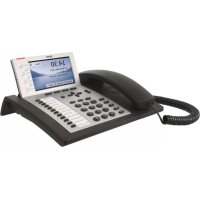
Snom 360 - Phone TIPTEL - Free user manual and instructions
Find the device manual for free Snom 360 TIPTEL in PDF.


Pick your language and provide your email: we'll send you a specifically translated version.
| Product Type | VoIP Desk Phone |
| Brand | TIPTEL |
| Model | Snom 360 |
| Dimensions (W x D x H) | 245 x 195 x 85 mm |
| Weight | Approximately 1.0 kg |
| Power Supply | PoE (IEEE 802.3af) or external 5V DC adapter |
| Display | 3.5-inch color TFT touchscreen (320x240) |
| Network Interface | 2 x RJ45 10/100/1000 Mbps Ethernet |
| Line Keys | 6 programmable line keys with dual-color LEDs |
| Audio Features | Speakerphone, headset support, full-duplex hands-free |
| Codec Support | G.711, G.722, G.729, G.726, PCM |
| Protocols | SIP (RFC 3261), STUN, SRTP, TLS |
| Phonebook Memory | Up to 1000 contacts |
| Call Handling | Call hold, transfer, 3-way conference, call park |
| Connectors | RJ9 handset, RJ9 headset, USB type A for accessories |
| Cleaning Instructions | Wipe with a soft, dry cloth; do not use liquids or sprays |
| Safety Warning | For indoor use only; avoid exposure to moisture and extreme temperatures |
| Spare Parts Available | Power adapter, handset cord, handset, Ethernet cable |
| Repairability | Replaceable handset, power adapter, and Ethernet cables |
| Warranty | Standard manufacturer warranty (typically 2 years) |
Frequently Asked Questions - Snom 360 TIPTEL
How do I register the Snom 360 with my SIP server?
Access the phone's web interface via its IP address. Navigate to Settings > SIP Server and enter your SIP provider details: registrar, username, password. Save and reboot the phone.
The phone display shows 'No Service'. What should I do?
Check network connectivity: ensure the Ethernet cable is connected and PoE or power is supplied. Verify SIP registration settings in the web interface. Also, confirm that your network allows SIP traffic.
Can I use a headset with the Snom 360?
Yes, the phone has an RJ9 headset port. Plug in a compatible headset and adjust audio settings via Settings > Audio or use the headset key on the phone.
How do I reset the Snom 360 to factory defaults?
Press the Menu key, navigate to Settings > Administration > Factory Reset. Confirm the reset. The phone will restart with default settings. Alternatively, use the web interface.
What is the default administrator password?
The default admin password is usually 0000 or admin. For security, change it immediately after first login via the phone menu or web interface.
How do I update the firmware on the Snom 360?
Upload the firmware file via the web interface (Administration > Firmware Update) or configure the automatic provisioning URL. The phone will reboot after update.
Can I set up multiple lines on this phone?
Yes, the Snom 360 supports up to 6 SIP accounts. Register each account in the web interface under Settings > SIP Server. Assign them to the physical line keys.
Why is there no dial tone?
Ensure the phone is successfully registered to a SIP server. Check for an IP address on the display. If still no tone, test with a direct call to an extension or external number.
How do I configure call forwarding?
Press the Menu key, go to Settings > Call Forwarding. Choose Always, Busy, or No Answer forwarding and enter the destination number. Enable the feature.
What is the IP address of my Snom 360?
Press the Menu key, then Settings > Network. The IP address is displayed under Current IP. Alternatively, lift the handset and dial *#*# to hear the IP.
User questions about Snom 360 TIPTEL
0 question about this device. Answer the ones you know or ask your own.
Ask a new question about this device
No questions yet. Be the first to ask one.
Download the instructions for your Phone in PDF format for free! Find your manual Snom 360 - TIPTEL and take your electronic device back in hand. On this page are published all the documents necessary for the use of your device. Snom 360 by TIPTEL.