42OLED901 - Television PHILIPS - Free user manual and instructions

Find the device manual for free 42OLED901 PHILIPS in PDF.

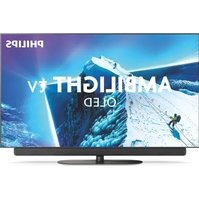
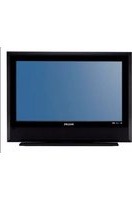
PHILIPS 42OLED901 - Television
📄 91 pages English EN Download 💬 AI Question 11 questions ⚙️ Specs
Notice PHILIPS 42OLED901 - page 1
Pick your language and provide your email: we'll send you a specifically translated version.
Product type OLED TV
Brand Philips
Model 42OLED901
Screen size 42 inches (107 cm)
Resolution 3840 x 2160 pixels (4K UHD)
Display technology OLED
Operating system Android TV
Tuner DVB-T/T2/C/S/S2
Audio power 20 W (2 x 10 W)
Connectivity Wi-Fi, Bluetooth, Ethernet
HDMI inputs 4
USB inputs 3
Weight (without stand) 10.5 kg
Weight (with stand) 11.8 kg
Dimensions (without stand) 930 x 540 x 40 mm
Dimensions (with stand) 930 x 580 x 230 mm
Power supply 220-240 V, 50 Hz
Standby power consumption Less than 0.5 W
Energy class A
Main features HDR10+, Dolby Vision, Ambilight, Google Assistant
Maintenance and cleaning Use a soft, dry cloth to clean the screen and the cabinet
Safety Optional wall mounting with VESA-compliant bracket
Spare parts and repairability Available from Philips after-sales service

Frequently Asked Questions - 42OLED901 PHILIPS

How to connect the TV to the internet via Wi-Fi?
Go to Settings > Network > Wi-Fi, then select your network and enter the password. You can also use an Ethernet cable for a more stable connection.
How to enable or disable Ambilight?
Press the Ambilight button on the remote control or go to Settings > Ambilight. Choose the desired mode: Dynamic, Relax, or Off.
How to update the TV software?
Go to Settings > Software update > Check for updates. Make sure you have an active internet connection. Follow the on-screen instructions to install the latest version.
How to reset the TV to factory settings?
Go to Settings > General settings > Reset > Restore factory settings. Enter the PIN if prompted. This operation will erase all your personal data.
How to connect a sound bar or audio headphones?
Connect the device via HDMI (ARC) on the port marked ARC, or use the optical output or the headphone jack. Then go to Settings > Sound to select the audio output.
How to play content from a USB device?
Insert the USB drive into one of the USB ports on the TV. Open the Galleries or Media application, then select the file to play. Supported formats are the most common ones like MP4, MKV, JPEG.
How to adjust the image quality for HDR?
When playing HDR content, press the Home button then adjust Settings > Image. Enable HDR10+ or Dolby Vision depending on the source. Use Vivid or Standard mode according to your preferences.
How to mount the TV on a wall?
The TV is compatible with a VESA 200 x 200 wall mount. Remove the stand, attach the bracket to the wall, then screw the spacers onto the back of the TV. Follow the instructions provided with the mount.
How to enable game mode to reduce latency?
Enable game mode by pressing the Settings button during a game, or in Settings > Image > Game mode. This disables some image processing for maximum responsiveness.
How to connect a Bluetooth device?
Go to Settings > Network and wireless > Bluetooth. Enable Bluetooth, then put your device in pairing mode. Select it from the list and confirm.

User questions about 42OLED901 PHILIPS

1 question about this device. Answer the ones you know or ask your own.

Ask a new question about this device

Your email remains private: it is only used to notify you if someone answers your question.

Where to buy the PHILIPS 42OLED901?
Frequently Asked Questions - just now
Response Notice-Facile

The PHILIPS 42OLED901 is a recent model (2026) and may be difficult to find in stock at all stores. Here’s where to look for it:

Official Retailers

  • Philips.pl (official site) - Check directly with the Philips Poland store, it is often the first point of sale
  • Electronics Superstores - Media Expert, Mediamarkt, Expert - often available on order even if not on display
  • E-commerce Platforms - Allegro, Ceneo, OLX - compare prices and delivery times

Practical Tips

Since this 42-inch OLED TV is equipped with Ambilight technology, Android TV system, and P5 Perfect Picture Engine image processing, it is a high-end product with high demand. If you can't find it:

  • Contact a local retailer directly to inquire about restocking times
  • Sign up for notifications if a waiting list is available
  • Check German or Dutch stores (Expert.de, Coolblue) for shipping to Poland - shorter delivery times for European models
  • Ensure that the model is indeed the 42OLED901/12 (European version) to guarantee compatibility with DVB-T/T2/C tuners and the voltage 220-240V
Respond (be the first)

Download the instructions for your Television in PDF format for free! Find your manual 42OLED901 - PHILIPS and take your electronic device back in hand. On this page are published all the documents necessary for the use of your device. 42OLED901 by PHILIPS.

USER MANUAL 42OLED901 PHILIPS

28.4 Works with Apple AirPlay 92

a Works with Apple Home

28.5 Technologie NVIDIA G-SYNC 92

28.6 AMD FreeSync Premium 92

28.7 Dolby Vision a Dolby Atmos 93

28.8 DTS:X 93

28.9 DTS Play-Fi 93

28.10 Wi-Fi CERTIFIED 6 93

28.11 Kensington 93

3.5. Kabel antény

6. Instalace kanálů

6.1. Instalace satelitu

Informace o instalaci satelitu

Až 4 satelity

9.4. CAM s kartou Smart

Card - Cl+

Cl+

9.8. Herní konzole

HDMI

open.source@tpv-tech.com

Licence open source

O licenci open source

www.philips.to/smartTV

The Philips Smart TV app lets you switch channels and adjust the volume - just like a remote control.

21. Hry

adrese www.philips.com/TVsupport.

Covered by patents at patentlist.accessadvance.com

28.4. Works with Apple AirPlay a Works with Apple Home

28.10. Wi-Fi CERTIFIED 6

Slot Common Interface 35

Sluchový profil 52

Smart Card, CAM 35

All registered and unregistered trademarks are property of their respective owners.

Specifications are subject to change without notice.

Philips and the Philips' Shield Emblem are trademarks of Koninklijke Philips N.V. and are used under license from Koninklijke Philips N.V.

This product has been manufactured by and is sold under the responsibility of TP Vision Europe B.V., and TP Vision Europe B.V. is the warrantor in relation to this product.

2025© TP Vision Europe B.V. All rights reserved.

www.philips.com/welcome

Manual assistant
Powered by Anthropic
Waiting for your message
Product information

Brand : PHILIPS

Model : 42OLED901

Category : Television