
Sound EB20 - Headphones TESLA - Free user manual and instructions
Find the device manual for free Sound EB20 TESLA in PDF.


| Product Type | Wireless Bluetooth Headphones |
| Brand | TESLA |
| Model | Sound EB20 (EB20) |
| Bluetooth Version | 5.1 |
| Frequency Range | 2.400 GHz - 2.4835 GHz |
| Range | ≤10 m |
| Battery Capacity (Earbuds) | 42 mAh each |
| Battery Capacity (Charging Case) | 400 mAh |
| Input | DC 5V/350 mA |
| Music Playback Time | 4-5 hours (earbuds), up to 25 hours with charging case |
| Charging Time | 1 hour (earbuds), 2-3 hours (including case) |
| Bluetooth Profiles | HSP/HFP/A2DP/AVRCP |
| Weight (Earbud) | 4 g |
| Weight (Charging Case) | 67 g |
| Touch Controls | Yes (play/pause, track skip, volume, voice assistant, call handling) |
| Voice Assistant Support | Yes (Siri) |
| Warranty | 24 months |
| Package Contents | Charging case, wireless headphones, charging cable, user manual |
Frequently Asked Questions - Sound EB20 TESLA
User questions about Sound EB20 TESLA
0 question about this device. Answer the ones you know or ask your own.
Ask a new question about this device
Download the instructions for your Headphones in PDF format for free! Find your manual Sound EB20 - TESLA and take your electronic device back in hand. On this page are published all the documents necessary for the use of your device. Sound EB20 by TESLA.
USER MANUAL Sound EB20 TESLA
natural_image
Simple line drawing of a shield with a checkmark inside (no text or symbols)natural_image
Line drawing of a device casing with lid and ventilation slots (no text or symbols)natural_image
Illustration of two types of wireless earbuds (no text or symbols)natural_image
Simple line drawing of a USB cable with two connectors (no text or symbols)
NABÍJENÍ
natural_image
Simple line drawing of a shield with a checkmark inside (no text or symbols)natural_image
Line drawing of a rectangular electronic device with a lid and ventilation slots (no text or symbols)natural_image
Illustration of two types of wireless earbuds (no text or symbols)natural_image
Line drawing of a USB cable with two connectors (no text or symbols)
NABÍJANIE
Wireless Bluetooth headphones
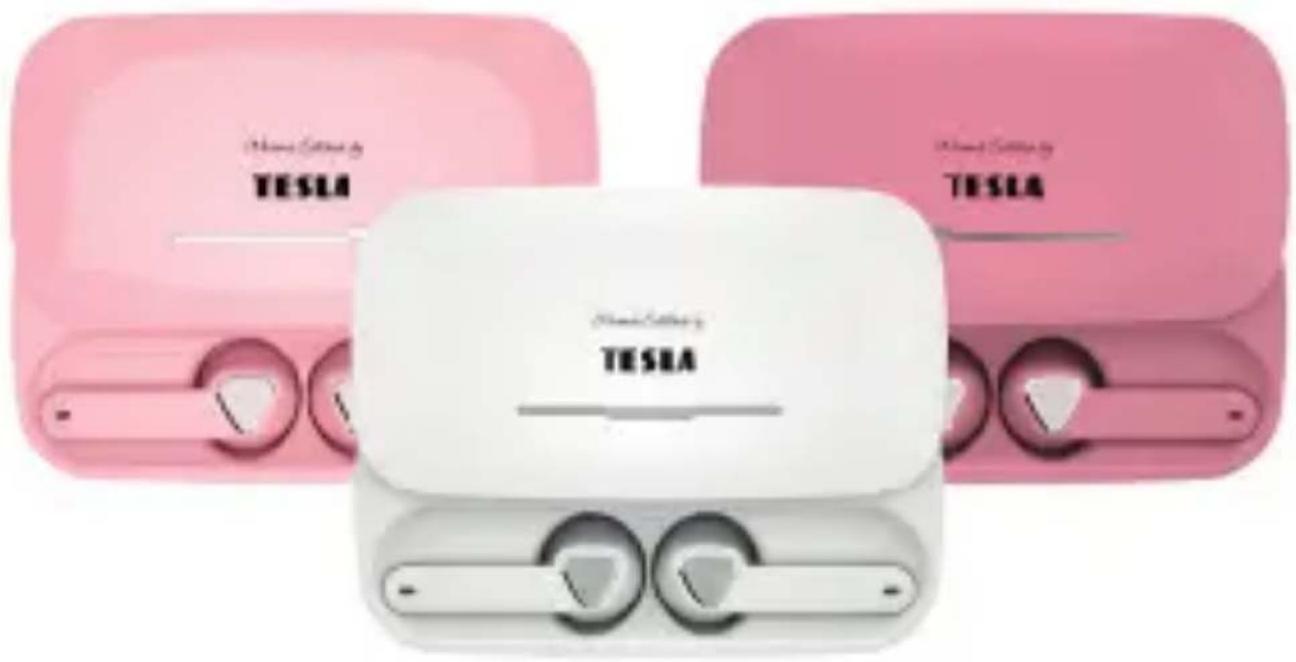
User manual
CZ | SK | EN | PL

natural_image
Simple line drawing of a shield with a checkmark inside (no text or symbols)Dear customer, Thank you for purchasing a proven TESLA product. Please read this manual carefully before first use. It will be a good guide as you get to know your new device.
We wish you that the TESLA device will be a pleasant companion for you.
The data and tips used in this guide may be subject to future changes and improvements and is valid for the release of its first version from May 2023.
Thank you for your understanding.
PACKAGE CONTENTS
Charging case
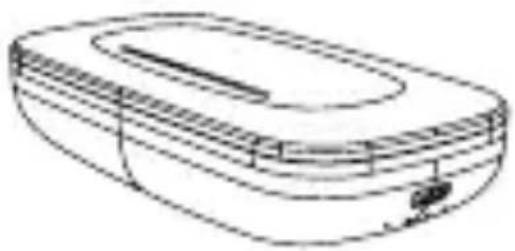
natural_image
Line drawing of a device casing with lid and ventilation slots (no text or symbols)Wireless headphones
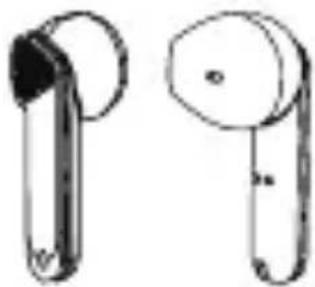
natural_image
Illustration of two types of wireless earbuds (no text or symbols)Charging cable User manual
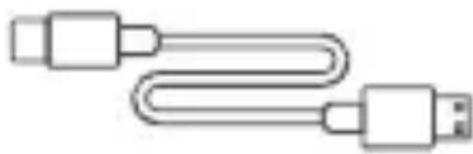
natural_image
Line drawing of a USB cable with two connectors (no text or symbols)
CHARGING
Connect the charging cable to the charging case. Connect the cable to the universal charging adapter in the mains. Only use adapters from qualified manufacturers, e.g. one of our TESLA adapters.
When charging, the light on the side of the charging case will flash, and when fully charged, the light will be steady.
INSTRUCTIONS FOR USE / FIRST PAIRING
1) Slide out the charging case and take out both earphones, they will automatically switch to pairing mode.
Note: When you take out both earphones, you will hear a melody, it detects that these two earphones are connected to each other and waiting for smartphone pairing.
2) Activate Bluetooth on your mobile device, search for „TESLA EB20“ and click to pair.
3) The headphones will automatically turn off if:
- You put the headphones back into the charging case.
- When the earphones leave the charging case but do not connect to any device within 5 minutes.
TOUCH FUNCTIONS
The headphones have the option of touch control.
Play / Pause
Click on the left or right earpiece to play or pause music.
Previous / Next track
When the earphone is held for 3 seconds, the left earphone will move to the next track and the right earphone will move to the previous track.
Increase / Decrease the volume
Double-click on the earpiece to decrease the volume of the left earpiece and increase the volume of the right earpiece.
Voice Assistant (Siri)
When connected to Bluetooth and a quick triple-click on the left or right earpiece, the voice assistant will be activated.
Accepting / Ending a call
When you receive a call, you can confirm the acceptance of the call with one click on the left or right earpiece.
Rejecting a call
During an incoming call, you can reject the call by holding down the left or right handset for 3 seconds.
| Model: EB20 | |
| Bluetooth version: 5.1 | |
| Frequency range: 2.400 GHz~2.4835 GHz | |
| Range ≤10 m | |
| Battery: 42 mAh for each earpiece | |
| Charging case: 400 mAh | |
| Input: DC 5V/350 mA | |
| Music playback time: | 4-5 hours on full charge, 25 hours including charging case |
| Charging time: | 1 hour for headphones2-3 hours including charging case |
| Bluetooth profile: HSP/HFP/A2DP/AVRCP | |
| Weight: | 4 g (handset) / 67 g(charging case) |
1) Keep out of reach of children. Small parts included in the package may pose a choking hazard. Do not use the LED indicator near the eyes of children or animals.
2) Store the headphones in a dry and ventilated place and avoid contact with oils, steam, dust, so as not to damage the properties of the product. The product must not be exposed to excessive heat or moisture.
3) Avoid cleaning the headphones with irritating organic solvents or items containing these ingredients.
4) Use the headphones exactly as described in the user manual. Pay attention to the influence of the environment when using headphones. Headphones can reduce the perception of ambient sounds. Use them only if and when the environment does not endanger your safety.
5) Prolonged use of headphones at high volume may damage your hearing.
MEASURES
- For a smooth connection, it is recommended to keep the distance from your device up to 10 m, there should be no obstacles between the headphones and the device. To ensure proper functioning of the headphones, make sure that they have sufficient power.
- In the event that your headphones show any malfunction or connection problem, do not attempt to repair the headphones. If the device is tampered with, you lose the right to a warranty repair. Please contact your dealer for authorized repair.
WARRANTY CONDITIONS
1. WARRANTY PERIOD
The manufacturer provides a warranty for this product for a period of 24 months from the date of purchase by the consumer. The warranty period is extended by the time during which the product was under warranty repair. The warranty only applies to defects caused by manufacturing errors or material defects!
2. GUARANTEE CERTIFICATE
Free warranty service is provided only if proof of product purchase (receipt) is presented.
3. REPAIRS DURING THE WARRANTY AND POST-GUARANTEE PERIOD
Warranty service must be claimed at the organization where the product was purchased. Contact us at podpora@tesla-electronics.eu for details. We will give you a preliminary repair price or suggest an alternative solution. For more information:
eshop.tesla-electronics.eu/reklamace-servis-a-vraceni/
4. EXTENT OF WARRANTY
The warranty is void if the defect is caused by mechanical damage, incorrect use, carelessness, an unavoidable event (natural disaster), if the product was connected to a different supply voltage than that specified in the technical specification, and also in the case of modifications or repairs carried out outside distributor service.
5. STATEMENT OF CONFORMITY
You can find it at: www.tesla-electronics.eu
We, TESLA Electronics LTD, declare that this device is in compliance with Directive 2014/53/EU.
Sound EB20
natural_image
Simple line drawing of a shield with a checkmark inside (no text or symbols)natural_image
Line drawing of a device casing with lid and ventilation slots (no text or symbols)natural_image
Illustration of two types of wireless earbuds (no text or symbols)natural_image
Simple line drawing of a USB cable with two connectors (no text or symbols)
ŁADOWANIE
3. NAPRAWY W OKRESIE GWARANCYJNYM I POG-WARANCYJNYM
- NABÍJENÍ
- NABÍJANIE
- Wireless Bluetooth headphones
- PACKAGE CONTENTS
- CHARGING
- INSTRUCTIONS FOR USE / FIRST PAIRING
- TOUCH FUNCTIONS
- Play / Pause
- Previous / Next track
- Increase / Decrease the volume
- Voice Assistant (Siri)
- Accepting / Ending a call
- Rejecting a call
- MEASURES
- WARRANTY CONDITIONS
- WARRANTY PERIOD
- GUARANTEE CERTIFICATE
- REPAIRS DURING THE WARRANTY AND POST-GUARANTEE PERIOD
- EXTENT OF WARRANTY
- STATEMENT OF CONFORMITY
- Sound EB20
- ŁADOWANIE
- NAPRAWY W OKRESIE GWARANCYJNYM I POG-WARANCYJNYM
Brand : TESLA
Model : Sound EB20
Category : Headphones