
M1844-i - Uncategorized HMS Premium - Free user manual and instructions
Find the device manual for free M1844-i HMS Premium in PDF.


| Product Type | Magnetic Exercise Bike |
| Brand | HMS Premium |
| Model | M1844-i |
| Resistance System | Magnetic |
| Display Type | LCD |
| Display Functions | Time, Speed, Distance, Calories, Pulse, RPM, Watt |
| Workout Programs | Manual, Beginner, Advance, Sporty, Cardio, Watt |
| Connectivity | Bluetooth and 3.5mm audio cable for iConsole app |
| USB Charging Port | Yes |
| Heart Rate Monitoring | Hand pulse sensors on handlebars |
| Seat Adjustment | Horizontal and vertical (via seat post and adjustment tube) |
| Handlebar | Fixed with pulse sensors |
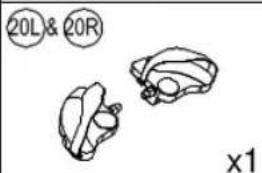
| Pedals | Included (set 20L/20R) |
| Power Supply | External adapter (included) |
| Safety Certification | EN ISO 20957-1, Class H (home use) |
| Intended Use | Home use only, not for therapeutic or commercial use |
| Assembly Required | Yes, detailed instructions and tools included |
| Warranty | 24 months (excluding consumables), 6 months for charger |
| Parts Availability | Yes, detailed parts list with part numbers provided |
| Cleaning and Maintenance | Wipe with damp cloth, regularly check and tighten bolts |
Frequently Asked Questions - M1844-i HMS Premium
User questions about M1844-i HMS Premium
0 question about this device. Answer the ones you know or ask your own.
Ask a new question about this device
Download the instructions for your Uncategorized in PDF format for free! Find your manual M1844-i - HMS Premium and take your electronic device back in hand. On this page are published all the documents necessary for the use of your device. M1844-i by HMS Premium.
USER MANUAL M1844-i HMS Premium
natural_image
Line drawing of a stationary exercise bike with control panel and leg mechanism (no text or symbols)INSTRUKCJA UŻYTKOWANIA - MANUAL INSTRUCTION - NÁVOD K OBSLUZE - BEDIENUNGSANLEITUNG
UWAGI DOTYCZĄCE BEZPIECZEŃSTWA
natural_image
Technical line drawing of a stationary exercise machine (no text or symbols)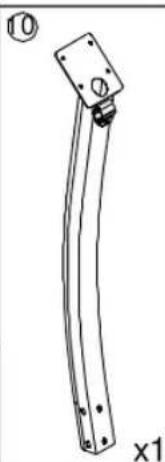
natural_image
Technical line drawing of a mechanical bracket with mounting holes and a circular component (no text or symbols)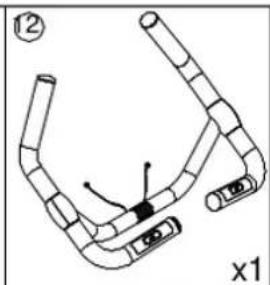
natural_image
Diagram of a mechanical or electrical component with no visible text, numbers, or symbols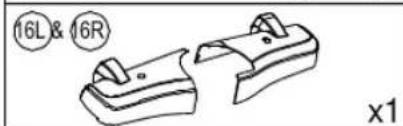
natural_image
Technical line drawing of two mechanical components with circular annotations (16L & 16R) and a cross-sectional view labeled 'x1' (no text or symbols on the components themselves)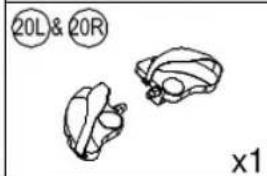
natural_image
Simple line drawing of three abstract shapes with no text or symbols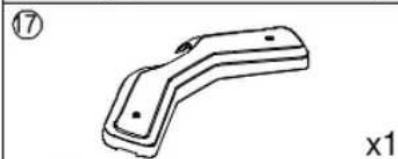
natural_image
Technical line drawing of a mechanical bracket component (no text or symbols)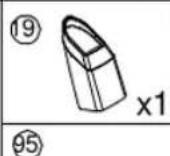
natural_image
Simple line drawing of a cross-shaped object with internal features, labeled with circled number 13 and 'x1' (no text or symbols on the object itself)Instrukcja montażu
Przygotowanie
Komputer SM2570 & SE2570
FUNKCJE WYŚWIETLACZA :
IMPORTANT SAFETY INFORMATION
This product has been designed for home use only and built for optimum safety. Please note the following safety precautions:
-
Before starting any exercise program you should consult your doctor to determine if you have any physical or health conditions that could create a risk to your health and safety, or prevent you from using the equipment properly. Your doctor's advice is essential if you are taking medication that affects your heart rate, blood pressure or cholesterol level. This is especially important for persons over the age of 35, pregnant women, or those with pre-existing health problems or balance impairments.
-
Before using this equipment to exercise, always do stretching exercises to properly warm up.
-
Be aware of your body's signals. Incorrect or excessive exercise can damage your health. Stop exercising if you experience any of the following symptoms: pain, tightness in your chest, irregular heartbeat, extreme shortness of breath, feeling light headed, dizzy or nauseous. If you do experience any of these conditions you should consult your doctor before continuing with exercise program. Injuries to health may result from incorrect or excessive training.
-
During exercises and after keep children and pets away from the equipment.
-
Use the equipment on a solid, flat level surface with a protective cover for your floor or carpet. Move all sharp objects.
-
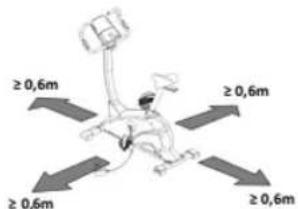
Free area shall be not less than 0,6 m greater than the training area in the directions from which the equipment is accessed. Free area must also include the area for emergency dismount. Where equipment is positioned adjacent to each other the value of the free area may be shared.
-
Before each use, visually inspect the unit including hardware and resistance bends.
-
Before using the equipment, check if the nuts, bolts and other bends are securely tightened.
-
Always use the equipment as indicated. If you find any defective components whilst assembling or checking the equipment, or if you hear any unusual noise coming from the equipment while using, stop. Do not use the equipment until the problem has been rectified.
-
Do not insert any object into any openings.
-
Be aware of all regulation and constructions parts which may disturb during exercises.
-
The safety level of the equipment can only be maintained if it is regularly examined for damage and/or wear and tear.
-
Wear suitable clothing whilst using the equipment. Avoid wearing loose clothing which may get caught in the equipment or that may restrict or prevent movement.
-
The equipment has been tested and certified according to EN ISO 20957-1 under class H. It is not suitable for therapeutic use.
-
Care must be taken when lifting or moving the equipment so as not to injure your back. Always use proper lifting techniques and/or use assistance.
-
The environment is designated for adult women. Women connected children were from the environment
Part list
| Part No. | Description | Q'ty | Part No. | Description | Q'ty |
| 1 | Main frame | 1 | 49 | Pin | 5 |
| 2 | Front stabilizer | 1 | 50 | Buffer | 2 |
| 3 | Rear stabilizer | 1 | 51 | Screw ST4*1.41*15L | 2 |
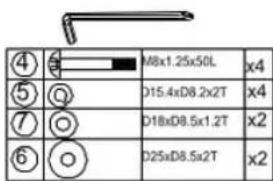
| 4 | Allen bolt M8x1.25x50L | 4 | 52 | Screw ST4*25L | 2 |
| 5 | Spring washer D15.4xD8.2x2T | 9 | 53 | Fixing plate for idle wheel | 1 |
| 6 | Flat washer D25xD8.5x2T | 2 | 54 | Flat washer D24*D16*1.5T | 1 |
| 7 | Flat washer D18xD8.5x1.2T | 9 | 55 | Bearing #99502 | 2 |
| 8 | Allen bolt M8x1.25x20L | 6 | 56 | Waved washer D21xD16.2x0.3T | 1 |
| 9 | Seat post | 1 | 57 | C-clip S-16(1T) | 1 |
| 10 | Handlebar post | 1 | 58 | Allen bolt M8x1.25x30L | 1 |
| 11 | Seat adjustment tube | 1 | 59 | Plastic washer | 2 |
| 12 | Fixed handlebar | 1 | 60 | Flat washer D28*D8.5*3T | 1 |
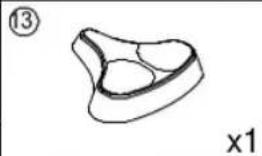
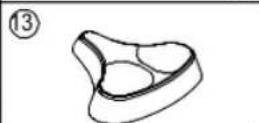
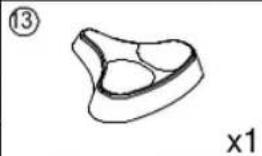
| 13 | Seat | 1 | 61 | Nut M8*1.25*6T | 1 |
| 14 | Computer | 1 | 62 | Nylon nut M8*1.25*8T | 1 |
| 15 | Bolt M5*0.8*10L | 4 | 63 | Spring D2.2*D14*55L | 1 |
| 16L | Cover for front stabilizer(Left) | 1 | 64 | Plastic cover | 2 |
| 16R | Cover for front stabilizer(right) | 1 | 65 | Foam | 2 |
| 17 | Cover for rear stabilizer | 1 | 66 | Foam | 2 |
| 18 | EMS | 1 | 67 | Mushroom cap | 4 |
| 19 | Upper protective cover | 1 | 68 | Cover for handlebar(left) | 2 |
| 20L/20R | Pedal set | 1 | 69 | Cover for handlebar(right) | 2 |
| 21 | Inner tube | 1 | 70 | Handle pulse sensor | 4 |
| 22 | Inner tube | 1 | 71 | Fixing plate for handle pulse sensor(upper) | 2 |
| 23 | Knob | 2 | 72 | Fixing plate for handle pulse sensor(lower) | 2 |
| 37 | C-clip S-17(1T) | 1 | 89 | Upper computer cable | 1 |
| 38 | Hex bolt M8*1.0*25 | 2 | 90 | Lower computer cable | 1 |
| 39 | Screw cover | 2 | 91 | Round manget | 1 |
| 40 | Allen screw M6*1.0*15L | 4 | 92 | Sensor cable | 1 |
| 41 | Flat washer D13*D6.5*1.0T | 4 | 93 | Bolt M5*0.8*15L | 1 |
| 42 | Spring washerD10.5*D6.1*1.3T | 4 | 94 | Electric cable | 1 |
| 43 | Adjustable screw | 1 | 95 | Adaptor | 1 |
| 44 | Nut M6*1*6T | 2 | 96 | Controller | 1 |
| 45L | Left chain cover | 1 | 97 | Screw ST4.2x1.4x15L | 2 |
| 45R | Right chain cover | 1 | 98 | Fixing clip | 1 |
| 46 | Rear cover(upper) | 1 | / | Allen spanner | 1 |
| 47 | Rear cover(lower) | 1 | / | Spanner | 1 |
| 48 | Screw ST4.2x1.4x20L | 8 | |||
Checking list:
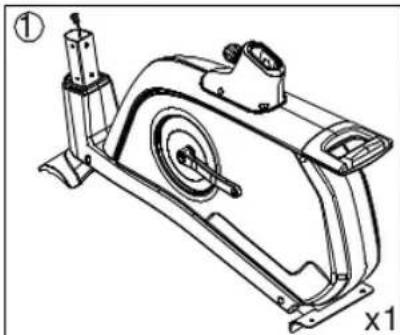
natural_image
Technical line drawing of a stationary exercise machine (no text or symbols)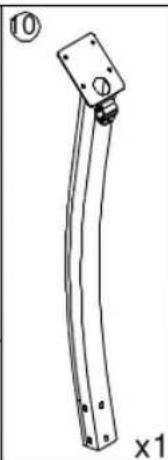
natural_image
Technical line drawing of a curved mechanical component with mounting holes and a base plate (no text or symbols)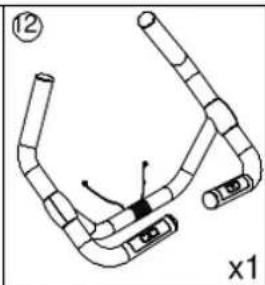
natural_image
Diagram of a segmented mechanical or biological structure with no visible text or symbols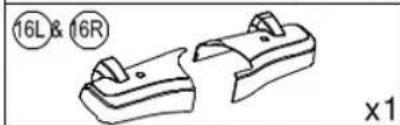
natural_image
Technical line drawing of two mechanical components (no text or symbols)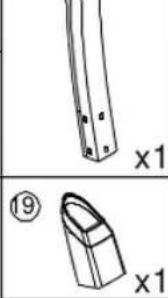
natural_image
Technical line drawing of a mechanical part with two views (x1 and x2), no text or symbols present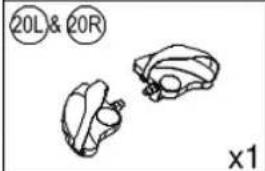
natural_image
Three anatomical diagrams showing brain structures with no text or labels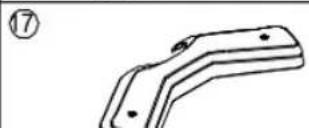
natural_image
Technical line drawing of a mechanical bracket or bracket (no text or symbols)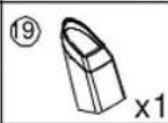

M1844
Assembly:
Preparation
1) Before assembling make sure that you have enough space for assembling the item
2) Before assembling please check whether all needed parts are available (at the above of this instruction on sheet you will find an explosion drawing with all single parts marked with numbers) which this item consists of.
3) Use the present tooling for assembling.
Assembly proces
Step 1:
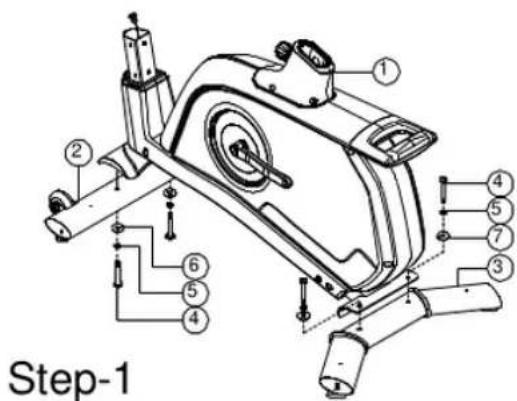
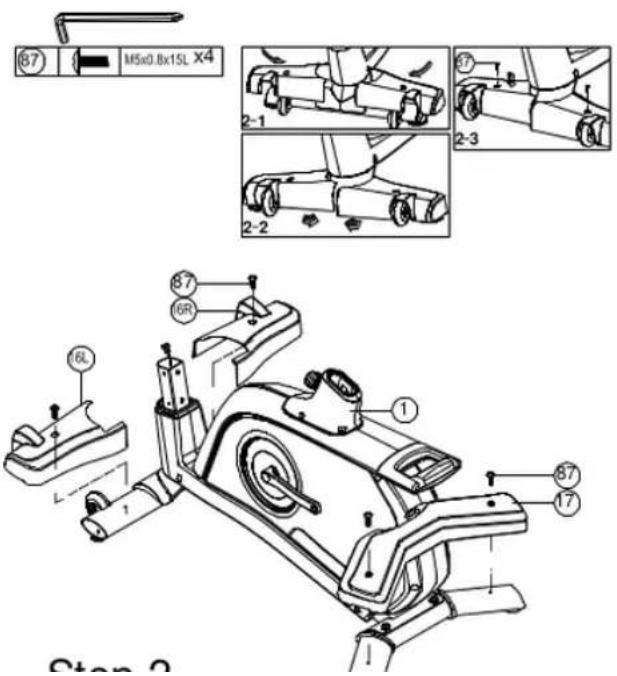
Step 3:
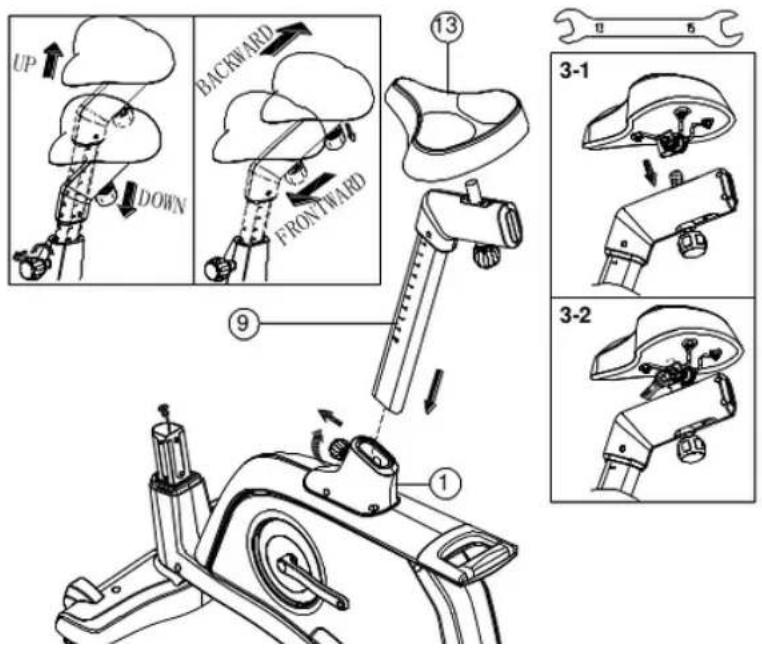
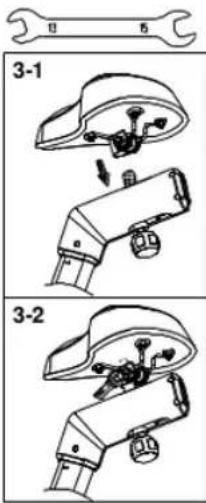
Step 4:
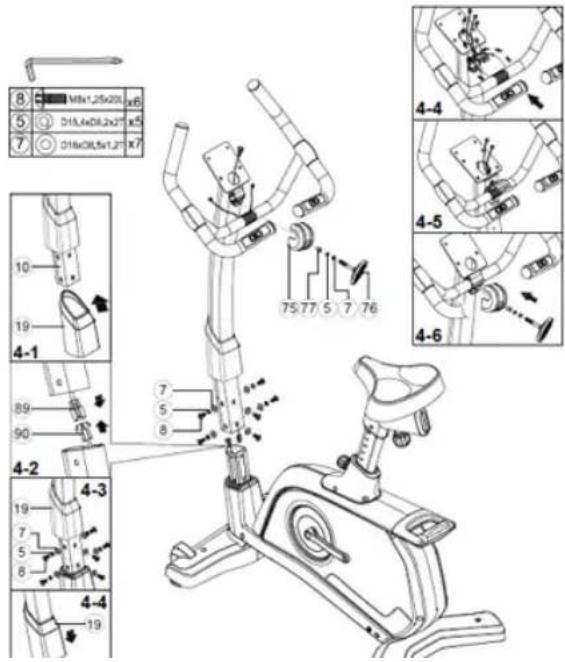
Step 5:
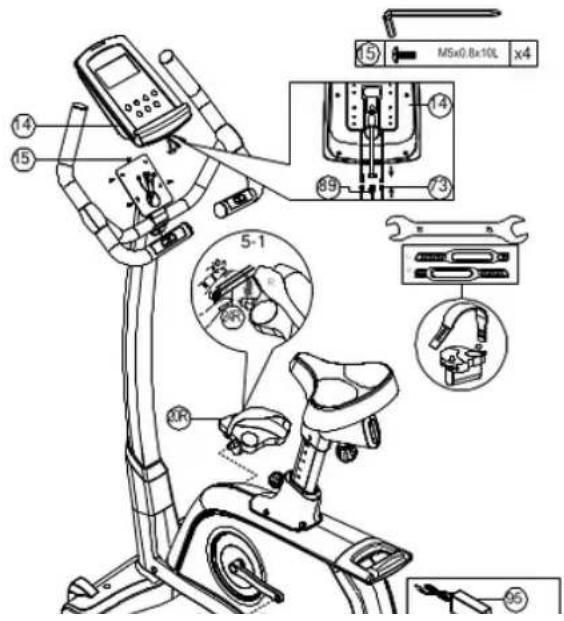
Instruction manual of SM2570 & SE2570
DISPLAY FUNCTIONS :
| ITEM | DESCRIPTION |
| TIME | .Workout time displayed during exercise.Range 0:00~99:59 |
| SPEED | .Workout speed displayed during exercise.Range 0.0~99.9 |
| DISTANCE | .Workout distance displayed during exercise.Range 0.0~99.9 |
| CALORIES | .Burned calories during workout display.Range 0~999 |
| PULSE | .Pulse bpm displayed during exercise.Pulse alarm when over preset target pulse. |
| RPM | .Rotation per minute.Range 0~999 |
| WATT | .Workout power consumption.In Watt Program mode, computer will remain preset watt value (setting range 0~350) |
| MANUAL | .Manual mode workout. |
| PROGRAM | .Beginner, Advance, and Sporty PROGRAM selection. |
| CARDIO | .Target HR training mode. |
KEY FUNCTION:
| ITEM | DESCRIPTION |

M1844
OPERATION:
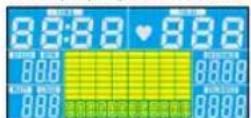
POWER ON
Plug in power supply, computer will power on and display all segments on LCD for 2 seconds. After 4 minutes without pedaling or pulse input, console will enter into power saving mode.
Press any key may wake the console up.
WORKOUT SELECTION
Press UP and Down to select workout Manual → Beginner → Advance → Sporty → Cardio → Watt.
Manual Mode
Press START in main menu may start workout in manual mode.
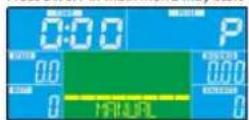
- Press UP or DOWN to select workout program, choose Manual and press Mode to enter.
- Press UP or DOWN to preset TIME, DISTANCE, CALORIES, PULSE and press MODE to confirm.
- Press START/STOP keys to start workout. Press UP or DOWN to adjust load level.
- Press START/STOP keys to pause workout. Press RESET to reverse to main menu.
Beginner Mode
HMS®
M1844
- Press UP or DOWN to select workout program, choose Advance mode and press Mode to enter.
- Press UP or DOWN to preset TIME.
- Press START/STOP key to start workout. Press UP or DOWN to adjust load level.
- Press START/STOP key to pause workout. Press RESET to reverse to main menu.
Sporty Mode
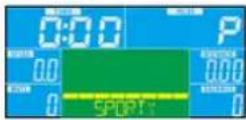
- Press UP or DOWN to select workout program, choose Sporty mode and press Mode to enter.
- Press UP or DOWN to preset TIME.
- Press START/STOP key to start workout. Press UP or DOWN to adjust load level.
- Press START/STOP key to pause workout. Press RESET to reverse to main menu.
Cardio Mode
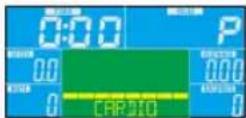
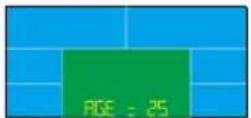
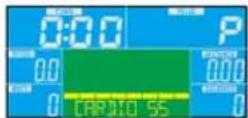
- Press UP or DOWN to select workout program, choose H.R.C. and press Mode to enter.
- Press UP or Down to select 55%.75%.90% or TAG (TARGET H.R.) (default: 100).
- Dress UP or DOWN to onset workout TIME

M1844
USB power charger
The console can provide USB charger for tablet or smart phone. User just plug the data cable into USB port for charging.
iConsole\*APP
Turn on Bluetooth on tablet, search for console device and press connect. (password: 0000)
Turn on iconsole+ app on tablet, and start workout with tablet.



NOTE:
-
Once console is connect to tablet via Bluetooth, the console will power off.
-
Please exit iconsole app and turn off the Bluetooth from iPad, then the console.
iConsole+

M1844
Quick Start Guide
Step 1.
Download app

Step 2.
Connect your device with 3,5 mm Audio cable or Bluetooth
Step 3.
Open app
Step 4.
Start workout
HMS®
M1844
Training instruction
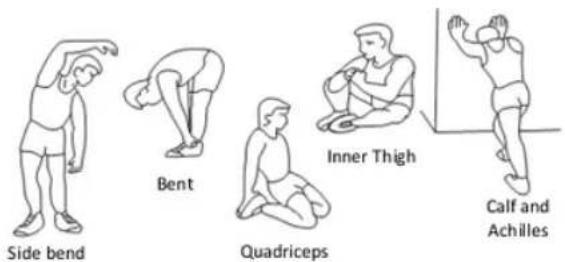
1. Warm-Up
To prevent injury and maximize performance we recommend that each workout period starts with a warm-up. We suggest you do the following exercise as the sketch map. Each exercise at least about 30 seconds.
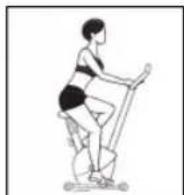
2. Position
Seat down at the saddle, put feet's in to pedals, hands put on the handlebar. Keep your back straight.
3. Training Organization
Warm-up: Before every training you should warm-up for 5-10 minutes. Here you can do some stretching and training with low resistance.
HMS®
M1844
fitter during your normal day. For this achievement you should motivate yourself to exercise regularly. Choose fixed hours for your training session and do not start training too aggressively. Even though we go to great efforts to ensure the quality of each product we produce, occasional errors and/or omissions do occur. In any event should you find this product to has either a defective or a missing part. Please contact us for a replacement.
Terms of references
Stationary bike exercises are replacing bicycle exercises. Magnetic bike M1844-i is item class H. Unit is not intended for commercial use therapy or rehabilitation.

M1844
BEZPEČNOSTNÍ POKYNY
Návod k obsluze
Počítač
FUNKCE DISPLEJE:
natural_image
Line drawing of a person performing a stationary exercise on a skis (no text or symbols)4. Plán tréninku
Rozcvička:
natural_image
Simple line drawing of a curved metal bracket with mounting holes and a circular component, labeled 'x1' (no text or symbols on the object itself)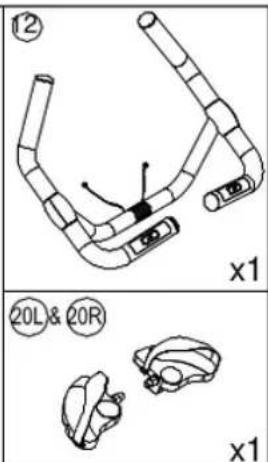
natural_image
Simple line drawing of two abstract shapes with no text or symbols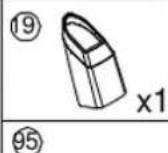
natural_image
Simple line drawing of a 3D object with two circular holes, labeled with circled number 13 and 'x1' (no text or symbols on the object itself)Montageanleitung
Vorbereitung
Computer SM2570 & SE2570
FUNKTIONEN VOM DISPLAY:
KARTA GWARANCYJNA
-
The Seller provides guarantee on behalf of the Guarantor within the territory of the Republic of Poland for the period of 24 months from the date of sale: electric power assisted booster 24 months, charger 6 months.
-
The Guarantee will be recognised by the shop or service centre after the client provides:
- clearly and correctly filled-in guarantee card with the sale stamp and the seller's signature
- valid purchase confirmation for the equipment including the date of sale / bill, complained product.
-
Possible defects and damages revealed during the guarantee period shall be remedied free of charge within not more than 21 days from the delivery of the product to the shop or service.
-
Should it be necessary to import some components, the guarantee term can be extended by the period required to import such part, however such period shall not be longer than 90 days.
-
The guarantee does not cover:
- mechanical damages and subsequent defects,
- damages and defects resulting from incorrect storage and usage of the equipment against its purpose,
- incorrect assembly and maintenance,
- damages and consumption of such elements as: cables, straps, rubber parts, pedals, sponge grips, wheels, bearings, etc.
- The guarantee expires in the event of:
- expiry of the validity term,
- self-repairs,
- failure to follow the rules of correct operation.
-
The product handed over for repair should be complete and clean. If some parts are missing, the service is entitled to refuse to accept the product for repair. The service may refuse to accept a dirty product or clean in on the client's expense after the client's written permit.
-
The guarantee does not cover activities related to assembly, maintenance, which, according to the instruction, the user is obliged to perform themselves.
-
The Guarantor also informs that they offer post-guarantee service.
-
The product should be provided in its original packaging and should be secured for shipment.
-
To exercise the guarantee follow the procedure posted on the website: https://serwis.abisal.pl/
In case of non-conformity of the sold thing with the contract, the buyer is entitled by law to legal remedies from and at the expense of the seller. The guarantee does not affect such remedies.
THE EQUIPMENT IS NOT INTENDED FOR REHABILITATION AND THERAPY
NOTES ON THE COURSE OF REPAIRS
| Item | Date of notificacion | Date of provision | Course of repairs | Signature of the recipient (shop, owner) |
GARANTIEKARTE
Artikelname:
EAN-Code:
EN: Marking the equipment with a symbol of a crossed-out waste container informs about prohibition of placing used electrical and electronic equipment with other household waste. According to the WEEE Directive on used electrical and electronic waste management, separate disposal methods must be applied for this type of equipment. A user, who intends to dispose this product, is required to deliver it to a collection point for used electrical and electronic equipment in order to contribute to reuse, recycling, or recovery and consequently, to protect the environment. To do this, contact the point where the device was purchased or local government officials. Hazardous components contained in the electronic equipment can cause long-lasting adverse changes in the environment, as well as have a harmful effect on human health.
HMS-FITNESS.COM

IMPORTER: ABISAL SP. Z O.O., ul. Pyskowicka 17, 41-807 Zabrze, Polska
DISTRIBUTOR: ABISTORE SPORT S.R.O, U Cihelny 230/3, 74801 Hlučín, Česká Republika
abisal@abisal.pl www.abisal.pl


- UWAGI DOTYCZĄCE BEZPIECZEŃSTWA
- Instrukcja montażu
- Przygotowanie
- Komputer SM2570 & SE2570
- IMPORTANT SAFETY INFORMATION
- Checking list:
- Assembly:
- Preparation
- Assembly proces
- Instruction manual of SM2570 & SE2570
- OPERATION:
- Manual Mode
- Beginner Mode
- HMS®
- Sporty Mode
- Cardio Mode
- USB power charger
- iConsole\*APP
- NOTE:
- Quick Start Guide
- Step 1.
- Step 2.
- Step 3.
- Step 4.
- Training instruction
- Warm-Up
- Position
- Training Organization
- Terms of references
- BEZPEČNOSTNÍ POKYNY
- Návod k obsluze
- Počítač
- Plán tréninku
- Montageanleitung
- Vorbereitung
- Computer SM2570 & SE2570
- KARTA GWARANCYJNA
- THE EQUIPMENT IS NOT INTENDED FOR REHABILITATION AND THERAPY
- GARANTIEKARTE
Brand : HMS Premium
Model : M1844-i
Category : Uncategorized