
ION Snacker S3 - Uncategorized Niceboy - Free user manual and instructions
Find the device manual for free ION Snacker S3 Niceboy in PDF.


| Product Type | 3-in-1 Sandwich Maker (Toaster, Waffle, Panini, Toast) |
| Brand | Niceboy |
| Model | ION Snacker S3 |
| Dimensions | 222 x 221 x 95 mm |
| Plate Size | 225 x 125 mm |
| Power Supply | 220 - 240 V, 50-60 Hz |
| Power Consumption | 750 W |
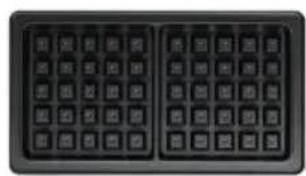
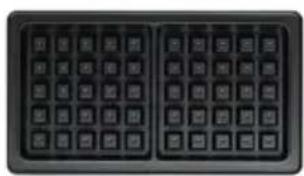
| Interchangeable Plates | 3 sets: Toast, Panini, Waffle |
| Preheating Time | Approx. 3-5 minutes |
| Indicator Lights | Power indicator and maximum temperature indicator (green) |
| Safety Features | Safety latch, automatic shut-off when overheating, adult supervision required |
| Cleaning | Wash plates with warm soapy water; do not immerse the body |
| Non-Stick Coating | Yes, maintain by lightly oiling before use |
| Package Contents | Toaster unit, manual, waffle plates, toast plates, panini plates |
| Certifications | CE, RoHS, EU Declaration of Conformity (2014/30/EU, 2014/35/EU, 2011/65/EU) |
| Country of Origin | Made in China |
| Warranty | Not specified in manual; refer to manufacturer |
Frequently Asked Questions - ION Snacker S3 Niceboy
User questions about ION Snacker S3 Niceboy
0 question about this device. Answer the ones you know or ask your own.
Ask a new question about this device
Download the instructions for your Uncategorized in PDF format for free! Find your manual ION Snacker S3 - Niceboy and take your electronic device back in hand. On this page are published all the documents necessary for the use of your device. ION Snacker S3 by Niceboy.
USER MANUAL ION Snacker S3 Niceboy
User Manual / 3-in-1 Sandwich Maker

natural_image
Black rectangular object with horizontal lines and a circled number 8 below it (no text or symbols on the object itself)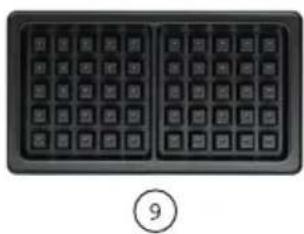
natural_image
Close-up of a black computer keyboard with two square panes and a circled number 9 below (no text or symbols on the keys)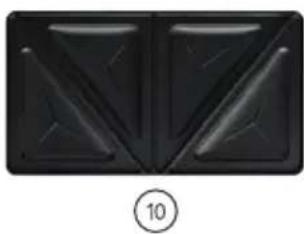
natural_image
Black abstract geometric pattern with symmetrical triangular shapes and a circled number 10 below (no text or symbols)SCHÉMA ZAŘÍZENÍ
natural_image
Black rectangular object with horizontal lines, resembling a vent or grille (no text or symbols visible)8
natural_image
Close-up of a black keyboard layout with no visible text or symbols on the keys⑨
natural_image
Abstract geometric pattern with symmetrical black shapes on dark background (no text or symbols)10
SCHÉMA ZARIADENIA
https://niceboy.eu/cs/declaration/ion-snacker-s3
OBSAH BALENIA
Hriankovač, manuál, dosky na wafle, dosky na toasty, dosky na panini
BEZPEČNOSTNÉ POKYNY
natural_image
Black rectangular object with horizontal lines and a circled number 8 below it (no text or symbols on the object itself)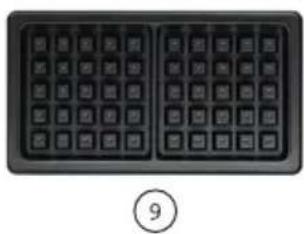
natural_image
Close-up of a black computer keyboard with two square keys and a circled number 9 below (no text or symbols on keys)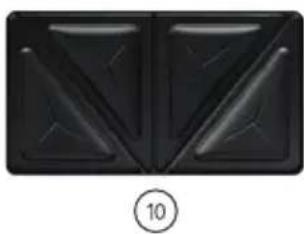
natural_image
Black abstract geometric pattern with triangular cutouts and a circled number 10 (no text or symbols)DEVICE DIAGRAM
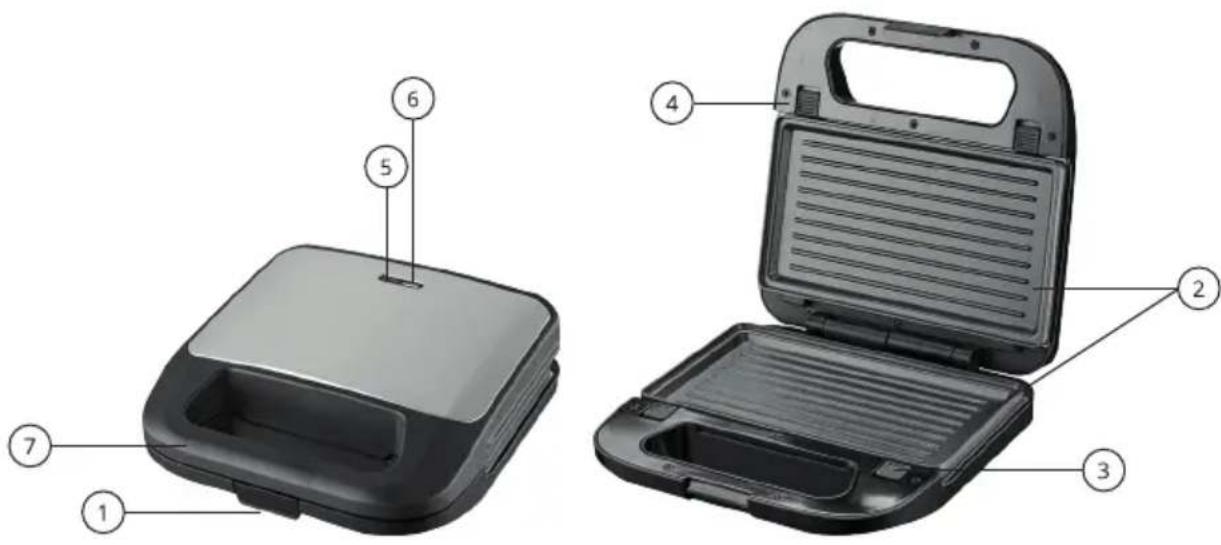
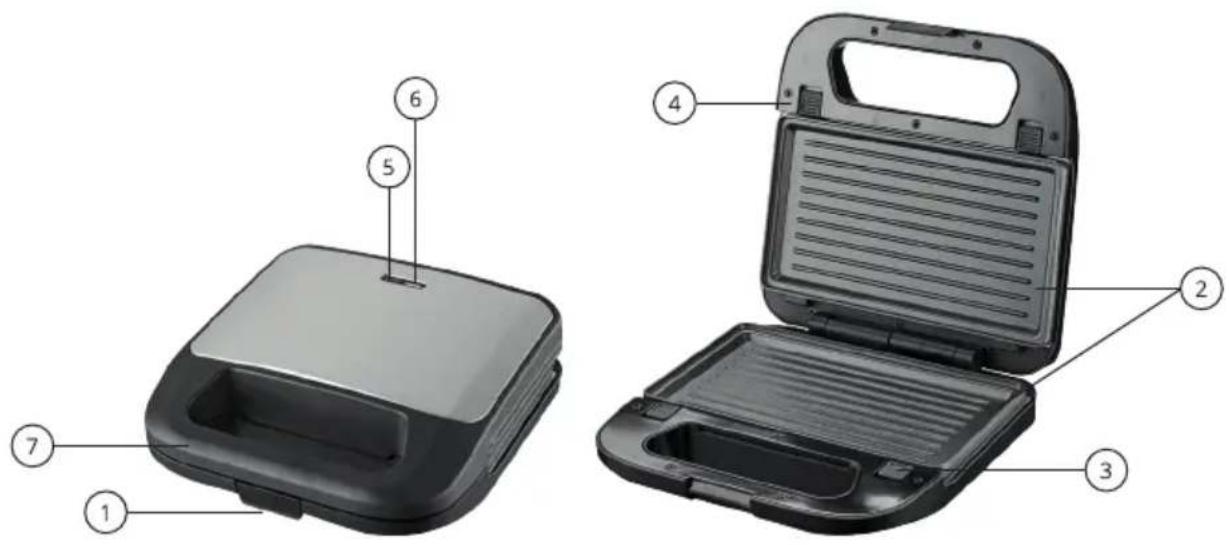
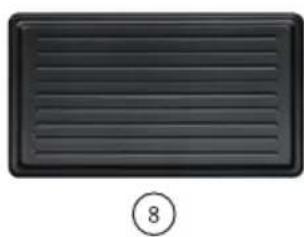
- Safety latch
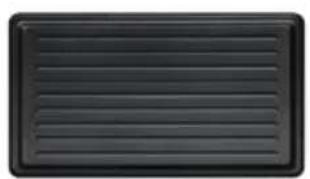
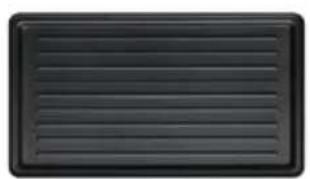
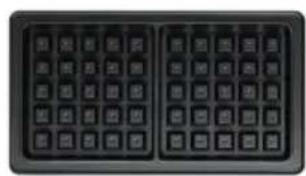
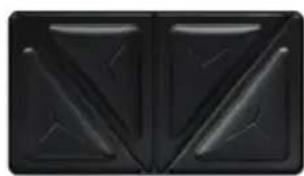
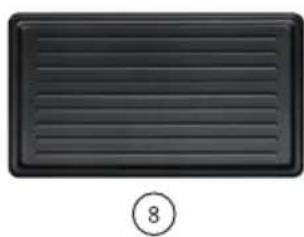
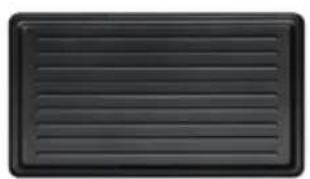
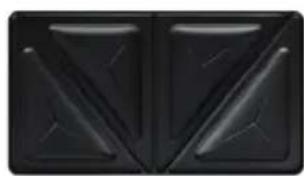
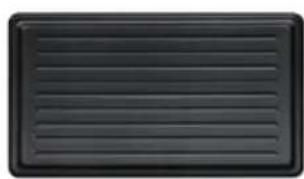
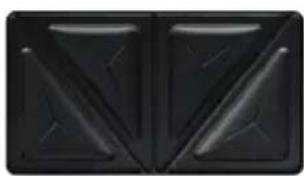
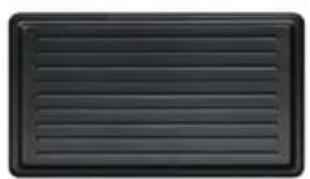
- Plates for panini
- Button to release the bottom plate
- Top plate release button
- Power indicator light
- Maximum temperature indicator light
- Handle
- Plates for panini
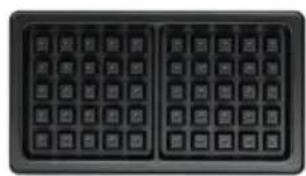
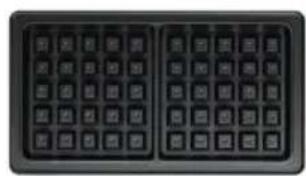
- Waffle plates
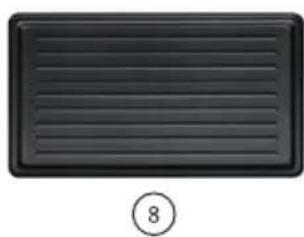
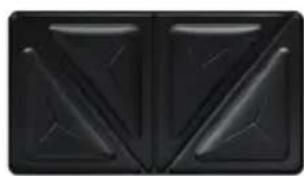
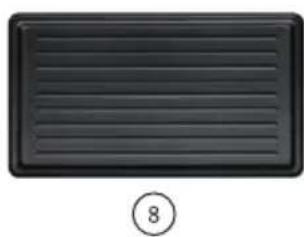
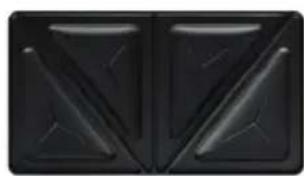
- Plates for toasts
MANIPULATION
Place two identical plates in the toaster to make waffles, toast or panini. When correctly inserted, the plates click into place. Always preheat the toaster closed. The green light goes out after successful heating (approx. 3-5 min.) to hte maximum temperature. During food preparation, the green light will always light up at the moment when the toaster reaches the maximum temperature.
CLEANING AND MAINTENANCE
Before first use, wash all replaceable plates carefully with warm soapy water. Do not wet the body of the toaster. To maintain a non-stick surface, you can lightly coat the interchangeable plates with vegetable oil before use, or use an oil spray.
PARAMETERS
| Dimensions: | 222 x 221 x 95 mm |
| Plate size: | 225 x 125 mm |
| Power supply: | 220 - 240 V, 50-60 Hz |
| Power: | 750 W |
| Number of exchangeable plates: | 3 (toast, panini, waffle) |
NICEBOY s.r.o. hereby declares that the type of equipment Niceboy ION Snacker S3 Stainless steel complies with Directives 2014/30 / EU, 2014/35 / EU, and 2011/65 / EU. The full content of EU Declaration of Conformity is available on the following websites:
https://niceboy.eu/cs/declaration/ion-snacker-s3
PACKAGE CONTENTS
Toaster, manual, waffle plates, toast plates, panini plates
SAFETY INSTRUCTIONS
• The appliance should be operated by an adult
- Before using this product for the first time, please read all instructions carefully and use it correctly based on the user manual.
• Use only original accessories from the manufacturer.
• If you need to hand the product over to a third party, attach the user manual to it.
• Any activity contrary to this manual may result in product damage and personal injury.
- This appliance is not intended as a toy. When using it, take care of your safety and those around you, especially children. Children under 8 years of age and people with reduced physical, sensory and mental abilities and knowledge must not operate the product unless they are supervised by a person responsible for their safety.
- Do not use the product if it malfunctions due to dropping, damage, outdoor use, or water ingress. To avoid injury, the product should be repaired by the manufacturer or its after-sales service.
Do not use the product if the power cable, socket or charging dock is damaged.
Do not touch the appliance with wet hands.
The use of the product in an environment with an open fire is prohibited.
Do not use the product in extreme heat (above 40 °C) or in extreme cold (below 4 °C).
- Keep hair, clothing, fingers and other body parts away from the operating parts of the product.
Do not use the product on wet or waterlogged ground.
- Use the power cord carefully to avoid damage. Do not use the power cord to pull or pull the device.
Do not use the power cord as a handle.
- Before cleaning or maintaining the product, the product must be switched off and the plug must be removed from the outlet.
- Use the product in accordance with the instructions for use. Any loss or damage caused by improper use is the responsibility of the user.
Do not wipe or clean any part of the power cord with a wet cloth or wet hands.
USER INFORMATION FOR DISPOSING ELECTRICAL AND ELECTRONIC DEVICES (HOME USE)
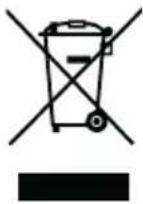
This symbol located on a product or in the product's original documentation means that the used electrical or electronic products may not be disposed together with the communal waste. In order to dispose of these products correctly, take them to a designated collection site, where they will be accepted for free. By disposing of a product in this way, you are helping to protect precious natural resources and helping to prevent any potential negative impacts on the environment and human health, which could be the result of incorrect waste disposal. You may receive more detailed information from your local authority or nearest collection site. According to national regulations, fines may also be given out to anyone who disposes of this type of waste incorrectly.
User information for disposing electrical and electronic devices (business and corporate use) In order to correctly dispose of electrical and electronic devices for business and corporate use, refer to the product's manufacturer or importer. They will provide you with information regarding all disposal methods and, according to the date stated on the electrical or electronic device on the market, they will tell you who is responsible for financing the disposal of this electrical or electronic device. Information regarding disposal processes in other countries outside the EU. The symbol displayed above is only valid for countries within the European Union. For the correct disposal of electrical and electronic devices, request the relevant information from your local authorities or the device seller.

natural_image
Black rectangular object with horizontal lines, resembling a vent or grille (no text or symbols visible)⑧
natural_image
Close-up of a black keyboard with two side panels (no visible text or symbols)⑨
natural_image
Black rectangular panel with symmetrical triangular cutouts and central markings (no text or symbols)10
GERÄTEDIAGRAMM
natural_image
Black rectangular object with horizontal lines and a circled number 8 below it (no text or symbols on the object itself)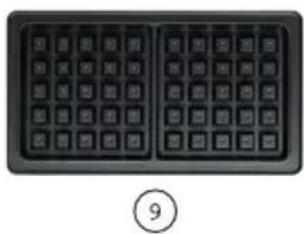
natural_image
Close-up of a black computer keyboard with two square grids and a circled number 9 below (no text or symbols on the keys)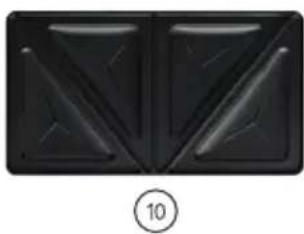
natural_image
Black abstract geometric pattern with symmetrical triangular cutouts and a circled number 10 below (no text or symbols)KÉSZÜLÉK DIAGRAM
https://niceboy.eu/cs/declaration/ion-snacker-s3
CSOMAG TARTALMA
natural_image
Black rectangular object with horizontal lines, resembling a vent or grille (no text or symbols visible)8
natural_image
Close-up of a black keyboard layout with no visible text or symbols on the keys⑨
natural_image
Black geometric pattern with symmetrical triangular shapes (no text or symbols)10
DIJAGRAM UREĐAJA
- Sigurnosni zasun
- Tanjuri za panine
- gumb za otpuštanje donje ploče
- gumb za otpuštanje gornje ploče
- Svjetlo indikatora napajanja
- Svjetlo indikatora maksimalne temperature
- Ručka
- Tanjuri za panine
- Tanjuri za vafle
10.Tanjuri za dvopeke
KONTROLIRATI
https://niceboy.eu/cs/declaration/ion-snacker-s3
SADRŽAJ PAKETA
Toster, ručni, vafle ploče, tost ploče, panini ploče
SIGURNOSNE UPUTE
natural_image
Black rectangular object with horizontal lines, resembling a vent or grille (no text or symbols visible)8
natural_image
Close-up of a black keyboard with two side panels showing standard function keys (no text or symbols visible)⑨
natural_image
Abstract black geometric pattern with symmetrical triangular cutouts (no text or symbols)10
SCHEMAT URZĄDZENIA
https://niceboy.eu/cs/declaration/ion-snacker-s3
ZAWARTOŚĆ PACZKI
natural_image
Black rectangular object with horizontal lines, resembling a vent or grille (no text or symbols visible)8
natural_image
Close-up of a black keyboard layout with no visible text or symbols⑨
natural_image
Abstract black geometric pattern with symmetrical triangular cutouts (no text or symbols)10
DIAGRAM NAPRAVE
https://niceboy.eu/cs/declaration/ion-snacker-s3
VSEBINA PAKETA
natural_image
Black rectangular object with horizontal lines and a circled number 8 below it (no text or symbols on the object itself)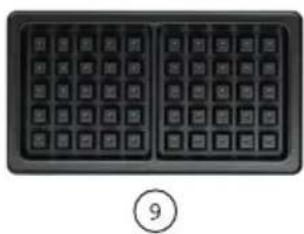
natural_image
Close-up of a black computer keyboard with two square grids and a circled number 9 below (no text or symbols on the keys)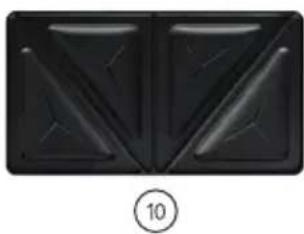
natural_image
Black abstract geometric pattern with symmetrical triangular cutouts and a circled number 10 below (no text or symbols)DIAGRAMA DISPOZITIVULUI
natural_image
Black rectangular object with horizontal lines, resembling a vent or grille (no text or symbols visible)8
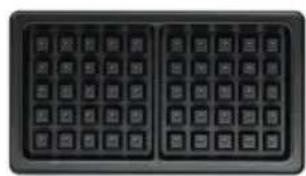
natural_image
Close-up of a black keyboard with two side panels showing standard function keys (no text or symbols visible)⑨
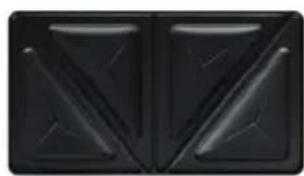
natural_image
Abstract black geometric pattern with symmetrical triangular shapes (no text or symbols)10
ENHETSDIAGRAM
https://niceboy.eu/cs/declaration/ion-snacker-s3
PAKET INNEHÅLL
Brödrost, manuell, väffeltallrikar, toastplattor, paninitallrikar
SÄKERHETS INSTRUKTIONER
Czech Republic, Prague 4, ID: 294 16 876,
Made in China.
RoHS
CE


- User Manual / 3-in-1 Sandwich Maker
- SCHÉMA ZAŘÍZENÍ
- SCHÉMA ZARIADENIA
- OBSAH BALENIA
- BEZPEČNOSTNÉ POKYNY
- DEVICE DIAGRAM
- MANIPULATION
- CLEANING AND MAINTENANCE
- PARAMETERS
- PACKAGE CONTENTS
- SAFETY INSTRUCTIONS
- USER INFORMATION FOR DISPOSING ELECTRICAL AND ELECTRONIC DEVICES (HOME USE)
- GERÄTEDIAGRAMM
- KÉSZÜLÉK DIAGRAM
- CSOMAG TARTALMA
- DIJAGRAM UREĐAJA
- KONTROLIRATI
- SADRŽAJ PAKETA
- SIGURNOSNE UPUTE
- SCHEMAT URZĄDZENIA
- ZAWARTOŚĆ PACZKI
- DIAGRAM NAPRAVE
- VSEBINA PAKETA
- DIAGRAMA DISPOZITIVULUI
- ENHETSDIAGRAM
- PAKET INNEHÅLL
- SÄKERHETS INSTRUKTIONER
Brand : Niceboy
Model : ION Snacker S3
Category : Uncategorized