
BSNF 8151 OX - Fridge WHIRLPOOL - Free user manual and instructions
Find the device manual for free BSNF 8151 OX WHIRLPOOL in PDF.


| Product Type | Refrigerator with freezer compartment |
| Brand | Whirlpool |
| Model | BSNF 8151 OX |
| Control Panel | 6th Sense FreshControl with On/Standby and Temperature buttons |
| Temperature Settings | 5 levels from High to Low (Medium default); Fast Cooling function |
| Fast Cooling | Activate by pressing Temperature button until all 3 LEDs blink; auto deactivates after 12 hours |
| 6th Sense FreshControl | Automatic function for optimal preservation of stored food |
| Lighting | LED light, switches on when door opens, auto off after 8 minutes |
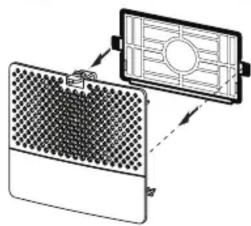
| Fan | Improves temperature distribution; may be equipped with antibacterial filter (inserted into fan cover) |
| Antibacterial Filter | Optional accessory, included in box placed in crisper drawer |
| Door Alarms | Visual alarm (light blinks) after 3 minutes; light off after 4 minutes; close door to clear |
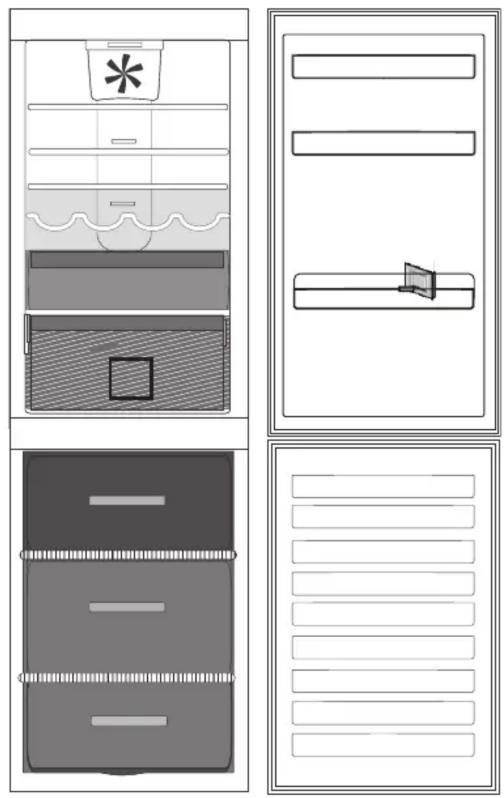
| Compartment Zones | Temperate, Cool, Coolest, Fruit & Vegetable drawer, Freezing zone drawer, Normal freezer drawers |
| Freezer Capacity | Maximum freezing capacity per 24h indicated on rating plate (model specific) |
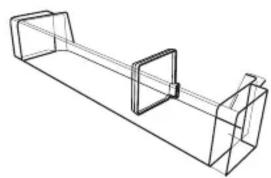
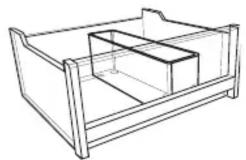
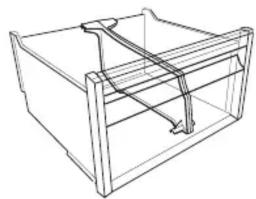
| Accessories Included | Egg tray, cheese box, bottle rack, bottle separator, freezer drawer divider, fridge drawer divider, quick ice compartment, eutetics quick ice trays |
| Storage Recommendations | Use closed containers for liquids/odorous foods; separate ethylene-producing foods; avoid overcrowding for air circulation |
| Maintenance | Refer to Use and Care Guide for cleaning and troubleshooting; contact After-Sales Service for LED replacement |
| After-Sales Service | Contact using numbers on service sticker; technical info on rating plate inside appliance |
| Registration | Register appliance on www.whirlpool.com for complete assistance |
| First Use | Wait 4-6 hours after plugging in before placing food |
Frequently Asked Questions - BSNF 8151 OX WHIRLPOOL
User questions about BSNF 8151 OX WHIRLPOOL
0 question about this device. Answer the ones you know or ask your own.
Ask a new question about this device
Download the instructions for your Fridge in PDF format for free! Find your manual BSNF 8151 OX - WHIRLPOOL and take your electronic device back in hand. On this page are published all the documents necessary for the use of your device. BSNF 8151 OX by WHIRLPOOL.
USER MANUAL BSNF 8151 OX WHIRLPOOL

THANK YOU FOR BUYING A WHIRLPOOL PRODUCT.
In order to receive a more complete assistance, please register your appliance on www.whirlpool.com
Before using the appliance carefully read Health and Safety and Use and Care guides.
PRODUCT DESCRIPTION
APPLIANCE
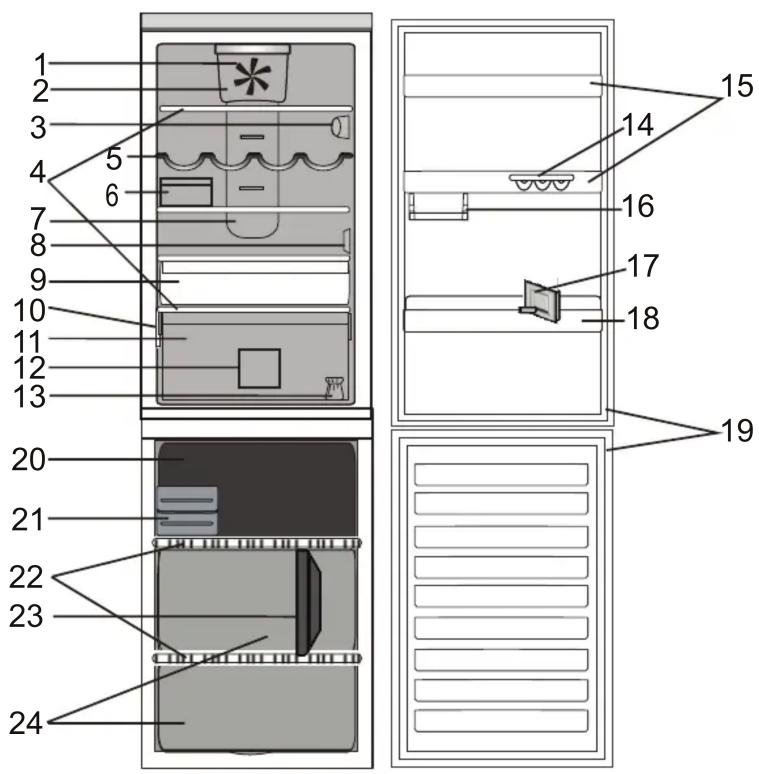
Refrigerator compartment
-
Fan
-
Fan cover and antibacterial filter area
-
Electronic control panel / light unit
-
Shelves
-
Bottle rack
-
Cheese box + Lid
-
Multi-flow cold air area
-
Sensor cover
-
Cooler compartment (best for meat and fish)
-
Rating plate with commercial name
-
Fruits and vegetables crisper
-
Fridge drawer divider
-
Door reversibility kit
-
Egg tray
-
Door trays
-
Small items half balcony
-
Bottle separator
-
Bottle balcony
-
Door seal
Freezer compartment
-
Door seals
-
Upper drawer: coolest zone best for freezing fresh food
-
Quick Ice / Eutetics
-
Shelves
-
Freezer drawer divider
-
Freezer drawers
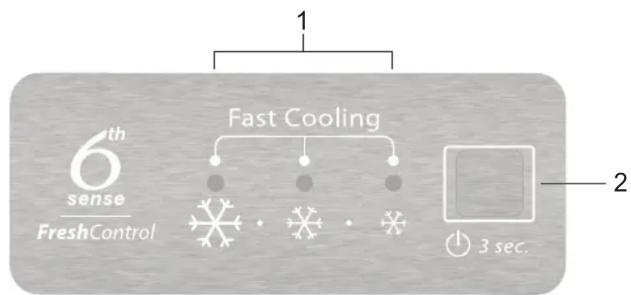
CONTROL PANEL
flowchart
graph TD
    A["1"] --> B["Fast Cooling"]
    B --> C["●"]
    B --> D["●"]
    B --> E["●"]
    B --> F["●"]
    G["2"] --> H["3 sec."]
- Indicator Leds
(to display the current temperature setpoint or the Fast Cooling function)
- On/Stand-By Button / Temperature Button
ACCESSORIES
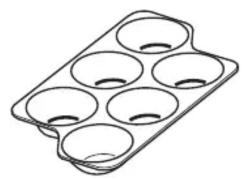
EGG TRAY CHEESE BOX BOTTLE RACK
natural_image
Line drawing of a six-cylinder baking mold (no text or symbols)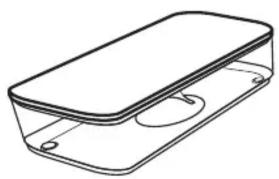
natural_image
Line drawing of a rectangular container with a lid and side supports (no text or symbols)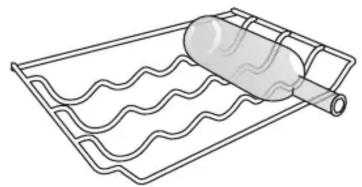
natural_image
Line drawing of a wavy rectangular object wrapped in a cylindrical rod, no text or symbols presentBOTTLE SEPARATOR
natural_image
Pure technical line drawing of a mechanical bracket or support structure without any text, numbers, or symbolsFREEZER DRAWER DIVIDER FRIDGE DRAWER DIVIDER
natural_image
Line drawing of a 3D rectangular box with internal structural lines (no text or symbols)QUICK ICE COMPARTMENT
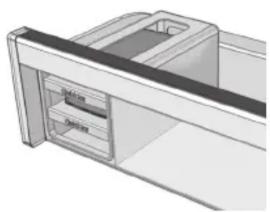
natural_image
3D rendering of a mechanical component with internal channels and mounting bracket (no text or symbols)EUTETICS QUICK ICE TRAYS
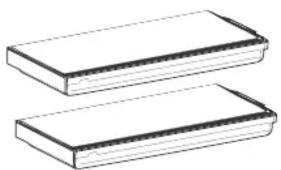
natural_image
Two rectangular blocks with horizontal lines, no text or symbols presentFIRST TIME USE
HOW TO START THE APPLIANCE
After plugging the appliance to the mains, it starts the operation automatically.
After starting the appliance, wait at least 4-6 hours before placing food into the fridge and into the freezer compartment.
When the appliance is connected to the power supply, the display lights up and all the icons appear on the display for approximately 1 second. The default (factory) values of the fridge compartment settings light-up.
DAILY USE
See Use and Care Guide for more details on functions / see last page for information on how to obtain the Use and Care Guide
FUNCTIONS
ON/STANDBY FUNCTION
To put the product in Stand-by, press and hold the On/Stand By button for 3 seconds. All the indicators turn off except On/Standby indicator.
Press again to reactivate the appliance.
TEMPERATURE SETTING
Press the Temperature button on the control panel to adjust the temperature from the warmest through the lower to the coldest level.
Pressing the Temperature button, the temperature setting will change cyclically.
At first plug-in of appliance temperature setpoint is present at medium position (factory setting).
Following table shows temperature setpoints:
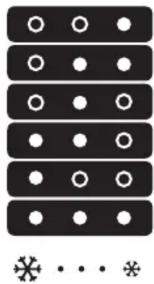
natural_image
Abstract pattern of black rectangular blocks with white circular dots arranged in rows and columns, no text or symbols present.Led on Led off
HIGH TEMP.
MED-HIGH TEMP.
MEDIUM TEMP.
MED-LOW TEMP.
LOW TEMP.
FAST COOLING
Note: Displayed set points correspond to the average temperature throughout the whole refrigerator.
6TH SENSE FRESH CONTROL
This function automatically works to ensure the optimal conditions to preserve the stored food.
FAST COOLING FUNCTION
The use of the Fast Cooling function is recommended to increase the cooling/freezing capacity of the refrigerator/freezer compartment when placing a very high quantity of food within it.
To activate the Fast Cooling function, press the
Temperature button cyclically on the control panel till all the 3 LEDs blink and remain on.
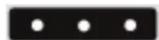
The function is automatically deactivated after 12 hours and return to previous selected set point.
The function can be manually deactivated by pressing the Temperature button on the control panel.
REFRIGERATOR LIGHT
The light system inside the refrigerator compartment uses LEDs light, allowing a better lightning as well as a very low energy consumption.
If the LED light system does not work, please contact the Service to replace it.
Important: The refrigerator compartment light switches on when the refrigerator door is opened. If the door is kept open for more than 8 minutes the light will be automatically switched off.
FAN + ANTIBACTERIAL FILTER
The Fan improves temperature distribution inside the refrigerator compartment, allowing better preservation of stored food.
If the appliance has the Fan it can be equipped with the antibacterial filter.
Remove it from the box placed in the crisper drawer and insert into the fan cover - as in the picture.
The replacement procedure is included in the filter box.
natural_image
Diagram of a device with mesh panel and grid screen, showing internal structure (no text or symbols)ALARM TABLE
| ALARM TYPE SIGNAL CAUSE CURE | |||
| Door open alarm | Refrigerator Light blinks. The door has remained open for more than 3 minutes. | Close the door | |
| Door open alarm | Refrigerator Light OFF. | The door has remained open for more than 4 minutes. | Close the door |
| Malfunction Any temperature indicators blinks. | Product malfunction. Contact the After-sales Service | ||
HOW TO STORE FOOD AND BEVERAGE
natural_image
Diagram of a refrigerator interior layout with labeled compartments and fixtures (no text or symbols)Legend
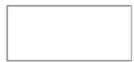
TEMPERATE ZONE Suggested For the storage of tropical fruit, cans, drinks, eggs, sauces, pickles, butter, jam
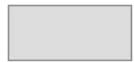
COOL ZONE Suggested for storage of cheese, milk, daily food, delicatessen, yogurt
COOLEST ZONE Suggested or the storage of cold cuts, desserts
FRUIT & VEGETABLE DRAWER

FREEZING ZONE DRAWER
(MAX COOL ZONE) Suggested to freeze fresh/cooked food.

NORMAL FREEZER DRAWERS
Note: The Grey tone of the legend doesn't match with the color of drawers
FRIDGE COMPARTMENT
Use recyclable plastic, metal, aluminum and glass containers and cling film to wrap foods.
Always use closed containers for liquids and for food that may give off or be tainted by odor or flavor transfer or cover them.
If you have a little quantity of food to store in the refrigerator, we recommend to use the shelves above the crisper for fruits and vegetables since this is the coolest area of the compartment.
Foods which give off a large amount ethylene gas and those that are sensitive to this gas, such as fruit, vegetables and salad, should always be separated or wrapped so as not to reduce the storage life; for example do not store tomatoes together with kiwi fruits or cabbage.
To avoid bottles falling over, you can use the bottle holder (available on selected models).
Do not store food too close together to enable sufficient air circulation.
FREEZER COMPARTMENT
The freezer is the ideal storage location for store frozen food, make ice cubes and freeze fresh food in the freezer compartment. The maximum number of kilograms of fresh food that can be frozen within a 24-hour period is indicated on the rating plate (... kg/24h).
If you have a little quantity of food to store in the freezer, we recommend to use the middle area.
MAINTENANCE AND CLEANING AND PROBLEM SOLVING
For maintenance and cleaning and for Problem Solving see the Use and Care Guide.
The Use and Care Guide can be obtained by:
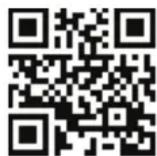
After-Sales Service; phone number see in warranty booklet.
download from Whirlpool Website http://docs.whirlpool.eu
CONTACTING AFTER-SALES SERVICE
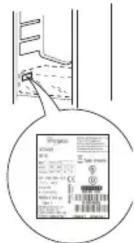
Provide both numbers shown on the service sticker when contacting the After-Sales Service team. http://www.whirlpool.com
The technical information are situated in the rating plate on the internal side of the appliance.
Whirlpool® Registered trademark/TM Trademark of Whirlpool group of companies - © Copyright Whirlpool Europe s.r.l. 2014. All rights reserved - http://www.whirlpool.eu


