
Hawk - Mouse Natec - Free user manual and instructions
Find the device manual for free Hawk Natec in PDF.


| Product Type | Wired Optical Mouse |
| Brand | Natec |
| Model | Hawk |
| Dimensions (L x W x H) | 125 x 70 x 40 mm |
| Weight | 100 g |
| Connection Type | USB 2.0 |
| Cable Length | 1.5 m |
| Number of Buttons | 6 (left, right, middle, forward, backward, DPI switch) |
| Scroll Wheel | Yes, with tilt function |
| Sensor Type | Optical |
| Resolution (DPI) | 800 / 1200 / 1600 / 2400 (adjustable) |
| Ergonomic Design | Right-handed, contoured grip |
| Compatible Operating Systems | Windows 10, 8.1, 7; macOS; Linux |
| Power Source | USB bus-powered (no battery) |
| Warranty | 2 years |
| Cleaning Instructions | Wipe with a soft, dry cloth; avoid liquids |
| Safety Precautions | Do not expose to water or extreme temperatures |
| Spare Parts Availability | Not available; mouse is non-repairable |
| General Information | Natec Hawk is a reliable wired mouse for everyday use, featuring adjustable DPI and comfortable ergonomics. |
Frequently Asked Questions - Hawk Natec
User questions about Hawk Natec
0 question about this device. Answer the ones you know or ask your own.
Ask a new question about this device
Download the instructions for your Mouse in PDF format for free! Find your manual Hawk - Natec and take your electronic device back in hand. On this page are published all the documents necessary for the use of your device. Hawk by Natec.
USER MANUAL Hawk Natec
natural born technology

natural_image
Close-up of a computer mouse with a stylized 'C' logo on the grip (no text or symbols beyond the logo)HAWK
User Manual
FEATURES
- Precise laser sensor with resolution 1000 DPI
• It works on the majority of surfaces - Ergonomic design
INSTALLATION
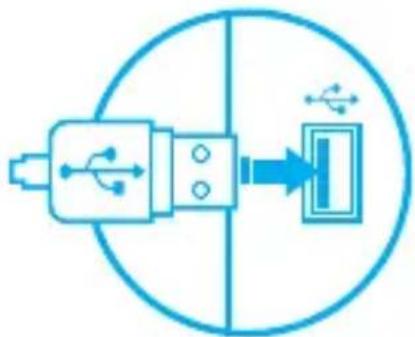
- Connect the device to the USB port in your computer
• System will install driver automatically
SPECIFICATION
- Sensor type
Laser
- Resolution
1000 DPI
• Number of buttons
3
- Dimensions
112 x 57 x 33 mm
EN
PL CZ SK DE RU
natural_image
Pure diagram of a USB connector with internal ports and connection to a port, no text or symbols present
natural_image
Blue circular icon with a checkmark symbol in the center (no text or numbers)PACKAGE CONTENT
- Hawk laser mouse
REQUIREMENTS
• Installation Quick Guide
• PC or compatible device with a USB port
- Windows® XP/Vista/7/8/10
WARRANTY
• 2 years limited manufacturer warranty
SAFETY INFORMATION GENERAL
- Use as directed.
- Non-authorized repairs or taking the device to pieces make the warranty void and may cause the product damage.
- Avoid to hit or friction with a hard object, otherwise it will lead to grind surface or other hardware damage.
- Do not use the product in low and high temperatures, in strong magnetic fields and in the damp or dusty atmosphere.
- Do not drop, knock, or shake the device. Rough handling can break it.
- Slots and openings in the case are provided for ventilation and should not be obscure. Blocking the vents can cause overheating of the device.


RoHS
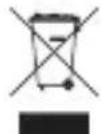
- The safe product, conforming to the EU requirements.
• The product is made in accordance with RoHS European standard. - The WEEE symbol (the crossed-out wheeled bin) using indicates that this product in not home waste. Appropriate waste management aids in avoiding consequences which are harmful for people and environment and result from dangerous materials used in the device, as well as improper storage and processing. Segregated household waste collection aids recycle materials and components of which the device was made. In order to get detailed information about recycling this product please contact your retailer or a local authority.
GŁÓWNE CECHY
natural_image
Pure electrical circuit symbol diagram without any text or labels
natural_image
Blue circular icon with a checkmark inside, no text or symbols present.ZAWARTOŚĆ
natural_image
Pure electrical circuit lines without any symbols
natural_image
Blue circular icon with a checkmark inside, no text or symbols present.OBSAH BALENÍ
natural_image
Pure electrical circuit lines without any symbols
natural_image
Blue circular icon with a checkmark inside, no text or symbols present.OBSAH BALENIA
natural_image
Pure diagram of a USB connector with a circular outline and arrow, no text or symbols present
natural_image
Blue circular icon with a checkmark inside, no text or symbols present.PAKET-INHALT
natural_image
Pure diagram of a USB connector with a belt, no text or symbols present
natural_image
Blue circular icon with a blue checkmark inside, no text or symbols present.ГАРАНТИЯ
Visit our website


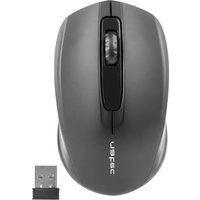


Brand : Natec
Model : Hawk
Category : Mouse