
Fury - Mouse Natec - Free user manual and instructions
Find the device manual for free Fury Natec in PDF.


| Product Type | Wired Mouse |
| Brand | Natec |
| Model | Fury |
| Connectivity | USB 2.0 |
| Sensor Type | Optical |
| Resolution (DPI) | Up to 3200 DPI (adjustable) |
| Number of Buttons | 6 (including scroll wheel) |
| Scroll Wheel | Yes, with tilt function |
| Lighting | 7-color LED breathing effect |
| Cable Length | 1.5 m |
| Dimensions (L x W x H) | 125 x 70 x 40 mm |
| Weight | 120 g |
| Material | Plastic with rubberized side grips |
| Operating System Support | Windows 7/8/10/11, macOS, Linux |
| Power Supply | Powered via USB (no batteries required) |
| Cleaning Instructions | Unplug mouse, wipe with a dry cloth. Do not use liquids or abrasive cleaners. |
| Safety Precautions | Do not expose to water or extreme temperatures. Avoid pulling cable excessively. |
| Spare Parts / Repairability | Replacement mouse feet available. Internal components not user-serviceable. |
Frequently Asked Questions - Fury Natec
User questions about Fury Natec
0 question about this device. Answer the ones you know or ask your own.
Ask a new question about this device
Download the instructions for your Mouse in PDF format for free! Find your manual Fury - Natec and take your electronic device back in hand. On this page are published all the documents necessary for the use of your device. Fury by Natec.
USER MANUAL Fury Natec
OPTICAL GAMING MOUSE
QUICK INSTALLATION GUIDE
natural_image
Pure electrical circuit lines without any symbols
SPECIFICATION
- Sensor type Optical
• Maximum resolution 3200 DPI - Maximal tracking speed 25 ips
- Number of key 6
- Dimensions 134x71x41 mm
• Weight 88g
SAFETY INFORMATION
- Use as directed.
- Non-authorized repairs or taking the device to pieces make the warranty void and may cause the product damage.
- Avoid to hit or friction with a hard object, otherwise it will lead to grind surface or other hardware damage.
- Do not use the product in low and high temperatures, in strong magnetic fields and in the damp or dusty atmosphere.
- Do not drop, knock, or shake the device. Rough handling can break it.
- Slots and openings in the case are provided for ventilation and should not be obscure. Blocking the vents can cause overheating of the device.
- Precise optical sensor with 3200 DPI resolution
- Main button switches with lifetime 5 mil. clicks
• 4 levels DPI switch (1000-1600-2400-3200 DPI)
INSTALLATION
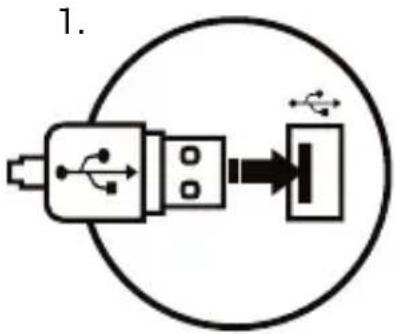
- Connect the device to the USB port in your computer
- System will install driver automatically
WARRANTY
• 2 years limited manufacturer warranty
REQUIREMENTS
- PC or PC compatible device with a USB port
• Windows® XP/Vista/7/8/10
GENERAL
• The safe product, conforming to the EU requirements.
• The product is made in accordance with RoHS European standard.
- The WEEE symbol (the crossed-out wheeled bin) using indicates that this product in not home waste. You protect the environment when you recycle hazardous waste appropriately. In order to get detailed information about recycling this product please contact your retailer or a local authority.

natural_image
Pure electrical circuit lines without any symbols
SPECYFIKACJA
natural_image
Pure electrical circuit lines without any symbols
SPECIFIKACE
natural_image
Pure electrical circuit lines without any symbols
ŠPECIFIKÁCIA
natural_image
Pure electrical connector diagram without any text or symbols
SPECIFICATII
- Tip senzor Optical
• Rezolutie maxima 3200 DPI - Acceleratie (max.) 25 ips
- Numar de taste 6
- Dimensiuni 134x71x41 mm
- Greutate 88g
SIGURANTA IN UTILIZARE
GARANTIE DE PRODUCATOR
natural_image
Pure electrical circuit lines without any symbols
SPECIFIKACIJE
• Tip senzora Optički
• Maksimalna rezolucija 3200 DPI
• Maksimalna brzina praćenja 25 ips
• Broj tastera 6
- Dimenzije 134x71x41 mm
• Težina 88g
BEZBEDNOSNE INFORMACIJE
- Koristite uređaj sledeći uputstva za upotrebu.
- Popravke uređaja ili vađenje pojedinih njegovih delova kao i bilo kakve prepravke koje nisu odobrene od strane ovlašćenog servisa povlače za sobom gubitak garancije, kao i mogućnost trajnog oštećenja proizvoda.
- Izbegavajte udaranje čvrstim predmetom po uređaju ili trenje o njega pošto može prouzrokovati guljenje površine uređaja ili kakvu drugu štetu.
- Nemojte koristiti uređaj na niskim ili visokim temperaturama, u vlažnim ili prašnjavim prostorima kao i u području dejstva jakih magnetnih polja.
- Nemojte ispustiti, udarati ili tresti uređaj. Grubo baratnje može da ga polomi.
- Proseci i otvori na kućištu uređaja služe za njegovo provetravanje i ne smeju da se zatvaraju ili pokrivaju na bilo koji način. Njihovo zapušavanje može da dovede do pregrevanja uređaja.
OSOBINE
natural_image
Pure electrical circuit lines without any symbols
СПЕЦИФИКАЦИЯ
natural_image
Blue stylized fist icon with no text or symbolsPRODUCT & SUPPORT INFORMATION
© FURY. All rights reserved. FURY name and logo, and all related product and service names, design marks and slogans are the trademarks or registered trademarks of NATEC. All other product and service marks contained herein are the trademarks of their respective owners.


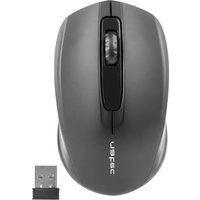


Brand : Natec
Model : Fury
Category : Mouse