
TSD200 - Toothbrush TESLA - Free user manual and instructions
Find the device manual for free TSD200 TESLA in PDF.


| Product Type | Electric Toothbrush |
| Brand | Tesla |
| Model | TSD200 |
| Dimensions (handle) | Approx. 25 x 25 x 180 mm |
| Weight | Around 100 g |
| Power Source | Rechargeable Li-ion battery, USB charging |
| Charging Time | About 4 hours |
| Battery Life | Up to 2 weeks of use |
| Brushing Modes | 5 modes: Clean, White, Gum Care, Sensitive, Massage |
| Timer | 2 minutes with 30-second interval reminders |
| Brush Head Type | Replaceable with compact round brush head |
| Brush Head Lifespan | Replace every 3 months |
| Pressure Sensor | Yes, alerts when brushing too hard |
| Water Resistance | IPX7 (can be rinsed under tap) |
| Display | LED indicator for battery and mode |
| Accessories Included | 1 handle, 2 brush heads, 1 charging cable, 1 travel case |
| Cleaning | Clean handle with damp cloth; wash brush head after use |
| Safety | Automatic shut-off after 2 minutes; overcharge protection |
| Spare Parts | Brush heads available for purchase separately |
| Repairability | Non-repairable by user; contact support for issues |
Frequently Asked Questions - TSD200 TESLA
User questions about TSD200 TESLA
0 question about this device. Answer the ones you know or ask your own.
Ask a new question about this device
Download the instructions for your Toothbrush in PDF format for free! Find your manual TSD200 - TESLA and take your electronic device back in hand. On this page are published all the documents necessary for the use of your device. TSD200 by TESLA.
USER MANUAL TSD200 TESLA
natural_image
Five electric toothbrush models in black, pink, green, and white, arranged side by side (no text or symbols visible on the devices themselves)Technical specifications:
Product: Tesla Smart Toothbrush Sonic TS200
Model: TS200
Rated voltage: 1 A
Rated power: 3 W
Vibration frequency: 42 000 oscillations/min
Charging port: USB-C
Charging time: 4 hours
Battery capacity: 3,7 V / 1500 mAh lithium battery
LED indicator: low battery
Level of water resistance: IPX7
Smart Toothbrush pairing:
Pairing: Download the free "Tesla Smart" app for Android or iOS. System requirements for using the app:
- iOS 8.0 or newer
- Android 4.4 or newer
Due to the many different equipment manufacturers, models and software versions, full functionality cannot be guaranteed.
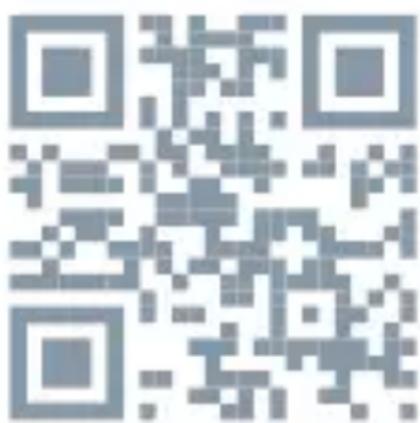
To download the app, search for „Tesla Smart“ in any app store or scan the QR code below:
1.) Register an account: Proceed according to the registration page and fill in the required data.
2.) On the home page, click „Add Device“ or click the „+” symbol in the top right corner to enter the device pairing page.
3.) Press and hold the centre button on the toothbrush for 5 seconds.
4.) Then the centre button on the toothbrush flashes 3 times and the toothbrush is automatically displayed for pairing in the app.
5.) In the app, click the purple add button, then the „+” icon and wait until the device is successfully added.
In case of a problem, press the centre button, leave the toothbrush on and find the Healthcare category in the left column in the app, click on the toothbrush icon and follow the instructions in the app.
How to use the toothbrush correctly:
1.)
Insert the head firmly into the brush shaft so that the brush bristles are in line with the centre button.
Between the toothbrush head and the motor there is a small gap due to vibration.
2.1
Wet the toothbrush head and squeeze an adequate amount of toothpaste onto it.
3.)
Insert the toothbrush head into the mouth, the brush head should be at a 45 degree angle with the gum line.
Press the centre button on the toothbrush body and select the appropriate brushing mode. Hold the handle of the toothbrush and slowly move it back and forth between your teeth, without pushing hard or scrubbing.
4.)
After pressing the mode button:
There are 4 modes to choose from with a 30 second smart reminder. The toothbrush automatically switches off after 2 minutes of cleaning, or you can switch it off earlier by pressing and holding the centre button for approximately 3 seconds.
5.)
Dentists recommend dividing mouth cleaning into four zones and cleaning one area every 30 seconds. That's what the smart toothbrush reminder is for.
6.)
To avoid splashing of toothpaste foam, remove the toothbrush from your mouth only after turning it off.
After brushing, rinse the toothbrush thoroughly with clean water, shake off any drops of water and wipe it dry with a soft cloth.
Place the brush head in a well-ventilated and dry place.
Special Declaration:
The contents of this document serve for informational purposes only. In case of technical or software upgrade it is necessary to perform an update.
Toothbrush use should be discussed with your dentist.
Notes:
- The product is equipped with a lithium battery, do not put it in an open flame or heat it above 40 °C. It is strictly forbidden to place or use the toothbrush in places with high temperature so as to avoid overheating, fire or explosion.
2. Do not disassemble this product without permission.
- Ensure that the working voltage of the charger matches the rated voltage of the brush If you connect the charging adapter and the red charging light does not come on, or if you notice an odour or unusual sounds, stop charging immediately.
In this case, contact the after-sales service department of the company that sold you the toothbrush.
- Keep the toothbrush and accessories out of reach of children. Ensure that children do not use the toothbrush as a toy.
- This product is not suitable for the following people:
Persons with a pacemaker or other device attached to the body.
Children younger than 6 years old.
If you have gum disease or bad symptoms in the oral cavity use the toothbrush under the supervision of a doctor.
- Do not use toothbrush heads that are not recommended by the manufacturer.
- Do not share the toothbrush head with others to avoid oral infection.
- The brush head and body can be washed with water, but never get the charging connector wet.
Functions:
The centre button lights up in different colours to show which cleaning mode is currently activated.
Green - Light mode
Suitable for people with sensitive teeth or as secondary brushing.
Blue - Whitening mode
The frequency of oscillation of the head can remove plaque and tartar in an instant.
Purple - Standard mode
A mode that is suitable for daily use if you want to maintain the health of your teeth.
Navy Blue - Gum care
Suitable for people with sensitive gums, false teeth or braces.
Instructions for use:
- Before using the toothbrush for the first time (just purchased or not used for more than three months), charge it fully. Charging takes approximately 9 hours.
- Insert the USB-C connector into the charging port.
- Charging status: the indicator light has 4 colours.
- Charging complete: the indicator light is illuminated.
- Low battery indicator: the flashing light on the centre button informs you when the battery is low.
- Possible charging phenomenon: the toothbrush may feel slightly warm when charging, which is normal.
Cleaning and maintenance:
- After each use, wash the toothbrush head with water and let it dry.
- The brush body can be rinsed with running water, then wiped with a dry cloth. Never get the charging connector wet.
-
Do not use any acidic or alkaline solution with a temperature higher than 40 °C to clean this product.
-
Do not damage waterproof seals.
- It is recommended that the brush head be replaced with a new one every three months.
Storage:
- If you do not plan to use this electric toothbrush for an extended period of time, clean it, fully charge it and store it in a cool, dry place out of direct sunlight.
- The electric toothbrush should be stored in a ventilated and dry place at a temperature of -7 to 35 °C.
- This product contains a lithium battery. Store it out of direct sunlight and away from heat sources. Do not install, charge, transport or use in areas of high temperature.
- If the toothpaste contains hydrogen peroxide, baking soda or bicarbonate (whitening toothpaste), clean the brush head and toothbrush thoroughly with water after brushing.
INFORMATION ABOUT DISPOSAL AND RECYCLING
This product is marked with the symbol for separate collection. The product must be disposed of in accordance with the regulations for disposal of electrical and electronic equipment (Directive 2012/19/EU on waste electrical and electronic equipment). Disposal together with regular municipal waste is prohibited. Dispose of all electrical and electronic products in accordance with all local and European regulations at the de-
signated collection points which hold the appropriate authorisation and certification in line with the local and legislative regulations. Correct disposal and recycling help to minimise impacts on the environment and human health. Further information regarding disposal can be obtained from the vendor, authorised service centre or local authorities.
EU DECLARATION OF CONFORMITY
Hereby, Tesla Global Limited declares that the radio equipment type TSL-PC-TS200B, TSL-PC-TS200W, TSL-PC-TS200G, TSL-PC-TS200P, TSL-PC-T-SD200B, TSL-PC-TSD200G, TSL-PC-TSD200P, TSL-PC-TSD200W is in compliance with 2014/53/EU directives. The full text of the EU declaration of conformity is available at the following internet address: tsl.sh/doc
Connectivity: Bluetooth
Frequency band: 2.412 - 2.472 MHz
Max. radio-frequency power (EIRP): < 20 dBm

Manufacturer
Tesla Global Limited
Far East Consortium Building,
121 Des Voeux Road Central
Hong Kong
www.teslasmart.com
TT TESLA
natural_image
Five different electric toothbrush models in black, pink, green, and white, arranged side by side (no text or symbols visible on the devices themselves)natural_image
Five different electric toothbrush models in black, pink, green, and white, arranged side by side (no text or symbols visible on the devices themselves)Far East Consortium Building,
121 Des Voeux Road Central
Hong Kong
www.teslasmart.com
TT TESLA
natural_image
Five electric toothbrush models in black, pink, green, and white, arranged side by side (no text or symbols visible on the brand itself)1.) Zaregistrujte si účet: prejdite na registračnú stránku a vyplňte požadované údaje.
2.) Na hlavnej stránke kliknite na Add Device (Pridaf zariadenie) alebo kliknite na symbol + v pravom hornom rohu a prejdite na stránku párovania zariadenia.
3.) Stlačte a podržte stredné tlačidlo na zubnej kefke 5 sekúnd.
4.) Potom stredové tlačidlo na zubnej kefke 3-krát za-bliká a zubná kefka sa automaticky zobrazí v aplikácii na párovanie.
5.) V aplikácii kliknite na fialové tlačidlo pridania, potom na symbol + a počkajte, kým sa zariadenie úspešne nepridá.
Far East Consortium Building,
121 Des Voeux Road Central
Hong Kong
www.teslasmart.com
TT TESLA
natural_image
Five electric toothbrush models in black, pink, green, and white, arranged side by side (no text or symbols visible on the brand itself)Far East Consortium Building,
121 Des Voeux Road Central
Hong Kong
www.teslasmart.com
TT TESLA
natural_image
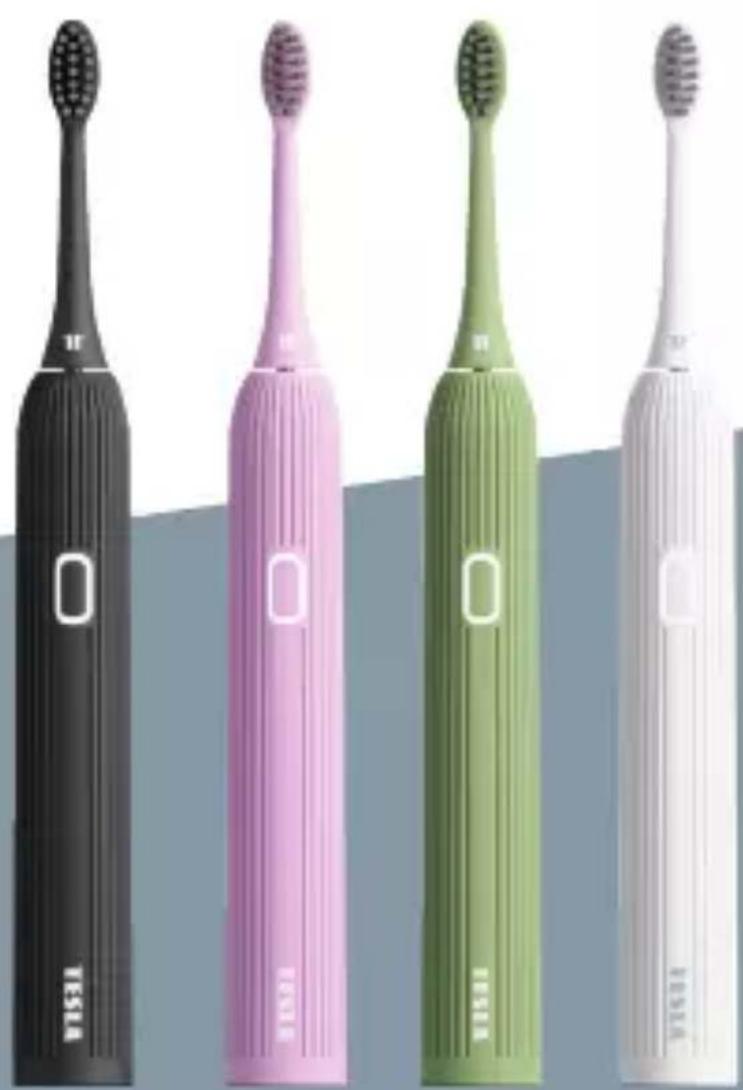
Five electric toothbrush models in black, pink, green, and white, arranged side by side (no text or symbols visible on the brand itself)Far East Consortium Building,
121 Des Voeux Road Central
Hong Kong
www.teslasmart.com
TT TESLA
natural_image
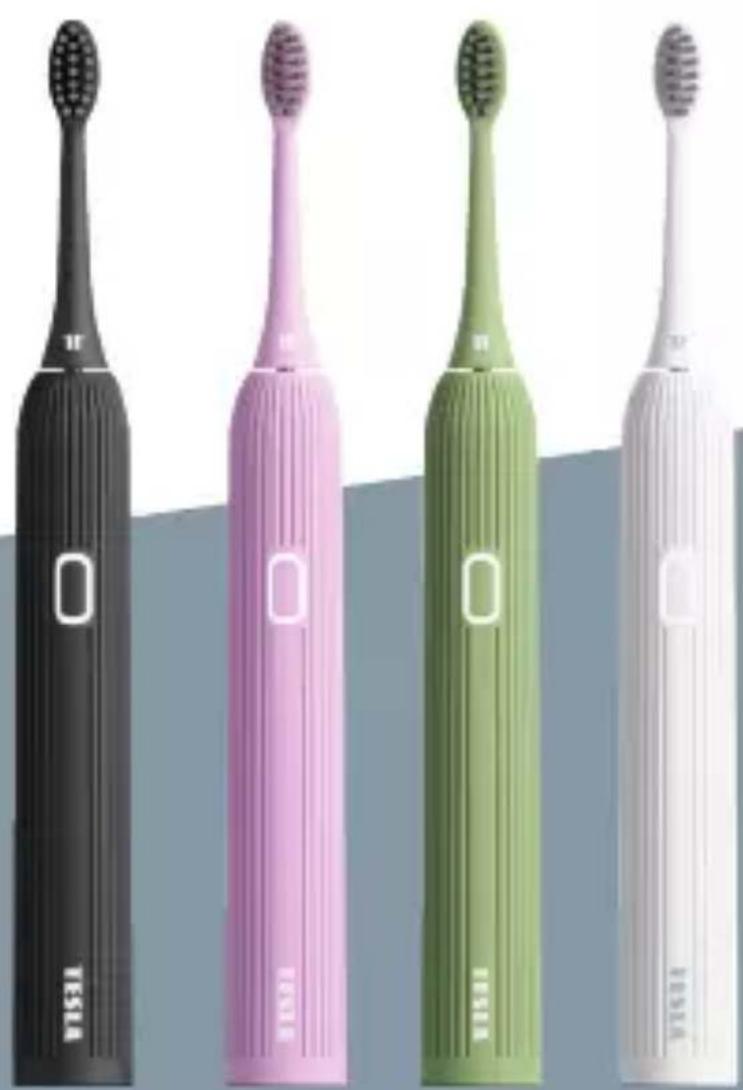
Five electric toothbrush models in black, pink, green, and white, arranged side by side (no text or symbols visible on the brand itself)Far East Consortium Building,
121 Des Voeux Road Central
Hong Kong
www.teslasmart.com
TT TESLA
Far East Consortium Building,
121 Des Voeux Road Central
Hong Kong
www.teslasmart.com
- Technical specifications:
- Smart Toothbrush pairing:
- How to use the toothbrush correctly:
- 2.1
- 3.)
- 4.)
- 5.)
- 6.)
- Special Declaration:
- Notes:
- Do not disassemble this product without permission.
- Functions:
- Green - Light mode
- Blue - Whitening mode
- Purple - Standard mode
- Navy Blue - Gum care
- Instructions for use:
- Cleaning and maintenance:
- Storage:
- INFORMATION ABOUT DISPOSAL AND RECYCLING
- EU DECLARATION OF CONFORMITY
- Manufacturer
- TT TESLA
Brand : TESLA
Model : TSD200
Category : Toothbrush