
SKS 7100 - Kitchen scale SENCOR - Free user manual and instructions
Find the device manual for free SKS 7100 SENCOR in PDF.


Pick your language and provide your email: we'll send you a specifically translated version.
| Product Type | Digital kitchen scale |
| Model | SKS 7100 |
| Brand | SENCOR |
| Maximum Capacity | 5 kg (11 lb) |
| Measurement Resolution | 1 g (0.1 oz) |
| Weight Units | g, lb:oz, ml (water), fl.oz (water) |
| Display Type | LCD |
| Timer Function | Yes, up to 99 minutes 59 seconds |
| Functions | Weight measurement, tare, unit conversion, timer |
| Power Supply | 2 × AAA batteries (not included) |
| Dimensions (approx.) | 20 × 15 × 2 cm |
| Weight (approx.) | 0.3 kg |
| Material | Plastic body, stainless steel platform |
| Auto-Off | After 2 minutes of inactivity |
| Overload Indicator | Yes |
| Low Battery Indicator | Yes |
| Cleaning Instructions | Wipe with a damp cloth; do not immerse in water |
| Safety Notes | Do not exceed maximum load; keep away from heat sources |
| Spare Parts | Not available separately |
| Repairability | Non-repairable by user; contact service center |
| Manual Languages | English, Czech, Slovak, Polish, Hungarian, etc. |
Frequently Asked Questions - SKS 7100 SENCOR
How do I turn on the SENCOR SKS 7100 kitchen scale?
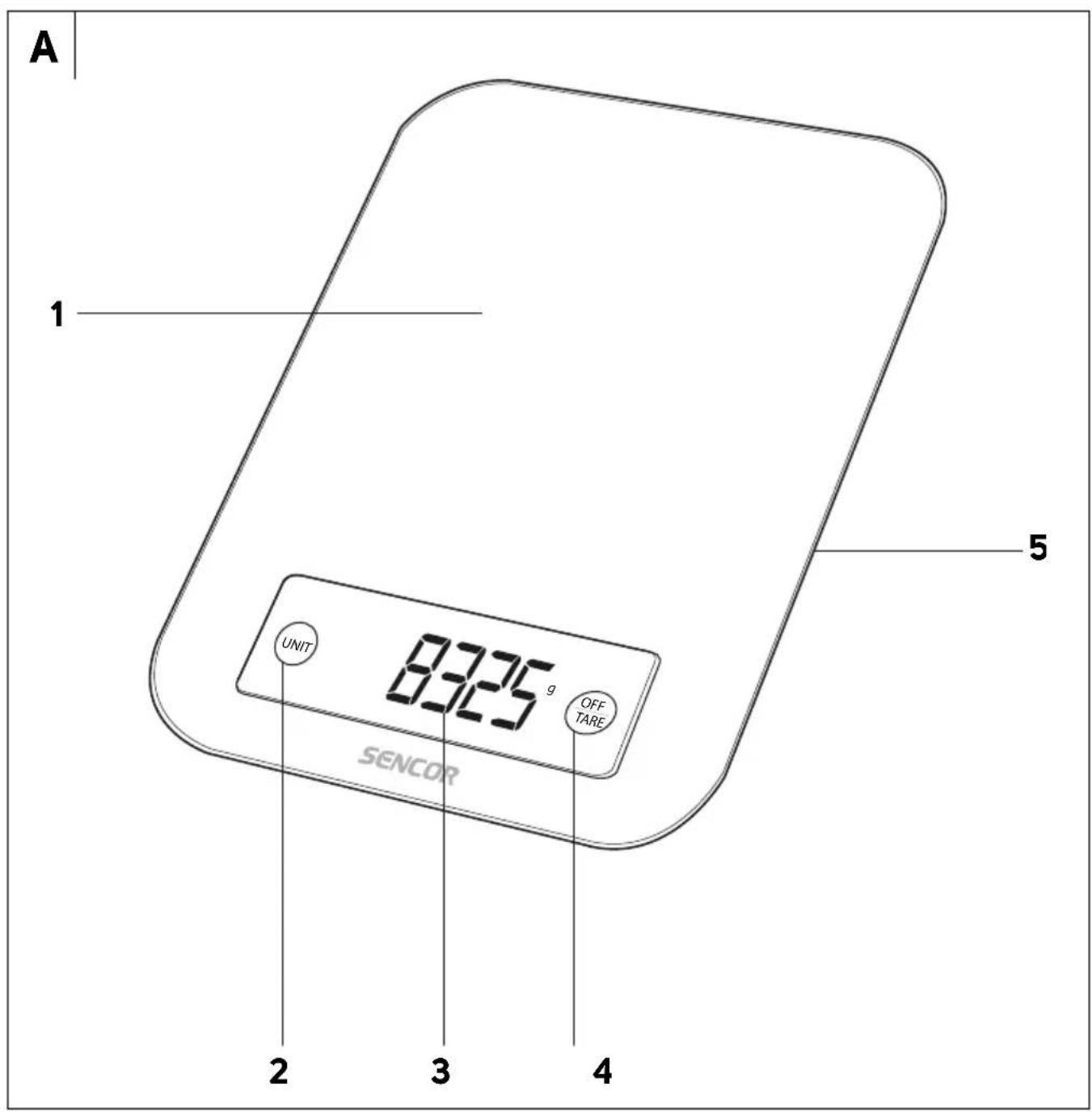
Press the ON/OFF button to turn the scale on. The display will show 0 g. If the scale does not turn on, check the batteries.
How do I change the weight unit?
Press the UNIT button repeatedly to cycle through g, lb:oz, ml, and fl.oz. The selected unit will appear on the display.
What does the TARE button do?
The TARE button resets the display to zero. Use it to subtract the weight of a container so you can measure only the contents.
How do I use the timer function?
Press the TIMER button (if available) or refer to the manual. Typically, you can set a countdown timer by pressing the button and adjusting with +/- or using the UNIT button. The display shows minutes and seconds.
What is the maximum weight the scale can measure?
The maximum capacity is 5 kg (11 lb). Do not exceed this limit to avoid damaging the scale.
Why does the display show 'Err' or 'O-Ld'?
This indicates overload. Remove the excess weight immediately. The scale will return to normal once the weight is removed.
How do I replace the batteries?
Open the battery compartment on the bottom of the scale. Insert 2 AAA batteries with correct polarity. Close the cover and the scale will function again.
How do I clean the scale?
Wipe the scale with a damp cloth. Do not use abrasive cleaners or immerse the scale in water. Dry thoroughly before use.
Why is the scale not turning on?
Check that the batteries are installed correctly and have sufficient charge. If the scale still does not turn on, replace the batteries.
Is the scale accurate?
Yes, the scale has a resolution of 1 g and is calibrated at the factory. For best accuracy, place it on a level, stable surface and avoid direct sunlight or drafts.
User questions about SKS 7100 SENCOR
0 question about this device. Answer the ones you know or ask your own.
Ask a new question about this device
No questions yet. Be the first to ask one.
Download the instructions for your Kitchen scale in PDF format for free! Find your manual SKS 7100 - SENCOR and take your electronic device back in hand. On this page are published all the documents necessary for the use of your device. SKS 7100 by SENCOR.
USER MANUAL SKS 7100 SENCOR
CZ Kuchyňská váha
VOLBA JEDNOTEK HMOTNOSTI A OBJEMU


Table of contents
Click a title to access it
Manual assistant
Powered by Anthropic
Waiting for your message
Product information
Brand : SENCOR
Model : SKS 7100
Category : Kitchen scale