
P5508 - Digital timer Emos - Free user manual and instructions
Find the device manual for free P5508 Emos in PDF.


| Product Type | Digital Timer |
| Brand | Emos |
| Model | P5508 |
| Dimensions (approx.) | 85 x 85 x 35 mm |
| Weight (approx.) | 120 g |
| Power Supply | 1 x 9V battery (not included) |
| Display Type | LCD digital display |
| Timer Range | 1 minute to 24 hours |
| Countdown Timer | Yes |
| Alarm Function | Audible alarm at end of timer |
| Memory Function | Retains last setting |
| Mounting | Tabletop or wall-mountable (bracket not included) |
| Material | ABS plastic |
| Color | White or black (varies) |
| Usage | Indoor use only |
| Operating Temperature | 0°C to 50°C |
| Maintenance | Wipe clean with dry cloth; avoid moisture |
| Safety | Do not immerse in water; keep away from heat sources |
| Spare Parts | Battery compartment cover available; contact Emos |
| Repairability | No user-serviceable parts; refer to qualified technician |
Frequently Asked Questions - P5508 Emos
User questions about P5508 Emos
0 question about this device. Answer the ones you know or ask your own.
Ask a new question about this device
Download the instructions for your Digital timer in PDF format for free! Find your manual P5508 - Emos and take your electronic device back in hand. On this page are published all the documents necessary for the use of your device. P5508 by Emos.
USER MANUAL P5508 Emos
GB MECHANICAL OUTDOOR TIMER, TYPE P5508
Mechanical timer serves to switch electronic devices in outdoor area (outdoor lighting, irrigation, pools filtration) in the required time. Minimal setting time is 30 minutes.
Specification
Power Supply: 230 V\~, 50 Hz
Max. load: 16 (2) A, 3 680 W
Temperature of environment: -25 °C to +50 °C.
Total accuracy of timer: ±5 min
Accuracy on switch 30 min: ±5 s
Accuracy on switch 6 hours: ±1 min
Protection class: IP44
Setting the Time
Turn the dial clockwise (as per indicating arrows) until the arrow located at the right top of the centre dial is pointing to the correct time.
Each segment represents 30 minutes: 2 segments = 1 hour.
Setting of the Required Programme
- Pull up the segments on the edge of the rotating disc. One pulled up segment cuts off the timer for 30 minutes (2 segments = 1 hour etc).
- Plug the timer into the supply network 230 V\~/50 Hz
- Insert the appliance plug into the Timer plug.

Warning
Maximum induction load is 2 A, resistance load is 16 A. It is prohibited to open the product. Do not immerse in water or any liquid.
Use only outdoor rubber plug IP44.
Timer should be mounted vertically with segment up and plug down, so as to achieve the protection class: IP44.
For safety reason do not connect larger loads to the device.
If you need to clean the Timer, remove from the mains and clean with a dry cloth.
This appliance is prohibited to be used by persons (including children) whose physical, sensory and mental inability or lack of experience or knowledge prevents them from safe use of the appliance, unless they are supervised or instructed on the appliance usage by a person responsible for their safety. Children should be supervised in order to avoid their playing with the appliance.
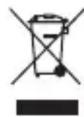
Do not dispose with domestic waste. Use special collection points for sorted waste. Contact local authorities for information about collection points. If the electronic devices would be disposed on landfill, dangerous substanoes may reach ground-
water and subsequently food chain, where it could affect human health.
CZ MECHANICKÁ PROGRAMOVATELNÁ SPÍNACÍ ZÁSUVKA, TYP P5508

Brand : Emos
Model : P5508
Category : Digital timer