Nespresso N60 - Coffee maker JURA - Free user manual and instructions
Find the device manual for free Nespresso N60 JURA in PDF.


Pick your language and provide your email: we'll send you a specifically translated version.
| Product type | Nespresso capsule coffee machine |
| Brand | JURA |
| Model | Nespresso N60 |
| Dimensions (W x D x H) | Approx. 28 x 36 x 33 cm |
| Weight | Approx. 4 kg |
| Power supply | 220-240 V, 50/60 Hz |
| Power consumption | 1260 W |
| Water tank capacity | 1.0 L |
| Used capsule container capacity | 10 capsules |
| Pump pressure | 19 bar |
| Brewing functions | Espresso (40 ml), Lungo (110 ml), hot water |
| Capsule system | Nespresso OriginalLine capsules |
| Automatic shut-off | Yes, after 9 minutes of inactivity |
| Descaling indicator | Yes, automatic |
| Cleaning program | Automated rinsing cycle |
| Removable drip tray | Yes |
| Cup size adjustment | By raising/lowering drip tray |
| Energy saving mode | Yes, auto shut-off |
| Safety features | Overheat protection, auto shut-off |
| Maintenance | Descaling every 3 months or as indicated; clean brew group; empty capsule container |
| Spare parts availability | Water tank, drip tray, capsule container, brew unit parts available from JURA service |
| Repairability | Designed for professional repair; spare parts available; user-replaceable drip tray and container |
Frequently Asked Questions - Nespresso N60 JURA
What type of capsules does the Nespresso N60 use?
The Nespresso N60 uses Nespresso OriginalLine capsules. Do not use Vertuo capsules.
How do I descale the Nespresso N60?
Use Nespresso descaling solution or a compatible descaler. Follow the machine's descaling program: empty the water tank, add descaling agent and water, then start the descaling cycle. Rinse thoroughly afterwards.
What is the water tank capacity?
The water tank has a capacity of 1.0 liter. Do not fill above the MAX mark.
How do I adjust the cup size?
Raise or lower the drip tray to accommodate different cup sizes. The machine automatically adjusts the brew height.
Why is the machine not brewing?
Check if the water tank is empty, the capsule is properly inserted, and the machine is not in descaling mode. If the issue persists, try a reset: unplug for 30 seconds.
How do I clean the machine?
Regularly empty and rinse the drip tray and capsule container. Run a rinse cycle without a capsule weekly. Descale every 3 months.
Can I use other brands of capsules?
Yes, many third-party brands produce Nespresso-compatible aluminum capsules. However, quality and fit may vary; always check compatibility.
What does the blinking orange light mean?
A blinking orange light typically indicates the machine needs descaling. Refer to the descaling section in the manual.
How do I reset the machine to factory settings?
To reset, turn off the machine, press and hold the lungo button for 5 seconds, then turn it on. Release the button when both buttons blink.
Where can I find spare parts?
Visit the official JURA website or contact JURA customer service. Common spare parts like water tank, drip tray, and capsule container are available.
User questions about Nespresso N60 JURA
0 question about this device. Answer the ones you know or ask your own.
Ask a new question about this device
No questions yet. Be the first to ask one.
Download the instructions for your Coffee maker in PDF format for free! Find your manual Nespresso N60 - JURA and take your electronic device back in hand. On this page are published all the documents necessary for the use of your device. Nespresso N60 by JURA.
USER MANUAL Nespresso N60 JURA
NESPRESSO. N60
Bedienungsanleitung
natural_image
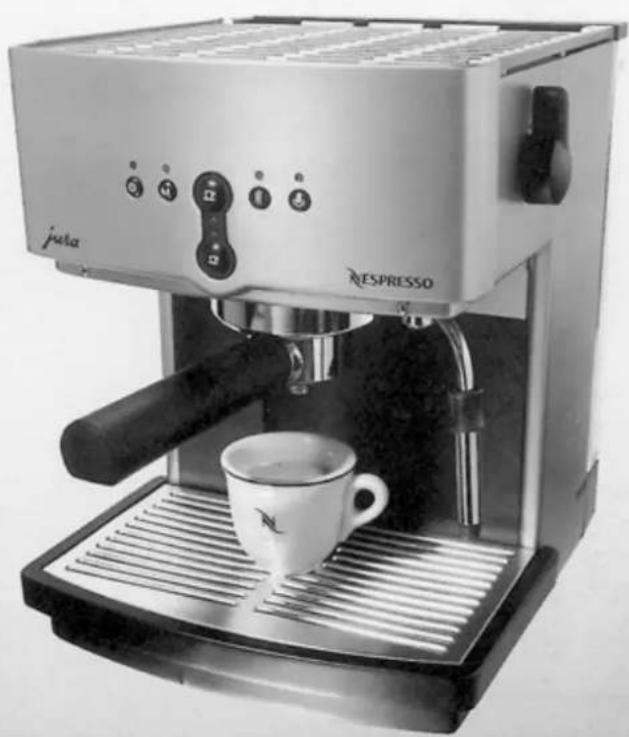
Exterior view of a Jusia ESPRESSO espresso machine with a white cup on the tray (no visible text or symbols beyond branding)Art. Nr. 62898
natural_image
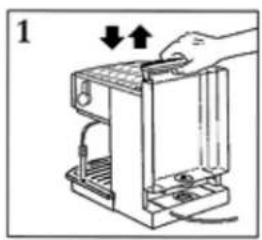
Diagram of a hand operating a device with arrows indicating process (no text or symbols)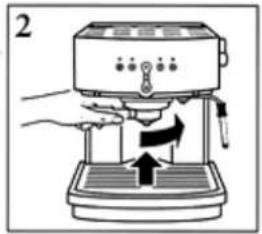
natural_image
Illustration of a hand using a espresso machine to press or adjust a tray (no text or symbols visible)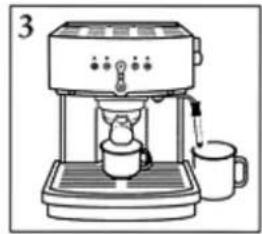
natural_image
Line drawing of a coffee machine with a cup and lid, no text or symbols present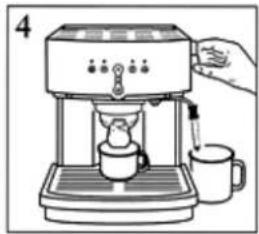
natural_image
Illustration of a coffee machine with a hand pouring liquid into it, accompanied by a mug (no text or symbols present)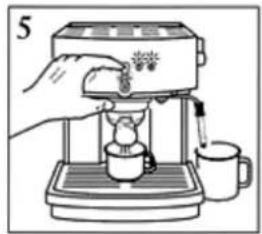
natural_image
Illustration of a hand pouring liquid into a small cup using a portable espresso machine (no text or symbols visible)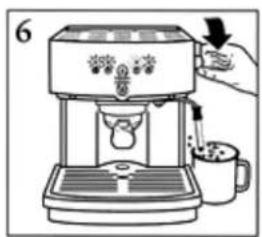
natural_image
Illustration of a hand using a espresso machine to press or install a cup (no text or symbols visible)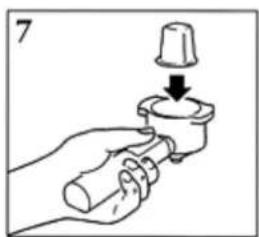
natural_image
Hand holding a mechanical component with a downward arrow indicating force or direction (no text or symbols)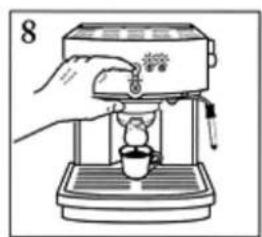
natural_image
Illustration of a hand using a espresso machine to press coffee into a cup (no text or symbols visible)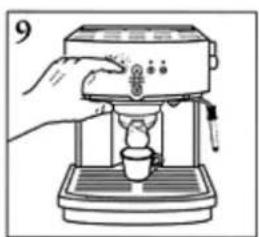
natural_image
Illustration of a hand using a espresso machine to press or spread it into a cup (no text or symbols visible)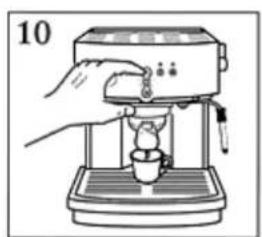
natural_image
Illustration of a hand using a coffee machine to press or intake a cup (no text or symbols visible)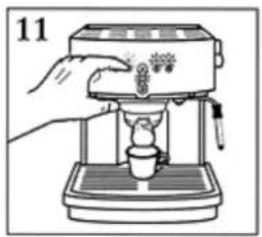
natural_image
Line drawing of a hand using a espresso machine to press or<|rotate_right|> (no text or symbols present)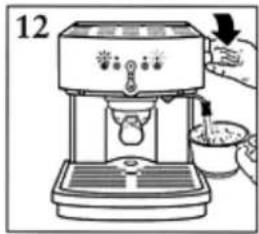
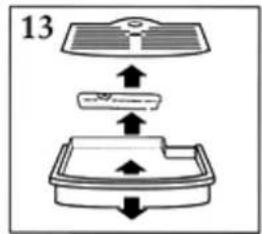
flowchart
graph TD
    A["Step 1: Top panel"] --> B["Step 2: Left panel"]
    B --> C["Step 3: Right panel"]
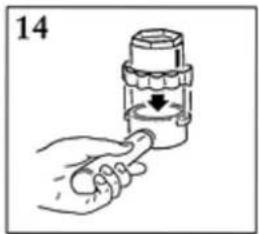
natural_image
Hand holding a tool applying material to a mechanical component (no text or symbols visible)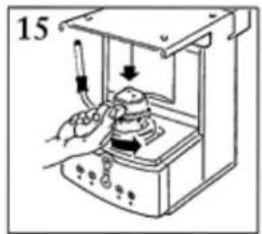
natural_image
Line drawing of a laboratory instrument with a hand operating it, no text or symbols present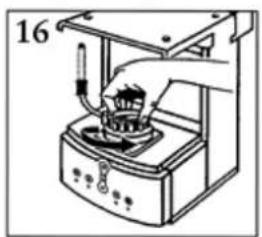
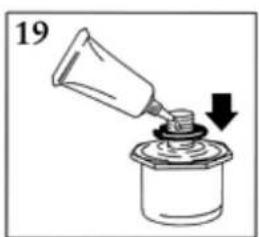
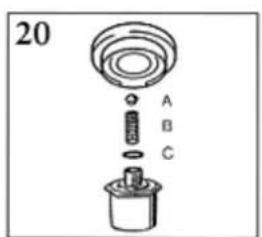

Table of contents
Click a title to access it
Manual assistant
Powered by Anthropic
Waiting for your message
Product information
Brand : JURA
Model : Nespresso N60
Category : Coffee maker