
703.19 - Lighting Paulmann - Free user manual and instructions
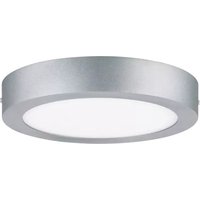
Find the device manual for free 703.19 Paulmann in PDF.


Pick your language and provide your email: we'll send you a specifically translated version.
| Brand | Paulmann |
| Model | 703.19 |
| Product Type | LED Luminaire |
| IP Rating | IP20 (indoor use only) |
| Power Supply | 220-240 V, 50/60 Hz |
| Power Consumption | 12 W (estimated) |
| Color Modes | RGBW (color changeable) |
| Control Method | Remote control included |
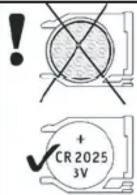
| Remote Battery | CR2025, 3V |
| Beam Angle | 120° |
| Mounting Height | Min 3 m, max 7 m |
| Clearance | Min 30 mm from walls |
| Safety Class | Indoor use only |
| Hotline | +49 (0) 5041 998 389 |
| Manufacturer | Paulmann Licht GmbH, Quezinger Feld 2, 31832 Springe, Germany |
| Website | www.paulmann.com |
Frequently Asked Questions - 703.19 Paulmann
How do I install the Paulmann 703.19 light?
Follow the provided wiring diagram. Ensure power is off before installation. The light is suitable for indoor use only with IP20 protection.
How do I pair the remote control?
The remote control is pre-paired. Insert the included CR2025 battery (3V) and point at the light. If not responding, reset by turning power off and on.
What colors can the light display?
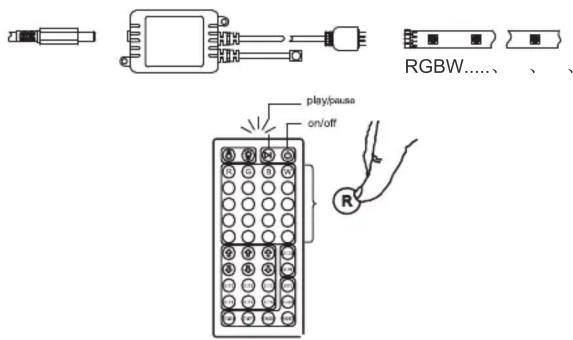
The light features RGBW mode, allowing you to adjust red, green, blue, and white colors using the remote buttons (R+, G-, B+, etc.).
Can I dim the light?
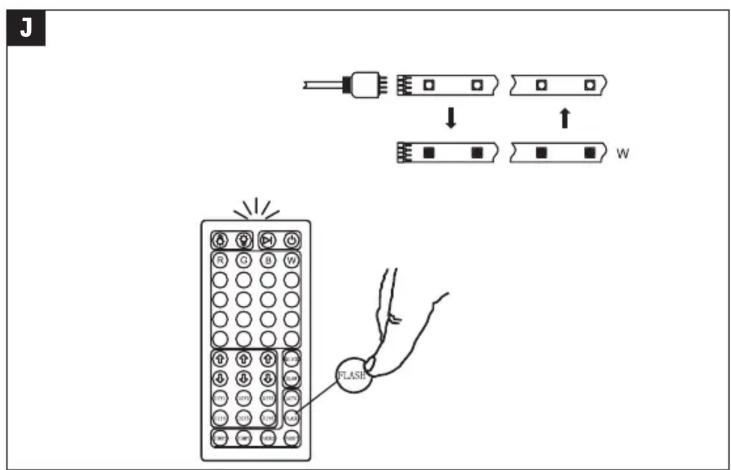
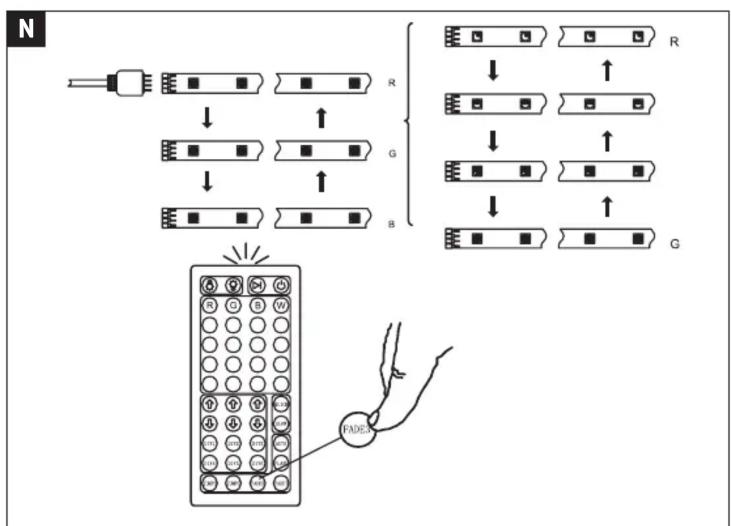
Yes, brightness can be adjusted using the remote control. It also has flash and slow transition modes.
What is the recommended mounting height?
For optimal performance, mount the light at a height between 3 m and 7 m with a beam angle of 120°.
Is the light suitable for outdoor use?
No, the IP20 rating means it is designed for indoor use only. Avoid exposure to moisture or dust.
How do I clean the light?
Disconnect power and wipe with a dry cloth. Do not use abrasive cleaners or water.
What if the remote control stops working?
Check the battery (CR2025). Replace if low. Also ensure there are no obstacles between remote and light.
Does the light have a warranty?
Contact Paulmann customer service at +49 (0) 5041 998 389 or visit www.paulmann.com for warranty information.
Can I use this light with a standard wall switch?
Yes, the light can be controlled with a standard on/off switch. The remote control offers additional functions.
User questions about 703.19 Paulmann
0 question about this device. Answer the ones you know or ask your own.
Ask a new question about this device
No questions yet. Be the first to ask one.
Download the instructions for your Lighting in PDF format for free! Find your manual 703.19 - Paulmann and take your electronic device back in hand. On this page are published all the documents necessary for the use of your device. 703.19 by Paulmann.
USER MANUAL 703.19 Paulmann


Paulmann Licht GmbH
Quezinger Feld 2
31832 Springe
Germany
www.paulmann.com
C
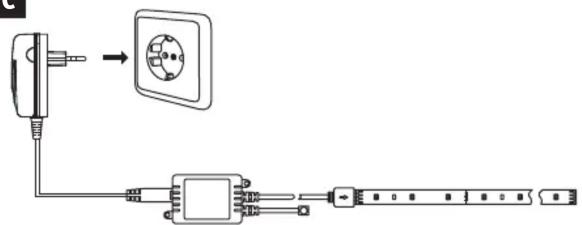


D

E


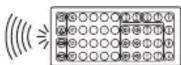


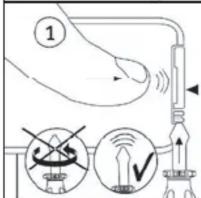


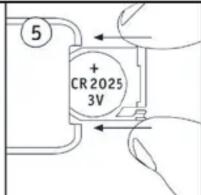
F
G
![graph TD A["Pinning Pin"] --> B["Lighting Panel"] B --> C{Lighting Panel} C --> D["Lighting Panel"] D --> E["Lighting Panel"] E --> F["Lighting Panel"] F --> G["Lighting Panel"] G --> H["Lighting Panel"] H --> I["Lighting Panel"] I --> J["Lighting Panel"] J --> K["Lighting Panel"] K --> L["Lighting…](/content/2026/05/847410/images/784996f87a7b06db929e8f234002036daa3027bfc655dc77e563bb679937e8fa.jpg)


![graph TD A["Left Panel: Quick"] --> B["Step 1: Process"] B --> C["Step 2: Process"] C --> D["Step 3: Process"] D --> E["Step 4: Process"] E --> F["Step 5: Process"] F --> G["Step 6: Process"] G --> H["Step 7: Process"] H --> I["Step 8: Process"] I --> J["Step 9: Process"] J --> K["Step 10: Process"]…](/content/2026/05/847410/images/e1911cbc1fafd3636c4b7af31f8c81b2b8b27f3e79800ff6bd6dc9be734f7b66.jpg)

![graph TD A["Hand with 'IMPPT' indicator"] --> B["Remote Control Panel"] B --> C["R"] B --> D["Y"] B --> E["G"] B --> F["C"] B --> G["B"] B --> H["P"] B --> I["W"]](/content/2026/05/847410/images/a9dac8e1fd9fc42d4a574d17bc6b109a71ab170bd0938657ea585f2e6c587b6c.jpg)
![graph TD A["Resistor"] --> B["Package 1"] B --> C["Package 2"] C --> D["Package 3"] D --> E["Package 4"] E --> F["Package 5"] F --> G["Package 6"] G --> H["Package 7"] H --> I["Package 8"] I --> J["Package 9"] J --> K["Package 10"] K --> L["Package 11"] L --> M["Package 12"] M --> N["Package 13"] N…](/content/2026/05/847410/images/af805a4af53c9b64d63346e8a9ce00201bff49adee3009b2d7acbc7192d05f1c.jpg)
Manual assistant
Powered by Anthropic
Waiting for your message
Product information
Brand : Paulmann
Model : 703.19
Category : Lighting